Best Dash Cam Buying Guide for Uber Drivers
When you’re behind the wheel for Uber, your car is both your workspace and your livelihood. Every mile driven, every fare completed, and every interaction with a passenger contributes to your earnings. But that same vehicle also exposes you to significant risks—accidents, disputes, theft, vandalism, and liability claims. In this high-stakes environment, having reliable protection isn’t just smart—it’s essential. A dash cam isn’t just a convenience; it’s a critical tool for safeguarding your income, reputation, and peace of mind.
This comprehensive buying guide is designed specifically for Uber drivers who need more than just any dash cam—they need one built to handle the unique demands of ride-sharing work. Whether you’re a full-time driver or supplementing your income on weekends, understanding what makes a dash cam truly effective in protecting you on the road is crucial. You’ll learn how to evaluate performance specs like video quality, storage capacity, and emergency recording features, as well as practical considerations like ease of installation, night vision, and cloud connectivity.
The market for dash cams has exploded in recent years, with hundreds of models flooding online stores and electronics retailers. While some are basic loop-record devices, others now include GPS tracking, Wi-Fi sharing, parking mode, and even AI-powered event detection. For Uber drivers, choosing between these options can feel overwhelming. That’s why we’ve broken down the entire decision process into clear, actionable insights. By the end of this guide, you’ll know exactly which features matter most, how to avoid common pitfalls, and where to find the best deals without sacrificing reliability.

What to Look for When Buying Dash Cams
1. Budget & Price Range
Your budget plays a major role in determining what kind of dash cam you can afford and how many features you’ll get. As an Uber driver, you’re balancing startup costs with long-term value—so don’t overspend on unnecessary tech if you’re running lean, but also don’t skimp on critical protections that could save your business.
Entry-level dash cams typically cost between $40 and $80. These often come with 720p or 1080p resolution, basic motion detection, and loop recording. While they provide foundational coverage, many lack advanced safety features like G-sensor auto-lock or wide-angle lenses above 120 degrees. For occasional drivers or those testing the waters, this tier offers a low-risk entry point.
Mid-range models ($80–$150) deliver better image quality (usually 1080p or 2K), enhanced night vision, wider fields of view (140°–160°), and improved build durability. Many include dual-channel recording (front and rear), parking monitoring, and smartphone app integration. This range strikes the ideal balance between affordability and functionality for most active Uber drivers.
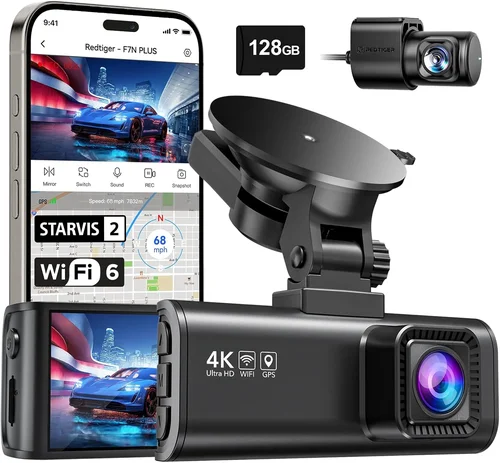
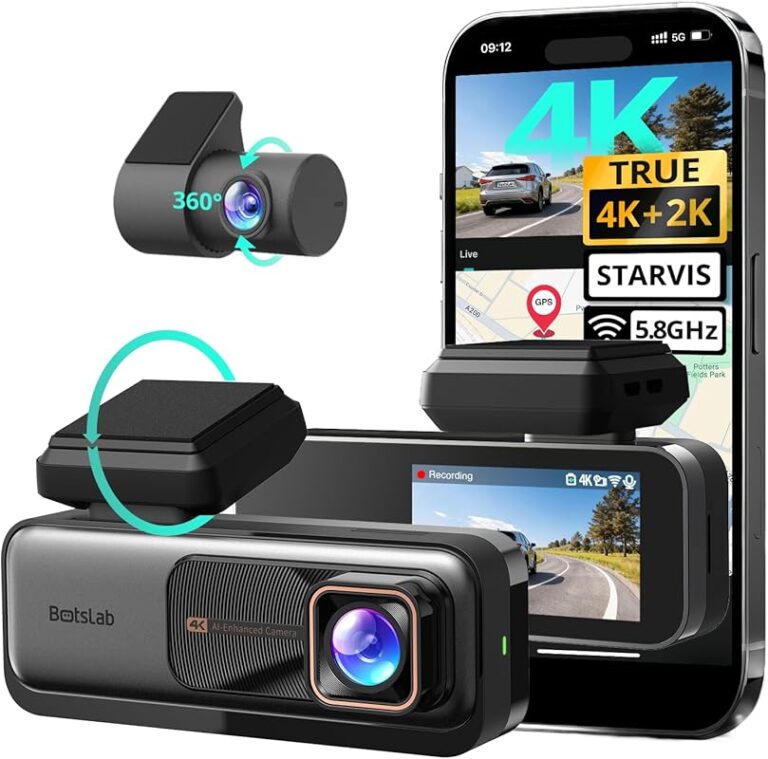
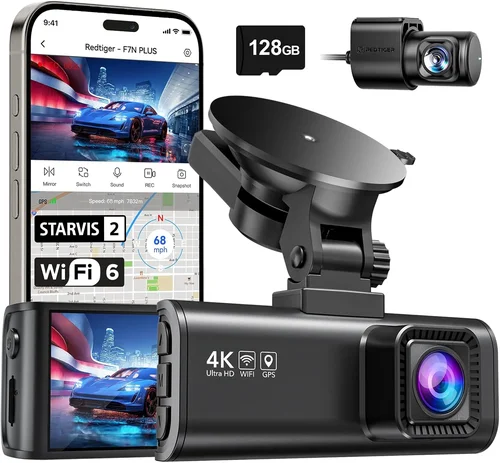
Premium units ($150–$300+) offer 4K front cameras, superior HDR imaging, GPS tagging, built-in Wi-Fi for live streaming, and cloud backup options. Some even feature driver assistance alerts like lane departure warnings or collision risk notifications. If you drive extensively or operate in high-risk urban environments, investing in premium hardware pays dividends through clearer evidence and added peace of mind.
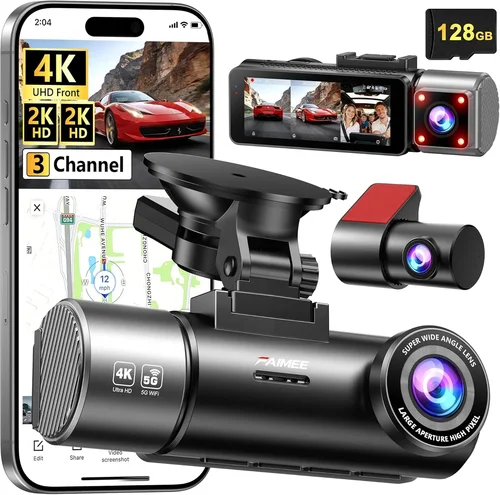
Luxury dash cams exceed $300 and often resemble small security systems. They may include multiple cameras (triple-channel setups), ultra-wide angles up to 170°, AI behavior recognition, and professional-grade firmware updates. These are best suited for full-time fleet operators or drivers handling luxury vehicles where image fidelity is paramount.
2. Performance Specifications
Performance goes beyond megapixels—it encompasses everything from sensor quality to software processing that determines whether your footage will be usable in court or insurance disputes. Poorly recorded videos can undermine your credibility when proving fault or innocence.
Resolution matters: Aim for at least 1080p Full HD resolution. Anything below results in grainy, hard-to-read details during accidents or near-misses. However, resolution alone isn’t enough—combine it with good low-light sensitivity and dynamic range to capture clear images in tunnels, nighttime, or glare-heavy conditions.
Frame rate affects smoothness: Look for a frame rate of at least 30 frames per second (fps). Higher-end models offer 60 fps, which captures sharper action sequences and reduces motion blur during sudden braking or swerves. This becomes critical when documenting aggressive driving maneuvers or pedestrian crossings.
Field of view (FOV) defines coverage: Standard FOV ranges from 120° to 170°. Wider angles reduce blind spots but can distort edges (fisheye effect). A 140°–150° lens provides near-perfect coverage of the road ahead without excessive warping. Always test the viewing angle before purchasing—some manufacturers exaggerate their specs.
Night vision capability is non-negotiable: Use sensors with excellent light sensitivity (measured in lux ratings) and infrared cut filters. True night vision means capturing readable license plates after dark, not just glowing red eyes from animals or headlights. Check user reviews for real-world nighttime performance rather than relying solely on marketing claims.
Storage requirements depend on usage frequency: Most dash cams use microSD cards (typically Class 10 or U3 rated). A 128GB card lasts about 2–3 hours of continuous recording at 1080p. If you drive daily for 6+ hours, consider 256GB or higher. Also ensure your device supports automatic overwrite (loop recording) so old files delete seamlessly.
3. Build Quality & Durability
Your dash cam must survive daily commutes, temperature swings, vibrations, and accidental bumps. Cheap plastic housings crack under heat, while flimsy mounts fall off mid-drive. As an Uber driver, you can’t afford downtime due to hardware failure.
Look for shock-resistant materials such as polycarbonate or aluminum alloy shells. These withstand drops and impacts better than standard ABS plastics. Waterproofing (IP54 or higher) protects against rain splashes and dust ingress—important if you drive in coastal cities or heavy precipitation zones.
Heat resistance is equally vital. Summer temperatures inside parked cars can exceed 140°F (60°C). Ensure your device operates reliably between -4°F to 140°F (-20°C to 60°C). Many top models include thermal management systems or passive cooling designs to prevent overheating.
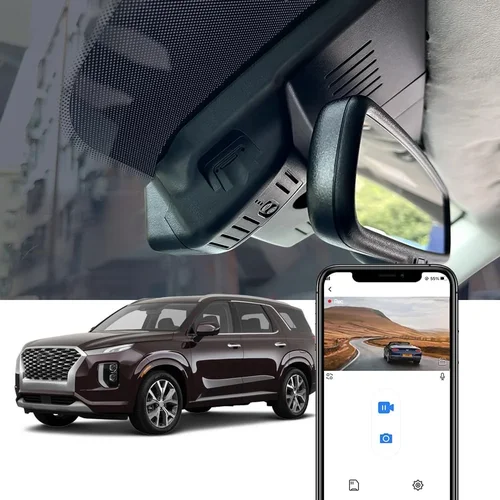
The mounting system should be secure yet adjustable. Suction cups work well on windshields but lose grip over time. Metal-reinforced adhesive pads offer permanent stability without leaving residue. Some premium units use magnetic bases for easy removal and reattachment.
Also consider cable routing. Clean, hidden wiring prevents interference with airbags and keeps the interior tidy. Integrated USB-C or cigarette-lighter power adapters simplify installation. Avoid models requiring messy zip ties or exposed cables that obstruct visibility.
4. Features & Functionality
Modern dash cams do far more than record video. Smart features enhance usability, extend protection, and streamline data management—all vital for busy professionals like Uber drivers.
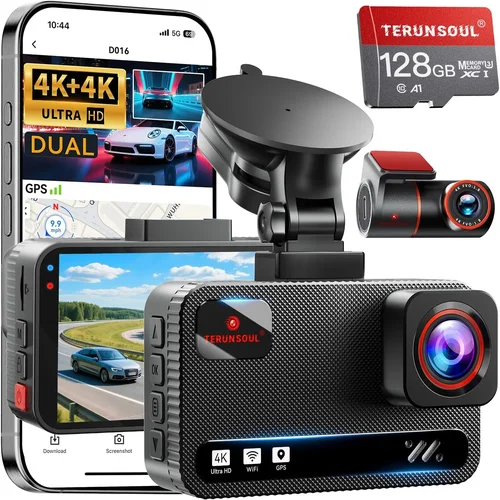
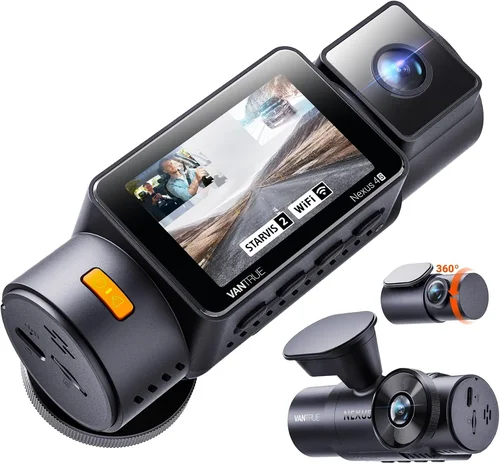
Dual-channel recording (front + rear) gives you complete situational awareness. It helps verify passenger behavior, document rear-end collisions, or track hit-and-run incidents. Rear cameras usually connect via coaxial cable or wireless pairing and often have narrower FOVs focused on blind spots.
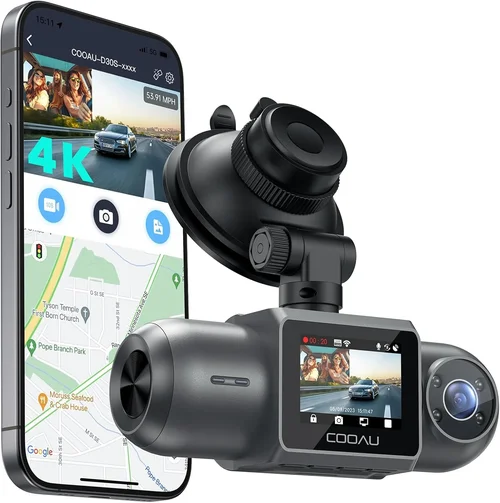
GPS logging tracks speed, location, and route history. This adds context to your footage and proves you weren’t speeding during an incident. Some apps allow you to overlay map data onto video clips for easy reference during disputes.
Parking mode activates when your car is idle. Motion-triggered recording captures break-ins, scratches, or suspicious activity while you’re earning fares elsewhere. Battery-powered models use capacitors instead of lithium batteries to safely store energy during shutdown.
Wi-Fi and mobile apps enable instant clip sharing, remote viewing, and firmware updates. You can instantly send proof of an accident to insurance adjusters without digging through memory cards. Cloud storage subscriptions (often monthly) back up footage securely but add recurring costs.
G-sensor auto-lock detects sudden jolts or impacts and saves the surrounding 10–30 seconds of footage automatically. Without this, critical moments might get overwritten during loop recording. This feature is essential for liability protection.
Loop recording continuously records over older files once storage fills up. Ensure your device supports seamless transitions—no gaps or skipped frames. Manual file locking lets you mark important segments for retention beyond the standard overwrite cycle.
5. Brand Reputation
Not all brands are created equal. Established names invest heavily in R&D, customer support, and product reliability. Newer entrants may offer flashy specs but lack field-tested durability or responsive service.
Top-tier brands like VIOFO, Blackvue, Thinkware, and Garmin dominate professional markets and receive regular firmware updates. Their products undergo rigorous testing for temperature, vibration, and electromagnetic interference. Blackvue, for instance, pioneered cloud-connected dash cams used by commercial fleets worldwide.
Mid-market players like Nextbase, Qrontech, and Samsung also deliver solid performance at reasonable prices. Nextbase’s 512GB models with Alexa integration appeal to tech-savvy users. Qrontech specializes in triple-channel setups with intuitive apps.
Avoid obscure Chinese brands selling exclusively on Amazon without verified warranties or repair networks. While some surprise you with quality, others suffer from inconsistent manufacturing batches, poor documentation, and no local support.
Check third-party review aggregators like Consumer Reports, Wirecutter, or Reddit communities (r/dashcam) for unbiased opinions. Pay attention to long-term user experiences—not just initial impressions.
6. Warranty & Support
A dash cam is a long-term investment. Even minor defects shouldn’t derail your schedule. Reliable warranty terms and accessible support make a huge difference when things go wrong.
Most reputable brands offer 1–2 year limited warranties covering manufacturing defects. Premium models sometimes include extended coverage (3+ years) or accidental damage protection. Read fine print carefully—some exclude screen cracks or water ingress if improperly installed.
Customer service responsiveness varies widely. Brands with US-based support centers resolve issues faster than overseas providers relying on email-only channels. Live chat or phone lines are preferable to ticket systems.
Firmware update availability indicates ongoing commitment. Manufacturers that release periodic improvements for bug fixes, new features, or compatibility upgrades show dedication to product longevity.
If possible, buy from authorized dealers with return policies allowing 30-day testing periods. This lets you verify real-world performance under your typical driving conditions before committing fully.
7. Size & Portability
While dash cams aren’t meant to be moved frequently, portability can matter if you switch vehicles often or rent cars occasionally. Compact designs minimize visual obstruction and reduce theft risk when parked.
Ultra-thin profiles (< 0.6 inches thick) sit flush with the windshield, reducing aerodynamic drag and wind noise. Smaller footprints also mean less chance of catching on clothing or interfering with wipers.
However, extremely tiny units may sacrifice battery life, processing power, or heat dissipation. Balance compactness with adequate cooling and component placement. Most mid-size models (1.5″ x 2.5″) offer optimal trade-offs.
If you drive multiple Uber-linked vehicles (your personal car plus rental hybrids), consider interchangeable mounts or universal brackets that fit various windshields securely.
8. User Reviews & Ratings
Real-world feedback reveals hidden flaws and confirms advertised benefits. Prioritize detailed reviews over star ratings alone. Look for patterns—do multiple users report the same issue? Are complaints isolated or widespread?
Pay special attention to comments about:
- Image clarity in rain or snow
- Reliability after 6+ months of use
- Ease of accessing stored files
- Mount adhesion strength
- Battery performance in cold weather
Cross-reference platforms: Amazon, Best Buy, B&H Photo, and manufacturer websites each attract different buyer demographics. Ignore fake-looking “verified purchase” spam—focus on thoughtful, lengthy testimonials.
Different Types of Dash Cams

Common Buying Mistakes to Avoid
❌ Mistake: Ignoring Night Vision Capabilities
Why it’s bad: Many buyers assume all dash cams perform equally at night. In reality, cheap models produce washed-out, blurry footage after sunset. This renders them useless when documenting nighttime accidents or unprovoked attacks—common scenarios for ride-share drivers.
What to do instead: Test night vision before purchasing. Look for devices with f/1.8 or lower aperture values, large CMOS sensors (1/2.7″ or bigger), and dedicated night modes. Read user reviews mentioning “license plate readability after dark.” If possible, borrow or demo a model first.
❌ Mistake: Choosing Based Solely on Resolution
Why it’s bad: A 4K camera with poor low-light sensitivity and narrow FOV still fails to capture usable evidence. Marketing hype around “ultra-HD” distracts from core functionality. You might pay extra for pixels that don’t translate to courtroom-ready clarity.
What to do instead: Prioritize effective resolution over raw megapixel counts. Aim for 1080p with excellent dynamic range and color accuracy. Combine this with a wide enough FOV (140°+) and strong night performance. Real-world tests matter more than spec sheets.
❌ Mistake: Skipping Dual-Channel Recording
Why it’s bad: Single-lens dash cams leave blind spots—especially when passengers open doors or rear vehicles cut aggressively. Without rear footage, you can’t prove who caused a fender bender or verify passenger misconduct. Insurance companies often reject single-camera evidence as incomplete.
What to do instead: Invest in dual-channel models unless budget strictly limits options. Even basic rear cameras add valuable context. Ensure the rear unit connects reliably and doesn’t drain excessive battery during parking mode.
❌ Mistake: Overlooking Storage Needs
Why it’s bad: Assuming a 64GB card suffices for daily 8-hour drives leads to missed critical moments. Loop recording deletes oldest files automatically, so insufficient storage means losing footage before events occur. Constantly swapping cards is impractical while driving.
What to do instead: Calculate required capacity: 1080p @ 30fps uses ~1GB/hour. For 6-hour days, 64GB fills weekly. Upgrade to 256GB+ and use Class 10/U3 cards for smooth write speeds. Consider dash cams supporting exFAT formatting for larger files.
❌ Mistake: Neglecting Build Quality
Why it’s bad: Flimsy plastic shells crack in hot trunks or freeze to glass in winter. Weak suction cups detach mid-journey, restarting the recording clock and missing pre-collision moments. Poor heat tolerance causes shutdowns during summer commutes.
What to do instead: Choose ruggedized designs with metal housings or reinforced polymers. Verify operating temperature ranges (-20°C to 60°C). Opt for adhesive mounts over suction cups if you park frequently in garages or underground lots.
❌ Mistake: Disregarding Warranty & Support
Why it’s bad: Purchasing from unknown sellers guarantees no recourse if the device fails. No warranty means paying full price for replacement parts or shipping fees. Slow response times delay repairs when you need your car operational.
What to do instead: Buy directly from brand websites or authorized retailers. Confirm warranty length and coverage details upfront. Prefer brands offering 2+ year protection and accessible US-based support.
Budget Guidelines: How Much Should You Spend?
Determining your spending limit requires weighing immediate costs against long-term risks. As an Uber driver, a single liability claim could jeopardize your income for months. Therefore, allocating funds wisely ensures sustainable protection.
Entry-Level ($40–$80)
This tier suits part-time drivers or those testing dash cam necessity. Expect 720p–1080p recording, basic motion detection, and loop functionality. Avoid models without G-sensor or minimal FOV (< 120°). While functional, these rarely include extras like GPS or Wi-Fi. Ideal for infrequent use or short-term rentals.
Mid-Range ($80–$150)
The sweet spot for most active Uber drivers. Delivers 1080p/2K video, dual-channel support, parking mode, and decent night vision. Brands like Qrontech, Viofo Mini, and Nextbase 322GW offer reliable performance within this range. Includes essential features without premium markup. Recommended for daily commuters seeking balanced value.
Premium ($150–$300)
For professionals driving 10+ hours weekly, premium models justify their cost. Features include 4K front cameras, HDR imaging, cloud connectivity, and advanced driver alerts. Blackvue DR900X-2CH and Thinkware U1000 lead this category. Worth considering if you operate in high-risk zones or handle luxury vehicles.
Luxury ($300+)
Reserved for fleet owners or drivers needing forensic-grade evidence. Triple-channel setups, AI behavior analysis, and military-grade components define this segment. Not necessary for solo drivers unless legal disputes arise regularly. Focus on scalability and future-proofing if entering commercial operations.
Expert Tips for Getting the Best Deal
Smart shopping maximizes value while minimizing risk. Follow these strategies to secure top-tier performance at competitive prices.
Shop During Holiday Sales
Major retailers slash dash cam prices during Black Friday, Cyber Monday, Prime Day, and Memorial Day. Sign up for brand newsletters to receive exclusive coupons. Last-minute inventory clearance often occurs in January and September.
Compare Retailers Strategically
Online marketplaces (Amazon, eBay) offer convenience but carry counterfeit risks. Authorized dealers (Best Buy, B&H Photo) guarantee authenticity and provide in-store demos. Local auto shops may bundle installation services for added savings.
Bundle Accessories
Many brands sell combo kits including extra mounts, cables, and premium SD cards. Individual purchases inflate total cost. Check if bundled items meet your needs before opting out.
Verify Return Policies
Ensure sellers accept returns within 30 days for testing. Avoid “final sale” listings unless confident in your choice. Physical stores usually allow immediate inspection and trial periods.
Test Before Committing
If buying locally, request a live demo. Record short clips in daylight and low-light conditions. Verify file accessibility, mount stability, and app connectivity. Ask staff about warranty registration processes.
Leverage Loyalty Programs
Credit card rewards or airline miles can offset purchases. Some programs offer double points on electronics. Stack discounts with cashback portals like Rakuten or Honey.
Consider Refurbished Units
Certified refurbished models from official outlets include renewed warranties and thorough inspections. Savings reach 20–30% versus new retail pricing. Ideal for budget-conscious buyers wanting premium features.
Monitor Price Drops Post-Purchase
Use price-tracking tools like Keepa or CamelCamelCamel to alert you if your purchased model drops. Request refunds or store credit when eligible—many retailers honor goodwill adjustments.

Frequently Asked Questions
Q: Do I really need a dash cam as an Uber driver?
A: Absolutely. Ride-share drivers face elevated risks: passenger altercations, false injury claims, hit-and-runs, and vandalism. Dash cams provide irrefutable evidence to counter fraud, protect insurance claims, and maintain clean driving records. Platforms like Uber encourage defensive driving tools—and dash cams fulfill that role effectively.
Q: Can passengers see the dash cam recording?
A: No. Dash cams only record audio/video internally. They don’t transmit live feeds or notify occupants. However, visible placement might deter disruptive behavior. Place units discreetly but visibly enough to discourage confrontations.
Q: Will a dash cam drain my car battery?
A: Modern dash cams consume minimal power (< 2W). Continuous operation won’t harm batteries under normal use. Parking mode draws slightly more but shuts off after prolonged inactivity. Hardwiring via fuse taps prevents drainage entirely.
Q: What resolution should I choose—1080p or 4K?
A: For most drivers, 1080p delivers sufficient detail without overwhelming storage needs. Reserve 4K for professional use or legal-critical situations. Higher resolutions require larger files and faster cards, increasing complexity.
Q: How do I install a dash cam safely?
A: Mount centrally below the rearview mirror using OEM-style adhesive pads. Route cables along door frames and under carpets to avoid airbag interference. Connect power to constant 12V source or ignition-switched outlet depending on parking mode needs.
Q: Can I use two dash cams in one car?
A: Technically yes, but redundancy creates confusion. One high-quality unit outperforms two mediocre ones. If switching vehicles often, carry interchangeable mounts instead.
Q: Are dash cam recordings admissible in court?
A: Generally yes, provided they’re authentic, unaltered, and relevant. Courts accept dash cam footage as supplementary evidence. Always preserve original files—never edit or compress without timestamp verification.
Q: Should I buy from Amazon or manufacturer website?
A: Both have merits. Amazon offers fast shipping and reviews; manufacturer sites guarantee authenticity and direct warranty claims. Cross-check seller ratings and return policies before deciding.
Our Final Recommendations
Best for Budget-Conscious Buyers
Qrontech QC20 Pro: Priced around $70, this dual-channel dash cam delivers 1080p front/rear recording, parking mode, and reliable performance. Its compact size minimizes obstruction while offering essential protections. Ideal for drivers seeking maximum value without sacrificing core functionality.
Best Overall Value
Nextbase 512GB 522GW: At approximately $130, this model combines 1080p clarity, Alexa voice control, emergency SOS button, and robust build quality. The large internal storage eliminates frequent card swaps, and its intuitive app simplifies clip management. Winner of multiple awards for reliability and innovation.
Best Premium Option
Blackvue DR900X-2CH: Priced near $250, this cloud-connected marvel offers 4K front and 2K rear recording, GPS tagging, and LTE cellular backup. Professional-grade firmware ensures seamless updates, while its rugged design withstands extreme conditions. Preferred by commercial fleets worldwide.
Best for Beginners
Viofo A119 V3: Slightly pricier at $110, this single-lens unit excels in night vision and loop recording. Simple interface and stable mount make it beginner-friendly. While lacking rear coverage, its exceptional image quality compensates for novice users prioritizing clarity.
Best for Advanced Users
Thinkware U1000: Nearly $300, this tri-channel system includes front/rear/internal cameras, ADAS alerts, and cloud storage. Advanced customization options satisfy tech enthusiasts wanting granular control. Overkill for casual drivers but unmatched for complex routing or fleet oversight.
Conclusion: Making the Right Choice
Choosing the best dash cam for Uber isn’t about chasing the latest gimmicks—it’s about selecting reliable protection tailored to your driving habits and risk profile. Prioritize performance specs like night vision, storage capacity, and build durability over superficial features. Remember that a dash cam serves as your digital witness, capable of turning ambiguous incidents into clear-cut evidence.
Evaluate your budget honestly: if you drive daily, treat your dash cam as essential business equipment, not discretionary spending. Balance upfront costs with long-term peace of mind. Don’t rush purchases—research thoroughly, compare real user experiences, and leverage seasonal sales to maximize savings.
Finally, remember that no technology replaces cautious driving. Use your dash cam proactively: keep it powered, test settings regularly, and review footage periodically to reinforce safe practices. With the right device and mindset, you’ll safeguard your livelihood mile after mile.