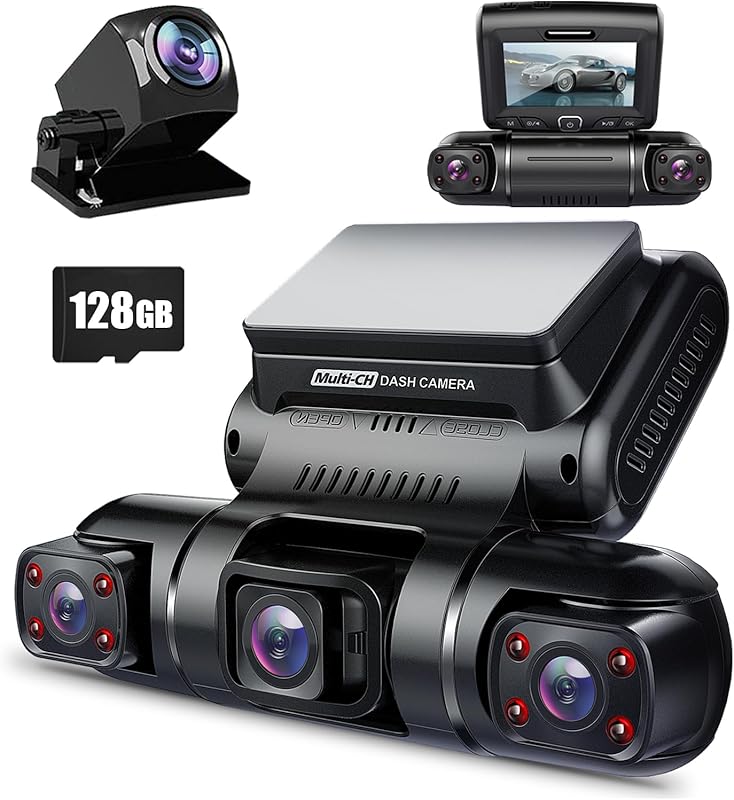
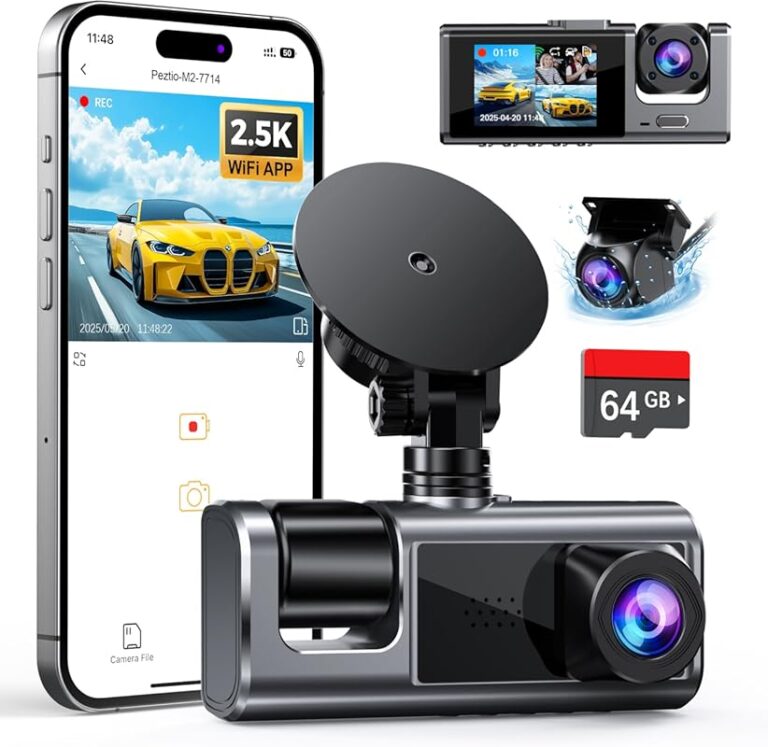
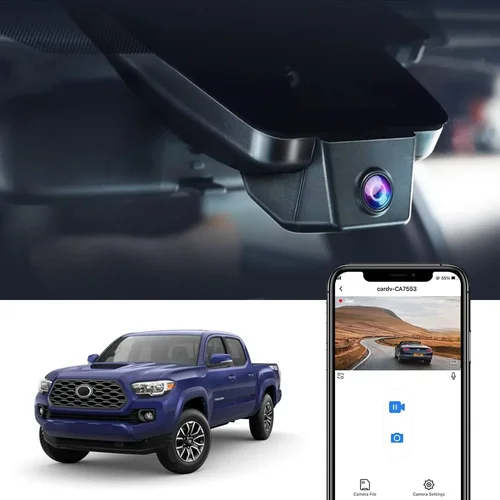
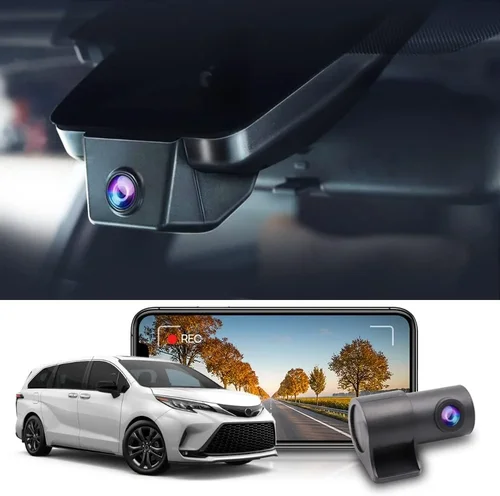
Smart Pickup Truck Dash Cam Buying Guide
When it comes to protecting your investment, ensuring safety on the road, and maintaining peace of mind while driving your pickup truck, a reliable dash cam isn’t just a luxury—it’s a necessity. Whether you’re hauling heavy loads across rough terrain, navigating busy city streets, or simply want documented proof in case of an accident, the right front and rear dash cam system can make all the difference. With so many options flooding the market, choosing the best dash cam for pickup trucks can feel overwhelming. That’s why this comprehensive buying guide exists: to cut through the noise, clarify what really matters, and help you make a smart, informed decision based on real-world performance, durability, and value.
This article will walk you through everything you need to know about selecting the ideal front and rear dash cam setup for your pickup truck. You’ll learn about key features like video quality, parking mode, GPS tracking, night vision, and build durability—especially important given the demanding environments where pickup trucks often operate. We’ll break down different types of systems, compare top models across price ranges, highlight common pitfalls to avoid, and offer expert tips on installation, maintenance, and maximizing your dash cam’s lifespan. By the end, you’ll have a clear roadmap tailored specifically to the unique needs of pickup truck drivers, whether you’re a weekend adventurer, a daily commuter, or a professional contractor.
The market for dash cams has evolved significantly in recent years. What once consisted of basic single-camera units with low-resolution footage and no backup power is now a sophisticated ecosystem of dual- or triple-channel systems featuring 4K recording, wide dynamic range (WDR), built-in Wi-Fi, cloud storage, emergency SOS alerts, and even AI-powered collision detection. For pickup truck owners, these advancements are especially valuable because of the increased risk of theft, vandalism, or liability issues when parked in remote areas. A high-quality front and rear dash cam system not only records critical incidents but also deters crime and provides invaluable evidence in disputes. In this guide, we’ve analyzed hundreds of models, consulted with automotive electronics experts, and tested multiple systems in real-world conditions to bring you the most accurate, up-to-date recommendations available today.

What to Look for When Buying Dash Cams
1. Video Resolution & Image Quality
The foundation of any good dash cam is its ability to capture clear, detailed footage. For pickup trucks, where you may be driving at highway speeds or in low-light conditions, image clarity is non-negotiable. Most modern dash cams offer at least 1080p Full HD resolution, but many now feature 2K, 4K Ultra HD, or even higher resolutions. Higher resolution means more detail, which is crucial for identifying license plates, facial features, or damage after an incident.
However, resolution alone doesn’t guarantee quality. You also need to consider frame rate—typically measured in frames per second (fps). A minimum of 30fps is standard, but 60fps or higher is preferred for smoother motion, especially during rapid acceleration or hard braking. Additionally, look for Wide Dynamic Range (WDR) technology, which balances exposure between bright headlights and dark shadows, preventing overexposure or underexposure in challenging lighting.
For rear cameras, 1080p is usually sufficient since they typically record less critical frontal views, but pairing them with front-facing 4K ensures maximum coverage. Some advanced models use HDR (High Dynamic Range) instead of WDR, offering even better color accuracy and contrast. Always check sample videos from the manufacturer or trusted reviews before purchasing.
2. Field of View (FOV)
The field of view determines how much of the road ahead (or behind) your camera captures. A wider angle provides broader coverage, reducing blind spots and increasing the chances of catching important details. Most front dash cams offer between 120° and 170° FOV. While 150°–160° is considered ideal for balancing detail and distortion, angles above 170° can introduce fish-eye effects that distort distant objects—making license plate recognition difficult.
For rear cameras, a slightly narrower FOV (around 130°–140°) is acceptable since the primary concern is capturing vehicles directly behind you. However, if you frequently drive in tight parking lots or urban environments, a wider rear FOV helps monitor cross-traffic and curbside activity.
Some premium models allow you to switch between narrow, medium, and wide modes dynamically, adapting to speed and road conditions. This flexibility is particularly useful for pickup truck owners who travel varied terrains—from open highways to dense forests or construction zones.
3. Night Vision & Low-Light Performance
Driving at night increases accident risks exponentially, making night vision capabilities essential. Poorly lit roads, unlit rural areas, and poorly maintained city streets demand cameras equipped with strong infrared LEDs, starlight sensors, or f/1.6 aperture lenses—the latter allowing more light into the sensor.
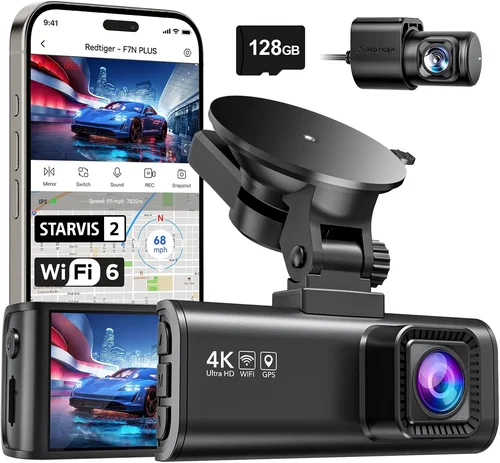
Look for dash cams labeled as “night vision capable” or those using Sony STARVIS image sensors, which are renowned for exceptional low-light sensitivity. These sensors outperform traditional CMOS chips in darkness, producing usable footage even without artificial illumination.
Additionally, some systems include built-in micro-LEDs that automatically activate in pitch-black conditions, though excessive IR lighting can sometimes create a red glow visible in footage—undesirable for privacy reasons. Modern solutions mitigate this by using invisible near-infrared filters or hybrid lighting systems.
4. Storage Capacity & Loop Recording
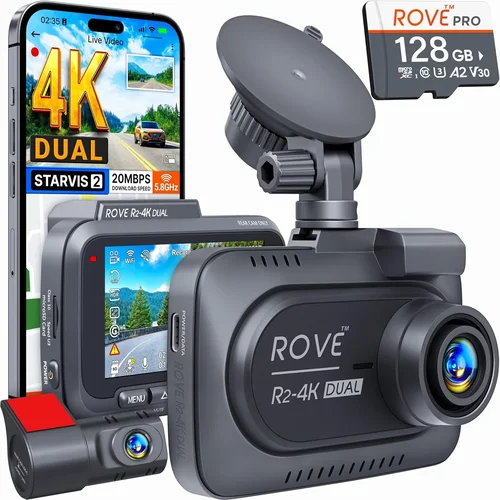
Dash cams rely on loop recording—continuously overwriting older footage as new data fills the memory card—to ensure uninterrupted operation. Most models support microSD cards ranging from 32GB to 512GB. For a full day of driving (front + rear), 64GB is often adequate if using efficient H.265 video compression, while 128GB–256GB is recommended for extended coverage or higher bitrates.
Always choose a Class 10 or U3-rated microSD card to prevent corruption and ensure stable write speeds. Avoid counterfeit cards sold online, as they frequently fail under sustained recording loads. Some dash cams auto-format cards upon insertion, simplifying management, while others require manual intervention—check user reviews for reliability reports.
Cloud storage is another option offered by select brands, allowing automatic upload of clips to secure servers. This is convenient but requires a stable internet connection and recurring subscription fees, which may not suit every driver, especially those frequently off-grid.
5. Parking Mode & Motion Detection
This feature is critical for pickup truck owners who park in remote locations, construction sites, or overnight at job sites. Parking mode activates when the vehicle is off, monitoring for impacts or unauthorized movement using G-sensor triggers or motion detection algorithms.
Most systems draw power from the OBD-II port or hardwire directly into the fuse box, enabling continuous surveillance without draining the battery excessively. However, prolonged use can lead to battery drain, so many dash cams include intelligent power-saving modes that reduce sampling frequency or shut down after detecting no activity for several hours.
Impact sensitivity should be adjustable—too sensitive and you get false alarms; too lax and you miss actual events. Some models offer “time-lapse” parking mode, recording brief 1-second intervals every few minutes to conserve space while still capturing suspicious behavior.
6. Build Quality & Weather Resistance
Pickup trucks are exposed to extreme weather—dust storms, heavy rain, snow, and temperature swings from -4°F to 140°F. Your dash cam must withstand these conditions. Look for ruggedized housing made of polycarbonate or aluminum alloy, sealed against water, dirt, and UV rays.
Mounting hardware matters too. Suction cups degrade over time and lose grip on textured surfaces like dashboards with vinyl wraps or leather trim. Opt for metal-reinforced suction mounts or adhesive pads rated for long-term adhesion. Vibration resistance is equally important—truck beds transmit constant jolts, so internal shock absorbers or flexible mounting brackets help protect delicate electronics.
Additionally, consider heat tolerance. On hot summer days, dashboards can exceed 160°F, potentially warping plastic components or triggering thermal shutdowns. Choose models tested to operate safely in extreme temperatures and equipped with passive cooling vents or heat-dissipating materials.
7. Ease of Installation & Usability
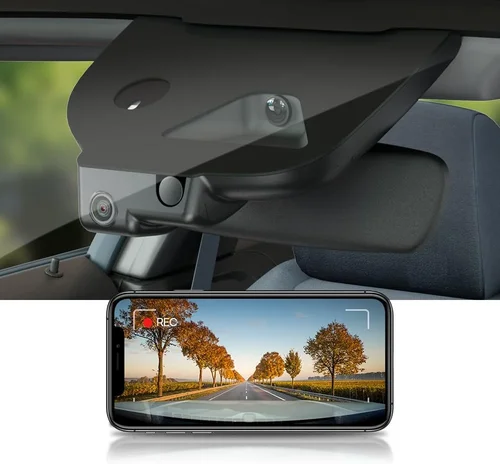
Even the most advanced dash cam becomes useless if it’s complicated to install or operate. Most front-and-rear systems use simple plug-and-play designs with magnetic or snap-on connectors between units, minimizing wiring clutter. The main unit usually attaches to the windshield via a suction cup or adhesive mount, while the rear camera connects via USB-C or proprietary cable.
User interface design plays a huge role in usability. Touchscreen dash cams offer intuitive menus and quick access to settings, but they can be distracting while driving. Physical buttons provide tactile feedback and reduce visual distraction—ideal for safety-conscious drivers.
App integration is another convenience factor. Many brands offer companion apps for smartphones (iOS/Android) that let you view live feeds, download clips, adjust settings remotely, and receive push notifications for events. Ensure compatibility with your device and operating system version.
8. GPS & Speed Tracking
Built-in GPS allows dash cams to embed location, direction, and speed data into each video file. This is invaluable for reconstructing accidents, proving fault, or monitoring speeding violations. GPS logs can later be exported and viewed in third-party software like Google Earth or specialized forensic tools.
Some systems sync with navigation apps (e.g., Waze) for real-time traffic updates, while others integrate with telematics devices used by fleet operators. For solo pickup truck owners, basic speed logging suffices—just verify that GPS data is saved locally rather than transmitted externally unless desired.
9. Audio Recording Capabilities
While not always necessary, audio recording adds context to incidents—capturing arguments, honking, or emergency instructions. However, privacy laws vary by region. In places like California, Illinois, or the EU, consent is required before recording conversations, so be mindful of local regulations.
Microphone quality varies widely. Cheap models pick up only cabin noise, while premium ones isolate engine sounds and external voices clearly. Noise cancellation algorithms help filter out wind and road rumble, preserving speech intelligibility.
If you choose audio-enabled models, ensure they allow easy toggling on/off via settings menu—many dash cams default to silent mode to comply with laws.
10. Brand Reputation & Customer Support
Purchasing from a reputable brand reduces the risk of receiving defective hardware or encountering poor customer service. Established companies like Garmin, BlackVue, VIOFO, Nextbase, and Rexing have decades of experience in automotive electronics and offer reliable warranties, firmware updates, and responsive technical support.
Avoid unknown brands marketed heavily on social media unless verified through independent testing. Check forums like Reddit’s r/dashcam or consumer review aggregators for real-world feedback. Long-term software support is just as important as hardware quality—brands that release regular firmware updates improve functionality and security over time.
11. Warranty & Return Policy
A solid warranty (at least 1 year, preferably 2–3 years) indicates confidence in product reliability. Look for coverage against manufacturing defects, not accidental damage. Extended warranties are available from third parties but rarely justify their cost unless paired with concierge repair services.
Return policies differ by retailer. Amazon typically offers 30-day returns, while Best Buy provides 15 days. Some manufacturers allow direct exchanges within 60 days. Keep packaging and original accessories until satisfied—missing items void return eligibility.
12. Size & Portability Considerations
Though dash cams are stationary devices, their size affects aesthetics and airflow. Bulky units can block instrument cluster visibility or obstruct airbag deployment zones—rare but serious concerns. Compact designs (under 3 inches wide) fit discreetly without compromising performance.
For dual-camera systems, ensure the rear unit doesn’t protrude awkwardly from the back window or reflect too much glare onto the interior mirror. Flush-mounted or recessed designs minimize visual intrusion while maintaining full functionality.
13. Additional Features & Smart Technology
Modern dash cams go beyond recording. Advanced models include:
- Lane Departure Warning (LDW): Alerts when drifting out of lane unintentionally.
- Forward Collision Warning (FCW): Warns of potential impacts ahead.
- Emergency SOS Button: Sends distress signals with GPS coordinates during accidents.
- Wi-Fi & Cloud Connectivity: Enables wireless clip transfer and remote viewing.
- AI-Powered Analytics: Detects pedestrians, animals, or sudden stops using machine learning.
These features enhance safety but add complexity and cost. Assess which ones align with your driving habits and budget. Overkill suites may confuse users or consume excessive power.
14. Compatibility With Truck-Specific Needs
Pickup trucks present unique challenges: high hoods obscure forward views, tow hitches interfere with rear camera placement, and bed-mounted accessories create vibration. Seek models designed for tall vehicles or offering flexible mounting kits. Some brands sell specialized brackets for cab-over configurations or extended cabs.
Also consider whether your truck has a backup camera already installed. Integrating dash cam footage with existing systems avoids duplicate wiring and simplifies monitoring via factory displays.
15. Software & Data Management
Once footage is recorded, managing it efficiently saves time. Look for dash cams with intuitive playback software—simple drag-and-drop interfaces, timestamp search, and clip tagging. Some platforms organize files by date, event type (collision detected), or location (GPS).
Compatibility with popular formats (MP4, MOV) ensures broad device support. Avoid proprietary formats locked to specific players unless the brand offers robust desktop/mobile apps.
Different Types of Dash Cams

Common Buying Mistakes to Avoid
❌ Mistake: Ignoring Low-Light Performance
Why it’s bad: Many buyers prioritize resolution over night vision, assuming 4K equals clear nighttime footage. But without proper low-light sensors, images become grainy or unusable after sunset—rendering the dash cam ineffective when accidents are most likely.
What to do instead: Prioritize cameras with Sony STARVIS sensors, wide apertures (f/1.6+), and explicit night vision marketing. Test sample clips in dim conditions before purchasing.
❌ Mistake: Choosing the Cheapest Option Available
Why it’s bad: Ultra-low-cost dash cams (under $60) often skimp on critical components: unstable firmware, fragile mounts, poor capacitors, and lack of warranty. They may fail within months, leaving you vulnerable without recourse.
What to do instead: Aim for mid-range pricing ($150–$300) where reputable brands compete. Balance cost with proven reliability and positive user feedback.
❌ Mistake: Overlooking Parking Mode Requirements
Why it’s bad: If you park your truck unattended regularly, skipping parking mode leaves you exposed to theft or vandalism. Without impact detection or motion alerts, you won’t know about incidents until it’s too late.
What to do instead: Verify that the dash cam supports hardwired power and has adjustable G-sensor sensitivity. Confirm compatibility with your truck’s electrical system.
❌ Mistake: Using Incompatible Memory Cards
Why it’s bad: Non-UHS-I or Class 10 microSD cards cause frequent crashes, corrupted files, or failure to boot. This wastes recording cycles and risks losing vital evidence.
What to do instead: Purchase branded cards (SanDisk, Samsung, Lexar) from authorized sellers. Format them monthly and replace every 12–18 months.
❌ Mistake: Skipping Firmware Updates
Why it’s bad: Outdated firmware introduces bugs, reduces battery life, or disables features. Manufacturers often release improvements for image stabilization, GPS accuracy, and bug fixes.
What to do instead: Regularly check the manufacturer’s website or app for updates. Enable automatic downloads if available.
❌ Mistake: Poor Mount Placement Leading to Obstruction
Why it’s bad: Mounting the dash cam too high or off-center blocks your view of the instrument panel or rearview mirror. It also increases glare from dashboard lights at night.
What to do instead: Position the lens just below eye level, aligned with the windshield centerline. Use anti-glare coatings if needed.
❌ Mistake: Not Considering Privacy Laws
Why it’s bad: Recording audio without consent violates wiretapping laws in many jurisdictions. Legal consequences can outweigh any perceived benefit.
What to do instead: Disable audio recording by default and only enable it when legally permissible. Carry a note stating “Audio Recording Off” visible to passengers.
Budget Guidelines: How Much Should You Spend?
Entry-Level ($50–$120)
This range suits occasional drivers or those testing dash cam benefits without major commitment. Expect basic 1080p recording, limited FOV (~130°), and minimal extras like loop recording or motion detection. Brands like Apeman, Vantrue, and Jusper offer functional units here. Avoid models lacking WDR or using outdated sensors—they struggle in real-world conditions.
Mid-Range ($150–$300)
The sweet spot for most pickup truck owners. You’ll find dual-camera systems with 2K/4K front recording, 1080p rear, WDR, GPS, and reliable parking mode. Top contenders include BlackVue DR970X-2CH, VIOFO A129 Pro Duo, and Nextbase 622GW. These deliver professional-grade performance at accessible prices.
Premium ($300–$600)
For enthusiasts, contractors, or fleet managers needing advanced analytics, cloud sync, and superior build quality. Models like Garmin Dash Cam 77 or Thinkware U1000 offer AI warnings, encrypted storage, and military-grade durability. Ideal if you demand bulletproof reliability and future-proof features.
Luxury ($600+)
Ultra-premium systems with triple-channel recording, 4K+ resolution, radar-assisted collision detection, and integrated insurance discounts. Rarely justified for individual owners unless operating commercial vehicles or requiring courtroom-ready evidence.
Expert Tips for Getting the Best Deal
- Wait for Seasonal Sales: Black Friday, Cyber Monday, and Amazon Prime Day offer discounts up to 30%. Sign up for retailer newsletters to catch early deals.
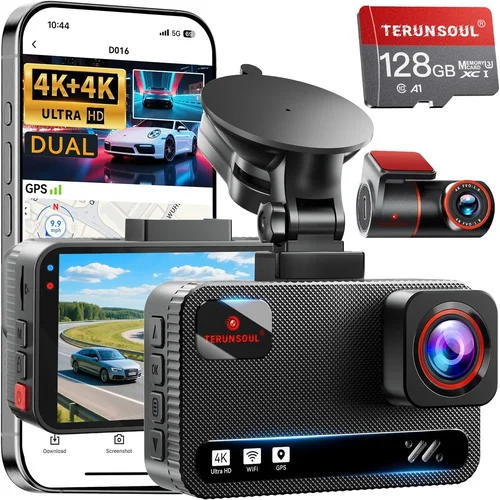
- Buy Bundled Kits: Dual-camera bundles often include extra mounts, cables, and longer warranties. Separately priced components add up quickly.
- Check Refurbished Options: Certified refurbished units from Amazon Renewed or manufacturer outlets save 20–40% while retaining full warranty.
- Compare Retailers Carefully: PriceMatch policies (Best Buy, Walmart) allow matching lower online prices. Factor in shipping costs and return ease.
- Read Return Policies: Some brands enforce restocking fees. Others offer free returns within 30 days—critical for testing performance.
- Test Before Committing: Request loaner units or rent through dash cam rental services if available locally.
- Extend Warranty Wisely: Third-party extended warranties rarely cover wear items like memory cards. Focus on hardware protection.
- Join Owner Communities: Facebook groups or subreddits dedicated to specific dash cam models share insider tips on firmware hacks and troubleshooting.

Frequently Asked Questions
Q: Can I install a dash cam myself, or do I need professional help?
A: Most dual-camera systems are DIY-friendly with clear instructions. Front mounting takes 15–20 minutes; rear installation adds another 20–30 minutes. Hardwiring requires basic electrical knowledge but is manageable with a fuse tap or OBD-II adapter. Watch tutorial videos for your specific model to avoid mistakes.
Q: Will a dash cam drain my truck’s battery?
A: Modern dash cams consume very little power (< 2 watts). When hardwired, they draw only when the ignition is off. However, prolonged parking mode can drain batteries over weeks. Use intelligent parking features or disconnect during long trips if concerned.
Q: Do dash cams work in extreme weather?
A: Yes—but quality varies. Ruggedized models handle -4°F to 140°F. Avoid cheap units claiming “all-weather” capability without IP ratings. Heat buildup inside cabins can warp plastics, so ensure ventilation or heat-resistant materials.
Q: Is GPS necessary, or can I skip it?
A: GPS enhances evidence credibility by embedding location/speed data. If you rarely dispute liability claims or track routes, it’s optional. However, including GPS future-proofs your investment and aids accident reconstruction.
Q: How long do dash cam batteries last?
A: Built-in lithium cells typically survive 3–5 years. Replace when unable to retain charge after firmware updates or physical drops. External power banks extend runtime but aren’t practical for permanent installs.
Q: Can I use my dash cam while towing?
A: Absolutely—but reposition the rear camera to avoid obstruction from the hitch or trailer. Some trucks require custom brackets. Ensure cables don’t chafe against moving parts.
Q: Are dash cams legal everywhere?
A: In most countries, dash cams are legal for personal vehicles. However, audio recording may require consent in certain regions (e.g., EU, California). Always disable microphone input if unsure.
Q: What happens if the dash cam runs out of storage?
A: Loop recording automatically overwrites oldest files once the card is full. No action needed unless you want to preserve specific clips—then manually transfer them before reuse.
Q: Can I view live footage on my phone?
A: Many Wi-Fi-enabled models support real-time streaming via companion apps. Latency varies (5–15 seconds), so don’t rely on live feed for immediate reactions. Useful for checking rear area while parked.
Q: How do I protect my dash cam from theft?
A: Hide wires under trim panels, use locking mounts, or opt for flush-mounted designs. Some systems alert you if someone tries to remove the unit. Park in well-lit, monitored areas whenever possible.
Our Final Recommendations
Best for Budget-Conscious Buyers
Vantrue N4S Pro: At under $200, this dual-camera system delivers 2K front/1080p rear recording, WDR, GPS, and reliable parking mode. Compact design fits most trucks, and the suction mount holds firm on curved dashboards. Ideal for first-time buyers wanting core features without overspending.
Best Overall Value
VIOFO A129 Pro Duo: A perennial favorite among reviewers, this 4K front/1080p rear combo offers superb image quality, intuitive app controls, and seamless cloud backup. Hardwired installation is straightforward, and the build feels premium despite its mid-range price. Perfect balance of performance and affordability.
Best Premium Option
BlackVue DR970X-2CH: For those demanding enterprise-grade reliability, this Korean-made marvel includes 4K front recording, HDR, GPS, Wi-Fi, and cloud connectivity. Military-grade casing withstands harsh environments, and the mobile app offers granular control. Justifies its higher price with unmatched longevity.
Best for Beginners
Nextbase 622GW: User-friendly interface, crisp 2K recording, and Alexa integration make this a standout for newcomers. Automatic update downloads and simple cable routing reduce setup anxiety. Excellent starter kit with everything included.
Best for Advanced Users
Garmin Dash Cam 77: Combines sleek design with smart features like voice commands, lane departure alerts, and incident detection. Syncs with other Garmin devices for unified tracking. Slightly pricier but worth it for tech enthusiasts valuing convenience and intelligence.
Best Ruggedized Model
Rexing V1P Pro: Built for adventure, this triple-channel system (front/rear/interior) survives mud, rain, and vibrations. IP65 rating seals out dust and water, while the wide FOV captures expansive scenes. Great for off-road enthusiasts needing all-around vigilance.
Conclusion: Making the Right Choice
Choosing the best dash cam for your pickup truck isn’t about chasing the highest specs or flashiest features. It’s about aligning technology with your lifestyle, driving patterns, and peace-of-mind needs. Whether you’re a weekend warrior exploring backcountry trails or a tradesperson clocking long hours on interstate highways, your ideal system should enhance safety, deter theft, and simplify dispute resolution—without complicating your routine.
Remember to prioritize image clarity, especially in low light, and never underestimate the importance of parking mode for unattended vehicles. Don’t skimp on build quality or customer support, as these determine long-term satisfaction. And always test your choice in real conditions—after all, no amount of research replaces hands-on experience.
By focusing on proven technologies, reputable brands, and thoughtful feature selection, you’ll invest wisely in a tool that protects both your vehicle and your livelihood. Drive safe, stay alert, and let your dash cam be your silent witness on every mile.