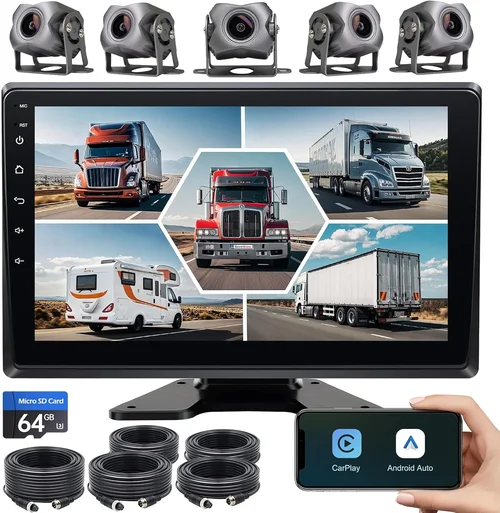
Best Dash Cam Purchase Guide

Introduction
In today’s increasingly complex driving environment, having reliable evidence in case of accidents, disputes, or even minor incidents is more important than ever. A dash cam has evolved from a niche accessory into an essential safety tool for drivers worldwide. Whether you’re a daily commuter navigating busy city streets or a long-haul trucker facing unpredictable road conditions, having a dependable dash cam recording your journey can make all the difference when dealing with insurance claims or legal matters.
This comprehensive guide will walk you through everything you need to know about selecting the best dash cam for your vehicle and driving needs. We’ll explore the critical factors that differentiate quality models, compare different types available on the market, highlight common pitfalls to avoid, and provide expert recommendations based on real-world performance and user feedback. By the end of this article, you’ll have a clear understanding of what features matter most and how to choose a dash cam that offers maximum value and reliability.
The dash cam market has exploded in recent years, with manufacturers constantly introducing new technologies and capabilities. From basic single-camera systems to advanced multi-channel setups with parking mode and cloud connectivity, options abound. However, not all dash cams are created equal—some prioritize video quality while others focus on durability or smart features. Our goal is to cut through the marketing noise and help you find the perfect balance between performance, price, and functionality for your unique requirements.
What to Look for When Buying Dash Cams
1. Video Quality & Resolution
Video quality should be your top consideration when selecting a dash cam, as it directly impacts the usefulness of recorded footage during incidents. Most reputable dash cams now offer at least 1080p Full HD resolution, but many premium models feature 2K or even 4K Ultra HD recording capabilities. Higher resolutions provide crisper detail, which is crucial for identifying license plates, facial features, or road signs clearly.
Look for cameras with high Dynamic Range (HDR) technology, which helps maintain clarity in both bright sunlight and dark tunnel exits. Additionally, consider frame rates—30fps is standard, but 60fps provides smoother motion capture that can reveal details during fast-moving scenarios like highway merges or sudden braking events. Some advanced models also include variable frame rate adjustment based on motion detection.
2. Field of View (FOV)
The field of view determines how much of your surroundings a dash cam can capture simultaneously. A wider angle (typically 120-160 degrees) covers more area but may introduce some fisheye distortion at the edges. Narrower angles (around 100 degrees) reduce distortion but leave blind spots on either side of your vehicle.
For most drivers, a 130-140 degree FOV strikes the right balance between coverage and image quality. If you frequently drive in tight urban environments or parallel park often, opting for a slightly narrower angle might actually improve edge clarity without sacrificing important peripheral information. Some advanced models allow you to adjust FOV settings depending on your driving situation.
3. Storage Capacity & Loop Recording
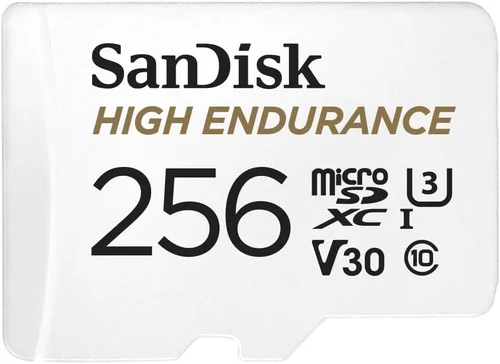
Dash cams typically use microSD cards for storage, ranging from 32GB to 256GB or more. Smaller capacity cards require more frequent replacement but are cheaper upfront; larger cards store longer recordings before overwriting old footage automatically via loop recording functionality.
Most modern dash cams support loop recording out of the box, meaning they continuously overwrite the oldest files once your card fills up—ensuring you always have recent footage available without manual intervention. Choose a card speed class rated at U3 or V30 for optimal performance with high-bitrate 4K recordings. Built-in GPS tracking adds valuable context to your videos by logging location data, speed, and direction.
4. Night Vision Capabilities
Nighttime driving presents unique challenges for dash cam imaging due to limited ambient light and glare from headlights. Effective night vision requires specialized sensors and infrared LEDs that illuminate scenes without causing excessive reflections off windshields or other surfaces.
Look for models featuring Sony STARVIS image sensors, which excel at capturing clear video in low-light conditions. Some dash cams also incorporate WDR (Wide Dynamic Range) processing specifically designed to handle the extreme contrasts between illuminated objects and deep shadows encountered after sunset or during tunnel transitions.
5. Parking Mode & Motion Detection
Parking mode extends your dash cam’s surveillance beyond active driving hours by monitoring your parked vehicle for potential incidents like hit-and-runs or attempted break-ins. This feature typically activates when you shut off your car’s ignition and draws power either directly from your vehicle’s battery or via a hardwired connection.
Advanced parking modes use intelligent motion detection algorithms that distinguish between relevant threats (like someone approaching your car) and irrelevant movements (such as passing wildlife or shifting branches). Always pair parking mode with a capacitor-based backup system instead of lithium batteries, which degrade faster under repeated charge cycles and pose fire risks in hot climates.
6. Build Quality & Durability
A dash cam must withstand harsh automotive environments including temperature extremes (-4°F to 158°F), constant vibration, direct sunlight exposure, and potential impacts during collisions. Housing materials range from basic plastic to reinforced polycarbonate or aluminum alloys offering superior scratch resistance and impact absorption.
Consider models with IP65 or higher ingress protection ratings against dust and water splashes. Mounting mechanisms should secure firmly to your windshield without obstructing driver visibility. Some premium units include tempered glass lenses resistant to scratches and chemical degradation from cleaning products.
7. Ease of Use & Interface Design
Intuitive controls and clear menus significantly enhance daily usability. Touchscreen interfaces offer convenience but may become unresponsive in cold weather or wet conditions. Physical buttons provide tactile feedback and remain functional regardless of screen state. Voice control integration allows hands-free operation while driving safely.
Menu navigation should be logical and customizable—look for quick access buttons for locking important clips, switching recording modes, or adjusting settings without diving deep into submenus. Mobile app compatibility enables remote viewing, file management, and firmware updates directly from your smartphone.
8. Audio Recording Capabilities
Built-in microphones capture interior conversations and external sounds like sirens or crashes, providing additional context during incidents. However, audio privacy concerns have led some regions to restrict microphone usage without explicit consent. Check local regulations regarding audio recording laws before enabling this feature.
Some dash cams allow you to disable audio recording entirely if privacy is a priority. High-quality mics deliver clear voice capture without amplifying background noise excessively, though wind noise remains challenging during highway speeds unless equipped with dedicated windshields.
Different Types of Dash Cams

Common Buying Mistakes to Avoid
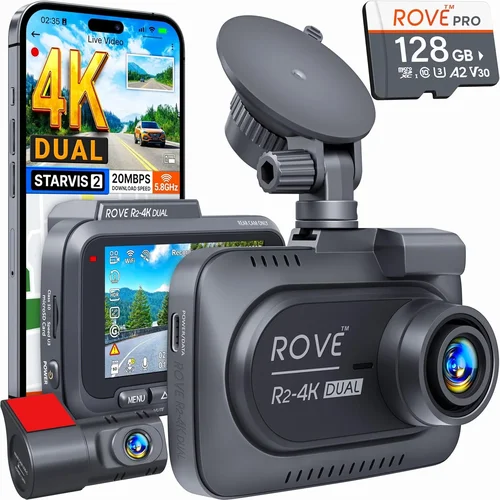
❌ Mistake: Choosing Based Solely on Price
Why it’s bad: While budget considerations are valid, prioritizing the lowest-priced option often leads to disappointment. Cheap dash cams frequently suffer from poor video quality, unreliable loop recording, fragile construction, and lack of essential features like parking mode or GPS tracking. These units may fail when you need them most—during an actual incident—making them a false economy.
What to do instead: Set a realistic budget based on your usage frequency and risk tolerance. Allocate more funds toward core components like image sensor quality and build materials rather than flashy extras that rarely justify their cost. Read verified customer reviews focusing on long-term reliability rather than just initial impressions.
❌ Mistake: Ignoring Compatibility Issues
Why it’s bad: Many dash cams don’t work properly with certain vehicle models due to power requirements, mounting constraints, or software conflicts. Attempting installation without checking compatibility can result in non-functional devices, voided warranties, or even electrical damage to your car’s systems.
What to do instead: Verify that your chosen model supports your vehicle’s year/make/model combination. Check if hardwiring kits or OBD-II adapters are required for continuous power. Confirm that the included suction cup mount fits your windshield type and won’t obstruct airbag deployment zones.
❌ Mistake: Overlooking Storage Requirements
Why it’s bad: Using an incompatible SD card size or speed class can cause recording interruptions, corrupted files, or premature hardware failure. Some dash cams require specific brands or capacities to function correctly, especially those recording at high bitrates like 4K resolutions.
What to do instead: Purchase a high-quality microSD card rated for dash cam use (UHS-I U3 or V30 minimum). Calculate required storage duration based on average drive times and desired retention period. Consider investing in a cloud backup solution if you need extended archival beyond physical card limits.
❌ Mistake: Skipping Firmware Updates
Why it’s bad: Manufacturers regularly release firmware updates to fix bugs, improve performance, and add new features. Neglecting these updates leaves your dash cam vulnerable to known issues, reduces overall stability, and may prevent integration with newer accessories or mobile apps.
What to do instead: Enable automatic update notifications through your dash cam’s companion app whenever possible. Manually check for updates monthly if automatic updates aren’t supported. Keep your computer handy during initial setup to facilitate seamless firmware upgrades.
❌ Mistake: Disabling Critical Safety Features
Why it’s bad: Turning off parking mode, G-sensor alerts, or emergency recording locks because they seem inconvenient or unnecessary can leave you unprepared for unexpected events. These safeguards exist precisely to protect your interests outside regular driving hours.
What to do instead: Understand each feature’s purpose before disabling anything. For example, if parking mode drains your battery too quickly, invest in a proper hardwire kit with built-in voltage cutoff instead of removing the functionality entirely. Customize settings to match your lifestyle rather than eliminating protections outright.
❌ Mistake: Assuming All Brands Are Equal
Why it’s bad: The dash cam market includes numerous lesser-known brands lacking rigorous quality control, responsive customer service, or transparent return policies. Purchasing from unknown manufacturers increases the risk of receiving defective products, encountering compatibility issues, or facing lengthy warranty claim processes.
What to do instead: Stick with established brands recognized for automotive electronics expertise. Research third-party testing results and independent review sites before committing to any purchase. Prioritize companies offering generous return windows and clear warranty terms backed by reliable support channels.
Budget Guidelines: How Much Should You Spend?
Entry-Level ($50 – $100): Essential Protection
This price range suits occasional drivers or those seeking basic incident documentation without advanced features. Expect reliable 1080p recording, decent night vision, and straightforward operation. Most models in this tier omit parking mode and dual-camera setups but still deliver trustworthy evidence for everyday scenarios like fender benders or insurance disputes.
Recommended allocations: Focus on image sensor quality and loop recording stability rather than extras like GPS or Wi-Fi. Brands like VIOFO, Papago, and BlackVue offer solid entry-level options within this bracket while maintaining reasonable build standards. Avoid ultra-cheap no-name brands advertising unrealistic capabilities—they often cut corners on critical components.
Mid-Range ($100 – $250): Sweet Spot for Most Buyers
The sweet spot for most drivers balances affordability with robust functionality. You’ll find 2K/4K recording, dual-channel systems, parking surveillance, and improved durability here. This range accommodates families needing rear-facing coverage, frequent commuters wanting crystal-clear detail, and tech enthusiasts exploring smart integrations.
Key investments include high-bitrate processors capable of handling 4K streams smoothly, reliable parking mode circuits, and sturdy housings resistant to heat buildup. Leading contenders like Thinkware, Garmin, and Nextbase dominate this segment with proven track records and active firmware development communities.
Premium ($250 – $500): Enthusiast & Professional Grade
Top-tier dash cams exceed mainstream expectations with military-grade durability, advanced AI features, and seamless ecosystem integration. These units appeal to professional drivers, fleet managers, and serious hobbyists demanding uncompromising performance across all conditions.
Expect 4K recording with HDR stabilization, 360-degree panoramic views, encrypted cloud storage, and comprehensive mobile app suites controlling multiple devices simultaneously. Brands like Garmin, BlackVue, and Rexing lead this category with cutting-edge sensor technology and global regulatory compliance certifications.
Luxury ($500+): Ultimate Performance & Security
Ultra-premium dash cams represent the pinnacle of automotive recording technology, incorporating features previously reserved for aviation or law enforcement applications. These systems prioritize absolute reliability, forensic-grade evidence preservation, and unparalleled situational awareness.
Characteristics include redundant recording paths, tamper-proof casing, satellite connectivity, and AI-powered object recognition capable of distinguishing pedestrians from animals or identifying traffic violations automatically. Such specialized equipment justifies its hefty price tag only for high-risk occupations or collectors seeking museum-quality specimens.
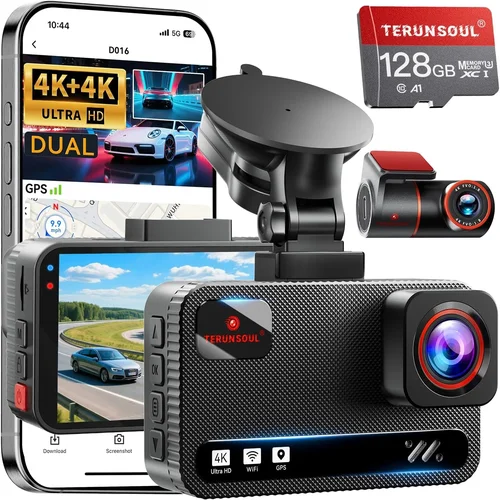
Expert Tips for Getting the Best Deal
1. Time Your Purchase Strategically
Retailers typically offer deeper discounts around major holidays like Black Friday, Cyber Monday, and Memorial Day weekend. Electronics manufacturers also launch seasonal promotions during back-to-school periods or Q4 clearance events. Sign up for brand newsletters to receive exclusive coupon codes and early access to sales.
2. Compare Retailer Policies Carefully
Major online retailers like Amazon, Best Buy, and Walmart compete fiercely on price but differ in return flexibility, shipping speeds, and bundle deals. Local auto parts stores often stock installation services and trade-in programs unavailable elsewhere. Consider buying from specialty dash cam shops offering expert advice and hands-on demonstrations.
Always verify whether bundled accessories (extra mounts, cables, or SD cards) genuinely add value or inflate the base price artificially.
3. Leverage Customer Reviews Wisely
Focus on verified purchase reviews mentioning long-term usage experiences rather than one-star complaints about shipping delays or packaging issues unrelated to product performance. Look for recurring praise regarding video clarity, app stability, and customer service responsiveness. Cross-reference multiple platforms including Reddit communities and YouTube unboxing videos for balanced perspectives.
4. Negotiate Extended Warranties Thoughtfully
While accidental damage plans sound appealing, they rarely justify their cost compared to DIY repairs or manufacturer warranties. Instead, prioritize purchasing dash cams with generous factory coverage (2-3 years minimum) and read fine print carefully regarding exclusions like water damage or unauthorized modifications.
5. Test Before Committing Fully
If possible, visit physical stores to examine ergonomics, button placement, and menu intuitiveness firsthand. Ask staff about return policies and demo units’ current firmware versions. Some retailers allow overnight trials so you can test real-world performance under your typical driving conditions before finalizing the purchase.
6. Bundle Smart Accessories
Investing in complementary items like hardwire kits, magnetic mounts, or premium SD cards pays dividends in longevity and convenience. Look for package deals offering discounted combinations—many brands sell starter bundles including everything needed for hassle-free installation.
7. Join Affiliate Programs for Exclusive Savings
Membership rewards programs like Rakuten or Honey automatically apply cashback percentages at checkout. Some dash cam manufacturers run referral schemes rewarding existing customers for recommending friends. Accumulated savings over time can offset future upgrade costs significantly.

Frequently Asked Questions
Q: Do I really need a dash cam if I have good insurance?
A: While comprehensive insurance covers vehicle repairs regardless of fault, dash cam footage dramatically improves your chances of receiving fair settlements during disputed claims. Insurance adjusters often dismiss vague verbal accounts in favor of objective video evidence showing exactly what occurred. Additionally, dash cams deter fraudulent claims from third parties attempting to blame your vehicle for unrelated damage.
Q: Can dash cams record audio without violating privacy laws?
A: Privacy regulations vary widely by jurisdiction. In the United States, federal law permits recording in public spaces where participants aren’t guaranteed privacy, but several states require two-party consent for all recordings. European countries enforce stricter GDPR guidelines prohibiting non-consensual audio capture. Always disable microphone functions if operating in uncertain legal territories and consult local statutes before activating this feature.
Q: How long will a dash cam battery last during parking mode?
A: Battery drain depends heavily on your vehicle’s electrical system design and the dash cam’s power consumption profile. Hardwired installations with built-in voltage cutoffs typically last 24-72 hours uninterrupted. Capacitor-based backups may sustain 8-12 hours depending on ambient temperatures and motion detection sensitivity settings. Never rely solely on internal batteries for extended surveillance—always pair with proper wiring harnesses.
Q: Will a dash cam interfere with my car’s electronics?
A: Reputable dash cams undergo rigorous electromagnetic interference testing to ensure compatibility with sensitive onboard systems. However, improper installation using incorrect fuse taps or drawing excessive current can disrupt CAN bus communications or trigger false error messages. Always follow manufacturer wiring diagrams precisely and avoid tapping into non-designated fuse boxes unless absolutely necessary.
Q: What happens if my dash cam runs out of storage space?
A: Modern dash cams automatically enter loop recording mode once storage fills up, overwriting the oldest files sequentially to free up space for new recordings. Critical incidents flagged by G-sensors retain locked status preventing accidental deletion until manually unlocked. Some models pause recording temporarily during full-card scenarios but resume automatically when space becomes available again.
Q: Are dual-camera systems worth the extra cost?
A: Dual-camera setups provide invaluable perspective during backing maneuvers or rear-end collisions where only the rear view explains causation accurately. For families with young children, monitoring blind spots around school zones proves indispensable. Commercial operators benefit immensely from complete situational awareness during loading/unloading operations. Unless you never reverse or live in an area with minimal rear traffic, dual cameras deliver strong ROI through enhanced safety and liability protection.
Q: How do I choose between wired and wireless connectivity?
A: Wireless models offer convenience through cloud uploads and mobile notifications but consume significant bandwidth and require stable internet connections. Wired systems operate independently of cellular networks, ensuring continuous local recording even during outages. Choose wireless if you prioritize remote access and shareable content creation; opt for wired if reliability and offline functionality outweigh connectivity perks.
Q: What maintenance does a dash cam require?
A: Regular maintenance includes wiping lenses clean with microfiber cloths to remove smudges and debris, checking microSD card health via built-in diagnostics, and verifying firmware versions monthly. Avoid using chemical cleaners near vents or airbags. Periodically inspect mounting brackets for looseness caused by temperature fluctuations or vibrations.
Final Recommendations
Best for Budget-Conscious Buyers: VIOFO A119 v3
This compact 2K dash cam delivers exceptional value with Sony IMX335 image sensors, reliable parking mode, and intuitive interface design. Its affordable price point doesn’t compromise core performance essentials like night vision clarity or loop recording stability—making it ideal for first-time buyers seeking trustworthy protection without overspending.
Best Overall Value: Thinkware U1000
Combining 4K recording quality, dual-channel capability, and robust build standards, the U1000 strikes an unbeatable balance between features and reliability. Advanced driver assistance alerts, cloud connectivity options, and extensive customization settings cater to both casual users and tech enthusiasts alike. Consistent firmware improvements reinforce its position as a market leader.
Best Premium Option: Garmin Dash Cam 77
Luxury drivers deserve nothing less than perfection—and the Garmin 77 delivers with stunning 4K visuals, voice-activated controls, and lifetime map updates. Its sleek form factor integrates seamlessly into upscale interiors while offering military-grade durability tested against extreme conditions. Automatic incident detection ensures zero missed moments.
Best for Beginners: Papago GO X2
Newcomers appreciate the Papago GO X2’s plug-and-play simplicity, vivid 2K display, and beginner-friendly mobile app interface. Preloaded safety tips, automatic screenshot capture, and straightforward installation procedures eliminate intimidation factors typically associated with electronic gadgets. Reliable enough for daily commutes yet expandable for growing needs.
Best for Advanced Users: BlackVue DR970-2CH Cloud
Professional-grade dash cams demand enterprise-level solutions—and BlackVue’s DR970-2CH rises to the challenge with 4K recording, dual-band Wi-Fi, and encrypted cloud synchronization. AI-powered analytics identify potential hazards proactively while granular permission controls safeguard sensitive footage. Global fleet management tools streamline oversight across multiple vehicles effortlessly.
Conclusion: Making the Right Choice
Selecting the best dash cam ultimately boils down to aligning your unique priorities with available technologies within realistic budgets. Whether you prioritize pristine video quality, comprehensive coverage, or hassle-free operation, today’s market offers tailored solutions matching every conceivable requirement. Remember that even modest investments yield substantial peace of mind when facing uncertain driving circumstances.
Before finalizing your decision, revisit your original motivations: Are you protecting yourself from unfair accusations? Documenting memorable road trips? Ensuring family safety during school runs? Let these goals guide your evaluation process rather than chasing arbitrary specs or trending features. A well-chosen dash cam becomes more than just hardware—it transforms into your silent witness on every journey.
Take time to research thoroughly, test hands-on if possible, and consult trusted sources beyond marketing materials alone. With careful consideration applied to the factors outlined throughout this guide, you’ll confidently select a dash cam serving your needs reliably for years ahead—turning anxiety-inducing situations into manageable episodes backed by irrefutable evidence whenever necessary.