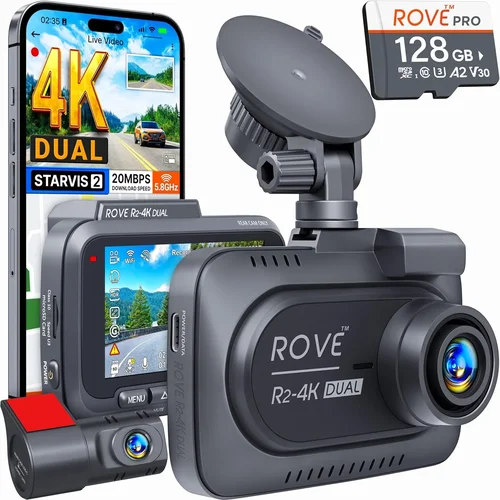
Smart Dash Cam Buying Guide
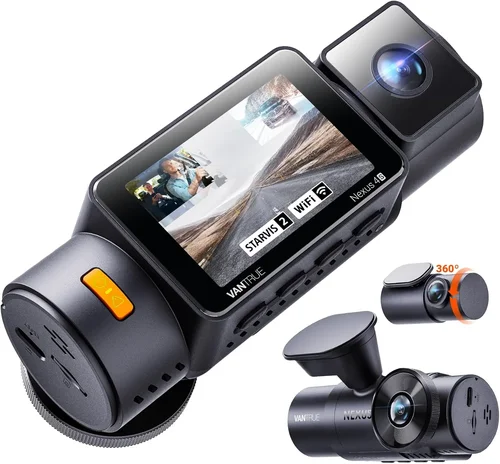
Why investing in a quality dash cam matters more than ever. In today’s complex driving environment, where split-second decisions can mean the difference between safety and disaster, having reliable video evidence of your journeys provides invaluable protection. Whether you’re commuting through busy city streets, navigating unfamiliar highways, or simply want peace of mind knowing that every moment behind the wheel is documented, a smart dash cam serves as your unblinking witness.
This comprehensive buying guide will walk you through everything you need to know about selecting the perfect dash cam for your vehicle. You’ll learn about critical features like resolution capabilities, parking monitoring modes, storage solutions, and advanced driver assistance systems integration. We’ll also break down the different types available on the market, help you avoid common purchasing pitfalls, and provide expert recommendations tailored to various budgets and needs.
The dash cam market has evolved dramatically over the past decade, moving far beyond basic recording devices to sophisticated automotive electronics packed with intelligent features. From emergency collision detection to cloud connectivity and AI-powered incident recognition, modern dash cams offer capabilities that were once the domain of professional fleet vehicles. Understanding these advancements and how they apply to your specific driving situation is crucial for making an informed decision.

What to Look for When Buying Dash Cams
1. Resolution & Video Quality
Video resolution represents one of the most critical factors when evaluating dash cam performance. Most reputable manufacturers now offer Full HD (1080p) as the minimum standard, but many top-tier models deliver 2K (1440p) or even 4K Ultra HD resolution. Higher resolutions capture finer details, which becomes essential during investigations or insurance claims where license plates, facial features, or damage patterns need to be clearly visible.
When assessing video quality, consider both front and rear camera configurations if you opt for a dual-camera system. The front camera typically handles primary recording duties, while a rear unit provides additional perspective during backing maneuvers or incidents occurring behind your vehicle. Look for cameras with wide dynamic range (WDR) technology, which balances exposure between bright headlights and dark road surfaces to prevent washed-out or overly shadowed footage.
Frame rates also matter significantly—60fps provides smoother motion capture compared to standard 30fps, particularly important for capturing fast-moving objects or sudden impacts. Some premium models even support variable frame rates that adjust based on motion detection to optimize storage usage without compromising critical incident footage.
2. Field of View (FOV)
The field of view determines how much of your surroundings the dash cam can capture simultaneously. A wider angle offers broader coverage but may introduce distortion near edges—a phenomenon known as fisheye effect. Most consumer-grade dash cams feature FOVs ranging from 110° to 170°, with 140° representing a good balance between coverage and image clarity.
Consider your typical driving conditions when selecting FOV. Urban commuters benefit from wider angles to monitor multiple lanes and pedestrian traffic, while highway drivers might prioritize narrower views focused on the immediate roadway ahead. Dual-camera systems require careful consideration of FOV compatibility—the rear camera’s angle should complement rather than overlap excessively with the front camera’s coverage area.
Advanced optical designs now incorporate multi-lens arrangements that minimize distortion while maintaining wide coverage. Look for specifications mentioning “distortion correction” or “straight-line preservation,” which ensure straight road markings and lane dividers remain accurately represented in your recordings.
3. Storage Solutions & Loop Recording
Storage capacity directly impacts how long your dash cam can record continuously before requiring deletion of older files. Most dash cams use microSD cards, with recommended capacities ranging from 32GB to 512GB depending on resolution and recording frequency. Higher resolutions and advanced features like GPS logging consume storage more quickly, so factor this into your calculations.
Loop recording functionality automatically overwrites the oldest footage when storage fills up, ensuring continuous operation without manual intervention. However, some models include intelligent event-based storage management that preserves critical incidents while efficiently managing regular recordings. Emergency G-sensor triggers often create protected files that cannot be overwritten until manually reviewed or deleted.
When selecting a microSD card, choose high-endurance models specifically designed for continuous write operations. Standard consumer cards may fail prematurely under constant recording demands. Class 10 cards with UHS-I/UHS-II ratings offer reliable performance, while endurance-rated options like SanDisk High Endurance or Samsung PRO Endurance series provide extended lifespan for demanding dash cam applications.
4. Parking Mode Capabilities
Parking mode transforms your dash cam into a vigilant security system when your vehicle is unattended. Modern implementations go far beyond simple motion detection—many models now include time-lapse recording, impact monitoring via G-sensors, and even battery-saving sleep modes that activate only when significant events occur.
Motion-activated parking mode uses infrared LEDs to illuminate scenes in complete darkness while remaining invisible to others. This allows the camera to detect approaching threats without drawing attention to your parked vehicle. Some advanced systems combine motion detection with audio monitoring, providing audible alerts when suspicious activity occurs nearby.
Impact detection sensitivity varies between models, with adjustable settings allowing customization based on your parking environment. Highly sensitive settings may trigger false alarms from passing vehicles or construction activity, while overly conservative thresholds could miss actual incidents. Most manufacturers offer multiple sensitivity levels plus “off” positions for users who prefer manual monitoring or have limited parking mode power sources.
5. Night Vision & Low-Light Performance
Evening and nighttime driving present unique challenges for dash cam visibility due to reduced ambient light and increased glare from other vehicles’ headlights. Advanced night vision capabilities rely on multiple technologies working in concert: larger image sensors capture more available light, specialized noise reduction algorithms minimize digital artifacts, and enhanced WDR processing balances extreme contrast scenarios.
Starvis or Starlight CMOS sensors represent industry-leading low-light performers, delivering usable footage in conditions where traditional sensors struggle completely. These sensors maintain color accuracy and detail even when facing direct headlight exposure, preventing washed-out highlights that obscure critical information.
Some premium models incorporate dual-band IR illumination that adapts to lighting conditions—visible spectrum for normal operation and invisible IR for true darkness. This approach prevents the “red-eye” effect common with pure IR systems while maintaining effective night vision capabilities. Always verify whether IR LEDs are included or sold separately, as some budget models omit these components entirely.
6. Connectivity & Smart Features
Modern dash cams increasingly integrate smartphone connectivity through Wi-Fi Direct or Bluetooth pairing, enabling wireless file transfer and live preview capabilities. Companion mobile apps provide convenient access to recorded footage, real-time camera status, and configuration adjustments without physical button navigation.
Cloud connectivity represents another significant advancement, allowing remote viewing and backup of critical incidents through cellular networks. While requiring subscription plans and data usage considerations, cloud services offer peace of mind by safeguarding footage against theft, vandalism, or accidental deletion. Always review data consumption estimates and associated costs before committing to cloud-enabled models.
Voice control integration is emerging as a valuable hands-free operation option, particularly useful during challenging driving conditions where manual interaction isn’t practical. Natural language processing capabilities vary widely between manufacturers, so test voice command responsiveness if this feature appeals to your workflow.
7. Build Quality & Weather Resistance
Rugged construction ensures reliable operation across diverse environmental conditions. Look for dash cams with IPX ratings indicating dust and water resistance, particularly important for vehicles operating in harsh climates. Military-grade shock resistance protects against drops or vibrations during rough road conditions.
Heat dissipation design prevents thermal throttling in hot climates, while cold-weather operation specifications confirm functionality in sub-zero temperatures. Some models include built-in heaters or temperature-controlled enclosures that maintain optimal operating ranges regardless of external conditions.
Mounting hardware quality directly impacts installation reliability and longevity. Professional-grade suction cups with reinforced locking mechanisms provide secure attachment without damaging paintwork, while magnetic mounts offer quick removal advantages. Consider whether your chosen mounting solution includes vibration dampening features to reduce shake-induced blur during high-speed travel.
8. Installation Complexity
Installation difficulty varies significantly between models, affecting both DIY capability and long-term maintenance requirements. Simple plug-and-play designs with integrated USB-C connections minimize wiring complexity, while hardwired installations require fuse tapping expertise for permanent power connection.
Professional installation benefits include proper wire routing concealment and factory-style integration that doesn’t compromise interior aesthetics. However, most users find DIY installation straightforward with clear instructions and basic tools like trim removal kits and electrical tape. Consider whether your chosen model requires professional installation for warranty validation, as some manufacturers mandate certified installer verification for full coverage eligibility.
Power management solutions differ between models—battery-powered units offer flexibility but require frequent charging, while hardwired options provide continuous operation at the cost of permanent installation. Solar panel attachments extend battery life for parking mode functionality but add visual bulk and potential theft concerns.
Different Types of Dash Cams

Common Buying Mistakes to Avoid
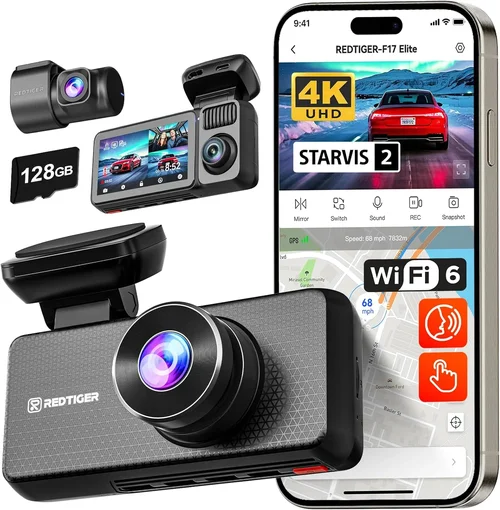
❌ Mistake: Prioritizing Price Over Quality
Why it’s bad: Extremely low-cost dash cams often sacrifice critical components like sensor quality, storage reliability, and build materials. These budget units frequently suffer from poor low-light performance, short lifespan, and inconsistent recording quality that fails when needed most during actual incidents.
What to do instead: Set realistic expectations for what you can achieve within your budget range. The sweet spot typically begins around $100-$150 where reputable brands offer reliable performance without breaking the bank. Research thoroughly before purchasing and focus on proven manufacturers rather than unknown brands offering unrealistic price points.
❌ Mistake: Ignoring Storage Requirements
Why it’s bad: Assuming that any microSD card will work adequately leads to premature failure and lost footage. Standard consumer cards aren’t designed for continuous write cycles required by dash cams, resulting in corruption, failed writes, and ultimately missing evidence during important events.
What to do instead: Invest in high-endurance microSD cards specifically rated for surveillance or dash cam use. Brands like SanDisk High Endurance, Samsung PRO Endurance, and Lexar Industrial offer extended lifespans under demanding conditions. Always check compatibility specifications and purchase cards from authorized retailers to avoid counterfeit products.
❌ Mistake: Overlooking Installation Considerations
Why it’s bad: Poor installation compromises both performance and vehicle aesthetics. Inadequate mounting causes shake-induced blur, while improper wiring creates fire hazards or electrical system issues. Many users underestimate the importance of clean mounting surfaces and secure wire routing.
What to do instead: Clean the mounting surface thoroughly with alcohol wipes before installation. Use professional-grade suction cups with reinforced locking mechanisms. Route wires carefully along factory pathways using cable clips and grommets. Consider consulting professional installation guides or videos specific to your vehicle make and model.
❌ Mistake: Neglecting Parking Mode Power Sources
Why it’s bad: Relying solely on internal batteries for parking mode results in rapid depletion and unreliable operation. Most vehicles aren’t designed to support continuous accessory power draw, causing drain on the main battery and potentially triggering battery warning lights or even stalling issues.
What to do instead: Implement proper hardwiring solutions that tap into appropriate fuse circuits using dedicated dash cam wiring kits. This provides stable power without impacting your vehicle’s electrical system. Always consult wiring diagrams specific to your vehicle year/make/model and consider professional assistance if unsure about electrical connections.
❌ Mistake: Focusing Only on Resolution
Why it’s bad: High megapixel counts don’t guarantee better real-world performance. Without adequate sensor quality, image processing capabilities, and proper lens optics, resolution alone becomes meaningless. Users often end up with unnecessarily large files without corresponding improvements in usable evidence quality.
What to do instead: Evaluate video quality holistically by considering sensor type, bitrate, compression algorithms, and real-world test footage. Look for reviews featuring actual driving scenarios similar to your typical routes. Balance resolution with other critical factors like low-light performance, dynamic range, and compression efficiency.
❌ Mistake: Assuming All Features Are Useful
Why it’s bad: Premium dash cams include numerous advanced features like GPS tracking, Wi-Fi connectivity, cloud backup, and AI-powered event detection. However, many of these functions consume excessive storage, require ongoing subscriptions, or provide limited practical value for everyday users, creating unnecessary complexity and cost.
What to do instead: Identify your core needs first—basic recording, parking monitoring, or comprehensive coverage—then select features that genuinely enhance those priorities. Disable or exclude features that don’t align with your actual usage patterns. Remember that simpler systems often prove more reliable and easier to maintain over time.
Budget Guidelines: How Much Should You Spend?
Entry-Level ($50 – $100): Essential Protection
This price range offers fundamental dash cam functionality suitable for occasional drivers or those seeking basic incident documentation. Models in this category typically provide Full HD recording, loop recording, and basic G-sensor event detection. While lacking advanced features like Wi-Fi connectivity or superior low-light performance, these units fulfill core requirements for accident prevention and mild insurance support.
Recommended capabilities include: 1080p recording, 140-150° field of view, motion-activated parking mode, and reliable loop recording with decent microSD compatibility. Look for established brands rather than ultra-cheap private label options that may compromise reliability. Examples include certain models from Viofo, Rexing, and Campark that balance affordability with dependable performance.
Mid-Range ($100 – $250): Sweet Spot for Most Buyers
The mid-range segment represents the optimal value proposition where manufacturers incorporate significant upgrades without excessive cost increases. Users gain access to higher resolutions (2K/4K), improved low-light sensors, dual-camera configurations, and enhanced build quality. This tier covers approximately 70% of consumer needs while providing room for future-proofing through advanced features.
Key features to expect: 2K or 4K front camera, Starlight CMOS sensor technology, WDR processing, dual-channel recording options, smartphone app integration, and robust parking mode implementations. Brands like BlackVue, Garmin, and Nextbase dominate this space with proven track records for reliability and customer support. These models typically justify their premium pricing through superior image quality and longer product lifespans.
Premium ($250 – $500): Enthusiast and Professional Grade
High-end dash cams cater to users requiring maximum performance, extensive feature sets, and enterprise-level reliability. This category includes 360-degree coverage systems, professional-grade durability, advanced AI recognition, and seamless integration with vehicle telematics. Pricing reflects not only superior hardware but also ongoing software updates, cloud services, and dedicated customer support.
Notable capabilities include: 4K triple-channel recording, military-grade shock/vibration resistance, advanced driver assistance features, encrypted cloud storage, real-time alerts, and comprehensive fleet management compatibility. Leading contenders include BlackVue DR970X-2CH, Thinkware F800 Pro, and Garmin Z-M100, each excelling in specific niches like commercial use, extreme weather operation, or maximum evidence quality.
Luxury ($500+): Top-Tier Performance
Ultra-premium dash cams represent the pinnacle of consumer automotive electronics, incorporating cutting-edge technologies previously reserved for professional surveillance and law enforcement applications. These systems offer unmatched image fidelity, comprehensive environmental sensing, and sophisticated data analytics that transform dash cams from passive recorders into active safety platforms.
Features defining this category include: multi-spectral imaging, LiDAR-assisted distance measurement, predictive collision avoidance integration, satellite-linked emergency response, and AI-powered behavior analysis. While accessible primarily to fleet operators and high-value asset protection seekers, these systems demonstrate how far dash cam technology has evolved from simple video recording to intelligent vehicle ecosystem components.
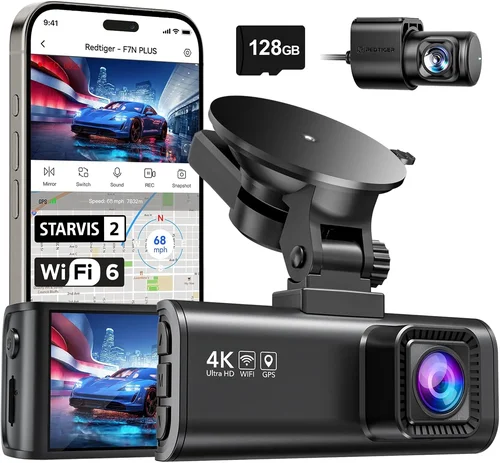
Expert Tips for Getting the Best Deal
Timing Your Purchase: Major retail events like Black Friday, Cyber Monday, and Amazon Prime Day offer substantial discounts on dash cam models that rarely see price reductions otherwise. Electronics manufacturers also release new models annually, creating incentives to upgrade previous generations. Monitor price history using browser extensions or dedicated deal-tracking websites to identify genuine savings opportunities rather than temporary markdowns.
Retailer Selection Strategy: Online retailers typically provide broader selection and competitive pricing compared to brick-and-mortar stores, but local automotive specialty shops offer immediate hands-on testing and professional installation services. Consider purchasing online for best prices then utilizing local installers for proper setup—this combination maximizes value while ensuring reliable implementation.
Identifying Authentic Deals: Be wary of “too good to be true” pricing that may indicate counterfeit products or refurbished units sold as new. Verify seller reputation through independent review sites, check return policies, and confirm warranty transferability. Reputable retailers always list original MSRP alongside sale prices for transparent comparison.
Warranty Verification Process: Always register your dash cam with the manufacturer upon purchase to activate warranty coverage. Keep original packaging and proof of purchase in case of defects or shipping damage. Understand what the warranty covers (labor, parts, defects) versus what it excludes (physical damage, unauthorized modifications) before relying on protection during troubleshooting.
Return Policy Evaluation: Test dash cams immediately after installation if possible—many defects aren’t apparent until real-world use. Ensure return windows account for shipping back to seller plus potential restocking fees. Some manufacturers require original packaging for returns, so keep boxes and accessories intact during evaluation periods.
Hands-On Testing Approach: If buying locally, request demonstration units showing sample footage in various lighting conditions. Check button responsiveness, menu navigation intuitiveness, and app connectivity stability before committing. Compare multiple models side-by-side focusing on actual video quality rather than marketing claims alone.
Bundle Package Advantages: Many retailers offer installation bundles including professional mounting, wiring harnesses, and extended warranties at discounted rates. While adding convenience and reliability, evaluate whether bundled services provide genuine value versus purchasing separately. Sometimes buying components individually yields better overall savings.

Frequently Asked Questions
Q: Do I really need a dash cam if I have car insurance?
A: While comprehensive insurance covers your vehicle regardless of fault, dash cam footage significantly strengthens your position during disputes or liability claims. Insurance companies appreciate documented evidence that resolves ambiguous situations quickly, potentially reducing claim processing times and out-of-pocket expenses. Additionally, many insurers offer modest premium discounts for policyholders with dash cam installations, though coverage varies by provider and state regulations.
Q: What’s the difference between front-only and dual-camera dash cams?
A: Front-only systems record exclusively from the windshield perspective, ideal for daily driving documentation and basic incident capture. Dual-camera units include both front and rear lenses, providing complete coverage of your vehicle’s movements and surroundings. Rear cameras prove invaluable during backing accidents, hit-and-run investigations from behind, and monitoring passenger activities. Consider your parking environment and typical driving patterns when deciding between single and dual configurations.
Q: How often should I replace my microSD card?
A: With proper use of high-endurance cards, replacement intervals typically range from 2-5 years depending on recording frequency and card specifications. Monitor card health through dash cam error messages or companion app diagnostics. Signs of aging include increased recording failures, corrupted files, or slow write speeds. Always backup critical footage before replacing cards and maintain spare cards on hand during extended trips or heavy usage periods.
Q: Can dash cams record while parked without draining my car battery?
A: Yes, through intelligent power management systems that enter ultra-low-power modes during normal parking periods. Motion-activated recording triggers wake-up sequences only when significant movement detected, minimizing battery consumption. Proper hardwiring using appropriate fuse taps ensures stable power without impacting main battery life. Always implement parking mode with compatible wiring kits and consider battery cutoff switches for extended vehicle storage periods.
Q: Will a dash cam work reliably in extreme weather conditions?
A: Modern dash cams incorporate environmental protections including wide operating temperature ranges (-20°C to 70°C/-4°F to 158°F), IP-rated sealing against moisture/dust ingress, and thermal management systems. However, performance varies by model—verify specific climate ratings before purchasing if you experience severe weather regularly. Extreme cold may reduce battery performance in parking mode, while heavy rain/snow can affect lens clarity temporarily until cleared by wipers or wind.
Q: How do I access and manage recorded footage from my dash cam?
A: Most dash cams provide multiple access methods: direct USB connection to computers, removable microSD card insertion, or wireless transfer via companion smartphone apps using Wi-Fi Direct technology. Cloud-connected models enable remote viewing through internet browsers or mobile applications, though require stable cellular data connections and subscription plans. Organize footage using date/time stamps, event markers, and automated categorization based on impact detection for efficient retrieval during investigations.
Q: Are there legal restrictions on dash cam usage in my area?
A: Regulations regarding dash cam usage vary significantly by jurisdiction. Most countries permit recording public roads for personal use without consent, but laws concerning audio recording, privacy zones around private properties, and sharing footage publicly differ widely. Research local ordinances before purchasing, especially if considering advanced features like audio recording or cloud sharing. Some regions require disclosure of recording devices in vehicles used for commercial purposes.
Q: What maintenance does a dash cam require over its lifespan?
A: Minimal maintenance is needed beyond routine cleaning of exterior lenses with soft cloth and occasional firmware updates through manufacturer-provided tools. Ensure ventilation areas remain unobstructed to prevent overheating, and verify microSD card integrity periodically. Replace mounting hardware if suction cups lose adhesion, and recalibrate settings after major firmware updates. Most manufacturers design dash cams for long-term reliability with little user intervention required.
Q: How do I choose between wired and wireless dash cam connectivity?
A: Wired connections provide stable, uninterrupted operation without dependency on signal strength or battery life, ideal for permanent installations. Wireless features offer convenience through mobile app integration but may suffer from intermittent connectivity issues in areas with poor reception or interference. Consider your technical comfort level, desired feature set, and tolerance for potential connection hiccups when making this decision. Many users opt for hybrid approaches using wired power with optional wireless features enabled selectively.
Q: Can dash cams integrate with existing ADAS or safety systems in my vehicle?
A: Advanced dash cams increasingly support integration with automotive safety ecosystems through standardized communication protocols. Features like forward collision warnings, lane departure alerts, and blind spot monitoring can complement dash cam footage by providing contextual awareness during incidents. Compatibility depends on both dash cam capabilities and vehicle manufacturer implementations, requiring cross-referencing of supported systems. Always verify integration capabilities before purchasing if existing safety features represent important considerations for your driving safety.
Our Final Recommendations
Best for Budget-Conscious Buyers: The Viofo A119 V3 delivers exceptional value with reliable Full HD recording, robust build quality, and intuitive operation at an accessible price point. Its compact form factor minimizes dashboard obstruction while providing trustworthy performance for everyday driving documentation. This model strikes an excellent balance between affordability and dependability without sacrificing core functionality.
Best Overall Value: The Garmin Dash Cam 67W represents the sweet spot for most drivers seeking premium features without excessive cost. It combines crisp 1440p resolution, advanced night vision, and seamless smartphone integration with Garmin’s renowned reliability and customer support. The included voice control and automatic incident detection streamline operation while maintaining strong evidence quality for insurance or legal purposes.
Best Premium Option: For those desiring maximum performance, the BlackVue DR970X-2CH offers industry-leading dual-channel 4K recording, encrypted cloud connectivity, and military-grade durability. Its professional-grade features justify the investment for serious users needing comprehensive coverage, remote monitoring capabilities, and enterprise-level reliability. The included Wi-Fi hotspot functionality enables instant wireless transfers and live viewing from virtually anywhere.
Best for Beginners: The Nextbase 522GW provides an outstanding introduction to smart dash cam technology with automatic emergency calling, Alexa voice assistant integration, and clear 1080p recording quality. Its user-friendly interface and comprehensive feature set make it ideal for new users transitioning from basic recording devices to connected automotive safety systems without overwhelming complexity.
Best for Advanced Users: The Thinkware F800 Pro stands out among enthusiast-grade models with its superior low-light performance, flexible recording options, and robust build quality. Advanced users appreciate its customizable settings, reliable operation in extreme conditions, and strong community support for firmware modifications and troubleshooting. The included parking guard feature with impact detection provides peace of mind during unattended vehicle periods.
Conclusion: Making the Right Choice
Selecting the perfect dash cam involves balancing your specific needs against available features, budget constraints, and long-term reliability expectations. Rather than chasing every technological advancement, focus on core capabilities that address your primary concerns—whether basic incident documentation, comprehensive coverage, or advanced safety integration. Remember that even entry-level models from reputable manufacturers provide substantial protection benefits when properly installed and maintained.
Consider your typical driving patterns, parking environments, and risk tolerance when evaluating features like parking mode sensitivity, storage capacity, and connectivity options. Don’t overlook practical considerations such as installation complexity, warranty coverage, and ongoing maintenance requirements. Taking time to research thoroughly and read verified user experiences will save frustration and ensure your investment delivers lasting value.
Ultimately, the best dash cam represents a thoughtful synthesis of your priorities, not merely the most expensive or feature-packed option available. By prioritizing proven reliability, appropriate resolution for your needs, and sensible feature selection aligned with your usage patterns, you’ll find a solution that enhances your driving experience while providing valuable protection when it matters most.