Best Dash Cam for Box Truck Buying Guide
Installing a dash cam in your box truck isn’t just about capturing footage; it’s about protecting your business, your drivers, and your cargo. For fleet managers and independent owner-operators alike, the right dash cam can be a powerful tool for accident investigation, employee training, and overall operational safety. However, with the vast number of models on the market designed primarily for compact sedans, finding a device that truly meets the unique demands of a larger vehicle—with its longer stopping distances, blind spots, and higher liability risks—can be overwhelming. This comprehensive buying guide cuts through the noise to provide expert-level advice tailored specifically for box trucks. By the end of this article, you’ll understand exactly what features matter most, how to evaluate technical specifications, and how to choose a system that integrates seamlessly into your daily operations, ultimately enhancing both security and peace of mind.
This guide will walk you through six critical factors to consider when selecting the best dash cam for your box truck, including budget constraints, performance specifications like resolution and field of view, build quality for harsh environments, essential features such as parking mode and GPS tracking, and the importance of reliable customer support. You’ll also learn about different types of dash cam systems—from single-channel front-only units to sophisticated dual or even multi-camera setups—and see them compared side by side in a detailed table. We’ll highlight common pitfalls to avoid, break down recommended price ranges across entry-level, mid-range, premium, and luxury categories, and share insider tips on where and when to buy for the best value. Finally, we’ll answer frequently asked questions and conclude with our top recommendations based on real-world use cases for box truck operators.

What to Look for When Buying Dash Cams
1. Budget & Price Range
Determining your budget upfront is one of the most important first steps in choosing a dash cam. While it may seem tempting to go for the cheapest option available, investing too little often means compromising on critical features like video quality, durability, or storage reliability—especially important in a high-risk environment like commercial driving. On the other hand, overspending on unnecessary bells and whistles can strain your operating costs without delivering proportional benefits. For box trucks, experts typically recommend allocating between $150 and $600 per unit depending on your needs. Entry-level models under $100 might suffice for basic recording but lack advanced safety features. Mid-tier options around $200–$400 strike an ideal balance for most fleets, offering solid 1080p or even 4K recording, wide-angle lenses, and robust build quality. Premium systems above $500 often include dual cameras, cloud connectivity, AI-powered alerts, and professional-grade mounting solutions.
2. Performance Specifications
The heart of any dash cam lies in its ability to capture clear, reliable footage under all conditions. When evaluating performance specs, start with resolution: aim for at least 1080p Full HD, though 4K Ultra HD is increasingly becoming the standard for serious commercial use. Higher resolution not only improves detail during investigations but also ensures better license plate recognition—a crucial factor after incidents involving other vehicles. Next, examine the field of view (FOV). A wider angle reduces blind spots and provides more contextual information, which is vital in large box trucks where visibility is limited. Look for lenses offering 130° to 170° horizontal coverage; anything narrower increases the risk of missing critical events. Additionally, consider low-light performance. Nighttime driving accounts for a significant portion of accidents, so sensors with good dynamic range and infrared or night vision capabilities are essential. Finally, pay attention to loop recording and G-sensor sensitivity, which automatically lock and preserve footage during sudden impacts or hard braking—common scenarios in urban delivery routes.
3. Build Quality & Durability
Box trucks operate in demanding environments—extreme temperatures, vibrations from rough roads, dust, moisture, and potential exposure to road salt during winter months. Unlike personal cars, commercial vehicles require dash cams engineered for longevity and consistent performance. Look for devices made with military-grade shock resistance, wide operating temperature ranges (-20°F to 140°F or better), and IP-rated water/dust protection. Internal components should be secured against vibration using anti-vibration mounts or rubberized gaskets. The housing itself must resist cracking or warping under heat buildup inside parked vehicles. Some manufacturers offer reinforced metal casings instead of plastic, significantly increasing lifespan. Also, verify that the lens doesn’t fog up due to thermal expansion—many cheaper models fail here, leading to blurry recordings during temperature swings. Always check if the product has undergone third-party stress testing or certifications like MIL-STD-810G for ruggedness.
4. Features & Functionality
Modern dash cams come packed with features that enhance usability and evidence collection. For box trucks, the following functionalities are particularly valuable:
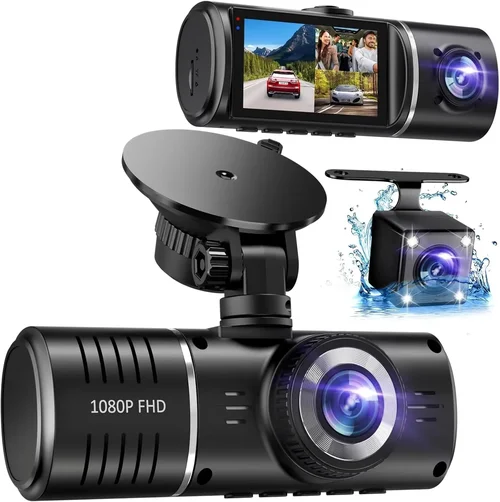
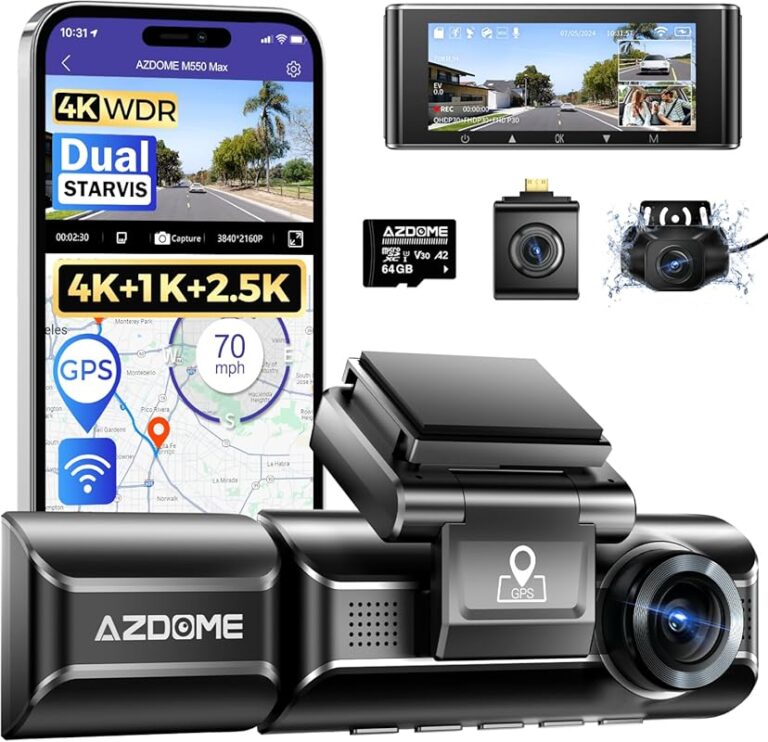
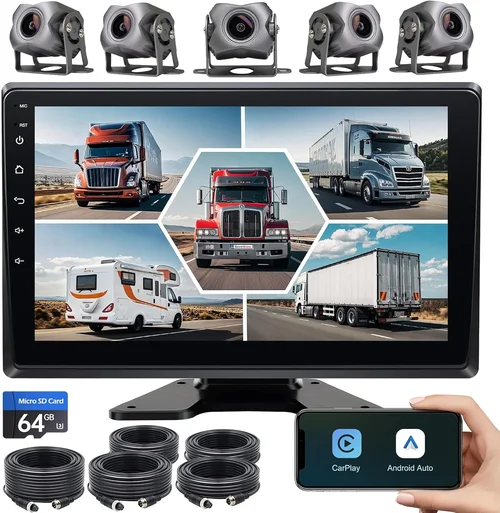
- Dual or Multi-Camera Systems: Front and rear views eliminate rear-end collision disputes and improve situational awareness. Some advanced systems even include a cabin-facing camera to monitor driver behavior.
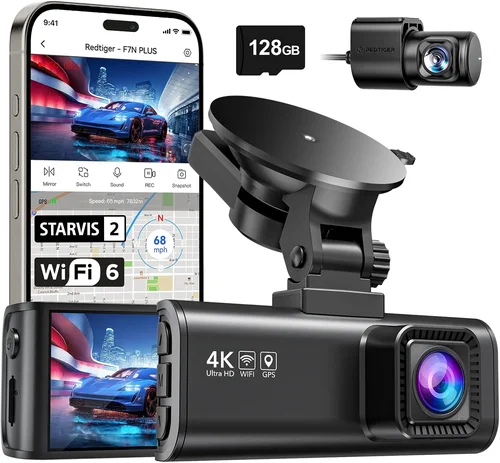
- GPS Tracking: Embedded GPS logs speed, location, and route data alongside video, invaluable for compliance reporting and accident reconstruction.
- Wi-Fi & Cloud Connectivity: Allows wireless downloading of clips to smartphones or tablets via dedicated apps, streamlining evidence review and sharing with insurers or law enforcement.
- Driver Behavior Monitoring: Features like forward collision warnings, lane departure alerts, and fatigue detection help promote safer habits and reduce insurance premiums.
- Loop Recording with Event Locking: Ensures important moments aren’t overwritten; G-sensors detect crashes and save those files permanently.
- Time-Lapse Parking Mode: Continuously records at reduced frame rates when parked, capturing suspicious activity without filling storage quickly.
- Voice Control & Hands-Free Operation: Useful for adjusting settings while driving, especially in long-haul scenarios.
5. Brand Reputation & Customer Support
Choosing a reputable brand significantly reduces the risk of receiving a faulty product or facing unresponsive customer service—critical when downtime equals lost revenue. Established names like Garmin, BlackVue, Thinkware, Viofo, and Rexing have built strong track records in commercial and fleet markets. These companies typically offer warranties ranging from 1 to 3 years, sometimes extendable upon registration, and maintain active support forums, downloadable firmware updates, and easy replacement programs. Avoid obscure brands with minimal online presence or no local service centers, especially if you operate in remote areas. Read recent user reviews on trusted platforms like Amazon, BBB, and specialized trucking forums to gauge real-world reliability. Also, confirm whether software updates are free and frequent, as outdated firmware can introduce bugs or compatibility issues over time.
6. Size & Portability
While less emphasized than in personal vehicles, size still matters in box trucks where space is limited and airflow affects cooling. Compact, low-profile designs (<3 inches tall) integrate flush with windshields, reducing wind noise and visual obstruction. However, extremely small units may sacrifice sensor size or battery capacity. Conversely, oversized models can interfere with mirrors or obstruct peripheral vision. Consider mounting flexibility too—some systems allow swivel or tilt adjustments to optimize viewing angles without repositioning the entire unit. For fleets managing multiple trucks, standardized form factors simplify installation training and spare part inventory. Lastly, ensure the dash cam includes secure, vibration-resistant mounts compatible with curved or angled windshields common in older box trucks.
7. User Reviews & Ratings
Never underestimate the power of peer feedback. Genuine user experiences reveal practical insights often missed in marketing materials—such as how well a device handles extreme cold, whether night vision truly works in city glare, or if the mobile app is intuitive. Focus on reviews from verified purchasers who mention specific use cases relevant to box trucks: long-haul deliveries, urban routing, winter driving, or overnight parking. Pay attention to recurring complaints about poor customer service, short battery life in standby mode, or inconsistent loop recording behavior. Positive mentions of durability, clear audio, and hassle-free setup are equally telling. Cross-reference multiple sources, including professional trucking blogs and YouTube tech reviewers specializing in fleet equipment.
Different Types of Dash Cams

Common Buying Mistakes to Avoid
❌ Mistake: Skipping Dual-Camera Coverage
Why it’s bad: Relying solely on a front-facing camera leaves your rear blind spot completely unmonitored. In box trucks, especially during tight maneuvers in loading zones or highway merges, rear collisions are alarmingly common. Without rear footage, you lose critical context during disputes or insurance claims.
What to do instead: Always opt for a dual-system unless operating under strict budget constraints. Even basic rear units add immense value for less than the cost difference suggests. For added protection, consider adding a cabin camera to monitor driver distraction.
❌ Mistake: Ignoring Parking Mode Capabilities
Why it’s bad: Many box trucks sit unattended for hours each day. If your dash cam lacks proper parking surveillance, you miss opportunities to catch hit-and-runs, vandalism, or cargo tampering—events that could devastate your business reputation and financial stability.
What to do instead: Choose models with intelligent parking modes that use motion/impact detection and draw minimal current. Ensure they support time-lapse recording and can trigger alerts to your phone via Wi-Fi or cellular (where applicable).
❌ Mistake: Overlooking Storage Requirements
Why it’s bad: Using slow or low-capacity microSD cards leads to corrupted files, failed recordings, and lost evidence. Cheap cards also degrade faster under constant write cycles, especially when loop recording is enabled.
What to do instead: Invest in high-endurance cards rated for dash cams (e.g., SanDisk High Endurance, Samsung PRO Endurance). Aim for Class 10/U3/V30 ratings with at least 64GB capacity. Regularly back up footage to prevent loss from card failure.
❌ Mistake: Choosing Based Solely on Price
Why it’s bad: The cheapest dash cam often fails in real-world conditions—cracking in cold weather, freezing screens, or dying batteries within weeks. For commercial use, reliability trumps initial savings every time.
What to do instead: Compare total cost of ownership, not just purchase price. Factor in warranty length, repair costs, downtime, and resale value. Read professional reviews focusing on long-term performance.
❌ Mistake: Neglecting Installation Complexity
Why it’s bad: DIY installations without proper wiring kits can lead to loose connections, exposed wires, or damage to interior panels. Improper grounding causes electrical interference or shorts, potentially affecting your truck’s electronics.
What to do instead: Use OEM-style hardwire kits with fuse protection and clean routing. For fleets, consider professional installation services that provide centralized management consoles and OBD-II power draws for cleaner setups.
❌ Mistake: Failing to Update Firmware
Why it’s bad: Outdated firmware introduces security vulnerabilities, bugs, and compatibility issues with newer phones or operating systems. Manufacturers regularly release fixes for known problems—ignoring updates risks system instability.
What to do instead: Enable automatic updates in the app whenever possible. Subscribe to manufacturer newsletters or join user communities to stay informed about new releases and patch notes.
❌ Mistake: Not Testing Before Committing to Bulk Orders
Why it’s bad: Buying 10+ units sight-unseen risks widespread failures if the model has hidden flaws. What works in isolated tests may malfunction under heavy usage or environmental extremes common in your region.
What to do instead: Request loaner units or trial periods from distributors. Conduct field tests on representative routes before finalizing fleet purchases. Check return policies allowing exchanges if issues arise.
Budget Guidelines: How Much Should You Spend?
Entry-Level ($50 – $150): What to Expect
This tier suits occasional users or those testing dash cam viability on a shoestring budget. Expect basic 1080p recording, modest FOV (~120°), and plastic construction. Most lack advanced features like GPS, parking mode, or Wi-Fi. Ideal for solo owner-operators with minimal exposure risk. However, avoid these if you handle valuable cargo, drive in high-crime areas, or require legal-grade evidence. Battery life is typically short, and storage cards must be manually managed. While affordable upfront, frequent replacements due to poor durability can negate savings over time.
Mid-Range ($200 – $400): The Sweet Spot for Most Buyers
Here lies the optimal balance for box truck operators seeking reliability without overspending. Models in this range usually deliver 1080p/4K video, 140°+ FOV, dual cameras, built-in GPS, and robust parking surveillance. Build quality improves with aluminum housings and anti-vibration designs. Brands like Viofo, Rexing, and BlackVue dominate this space with proven track records. Many offer cloud connectivity, mobile apps, and extended warranties. Perfect for small-to-medium fleets prioritizing ROI through reduced insurance claims and improved driver accountability.
Premium ($400 – $800): For Enthusiasts and Professionals
Top-tier systems feature 4K resolution, starlight sensors, HDR video, AI-assisted alerts, and seamless smartphone integration. Examples include Garmin Dash Cam X500 and BlackVue DR970X-2CH. These units often support LTE modules for real-time streaming and remote access. Construction exceeds consumer-grade standards with military-grade certifications. Designed for high-stakes environments like hazardous material transport or ride-sharing fleets. While expensive, they minimize liability and maximize evidence clarity—justifying the cost through enhanced safety and compliance.
Luxury ($800+): Top-Tier Features
At this level, you’re investing in enterprise-grade solutions with 360° surround views, multiple HD cameras, facial recognition, and integration with fleet management software. Systems like Owlstone or specialized OEM offerings cater to large corporations needing centralized control, analytics dashboards, and predictive maintenance alerts. Rarely needed for individual box truck owners unless operating under strict regulatory requirements or handling extremely sensitive cargo. Focus on scalability, cybersecurity, and professional support rather than raw specs.
Expert Tips & Pro Advice
Tip 1: Time Your Purchases Around Industry Sales Cycles
Avoid buying during peak shipping seasons (spring/fall) when prices inflate. Instead, target Black Friday, Cyber Monday, or post-holiday clearance events when retailers discount last year’s models. Truck-specific suppliers often run spring promotions aligned with fleet renewal cycles. Sign up for email alerts from reputable dealers like Progressive, Tractor Supply, or Amazon Business to catch flash sales.
Tip 2: Prioritize Local Retailers Over Online Marketplaces
While online shopping offers convenience, physical stores let you inspect build quality, test menus, and ask hands-on questions. Visit truck stops, RV dealers, or industrial supply warehouses where staff understand commercial needs. They may also offer installation services or bundle deals on accessories like extra batteries or memory cards.
Tip 3: Verify Compatibility With Your Truck’s Electrical System
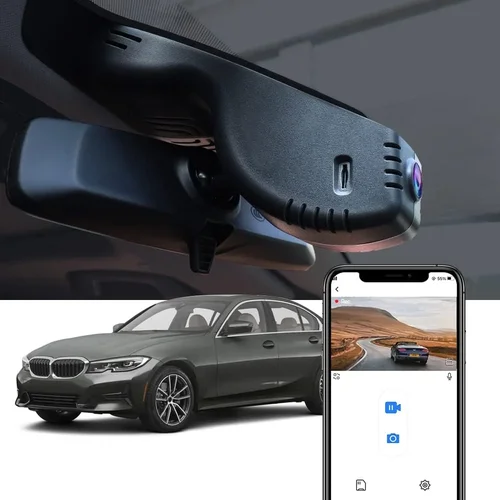
Not all dash cams work well with older truck alternators or complex wiring harnesses. Confirm voltage compatibility (12V vs. 24V systems) and check for interference with existing electronics like CB radios or navigation units. Hardwiring via OBD-II ports simplifies power draw but requires technical know-how—consult a mechanic if unsure.
Tip 4: Negotiate Volume Discounts for Fleet Purchases
If managing 5+ trucks, approach distributors directly. Companies like Garmin, BlackVue, and Lytx offer tiered pricing, free software licenses, and dedicated account managers for bulk orders. Ask about trade-in programs for old units or bundled packages including mounts, cables, and extended warranties.
Tip 5: Test Night Vision in Urban Settings Before Committing
Many dash cams struggle with glare from streetlights or headlights at night. Take sample footage during evening commutes on busy streets to assess clarity. Look for washed-out colors, overexposed license plates, or inability to distinguish pedestrians—deal-breakers for nighttime safety.
Tip 6: Secure Your MicroSD Cards Physically
In theft-prone areas, protect memory cards by storing them separately or using tamper-evident seals. Some premium models encrypt footage or store data in secure partitions to deter unauthorized access. Always keep backups off-device in locked safes or cloud storage.
Tip 7: Schedule Regular Maintenance Checks
Dust buildup on lenses degrades image quality over time. Wipe sensors gently with microfiber cloths monthly. Inspect mounts for looseness caused by vibrations. Replace aging batteries (if removable) every 1–2 years to maintain parking mode functionality.
Tip 8: Understand Legal Admissibility in Your Jurisdiction
Some regions require consent laws for recording others—even in your own vehicle. Research local regulations regarding audio recording, privacy rights, and evidentiary standards before deploying cabin-facing cameras. Display signage informing drivers of monitoring to comply with disclosure requirements.

Frequently Asked Questions
Q: Can I install a dash cam myself in my box truck?
A: Yes, many modern dash cams are designed for DIY installation. Use included adhesive mounts or suction cups for windshields, and hardwire kits for permanent power. Follow manufacturer instructions carefully, ensuring wires don’t obstruct airbags or dashboard controls. For complex setups (dual cameras, OBD-II power), consult a professional.
Q: Do dash cams drain my truck’s battery?
A: Standard recording uses negligible power. However, parking modes can draw current over time. Choose models with intelligent standby features that activate only on motion/impact. Hardwiring to the ignition circuit prevents battery drain when the engine is off. Avoid leaving phones connected unnecessarily.
Q: How much storage do I need for a full day of driving?
A: At 1080p, expect 3–5 GB per hour. A 64GB card holds ~20 hours of footage. For daily use, 128GB is safer. Use high-endurance cards and format regularly. Back up weekly to external drives or cloud services to free space and prevent corruption.
Q: Will a dash cam work in extreme cold or heat?
A: Quality units operate from -20°F to 140°F. Cheaper models may freeze or warp. Look for MIL-STD-810G certification or IP65/67 ratings indicating resistance to temperature swings, moisture, and dust. Test your chosen model in similar climates before long-term deployment.
Q: Are dash cams legal in all states?
A: Legality varies by state regarding audio recording. Most allow video-only recording in your own vehicle, but some require two-party consent (e.g., California, Washington). Always display signage and obtain verbal consent when recording passengers or others. Consult local transportation authorities for specifics.
Q: Can I access footage remotely while on the road?
A: Yes, if your dash cam supports Wi-Fi or cellular (LTE) connectivity. Apps like BlackVue Cloud or Garmin Drive allow live viewing and clip downloads from smartphones. Ensure stable internet coverage along your routes; rural areas may limit functionality.
Q: What’s the difference between loop recording and event locking?
A: Loop recording continuously overwrites oldest files when storage fills. Event locking uses G-sensors to detect collisions or hard braking, saving those clips permanently. Both prevent accidental deletion of critical evidence during normal operation.
Q: Should I get a single or dual camera system?
A: Dual systems are strongly recommended for box trucks. Front coverage captures traffic ahead; rear eliminates blind spots during backing maneuvers. Cabin cameras add driver behavior insights. Single cameras leave gaps in coverage vulnerable to disputes.
Q: How do I choose the right field of view?
A: Aim for 130°–170° horizontal FOV. Wider angles reduce blind spots but can distort edges (fisheye effect). Test footage to ensure license plates and lane markings remain legible. Avoid ultra-wide lenses (>180°) unless distortion is minimal.
Q: Can dash cams record audio?
A: Most do, but audio capability depends on local laws. In consent states, always disable audio unless explicit permission is granted. Disable it globally if privacy concerns arise. Note that audio adds file size and raises legal complexity.
Our Final Recommendations
Best for Budget-Conscious Buyers: Viofo A119 V3 Dual Dash Cam
Offering exceptional value at around $180, this dual-front-and-rear system delivers crisp 1080p video, a 140° FOV, and reliable loop recording. Its compact design fits discreetly, and the included GPS tracks speed/location. While lacking Wi-Fi, it excels in durability and ease of use—ideal for owner-operators needing dependable protection without frills.
Best Overall Value: BlackVue DR970X-2CH Cloud Enabled
Priced near $450, this premium model combines 4K front/rear recording, starlight sensors, and cloud connectivity for remote access. Built with military-grade materials, it supports LTE modules and offers 13 hours of parking mode. BlackVue’s robust ecosystem, including real-time alerts and encrypted storage, makes it a top choice for growing fleets.
Best Premium Option: Garmin Dash Cam X500
At approximately $600, the X500 stands out with voice control, forward collision warnings, and vivid HDR video. Its sleek design, intuitive interface, and seamless smartphone pairing enhance usability. Garmin’s reputation for reliability and excellent customer service justify the investment for serious professionals.
Best for Beginners: Rexing V1 Dual Dash Cam
Retailing for under $120, the V1 provides essential dual-camera coverage with 1080p resolution and built-in GPS. Simple menus and plug-and-play setup make it accessible for new users. Though basic, it’s durable enough for light commercial use and pairs well with Rexing’s affordable accessories.
Best for Advanced Users: Owlstone 360° Surround View System
For high-security operations, Owlstone’s multi-camera network offers panoramic visibility with facial recognition and AI analytics. Priced above $1,000, it integrates with fleet management platforms and provides enterprise-grade support. Reserved for organizations requiring maximum situational awareness and data intelligence.
Conclusion: Making the Right Choice
Selecting the best dash cam for your box truck hinges on aligning features with your operational realities—not chasing trends or falling for low prices alone. Prioritize dual-camera coverage, robust parking surveillance, and proven build quality to safeguard your assets and drivers. Remember that today’s minor inconvenience (like installing a hardwire kit) pales against tomorrow’s costly dispute resolved by crystal-clear evidence. Whether you’re a solo entrepreneur or managing a dozen vehicles, invest in a system backed by responsive support, regular updates, and compatibility with your truck’s environment. By thoughtfully weighing budget against long-term benefits and avoiding common traps, you’ll equip your box truck with a vigilant digital guardian that enhances safety, simplifies compliance, and protects your livelihood. Start by assessing your specific risks, then match those needs to one of our expert-tested recommendations—your peace of mind awaits.