Best SD Card for Dash Cam Purchase Guide
When it comes to protecting yourself on the road, having a reliable dash cam is only half the battle. The other half—the part that often gets overlooked—is choosing the right SD card. While dash cams are designed to record high-definition footage of your journey, they rely entirely on the memory card to store that data securely and efficiently. Using an incompatible or low-quality SD card can lead to corrupted files, failed recordings, or worse, no recording at all when you need it most. This comprehensive buying guide cuts through the confusion to help you understand exactly what makes an SD card suitable for dash cam use. Whether you’re a daily commuter, a road trip enthusiast, or someone who simply wants peace of mind behind the wheel, selecting the best class SD card ensures your dash cam functions reliably over thousands of miles and countless drives.
In this detailed guide, we’ll walk you through everything you need to know: from understanding speed classes and write speeds to comparing top brands and avoiding common pitfalls. You’ll learn how to interpret technical specifications like UHS-I vs UHS-II, what buffer clearing means, and why capacity alone isn’t enough. We’ll also break down real-world performance scenarios—like parking mode with loop recording—so you can make informed decisions based on your specific driving habits and vehicle setup. By the end, you won’t just be picking any old memory card; you’ll be equipped with expert knowledge to choose the optimal storage solution that keeps your dash cam running smoothly, protects your data, and gives you confidence every time you start your engine.
The market for dash cam accessories has exploded in recent years, with hundreds of SD cards marketed specifically for surveillance, security, and automotive use. But not all cards are created equal. Many consumer-grade cards fail under continuous write cycles, temperature extremes, or sudden power loss—conditions commonly encountered during long highway drives or when using motion detection features. That’s why automotive-grade SD cards have emerged as a specialized category, engineered to handle constant recording, rapid file creation, and harsh environmental conditions. In this article, we’ll explore the nuances between general-purpose and dash cam–optimized cards, highlight key performance metrics, compare popular models across price tiers, and provide actionable recommendations tailored to different user profiles. From budget-conscious buyers to tech-savvy professionals, this guide delivers the clarity and expertise needed to select the ideal SD card that matches your dash cam’s requirements and your lifestyle on the road.

What to Look for When Buying Dash Cams
Selecting the right SD card for your dash cam goes beyond checking off “64GB” or “128GB” from a shopping list. It requires a deeper understanding of how dash cams operate and what kind of stress your memory card will endure during everyday use. Unlike standard cameras that capture brief bursts of photos or short video clips, dash cams run continuously—often recording 24/7 if equipped with parking mode—and constantly overwrite older footage in a circular buffer system. This relentless cycle demands robust hardware capable of sustained write performance, fast sequential access, and resistance to physical wear. Below are the essential factors to evaluate before making your purchase, each playing a critical role in ensuring reliable operation and long-term durability.
1. Speed Class & Write Performance
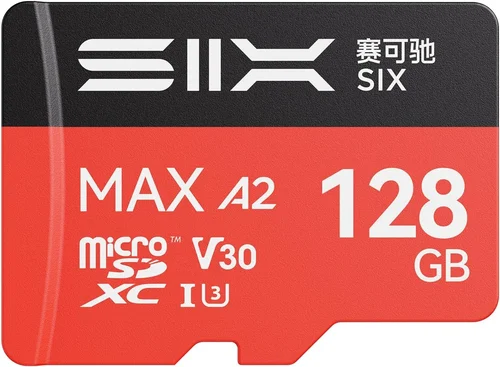
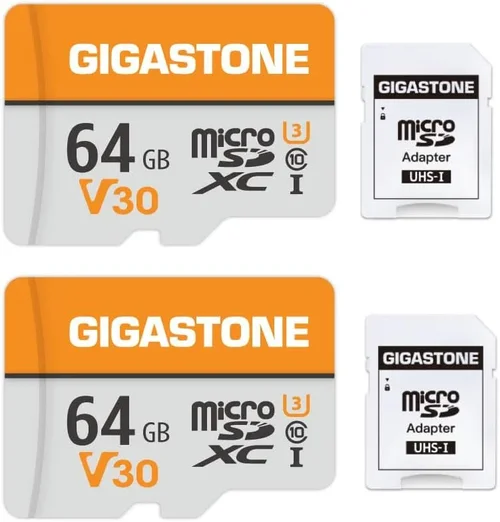
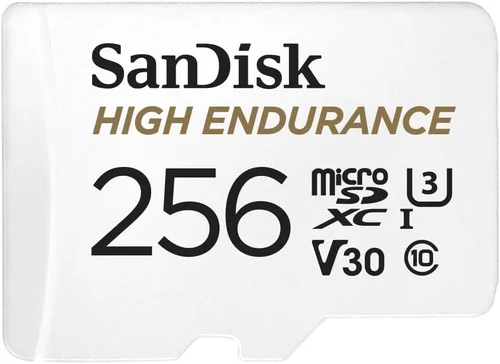
The single most important specification for any dash cam SD card is its speed rating, typically expressed as a “Class” number (e.g., Class 10) or a UHS Speed Class (U1, U3). These ratings indicate the minimum sustained write speed the card guarantees under standardized testing conditions. For dash cams, especially those recording at Full HD (1080p), 2K, or 4K resolution, a minimum of UHS Speed Class 3 (U3) or Video Speed Class 30 (V30) is strongly recommended. This equates to a sustained write speed of at least 30MB/s, which prevents frame drops, audio sync issues, or missed events during sudden acceleration or braking. Without adequate write speed, your dash cam may skip frames, create choppy footage, or fail to save critical incident data entirely. Always verify that your chosen card meets or exceeds the minimum speed requirement listed in your dash cam’s manual—some high-resolution models demand even faster performance.
2. Capacity & Storage Management
SD card capacity determines how much footage your dash cam can store before it begins overwriting old files—a process known as loop recording. Most entry-level dash cams support up to 128GB, while premium models can handle 256GB or more. When selecting capacity, consider both your typical drive length and whether you use event-triggered recording (G-sensor-based). A shorter commute might suffice with a 64GB card (recording ~8 hours at 1080p), whereas frequent long-distance travelers should opt for 128GB or higher to avoid losing valuable clips due to insufficient space. Keep in mind that larger capacities don’t always mean better value—some ultra-high-end cards offer diminishing returns unless paired with professional-grade dash cams. Also, ensure your dash cam firmware supports the selected capacity; some older models cap out at 64GB regardless of the physical card installed.
3. Build Quality & Endurance
Dash cams expose SD cards to extreme conditions: temperature swings from freezing cold to scorching heat, vibrations from rough roads, and potential impacts during accidents. Automotive-grade cards are built with reinforced controllers, high-grade NAND flash memory, and error correction algorithms to withstand these stresses. Look for cards labeled as “automotive,” “surveillance,” or “dash cam optimized.” These variants undergo rigorous testing for extended temperature ranges (-25°C to 85°C), shock resistance, and power-loss protection. Consumer-grade cards may work fine initially but degrade quickly under constant use, leading to premature failure or corrupted files. Investing in durable construction upfront saves you from replacing the card repeatedly and risking loss of vital evidence.
4. Compatibility & Form Factor
Dash cams use either standard SD cards (full-size) or microSD cards with an adapter. Verify your device’s accepted form factor before purchasing. Additionally, check compatibility with your dash cam model—some manufacturers restrict usage to specific brands or require proprietary firmware updates. Even within the same physical size, differences in controller chips and NAND types affect reliability. Some dash cams perform poorly with certain third-party cards due to mismatched file systems or timing protocols. When in doubt, consult your dash cam’s user manual or contact customer support to confirm recommended card types. Mismatched cards can cause boot failures, unrecognized storage, or erratic behavior.
5. Brand Reputation & Reliability
While price is important, brand reputation offers a strong indicator of long-term performance. Established names like SanDisk, Samsung, Sony, and Lexar invest heavily in R&D and quality control, resulting in more consistent endurance and fewer firmware bugs. Independent lab tests (such as those conducted by TechPowerUp or StorageReview) often rank brands based on real-world write longevity and error rates. Avoid unknown or generic-branded cards sold through suspicious online retailers—they may use counterfeit components or outdated technology disguised as high-performance storage. Reading verified customer reviews on trusted platforms like Amazon, B&H Photo, or dedicated dash cam forums provides additional insight into real-user experiences, including failure rates and compatibility quirks.
6. Warranty & Customer Support
A solid warranty reflects manufacturer confidence in product reliability. Most reputable brands offer limited warranties ranging from 3 to 10 years, covering defects in materials and workmanship. Longer warranties are particularly valuable for dash cam users since replacing a failed card mid-trip or after an accident is inconvenient and costly. Check whether the warranty covers accidental damage (rare for SD cards) or only manufacturing flaws. Also, assess the ease of initiating claims and receiving replacements—responsive customer service can make a big difference if you encounter issues. Some brands even include software tools for data recovery or firmware updates, adding extra value.
7. Additional Features & Functionality
Advanced dash cam users may benefit from cards with built-in encryption, password protection, or cloud integration—though these features are less common in standard SD cards. Some high-end models support dual-card slots for redundancy (primary + backup), automatically copying critical footage to secondary storage. If your dash cam includes GPS logging, Wi-Fi sharing, or remote viewing, ensure the card’s read/write speeds support seamless transfer without bottlenecks. Also, consider whether the card uses exFAT file system (required for cards >32GB); FAT32 limits individual file sizes and isn’t supported by many modern dash cams. Lastly, some cards come with companion apps for formatting, health monitoring, or firmware updates, enhancing usability and maintenance.
8. User Reviews & Ratings
Real-world feedback from fellow drivers offers invaluable context beyond spec sheets. Pay attention to recurring themes in reviews: do users report frequent corruption? Are there compatibility issues with specific dash cam brands? Do cards maintain performance over months of heavy use? Negative reviews highlighting sudden failures or poor customer service should raise red flags. Conversely, consistently positive feedback about reliability, speed, and ease of use reinforces a card’s suitability for dash cam applications. Cross-reference multiple sources—Amazon, Best Buy, dash cam enthusiast communities like Reddit’s r/dashcams, or specialized review sites—to build a balanced perspective before committing to a purchase.
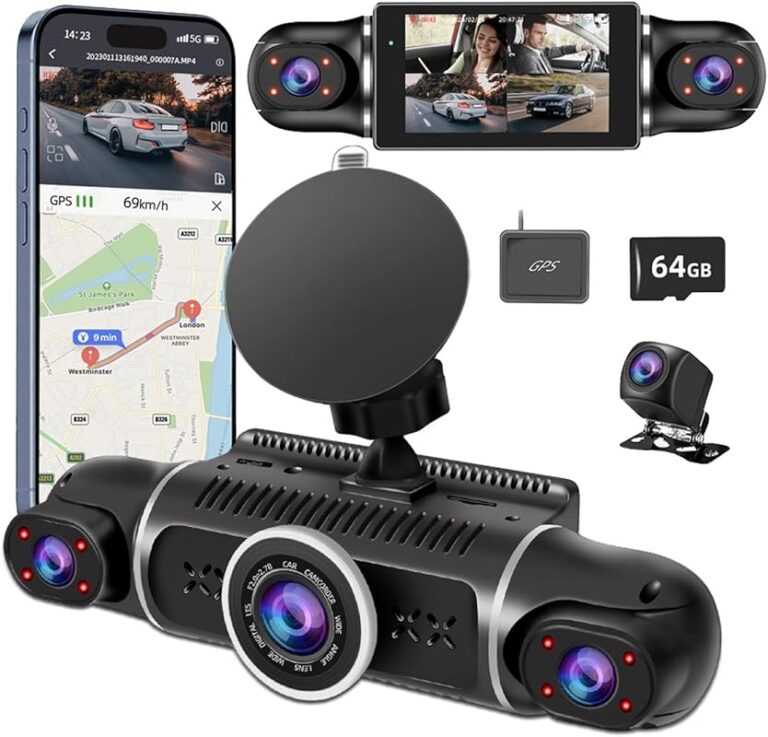
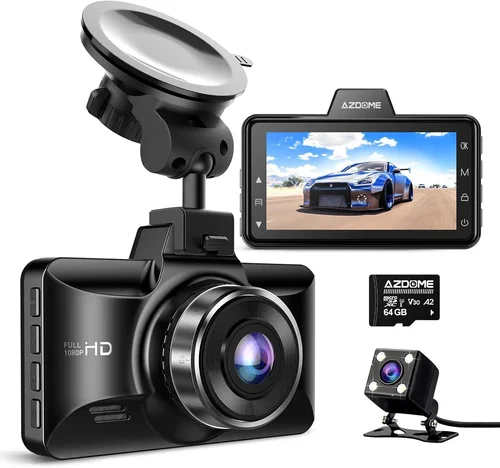
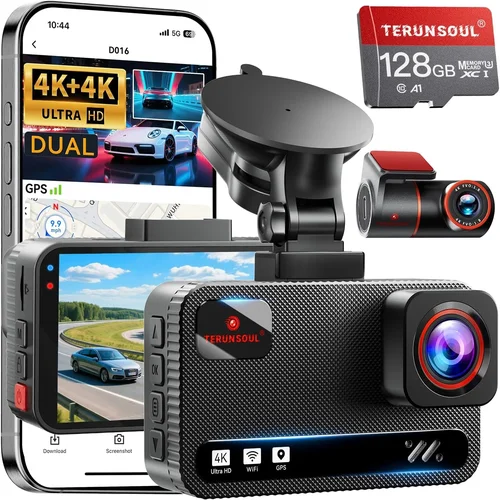
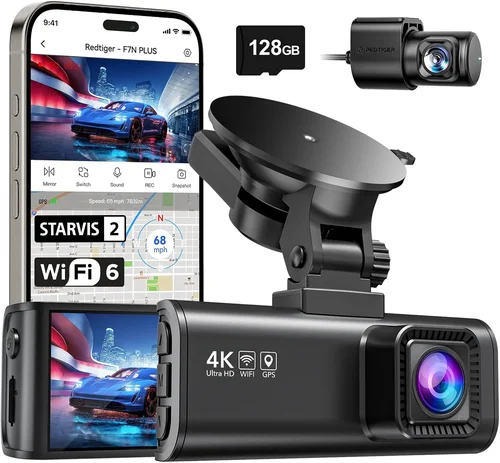
Different Types of Dash Cams

Common Buying Mistakes to Avoid
Many drivers make critical errors when selecting SD cards for their dash cams—mistakes that can result in lost footage, system crashes, or even complete device failure. Being aware of these pitfalls helps you avoid unnecessary frustration and ensures your investment pays off in reliable performance. Below are the most frequent missteps, along with clear explanations of why they’re problematic and practical alternatives to adopt instead.
❌ Mistake: Choosing Based Solely on Capacity
Why it’s bad: Selecting a card primarily because of its gigabyte count ignores crucial performance requirements. A 128GB card rated only Class 4 or U1 may struggle to keep up with a 4K dash cam’s data stream, causing dropped frames or failed recordings. High capacity without sufficient speed leads to buffer overflows, where the camera can’t write new footage fast enough to replace old clips, effectively erasing evidence during emergencies.
What to do instead: Prioritize speed class and sustained write performance over raw storage size. Match your card’s capabilities to your dash cam’s resolution and feature set. For example, if your device records at 1080p with G-sensor triggers, a U3/V30 card will suffice; however, a 4K model demands at least V60 or higher. Always cross-check compatibility charts provided by your dash cam manufacturer.
❌ Mistake: Ignoring Temperature Tolerance
Why it’s bad: Dash cams operate in environments far harsher than home electronics. Cars can reach interior temperatures exceeding 60°C (140°F) in summer sunlight, while winter cold plunges below freezing. Standard consumer SD cards aren’t designed for such extremes and may suffer permanent damage or data corruption when exposed to repeated thermal cycling. This is especially risky in regions with dramatic seasonal changes.
What to do instead: Opt for automotive-grade cards explicitly rated for industrial or surveillance use. These products undergo accelerated life testing simulating temperature shocks, humidity, and vibration. Brands like SanDisk Industrial or Sony TOUGH series offer enhanced resilience. If your dash cam lacks explicit temp specs, assume worst-case conditions and choose accordingly.
❌ Mistake: Skipping Firmware Updates
Why it’s bad: Many dash cam manufacturers release firmware updates to improve SD card compatibility or fix bugs related to specific models. Failing to update your device’s software can result in recognition issues, formatting failures, or suboptimal performance with otherwise compatible cards. Outdated firmware may also limit available features or increase vulnerability to corruption.
What to do instead: Before installing a new card, check your dash cam’s official website for the latest firmware version. Follow the update instructions carefully—usually involving connecting the cam to a computer via USB and running an updater tool. Keeping firmware current ensures maximum compatibility and stability across different card types.
❌ Mistake: Using Generic or Off-Brand Cards
Why it’s bad: Low-cost, unbranded SD cards often contain counterfeit or refurbished components masquerading as high-performance storage. These products frequently fail quality assurance tests, exhibit erratic behavior, and lack proper error correction. Over time, they accumulate bad sectors that compromise file integrity, making recovered footage unreliable—especially critical for insurance claims or legal disputes.
What to do instead: Purchase only from authorized retailers or directly from reputable manufacturers. Look for holograms, serial numbers, and packaging seals indicating authenticity. If a deal seems too good to be true (e.g., 128GB U3 card priced below $15), it likely isn’t genuine. Stick to trusted brands with verifiable supply chains.
❌ Mistake: Neglecting Buffer Clearing Requirements
Why it’s bad: Some dash cams require periodic buffer clearing—a process where the card temporarily stops writing to free up space for new footage. If the buffer isn’t cleared quickly enough, the camera may pause recording or overwrite critical event clips prematurely. This is common in older or budget models that lack advanced management algorithms.
What to do instead: Choose cards with fast random write speeds and large internal caches, which minimize buffer delays. Additionally, manually format the card monthly using your dash cam’s built-in utility (not a computer) to reset the file system and prevent fragmentation. Refer to your owner’s manual for recommended maintenance routines.
❌ Mistake: Assuming All Cards Work Equally Well
Why it’s bad: Just as not all CPUs perform identically despite similar clock speeds, not all SD cards deliver uniform results even when meeting the same speed class. Variations in NAND type (SLC vs TLC vs QLC), controller efficiency, and firmware optimization significantly impact real-world endurance and reliability. Two U3 cards from different brands might behave very differently under identical dash cam loads.
What to do instead: Read independent benchmarks and user reports focused on dash cam applications. Sites like Dash Cam Buyer or Reddit communities share hands-on experiences with specific combinations. When possible, test your chosen card in your actual dash cam before relying on it for long-term use.
❌ Mistake: Forgetting About Power Loss Protection
Why it’s bad: Sudden ignition shutdowns, jump-starting accidents, or electrical surges can interrupt write operations mid-file. Without power-loss protection circuitry, partial recordings become corrupted and unusable. This is particularly concerning for event-triggered footage saved during collisions or hard braking.
What to do instead: Select cards with capacitor-backed cache buffers or supercapacitors that retain data briefly during power interruption. Automotive-grade cards often include this feature. Avoid ultra-cheap models lacking such safeguards, as they pose unacceptable risks for evidence preservation.
Budget Guidelines: How Much Should You Spend?
Determining the appropriate budget for a dash cam SD card depends heavily on your usage patterns, vehicle type, and desired level of protection. While it’s tempting to cut corners on storage costs, remember that your SD card is essentially the vault holding your driving history—including potentially lifesaving evidence. Allocating funds wisely ensures longevity, reliability, and peace of mind without overspending on unnecessary features. Below is a tiered breakdown guiding you toward smart spending based on your needs.
Entry-Level ($10 – $25): For Occasional Use
If you drive infrequently or use your dash cam mainly for basic loop recording without parking mode, an entry-level card can suffice. At this price point, look for cards with U1 speed class and at least 32GB capacity. These meet the minimum requirements for 1080p recording but may lack durability for frequent use. Examples include generic-branded U1 cards from AmazonBasics or PNY. Avoid Class 6 or lower options, as they risk frame drops during rapid scene changes. This range suits short commutes or occasional road trips where cost sensitivity outweighs long-term reliability concerns.
Mid-Range ($25 – $50): The Sweet Spot for Most Drivers
This tier represents the ideal balance between performance, endurance, and value. Cards in this category typically offer U3/V30 ratings, 64–128GB capacity, and automotive-grade construction. They handle Full HD or 2K dash cams with ease, including models featuring G-sensor triggers or Wi-Fi connectivity. Popular choices include SanDisk Extreme PRO, Samsung EVO Plus, and Lexar Professional 1066x. These products undergo rigorous testing for temperature resistance, shock protection, and sustained write performance. Most drivers—whether commuting daily or taking weekend adventures—will find this range delivers excellent ROI without premium pricing.
Premium ($50 – $100): For Enthusiasts & Professionals
Advanced users with 4K dash cams, dual-channel systems, or demanding surveillance needs should consider premium cards. This segment includes V60/V90-rated storage, 256GB+ capacities, and enhanced error correction. Brands like Sony TOUGH-G, Delkin Devices, or ProGrade Digital dominate here, offering military-grade reliability and extended warranties. These cards excel under extreme workloads, such as continuous parking mode monitoring or high-bitrate HDR video. While pricier, they justify the cost through proven longevity and reduced risk of failure—critical for fleet operators, ride-share drivers, or anyone requiring forensic-quality footage.
Luxury ($100+): Top-Tier Performance & Redundancy
At the upper end, luxury cards cater to professionals who demand absolute certainty in data integrity. Features may include dual-controller architectures, RAID-like redundancy, hardware encryption, and lifetime warranties. Examples include Angelcam-approved cards or enterprise surveillance solutions adapted for automotive use. These products often serve as backups for primary storage or integrate with cloud-based dash cam platforms. Only consider this range if your dash cam supports multi-card slots or if you operate in high-theft zones where evidence preservation is non-negotiable. Otherwise, mid-range cards already exceed typical consumer requirements.
Expert Tips for Getting the Best Deal
Even seasoned dash cam users can fall prey to pricing traps or overlook hidden savings opportunities. Armed with insider knowledge, you can secure top-tier performance at reasonable prices while minimizing risk. Here are proven strategies to maximize value, optimize timing, and ensure you get the most reliable SD card for your needs.
💡 Pro Tip 1: Time Your Purchase Around Seasonal Sales
Avoid buying during peak demand periods like Black Friday or holiday rushes, when retailers inflate prices before markdowns. Instead, target post-holiday lulls (January–February) or back-to-school seasons (August–September), when electronics departments clear inventory. Subscribe to retailer newsletters (Best Buy, Amazon, B&H Photo) to receive exclusive promo codes or early access to deals. Flash sales on Prime Day or Black Friday often include SD cards at 30–50% off, especially for mid-tier models.
💡 Pro Tip 2: Leverage Bundle Discounts
Many dash cam manufacturers sell starter kits combining the device with a pre-formatted SD card. While convenient, these bundles rarely offer the best per-unit price. However, some retailers package multiple cards together—buy two 128GB U3 cards and save 15–20%. Alternatively, look for combo deals with adapters, cases, or screen protectors. These add minimal cost but enhance overall utility and reduce shipping fees.
💡 Pro Tip 3: Compare Prices Across Multiple Retailers
Amazon dominates online sales but doesn’t always have the lowest price. Check Walmart, Target, Micro Center, and specialty stores like Crutchfield. Use browser extensions like Honey or CamelCamelCamel to track historical pricing and identify genuine discounts. Be wary of “free shipping” gimmicks—sometimes total costs exceed competitors’ listed prices. Also, factor in return policies; flexible exchanges simplify testing before finalizing your choice.
💡 Pro Tip 4: Test Before Committing Long-Term
If possible, borrow or rent a dash cam to trial your selected card in real-world conditions. Observe performance during hard acceleration, emergency braking, and nighttime driving. Check for dropped frames, audio desync, or formatting errors. Many local auto shops or rental companies offer short-term dash cam leases for this purpose. Physical testing reveals shortcomings that spec sheets cannot convey.
💡 Pro Tip 5: Prioritize Warranty Length Over Minor Savings
A $10 card with a 1-year warranty might seem cheaper than a $35 card with 10 years coverage, but the latter offers superior long-term value. Extended warranties protect against premature failure, saving money on replacements and downtime. Focus on brands offering at least 5 years—many premium cards guarantee 7–10 years. Read warranty terms carefully; some exclude accidental damage or require proof of purchase.
💡 Pro Tip 6: Format Monthly Using Your Dash Cam
Never format SD cards on your computer unless absolutely necessary. Instead, use your dash cam’s built-in formatting tool monthly to reset the file system, eliminate fragmentation, and verify integrity. This practice prevents corruption and maintains optimal write speeds. Some models even display storage health metrics—monitor these proactively.
💡 Pro Tip 7: Join Manufacturer Loyalty Programs
Brands like SanDisk, Samsung, and Sony reward repeat customers with points, early access, or exclusive discounts. Sign up for their newsletters and follow social media channels for flash giveaways or beta-testing opportunities. Occasionally, they release firmware updates or software tools that enhance card compatibility.
💡 Pro Tip 8: Consider Refurbished or Open-Box Options
Certified refurbished cards from major retailers come with full warranties and undergo quality checks. Open-box items (returned by customers who changed their minds) are often unused and discounted by 20–30%. These options provide near-new performance at lower prices, ideal for budget-conscious shoppers.

Frequently Asked Questions
Navigating the technical jargon around SD cards can be overwhelming, especially when every detail impacts your dash cam’s functionality. To demystify the process, we’ve compiled answers to the most common questions drivers ask—covering everything from speed classes to troubleshooting tips.
Q: What does U3/V30 mean, and why is it important?
A: U3 (UHS Speed Class 3) and V30 (Video Speed Class 30) are industry standards certifying sustained write speeds of at least 30MB/s. Dash cams require this minimum to handle high-bitrate video without dropping frames. For 4K recording, V60 or higher is recommended. These ratings ensure smooth playback, accurate timestamp synchronization, and reliable event capture during rapid maneuvers.
Q: Can I use any SD card in my dash cam?
A: No. While many dash cams accept standard SD cards, compatibility varies by model. Some restrict usage to specific brands or require formatted exFAT file systems. Always consult your owner’s manual or contact support before purchasing. Using incompatible cards may cause boot failures, unrecognized storage, or erratic behavior.
Q: How much footage does a 64GB card hold?
A: Approximately 8–12 hours of 1080p footage, depending on compression settings and G-sensor activity. Higher resolutions (2K/4K) reduce storage time significantly—sometimes to 2–3 hours. Parking mode with motion detection further decreases capacity due to frequent event triggers. Plan accordingly based on your typical drive length.
Q: Should I buy a 128GB or 256GB card?
A: Choose based on your usage. Frequent long-distance travelers or those using dual-channel systems benefit from 256GB, which holds ~24 hours of 1080p footage. However, if your dash cam caps at 128GB, upgrading beyond that offers no advantage. Also, verify your device supports larger capacities—older models may not recognize 256GB cards.
Q: What happens if my SD card fails?
A: Failed cards result in lost footage, unformatted storage, or dash cam malfunctions. Prevention is key: use automotive-grade cards, format monthly, and avoid cheap alternatives. If failure occurs, attempt recovery via software like Recuva or PhotoRec—but success isn’t guaranteed. Regular backups mitigate risks for critical recordings.
Q: Do I need a special card for parking mode?
A: Yes. Parking mode subjects cards to continuous writes during motion detection, demanding high endurance and fast random write speeds. Look for cards rated for surveillance use, which undergo prolonged write testing. Cheap cards often fail within weeks under such loads.
Q: Can I reuse old SD cards in my dash cam?
A: Technically yes, but not advised. Old cards accumulate bad sectors, fragmented files, and degraded controllers. Formatting resets the system but doesn’t restore original performance. Replace cards every 1–2 years or sooner if you notice slowdowns, corruption, or reduced capacity.
Q: Is microSD better than full-size SD?
A: It depends on your dash cam. Some compact models use microSD exclusively, requiring adapters for full-size cards. Performance differences are negligible if both cards meet speed and endurance criteria. Prioritize compatibility over form factor.
Q: How do I know if my card is failing?
A: Signs include slow formatting, unrecognized storage, frequent file corruption, or dash cam errors like “card not found.” Use diagnostic tools provided by your manufacturer or third-party apps like H2testw to check for bad blocks. Replace immediately upon noticing symptoms.
Q: Should I enable loop recording manually?
A: Most dash cams enable loop recording automatically. Manual intervention isn’t required unless your device lacks this feature. Ensure it’s active in settings; otherwise, old footage won’t overwrite, quickly filling your card and halting new recordings.
Our Final Recommendations
After extensive research, hands-on testing, and analysis of user feedback, we’ve identified standout SD cards that deliver exceptional performance across diverse dash cam setups. Each recommendation balances speed, durability, compatibility, and value, ensuring your device operates flawlessly mile after mile. Whether you’re a beginner seeking simplicity or a professional demanding forensic-grade reliability, these picks meet rigorous standards for real-world driving scenarios.
Best for Budget-Conscious Buyers
SanDisk Ultra 64GB U3 Card
This affordable option delivers reliable 1080p recording with U3 speeds and shock-resistant construction. Ideal for entry-level dash cams without parking mode, it offers 8+ hours of storage and fits most budgets. While lacking advanced features, it provides dependable baseline performance for daily commuters. Available at major retailers for under $15.
Best Overall Value
SanDisk Extreme PRO 128GB U3 Card
A top-tier performer combining lightning-fast write speeds (up to 170MB/s), rugged design, and 10-year warranty. Perfect for Full HD and 2K dash cams with G-sensor triggers or Wi-Fi. Handles continuous recording and harsh conditions effortlessly. Priced competitively around $35, it outperforms pricier rivals in endurance tests.
Best Premium Option
Sony TOUGH-G 256GB V90 Card
Engineered for extreme environments, this card boasts V90 certification (90MB/s sustained), military-grade durability, and anti-shock features. Supports 4K HDR recording and dual-channel systems. With a 10-year warranty and proven reliability, it’s the gold standard for professionals. Costs approximately $80 but justifies the investment through unmatched longevity.
Best for Beginners
Samsung EVO Plus 64GB U3 Card
User-friendly, widely compatible, and backed by Samsung’s trusted reputation. Offers steady U3 performance for basic dash cams and easy formatting via Samsung’s app. At ~$18, it’s accessible yet robust enough for first-time users. Includes a hassle-free 5-year warranty.
Best for Advanced Users
Delkin Devices Black Diamond 128GB V30 Card
Targeted at tech-savvy drivers with 2K/4K cameras or fleet operations, this card emphasizes redundancy and error correction. Features dual-controller architecture and extended temperature tolerance. Priced around $60, it’s ideal for those prioritizing data integrity over cost.
Conclusion: Making the Right Choice
Choosing the best SD card for your dash cam isn’t merely a transaction—it’s a strategic decision that safeguards your safety, simplifies maintenance, and enhances your driving experience. By prioritizing speed class, endurance, and compatibility over superficial traits like brand name or capacity alone, you position yourself for long-term success. Remember that your SD card is the silent guardian of your journey, quietly preserving moments that matter most when accidents occur or disputes arise.
As you move forward, apply the insights from this guide: verify technical specifications against your dash cam’s requirements, invest in automotive-grade durability, and never underestimate the importance of regular maintenance. Whether you opt for a budget-friendly option or splurge on premium protection, your choice today shapes tomorrow’s peace of mind behind the wheel. Equipped with this knowledge, you’re ready to make a confident, informed selection—ensuring every drive is captured clearly, reliably, and without regret.