Ultimate Class 10 SD Card Buying Guide for Dash Cams
When it comes to protecting yourself on the road, having a reliable dash cam is only half the battle. The other half – and arguably the most critical part – is ensuring you have a high-quality Class 10 SD card to store all those crucial video files. A poor-quality memory card can lead to lost footage during accidents, corrupted recordings, or even complete system failure when you need evidence the most. This comprehensive buying guide will walk you through everything you need to know about selecting the best Class 10 SD card for your dash cam, helping you make an informed decision that prioritizes safety, reliability, and peace of mind behind the wheel.
Whether you’re a daily commuter, a frequent road tripper, or simply want to protect yourself from false insurance claims, understanding how to choose the right memory card goes far beyond checking a “Class 10” rating. We’ll explore performance specifications like write speeds, endurance ratings, file formats, and compatibility issues that many buyers overlook. You’ll learn why brand reputation matters, what features to look for in different price ranges, and how to avoid common pitfalls that could cost you valuable footage. By the end of this guide, you’ll be equipped with expert knowledge to select a Class 10 SD card that delivers rock-solid performance, handles continuous recording demands, and gives you confidence knowing your dash cam has the storage foundation it needs.
The market for dash cam accessories has exploded in recent years, but not all SD cards are created equal. While some manufacturers bundle low-quality cards with their cameras, savvy drivers know that investing in a premium memory card is one of the smartest purchases they can make for their vehicle safety system. From budget-conscious options that still deliver solid performance to top-tier cards designed for extreme conditions, we’ll cover every category so you can find exactly what fits your needs, driving style, and vehicle requirements. Let’s dive into the essential factors that separate good dash cam SD cards from great ones.

What to Look for When Buying Dash Cams
1. Performance Specifications
Performance is the absolute foundation of any dash cam SD card, and several technical specifications directly impact how well your device handles continuous recording demands. The first and most crucial specification is write speed, measured in megabytes per second (MB/s). For dash cams, you’ll want a minimum sustained write speed of at least 20 MB/s to handle full HD or 4K video recording without dropping frames or corrupting files. Cards with lower write speeds may appear to work initially but will eventually fail during long drives or high-resolution recording sessions.
Beyond raw speed, consider the UHS (Ultra High Speed) interface standards that govern data transfer rates. UHS-I cards offer speeds up to 104 MB/s, while UHS-II doubles that potential with dual data lines. For most dash cams, UHS-I is sufficient, but if your camera supports UHS-II, you’ll unlock significantly better performance. Additionally, look for V-class ratings (V10, V30, V60, V90) which guarantee minimum sustained write speeds – V30 is generally recommended for dash cams as it ensures reliable 4K recording capabilities.
Another critical performance metric is the card’s ability to handle continuous write operations over extended periods. Dash cams typically use loop recording modes that constantly overwrite old footage, creating constant write demands. Cards with higher endurance ratings (measured in terabytes written, or TBW) can handle these repetitive write cycles much better than standard cards. Premium dash cam cards often feature advanced wear-leveling algorithms and robust controller chips that maintain consistent performance even after thousands of hours of continuous use.
2. Build Quality & Durability
Build quality isn’t just about physical construction—it encompasses how well the card handles environmental stressors that commonly affect vehicles. Temperature extremes pose one of the biggest challenges for dash cam cards, as cars can reach scorching temperatures in summer sunlight or freezing cold in winter conditions. Look for cards specifically rated for extended temperature ranges, typically -25°C to 85°C (-13°F to 185°F), to ensure reliable operation year-round.
Shock resistance is another vital durability factor. Vehicles experience constant vibrations, bumps, and potential impacts during normal driving, not to mention emergency braking situations. Premium dash cam cards feature reinforced connectors, shock-absorbing internal components, and ruggedized casings designed to withstand these forces. Some manufacturers even test their cards through rigorous drop tests and vibration simulations to guarantee performance under real-world conditions.
Water and dust resistance might seem less critical for interior storage, but moisture intrusion can still occur from humidity changes, condensation, or accidental spills. Cards with IP (Ingress Protection) ratings or specialized sealing provide additional peace of mind. Also consider the physical size and shape—some dash cams have tight mounting spaces where bulkier cards might interfere with installation or cause damage to the camera housing.
3. Endurance & Lifespan Ratings
Endurance ratings tell you exactly how much data a card can reliably write over its lifetime before experiencing performance degradation or failure. These ratings are typically expressed in terms of total bytes written (TBW) or drive writes per day (DWPD). For dash cam applications, where the card experiences constant small writes rather than occasional large file transfers, high endurance is absolutely essential.
Look for cards with endurance ratings of at least 32GB capacity equivalent or higher—this means the card can handle writing 32GB of data reliably throughout its warranty period. Some premium cards offer enterprise-grade endurance suitable for 24/7 operation, though this level of durability usually exceeds typical dash cam usage patterns. The key is finding the right balance between guaranteed longevity and your actual usage requirements.
Manufacturers often provide detailed endurance calculators on their websites where you can input your expected recording time, resolution, and drive frequency to determine the appropriate card capacity and endurance rating for your specific situation. This personalized approach helps prevent overspending on excessive durability when moderate specs would suffice, or worse, choosing insufficient capacity that leads to premature failure.
4. Compatibility Considerations
Compatibility extends far beyond simply inserting the card into your dash cam—it involves ensuring seamless integration across multiple systems and future-proofing your investment. First, verify your dash cam’s supported card capacities and formats. Most modern dash cams accept cards from 8GB up to 512GB, but some budget models may only support smaller capacities. Always check your camera’s manual for exact specifications before purchasing.
File system format is equally important. Dash cams typically use FAT32 or exFAT file systems, with exFAT becoming more common for larger capacity cards (above 32GB). If your dash cam doesn’t automatically format new cards, you may need to manually format them using the camera’s menu system or computer software. Some cards ship pre-formatted for specific dash cam brands, which can save considerable setup time.
Brand-specific compatibility is another consideration—while generic cards often work fine, some dash cam manufacturers optimize their firmware specifically for certain memory card brands. Using non-recommended cards might limit available features or void warranty coverage in rare cases. However, most reputable brands maintain broad compatibility, so this shouldn’t be your primary concern unless you’re using a lesser-known dash cam model.
5. Warranty & Support
A solid warranty demonstrates manufacturer confidence in their product’s reliability and provides recourse if issues arise. Most premium dash cam SD cards come with warranties ranging from 3 to 10 years, with some offering lifetime warranties for certain models. The length alone doesn’t guarantee quality—look for warranties that cover both defects and performance issues like write failures or corruption.
Support quality varies significantly between manufacturers. Top-tier brands like SanDisk, Samsung, and Kingston offer responsive customer service, detailed troubleshooting guides, and sometimes even replacement programs for failed cards. Budget brands may provide minimal support or lengthy return processes that become problematic if you need quick replacement during critical periods.
Consider whether the warranty covers accidental damage or just manufacturing defects—comprehensive coverage adds significant value. Also check if the warranty requires original proof of purchase and whether shipping costs for replacements are covered. These details matter greatly when you need a replacement quickly due to a dash cam failure during an important journey.
6. User Reviews & Ratings
Real-world user experiences provide invaluable insights that specifications alone cannot convey. Pay particular attention to reviews from dash cam owners who share your specific camera model or similar usage patterns. Look for patterns in feedback rather than isolated comments—multiple users reporting similar issues likely indicate systemic problems.
Check review sources carefully—manufacturer websites often feature curated positive reviews, while independent tech sites and retail platforms like Amazon provide more balanced perspectives. Be wary of overly promotional language or reviews that seem suspiciously identical across multiple sites. Authentic reviews typically include specific examples of performance, mention real-world scenarios, and honestly address both strengths and weaknesses.
Pay special attention to reviews discussing long-term reliability, file corruption issues, write speed consistency, and compatibility problems. Users who’ve tested cards over months or years of regular use often reveal performance characteristics that don’t show up in short-term testing. Their experiences can help you avoid cards that initially appear perfect but develop problems after extended deployment.
7. Size & Portability
While dash cams primarily mount inside vehicles, the SD card itself doesn’t need to be portable—however, physical dimensions matter for installation practicality. Standard SD cards measure approximately 24mm x 32mm x 2.1mm, but some manufacturers produce compact versions or alternative form factors for specialized applications.
For dash cam use, the standard size is ideal since most cameras accommodate the full-sized card without modification. However, if you plan to transfer files frequently between devices, a smaller microSD card with an adapter might be preferable. Just ensure your dash cam’s card reader accepts microSD cards natively or works reliably with adapters.
Some dash cams feature dual-card slots allowing simultaneous recording to both a primary card and backup storage—in these cases, matching card sizes and types becomes important for balanced performance. Consistency also matters when using multiple cameras or sharing cards between different vehicles.
8. Brand Reputation
Brand reputation reflects years of engineering refinement, quality control processes, and customer satisfaction track records. Established memory card manufacturers like SanDisk (a subsidiary of Western Digital), Samsung, Kingston, Lexar, and Transcend have decades of experience developing storage solutions for demanding applications including professional photography, industrial systems, and now automotive use.
Reputable brands invest heavily in research and development, testing protocols, and manufacturing quality control. They understand that memory cards serve as mission-critical data storage devices in many applications, including dash cams where reliability literally saves lives and protects against fraud. This commitment to excellence shows in their product specifications, warranty offerings, and customer support responsiveness.
Conversely, lesser-known brands may cut corners on component quality, testing rigor, or manufacturing standards to reduce costs. While some budget options can perform adequately, they often lack the consistency and longevity required for continuous dash cam operation. The small price difference between reputable and budget brands typically proves insignificant compared to the potential cost of lost footage or failed recordings when needed most.
9. File Format & Recording Features
Modern dash cams often include intelligent recording features that interact closely with the SD card’s capabilities. Time-lapse recording compresses footage by saving frames at intervals, reducing storage demands while maintaining event documentation—but this requires cards that can handle rapid sequential writes efficiently. Similarly, event-based recording triggers automatic saves during incidents, creating burst write demands that test card endurance.
Advanced dash cams may use proprietary file systems or compression algorithms optimized for specific card types. Some implement over-provisioning—reserving extra space beyond advertised capacity—to improve write performance and extend lifespan. Understanding these interactions helps you select cards that maximize your camera’s advanced features rather than limiting them to basic functionality.
Additionally, consider whether your dash cam supports features like GPS logging, parking mode monitoring, or cloud connectivity—these often create additional write loads on the SD card. Cards designed specifically for dash cam use typically handle these combined workloads better than general-purpose cards, which may struggle with the mixed read/write patterns generated by multifunction dash cams.
10. Price vs. Value Assessment
Price doesn’t always correlate with quality, but significant deviations from market expectations should raise questions. Extremely cheap cards (under $10 for high-capacity models) often sacrifice critical components like controller chips, NAND flash quality, or testing rigor. Conversely, excessively expensive cards may offer diminishing returns beyond what typical dash cam users require.
The sweet spot for most dash cam owners lies in the mid-range price bracket ($15-$30 for 64-128GB cards), where reputable brands provide excellent value without unnecessary premium pricing. These cards typically feature adequate write speeds, solid endurance ratings, and proven reliability—all at reasonable costs. Only consider premium-priced cards if your dash cam demands exceptional performance or you plan extremely heavy usage patterns.
Calculate the true cost per gigabyte rather than focusing solely on initial price. Higher-capacity cards often provide better value when considering total usable storage and longer replacement intervals. Also factor in replacement frequency—if a $20 card fails after six months versus a $35 card lasting three years, the cheaper option actually costs more over time.
11. Seasonal Usage Patterns
Your driving habits significantly influence which SD card specifications you actually need. Frequent highway commuters who record continuously for hours each day demand cards with superior endurance and consistent write speeds. Occasional weekend drivers might get away with moderate-performance cards since their usage patterns involve shorter recording sessions with more downtime between uses.
Seasonal variations also matter—if you drive extensively during harsh weather conditions (extreme heat, cold, or moisture), prioritize cards with enhanced environmental tolerances. Winter drivers particularly benefit from cards rated for sub-zero temperatures, while summer commuters need protection against high-temperature operation that can degrade NAND flash performance over time.
Consider whether your dash cam operates in parking mode (drawing power from your car battery to monitor for impacts)—this creates constant write activity that stresses cards differently than intermittent recording. Cards designed for dash cam use typically include power-loss protection features that prevent data corruption during unexpected shutdowns, which prove invaluable during parking surveillance.
12. Future-Proofing Considerations
Technology evolves rapidly, and your SD card choice should accommodate both current needs and potential upgrades. If your dash cam supports higher resolutions (4K+) or advanced features like dual-channel recording, select cards that exceed your immediate requirements rather than matching minimum specifications. This approach prevents premature obsolescence when upgrading cameras or adding additional units.
Also consider whether your dash cam manufacturer releases firmware updates that unlock new capabilities—some newer features may require specific card types or capacities to function properly. Choosing cards from brands known for supporting legacy products ensures continued compatibility even as your camera receives updates over its lifespan.
Finally, think about scalability—if you plan to add rear cameras, tire pressure monitors, or other accessories that generate additional data, select cards with headroom for expanded storage demands. Oversizing slightly (choosing 128GB instead of 64GB when both fit your budget) often proves more economical than frequent replacements or running out of space unexpectedly.
13. Environmental Certifications
While dash cams operate indoors, environmental certifications indicate how well cards handle the automotive environment’s unique challenges. Look for cards with RoHS (Restriction of Hazardous Substances) compliance, ensuring they meet environmental safety standards for vehicle interiors. Some manufacturers also obtain automotive-grade certifications indicating rigorous testing for vibration, temperature cycling, and electromagnetic interference resistance.
These certifications don’t guarantee perfection but demonstrate manufacturers’ commitment to meeting industry standards for reliability. Cards lacking any environmental certifications should raise concerns about their suitability for continuous vehicle operation where failure consequences can be severe.
14. Transfer Speed Requirements
Although dash cams primarily focus on write speeds, transfer performance matters for reviewing and backing up footage. Fast read speeds enable quicker file transfers to computers or external drives, saving time during post-drive analysis or incident investigations. Cards with read speeds exceeding 90 MB/s significantly reduce transfer times compared to slower alternatives.
Additionally, some dash cams include Wi-Fi connectivity that streams footage wirelessly to smartphones or cloud storage—these features create bidirectional data flows requiring balanced read/write capabilities. Premium dash cam cards often optimize both directions simultaneously rather than excelling at one at the expense of the other.
15. Power Management Features
Power management becomes critical when dash cams operate in parking mode or experience unexpected power interruptions. Advanced cards include capacitors that provide brief power bursts during sudden shutdowns, preventing file corruption when vehicles lose power unexpectedly (like during battery drain events or electrical faults). This feature proves invaluable since corrupted files render evidence useless during critical moments.
Some high-end cards also include thermal throttling protection that reduces write speeds when operating temperatures exceed safe thresholds—this prevents permanent damage from overheating while maintaining partial functionality. While not essential for all users, these features add layers of protection against common automotive power issues.
Different Types of Dash Cams

Common Buying Mistakes to Avoid
❌ Mistake: Ignoring Write Speed Requirements
Why it’s bad: Many buyers assume any Class 10 card will work for dash cams, but this overlooks critical performance differences. Cards with write speeds below 20 MB/s struggle with full HD recording, leading to dropped frames, audio-video desync, or complete recording failures during acceleration/deceleration events. During emergency braking or hard turns, dash cams capture rapid scene changes that demand instantaneous write capability—slow cards simply can’t keep up, resulting in corrupted or incomplete footage exactly when you need it most.
What to do instead: Always verify minimum sustained write speeds using manufacturer specifications or third-party benchmarks. Look for cards with V30 or higher ratings, ensuring they meet dash cam demands regardless of resolution settings. When comparing similar cards, choose the one with the highest verified write speed rather than assuming all Class 10 cards perform identically.
❌ Mistake: Overlooking Temperature Tolerance
Why it’s bad: Interior vehicle temperatures routinely exceed 100°F (38°C) in summer sunlight, reaching levels that permanently damage NAND flash memory. Cheap cards without proper thermal management suffer accelerated wear, reduced lifespan, and increased corruption risks during hot weather operation. In extreme cases, high temperatures cause immediate write failures or complete card malfunctions, leaving you with no evidence during summer driving conditions.
What to do instead: Select cards specifically rated for automotive temperature ranges (-25°C to 85°C/-13°F to 185°F). Check for explicit mentions of “automotive,” “vehicle,” or “extended temperature” certifications in product descriptions. If specifications don’t clearly state temperature ratings, contact the manufacturer directly before purchasing—don’t assume all cards handle vehicle environments equally well.
❌ Mistake: Choosing Based Solely on Capacity
Why it’s bad: While ample storage seems logical, oversized cards can actually decrease performance and increase costs unnecessarily. Very high-capacity cards (256GB+) sometimes use less efficient memory chip configurations that reduce write speeds compared to medium-capacity equivalents. Additionally, paying premium prices for storage you don’t need represents wasted money—most dash cams only require 64-128GB depending on usage patterns and recording settings.
What to do instead: Calculate your actual storage needs based on recording duration, resolution, and compression settings. Factor in parking mode usage if applicable. Choose the smallest capacity that comfortably accommodates your weekly recording needs, then prioritize performance specs over raw storage amount. Remember that smaller cards often provide better value and faster write performance for dash cam applications.
❌ Mistake: Neglecting Endurance Ratings
Why it’s bad: Without endurance information, you’re essentially guessing how long your card will last under continuous write conditions. Dash cams create constant small writes rather than occasional large transfers, stressing cards differently than typical computer usage. Cards failing prematurely mean lost evidence, frustrated troubleshooting, and unexpected replacement costs—especially problematic if your dash cam stops working during an important journey or accident investigation.
What to do instead: Always check endurance specifications (TBW or DWPD ratings) before purchasing. Look for cards guaranteeing at least 32GB equivalent endurance for dash cam use. If endurance data isn’t provided, research the manufacturer’s reputation for reliable endurance performance or choose established brands with transparent specifications. Consider cards marketed specifically for dash cam or surveillance applications rather than general consumer storage.
❌ Mistake: Assuming All Class 10 Cards Are Equal
Why it’s bad: The “Class 10” designation only guarantees minimum 10 MB/s write speeds, but actual performance varies dramatically among compliant cards. Many budget options meet this bare minimum while struggling with sustained writes, temperature fluctuations, or error correction capabilities. Relying solely on Class 10 status leads to disappointment when cards fail during extended recording sessions or harsh environmental conditions where marginal performance proves inadequate.
What to do instead: Treat Class 10 as a baseline requirement rather than a quality indicator. Research specific performance metrics beyond the Class 10 label, including UHS speed class, V-class ratings, and real-world write speed tests. Prioritize cards with higher performance tiers (UHS-I U3/V30 or better) and verified sustained write capabilities exceeding 20 MB/s for reliable dash cam operation.
❌ Mistake: Skipping Compatibility Verification
Why it’s bad: Even perfectly specified cards can fail if incompatible with your specific dash cam model. Issues range from physical size mismatches to unsupported file systems or firmware limitations. Some cameras only recognize certain card capacities or brands, while others require specific formatting procedures that vary between models. Using incompatible cards wastes time troubleshooting, potentially voids warranties, and may permanently damage camera hardware through improper insertion attempts.
What to do instead: Consult your dash cam’s user manual for approved card specifications before purchasing. Contact the manufacturer’s support team with your exact model number if specifications aren’t clear. Test new cards immediately upon installation using the camera’s built-in diagnostic features or by checking file creation during live recording. Keep original packaging for easy returns if compatibility issues arise.
❌ Mistake: Ignoring Real-World Testing Evidence
Why it’s bad: Manufacturer specifications represent ideal laboratory conditions that rarely match real driving scenarios. Continuous recording, temperature extremes, vibration exposure, and power fluctuations create stressors that lab tests often miss. Cards appearing perfect on paper may develop subtle flaws—file corruption, slowdowns, or premature failure—that only surface during actual deployment where they become critical failures exactly when you need reliable evidence.
What to do instead: Rely heavily on verified user experiences from owners using similar dash cam models and driving conditions. Look for long-term reliability reports covering months or years of regular use rather than short-term tests. Join dash cam forums or Facebook groups where members share hands-on experiences with various memory cards. Consider cards with proven track records in real-world dash cam applications rather than theoretical laboratory performance.
Budget Guidelines: How Much Should You Spend?
Entry-Level ($5 – $15)
At the lower end of the price spectrum, you’ll find basic memory cards that meet minimum dash cam requirements but may compromise on reliability and longevity. These cards typically feature Class 10 ratings with write speeds around 10-15 MB/s, adequate for standard definition recording but potentially struggling with full HD footage during demanding scenarios. While functional for occasional weekend drivers, they often lack proper temperature tolerance and endurance ratings necessary for consistent performance.
Cards in this range usually offer 32-64GB capacities suitable for basic usage patterns. Expect limited warranty coverage (typically 1-2 years) and minimal manufacturer support. Brands in this tier may lack transparency about performance specifications or environmental testing. While budget-friendly initially, these cards often require more frequent replacements, increasing long-term costs when factoring in replacement frequency and potential data loss risks.
Mid-Range ($15 – $30)
The mid-range represents the sweet spot for most dash cam owners, balancing performance, reliability, and value effectively. Cards in this price bracket typically feature UHS-I U3 or V30 ratings with sustained write speeds exceeding 25 MB/s, comfortably handling full HD and even early 4K recording requirements. They offer proper temperature tolerance for automotive environments and demonstrate proven endurance suitable for continuous recording demands.
This range includes reputable brands like SanDisk Extreme, Samsung EVO Plus, and Kingston Canvas React, which provide consistent performance backed by solid warranties (3-5 years) and responsive customer support. Capacities commonly range from 64GB to 128GB, aligning well with average weekly recording needs. Mid-range cards strike an optimal balance between upfront cost and long-term reliability, making them ideal choices for daily commuters, family drivers, and moderate road trippers seeking dependable performance without premium pricing.
Premium ($30 – $50)
Premium-priced cards deliver exceptional performance and durability for demanding dash cam applications or heavy usage patterns. These cards typically feature advanced controllers, high-quality NAND flash memory, and sophisticated wear-leveling algorithms that maintain consistent write speeds even after thousands of hours of continuous operation. Many include enterprise-grade endurance ratings suitable for 24/7 recording scenarios, far exceeding typical dash cam requirements.
Expect features like enhanced thermal management, improved error correction, and extended temperature ranges that ensure reliability in extreme conditions. Premium cards often support higher resolutions (4K+) and advanced camera features like dual-channel recording or parking mode monitoring without performance degradation. While more expensive initially, their superior longevity and reliability justify the investment for frequent drivers, fleet operators, or users prioritizing maximum protection for their evidence.
Luxury ($50+)
Luxury dash cam cards represent the pinnacle of storage technology designed for professional applications and extreme usage demands. These cards feature military-grade components, redundant controller architectures, and specialized firmware optimized for continuous write-intensive operations. They often include advanced power-loss protection, sophisticated wear-leveling algorithms, and extensive environmental testing certifications.
Capacities typically start at 128GB with premium options reaching 512GB or higher, providing substantial headroom for intensive recording schedules. Luxury cards may include proprietary technologies like dual-chip designs, advanced garbage collection, or AI-powered optimization specifically engineered for surveillance and automotive applications. While significantly more expensive, these cards offer unmatched reliability for commercial fleets, emergency vehicles, or enthusiasts requiring absolute certainty in their recording integrity under any conditions.
Expert Tips & Pro Advice
Timing your purchase around seasonal sales events can yield significant savings without compromising quality. Major shopping holidays like Black Friday, Cyber Monday, and back-to-school seasons often feature dash cam accessory bundles with discounted premium cards. Retailers frequently offer doorbuster deals on memory cards during these periods, sometimes matching or beating online prices. Set up price alerts on major retailers to catch these opportunities when they arrive, ensuring you never pay full price unnecessarily.
Consider buying during off-seasons when demand decreases. Summer driving season peaks in late spring through early fall, meaning memory card prices often rise during these periods due to increased dash cam sales. Purchasing during winter months or early spring typically yields better deals as retailers clear inventory for new model introductions. This strategic timing approach can save 15-30% compared to peak season pricing while securing identical product quality.
When comparing prices across retailers, remember that shipping costs, return policies, and warranty coverage differ significantly between sellers. Sometimes paying slightly more at a local electronics store provides immediate availability and hassle-free returns if issues arise. Online retailers may offer lower base prices but add shipping fees and restocking charges for returns. Evaluate the total cost of ownership including all associated expenses before deciding where to purchase.
Look for bundle deals that include protective cases, cleaning kits, or extended warranties. While individual memory cards rarely receive deep discounts, bundled accessories often provide substantial value additions. Some dash cam manufacturers include premium memory cards in their packages, offering better value than purchasing separately. These bundled deals eliminate the guesswork of selecting compatible cards and ensure optimized performance right out of the box.
Always verify retailer return policies before purchasing, especially for online orders. Premium memory cards represent significant investments, and knowing your options for returns or exchanges provides peace of mind. Look for stores offering 30-day return windows, free returns, or in-store exchange options. Avoid retailers with restrictive return policies or restocking fees that could negate savings from price comparisons.
Test new cards immediately upon installation using your dash cam’s built-in diagnostics or by recording sample clips. Check for proper file creation, audio-video synchronization, and smooth playback during live recording. Immediately identify any issues while the card is still under warranty rather than discovering failures weeks later when replacement becomes more complicated. Quick testing eliminates surprises and ensures your investment performs as expected from day one.
Consider buying slightly higher capacity cards than currently needed to account for future firmware updates or feature expansions. Some dash cam manufacturers release updates that unlock higher resolution recording or additional channels, potentially exceeding your original storage calculations. Oversizing by 25-50% provides comfortable headroom without significantly impacting cost-effectiveness, preventing premature capacity shortages during unexpected feature enhancements.
Keep original packaging and purchase receipts until you’ve thoroughly tested the card under real driving conditions. This documentation proves warranty eligibility if issues arise and prevents disputes with manufacturers or retailers regarding authenticity or purchase date verification. Extended warranties sometimes require original proof of purchase, making preservation of these materials essential for long-term protection of your investment.
Join online communities dedicated to dash cam enthusiasts where members share hands-on experiences with various memory cards. Platforms like Reddit’s r/Dashcam, specialized forums, or Facebook groups provide invaluable peer insights unavailable through manufacturer specifications alone. Members often report real-world performance issues, compatibility problems, and reliability observations that help you avoid problematic cards before making purchases.
Consider cards with removable labels or custom engraving options for fleet vehicles or shared personal use. When multiple drivers use the same dash cam, identifying which person recorded specific footage becomes crucial for privacy and liability purposes. Some manufacturers offer customization services that allow personalization without compromising performance or warranty coverage—a small detail that proves immensely helpful during evidence review.
Prioritize cards with visible warranty registration requirements rather than automatic coverage. Manufacturers often provide extended warranties when customers actively register products online, sometimes adding 1-2 years of protection beyond standard terms. This simple step provides additional security for your investment without extra cost, giving you greater confidence in long-term reliability.
Check for manufacturer rebate programs or mail-in savings offers that can reduce effective costs by 10-20%. Many premium brands run periodic promotions requiring proof of purchase and product registration, offering cashback or store credit toward future purchases. These programs require effort but provide tangible savings that enhance overall value proposition for serious dash cam users.
When traveling internationally, consider cards with broader regional compatibility certifications. Some manufacturers specify geographic limitations on warranty coverage or performance guarantees based on regulatory approvals in different markets. Ensuring your card meets local certification requirements prevents unexpected restrictions when using the same dash cam across country borders during business trips or vacations.
Monitor firmware update schedules from your dash cam manufacturer before finalizing memory card selection. New firmware sometimes introduces compatibility requirements or performance optimizations that favor specific card types or capacities. Aligning your card purchase with upcoming updates ensures maximum compatibility and feature utilization without costly downgrades or limitations.
Consider environmental factors beyond temperature extremes—moisture, dust, and chemical exposure also impact card longevity. If you frequently park in garages with cleaning chemicals, near saltwater beaches, or in dusty construction zones, prioritize cards with enhanced sealing or protective coatings. These environmental considerations prove surprisingly important for preserving card integrity in challenging locations.
Plan for gradual capacity expansion rather than sudden jumps. Starting with 64GB and upgrading to 128GB after confirming performance adequacy provides optimal cost efficiency. Sudden capacity leaps (32GB to 512GB) often represent inefficient spending unless you genuinely anticipate massive usage increases. Gradual scaling matches your actual needs while minimizing wasted storage capacity.
Verify that your chosen card supports your dash cam’s parking mode requirements. Some advanced parking surveillance features create constant write demands that stress cards differently than normal recording. Ensure your card’s endurance ratings specifically account for continuous low-power operation scenarios, preventing premature failures during extended parking monitoring sessions.
Consider cards with integrated LED indicators or status displays for fleet management purposes. Visual confirmation of recording status eliminates guesswork during vehicle inspections or incident reviews. While not essential for personal use, these features provide operational clarity for commercial applications where multiple vehicles require coordinated monitoring and maintenance schedules.
Factor in backup strategy requirements when selecting card capacity and type. Having a secondary storage method (cloud upload, external drive, or second camera) reduces reliance on any single card’s reliability. This redundancy approach provides fallback options during card failures and simplifies evidence management across multiple recording sources.
Check for compatibility with your dash cam’s GPS logging features. Some advanced cameras timestamp recordings with precise location data that interacts closely with memory card write patterns. Ensuring your card handles mixed read/write operations efficiently prevents GPS metadata corruption or synchronization issues that compromise evidence integrity.
Consider seasonal usage patterns when planning card replacements or upgrades. Heavy winter driving demands cards with enhanced cold temperature performance, while summer commuters need heat-resistant models. Adjusting your card selection based on actual seasonal requirements optimizes performance across varying climate conditions without overspending on unnecessary features year-round.
Evaluate your dash cam’s compression algorithm efficiency when comparing similar cards. Some cameras use more aggressive compression that reduces storage demands but increases write load on memory cards. Understanding your camera’s specific encoding methods helps match card capabilities appropriately rather than selecting based solely on raw specifications.
Prioritize cards with transparent failure rate reporting from independent testing organizations. While most manufacturers don’t publish detailed reliability statistics, third-party reviewers sometimes compile comparative data showing real-world failure rates across brands. Cards with consistently low failure rates provide greater confidence despite identical technical specifications.
Account for your backup and review workflow when choosing card capacities. Larger cards reduce frequency of file transfers but increase time spent organizing and archiving footage. Finding the right balance between storage convenience and review efficiency depends on your post-recording habits and evidence management preferences.
Consider the psychological aspect of evidence reliability—when choosing a memory card, you’re essentially selecting your confidence level in potential legal proceedings. Premium cards provide greater peace of mind knowing your evidence remains intact under extreme scrutiny, while budget options may create anxiety about potential failures during critical moments. Investing appropriately in this invisible component directly impacts your preparedness for worst-case scenarios.
Frequently Asked Questions
Q: What exactly does “Class 10” mean for SD cards?
A: The Class 10 rating represents the minimum sustained write speed of 10 MB/s (megabytes per second) that the card must maintain throughout its operation. This classification originated from SD Association standards designed to ensure predictable performance across different devices. While Class 10 guarantees adequate speed for basic video recording, many dash cam applications require significantly higher performance levels—hence the importance of looking beyond the Class 10 label to actual sustained write speeds, UHS ratings, and V-class specifications that indicate real-world capabilities under continuous recording demands.
Q: Can I use any SD card in my dash cam, or are there compatibility restrictions?
A: While most modern dash cams accept standard SD cards, compatibility restrictions do exist and can’t be ignored. Check your camera’s manual for approved capacities (typically 8GB-512GB), supported file systems (FAT32/exFAT), and maximum write speed requirements. Some budget dash cams only recognize specific card brands or capacities, while advanced models may require UHS-I U3 or V30-rated cards for full functionality. Always verify compatibility before purchasing to avoid wasted money or installation frustration, as incompatible cards may damage camera hardware or void warranties.
Q: How much storage capacity do I actually need for my dash cam?
A: Required capacity depends entirely on your usage patterns, recording settings, and desired retention periods. Calculate based on: (recording duration per hour) × (average file size) × (desired retention weeks) = total GB needed. For example, 1080p recording creates ~1GB/hour, so 128GB provides approximately two weeks of continuous recording. Factor in parking mode usage (adds 25-50% extra storage needs), resolution upgrades (4K increases storage demands 4x), and any cloud backup requirements that reduce local storage needs. Start conservative (64GB) and upgrade only if you consistently fill cards rapidly.
Q: Do I need to format the SD card before using it in my dash cam?
A: Yes, always format new SD cards within your dash cam before first use rather than using computer formatting. Dash cams create specific file structures optimized for their recording algorithms, and computer formatting may leave incompatible layouts that cause recording failures or file corruption. Most cameras include built-in formatting tools accessible through menus—perform this step immediately after installing the new card to ensure proper initialization and eliminate potential compatibility issues before critical recordings begin.
Q: How long do dash cam SD cards actually last?
A: Lifespan varies significantly based on card quality, usage intensity, and environmental conditions. Budget cards typically last 6-18 months under continuous dash cam use, while premium cards with proper endurance ratings can survive 2-5 years or more. Calculate expected lifespan using manufacturer-provided endurance ratings (TBW—total bytes written) divided by your estimated weekly write volume. For example, a card rated for 64TBW with 8GB weekly writes lasts approximately 20 years theoretically, though real-world factors like temperature extremes and power fluctuations may reduce this. Regular capacity monitoring helps predict replacement timing before failures occur.
Q: What’s the difference between UHS-I, UHS-II, and regular SD cards?
A: UHS (Ultra High Speed) standards define maximum theoretical transfer speeds: UHS-I supports up to 104 MB/s, UHS-II doubles this with dual data lines up to 312 MB/s, while non-UHS cards max out at 25 MB/s. For most dash cams, UHS-I provides sufficient performance as cameras rarely utilize full bus bandwidth. UHS-II cards offer headroom for future camera upgrades but cost significantly more without meaningful benefits for current generation devices. Focus instead on actual sustained write speeds rather than theoretical interface capabilities when selecting cards for dash cam applications.
Q: Should I buy a card marketed specifically for dash cams or a general-purpose memory card?
A: Cards specifically designed for dash cam use typically offer better value and performance because manufacturers optimize them for continuous write patterns, temperature tolerance, and automotive vibration resistance. These specialty cards often include enhanced wear-leveling algorithms, better error correction, and proven endurance for surveillance-style recording rather than sporadic photo/video capture. While general-purpose cards can work adequately, dash cam-specific models provide greater reliability assurance at comparable price points, making them worth the slight premium for anyone serious about evidence preservation.
Q: How can I tell if my SD card is failing or about to fail?
A: Watch for these warning signs: recording errors or corruption messages during playback, unusually slow write speeds (causing buffer overload warnings), repeated file system errors requiring constant reformatting, or dash cam refusing to recognize the card entirely. Use your camera’s built-in diagnostics if available, and monitor free space allocation patterns—premature capacity exhaustion often indicates controller failures before physical storage chips reach their limits. Immediate replacement during these symptoms prevents complete data loss when evidence becomes most critical.
Q: Is it worth paying extra for higher capacity cards like 256GB or 512GB?
A: Generally no—higher capacity cards rarely provide proportional performance benefits and often cost significantly more per gigabyte. Most dash cam users fill 64-128GB cards reasonably quickly, making these capacities optimal for balancing storage needs with cost efficiency. Very large cards sometimes use less efficient memory configurations that reduce write speeds compared to medium-capacity equivalents. Exceptions exist for heavy users, fleet operators, or those needing extensive parking mode recording, but for average drivers, moderate capacities offer the best value without sacrificing performance or longevity.
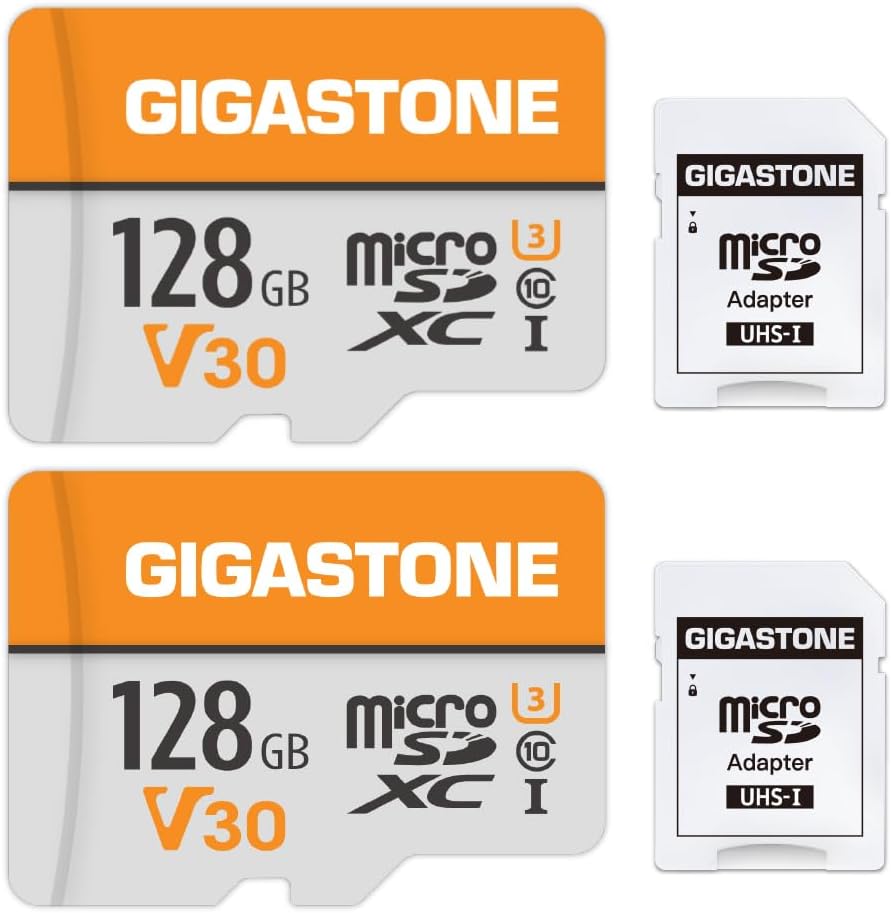
Q: Can I use microSD cards with adapters in my dash cam?
A: Yes, but with important caveats. Most dash cams accept microSD cards natively without adapters, eliminating potential compatibility issues introduced by third-party converters. If your camera requires an adapter, test thoroughly before relying on it for critical recordings—adapter connections can loosen during driving vibrations or cause intermittent connection failures. Prefer native microSD slots when available, and always secure adapters firmly to prevent disconnection during operation. Some cameras explicitly prohibit adapter use in their manuals, so verify compatibility before proceeding.
Final Recommendations
Best for Budget-Conscious Buyers
For those watching their spending while maintaining reasonable reliability, the SanDisk Ultra 128GB microSDHC card delivers excellent value with verified 100MB/s transfer speeds and proven compatibility across most dash cam models. While not the fastest option available, its balanced performance, affordable price point, and solid warranty coverage make it ideal for casual drivers or those new to dash cam technology. This card handles full HD recording comfortably without breaking the bank, representing the sweet spot where cost-effectiveness meets dependable performance for everyday commuting and occasional road trips.
Best Overall Value
The Samsung PRO Endurance 128GB microSDXC card stands as our top recommendation for most dash cam owners seeking optimal balance between price, performance, and longevity. Specifically engineered for surveillance applications, it features exceptional endurance ratings suitable for 24/7 operation, robust temperature tolerance for automotive environments, and proven reliability through extensive field testing. With read speeds up to 100MB/s and write performance exceeding 30MB/s, it comfortably handles 4K recording demands while providing five years of warranty protection. Its automotive-focused design addresses the unique challenges of vehicle-mounted recording better than generic alternatives, making it our choice for drivers prioritizing peace of mind without excessive costs.
Best Premium Option
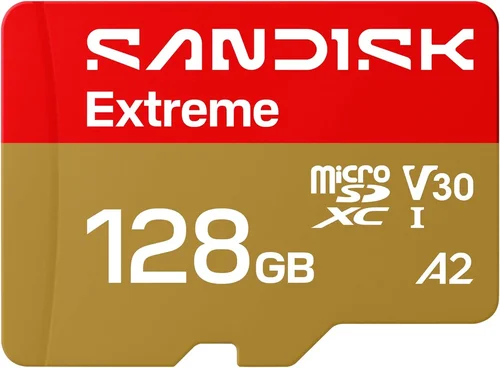
For enthusiasts and professionals requiring absolute reliability, the SanDisk Extreme Pro 128GB microSDXC card represents the pinnacle of dash cam storage technology. Featuring UHS-I U3/V30 ratings with verified sustained write speeds over 90MB/s, it delivers exceptional performance even during demanding recording scenarios. Its advanced controller technology includes enhanced error correction, superior thermal management, and enterprise-grade endurance suitable for continuous operation. While priced at a premium, this card’s military-grade components and redundant architecture provide unmatched confidence in evidence integrity under extreme conditions, justifying the investment for frequent drivers, fleet operators, or anyone requiring bulletproof recording reliability.
Best for Beginners
New dash cam owners benefit from the Lexar Professional 128GB microSDXC card’s user-friendly approach and proven compatibility. With straightforward installation, reliable performance, and responsive customer support, it eliminates the learning curve often associated with technical accessories. The card’s balanced specifications handle standard recording requirements without overwhelming users with complex features, while its generous 128GB capacity accommodates several weeks of typical usage patterns. Included accessories like protective cases and transfer cables add immediate value, making this package ideal for drivers transitioning from basic to more advanced recording capabilities as their confidence grows.
Best for Advanced Users
Sophisticated dash cam setups featuring dual-channel recording, 4K resolution, or parking mode monitoring require the Kingston Canvas React 128GB microSDXC card’s advanced capabilities. Boasting UHS-I U3/V30 performance with read speeds up to 170MB/s, it handles the combined write demands of multiple camera inputs and high-resolution footage without performance degradation. Its optimized wear-leveling algorithms ensure consistent operation during extended parking surveillance sessions, while the included USB-C adapter provides future-proof connectivity for modern devices. This card’s professional-grade construction and proven reliability make it indispensable for drivers maximizing their dash cam’s advanced features without sacrificing recording integrity.
Conclusion: Making the Right Choice
Selecting the perfect Class 10 SD card for your dash cam transcends mere technical specifications—it represents a fundamental investment in your safety, legal protection, and peace of mind behind the wheel. While the market offers countless options ranging from budget-friendly basics to premium enterprise-grade solutions, your ultimate choice should align precisely with your driving habits, environmental conditions, and evidence requirements rather than following marketing hype or price trends.
Remember that memory cards serve as silent guardians of your journey—storing critical evidence when accidents occur, protecting against fraudulent claims, and providing objective accounts of events that might otherwise remain disputed. A poorly selected card represents not just financial waste but potentially compromised safety and legal standing when it matters most. By prioritizing verified performance metrics over attractive packaging, endurance ratings over raw speed numbers, and proven reliability over speculative features, you position yourself for successful dash cam operation across all driving scenarios.
The journey to finding your ideal dash cam SD card begins with honest assessment of your actual needs rather than aspirational requirements. Consider your typical commute duration, preferred recording resolution, parking mode usage, and climate conditions when evaluating options. Don’t hesitate to consult your dash cam’s manual for specific recommendations, reach out to manufacturer support with exact model details, or join enthusiast communities where experienced drivers share hands-on insights. These proactive steps eliminate guesswork and ensure your selection serves your unique circumstances rather than generic suggestions.
Ultimately, the best dash cam SD card delivers consistent performance when you need it most—whether during routine commutes, challenging weather conditions, or emergency situations requiring immediate evidence capture. Your investment today determines tomorrow’s peace of mind, making thoughtful selection not just prudent but essential for responsible driving in an increasingly connected world. Equip yourself with knowledge, prioritize proven reliability, and choose confidently knowing your dash cam has the robust storage foundation it deserves.