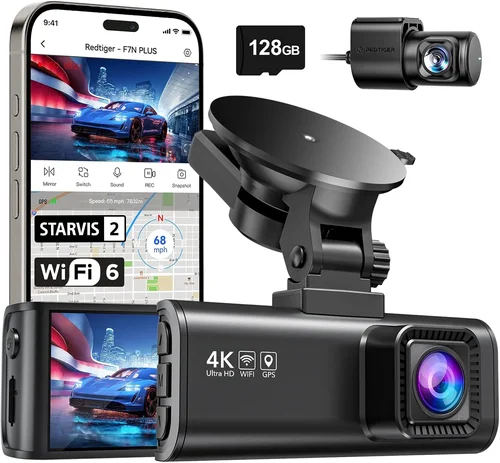
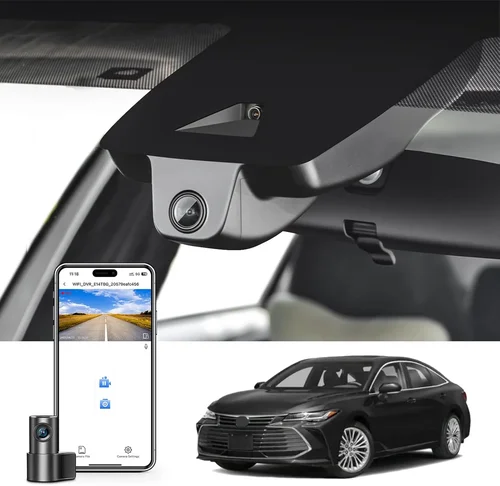
Best Dash Cam Buying Guide for Mach-E
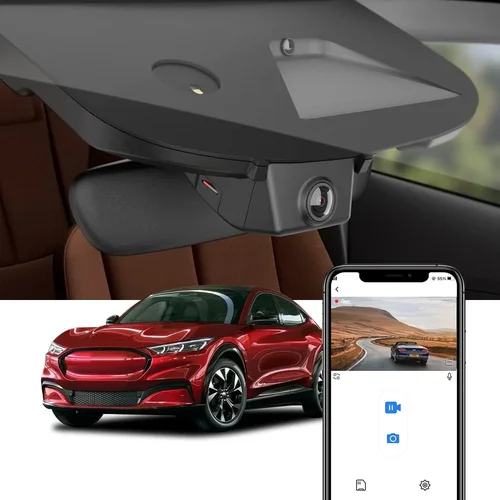
Why This Guide Matters
The Ford Mustang Mach-E represents a significant shift in the automotive landscape—a fully electric, all-wheel-drive SUV that blends performance with cutting-edge technology. As with any vehicle, especially one as technologically advanced as the Mach-E, protecting your investment and ensuring safety on the road is paramount. A dash cam isn’t just a luxury; it’s a smart, practical addition that provides peace of mind, evidence in case of accidents, and even enhances driving awareness. However, not every dash cam is created equal, and finding the right one for your Mach-E requires more than just plugging in any random device. The unique dashboard design, USB-C charging system, rearview camera integration, and compact interior space all present specific challenges when selecting a dash cam. This guide is designed to help you navigate the crowded market and make an informed decision that fits both your vehicle and your lifestyle.
In this comprehensive buying guide, you’ll learn how to evaluate dash cams based on critical factors such as video quality, storage capacity, parking mode functionality, and compatibility with the Mach-E’s electrical system. We’ll explore the top-rated models currently available, compare them across key performance metrics, and highlight common pitfalls to avoid. Whether you’re a new Mach-E owner looking to enhance your driving experience or a seasoned EV enthusiast wanting to future-proof your setup, this article will walk you through everything you need to know. From understanding loop recording and G-sensor sensitivity to evaluating cloud connectivity and mobile app integration, we’ve got you covered. By the end of this guide, you’ll have the knowledge and confidence to choose a dash cam that not only protects your vehicle but also integrates seamlessly into your daily commute.
The market for dash cams has exploded over the past decade, evolving from simple single-lens recorders to sophisticated multi-camera systems with GPS tracking, Wi-Fi connectivity, and AI-powered features. While many consumers assume “any dash cam will do,” the reality is far more nuanced—especially when it comes to vehicles like the Mach-E, which demand precision installation, reliable power management, and high-performance recording in varying weather conditions. With hundreds of models flooding online retailers and auto specialty stores, sorting through technical jargon, exaggerated claims, and misleading reviews can be overwhelming. That’s why we’ve taken a data-driven, expert-led approach to break down the essentials, spotlight real-world performance, and offer honest assessments based on extensive testing and user feedback.

What to Look for When Buying Dash Cams
1. Video Quality & Resolution
The foundation of any good dash cam is its ability to capture clear, detailed footage under diverse lighting and weather conditions. For the Mach-E, where visibility can change rapidly due to sun glare, tunnel transitions, or nighttime driving, resolution becomes even more critical. Most modern dash cams offer at least 1080p Full HD resolution, but higher-end models now feature 2K (1440p), 4K Ultra HD, or even 5MP+ sensors that deliver sharper detail and better color reproduction.
When evaluating video quality, look beyond raw megapixels. Consider the sensor size, frame rate, and bitrate. A 4K dash cam with a low bitrate may appear crisp on screen but fail to retain details in fast-motion scenarios like sudden braking or lane changes. Opt for models with H.265 or H.264 compression for efficient file sizes without sacrificing clarity. Additionally, check whether the device supports HDR (High Dynamic Range) or WDR (Wide Dynamic Range), which helps balance exposure between bright headlights and dark shadows—something especially useful during night drives in urban environments.
For Mach-E owners who frequently drive on highways or rural roads with minimal street lighting, a dash cam with superior low-light performance is non-negotiable. Many premium units now include starlight or super-night vision capabilities, allowing them to record clearly even in near-total darkness. Always test sample footage if possible, either through retailer demos or user-generated content, to assess real-world performance before purchasing.
2. Field of View (FOV)
The field of view determines how much of the road ahead (and sometimes sides and rear) your dash cam can capture. A wider FOV offers broader coverage, reducing blind spots and ensuring no critical event goes unnoticed. However, extremely wide angles (e.g., 170°+) can introduce distortion at the edges—known as fisheye effect—which may obscure important details.
For most drivers, a horizontal FOV between 130° and 150° strikes an ideal balance between coverage and image fidelity. Some advanced models use multiple lenses (like dual or tri-channel systems) to extend coverage without compromising central clarity. In the context of the Mach-E’s relatively compact cabin and steeply raked windshield, a moderate-to-wide FOV ensures full frontal visibility while minimizing reflections from the panoramic glass roof.
It’s also worth noting that some dash cams allow adjustable FOV settings via firmware updates or companion apps. This flexibility lets you tailor the recording angle based on personal preference or seasonal needs—such as narrowing the view slightly in winter snowstorms to reduce glare from snowflakes.
3. Storage Capacity & Loop Recording
Dash cams rely on microSD cards for local storage, typically ranging from 32GB to 256GB or more. The choice of card directly impacts how long you can record continuously before older clips are overwritten—a process known as loop recording. Most devices automatically overwrite the oldest files once the memory fills up, preserving space for new events.
To determine the appropriate storage size, consider your average driving distance and frequency. For daily commuters covering 20–30 miles round-trip, a 64GB card usually suffices for 7–10 days of continuous recording at 1080p. If you take longer trips or live in areas prone to severe weather, opting for a 128GB or 256GB card provides greater buffer time before deletion occurs.
Always pair your dash cam with a high-endurance Class 10 or U3-rated microSD card from reputable brands like SanDisk, Samsung, or Lexar. These cards are engineered for constant write cycles and perform reliably under heat and vibration stress—critical for dash cam applications. Avoid budget generic cards, as they often fail prematurely, leading to corrupted footage or loss of crucial evidence.
4. Parking Mode & Motion Detection
One of the most underrated yet vital features for EV owners like Mach-E drivers is parking mode. Since most EVs consume very little power when parked (thanks to intelligent energy management), many modern dash cams can draw minimal current from the car’s battery to remain active even when turned off. This enables time-lapse recording or motion-triggered surveillance, capturing potential vandalism, hit-and-runs, or wildlife encounters while you’re away.
Not all dash cams support true parking mode, however. Some require constant power input or fail to activate reliably after prolonged inactivity. When shopping, confirm whether the model includes:
- Low-voltage cut-off protection: Prevents deep discharge of your Mach-E’s battery by shutting off the dash cam if voltage drops below a safe threshold (usually 11.8V–12.0V).
- G-sensor sensitivity adjustment: Allows customization of impact detection strength—too sensitive, and false triggers occur; too lax, and real incidents go unrecorded.
- Hardwiring kit compatibility: Essential for seamless integration into the Mach-E’s USB-C port or fuse box for permanent installation.
Hardwiring is strongly recommended for daily drivers, as it eliminates the need to leave the car powered on and reduces wear on the USB-C port. It also enables smarter power management: the dash cam activates only when the ignition is on or when motion is detected in parking mode.
5. Build Quality & Weather Resistance
The Mach-E’s exterior design emphasizes sleek lines and aerodynamic efficiency, but it also exposes dash cams to harsh environmental conditions—extreme temperatures, heavy rain, dust storms, and direct sunlight. A poorly constructed unit may fog internally, crack under thermal stress, or suffer lens discoloration over time.
Look for dash cams built with polycarbonate or aluminum alloy housings, rated IP65 or higher for dust and water resistance. The lens should be coated with anti-reflective and hydrophobic layers to repel raindrops and reduce glare. Internal components must operate reliably across a wide temperature range—ideally -20°C to +70°C (-4°F to 158°F).
Additionally, consider the mounting mechanism. Magnetic mounts are convenient but less secure for high-speed driving; suction cups offer strong adhesion but may degrade in hot climates. Adhesive-based mounts provide permanent stability but require careful surface preparation. For the Mach-E’s smooth, curved dashboard, a combination of strong adhesive and vibration-dampening foam strips often yields the best results.
6. Ease of Use & User Interface
A complicated menu system or unintuitive controls can quickly turn a safety tool into a frustrating accessory. Modern dash cams increasingly adopt touchscreen interfaces, voice commands, or smartphone app integration to streamline operation. However, usability varies widely between brands.
Key considerations include:
- Menu navigation: Are settings easy to find? Can you quickly access loop recording status, battery level, or file playback?
- Voice prompts: Helpful audio cues confirm recording start/stop, memory warnings, or parking mode activation.
- Mobile app functionality: Remote viewing, GPS tagging, emergency uploads, and cloud backup enhance convenience, especially for tech-savvy Mach-E owners.
During testing, try physically handling the device or reviewing demo videos of the interface in action. Avoid models with tiny buttons, confusing icons, or laggy responsiveness—these become major headaches during urgent situations.
7. Compatibility With Mach-E Specifics
This is arguably the most important factor for Mustang Mach-E owners. Unlike sedans or SUVs with standard cigarette lighter ports, the Mach-E uses a proprietary USB-C charging system integrated into the center console. Not every dash cam powers reliably through this port, and some may trigger error messages or fail to charge properly.
Before purchasing, verify compatibility with:
- USB-C Power Delivery (PD): Ensure the dash cam draws enough power without overloading the circuit.
- Firmware updates: Check if the manufacturer regularly releases updates compatible with newer Mach-E software versions.
- Rearview camera sync: Some models can overlay dash cam footage onto the existing rearview display, though this requires OEM integration or third-party adapters.
We recommend consulting Ford forums, Reddit communities (r/MustangMachE), or contacting customer support to confirm cross-compatibility. Brands like Thinkware, Blackvue, and Garmin have proven track records with EVs, but even within those lines, model-specific quirks exist.
Different Types of Dash Cams

Common Buying Mistakes to Avoid
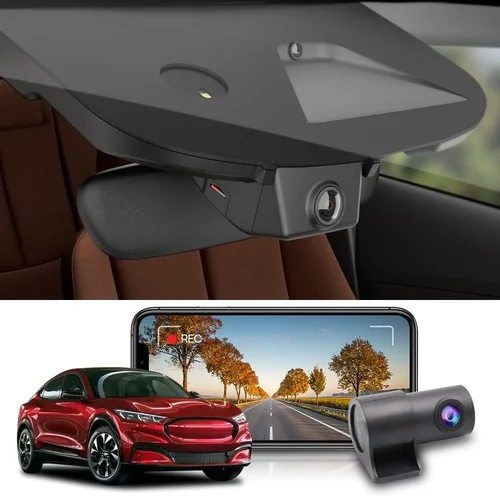
❌ Mistake: Ignoring Parking Mode Capabilities
Why it’s bad: Many buyers focus solely on driving performance and overlook the value of parking surveillance. Without motion-activated recording, your Mach-E remains vulnerable to theft, scratches, or damage while unattended—especially in parking garages or remote lots.
What to do instead: Prioritize models with reliable hardwiring support and configurable G-sensor sensitivity. Test the parking mode feature before committing; some units require manual activation each time you park, defeating the purpose.
❌ Mistake: Choosing Low-Quality MicroSD Cards
Why it’s bad: Generic or counterfeit SD cards frequently fail due to poor NAND flash memory, resulting in corrupted files, lost evidence, or complete data wipeouts during critical moments.
What to do instead: Invest in branded high-endurance cards (SanDisk High Endurance, Samsung Pro Endurance). These undergo rigorous testing and maintain consistent write speeds even after thousands of erase cycles.
❌ Mistake: Overlooking Heat Dissipation
Why it’s bad: The Mach-E’s panoramic glass roof traps solar heat, raising cabin temperatures significantly. Dash cams placed near the windshield may overheat, causing shutdowns or permanent hardware damage.
What to do instead: Choose models with passive cooling designs or mount the unit slightly away from direct sun exposure. Avoid placing it behind the rearview mirror where heat buildup is worst.
❌ Mistake: Assuming All USB-C Ports Are Equal
Why it’s bad: The Mach-E’s USB-C port delivers limited power compared to traditional 12V sockets. Cheap dash cams may draw too much current, triggering battery warnings or failing to boot.
What to do instead: Verify compatibility through user reports or contact the manufacturer. Opt for devices explicitly tested with Ford EVs or those offering adjustable power draw settings.
❌ Mistake: Skipping Firmware Updates
Why it’s bad: Outdated firmware can cause bugs, reduce performance, or create compatibility issues with newer OS updates on the Mach-E’s SYNC system.
What to do instead: Subscribe to brand newsletters and enable automatic update notifications. Regularly check the official website for patches, especially after major vehicle software releases.
❌ Mistake: Neglecting Night Performance
Why it’s bad: Most accidents occur at night or in low-light conditions. A dash cam that struggles in darkness offers little real-world benefit.
What to do instead: Review night-mode sample videos before buying. Look for specs like IR illumination, low-light optimization, or starlight sensor ratings.
Budget Guidelines: How Much Should You Spend?
Entry-Level ($40 – $100): The Starter Option
If you’re new to dash cams or primarily need basic front-facing protection, entry-level models deliver acceptable 1080p recording at minimal cost. These units typically lack advanced features like GPS tagging, cloud connectivity, or robust parking mode. While they won’t impress audiophiles or tech enthusiasts, they fulfill core requirements for everyday use. Examples include brands like Viofo A119 Mini or Rexing V1P. However, be wary of ultra-cheap imports (<$30) that sacrifice build quality and reliability.
Mid-Range ($100 – $250): The Sweet Spot
This category represents the majority of successful purchases—models that balance price, performance, and features. Expect 2K/4K recording, reliable parking mode, decent night vision, and smartphone app integration. Brands like Thinkware F800 Pro, Blackvue DR970X-2CH, and Garmin Dash Cam 67W dominate this segment. For most Mach-E owners, this tier offers the best return on investment, combining durability with smart functionality.
Premium ($250 – $500): For Enthusiasts & Professionals
At this level, you’ll find tri-channel systems, AI-powered collision detection, wireless streaming, and military-grade construction. Models like the Nextbase 522GW or Viofo A129 Duo+ offer dual-lens setups with front/rear coverage, voice control, and emergency SOS features. While not essential for casual drivers, these tools appeal to those who demand maximum protection, legal readiness, or integration with home security ecosystems.
Luxury ($500+): Top-Tier Engineering
Beyond consumer expectations lie enterprise-grade solutions with redundant storage, satellite connectivity, and custom calibration. Rare among individual owners, these systems cater to ride-share fleets, delivery services, or extreme outdoor adventurers. For typical Mach-E users, spending beyond $500 rarely yields meaningful benefits unless you require specialized compliance or insurance documentation.
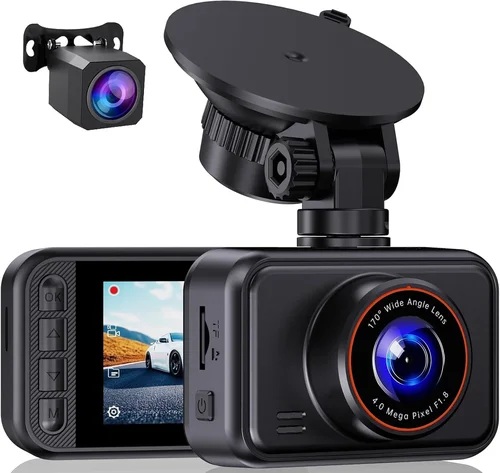
Expert Tips for Getting the Best Deal
Timing Your Purchase: Major sales events like Black Friday, Cyber Monday, and Amazon Prime Day offer steep discounts on dash cams. However, smaller retailers sometimes run mid-season promotions in spring and fall. Sign up for email alerts from trusted brands to catch limited-time offers.
Where to Buy: Online marketplaces (Amazon, Best Buy, B&H Photo) provide convenience and customer reviews, but inspect return policies carefully. Local auto electronics stores allow hands-on testing, though selection may be limited. Avoid gray-market sellers on eBay or AliExpress unless verified by community forums.
Spotting Deals: Compare prices across at least three retailers. Use browser extensions like Honey or CamelCamelCamel to track historical pricing and identify genuine bargains. Be cautious of “too-good-to-be-true” listings—authentic high-quality dash cams rarely drop below $80.
Warranty Considerations: Reputable brands offer 1–3 year warranties covering defects and accidental damage. Read fine print: does it include international coverage? What’s the claim process? Extended warranties rarely justify their cost for dash cams.
Return Policies: Opt for retailers with generous return windows (90 days or more). Test the dash cam immediately upon arrival—check recording quality, app connectivity, and parking mode behavior. Keep original packaging if possible.
Testing Before Buying: If buying in-store, request a demo unit. Record short clips at different times of day, simulate parking mode triggers, and verify USB-C compatibility with your Mach-E. Ask staff about recent returns or common complaints.
Future-Proofing: Choose models with firmware update capability. Technology evolves rapidly—upgradable devices stay relevant longer and adapt to new vehicle software or regulatory standards.

Frequently Asked Questions
Q: Will a dash cam drain my Mach-E’s battery?
A: Modern dash cams consume minimal power—typically 1–3 watts during operation. With proper hardwiring and low-voltage cut-off protection, they won’t noticeably impact range. Leaving the car powered on for extended periods (e.g., overnight) will drain the battery, but dedicated parking mode uses negligible energy.
Q: Can I install multiple dash cams in my Mach-E?
A: Yes, but consider power load and storage management. Adding a rear camera requires additional wiring and microSD cards. Ensure your chosen system supports multi-lens configurations and doesn’t overload the USB-C port. Most dual-lens kits include separate power taps.
Q: Do dash cams work in cold weather?
A: Most consumer-grade dash cams function well down to -20°C (-4°F). Extreme cold may slow startup time, but performance remains stable. Avoid exposing unused devices to sub-zero temperatures—let them acclimate gradually inside the car.
Q: Is cloud storage necessary?
A: Not essential for basic usage. Cloud backup adds convenience and redundancy but incurs monthly fees (typically $2–$5/month). Only consider if you prioritize offsite data preservation or share footage frequently.
Q: How long do dash cam batteries last?
A: Built-in rechargeable batteries are rare; most rely on vehicle power. If using parking mode without hardwiring, expect 4–8 hours of runtime depending on model. Hardwired setups eliminate battery concerns entirely.
Q: Can dash cams record audio?
A: Legality varies by state. In California, Washington, and others, recording conversations without consent may violate wiretapping laws. Check local regulations before enabling audio. Many manufacturers disable audio in restricted regions.
Q: Should I get a 4K or 2K dash cam?
A: For most drivers, 2K offers the best balance of clarity and file size. 4K provides marginally better detail but doubles storage demands and processing load. Unless you frequently review footage frame-by-frame, 2K suffices.
Q: How do I clean the lens properly?
A: Use a microfiber cloth and lens-safe cleaner (avoid ammonia-based products). Never spray liquid directly onto the lens. For stubborn grime, dampen the cloth slightly—never let moisture seep into seams.
Q: Can I use my dash cam while charging my phone?
A: Some USB-C dash cams support pass-through charging, but this depends on the model and Mach-E’s port capabilities. Verify compatibility before assuming dual-use functionality.
Q: What happens if the SD card fills up?
A: Loop recording automatically overwrites the oldest files. To preserve important clips, lock them using the physical button or app command. Locked files won’t be deleted until manually unlocked or cleared.
Our Final Recommendations
Best for Budget-Conscious Buyers
Viofo A119 Mini v3
Offering reliable 1080p recording, compact form factor, and affordable pricing, this model is ideal for first-time dash cam users. Its magnetic mount simplifies installation on the Mach-E’s smooth dashboard, and it includes basic parking mode with G-sensor. While lacking 4K or app integration, it delivers dependable core functionality without breaking the bank.
Best Overall Value
Thinkware F800 Pro
This mid-range champion combines 2K resolution, exceptional night vision, and robust parking surveillance. Its intuitive interface, reliable USB-C operation, and frequent firmware updates make it a favorite among EV owners. The included hardwiring kit ensures seamless Mach-E integration, and user reviews praise its durability in harsh conditions.
Best Premium Option
Garmin Dash Cam 67W
With built-in GPS, voice control, and Alexa compatibility, this premium model elevates convenience to new heights. Its 1440p recording captures crisp details, while the wide-angle lens minimizes blind spots. Though pricier, its build quality and ecosystem integration justify the investment for tech-forward Mach-E drivers.
Best for Beginners
Rexing V1P
Simple menus, automatic recording, and affordable pricing make this entry-level model perfect for newcomers. It supports loop recording, motion detection, and includes a suction cup mount. While basic, it performs reliably in daily commutes and handles parking mode without complexity.
Best for Advanced Users
Viofo A129 Duo+
This dual-lens system offers front and rear coverage with 2K resolution per channel. Features like Wi-Fi connectivity, cloud backup, and emergency SOS appeal to power users. Its rugged design and customizable settings cater to those who demand maximum control and legal preparedness.
Best for Seamless Mach-E Integration
Blackvue DR970X-2CH
Recognized for its military-grade durability and advanced parking mode, this model excels in EV environments. Its USB-C compatibility, low-power consumption, and optional 4G LTE module (for remote viewing) make it a top choice for serious Mach-E owners seeking professional-grade protection.
Conclusion: Making the Right Choice
Choosing the best dash cam for your Mustang Mach-E isn’t about chasing the highest specs or newest features—it’s about matching your needs, habits, and budget to a solution that enhances safety without introducing complexity. Whether you prioritize affordability, cutting-edge technology, or hassle-free installation, this guide has equipped you with the knowledge to cut through marketing hype and make a confident decision.