Best Dash Cam for Lyft Drivers Buyer’s Guide
Why every Lyft driver needs a dash cam—and how to pick the right one
Being a rideshare driver comes with unique challenges. You’re behind the wheel for hours each day, interacting with passengers from all walks of life, and sometimes encountering situations that can escalate quickly. Whether it’s a disputed fare, an accident, or a passenger complaint, having reliable evidence can make all the difference. That’s where a dash cam becomes more than just a convenience—it becomes your legal shield, peace of mind, and professional asset. This guide is designed to help you navigate the crowded dash cam market and choose the best model tailored specifically for Lyft drivers like you.
In this comprehensive buyer’s guide, you’ll learn everything you need to know about selecting a dash cam that fits your vehicle, lifestyle, and budget. We’ll walk through critical features such as video quality, storage capacity, parking mode, GPS tracking, and ease of installation. You’ll also discover common pitfalls to avoid, budget-friendly options without sacrificing performance, and expert tips on where and when to buy. By the end, you’ll have a clear understanding of which dash cam offers the best value, reliability, and protection for your rideshare business.
The market is flooded with hundreds of models, ranging from ultra-cheap plug-and-play units to high-end systems with cloud connectivity and AI-powered alerts. But not all dash cams are created equal—especially when it comes to real-world durability, night vision, loop recording efficiency, and compatibility with mobile apps. For Lyft drivers who rely on their vehicles daily, choosing wisely isn’t optional; it’s essential. This article cuts through the noise, providing honest comparisons, practical advice, and real user experiences so you can make an informed decision that protects both your livelihood and your safety.
What to Look for When Buying Dash Cams
Budget & Price Range
Your budget sets the foundation for what you can expect in terms of features, build quality, and support. Dash cams span a wide price spectrum, and understanding where each tier stands helps you align expectations with capabilities. Entry-level models typically cost between $40 and $80 and offer basic 1080p recording with simple loop recording and motion detection. While these may seem tempting due to low upfront costs, they often lack robust build quality, reliable night vision, or dependable customer service—critical factors if you’re relying on footage during disputes.
Mid-range dash cams, priced from $80 to $150, represent the sweet spot for most rideshare drivers. These units usually deliver 2K or even 4K resolution, improved low-light performance, built-in Wi-Fi for easy file transfer, and solid loop recording logic. Many include G-sensor technology that automatically saves impact-triggered clips to prevent overwriting important evidence. For someone driving six to eight hours a day, investing in this range ensures you get consistent, high-quality video without breaking the bank.
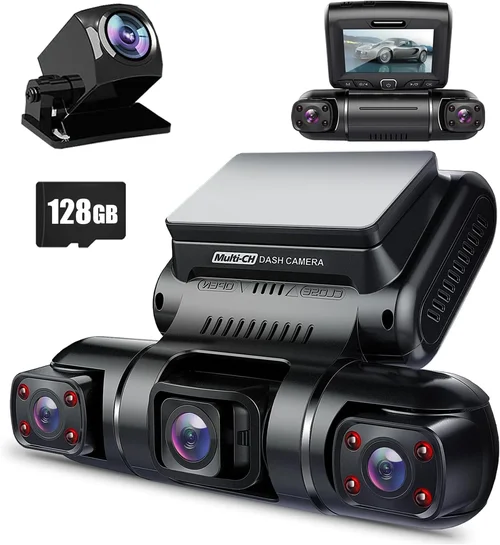
Premium dash cams start around $150 and go up to $300 or more. These models often feature advanced features like HDR (High Dynamic Range) for better contrast in bright and dark scenes, superior night vision using starlight sensors, dual-channel recording (front and cabin), voice control, and integration with smartphone apps for live viewing and remote access. Some even offer cloud storage backups, though these come with subscription fees. If you drive frequently, operate in high-risk areas, or want maximum redundancy, a premium unit provides unmatched reliability and forensic-grade evidence.
Luxury dash cams exceed $300 and focus on professional-grade functionality. These are typically used by fleet operators or serious enthusiasts who demand top-tier performance, military-grade durability, and enterprise-level software. While overkill for most individual Lyft drivers, they illustrate the upper limits of what’s available—features like 64GB internal storage, 4G LTE connectivity, facial recognition, and AI-powered incident detection. Unless you’re running a large operation or require extreme customization, sticking within the mid-to-premium range offers the best balance of value and capability.
Performance Specifications
Video resolution is arguably the most visible spec, but don’t let megapixels fool you—what matters most is how well the camera performs in real-world conditions. A 1080p dash cam captures decent detail during daylight, but many struggle in dim lighting or fast-moving scenarios. Today’s standout models shoot at 2K (2560×1440) or even 4K (3840×2160), offering crisper license plates, clearer facial expressions, and smoother motion rendering. However, higher resolution also means larger file sizes, requiring faster memory cards and more frequent storage management.
Frame rate plays a crucial role in capturing fast events. Standard 30fps works fine for general driving, but 60fps improves clarity during sudden stops, lane changes, or collisions. At 60fps, motion appears more fluid, reducing blur in critical moments. Some premium units support variable frame rates, optimizing bandwidth usage while preserving detail during incidents. Always check whether the manufacturer specifies frame rate—many budget models omit this detail despite advertising high resolutions.
Field of view (FOV) determines how much of the road and surroundings your dash cam records. A narrow FOV (around 70–90 degrees) focuses tightly ahead but misses peripheral details. A wide-angle lens (120–170 degrees) captures more context, which is invaluable for seeing approaching hazards, cross-traffic, or passenger behavior inside the cabin. However, extremely wide lenses can introduce fish-eye distortion at the edges. Look for models with adjustable or corrected FOV—some use multiple lenses or software stitching to minimize warping while maximizing coverage.
Low-light performance directly impacts your ability to capture usable footage at night—a common occurrence for shift workers. Modern dash cams use technologies like WDR (Wide Dynamic Range), starlight CMOS sensors, and infrared LEDs to enhance visibility in darkness. WDR balances exposure across bright headlights and darker interiors, preventing blown-out whites or grainy shadows. Night vision tests should be part of your evaluation: watch sample videos recorded after sunset to assess clarity, color retention, and absence of excessive noise or flicker.
Build Quality & Durability
A dash cam must survive daily exposure to temperature swings, vibrations, dust, and accidental bumps. Cheap plastic housings crack under heat, while flimsy mounts detach mid-drive. High-quality units feature ruggedized enclosures with UV-resistant coatings, shock-absorbing mounts, and secure adhesive or suction designs. Look for certifications like IP65 waterproofing if you drive in rainy climates or encounter splashes.
Heat resistance is especially important for rideshare vehicles parked in sun-baked garages or outdoor lots. Temperatures inside cars can exceed 140°F (60°C) on hot days, potentially damaging electronics or triggering false alarms. Premium dash cams specify operating temperatures ranging from -4°F to 149°F (-20°C to 65°C), ensuring functionality year-round. Thermal management features like heat sinks or ventilation slots help dissipate internal heat without compromising seal integrity.
Mount stability affects both safety and usability. A wobbly mount risks losing the device during rough roads or sudden braking. Secure mounting systems use strong adhesives, magnetic bases with locking mechanisms, or suction cups with reinforced frames. Test the mount yourself—shake it gently after installation to ensure it doesn’t move. Also consider cable routing: tidy, protected wiring prevents snags and reduces fire hazards caused by exposed wires rubbing against moving parts.
Features & Functionality
Loop Recording ensures continuous operation by overwriting older files once the storage card fills up. This prevents manual intervention but requires intelligent management to avoid deleting critical incident footage. Advanced loop systems use G-sensors or time-lapse algorithms to prioritize saving recent high-impact or motion-detected clips. Make sure your chosen model automatically locks recordings during collisions or hard braking—this prevents accidental deletion during routine loop cycles.
G-Sensor (Gravity Sensor) technology detects sudden movements like crashes or sharp turns. When triggered, it flags the current and preceding seconds of footage as “event” files, protecting them from being overwritten. Calibration settings allow customization based on your driving style—aggressive city driving may warrant higher sensitivity than highway cruising. Some models let you adjust thresholds manually via companion apps, giving you control without needing physical buttons.
Parking Mode is non-negotiable for rideshare drivers who leave their cars unattended for hours. This feature uses motion or impact detection to record while parked, capturing vandals, hit-and-runs, or curious passersby. Most systems draw power from the car’s battery through a hardwired kit, but some use capacitors instead of batteries to avoid draining your car overnight. Capacitor-based parking modes last longer and perform better in cold weather. Always verify whether the included parking mode requires constant power or uses energy-efficient standby modes.
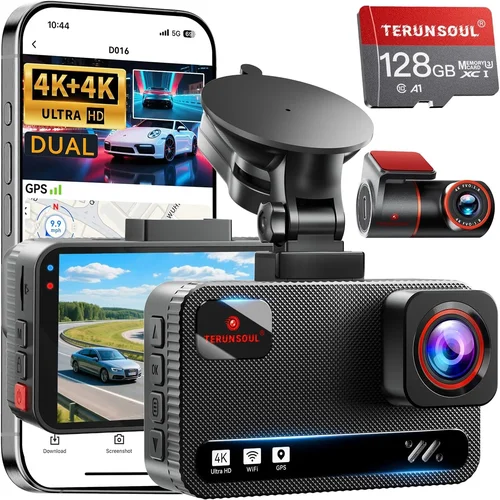
GPS Tracking adds another layer of verification by embedding location, speed, and direction data into video files. This helps reconstruct timelines during accidents or disputes, showing exactly where you were when an incident occurred. Some dash cams sync with mapping services to overlay routes on playback software, making it easier to share evidence with insurers or authorities. Note that GPS data isn’t foolproof—signal loss in tunnels or urban canyons can create gaps—but it’s still far more reliable than guesswork.
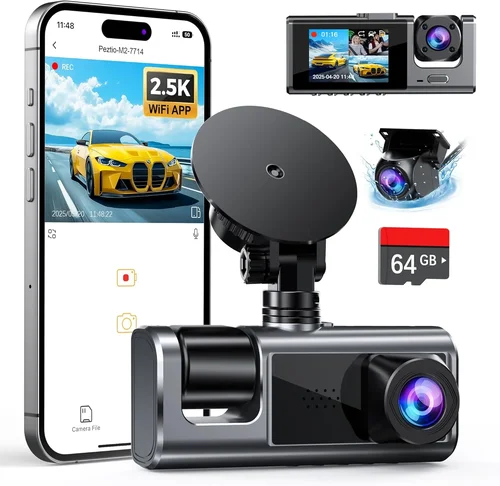
Wi-Fi and Mobile App Integration streamline file transfers, settings adjustments, and live viewing. Instead of removing microSD cards or connecting cables, you can download clips wirelessly to your phone or tablet. Companion apps often include editing tools, timeline navigation, and cloud upload options. For Lyft drivers who need to quickly submit evidence to support teams or insurance companies, this convenience saves time and frustration. Ensure the app works smoothly with your operating system (iOS/Android) and supports firmware updates over-the-air.
Audio Recording capability varies widely by region and privacy laws. In the U.S., two-party consent states (like California and Florida) prohibit recording conversations without all parties’ knowledge. Even in permissive states, ethical considerations matter—passenger privacy should always be respected unless legally justified. Many modern dash cams include audio muting switches or hardware kill switches for compliance. If you plan to record cabin audio, confirm local regulations first; otherwise, opt for models with easily disabled microphones.
Brand Reputation
Not all brands prioritize long-term reliability equally. Established names like Garmin, BlackVue, Nextbase, and Rexing have invested heavily in R&D, customer support, and global distribution networks. Their products undergo rigorous testing for thermal cycling, drop resistance, and electromagnetic interference—factors less scrutinized by smaller manufacturers. Independent lab tests and third-party reviews often highlight consistency in firmware updates, responsiveness to bugs, and availability of spare parts.
Smaller or lesser-known brands may offer aggressive pricing or flashy features but cut corners on materials, software stability, or post-purchase support. A cheap dash cam might work flawlessly for three months before developing glitches, failing to boot after a firmware update, or having no replacement policy. For professionals who depend on their gear daily, brand reputation translates to trustworthiness. Check forums like Reddit’s r/dashcam or specialized review sites to see how long users report continued satisfaction with specific models.
Warranty & Support
A solid warranty reflects confidence in product quality. Industry standards hover around 1–3 years for hardware defects, with premium brands occasionally offering extended coverage. Read the fine print: does the warranty cover accidental damage, water ingress, or only manufacturing flaws? International buyers should confirm whether support extends globally or only to certain regions. Email response times, phone availability, and troubleshooting documentation all contribute to effective support.
Firmware Updates are vital for security, bug fixes, and new features. Brands that regularly push updates demonstrate commitment to longevity. Outdated firmware can cause compatibility issues with newer phones, reduce recording efficiency, or expose vulnerabilities. Avoid models with discontinued software support—once development stops, so does improvement. Look for changelogs on official websites and community feedback about update frequency.
Size & Portability
Compact dash cams measure under 2 inches tall and blend seamlessly into the windshield without obstructing views. Sleek designs appeal to drivers who prioritize aesthetics and minimal visual clutter. Ultra-compact models often sacrifice features like dual cameras or larger screens but excel in discreetness. Consider your dashboard layout: low-profile units fit better under rearview mirrors, while slightly taller models may interfere with glare or mirror placement.
Large-screen dash cams (3+ inches) display real-time footage, menus, and status indicators without needing a separate monitor. Touchscreens offer intuitive navigation but consume more power and attract fingerprints. Non-touch LCDs with physical buttons provide tactile feedback and work reliably in direct sunlight. Screen size matters less for evidence collection since most analysis happens off-device, but it enhances usability during setup or quick checks.
User Reviews & Ratings
Aggregate ratings on Amazon, Best Buy, or manufacturer sites give a snapshot of general satisfaction, but don’t stop there. Dive deeper into verified purchaser comments to identify recurring complaints or praises. Pay attention to phrases like “fails in heat,” “poor night vision,” or “excellent customer service”—these signal real-world performance beyond specs. Filter reviews by purchase date to weed out outdated complaints about discontinued versions.
Video demonstrations from trusted reviewers add another dimension. Seeing how a dash cam behaves during night drives, emergency stops, or parking surveillance reveals nuances absent from static images. Channels like TechReviewer, The Hook Up, or DIY Perks often conduct side-by-side comparisons with detailed commentary. Cross-reference multiple sources to form a balanced opinion rather than relying solely on star counts.
Different Types of Dash Cams
Common Buying Mistakes to Avoid
❌ Mistake: Prioritizing resolution over real-world performance
Why it’s bad: Advertising claims like “4K crystal clear” mean little if the sensor can’t handle nighttime glare or fast motion. High megapixels without proper optics result in soft, noisy footage that fails as evidence. Many budget models inflate specs while delivering subpar dynamic range or compression artifacts that obscure details.
What to do instead: Watch unedited sample videos from the manufacturer or trusted reviewers. Focus on clarity in low light, color accuracy, and minimal distortion—not just pixel count.
❌ Mistake: Ignoring parking mode requirements
Why it’s bad: Assuming all dash cams support overnight surveillance leads to disappointment. Without proper hardwiring or capacitor-based power, parking mode drains your car battery, leaving you stranded. Some models require extra accessories or subscriptions for full functionality.
What to do instead: Confirm whether the included parking kit draws from cigarette lighter, fuse tap, or OBD-II port. Verify if the unit uses supercapacitors (not batteries) and test its standby current draw if possible.
❌ Mistake: Skipping local privacy law research
Why it’s bad: Recording cabin audio in two-party consent states violates wiretapping laws, risking fines or civil liability. Even in single-party states, unethical recording erodes trust and may violate Lyft’s community guidelines.
What to do instead: Check your state’s audio recording statutes before enabling microphone input. Choose models with physical mute switches or disable audio entirely if uncertain.
❌ Mistake: Overlooking heat tolerance
Why it’s bad: Placing a dash cam near the windshield in summer heat causes plastic casings to warp, lenses to fog, and circuits to fail prematurely. Cheap units often lack thermal management, leading to spontaneous shutdowns.
What to do instead: Install the device away from direct sunlight when possible. Opt for brands that specify operating temperature ranges and use heat-dissipating materials.
❌ Mistake: Relying solely on Amazon ratings
Why it’s bad: Fake reviews skew perceptions, and seller-specific issues (e.g., refurbished returns) aren’t always disclosed. Aggregate scores ignore model variants or firmware changes.
What to do instead: Cross-check ratings on independent tech sites, forum discussions, and YouTube reviews. Look for verified purchases mentioning long-term use.
❌ Mistake: Neglecting storage card compatibility
Why it’s bad: Using incompatible or low-quality microSD cards causes corruption, write failures, or formatting errors. Many dash cams require Class 10 or U3 speeds for smooth 4K recording.
What to do instead: Purchase cards from reputable brands (SanDisk, Samsung, Lexar) within your dash cam’s supported capacity range (usually 32GB–256GB). Test the card in the device before committing to long-term use.
Budget Guidelines: How Much Should You Spend?
Entry-Level ($40 – $80): These models suit occasional drivers or those testing dash cam benefits before upgrading. Expect 1080p/30fps, basic loop recording, and limited night performance. While functional, they often lack robust parking mode, durable builds, or responsive support. Ideal if you drive sporadically or want a temporary solution.
Mid-Range ($80 – $150): This tier delivers the best balance for full-time Lyft drivers. You’ll find 2K resolution, reliable G-sensor logic, Wi-Fi connectivity, and solid build quality. Most include necessary accessories like suction mounts and parking kits. Units here rarely disappoint in daily use and withstand seasonal temperature shifts.
Premium ($150 – $300): Designed for professionals who demand excellence. Features include 4K recording, dual cameras, HDR, superior night vision, and advanced parking modes. Cloud integration and AI alerts appear in select models. While pricier, the added reliability justifies the cost for drivers who depend on evidence for income protection.
Luxury ($300+): Reserved for niche needs like fleet management or extreme environments. These offer 4G LTE, facial recognition, multi-camera arrays, and military-grade durability. Subscription fees for cloud services may apply. Only consider if your driving demands exceed standard conditions or if you operate multiple vehicles.
💡 Pro Tip: Allocate 10–15% of your monthly earnings toward a quality dash cam. It’s an insurance policy against disputes, theft, or accidents—worth far more than the initial investment.
Expert Tips & Pro Advice
Buy During Off-Seasons: Retailers slash prices in January (post-holiday), April (spring clearance), and September (back-to-school lulls). Sign up for deal alerts from Amazon, Best Buy, or Newegg to catch limited-time discounts without sacrificing quality.
Test Before Committing: If buying in-store, request a demo unit. Verify screen readability in sunlight, button responsiveness, and audio clarity. Ask staff about return windows—most electronics allow 30 days.
Prioritize Hardwired Kits: Even if your dash cam is USB-powered now, invest in a fuse-tap or OBD-II hardwire kit. It enables true parking mode, removes charging anxiety, and extends battery life.
Use High-Quality Memory Cards: Pair your dash cam with a reputable U3/V30-rated microSD card. Cheap cards corrupt easily, forcing you to re-record lost footage—wasting time and storage space.
Keep Firmware Updated: Regularly check manufacturer websites or apps for updates. Patches fix bugs, improve performance, and patch security holes that could compromise evidence integrity.
Document Everything: Save purchase receipts, warranty cards, and serial numbers. In case of defects or disputes, proof of ownership strengthens your claim with customer support.
Understand Your Insurance: Some providers offer discounts for dash cams meeting specific criteria. Confirm eligibility before purchasing to maximize savings.
Avoid Third-Party Sellers: Stick to authorized retailers or the manufacturer’s site to ensure authenticity and valid warranties. Counterfeit units flood marketplaces and fail immediately.
Read the Manual Thoroughly: Installation quirks, menu navigation, and reset procedures vary by model. Skipping this step leads to missed features or improper setup.
Backup Critical Footage: Transfer event files to a computer or cloud storage weekly. Relying solely on the microSD card risks permanent loss if it corrupts.
FAQs Section
Q: Do I need a special dash cam just for Lyft?
A: No—any reputable dash cam works for Lyft drivers. However, prioritize features like parking mode, strong night vision, and easy evidence sharing since you’re often unattended and driving at odd hours.
Q: Can Lyft see my dash cam footage?
A: Lyft cannot access your personal dash cam recordings. However, if you upload footage to their support portal during disputes, they may review it internally. Keep logs of submissions for your records.
Q: Is audio recording legal everywhere?
A: Not necessarily. In two-party consent states (e.g., California, Florida), recording conversations without all parties’ consent violates wiretapping laws. Always mute audio or disable mics if unsure.
Q: How often should I replace my memory card?
A: Every 6–12 months, depending on usage. Frequent 4K recording accelerates wear. Signs of failure include slow write speeds, error messages, or corrupted files.
Q: Will a dash cam drain my car battery?
A: Only if improperly installed. Hardwired kits draw negligible power when parked. Avoid leaving USB-powered units plugged in overnight without parking mode safeguards.
Q: Can I use multiple dash cams in one car?
A: Technically yes, but it’s unnecessary and may violate local privacy laws if recording multiple angles inside the cabin. One well-placed front camera suffices for most drivers.
Q: What if my dash cam breaks during an incident?
A: Contact the manufacturer immediately—many offer expedited replacements for defective units. Keep proof of purchase and document the failure circumstances for warranty claims.
Q: Are dash cams allowed on Lyft vehicles?
A: Yes, Lyft permits dash cams as long as they don’t obstruct the driver’s view or violate privacy laws. Ensure your device meets safety standards and doesn’t distract from driving.
Final Recommendations
Best for Budget-Conscious Buyers: Rexing R50 – Priced around $70, this 1080p dash cam delivers reliable performance, decent night vision, and includes a parking mode kit. Its compact design and straightforward interface make it ideal for new drivers starting out.
Best Overall Value: Nextbase 522GW – At approximately $160, this 4K model excels in video quality, has Alexa built-in, and features emergency SOS via mobile app. Its robust build and frequent firmware updates justify the price for serious drivers.
Best Premium Option: BlackVue DR970X-2CH – Priced near $350, this dual-camera system offers 4K front and 2K cabin recording, cloud connectivity, and military-grade durability. Perfect for drivers needing forensic-grade evidence and remote monitoring.
Best for Beginners: Garmin Dash Cam Mini 2 – Under $100, this ultra-compact 1080p unit prioritizes simplicity and reliability. With automatic updates and easy Wi-Fi sharing, it’s worry-free for new users.
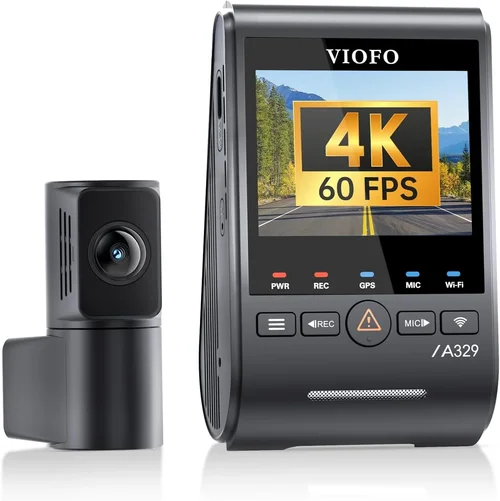
Best for Advanced Users: Viofo A119 V3 – Around $130, this 2K dash cam boasts exceptional low-light performance, customizable G-sensor sensitivity, and seamless smartphone integration. A favorite among experienced drivers who demand precision.
Conclusion: Making the Right Choice
Choosing the best dash cam for Lyft driving isn’t about grabbing the shiniest gadget—it’s about selecting a tool that consistently delivers trustworthy evidence when you need it most. Whether you’re navigating disputed fares, avoiding liability claims, or simply protecting yourself from false accusations, your dash cam serves as your silent witness. By focusing on proven performance metrics, durable construction, and user-friendly features, you position yourself for peace of mind and professional credibility.
Remember to align your choice with your driving patterns, climate, and legal environment. Don’t skimp on parking mode or night vision just to save a few dollars—those capabilities often prove indispensable. And always pair your purchase with smart habits: regular firmware updates, proper installation, and timely backups. The goal isn’t perfection; it’s preparedness.
Take the time to research, compare samples, and consult trusted sources before clicking “buy.” Your vehicle is your office, your livelihood hinges on safe operation, and your reputation depends on integrity. Investing in a quality dash cam reflects all three. When the unexpected happens—and it will—you’ll be glad you made an informed decision today.