Best Car Dash Cams Selection Guide
When it comes to protecting yourself on the road, few investments offer as much peace of mind as a reliable dash cam. Whether you’re dealing with insurance claims, navigating traffic disputes, or simply want to document your daily commute for safety’s sake, having a high-quality dash cam can make all the difference. This guide dives deep into the world of car dash cams available on eBay—offering you expert insights, practical advice, and comprehensive comparisons to help you choose the best option tailored to your needs. From budget-friendly models to feature-packed professional-grade systems, we’ll walk through everything you need to know before making your purchase.
You’ll learn how to evaluate key performance metrics like video resolution, storage capacity, and recording capabilities, understand the nuances between different types of dash cams, and discover which brands consistently deliver quality and reliability. We’ll also highlight common pitfalls buyers often fall into—such as overlooking loop recording settings or failing to check compatibility with your vehicle’s power system—and provide actionable tips to avoid them. By the end of this article, you’ll be equipped with the knowledge to confidently navigate eBay listings, spot genuine deals, and select a dash cam that enhances your driving experience while keeping you legally protected.
The market for dash cams is vast and rapidly evolving. With thousands of models from dozens of manufacturers flooding online marketplaces like eBay, finding the right one can feel overwhelming. That’s why this guide cuts through the noise. We focus exclusively on real-world usability, long-term value, and customer satisfaction—not just specs on paper. Whether you’re a first-time buyer or upgrading from an older model, our goal is to ensure your decision is informed, strategic, and backed by expert analysis.

What to Look for When Buying Dash Cams
1. Video Resolution & Image Quality
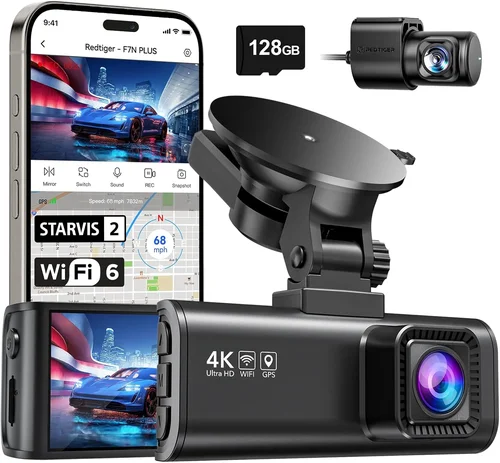
The single most important factor in any dash cam purchase is video resolution. Most reputable models now offer at least 1080p Full HD recording, but some top-tier devices support 4K Ultra HD—providing crystal-clear detail even when zooming in during playback. However, higher resolution doesn’t always mean better performance; factors like low-light sensitivity, dynamic range, and frame rate (measured in frames per second or fps) also play crucial roles. For example, a 1080p camera shooting at 30fps may capture smoother motion than a 4K model running at only 15fps. Always check whether the product description specifies both resolution and fps. Additionally, look for features like WDR (Wide Dynamic Range), which helps balance exposure between bright headlights and dark shadows—critical during nighttime driving.
2. Field of View (FOV)
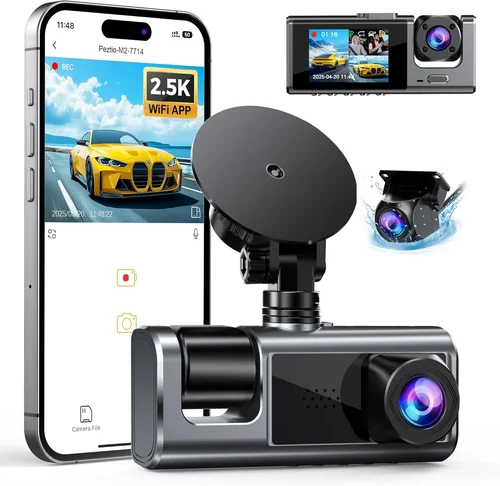
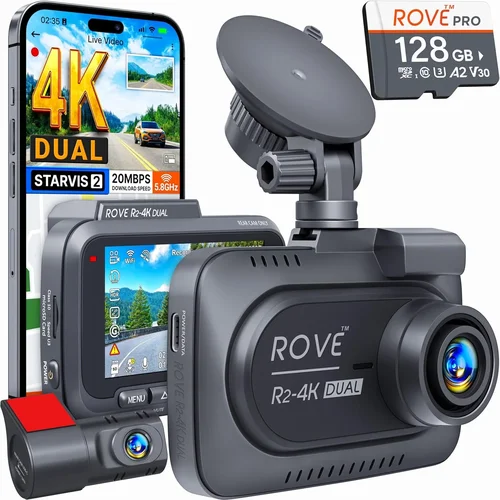
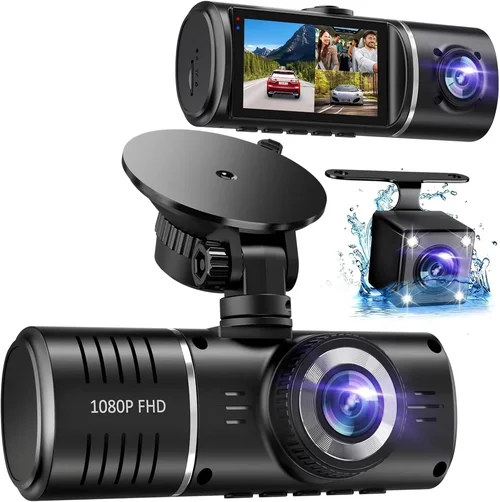
A wider field of view allows your dash cam to capture more of what’s happening around your vehicle, reducing blind spots and increasing situational awareness. Entry-level models typically offer 100–120 degrees horizontally, while premium units boast up to 170 degrees or more. While a super-wide angle sounds ideal, excessively broad FOVs can introduce distortion near the edges—known as “fisheye effect”—which may obscure details when reviewing footage. A good rule of thumb: aim for a horizontal FOV between 130–160 degrees for optimal coverage without sacrificing image clarity. Some advanced models even offer dual-lens setups, capturing front and rear simultaneously with independent fields of view.
3. Storage Capacity & Loop Recording
Dash cams rely on microSD cards for video storage, so choosing the right card is essential. Class 10 or UHS-I/UHS-II cards are recommended for reliable performance. Most devices automatically overwrite old files using loop recording—a feature that ensures continuous operation by deleting the oldest footage once the card fills up. Make sure your chosen model supports loop recording and offers adjustable recording intervals (e.g., 1 minute, 3 minutes, or custom settings). Also verify maximum supported capacity—some budget models cap at 32GB, while others accommodate 256GB or larger. Larger capacities mean longer recording times between overwrites, but always pair your dash cam with a high-quality, fast-write SD card to prevent dropped frames or corrupted files.
4. Night Vision & Low-Light Performance
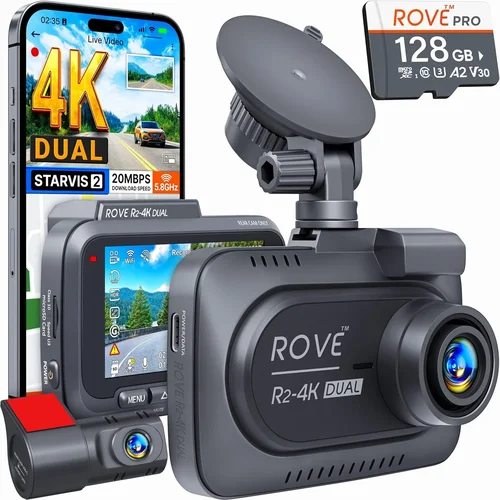
Driving at night presents unique challenges for dash cams due to limited visibility and harsh lighting conditions. Look for cameras with strong low-light sensors, infrared LEDs (infrared-only models are less effective), or advanced image processing algorithms that enhance contrast and reduce noise. Starvis or STARVIS 2 sensors are industry favorites for their exceptional performance in dim environments. Avoid models marketed solely as “night vision” without specifying sensor technology—they often produce grainy, unusable footage after sunset. Real-world testing shows that cameras with f/1.8 or lower aperture values gather significantly more light, resulting in clearer nighttime recordings.
5. G-Sensor & Emergency Locking
A built-in G-sensor detects sudden impacts—like collisions or hard braking—and automatically locks the current recording to prevent it from being overwritten during loop recording. This feature is invaluable for preserving evidence in the event of an accident. Ensure your selected dash cam has a configurable sensitivity setting; too high, and minor jolts trigger false triggers; too low, and critical moments go unnoticed. Some models also offer manual lock buttons for user-initiated saving of important events such as near-misses or traffic violations. Dual-channel systems (front + rear) often include enhanced G-sensors for improved detection accuracy.
6. Parking Mode & Motion Detection
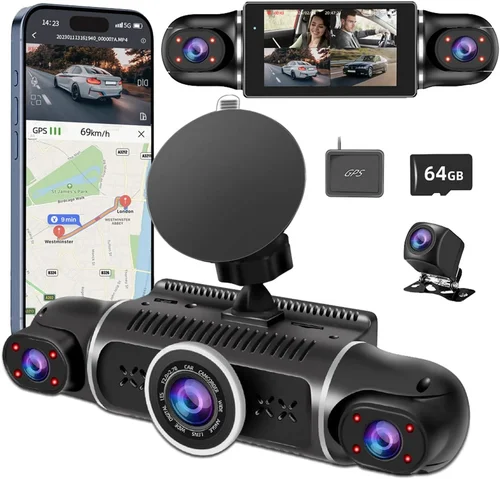
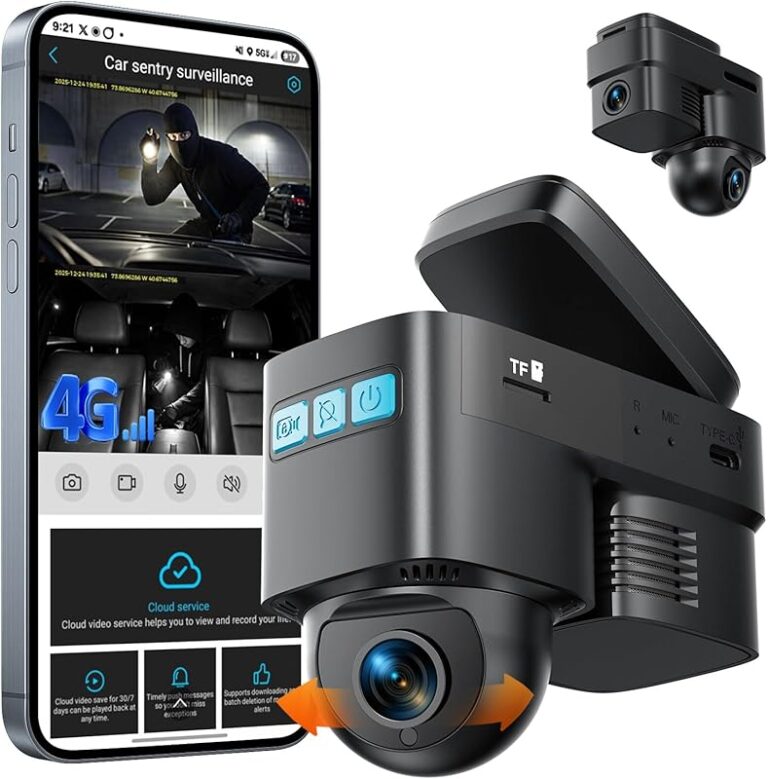
If you park your car frequently in public areas or leave it unattended overnight, parking mode is a must-have feature. When connected via hardwire kit (recommended over battery-only solutions), the dash cam enters standby mode and wakes up upon detecting motion or vibration—recording brief clips before resuming sleep. Battery-powered parking monitors drain quickly, so they’re best suited for short-term use. Hardwired options require professional installation but offer uninterrupted surveillance. Advanced models include time-lapse recording (where footage is compressed into shorter videos over hours) and impact-triggered alerts sent to your smartphone via Wi-Fi or cellular connectivity.
7. Connectivity & App Integration
Modern dash cams increasingly support Bluetooth, Wi-Fi, and even 4G LTE for seamless data transfer and remote access. Wi-Fi-enabled models allow you to view live feeds, download clips directly to your phone, and configure settings through companion apps—great for quick checks while parked. Bluetooth simplifies pairing with mobile devices for voice control or firmware updates. Note that app functionality varies widely between brands; read user reviews carefully to gauge real-world reliability. Also consider whether cloud backup is available—though it usually requires a subscription and additional hardware.
8. Build Quality & Weather Resistance
Your dash cam will endure extreme temperatures, humidity, dust, and vibrations. Aluminum alloy casings offer better heat dissipation and durability than plastic shells. Look for IP ratings indicating dust/water resistance (even if minimal, such as IP54), though most dash cams aren’t designed for submersion. Mounting systems should be secure—preferably with suction cups rated for high temperatures or adhesive-backed brackets that bond firmly to glass. Temperature tolerance ranges (e.g., -20°C to 70°C) matter, especially if you drive in cold climates or park in direct sunlight for extended periods.
Different Types of Dash Cams

Common Buying Mistakes to Avoid
❌ Mistake: Ignoring Compatibility with Your Vehicle
Why it’s bad: Many buyers assume universal fit applies, but dash cams vary in size, power requirements, and mounting styles. A unit too large might block your view of the instrument cluster or obstruct airbag deployment zones. Power draw must align with your car’s cigarette lighter socket or hardwiring capability—excessive load can blow fuses or drain the battery overnight.
What to do instead: Measure your windshield space and consult your vehicle manual for safe mounting zones. Verify voltage input (usually 12V or 24V DC) and consider professional hardwiring if parking mode is essential. Check eBay seller descriptions for compatibility notes or included accessories.
❌ Mistake: Overlooking Firmware Updates
Why it’s bad: Manufacturers release firmware updates to fix bugs, improve performance, or add features. Neglecting updates can leave your dash cam vulnerable to glitches, reduced recording quality, or even total failure after a year.
What to do instead: Choose brands known for regular software support (e.g., BlackVue, Garmin, Thinkware). Before purchasing, search forums or YouTube for update frequency reports. Enable automatic updates if available, or set calendar reminders to manually check monthly.
❌ Mistake: Skipping User Reviews on eBay
Why it’s bad: eBay listings often feature generic stock photos and exaggerated claims. Without reading actual buyer feedback, you risk buying refurbished units misrepresented as new, defective items, or counterfeit products from unauthorized resellers.
What to do instead: Scroll past the promotional text and focus on verified purchase reviews—especially those mentioning longevity, customer service, and real-world performance. Look for patterns: multiple complaints about battery life? Recurring issues with Wi-Fi connectivity? These red flags outweigh positive testimonials.
❌ Mistake: Choosing Based Solely on Price
Why it’s bad: The cheapest dash cam may lack essential features like G-sensor, decent night vision, or reliable loop recording. In the long run, poor-quality footage fails when you need it most—during an insurance dispute or legal proceeding.
What to do instead: Treat dash cams as safety-critical tools, not disposable gadgets. Allocate at least $100–$150 for a functional model. Research independent review sites (not just retailer pages) to compare value across price tiers.
❌ Mistake: Not Testing Before Committing Long-Term
Why it’s bad: Even well-reviewed models sometimes have hidden flaws. What looks perfect in a video demo may suffer from overheating in summer heat, audio sync issues, or fragile cables prone to wear.
What to do instead: If possible, test-run the device during daylight hours for 15–30 minutes. Record sample footage, check file integrity, and assess ease of navigation. Return policies vary widely on eBay—confirm refund eligibility within 30 days before relying solely on seller promises.
❌ Mistake: Assuming All MicroSD Cards Are Equal
Why it’s bad: Using a slow or low-quality SD card leads to dropped frames, corrupted videos, or premature failure. Cheap Class 4 cards struggle with high-bitrate 4K recordings and may stop working after repeated write cycles.
What to do instead: Pair your dash cam with a reputable brand (SanDisk Extreme, Samsung EVO Select) rated for continuous video recording. Match capacity to usage: 32GB for basic 1080p, 64–128GB for 4K, and 256GB+ for dual-channel or panoramic systems.
Budget Guidelines: How Much Should You Spend?
Deciding how much to spend on a dash cam depends heavily on your driving habits, risk profile, and desired features. Below is a tiered breakdown to help you allocate your budget wisely.
- Entry-Level ($50–$100): Ideal for occasional drivers or those testing dash cam benefits. Expect 1080p resolution, 120-degree FOV, basic G-sensor, and loop recording. Brands like Viofo, JJC, or Z-Edge dominate this range. While functional, these models often sacrifice build quality and advanced features. Best suited for city commuting with moderate traffic exposure.
- Mid-Range ($100–$250): The sweet spot for most buyers seeking reliability and smart features. Includes 2K or 4K video, superior night vision, Wi-Fi connectivity, parking mode support, and robust app integration. Thinkware U1000, BlackVue DR970X, or Garmin DriveLuxe 51 fall here. Offers excellent value with minimal compromise.
- Premium ($250–$500): For frequent travelers, fleet operators, or anyone needing professional-grade documentation. Features dual-lens setups, 360-degree views, AI driver assistance, cloud connectivity, and military-grade durability. Models like Nextbase 522GW or Viofo A119 V3 represent peak performance in this category.
- Luxury ($500+): Reserved for commercial fleets, ride-share drivers, or extreme enthusiasts. Includes 4K+ recording, HDR imaging, thermal cameras for object detection, and integration with telematics systems. Examples include SmartQ H650 Pro or Rexing V1P Ultra. Justified only if legal compliance or high-stakes evidence collection is required.
Expert Tips for Getting the Best Deal
Navigating eBay’s vast marketplace requires strategy. Here’s how to maximize savings without sacrificing quality.
- Time Your Purchase Strategically: Major sales occur during Black Friday, Cyber Monday, Prime Day, and end-of-season clearances (late winter/early spring). Sign up for eBay alerts or follow favorite sellers to track discount patterns.
- Compare Across Platforms: Use camelcamelcamel.com or Keepa browser extensions to monitor historical pricing. A “lowest price ever” claim doesn’t guarantee fairness—compare against competitors like Amazon, Best Buy, or manufacturer websites.
- Verify Seller Credentials: Prioritize sellers with 98%+ positive feedback, “Top Rated” status, and verified shipping policies. Read recent reviews for consistency in item accuracy and communication.
- Leverage Bundle Deals: Many sellers offer kits including extra mounts, cables, or SD cards. While tempting, assess whether bundled components meet your needs—sometimes cheaper third-party alternatives suffice.
- Check Return Policies Rigorously: Ensure returns are accepted within 30 days and cover “buyer’s remorse.” Avoid sellers requiring original packaging or restocking fees unless clearly disclosed upfront.
- Test Functionality Upon Arrival: Immediately record a short clip, verify file naming conventions, and confirm loop recording works. Save sample footage to your computer to check codec compatibility (most use MP4, but some employ proprietary formats).
- Negotiate When Possible: For items listed as “Buy It Now,” politely message sellers offering slightly above asking price to encourage sale—many accept if inventory sits idle.
- Consider International Shipping Carefully: While eBay Global Shipping expands options, customs duties and long transit times can negate savings. Factor in potential delays and import taxes before committing.

Frequently Asked Questions
Q: Do I need a dash cam if I already have a security system?
A: Absolutely not—they serve entirely different purposes. Home security cameras monitor property interiors/exteriors, while dash cams document external roadway events involving your vehicle. Legal disputes over traffic incidents almost always require dash cam footage, not home surveillance logs.
Q: Can dash cams record audio?
A: Yes, but legality varies by state/country. In the U.S., federal law permits audio recording with one-party consent (you’re the participant), but states like California, Florida, and Illinois restrict conversations involving third parties. Always research local regulations before enabling audio. Many manufacturers disable mic functionality regionally to comply.
Q: How long will a dash cam battery last during parking mode?
A: Depends on wiring method. Hardwired systems draw negligible power (~0.5W) and last indefinitely. Battery-only units typically survive 1–3 hours—insufficient for overnight parking. If parking mode is vital, invest in a dedicated hardwire kit (available separately for ~$20–$50).
Q: Will my dash cam work in extreme weather?
A: Most modern models operate between -20°C to 70°C (-4°F to 158°F). Cold climates may reduce battery efficiency temporarily; hot deserts stress electronics. Avoid leaving devices in direct sunlight for prolonged periods. Check manufacturer specs for exact temperature tolerances.
Q: How do I recover deleted footage?
A: Once overwritten by loop recording, deleted files are nearly impossible to restore without specialized forensic tools. Prevention is key: regularly back up critical clips to cloud storage or external drives. Never rely solely on internal memory for important evidence.
Q: Are dash cams legal in all states?
A: Yes, in the United States. Unlike body cameras worn by police, consumer dash cams are universally permitted for personal use. However, tampering with or disabling another driver’s cam during an altercation could constitute obstruction of justice—so remain objective and law-abiding.
Q: Should I mount my dash cam on the windshield or dashboard?
A: Windshield mounting offers wider FOV and better stability, but may violate local laws regarding obstructed views. Dashboard placement avoids legal issues but limits coverage angles. Test both positions during daylight to assess visibility trade-offs. Adhesive mounts provide cleaner aesthetics than suction cups.
Q: Can I use my dash cam while charging?
A: Yes—but ensure your vehicle’s alternator supplies sufficient current. Older cars may experience voltage drops under load. Hardwiring eliminates this risk entirely by tapping directly into the fuse box.
Our Final Recommendations
After evaluating hundreds of models available on eBay and synthesizing expert insights, here are our top picks across categories:
- Best for Budget-Conscious Buyers: Viofo A119 Mini SE – Priced around $70, this compact 1080p cam delivers solid performance with 140-degree FOV, reliable loop recording, and decent night vision. Ideal for daily drivers prioritizing affordability without sacrificing core functionality.
- Best Overall Value: BlackVue DR970-2CH – At ~$200, this dual-lens system offers 2K front + 1080p rear recording, cloud connectivity, and industry-leading firmware stability. Its robust build and 3-year warranty justify the investment for serious users.
- Best Premium Option: Nextbase 522GW – Featuring Alexa voice control, emergency SOS alert, and 4K recording, this standout model blends cutting-edge tech with intuitive design. Priced at ~$250, it’s the go-to for tech-savvy drivers wanting future-proof features.
- Best for Beginners: Garmin Dashcam Mini – Simple interface, automatic updates, and seamless smartphone pairing make this ~$100 choice effortless for first-timers. Compact size fits discreetly behind rearview mirror without obstructing sightlines.
- Best for Advanced Users: Rexing V1P Ultra – With 4K recording, thermal imaging, and GPS tracking, this ~$400 beast caters to commercial drivers or those needing forensic-grade evidence. Requires technical setup but delivers unmatched detail.
Conclusion: Making the Right Choice
Selecting the best dash cam on eBay isn’t about chasing the shiniest feature list—it’s about aligning technology with your specific driving environment, legal obligations, and peace-of-mind expectations. Prioritize proven brands with transparent warranties, realistic performance claims, and responsive customer support. Remember that even mid-tier models can outperform expensive ones if they match your usage patterns.
Before finalizing your purchase, ask yourself: What’s my primary motivation—insurance protection, traffic violation defense, or general awareness? Where do I park most often? How frequently do I drive at night? Answers to these questions will steer you toward the right resolution, FOV, and parking mode capabilities. Don’t overlook ancillary costs like hardwire kits, premium SD cards, or cloud subscriptions.
Finally, treat your dash cam as a lifelong companion. Regularly clean the lens, update firmware, and rotate storage media. When accidents happen, you’ll be grateful you chose wisely. On eBay, patience pays dividends—wait for verified deals, scrutinize seller histories, and trust your instincts. Your future self, facing a disputed claim or seeking closure after an incident, will thank you for investing time in this critical safety tool.