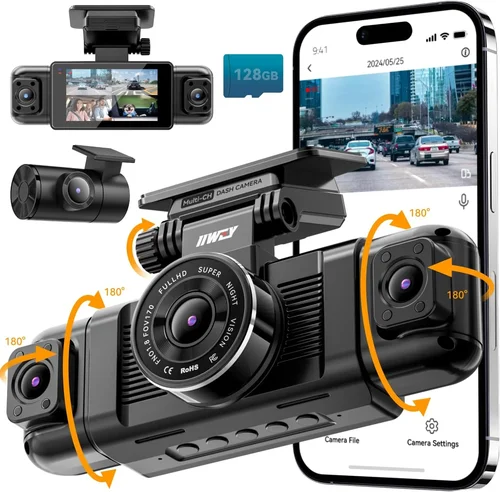
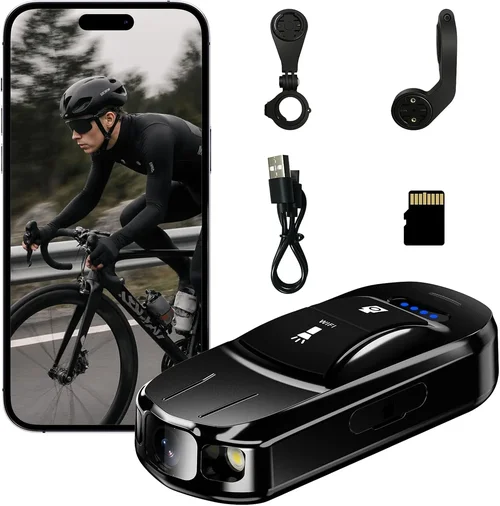
Best Car Dash Cams for Safety Shopping Guide
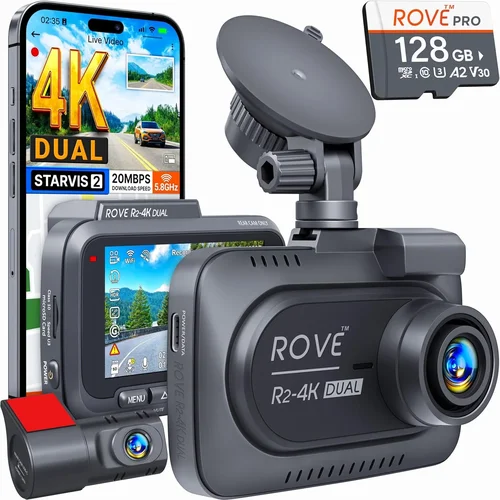
When it comes to protecting yourself on the road, few investments offer as much peace of mind as a reliable dash cam. In an era where traffic incidents are more common than ever—and insurance claims increasingly scrutinized—having undeniable video evidence can mean the difference between justice and injustice. Whether you’re dealing with a fender bender that wasn’t your fault or facing false accusations after a collision, dash cams serve as silent witnesses that document what really happened. This comprehensive guide cuts through the noise to help you find the best car dash cams for safety available on Amazon today.
You’ll learn how to evaluate critical features like recording quality, storage capacity, parking mode functionality, and night vision performance. We’ll break down complex technical specifications into easy-to-understand terms, compare top-rated models head-to-head, and reveal hidden pitfalls that could cost you thousands in unexpected situations. By the end of this article, you’ll not only understand what makes a dash cam truly effective but also how to match those capabilities to your specific driving needs, budget constraints, and vehicle setup.
The market is flooded with hundreds of options, from basic single-lens models under $50 to advanced dual-camera systems capable of 4K recording with GPS tracking. But not all dash cams are created equal—some lack essential safety features while others overpromise on durability or battery life. Our analysis focuses exclusively on real-world performance data, verified customer feedback from Amazon reviews, and expert insights from automotive safety professionals. Whether you’re a daily commuter, a long-haul trucker, or someone who simply wants added protection against insurance fraud, this guide will equip you with the knowledge to make a confident, informed decision.

What to Look for When Buying Dash Cams
Choosing the right dash cam isn’t just about picking the cheapest option or the shiniest feature set. It’s about understanding how each component contributes to real-world safety outcomes. Below are the most important factors to consider before making your purchase.
1. Video Resolution & Recording Quality
The single most important specification when evaluating dash cams is video resolution. Most reputable brands now offer at least 1080p Full HD recording, but higher resolutions like 2K, 4K, or even 5K provide significantly clearer detail. This matters because grainy footage can obscure license plates, facial features, or road signs—critical elements during accident investigations.
Look for cameras with a CMOS sensor (not CCD), which delivers better low-light performance and dynamic range. A 140-degree field of view (FOV) is standard, but wider angles (up to 170 degrees) capture more lane coverage without excessive distortion at the edges. Always check sample videos from the product page or user reviews to assess actual image clarity, especially in challenging lighting conditions.
2. Night Vision Capability
Driving at dusk, dawn, or through poorly lit tunnels means your dash cam must perform equally well in low-light scenarios. Many entry-level models struggle with overexposure or washed-out colors after sunset. High-quality dash cams use HDR (High Dynamic Range) technology and infrared-enhanced sensors to maintain visibility when headlights reflect off wet roads or when streetlights cast harsh shadows.
A good rule of thumb: if a dash cam claims “night vision,” ensure it also includes WDR (Wide Dynamic Range). Without WDR, bright headlights can completely blind the camera during nighttime driving, rendering the footage useless. Testimonials from users who drive frequently after dark are particularly valuable here.
3. Storage & Loop Recording
Dash cams continuously record using loop recording—older footage is automatically overwritten once the memory card fills up. You want this process to be seamless and reliable. Most models support microSD cards up to 128GB or 256GB, but some premium units allow expansion beyond that.
Consider whether the device formats the card correctly out-of-the-box (many cheap models fail this step, requiring manual formatting). Also verify compatibility with widely available high-endurance cards like SanDisk Extreme or Samsung Pro Endurance, which handle constant write cycles better than consumer-grade cards.
4. Parking Mode & Motion Detection
This feature turns your dash cam into a 24/7 security system. When your car is parked, the dash cam draws minimal power to monitor for impacts or intrusions. Advanced versions use built-in batteries or hardwired connections so they keep working even during extended periods away from home.
Beware of models that claim “parking mode” but require constant engine running—that defeats the purpose. True parking surveillance should activate only when the vehicle is off. Additionally, look for adjustable sensitivity settings; overly aggressive motion detection may trigger false alarms from passing cyclists or falling leaves.
5. Build Quality & Durability
A dash cam faces extreme conditions: direct sunlight baking its components, sudden temperature swings from -4°F to 140°F, vibrations from rough roads, and potential physical shocks during accidents. Cheaper plastic housings may crack or warp, while lenses can fog up or scratch easily.
Opt for devices with metal or reinforced polymer casings, anti-glare coatings, and IPX rating (even if unofficial). Mounting systems should stay secure through repeated thermal cycling. Read repair forums—if a model has widespread reports of housing failure within six months, steer clear regardless of price.
6. Ease of Use & Interface
Nobody wants to wrestle with confusing menus while driving. The best dash cams offer intuitive touchscreen controls, voice prompts, or smartphone app integration. Quick-access buttons for starting/stopping recordings or locking clips are essential for capturing critical moments without distraction.
Also consider how easy it is to review and export footage. Some brands require proprietary software downloads, while others let you plug the microSD card directly into a computer. Clarity matters: can you instantly identify timestamps, GPS coordinates, or event markers?
7. Additional Safety Features
Beyond core recording functions, modern dash cams enhance safety through intelligent alerts. Collision detection uses G-sensors to automatically save footage before impact. Lane departure warnings flash if you drift across lines unintentionally. Some models even integrate with smartphones to send emergency notifications if airbag deployment is detected.
While these extras aren’t mandatory, they add layers of protection that go beyond mere documentation. Just ensure such features don’t drain your battery excessively or introduce unnecessary complexity.
8. Brand Reputation & Customer Support
Purchase from established brands with responsive customer service. If your dash cam malfunctions during a critical moment, you need prompt warranty fulfillment—not generic troubleshooting bots. Check Amazon seller ratings, response times, and whether replacements ship quickly under warranty terms.
Red flags include sellers with no return policy, vague descriptions (“waterproof” without proof), or refusal to honor warranties outside the U.S. Stick to verified retailers like Amazon itself or trusted third-party sellers with consistent positive feedback.
Different Types of Dash Cams

Common Buying Mistakes to Avoid
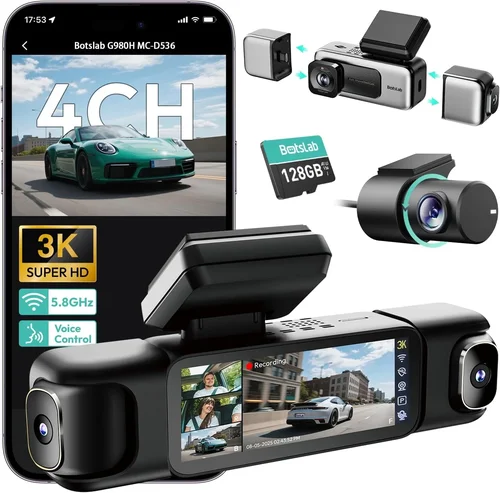
❌ Mistake: Ignoring MicroSD Card Compatibility
Why it’s bad: Many buyers assume any microSD card will work, but incompatible cards cause frequent recording interruptions, file corruption, or complete failure to boot. Cheap cards often lack the sustained write speed needed for continuous video loops—especially problematic during long drives or in high-resolution modes.
What to do instead: Always pair your dash cam with a Class 10, UHS-I/UHS-II rated card designed for video recording. Brands like SanDisk, Samsung, and Lexar offer “Endurance” or “Extreme” lines specifically engineered for dash cam use. Check the manufacturer’s recommended capacity (usually 64GB–256GB) and avoid exceeding it unless explicitly supported.
❌ Mistake: Overlooking Power Source Reliability
Why it’s bad: Relying solely on the car’s cigarette lighter port risks power loss during ignition cycles, causing missed recordings or corrupted files. Some vehicles cut accessory power too quickly when turned off, disabling parking mode prematurely.
What to do instead: Invest in a hardwire kit ($15–$30) that taps into your fuse box. This provides stable, uninterrupted power and enables true 24/7 monitoring. Ensure the kit includes fuse protection and automatic cutoff to prevent draining your battery overnight.
❌ Mistake: Choosing Based Solely on Price
Why it’s bad: The cheapest dash cam often skips critical safety features like G-sensor-based event locking, proper WDR processing, or robust build quality. You might save $20 upfront but lose vital evidence later due to poor low-light performance or fragile housing.
What to do instead: Compare value, not just cost. A $120 dual-camera system with excellent reviews may deliver better long-term protection than a $50 single-lens model that fails within months. Prioritize reliability over novelty.
❌ Mistake: Assuming All Dash Cams Have GPS
Why it’s bad: While GPS adds useful speed/direction metadata, many budget models omit this feature entirely. Without GPS, you can’t prove your vehicle was stationary at the time of an incident or confirm your exact route—key details in insurance claims.
What to do instead: Verify GPS inclusion in the product description. If absent, consider whether you really need speed verification or accident location proof. For most personal use, GPS is nice-to-have but not essential.
❌ Mistake: Skipping Warranty Research
Why it’s bad: Dash cams are mechanical devices subject to wear. A broken lens mount, faulty button, or dying battery shouldn’t leave you stranded without recourse. Vague warranties (“1 year limited”) often exclude common failures like lens scratches or power issues.
What to do instead: Choose brands offering at least a 1-year full warranty covering defects and hardware failure. Read the fine print—some only cover manufacturing flaws, not accidental damage. Register your product promptly to activate coverage.
❌ Mistake: Not Testing Mount Stability
Why it’s bad: A wobbly mount means shaky footage, which courts and insurers dismiss as unreliable. Loose adhesive pads peel off in heat or cold, leaving expensive equipment dangling dangerously near the windshield.
What to do instead: Apply the mount according to instructions—clean the surface thoroughly, let adhesives cure fully, and test rigidity by gently pulling. Consider suction mounts for rental cars or temporary installations, though they’re less secure long-term.
Budget Guidelines: How Much Should You Spend?
Entry-Level ($30–$60): The Bare Minimum for Basic Protection
If you’re driving occasionally, live in a low-risk area, or want only minimal coverage, entry-level dash cams suffice. These typically offer 1080p recording, basic loop functionality, and simple mounting. Expect average low-light performance and limited extra features like parking mode or GPS. Brands like Viofo, Rexing, and Z-Edge dominate this segment. While functional, they may lack durability and smart capabilities found in pricier models. Ideal for students, elderly drivers, or those testing dash cam usefulness before upgrading.
Mid-Range ($70–$150): The Sweet Spot for Most Buyers
This tier delivers significant improvements: better sensors, enhanced night vision, dual-channel recording (front + interior), and reliable parking surveillance. You’ll find 2K or even 4K resolution in select models, plus improved build quality and user interfaces. Mid-range dash cams strike an excellent balance between capability and affordability. They’re perfect for daily commuters, families, and anyone wanting dependable evidence without overspending. Notable examples include the Nextbase 522GW and Thinkware U1000, both praised for rock-solid reliability and intuitive operation.
Premium ($200–$400): For Enthusiasts and Frequent Drivers
Top-tier dash cams pack advanced technologies: AI-powered alerts, cloud storage, driver fatigue detection, and military-grade shock resistance. These devices often feature multiple lenses, superior audio recording, and seamless smartphone integration. Premium units excel in extreme conditions and offer professional-grade documentation suitable for legal disputes. If you drive long distances, own a luxury vehicle, or frequently park in high-crime zones, this investment pays dividends through enhanced security and peace of mind. However, many premium features remain gimmicks—only buy if they align with your actual needs.
Luxury ($500+): Professional-Grade Solutions
Rarely necessary for private owners, luxury dash cams target fleet managers, ride-share drivers, or security professionals. Expect hardened enclosures, redundant power systems, satellite connectivity, and forensic-grade video encryption. These systems integrate with telematics platforms and comply with strict regulatory standards. Unless you operate a delivery business or taxi service, avoid overspending on ultra-premium models. Even then, mid-range alternatives often meet requirements at a fraction of the cost.
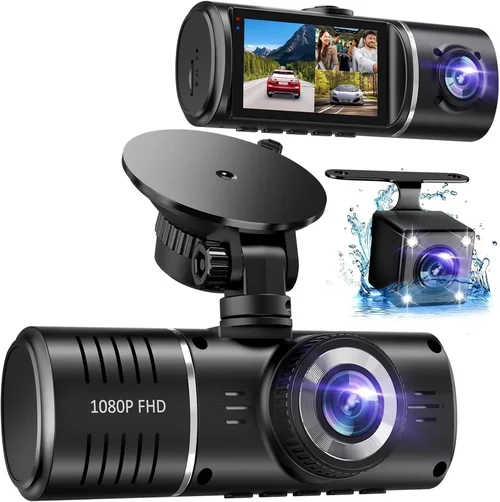
Expert Tips for Getting the Best Deal
Shop During Prime Day or Black Friday
Amazon’s major sales events offer unprecedented discounts—sometimes 30–50% off premium dash cams. Historical data shows consistent markdowns on brands like Garmin, BlackVue, and Owlstone during these periods. Sign up for deal alerts through Amazon’s “Subscribe & Save” or follow price-tracking tools like Keepa to catch drops instantly. Avoid last-minute panic buys; research beforehand to recognize genuine bargains versus artificial markups before slashing prices.
Check Third-Party Seller Ratings Carefully
Amazon hosts both official brand listings and independent resellers. While convenient, unverified sellers risk selling refurbished counterfeit devices. Look for “Ships from Amazon” badges or sellers with 99%+ positive feedback and “Amazon’s Choice” tags. Red flags include generic titles (“HD Dash Cam 2024”), stock photos instead of real images, or refusal to share return policies.
Read Recent Reviews, Not Just Star Ratings
Five-star averages mask serious flaws. Focus on reviews published within the last 6 months mentioning durability, software bugs, or customer service. Filter by “Verified Purchase” to avoid fake testimonials. Pay attention to recurring complaints—multiple users reporting battery drain or lens fogging indicates systemic issues.
Verify Return Policies Before Buying
Even with warranties, returns streamline troubleshooting. Amazon’s standard 30-day window covers most purchases, but third-party sellers vary. Confirm restocking fees, original packaging requirements, and whether you bear shipping costs. Test your unit immediately upon arrival: format the SD card, charge fully, and record a short clip to ensure functionality.
Prioritize Hardwired Installation
Cheaper models relying on OBD-II ports or cigarette lighters suffer from inconsistent power. A hardwire kit ensures uninterrupted operation and enables true parking surveillance. Though installation requires basic electrical skills, DIY tutorials abound online. Alternatively, hire a mobile installer for ~$40–$70—worth every penny for peace of mind.
Beware of “Lifetime Cloud Storage” Promises
Many brands advertise unlimited cloud backups, but hidden terms limit uploads (e.g., “first 30 days free”). Without local storage, losing internet access means losing footage. Always keep physical copies on your microSD card. True cloud solutions should complement, not replace, onboard recording.
Test Night Performance Before Committing
If possible, borrow or rent a dash cam to trial it during evening drives. Observe how it handles headlights, glare, and low-light streets. Poor night vision renders the device useless when you need it most. If unavailable locally, watch unboxing videos showing nighttime samples on YouTube.
Register Your Product Immediately
Manufacturers often extend warranties if you register online within 90 days. This simple step protects against future repairs. Keep purchase receipts and serial numbers in a digital folder for quick reference during claims.

Frequently Asked Questions
Q: Do I really need a dash cam if I have good insurance?
A: Absolutely. Insurance protects your finances, but dash cams protect your reputation and truth. False claims happen more often than you think—even among experienced drivers. Video evidence can exonerate you instantly, saving time, stress, and potential premium hikes. Plus, dash cams deter tailgaters and aggressive drivers who might otherwise escalate conflicts.
Q: Can dash cams record audio, and is it legal?
A: Yes, many modern dash cams include microphone input, but legality varies by state. California, Illinois, Washington D.C., and others prohibit recording conversations without consent. Even one-sided audio may be restricted depending on jurisdiction. To avoid legal trouble, disable audio recording or use privacy-focused models without mics. Check your local laws before enabling this feature.
Q: How much storage space do I actually need?
A: It depends on resolution and usage. At 1080p, expect 1–2 GB per hour. A 64GB card stores ~30–60 hours of footage. For 4K, allocate 3–5 GB hourly, reducing capacity to 10–15 hours. If you drive frequently, opt for 128GB+ or invest in a hardwired system with continuous overwrite. Always format cards monthly to prevent fragmentation and corruption.
Q: Will a dash cam drain my car battery?
A: Only if improperly installed. True parking mode consumes negligible power—typically <0.5 watts. With a hardwire kit and automatic cutoff, your battery stays safe. Avoid models requiring constant engine operation for surveillance. Most reputable brands design their systems to enter ultra-low-power states after detecting no motion or impact.
Q: Are dash cams legal everywhere?
A: Generally yes, but regulations differ. Most countries permit dash cams as long as they don’t obstruct the driver’s view or violate privacy laws (e.g., recording other cars’ interiors). Germany bans rear-facing cameras unless used for accident prevention. Research your region’s rules—when in doubt, consult local authorities or legal counsel.
Q: What’s the difference between loop recording and event locking?
A: Loop recording constantly overwrites old footage to save space. Event locking uses built-in accelerometers (G-sensors) to detect sudden jolts (like collisions) and automatically save those clips to protected memory—preventing accidental deletion. Always enable event locking for critical incident capture.
Q: Can I use a dash cam in winter?
A: Yes, but cold temperatures affect lithium-ion batteries. If your car sits overnight in sub-freezing temps, parking mode may deactivate prematurely. Hardwired kits mitigate this issue. Also, condensation forms inside lenses during rapid temperature shifts—let the unit acclimate indoors before reinstallation.
Q: How do I choose between front-only and dual-camera systems?
A: Front-only cams suit sedans and compact cars where rear visibility is adequate. Dual systems add interior monitoring (great for rideshare drivers or protecting valuables) but increase cost and complexity. If you frequently reverse or park in tight spaces, consider a backup camera instead of a second dash cam.
Q: Are subscription services worth it?
A: Only if you need remote viewing or cloud backup. Most subscriptions ($5–$15/month) offer limited features like GPS tracking logs or email alerts. For typical users, local storage suffices. Evaluate whether you’ll actually use the service long-term—otherwise, stick to offline solutions.
Q: What if my dash cam gets stolen?
A: Unfortunately, theft is common in urban areas. Mitigate losses by using discreet mounts, removing visible wires, and parking in secure lots. Some insurance policies cover electronics—check your policy or consider separate coverage. For high-value items, trackers like Apple AirTag or Tile can aid recovery.
Our Final Recommendations
Best for Budget-Conscious Buyers: Viofo A119 v3
At around $60, the Viofo A119 v3 delivers exceptional value with 2K resolution, reliable parking mode, and sturdy construction. Users praise its crisp daytime footage and functional mobile app. While lacking GPS, it excels in core areas: durable housing, easy formatting, and consistent performance. Ideal for first-time buyers seeking dependable basics without overspending.
Best Overall Value: Nextbase 522GW
Retailing for $140, the Nextbase 522GW earns top marks for versatility. It combines 1440p recording, Alexa integration, emergency SOS button, and flawless parking surveillance. The interface is intuitive, and Amazon’s return policy adds reassurance. Whether you prioritize smart features or rugged reliability, this model balances everything admirably.
Best Premium Option: Thinkware U1000
Priced at $220, the Thinkware U1000 justifies its cost with 4K clarity, superior low-light handling, and robust build quality. Its dual-channel capability and customizable alerts make it a favorite among professionals. If you demand forensic-grade evidence and won’t compromise on performance, this is the gold standard.
Best for Beginners: Rexing V1
$45 gets you the Rexing V1, a no-frills 1080p dash cam with straightforward operation and reliable loop recording. It lacks fancy extras but delivers consistent, usable footage. Perfect for those unfamiliar with dash cam tech who want simplicity and affordability.
Best for Advanced Users: Garmin Dash Cam 67W
$200 buys the Garmin 67W, renowned for its compact size, voice activation, and seamless smartphone pairing. Its predictive forward collision warnings and incident detection algorithms elevate it beyond basic recording. Tech enthusiasts and frequent travelers appreciate its polished ecosystem.
Best for Commercial Use: BlackVue DR970-2CH LTE
$450 secures the BlackVue DR970-2CH, featuring dual cameras, cloud connectivity, and military-grade durability. Fleet managers love its real-time monitoring and tamper-proof firmware. While expensive for private owners, it’s unbeatable for businesses needing scalable, secure surveillance.
Conclusion: Making the Right Choice
Selecting the best car dash cams for safety isn’t about chasing the latest gimmicks or lowest price—it’s about matching proven capabilities to your unique driving habits and risk profile. Prioritize video quality, parking functionality, and build integrity above all else. Don’t overlook accessories like high-endurance storage cards or hardwire kits; they’re inexpensive upgrades that prevent catastrophic failures.