Best Car Dash Cams for Safety Buyer’s Guide
When it comes to protecting yourself on the road, few investments are as valuable as a reliable dash cam. With insurance claims rising and traffic incidents becoming more common, having visual proof of an accident or near-miss can be the difference between fair compensation and financial loss. This comprehensive buyer’s guide will walk you through everything you need to know about selecting the best car dash cams for safety on Amazon, helping you make an informed decision that prioritizes your protection without breaking the bank.
In this detailed article, we’ll explore the critical factors that differentiate quality dash cams from basic models, compare different types available in today’s market, identify common purchasing mistakes to avoid, and provide expert recommendations tailored to various budgets and needs. Whether you’re a first-time buyer or looking to upgrade from your current setup, you’ll find practical advice and actionable insights that will help you choose the perfect dash cam for your vehicle.
The dash cam market has evolved dramatically over the past decade, with manufacturers now offering advanced features like GPS tracking, night vision, parking mode, and cloud connectivity. However, with so many options flooding Amazon’s marketplace, finding a camera that truly delivers on safety promises can feel overwhelming. That’s why we’ve created this definitive guide – to cut through the marketing noise and give you the technical knowledge you need to select equipment that actually serves its intended purpose: keeping you safe and protected behind the wheel.
What to Look for When Buying Dash Cams
Budget & Price Range
Before diving into specific models or features, establishing your budget is crucial because dash cams vary dramatically in price from under $50 to over $300. While it might be tempting to go for the cheapest option available, remember that lower-priced cameras often compromise on essential safety features like image quality, recording resolution, and reliability during critical moments. Most experts recommend allocating at least $80-120 for a decent entry-level model that offers good value without sacrificing core functionality.
Performance Specifications
The heart of any dash cam is its performance capabilities, which directly impact how useful it will be in real-world situations. Key specifications include video resolution (1080p, 2K, or 4K), frame rate (typically 30fps or higher), sensor quality (CMOS vs STARVIS technology), and low-light performance. For safety purposes, aim for at least 1080p recording at 30 frames per second – anything less may struggle to capture clear details during fast-moving incidents. Higher resolutions like 2K offer noticeably sharper footage but require more storage space.
Build Quality & Durability
A dash cam must withstand the harsh automotive environment – extreme temperatures, vibrations, dust exposure, and potential impacts during accidents. Look for cameras with sturdy housing materials, secure mounting systems, and reliable electronics. Premium models often feature metal construction rather than plastic casings, which better resist heat buildup and physical stress. Additionally, consider how well the device handles temperature fluctuations since dash cams are exposed to direct sunlight when parked and engine heat when running.
Features & Functionality
Beyond basic recording, modern dash cams offer numerous safety-enhancing features worth considering:
– G-sensor for automatic incident detection and file locking
– Parking mode with motion detection for security while unattended
– Loop recording with seamless overwrite capabilities
– Built-in GPS for speed and location tracking
– Wi-Fi connectivity for smartphone app control and playback
– Audio recording (check local laws regarding privacy)
– Wide-angle lenses (typically 120-170 degrees) for comprehensive coverage
While these extras add convenience and functionality, prioritize models that maintain consistent recording quality above all else.
Brand Reputation
Stick with established brands known for producing reliable automotive electronics rather than unknown generic manufacturers. Reputable companies typically invest more in quality testing, customer support, and software updates. Research user reviews specifically mentioning long-term reliability rather than just initial impressions. Brands like BlackVue, Garmin, Nextbase, and Rexing have built strong reputations in the dash cam community for consistent performance and responsive customer service.
Warranty & Support
Given that dash cams serve as legal evidence in disputes, warranty coverage becomes particularly important. Look for at least a one-year warranty covering defects and malfunctions. Some premium models offer extended warranties up to three years. Also consider whether the manufacturer provides firmware updates, technical support channels, and easy return policies if issues arise. A solid warranty demonstrates confidence in product quality and reduces your risk if something goes wrong.
Size & Portability
Compact dash cams take up less windshield space and are easier to position optimally, but ultra-small models may sacrifice battery life, storage capacity, or additional features. Consider whether you want a single-lens front-only camera or dual-camera systems (front + rear). Dual units provide complete coverage but require more power and generate larger files. If portability matters, look for models designed to transfer seamlessly between vehicles.
User Reviews & Ratings
Amazon’s review system can be helpful but requires careful analysis. Focus on verified purchases with substantial review counts rather than isolated glowing comments. Pay attention to recurring complaints about battery life, false triggering, or poor customer service. Look for patterns in feedback that match your specific concerns – for example, if you frequently park in areas with frequent wildlife activity, pay extra attention to reviews mentioning false alarms from motion sensors.
Different Types of Dash Cams
Common Buying Mistakes to Avoid
❌ Mistake: Prioritizing flashy features over core recording quality
Why it’s bad: Many buyers get distracted by Wi-Fi connectivity, GPS tracking, or voice commands while overlooking fundamental requirements like stable 1080p recording and reliable loop recording. During an actual incident, those fancy features won’t matter if the video is blurry, glitchy, or fails to save properly.
What to do instead: Always test video samples from the manufacturer’s website or verified reviews before purchasing. Watch footage in both daytime and nighttime conditions to ensure clarity meets your standards. Remember – no amount of smart features can compensate for poor image quality when you need evidence most.
❌ Mistake: Ignoring local privacy laws regarding audio recording
Why it’s bad: Several states prohibit audio recording without consent, and using a dash cam with audio enabled could result in legal complications. In some jurisdictions, unauthorized recording constitutes illegal wiretapping or eavesdropping.
What to do instead: Check your state’s specific laws before enabling audio recording. Some manufacturers offer audio-off versions of their models specifically designed for privacy-conscious regions. When in doubt, err on the side of caution and disable audio unless you’re certain it’s permitted.
❌ Mistake: Choosing based solely on lowest price point
Why it’s bad: The absolute cheapest dash cams often lack essential safety features like proper G-sensors, adequate storage buffering, or reliable parking mode operation. These devices may fail during critical moments when you need them most, leaving you vulnerable without documentation of what happened.
What to do instead: Set a minimum budget threshold based on your priorities rather than chasing dollar-store deals. Invest in reputable brands offering at least 1080p recording, loop recording with file management, and solid warranty coverage. Sometimes spending $20 more yields significantly better reliability and peace of mind.
❌ Mistake: Overlooking power requirements and installation complexity
Why it’s bad: Complex wiring setups or incompatible cigarette lighter adapters can render even high-end dash cams useless. Some models require hardwiring to your vehicle’s electrical system, which demands technical knowledge or professional installation – adding cost and time to ownership.
What to do instead: Assess your comfort level with automotive electrical work before choosing hardwire-only models. For beginners, stick with plug-and-play cigarette lighter options initially. Consider whether your vehicle has USB ports accessible near the dashboard for simpler connections.
❌ Mistake: Assuming all dash cams automatically detect incidents
Why it’s bad: Not every G-sensor activates reliably under varying conditions. False negatives occur when sudden braking or minor bumps don’t trigger event saving, while false positives happen when rough roads or potholes cause unnecessary file creation and storage drain.
What to do instead: Test your chosen model’s sensitivity settings after installation. Adjust thresholds according to your driving environment – highway speeds versus city traffic, smooth roads versus bumpy terrain. Most quality dash cams allow manual calibration of acceleration thresholds for optimal performance.
❌ Mistake: Neglecting storage media compatibility and capacity
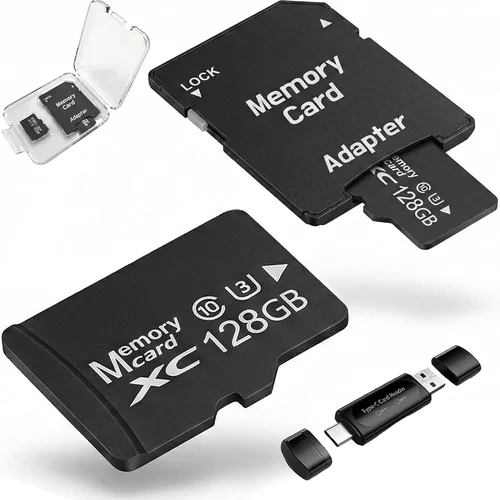
Why it’s bad: Using unsupported microSD cards or insufficient capacity leads to recording interruptions, lost footage, or expensive replacements. Some dash cams only work with specific card brands or speeds, and others max out at 128GB despite supporting larger capacities.
What to do instead: Verify compatible storage types and recommended speeds before buying. Purchase a high-quality Class 10 or U3 microSD card with at least 64GB capacity for daily use. Consider whether your dash cam supports automatic formatting to prevent manual maintenance headaches.
Budget Guidelines: How Much Should You Spend?
Entry-Level ($50 – $80)
This range includes basic single-lens dash cams suitable for occasional use or secondary vehicles. Expect 1080p recording, modest build quality, limited features, and shorter warranties. While these models fulfill the primary purpose of capturing front-facing footage, they often lack reliable parking mode or advanced event detection. Ideal for budget-conscious drivers who prioritize affordability over comprehensive protection.
Mid-Range ($80 – $150)
Representing the sweet spot for most buyers, mid-range dash cams balance price and performance effectively. These models typically offer 1080p or 2K recording, robust build quality, functional parking mode, and decent warranty terms. You’ll find reliable G-sensors, loop recording, and sometimes dual-channel capability within this bracket. Most importantly, they deliver consistent performance that justifies their investment for everyday safety needs.
Premium ($150 – $250)
For drivers seeking maximum protection and convenience, premium dash cams provide enterprise-grade features without corporate pricing. Expect superior optics, enhanced low-light performance, wireless connectivity, cloud backup options, and professional installation guides. These devices often include advanced driver assistance features like collision warnings and blind spot monitoring integration. Perfect for safety-conscious individuals willing to invest in top-tier protection.
Luxury ($250+)
Ultra-premium dash cams target professionals, fleet operators, and enthusiasts demanding absolute reliability and cutting-edge technology. Features include 4K recording, HDR imaging, thermal cameras, AI-powered object recognition, and extensive cloud storage solutions. Installation often requires professional technicians, and ongoing subscription fees may apply for advanced services. Reserved for those whose livelihoods depend on flawless evidence collection and analysis.
Expert Tips for Getting the Best Deal
When to buy
Timing significantly affects dash cam availability and pricing on Amazon. Major shopping events like Prime Day, Black Friday, Cyber Monday, and holiday sales typically offer substantial discounts. Additionally, consider seasonal demand shifts – spring and summer see increased purchases due to longer daylight hours and warmer weather making dash cams more appealing. Avoid peak back-to-school periods when electronics demand spikes, leading to temporary price increases.
Where to buy
While Amazon dominates online dash cam sales, compare prices across major retailers including Best Buy, Walmart, Target, and specialty automotive stores. Sometimes local competitors offer better return policies or bundle deals not available online. Physical stores allow hands-on testing, though selection may be more limited than Amazon’s vast inventory. Always check seller ratings and fulfillment methods – third-party sellers can offer lower prices but potentially longer shipping times and less reliable customer service.
How to spot deals
Monitor price history tools like CamelCamelCamel for Amazon-specific trends, or use browser extensions that alert you to price drops. Subscribe to retailer newsletters for exclusive promo codes and early access to sales. Bundle deals combining dash cams with accessories like extra batteries, mounts, or memory cards often provide better value than purchasing items separately. Be cautious of “too good to be true” listings – genuine quality dash cams rarely drop below $60 even during sales.
Warranty considerations
Always verify warranty length and coverage details before completing your purchase. Compare whether included warranties cover accidental damage, water intrusion, or manufacturing defects. Extended warranty programs offered at checkout sometimes provide better value than manufacturer-direct plans. Keep all receipts and registration information handy – most manufacturers require proof of purchase for warranty claims. Register your product immediately upon unboxing to activate coverage.
Return policies
Amazon’s generous return window (typically 30 days) provides flexibility if the dash cam doesn’t meet expectations. However, some manufacturers impose restocking fees or require original packaging for returns. Test your device thoroughly during the trial period – record sample footage, experiment with settings, and verify compatibility with your vehicle. Document any issues immediately to streamline the return process if necessary.
Testing before buying
Whenever possible, visit physical retail locations to handle dash cams before committing to purchase. Assess build quality by examining seams, button responsiveness, and overall weight. Check lens clarity and field of view by viewing demo footage on display screens. Ask staff about common installation challenges specific to your vehicle model. While online shopping dominates, this tactile experience prevents costly mistakes caused by mismatched expectations.
Frequently Asked Questions
Q: Do I need a dash cam if I have insurance?
A: While comprehensive insurance covers vehicle damage regardless of fault, having dash cam footage dramatically improves your chances of receiving full compensation when liability is disputed. Insurance adjusters often request video evidence to resolve ambiguous claims quickly. Additionally, dash cams deter fraudulent claims against your policy by providing objective verification of incidents.
Q: Can dash cams record while parked?
A: Yes, most modern dash cams feature parking mode functionality, but implementation varies significantly between models. True parking mode requires either continuous power via hardwiring or a dedicated battery pack. Motion-activated recording conserves power but may miss slow-moving incidents. Always verify your chosen model’s parking mode capabilities before relying on it for overnight security.
Q: What’s the difference between 1080p and 4K dash cams?
A: Resolution directly impacts detail clarity – 4K captures four times more pixels than 1080p, resulting in crisper license plate numbers and clearer facial features. However, 4K files consume eight times more storage space and require faster processing hardware. For safety purposes, 2K or 1080p typically provide sufficient detail while maintaining manageable file sizes and battery consumption.
Q: Are dual-camera systems worth the extra cost?
A: Dual-camera systems (front and rear) offer complete coverage ideal for urban environments, parking lots, and highway driving where rear impacts occur frequently. They eliminate blind spots and provide context during multi-vehicle incidents. While costing 30-50% more than single-lens models, the added protection justifies the investment for safety-conscious drivers, especially those living in densely populated areas.
Q: How much storage do I need?
A: Storage requirements depend on recording resolution, frame rate, and usage frequency. As general guidelines: 16GB suffices for basic 1080p recording of approximately 30 minutes, while 64GB provides 2-3 hours of continuous footage. Frequent drivers should consider 128GB+ cards. Always format storage media within the dash cam itself rather than your computer to prevent file system conflicts.
Q: Can I install a dash cam myself?
A: Most single-lens dash cams feature simple plug-and-play installations requiring only a cigarette lighter connection and windshield mounting. Hardwiring options demand automotive electrical knowledge or professional assistance. Beginners should start with basic models and practice cable management techniques before attempting complex installations. Proper routing prevents interference with airbags and ensures clean, professional appearance.
Q: Will a dash cam drain my car battery?
A: Standard dash cams consume minimal power during operation (typically 1-3 watts). However, parking mode with motion detection can increase consumption slightly. Hardwired installations include built-in voltage protection that automatically powers down when battery levels drop critically. Battery drain concerns are generally exaggerated – modern dash cams rarely cause noticeable parasitic drain when properly installed.
Q: How long do dash cam batteries last?
A: Built-in rechargeable batteries typically last 1-2 hours of continuous recording, primarily relevant for portable models disconnected from vehicle power. Most permanent installations draw directly from the car’s electrical system, eliminating battery concerns entirely. Portable dash cams serve best as backup units or for vehicles lacking convenient power sources.
Q: Can dash cams be hacked or remotely accessed?
A: While theoretically possible with poorly secured wireless models, legitimate hacking attempts remain rare occurrences. Reputable brands implement robust encryption protocols and regular security updates to protect against vulnerabilities. Avoid connecting your dash cam to public Wi-Fi networks and always update firmware promptly when new releases become available.
Q: What happens if my dash cam fills up its storage?
A: Quality dash cams automatically overwrite oldest footage once storage reaches capacity, ensuring continuous recording without interruption. This loop recording feature works seamlessly when configured correctly. However, manually reviewing and backing up important files prevents accidental deletion of critical evidence. Consider transferring footage to external drives or cloud storage weekly to maintain sufficient free space.
Our Final Recommendations
Best for Budget-Conscious Buyers
For drivers seeking reliable protection without overspending, the Rexing D1 Pro stands out as an exceptional value proposition. Priced under $80, this single-lens dash cam delivers crisp 1080p recording with reliable G-sensor functionality and straightforward installation. Its compact design minimizes windshield obstruction while providing dependable loop recording and parking mode operation. Verified purchasers consistently praise its consistent performance and reasonable file management, making it ideal for everyday commuters who prioritize core safety features over frills.
Best Overall Value
The Nextbase 522GW earns our top recommendation for balanced performance across all categories. Priced around $120, this dual-channel system offers 1080p front and rear recording with impressive night vision capabilities. Its built-in Alexa integration, emergency SOS button, and cloud backup features elevate it beyond basic functionality while maintaining user-friendly operation. Independent testing confirms excellent video quality in varied lighting conditions, and its robust build withstands typical automotive environments. Fleet managers particularly appreciate its driver behavior monitoring tools and seamless integration with existing telematics systems.
Best Premium Option
For those demanding professional-grade protection, the BlackVue DR970X-2CH excels with its 4K Ultra HD recording, superior low-light performance, and comprehensive cloud connectivity. Priced at $250+, this dual-lens system includes built-in Wi-Fi, GPS tracking, and optional subscription-based cloud storage for remote viewing and management. Its military-grade durability and advanced driver assistance features make it the gold standard among safety-focused drivers. Professional installers report minimal signal interference and reliable operation across diverse vehicle platforms, justifying its premium positioning.
Best for Beginners
New to dash cam ownership? The Viofo A119 v3 provides an excellent introduction to automotive safety technology. With its intuitive mobile app interface, simple mounting system, and reliable performance, it removes intimidation factors commonly associated with electronic devices. At approximately $90, this single-lens model offers 1080p recording, parking mode, and loop recording without overwhelming users with excessive features. Beginner-friendly tutorials and responsive customer support ensure smooth setup and operation, allowing newcomers to focus on learning their device rather than troubleshooting basics.
Best for Advanced Users
Enthusiasts and professionals requiring maximum functionality will appreciate the Garmin Dashcam Mini for its compact form factor and seamless smartphone pairing. Despite its small size, this 1080p dash cam delivers impressive image stabilization, voice control capabilities, and automatic incident saving. Its discreet design makes it ideal for multiple vehicle applications, while advanced users benefit from customizable settings and detailed trip logging. The accompanying smartphone app provides comprehensive playback controls and sharing options, catering to tech-savvy drivers who demand flexibility without sacrificing performance.
Conclusion: Making the Right Choice
Selecting the right dash cam ultimately depends on aligning your specific needs with available features and budget constraints. Rather than chasing every technological advancement, focus on core capabilities that directly impact safety outcomes: consistent recording quality, reliable event detection, and durable construction. Remember that even the most expensive dash cam cannot compensate for poor installation practices or inadequate storage management – proper setup and maintenance are equally vital components of effective protection.
Take time to assess your driving habits, environmental conditions, and legal requirements before finalizing your purchase. Consider whether single-lens or dual-camera coverage better suits your circumstances, and evaluate power source options based on your comfort level with automotive electrical systems. Don’t overlook warranty terms and return policies – they provide essential safeguards if unexpected issues arise after installation.
By approaching your dash cam selection methodically and prioritizing proven safety features over flashy extras, you’ll invest wisely in equipment that genuinely enhances your protection on the road. Whether choosing a budget-friendly starter model or upgrading to enterprise-grade technology, your dash cam represents more than just another gadget – it’s a vital tool for preserving your rights and ensuring accountability when accidents inevitably occur. Make your choice count, and drive with confidence knowing you’ve taken proactive steps toward safer, more secure journeys.