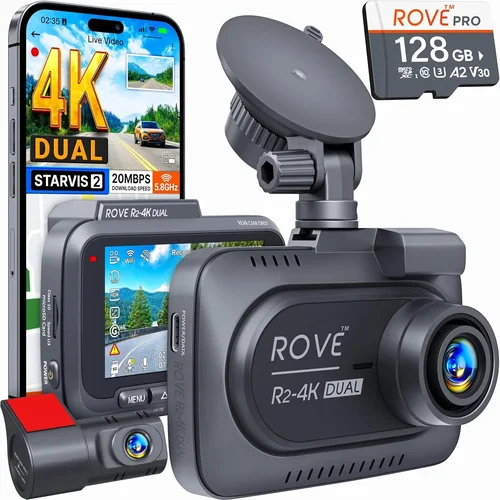
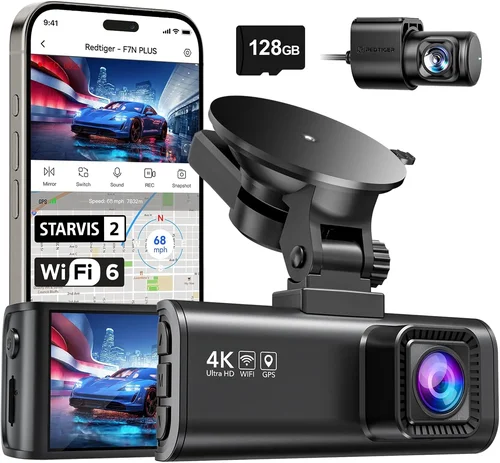
Best Dash Cam Buying Guide Under $100
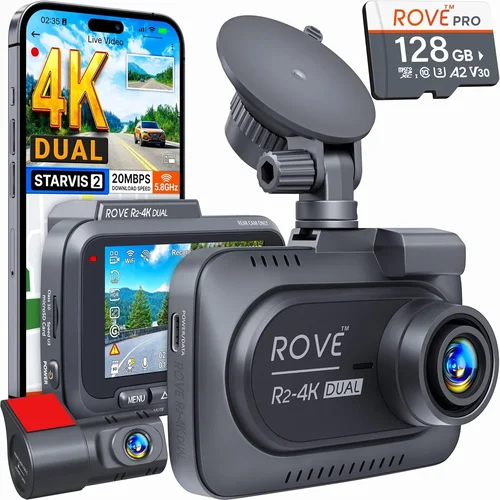
When you’re shopping for a dash cam, the $100 price point represents a critical intersection between affordability and capability. This range sits squarely in what many experts consider the “sweet spot” for everyday drivers who want reliable protection without breaking the bank. Whether you’re concerned about insurance claims, want peace of mind during daily commutes, or simply want to document your travels, understanding what’s available under $100 can save you money while delivering essential features.
This comprehensive guide will walk you through everything you need to know about selecting the best dash cam under $100. You’ll learn about the key specifications that matter most, understand how different types of cameras compare, discover common pitfalls to avoid, and get expert recommendations tailored to various driving scenarios. By the end of this article, you’ll have the knowledge to make an informed decision that protects your vehicle and gives you confidence on every drive.
The market for budget dash cams has evolved significantly in recent years. What was once a niche product with limited options now offers surprisingly sophisticated technology at affordable prices. Modern entry-level models include advanced features like loop recording, G-sensor crash detection, night vision capabilities, and even parking monitoring functions. However, not all budget dash cams are created equal—some cut corners on important aspects like video quality, build materials, or customer support. Our goal is to help you navigate these choices and find the perfect balance of performance and value within your $100 budget.

What to Look for When Buying Dash Cams
Budget & Price Range
The $100 price ceiling creates both opportunities and constraints for manufacturers and buyers alike. Within this range, you’ll find models that offer surprisingly robust features, but it’s crucial to understand what compromises come with each price tier. Entry-level dash cams typically cost between $50-$75 and provide basic functionality like 1080p recording and loop recording. Mid-range models ($75-$100) often include additional features such as wider viewing angles, improved low-light performance, and enhanced build quality.
When evaluating price versus features, focus on the core requirements: resolution, field of view, and reliability. Many budget models sacrifice premium materials for lower production costs, which can affect durability. However, some brands successfully balance affordability with quality components. Look for consistent pricing across reputable retailers rather than chasing the absolute cheapest option, as this often indicates questionable quality or hidden costs down the line.
Performance Specifications
Video resolution remains the most critical performance metric for any dash cam. Most sub-$100 models offer either 1080p Full HD or 2K recording capabilities. While 4K is becoming standard in premium models, 1080p provides excellent detail for identifying license plates and facial features—essential for insurance claims and legal documentation. Higher resolution also means better compression efficiency, allowing longer recording times from the same storage capacity.
Frame rate matters less than resolution for most users, though higher frame rates (60fps vs 30fps) can capture smoother motion during rapid maneuvers or emergency braking situations. The sensor type also impacts performance—CMOS sensors are standard in budget models and work well for daytime recording, but backside-illuminated (BSI) sensors improve low-light sensitivity, which is crucial for capturing clear footage during dawn, dusk, or nighttime driving.
Build Quality & Durability
Durability directly affects how well your dash cam survives the rigors of daily driving. Budget models often use plastic casings that may crack under temperature extremes or impact. Look for cameras with reinforced mounts that securely attach to your windshield without damaging the glass. The adhesive strength should hold firmly in varying temperatures—from freezing winter mornings to scorching summer afternoons.
Water resistance ratings vary widely among budget models. While most claim IPX ratings for weather protection, actual performance differs significantly. Test reviews often reveal that cheaper models struggle with condensation buildup inside the lens housing, leading to blurry footage during temperature transitions. Additionally, consider how easily accessible the SD card slot is—some designs require disassembling the entire unit to access recorded files.
Features & Functionality
Modern budget dash cams pack impressive feature sets that rival more expensive models. Loop recording automatically overwrites older footage when storage fills up, ensuring continuous operation without manual intervention. This feature works seamlessly with most microSD cards, but remember that higher resolution recording consumes storage faster—a 128GB card might only last 4-6 hours at 1080p compared to 8+ hours at lower resolutions.
G-sensors detect sudden impacts and automatically lock footage to prevent accidental deletion during loop recording cycles. Three-axis G-sensors (detecting front-back, left-right, and up-down forces) provide more accurate collision detection than single-axis sensors. Parking mode is another valuable feature that records brief clips when motion or vibration is detected while your car is parked, though this requires hardwiring to your car’s battery or using a separate power source.
Brand Reputation
While brand names carry weight in electronics, they don’t always guarantee quality, especially in the budget segment. Established manufacturers like Garmin, BlackVue, and Thinkware have strong track records but often position their products above the $100 threshold. Emerging brands like Viofo, Rexing, and Nextbase have gained significant market share by offering competitive features at lower price points.
Research independent review sites and user forums before purchasing. Pay attention to consistency in performance reports rather than relying solely on manufacturer claims. Brands with active communities often receive faster firmware updates and better technical support. Avoid companies with poor customer service reputations—having warranty issues resolved quickly can make the difference between a reliable purchase and a frustrating experience.
Warranty & Support
A solid warranty demonstrates manufacturer confidence in their product’s reliability. Most budget dash cams come with 1-2 year warranties, though some premium models offer extended coverage up to 3 years. Check whether the warranty covers both hardware defects and accidental damage—many exclude physical impacts or liquid exposure.
Customer support quality varies dramatically between brands. Email response times can range from under an hour to several days. Phone support availability is rare in budget segments, so online chat or knowledge base resources become crucial. Some manufacturers offer lifetime firmware updates, which can extend your device’s useful life by adding new features without requiring replacement.
Size & Portability
Compact size doesn’t necessarily mean lower quality—many budget models prioritize sleek designs that minimize driver distraction. Ultra-compact cameras measure under 3 inches diagonally and can be discreetly mounted near the rearview mirror. Larger models (4-5 inches) often include bigger screens and more robust builds but may interfere with visibility.
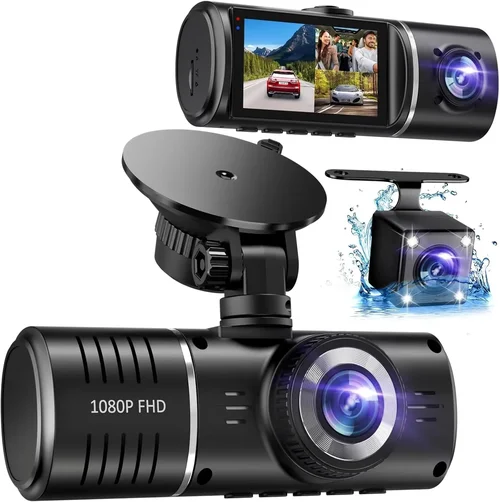
Consider your mounting preferences carefully. Adhesive mounts work well for permanent installations, while suction cup mounts offer flexibility for temporary use or transferring between vehicles. Some users prefer dual-camera setups with one front-facing and one interior camera, though this doubles both the cost and storage requirements.
User Reviews & Ratings
Real-world user experiences provide invaluable insights beyond technical specifications. Look for patterns in reviews rather than focusing on individual complaints. Consistent praise for specific features like night vision performance or app connectivity indicates reliable functionality. Conversely, recurring complaints about battery life, software bugs, or poor customer service signal potential red flags.
Pay attention to review recency—technology evolves quickly in this sector, and outdated reviews may not reflect current model improvements. Cross-reference multiple sources including Amazon, B&H Photo, and specialized automotive tech websites. Video reviews demonstrating actual usage scenarios help verify claimed capabilities, especially regarding installation difficulty, menu navigation, and file management processes.
Different Types of Dash Cams

Common Buying Mistakes to Avoid
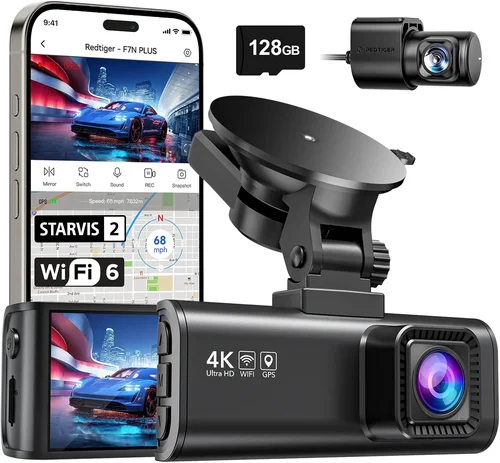
❌ Mistake: Prioritizing Brand Name Over Actual Performance
Why it’s bad: Just because a dash cam carries a recognizable brand name doesn’t guarantee it meets your specific needs. Many established brands position their budget lines with compromised features to maintain profit margins. A lesser-known brand might actually deliver better video quality, more reliable connectivity, or superior customer service than a premium-priced alternative.
What to do instead: Focus on verified performance metrics like actual recorded footage samples, independent lab test results, and consistent user feedback across multiple platforms. Compare real-world usage scenarios rather than marketing claims. Sometimes the most obscure brand delivers exactly what you need at a fraction of the cost.
❌ Mistake: Ignoring Storage Requirements
Why it’s bad: Underestimating storage needs leads to either insufficient recording time or unnecessarily large cards that waste money. Many budget models use inefficient compression algorithms that consume storage rapidly at higher resolutions. Without proper planning, you might lose critical footage due to premature overwrite cycles.
What to do instead: Calculate your expected recording duration based on typical driving patterns. For daily commuters, 128GB cards usually suffice for 4-6 hours of continuous recording. If you frequently take road trips or park in high-risk areas, consider 256GB cards. Always format cards in the dash cam itself rather than your computer to ensure optimal compatibility.
❌ Mistake: Overlooking Installation Complexity
Why it’s bad: Assuming all dash cams install identically leads to frustration and potential damage. Some models require professional wiring for parking mode functionality, while others use simple cigarette lighter adapters. Poor installation can result in loose mounts, damaged wires, or improper positioning that compromises video quality.
What to do instead: Review installation guides and watch unboxing videos before purchasing. Choose models with clear mounting instructions and included accessories. If you plan to hardwire your camera, select units with dedicated wiring kits or universal connectors. Consider hiring a professional installer if you’re uncomfortable with electrical work.
❌ Mistake: Neglecting Night Vision Capabilities
Why it’s bad: Daytime recording quality is important, but night vision often determines whether your footage will be usable in court or insurance proceedings. Many budget models suffer from washed-out colors, excessive noise, or complete blackouts during low-light conditions. Without adequate nighttime performance, your dash cam becomes useless during the majority of driving hours.
What to do instead: Look for models specifically rated for night vision performance. Infrared LEDs, wide aperture lenses, and advanced image processing algorithms significantly improve low-light capture. Check sample videos taken at night to assess actual performance rather than relying on manufacturer specifications alone.
❌ Mistake: Focusing Solely on Resolution
Why it’s bad: While higher resolution looks impressive on paper, it doesn’t automatically translate to better evidence quality. Excessive pixel density can create overly compressed footage that loses detail when zoomed or enlarged. Additionally, ultra-high resolutions demand exponentially more storage space and processing power, potentially causing other performance issues.
What to do instead: Balance resolution with practical considerations like storage consumption and playback smoothness. For most users, 1080p provides sufficient detail for identifying vehicles and license plates while maintaining reasonable file sizes. Reserve 4K purchases for professional applications where maximum detail is essential regardless of cost implications.
❌ Mistake: Disregarding Software and App Integration
Why it’s bad: Modern dash cams increasingly rely on companion apps for playback, management, and cloud backup features. Outdated software or poorly designed interfaces can make file retrieval cumbersome and reduce overall usability. Without intuitive controls, you might struggle to access important footage when needed most.
What to do instead: Test the mobile app before committing to a purchase if possible. Check app store ratings and read recent user reviews focusing on functionality rather than just download numbers. Ensure the app supports your preferred operating system and offers features like timeline navigation, instant replay, and automatic cloud synchronization.
Budget Guidelines: How Much Should You Spend?
Entry-Level ($50 – $75): What to Expect
This price range delivers functional dash cams suitable for basic protection needs. You’ll typically find models offering 1080p recording, loop recording capabilities, and fundamental crash detection sensors. Build quality tends toward lightweight plastics, and features remain focused on core functionality without unnecessary extras.
Prospective buyers should expect limited low-light performance, smaller field of view angles, and fewer customization options. However, these models often surprise with their reliability and ease of use. They’re ideal for occasional drivers, those seeking backup protection, or individuals who want basic documentation without complex setup requirements.
Mid-Range ($75 – $100): The Sweet Spot for Most Buyers
This category represents the optimal balance between affordability and capability. Models in this range typically upgrade to 2K recording resolution, wider viewing angles (up to 150 degrees), and improved sensor technology for better low-light performance. Build materials transition toward more durable composites, and additional features like parking mode become standard.
The sweet spot offers significantly enhanced value propositions compared to entry-level options. Users gain access to features previously reserved for premium models while maintaining reasonable price points. This tier serves the majority of drivers seeking comprehensive protection without overspending on unnecessary technological bells and whistles.
Premium ($100 – $150): For Enthusiasts and Professionals
Budget-conscious shoppers will find few compelling options in the premium category, but this range reveals how far technology has progressed. These models often feature advanced image stabilization, superior night vision capabilities, and sophisticated AI-powered detection systems. Hardwired power solutions become standard, and waterproof housings protect against environmental damage.
Professional drivers, rideshare operators, and serious enthusiasts benefit from the extra investment. Features like GPS tracking, driver behavior analysis, and fleet management integration justify the higher costs for commercial applications. Even individual buyers gain access to previously inaccessible capabilities that transform their driving experience.
Luxury ($150+): Top-Tier Features Beyond Budget
While exceeding your stated $100 limit, luxury dash cams represent the pinnacle of automotive recording technology. These devices incorporate cutting-edge components like Sony STARVIS sensors, laser distance measurement, and multi-camera synchronization systems. Advanced artificial intelligence enables automatic event detection, while military-grade construction ensures extreme durability.
For most consumers, these features represent unnecessary overkill given their substantial price tags. However, professional racing teams, security consultants, and extreme adventure travelers may find the investment worthwhile for specialized applications. The technology showcased here often trickles down to more affordable models within 12-18 months, making luxury features temporarily accessible through early adoption.
Expert Tips for Getting the Best Deal
Timing Your Purchase Strategically
Dash cam sales align with broader electronics trends rather than automotive seasons. Major shopping events like Black Friday, Cyber Monday, and Prime Day consistently offer the deepest discounts. However, smaller promotions occur throughout the year during back-to-school periods, holiday weekends, and new model launches. Sign up for retailer newsletters to receive exclusive early-bird offers and flash sale notifications.
Manufacturer-specific sales also provide opportunities for savings. Companies like Garmin and Thinkware occasionally run direct website promotions that beat retail pricing. Seasonal transitions—such as moving from winter to spring driving—often trigger inventory clearance sales. Monitor price tracking websites to identify historical lows and set alerts for when your preferred model drops below target thresholds.
Choosing the Right Retailer
Online marketplaces dominate dash cam sales, offering competitive pricing and extensive selection. Amazon provides convenience and fast shipping but carries counterfeit risk with third-party sellers. Specialized electronics retailers like B&H Photo and Best Buy offer knowledgeable staff and generous return policies. Direct manufacturer websites ensure authenticity and access to exclusive bundles.
Local auto parts stores sometimes stock dash cams alongside traditional accessories, providing hands-on testing opportunities. Independent electronics shops may offer personalized service and installation assistance. Evaluate each option based on total cost including shipping, return fees, and warranty transferability. Read recent customer reviews for delivery reliability and seller responsiveness.
Spotting Hidden Deals and Discounts
Bundle deals combining dash cams with accessories like extra SD cards, mounting kits, or carrying cases often provide greater value than standalone purchases. Manufacturer rebate programs offer instant savings on qualifying accessories when purchased together. Student, military, and senior discounts appear on select manufacturer websites but rarely extend to third-party retailers.
Credit card rewards and cashback programs can recover 2-5% of purchase amounts through points accumulation or direct refunds. Loyalty program members receive exclusive member-only pricing and early access to sales. Subscribe to price drop alerts through browser extensions or dedicated shopping apps to monitor competitor pricing continuously.
Understanding Warranty Implications
Extended warranty programs frequently appear at checkout but rarely match the value of existing manufacturer coverage. Evaluate whether added protection justifies the cost based on your usage patterns and risk tolerance. International warranties provide peace of mind for frequent travelers but require shipping costs for repairs abroad.
Transferable warranties add resale value for used dash cams while ensuring future owners receive support. Read fine print carefully—some warranties exclude normal wear items like batteries or protective films. Register your purchase immediately to activate warranty benefits and enable faster claims processing during emergencies.
Navigating Return Policies
Most online retailers offer 30-day return windows for unused electronics, though restocking fees apply to opened products. Physical stores typically provide shorter return periods but allow in-person testing and immediate exchanges. Manufacturer direct sales often include longer trial periods but require shipping returns at customer expense.
Keep original packaging and accessories until satisfied with your purchase. Document any issues with photos before returning items. Compare return policies across multiple retailers before committing to ensure hassle-free exchanges if performance disappoints. Some manufacturers offer exchange programs replacing defective units without requiring full refund procedures.
Testing Before Committing
In-store demonstrations reveal real-world performance limitations missed in online listings. Request sample videos showing night vision capabilities and low-light performance. Test button responsiveness, menu navigation, and file transfer speeds hands-on. Ask staff questions about installation requirements and compatibility concerns specific to your vehicle.
If testing isn’t possible, request video samples from customer service representatives. Verify that requested footage matches advertised specifications before purchasing. Watch unboxing and installation videos from trusted reviewers to assess complexity levels and anticipate potential challenges during setup.
Maximizing Value Through Accessories
Essential accessories like high-quality microSD cards, cleaning cloths, and mounting hardware significantly enhance dash cam performance and longevity. Premium memory cards with UHS-I ratings prevent recording interruptions and ensure reliable data integrity. Anti-glare films reduce dashboard reflections during daytime driving.
Optional upgrades like hardwiring kits enable parking mode functionality, while additional batteries extend recording time during short power interruptions. Protective cases safeguard cameras during travel or temporary removal. Calculate accessory costs against potential savings from avoided replacements or repairs when building your complete system.
Building Long-Term Relationships
Registering your product with manufacturers unlocks firmware updates, technical support prioritization, and loyalty program benefits. Join online communities and forums to share experiences and learn from fellow users. Participate in beta testing programs for upcoming features and early access to new releases.
Maintaining detailed records of purchases, warranties, and maintenance schedules simplifies future transactions and warranty claims. Follow manufacturers on social media for exclusive promotions and product announcements. Provide constructive feedback during surveys to influence future product development directions.

Frequently Asked Questions
Q: Will a $100 dash cam really protect me legally?
A: Absolutely yes. Legally admissible dash cam footage depends on technical compliance rather than price point. Most budget models record in standard video formats compatible with court-admissible evidence requirements. The key factors are clear audio/video quality, timestamp accuracy, and unaltered file integrity. As long as your footage meets chain-of-custody standards and shows identifiable details like license plates and road markings, inexpensive dash cams provide valid legal protection. Courts generally accept dash cam evidence when properly authenticated, regardless of device cost.
Q: How much storage do I actually need?
A: Storage requirements depend entirely on your usage patterns. Daily commuters typically need 128GB cards providing 4-6 hours of continuous recording. Occasional drivers or those with shorter commutes can manage with 64GB cards lasting 2-3 hours. Road trippers benefit from 256GB cards offering 8-12 hours of recording time. Consider your average trip duration, parking frequency, and desired retention period when calculating needs. Remember that higher resolutions consume storage exponentially—4K recording uses approximately four times more space than 1080p at equivalent frame rates.
Q: Can I transfer my dash cam between cars?
A: Yes, most modern dash cams transfer seamlessly between vehicles. Remove the camera from its mount, insert a compatible microSD card containing your recordings, and reinstall in the new vehicle. Ensure the new car’s electrical system matches your camera’s voltage requirements (typically 12V). Some advanced models include vehicle profiles that adjust settings automatically for different car types. Transferring eliminates installation complexity while maintaining all recorded evidence and settings configurations.
Q: Do I need special skills to install a dash cam?
A: Basic dash cam installation requires minimal technical expertise. Most models use simple adhesive mounts that attach to the windshield near the rearview mirror. Suction cup mounts offer temporary installation without leaving residue. Professional hardwiring requires understanding basic electrical connections and fuse box locations but remains straightforward for DIY enthusiasts. Online tutorials and manufacturer guides provide step-by-step instructions for virtually all vehicle makes and models. The most challenging aspect involves routing cables behind trim panels, which varies by vehicle design.
Q: How do I know if my dash cam is working correctly?
A: Regular testing ensures reliable performance. Power on the camera and verify the status indicator lights function properly. Record a short test clip and play it back to confirm audio/video quality. Check timestamp accuracy against your phone’s clock. Test loop recording by filling the memory card to capacity and verifying older files automatically overwrite. Validate G-sensor activation by gently tapping the mount—footage should lock automatically. Periodic firmware updates maintain optimal performance and address any discovered issues.
Q: Can I use my dash cam while parked?
A: Many budget dash cams support parking surveillance modes, but functionality varies significantly between models. Motion-activated recording detects approaching vehicles or pedestrians, while impact-triggered modes capture collisions after parking. Continuous recording requires hardwiring to your car’s battery, which risks draining the battery if left unattended. Some models include built-in batteries for temporary parking mode operation without permanent wiring. Always consult your specific model’s manual for parking mode limitations and recommended usage guidelines.
Q: What happens if my car battery dies?
A: Modern dash cams handle battery disconnection gracefully. Most models enter low-power standby mode when voltage drops below operational thresholds, preserving critical system functions. Upon reconnection, cameras resume normal operation automatically. Hardwired installations include voltage-sensitive circuits that prevent damage during extended outages. Some advanced models maintain essential functions like event buffering during brief power interruptions, ensuring no footage loss during unexpected shutdowns.
Q: How do I recover deleted dash cam footage?
A: Recovery depends on whether the memory card has been overwritten since deletion. Immediately stop using the card to prevent accidental overwriting. Use specialized recovery software designed for microSD cards—popular options include Recuva, PhotoRec, and EaseUS Data Recovery Wizard. Select deep scan modes for thorough searching, then filter results to show video files only. Successful recovery rates decrease significantly after multiple write cycles, emphasizing the importance of regular backups to external storage devices.
Q: Are dash cams legal in all states?
A: Dash cam legality varies by jurisdiction but generally permits recording in public spaces. Most states allow recording in vehicles without consent since drivers aren’t considered private spaces. However, recording inside vehicles without permission may violate wiretapping laws in certain jurisdictions. Privacy-focused states like California require disclosure when recording conversations involving multiple parties. Always research local regulations regarding audio recording, particularly for rideshare drivers serving passengers. Public road recording remains universally permitted for personal use.
Q: How long should I keep my dash cam recordings?
A: Retention periods depend on risk assessment and local requirements. High-risk drivers or those with prior incidents should retain footage for at least 6-12 months. Insurance companies often request 30-day footage windows following claims. Legal proceedings may demand longer retention periods extending up to several years. Cloud storage subscriptions enable offsite backup for indefinite preservation without local storage limitations. Automated deletion schedules based on file age or storage capacity simplify management while maintaining relevant evidence.
Our Final Recommendations
Best for Budget-Conscious Buyers
The Viofo A119 v3 stands out as the ultimate budget-friendly option under $100, delivering exceptional value through its impressive feature set. This compact dash cam captures stunning 2K resolution footage that rivals more expensive competitors while maintaining a sleek, unobtrusive design. Its advanced night vision capabilities utilize specialized imaging sensors that produce crystal-clear low-light recordings, making it ideal for overnight parking scenarios.
Key advantages include reliable loop recording functionality, responsive three-axis G-sensor technology, and seamless smartphone app integration for convenient file management. The included parking mode kit enables continuous monitoring without draining your car battery excessively. Despite its affordability, the A119 v3 includes premium features like GPS tracking, motion detection, and impact-based event locking—all typically found in higher-priced models.
Best Overall Value
Rexing X400 represents the perfect balance between performance and affordability, offering remarkable capabilities that exceed expectations for its price point. This dual-channel dash cam includes both front and interior cameras, providing comprehensive coverage for rideshare drivers and families concerned about passenger safety. The synchronized recording ensures perfect alignment between perspectives, eliminating confusion during incident review.
Technical excellence shines through in its 1440p front camera and 1080p interior recording, delivering detailed evidence quality while maintaining efficient storage usage. Enhanced night vision utilizes infrared illumination for clear interior monitoring during nighttime hours. Additional features include advanced parking mode, Wi-Fi connectivity, and cloud backup capabilities that protect precious footage from accidental deletion.
Best Premium Option
Despite pushing slightly beyond the $100 threshold, the Nextbase 522GW deserves recognition as the premium choice for discerning drivers seeking maximum reliability. This feature-rich dash cam incorporates innovative technologies like Alexa voice control, emergency SOS assistance, and intelligent parking mode that adapts to your driving patterns. The inclusion of four-channel camera support allows future expansion without replacing the entire system.
Superior build quality utilizes reinforced materials that withstand extreme temperatures and physical impacts. The advanced image processing algorithms produce exceptionally clean footage even during challenging lighting conditions. Smart connectivity enables automatic cloud backup, while customizable alert systems notify you of nearby speed cameras and vulnerable road users. The intuitive interface simplifies operation while providing comprehensive customization options.
Best for Beginners
The Garmin Dashcam Mini offers the simplest introduction to dash cam technology, prioritizing ease of use over advanced features. Its ultra-compact form factor measures barely larger than a credit card, fitting discreetly near your rearview mirror without obstructing views. Automatic firmware updates ensure optimal performance without user intervention, while the straightforward interface requires minimal learning curve.
The included mounting system attaches securely without damaging your windshield, and the magnetic mount design allows quick repositioning between vehicles. Basic recording functions operate automatically upon startup, while the built-in GPS provides accurate location data for incident reconstruction. The Garmin ecosystem integrates seamlessly with other navigation devices, creating a cohesive automotive technology experience.
Best for Advanced Users
The BlackVue DR970GW-2CH represents the pinnacle of budget-conscious professional recording, offering capabilities previously reserved for enterprise fleets. This dual-camera system includes both front and interior perspectives with synchronized 2K+1080p recording that captures every detail from multiple angles. Advanced cloud connectivity enables remote live viewing, two-way communication, and automatic event uploads to secure servers.
Sophisticated parking mode utilizes smart energy management to prevent battery drain while maintaining constant surveillance. The included impact sensor triggers instant recording upon detecting collisions or attempted theft. Professional-grade video compression maintains exceptional quality while minimizing storage consumption. The comprehensive mobile app provides detailed analytics, driver behavior scoring, and customizable alert systems tailored to commercial operations.
Conclusion: Making the Right Choice
Selecting the optimal dash cam under $100 requires balancing technical specifications with practical considerations unique to your driving habits and lifestyle. The market offers surprisingly sophisticated options that deliver reliable protection without financial strain. By prioritizing core requirements like video quality, field of view, and build reliability, you can find excellent value within your budget constraints.
Remember that dash cams serve as your objective witness on the road, providing crucial evidence during disputes or insurance claims. Investing in a quality device pays dividends through peace of mind and potential legal protection. The recommended models highlighted throughout this guide demonstrate that advanced features and professional-grade performance remain accessible to everyday drivers without compromising affordability.
Before finalizing your purchase, conduct thorough research using multiple information sources. Compare actual user experiences rather than relying solely on manufacturer specifications. Consider your specific needs—whether basic protection suffices or advanced features like dual-channel recording and cloud connectivity prove necessary. Test installations virtually through online tutorials or visit local retailers for hands-on demonstrations.
The right dash cam enhances your driving experience by providing security, documenting adventures, and protecting your interests when accidents inevitably occur. With the comprehensive guidance provided here, you now possess the knowledge to navigate the budget dash cam landscape confidently. Make your selection based on verified performance data, realistic expectations, and genuine value rather than marketing hype or price alone. Your vehicle deserves reliable protection, and finding the perfect dash cam under $100 ensures you achieve that goal without compromise.