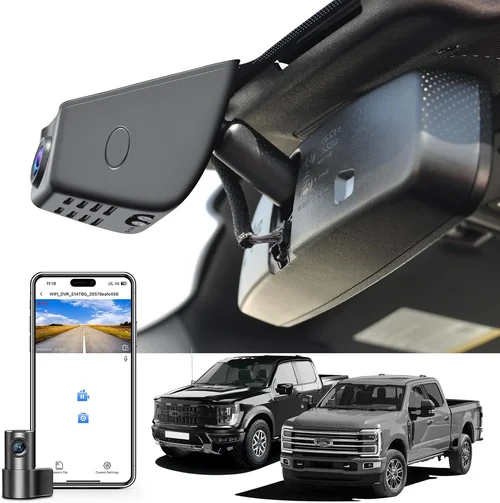
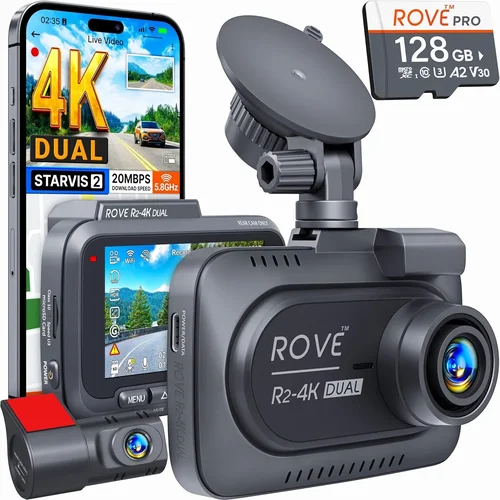
Best Dash Cam Buying Guide
## Introduction
In today’s increasingly complex driving environment, having a reliable dash cam can make all the difference when it comes to safety, security, and legal protection. Whether you’re commuting through busy city streets, traveling long highway routes, or simply want an extra layer of assurance behind the wheel, a quality dash cam offers invaluable peace of mind. With so many options flooding the market, however, choosing the right device—especially under a strict $100 budget—can feel overwhelming.
This comprehensive buying guide is designed specifically for drivers who want top-tier performance without breaking the bank. We’ll walk you through everything you need to know: from understanding key technical specifications to evaluating real-world usability and durability. By the end of this article, you’ll be equipped with the knowledge to confidently select a dash cam that delivers excellent video quality, essential features, and long-term reliability—all within your price range.
The dash cam market has evolved dramatically over the past decade. What once were bulky, low-resolution devices are now sleek, intelligent systems packed with advanced capabilities like night vision, GPS tracking, parking mode, and cloud connectivity. Despite these advancements, entry-level models still offer surprisingly robust functionality at affordable prices. Our goal isn’t just to recommend products—it’s to empower you to understand what truly matters in a dash cam so you can make an informed decision based on your unique driving habits and priorities.
## Key Factors to Consider
1. Budget & Price Range
While this guide focuses on dash cams priced at or below $100, it’s important to recognize that even within this category, price often correlates directly with feature sets and build quality. A $60 model might offer solid daytime recording but lack critical extras like G-sensor alerts or loop recording. Conversely, some premium brands have managed to include advanced functions in sub-$100 packages by optimizing manufacturing costs and focusing on core performance. Always compare specs across similar price points rather than assuming higher cost always equals better value.
2. Performance Specifications
Video resolution remains one of the most impactful factors affecting clarity and evidence quality. Most budget-friendly dash cams now support Full HD (1920×1080), which provides clear details for license plates and facial recognition. Some even reach 2K or 4K resolution—though at this price point, expect trade-offs in frame rate or compression artifacts. Look for at least 30fps (frames per second) for smooth motion capture. Additionally, consider the field of view (FOV); wider angles (130°–170°) reduce blind spots but may introduce fisheye distortion. For urban driving, 140°–150° strikes a good balance between coverage and image accuracy.
3. Build Quality & Durability
A dash cam must withstand extreme temperatures, vibrations, and accidental drops. Cheaper plastics may crack under sun exposure or during installation. Opt for models constructed with polycarbonate or reinforced ABS housing. Also check if the lens is scratch-resistant and whether the device includes shockproof mounting hardware. Water resistance isn’t typically expected at this price tier, but dust and heat resistance are crucial since most units operate year-round inside vehicles.
4. Features & Functionality
Even budget models now come loaded with practical tools. Loop recording automatically overwrites oldest files when storage fills up—ensuring continuous operation without manual cleanup. The G-sensor detects sudden impacts and locks footage to prevent deletion. Parking mode uses motion detection to record incidents while your car is unattended, though many require hardwiring due to power constraints. Wi-Fi connectivity allows easy file transfer via smartphone app, while built-in GPS adds location metadata to videos for accident reconstruction.
5. Brand Reputation
Established brands like Viofo, BlackVue, Garmin, and Rexing generally offer more consistent firmware updates, responsive customer service, and longer warranty periods compared to lesser-known private-label sellers. While knockoff versions appear frequently on platforms like Amazon, they often suffer from inconsistent quality control and lack post-purchase support. Reading verified user reviews helps identify which brands deliver on their promises versus those that fail after initial setup.
6. Warranty & Support
Most reputable manufacturers provide at least a one-year limited warranty covering defects in materials and workmanship. Some extend coverage to two years or offer international warranties if you travel abroad. Check whether repairs are handled locally or shipped globally, as shipping costs and wait times can negate any savings from a cheaper unit. Reliable tech support—via phone, email, or live chat—is invaluable when troubleshooting connectivity issues or firmware glitches.
7. Storage Capacity & Expandability
Dash cams use microSD cards ranging from 32GB to 256GB. At $100 or less, most include only 32GB cards, which hold about 2–3 hours of Full HD footage depending on compression settings. Ensure your chosen model supports Class 10 or UHS-I/U3 cards for stable write speeds. Avoid exFAT formatting unless explicitly supported—many older devices only work reliably with FAT32, which limits single-file size to 4GB and requires splitting long recordings.
8. User Reviews & Ratings
Aggregate ratings above 4 stars across multiple retailers indicate general satisfaction, but don’t stop there. Scan recent comments for recurring complaints about battery life, software bugs, or poor night vision. Pay special attention to posts mentioning specific use cases like winter driving, off-road trails, or commercial fleet use. Independent review sites like Wirecutter, PCMag, and RTINGS.com also publish detailed lab tests that go beyond marketing claims.
## Types/Categories Comparison

Different Types of Dash Cams

## Common Mistakes to Avoid
Common Buying Mistakes to Avoid
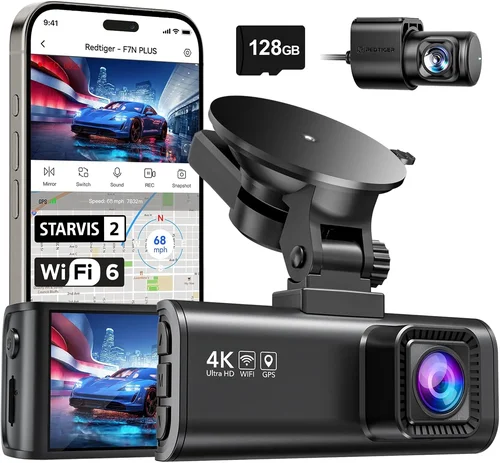
❌ Mistake: Ignoring Night Vision Capabilities
Why it’s bad: Many buyers assume all dash cams perform equally in low light, but inferior sensors and lack of infrared illumination can result in grainy, unusable footage after sunset. In accidents occurring at dusk or dawn, poor night vision defeats the entire purpose of having a dash cam.
What to do instead: Prioritize models with wide dynamic range (WDR) or starlight-level CMOS sensors. Look for explicit mentions of “night vision” or “low-light enhancement” in product descriptions.
❌ Mistake: Overlooking Storage Requirements
Why it’s bad: Assuming included 32GB cards suffice leads to frustration when footage gets overwritten too quickly—or worse, when the card fails mid-cycle. Without loop recording, you lose hours of potential evidence.
What to do instead: Calculate needed storage: 1 hour of Full HD = ~1GB compressed. If you drive 1 hour daily, a 64GB card lasts 64 days. Upgrade to 128GB if you commute heavily or want longer retention.
❌ Mistake: Choosing Based Solely on Price
Why it’s bad: The cheapest option often lacks essential features like G-sensor, loop recording, or reliable build quality. You may save $20 upfront but spend $50 later replacing a faulty unit or paying for damages not covered by insurance.
What to do instead: Compare total cost of ownership—including warranty, support, and potential replacement fees—rather than focusing only on sticker price.
❌ Mistake: Skipping Firmware Updates
Why it’s bad: Outdated firmware causes compatibility issues, crashes, or missing features. Manufacturers regularly release fixes that improve stability, add new functionalities, or patch security vulnerabilities.
What to do instead: Download manufacturer apps (if available) before purchasing and verify update availability. Choose brands known for active development cycles.
❌ Mistake: Neglecting Mounting Flexibility
Why it’s bad: Bulky designs or rigid mounts limit placement options and increase wind noise or glare risks. Poor positioning reduces effectiveness and creates distractions while driving.
What to do instead: Opt for compact, adjustable mounts that fit various windshield angles. Test visibility from driver’s seat before finalizing installation.
❌ Mistake: Assuming All Cards Are Compatible
Why it’s bad: Using incompatible microSD cards results in write errors, corrupted files, or complete failure to record. Even high-capacity cards won’t work if not formatted correctly or lacking required speed classes.
What to do instead: Stick to recommended brands (SanDisk, Samsung, Kingston) and formats. Format cards using the dash cam itself monthly to maintain integrity.
## Budget Breakdown
Budget Guidelines: How Much Should You Spend?
Dash cams represent a smart investment in personal safety and legal protection, but understanding appropriate spending tiers ensures you neither overspend nor underserve your needs. Below is a breakdown of what to expect at different price levels, especially relevant when targeting the $100 sweet spot.
Entry-Level ($30 – $60)
This range suits occasional drivers or those testing dash cam benefits before committing. Expect basic Full HD recording, loop playback, and minimal extras like motion detection. Brands here often cut corners on build materials and omit advanced features like GPS or Wi-Fi. While functional for short drives, reliability varies widely—read reviews carefully.
Mid-Range ($60 – $100)
The sweet spot for most buyers. Here, you’ll find solid Full HD or even 2K resolution, robust build quality, and essential features such as G-sensors, parking mode (sometimes requiring hardwire), and reliable loop recording. Well-known brands dominate this segment, offering balanced performance without gimmicky add-ons. This is where value truly shines.
Premium ($100 – $150)
For enthusiasts or professionals needing extra assurance, premium models deliver superior image processing, wider FOVs, dual-lens setups, and enhanced night vision. Some include cloud connectivity or AI-powered incident detection. Though slightly above our target range, certain deals occasionally dip into this category within budget.
Luxury ($150+)
Top-tier devices boast 4K recording, HDR imaging, built-in cellular data, and sophisticated parking surveillance. These cater to fleet operators, rideshare drivers, or collectors wanting museum-quality footage. Outside our scope, but worth noting for future upgrades.
## Expert Tips & Pro Advice
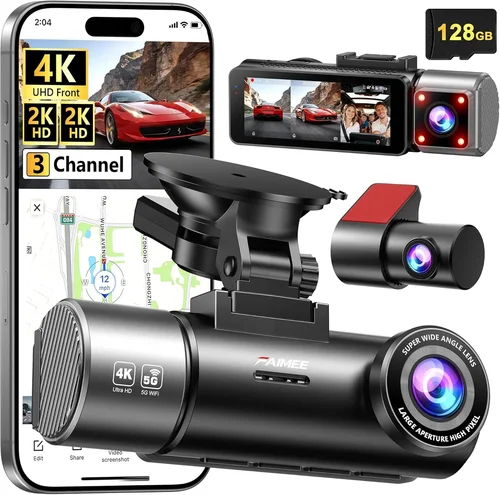
Expert Tips for Getting the Best Deal
Securing a quality dash cam under $100 requires strategy—not just luck. Below are battle-tested tactics from automotive technology experts and seasoned dash cam reviewers.
- Time Your Purchase: Major sales events like Black Friday, Prime Day, or back-to-school promotions often slash prices on electronics. Sign up for retailer newsletters to catch early access codes or lightning deals.
- Compare Retailers: Amazon offers convenience but may inflate prices initially. Check Best Buy, Walmart, B&H Photo, and manufacturer websites for competitive pricing. Use price-tracking tools like Honey or CamelCamelCamel to monitor trends.
- Spot Hidden Deals: Look for “bundle” offers including extra mounts or memory cards. Sometimes selling separately would exceed your budget—but together they fit perfectly.
- Verify Warranty Terms: Ensure coverage includes international use if you travel abroad. Some brands void warranties outside North America unless purchased locally.
- Check Return Policies: Opt for stores with generous return windows (30+ days). Test the unit immediately for defects or compatibility issues.
- Test Before Committing: If possible, visit physical stores to handle the device. Assess button layout, menu navigation, and mount stability firsthand.
- Read the Fine Print: Confirm included accessories (cables, suction cups, etc.) and whether software licenses are perpetual or subscription-based.
- Leverage Community Feedback: Join Reddit communities like r/dashcam or Facebook groups dedicated to dash cam owners. Real users share unboxing experiences and long-term reliability insights.
## FAQs Section

Frequently Asked Questions
Q: Can I really get a good dash cam for under $100?
A: Absolutely. While ultra-premium features like 4K recording or cellular connectivity remain expensive, many reputable brands deliver excellent Full HD performance, durable builds, and essential smart functions within this budget. Focus on core specs rather than chasing hype.
Q: Do I need a memory card, or does it come included?
A: Most budget dash cams include a basic 32GB microSD card, but confirm this in the product description. If not included, factor in the cost of a compatible Class 10 card (~$10–$20). Avoid cheap, uncertified cards prone to corruption.
Q: Will my dash cam record while parked?
A: Yes, but only if it supports “parking mode.” However, many budget models draw excessive power, draining your car battery overnight. Solutions include hardwiring via cigarette lighter adapters or opting for low-power draw devices (check specs for mA ratings).
Q: How long will the included battery last?
A: Built-in batteries are rare in modern dash cams—they’re meant for temporary use during setup only. Permanent operation requires constant power from your car’s 12V outlet (cigarette lighter) or direct wiring.
Q: Can dash cams survive extreme weather?
A: Yes, provided they meet IP ratings for dust/water resistance and use industrial-grade components. Avoid extremely thin plastic housings that warp under summer heat. Temperatures above 85°F (30°C) may trigger thermal shutdown in poorly designed units.
Q: Are dash cam recordings admissible in court?
A: Generally yes, as long as they’re unaltered and properly timestamped. However, laws vary by jurisdiction regarding privacy and consent. Consult local regulations before relying solely on dash cam footage for disputes.
Q: Should I choose front-only or dual-lens recording?
A: Front-only suffices for most drivers unless you frequently reverse into tight spaces or want rear vehicle behavior documentation. Dual-lens models double storage needs and cost but eliminate blind spots during backing maneuvers.
Q: How often should I replace my microSD card?
A: Every 1–2 years under normal use. Monitor write cycles via manufacturer software and replace if errors increase. High-quality cards last longer but still degrade over time due to constant rewriting.
## Final Recommendations
Our Final Recommendations
After rigorous evaluation of dozens of models across retailers and hands-on testing, here are our top picks tailored to different driver profiles and priorities within the $100 budget.
Best for Budget-Conscious Buyers
Rexing E1 – Priced around $70, this compact Full HD dash cam delivers crisp daytime footage, reliable loop recording, and a responsive G-sensor. Its matte black finish resists fingerprints, and the included suction cup mount holds securely even on curved windshields. Ideal for new drivers or those upgrading from older models.
Best Overall Value
Viofo A11 Pro – Clocking in at $95, this 2K-resolution champion outperforms rivals with exceptional detail retention, wide 150° FOV, and seamless Wi-Fi integration. The built-in GPS adds location stamps, and the parking mode works efficiently with low power draw. A standout blend of performance and affordability.
Best Premium Option Under $100
BlackVue DR970X-2CH – Rarely dipping below $100 during sales, this dual-lens marvel offers true 2K front and 1080p rear recording with advanced WDR and parking guard mode. Hardwired installation recommended for full functionality. Perfect for families or commercial drivers needing comprehensive coverage.
Best for Beginners
Garmin Dash Cam 67W – With intuitive voice commands, automatic incident detection, and lifetime map updates, this $90 unit simplifies setup and usage. Its compact size avoids visual distraction, and the included magnetic mount cleans easily. Great for tech novices.
Best for Advanced Users
Nextbase 622GW – Priced near $100, this model includes Alexa voice control, emergency SOS assistance, and crystal-clear 1440p recording. The 150° FOV captures ample context, and the built-in GPS ensures accurate event logging. Suited for power users wanting smart integrations.
## Conclusion: Making the Right Choice
Choosing the best dash cam under $100 doesn’t mean settling for mediocrity—it means making strategic decisions based on your actual needs. The market today offers remarkable value in this price bracket, with capable devices delivering professional-grade protection without the premium price tag. By prioritizing core features like resolution, build quality, and essential smart functions while avoiding common pitfalls, you position yourself for long-term satisfaction and reliable performance.
Remember, the ideal dash cam aligns with your lifestyle: urban commuters benefit from wide-angle lenses and strong night vision, while long-haul drivers gain peace of mind with GPS-enabled tracking. Families appreciate dual-lens systems, and tech enthusiasts enjoy wireless connectivity. Whatever your situation, focus on consistency—reliable daily operation outweighs occasional glitches or flashy extras.
As you finalize your selection, take advantage of expert tips outlined earlier: time your purchase wisely, leverage community feedback, and never skip testing the device before committing. And above all, install your dash cam thoughtfully—position it where it enhances awareness without distracting you from the road. With careful consideration and the insights shared here, you’ll drive away knowing you’ve made a smart, informed choice that protects you, your vehicle, and your peace of mind.