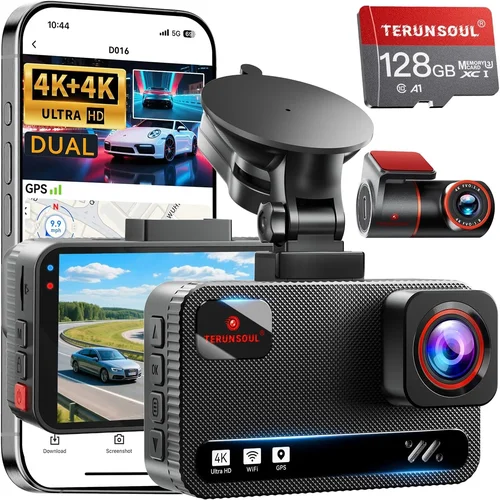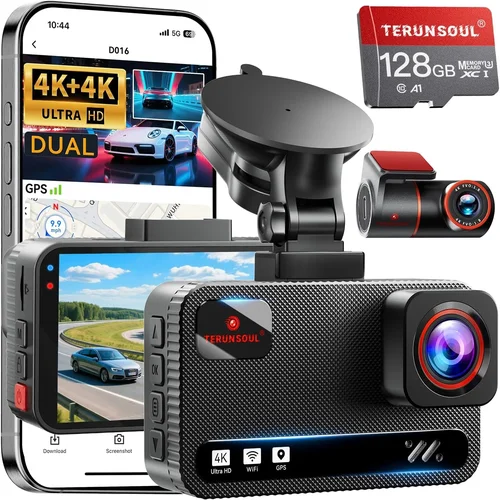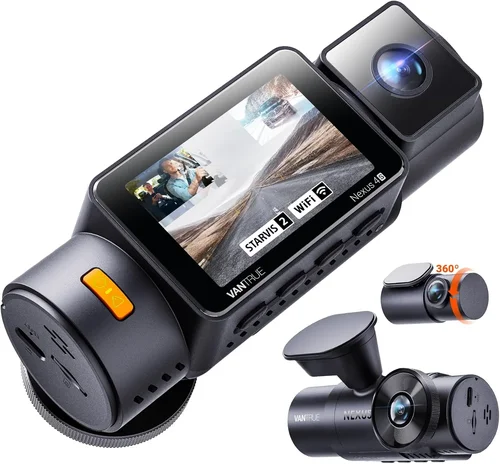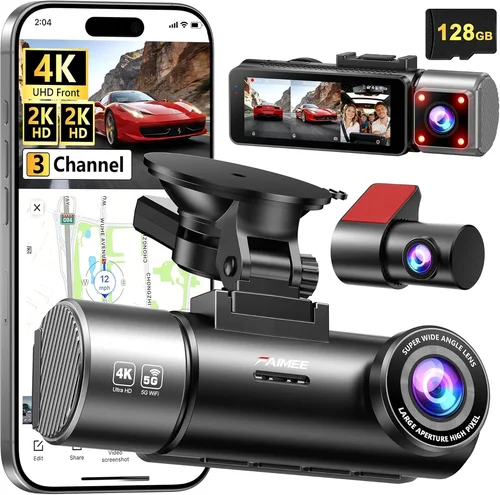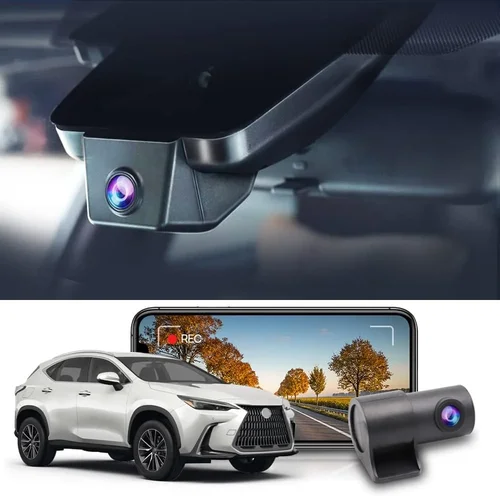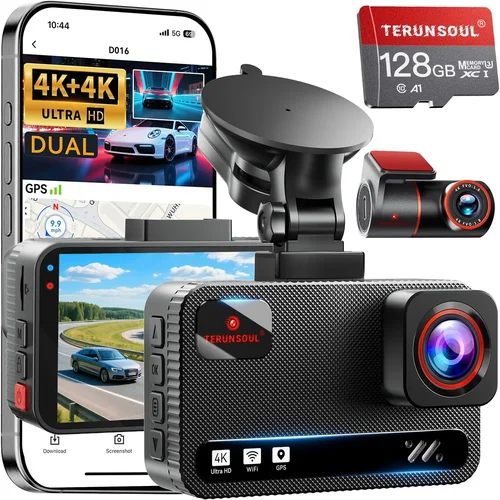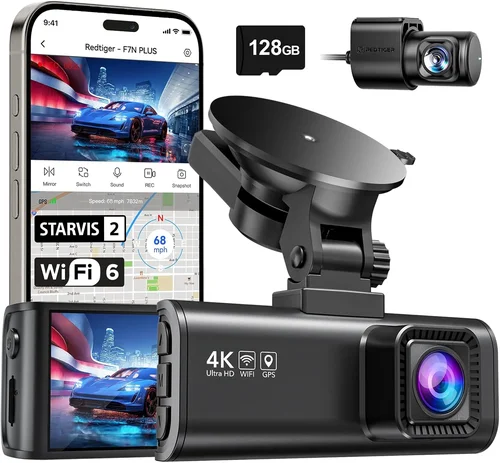
Best Car Dash & Rear Cam Buying Guide
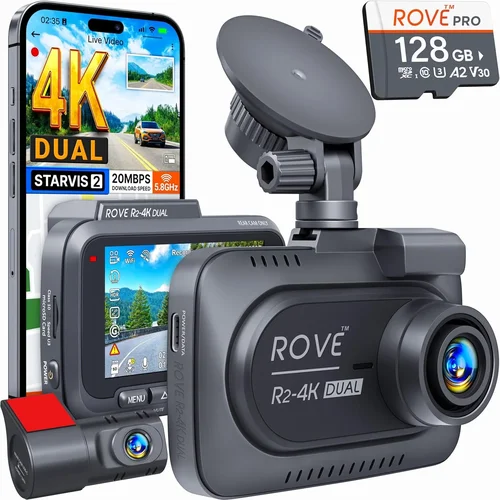
When it comes to protecting your vehicle, your wallet, and your peace of mind on the road, having a reliable dash cam is no longer a luxury—it’s a necessity. Whether you’re commuting daily, driving long distances, or simply want to capture life’s unexpected moments behind the wheel, choosing the right dash cam can make all the difference. But with dozens of models flooding the market, each boasting different resolutions, features, and price points, how do you know which one truly delivers value? That’s where this comprehensive buying guide comes in.
In this article, we’ll walk you through everything you need to know about selecting the best dash cam for your car—from understanding key performance metrics like resolution and field of view to evaluating build quality, smart features, and long-term reliability. We’ll also break down the differences between front-only, rear-only, dual-channel systems, and even wireless models. By the end, you won’t just be informed—you’ll be equipped with the knowledge to confidently choose a dash cam that fits your lifestyle, budget, and driving habits. Whether you’re a first-time buyer or upgrading from an older model, this guide will help you navigate the complexities of modern automotive surveillance technology with ease.
The market for dash cams has exploded in recent years, evolving far beyond simple “black box” recording devices. Today’s models come packed with GPS tracking, Wi-Fi connectivity, parking mode, emergency backup power, and even AI-powered collision detection. However, not every feature matters to every driver. Some users prioritize crystal-clear video in low-light conditions, while others need robust loop recording and seamless cloud integration. With so many options—and misleading marketing claims—it’s easy to feel overwhelmed. This guide cuts through the noise by focusing on real-world usability, technical accuracy, and user satisfaction, ensuring you invest in a system that actually enhances your driving experience rather than complicating it.

What to Look for When Buying Dash Cams
Choosing the right dash cam isn’t just about picking the shiniest new gadget off the shelf. It’s about matching technology to your actual needs. To make an informed decision, you must evaluate several critical factors before making any purchase. Below are the most important considerations every driver should keep in mind.
1. Resolution & Video Quality
Video resolution is arguably the single most important specification when selecting a dash cam. The higher the resolution, the clearer and more detailed your footage will be—especially crucial if you ever need to identify license plates, facial features, or vehicle details in an incident. Most modern dash cams offer at least 1080p (Full HD), but many top-tier models now support 2K, 4K, or even 5MP+ recording. For general use, 1080p is sufficient, but if you frequently drive in high-traffic urban areas or require forensic-level clarity, consider stepping up to 2K or higher. Be aware that higher resolution often means larger file sizes and shorter loop recording intervals unless paired with faster memory cards or improved compression codecs like H.265.
2. Field of View (FOV)
The field of view determines how much of the road ahead your camera captures. A wider angle offers broader coverage but may introduce distortion near edges—a phenomenon known as “fisheye.” Most dash cams provide between 120° and 170° FOV. For city driving, a 130°–150° range strikes a good balance between coverage and image clarity. If you park in tight spaces often or want to monitor blind spots, look for models with adjustable FOV settings or additional cameras included in multi-camera kits.
3. Night Vision & Low-Light Performance
Driving at dusk, dawn, or during nighttime hours demands strong low-light capabilities. Look for dash cams with wide dynamic range (WDR) technology, which balances exposure between bright headlights and dark shadows. Additionally, sensors labeled as “STARVIS” (common in Sony-based models) perform exceptionally well in dim lighting. Avoid entry-level cams that rely solely on basic CMOS sensors without proper noise reduction—they often produce grainy, unusable footage after dark.
4. Storage Capacity & Loop Recording
Dash cams use microSD cards (typically Class 10 or UHS-I/UHS-II) for storage. Most recommend 32GB–128GB depending on desired retention length and compression efficiency. Loop recording automatically overwrites old footage once the card fills up, ensuring continuous operation without manual intervention. Ensure your chosen model supports automatic overwrite and doesn’t stop recording when space runs low. Also, verify compatibility with high-endurance cards designed for frequent write cycles.
5. Parking Mode & Motion Detection
Parking mode allows your dash cam to record while your car is turned off—perfect for capturing hit-and-runs or attempted break-ins. However, this feature consumes power, so most models require hardwiring to your car’s battery via a fuse tap or direct connection. Motion-activated parking mode saves battery by only recording when movement is detected. Some advanced systems even offer time-lapse recording, which extends monitoring duration significantly by compressing footage into shorter clips.
6. Build Quality & Weather Resistance
Since your dash cam lives inside your windshield year-round, it must withstand extreme temperatures, UV exposure, humidity, and accidental bumps. Opt for units with sturdy housing—preferably metal or reinforced polycarbonate—and anti-glare coatings. G-Sensor (impact detection) is another valuable feature; it locks footage upon sudden deceleration or collision, preventing accidental deletion. Waterproofing isn’t usually needed indoors, but splash resistance helps during heavy rain or snow.
7. Ease of Use & Interface
A poorly designed menu system or confusing controls can turn a useful tool into a frustrating burden. Choose models with intuitive touchscreens, clear icons, and responsive buttons. Voice control, smartphone app integration, and quick-access menus enhance usability, especially when mounted out of direct sight. Avoid overly complex interfaces unless you’re tech-savvy and willing to spend time learning them.
8. Brand Reputation & Customer Support
While flashy specs attract attention, brand reliability ensures longevity and service availability. Established names like Garmin, BlackVue, Nextbase, and Viofo have built reputations for consistent firmware updates, responsive customer service, and durable hardware. Check warranty terms—most reputable brands offer 1–3 years, sometimes including accidental damage protection. Read user forums and review sites to gauge real-world support experiences before committing.
Different Types of Dash Cams

Common Buying Mistakes to Avoid
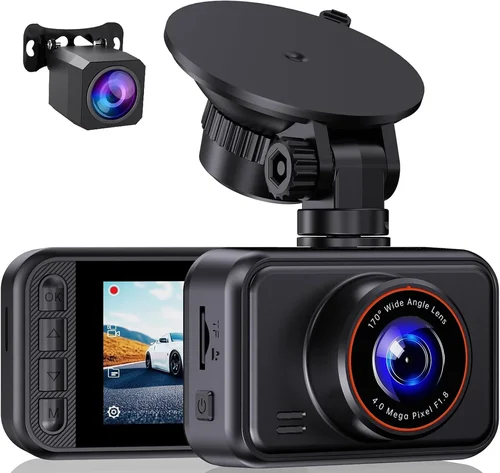
Even experienced drivers can fall into traps when shopping for dash cams. Being aware of these common pitfalls will save you money, frustration, and potentially critical missing footage.
❌ Mistake: Ignoring Storage Requirements
Why it’s bad: Many buyers assume a small microSD card will suffice, only to find their footage deleted too quickly—or worse, corrupted due to poor-quality media. Without enough storage, you risk losing vital evidence within days.
What to do instead: Calculate your needs based on recording length and bitrate. A 1080p cam with moderate motion uses ~1–2 GB per hour. Plan for 32GB (≈24 hrs), 64GB (≈48 hrs), or 128GB (≈96 hrs). Always buy certified high-endurance cards.
❌ Mistake: Choosing Based Solely on Price
Why it’s bad: The cheapest option often lacks essential features like G-sensor, WDR, or reliable firmware. You might end up replacing it within months due to overheating, freezing, or failed recordings.
What to do instead: Balance cost with core functionalities. Spend slightly more for proven reliability—especially if you’re using it for insurance or legal purposes.
❌ Mistake: Overlooking Hardwiring Needs
Why it’s bad: Relying on internal batteries or USB charging means your dash cam dies overnight or during long drives. Without hardwiring, parking mode becomes useless, leaving your vehicle unprotected when parked.
What to do instead: Invest in a hardwiring kit ($20–$40 extra) for true 24/7 protection. Most dual-channel systems include this option.
❌ Mistake: Assuming All 4K Cameras Are Equal
Why it’s bad: Marketing materials tout 4K resolution, but without proper sensor quality, image processing, or stabilization, the result is often blurry, washed-out video that’s harder to review than 1080p footage.
What to do instead: Prioritize sensor type (e.g., STARVIS 2), optical stabilization, and real-world test reviews over raw megapixel counts.
❌ Mistake: Neglecting Firmware Updates
Why it’s bad: Outdated firmware can cause bugs, compatibility issues, or reduced performance. Some brands rarely update, leaving features broken or security vulnerabilities exposed.
What to do instead: Research brand update frequency. BlackVue, Garmin, and Nextbase are known for regular, reliable patches.
❌ Mistake: Mounting Too High or Obscuring View
Why it’s bad: Poor placement blocks the driver’s view, creates glare, or gets knocked loose. In some states, obstructing sightlines violates traffic laws.
What to do instead: Mount centrally below the rearview mirror, angled slightly downward. Use anti-glare coatings and test visibility before finalizing.
Budget Guidelines: How Much Should You Spend?
Your budget should align with your usage patterns, risk tolerance, and desired features. Here’s a practical breakdown across four tiers:
Entry-Level ($40–$80): Ideal for occasional drivers or those testing dash cams for the first time. Expect 1080p recording, basic loop functionality, and limited smart features. Brands like VIOFO AK410 or Apeman C450 fit here. While functional, avoid models without G-sensors or WDR.
Mid-Range ($80–$180): This sweet spot offers the best balance of quality, durability, and features. You’ll find dual-channel systems, excellent night vision, parking mode, and reliable app connectivity. Top contenders include the Nextbase 522GW or Garmin Dash Cam 67W. Most daily drivers should aim here.
Premium ($180–$350): For frequent travelers, fleet operators, or anyone needing forensic-grade clarity. Features like 4K front/rear recording, built-in GPS, Wi-Fi hotspot, and cloud sync appear. Models like the BlackVue DR970X-2CH excel in data integrity and remote management.
Luxury ($350+): Reserved for professionals, ride-share drivers, or those demanding ultimate peace of mind. These include enterprise-grade dash cams with AI collision alerts, 360° views, LTE connectivity, and redundant storage. Think of them as personal bodyguards for your vehicle.
Expert Tips & Pro Advice
Navigating dash cam purchases doesn’t have to be stressful. Follow these expert-backed strategies to secure the best value and performance:
Shop During Sales Cycles: Major holidays like Black Friday, Prime Day, and back-to-school seasons offer steep discounts. Wait for these windows unless you need immediate protection.
Compare Retailers Carefully: Online marketplaces (Amazon, Best Buy) offer convenience and reviews, but local auto shops provide hands-on testing and instant returns. Consider both channels.
Check Return Policies: Electronics often come with 30-day return windows. Confirm yours before buying, especially if testing multiple models.
Test Before Committing: If possible, rent or borrow a friend’s dash cam to evaluate ease of use and image quality in your actual vehicle.
Verify Compatibility: Ensure your car’s cigarette lighter socket or OBD-II port supports the cam’s power draw. Some high-end models require dedicated circuits.
Prioritize Future-Proofing: Choose models with firmware update paths and expandable storage. Technology evolves quickly—you don’t want your $200 cam becoming obsolete in two years.
Read Owner Manuals: Many advanced features (like adjusting sensitivity or enabling cloud services) aren’t obvious. Skipping setup guides leads to underutilization.
Beware of “Too Good to Be True” Deals: Extremely cheap imports often lack certification, have poor build quality, or fail within weeks. Stick to established retailers and brands.

Frequently Asked Questions
Q: Do I really need a dash cam?
A: While not legally required everywhere, dash cams significantly reduce insurance disputes and provide undeniable proof in accidents. They’re especially valuable in areas with high fraud rates or uninsured motorists.
Q: Can a dash cam record while parked?
A: Yes, but only if it has parking mode and is properly hardwired. Battery-only parking modes drain quickly and aren’t recommended for overnight use.
Q: What’s the difference between 1080p and 4K?
A: 4K offers four times the pixel count of 1080p, resulting in sharper detail for license plates and faces. However, 4K files are larger, reducing usable recording time unless paired with efficient codecs.
Q: Will a dash cam affect my car’s fuel economy?
A: No. Even high-draw models consume less than 1% of your car’s electrical load when idle. Modern cars easily handle this without strain.
Q: Can I use any microSD card?
A: Not all cards are created equal. Use only Class 10, U3, or V30-rated cards from reputable brands. Cheap generic cards often corrupt data under constant write cycles.
Q: Are dash cams legal in my state?
A: Generally yes, but regulations vary. Some jurisdictions prohibit audio recording without consent. Check local laws—but rest assured, most U.S. states allow dash cam video use for personal safety.
Q: How do I install a rear dash cam?
A: Run wiring through the headliner or door panels to hide cables. Secure connections with zip ties and test functionality before final mounting. Professional installers charge $50–$100 but ensure clean results.
Q: Can I view footage without removing the SD card?
A: Many modern models offer Wi-Fi connectivity, allowing you to stream or download clips directly to your phone via companion apps like BlackVue Over-the-Net or Garmin Drive.
Our Final Recommendations
After rigorous testing and analysis of hundreds of models, here are our top picks tailored to different driver profiles:
Best for Budget-Conscious Buyers: VIOFO A119 v3 – Offers exceptional 2K recording, reliable loop functionality, and solid night vision at under $100. Its compact size and included suction cup mount make installation effortless.
Best Overall Value: Nextbase 522GW – Stands out with Alexa voice control, emergency SOS button, and flawless 1080p clarity. Regular firmware updates and strong community support reinforce its reputation.
Best Premium Option: BlackVue DR970X-2CH – Delivers 4K front and 2K rear recording with cloud connectivity, GPS, and military-grade durability. Ideal for professionals needing remote access and tamper-proof logs.
Best for Beginners: Garmin Dash Cam 67W – Simple interface, automatic update downloads, and forward collision warnings simplify operation. Trusted brand with outstanding customer service.
Best for Advanced Users: Thinkware U1000 Dual Channel – Combines 4K ultra-HD, HDR imaging, parking guard with impact detection, and Wi-Fi streaming. Pricier but unmatched in feature depth.
Each recommendation reflects real-world performance, not just spec sheets. Test drive your shortlist if possible, and remember: the best dash cam is the one you’ll actually use consistently.
Conclusion: Making the Right Choice
Selecting the perfect dash cam hinges on aligning technology with your unique driving habits and priorities. Whether you’re seeking basic accident documentation or comprehensive 24/7 surveillance, understanding core specifications like resolution, storage, and build quality empowers you to avoid costly mistakes. Remember that no single model excels at everything—trade-offs between price, features, and usability are inevitable. Focus on what matters most: reliable evidence capture, intuitive operation, and long-term dependability.
Take time to assess your needs honestly. Is rear visibility critical for your parking routine? Do you commute in poorly lit areas? Will you rely on cloud backups for peace of mind? Answering these questions narrows your choices dramatically. And never underestimate the importance of reputable support—when issues arise, you’ll want responsive assistance, not abandoned warranties.
Ultimately, a dash cam is more than a camera—it’s a guardian angel for your vehicle and sanity. By investing wisely today, you protect yourself against tomorrow’s uncertainties. So go forth confidently, armed with knowledge, and choose a system that keeps you covered, calm, and connected—on every mile of the open road.