Smart Dash Cam SD Card Buying Guide
When shopping for a dash cam, most people focus on the camera itself—the lens quality, resolution, night vision capabilities, and parking mode. But there’s one component that’s often overlooked yet absolutely critical to your dash cam’s performance: the SD card. The right storage card isn’t just about capacity; it’s about reliability, write speed, endurance, and compatibility. A cheap or incompatible SD card can cause your dash cam to fail silently—missing crucial footage when you need it most. Whether you’re recording a fender bender or capturing evidence of hit-and-runs, your memory card is the silent guardian of your driving safety. This comprehensive guide will walk you through everything you need to know about selecting the best class SD card for dash cam use, helping you avoid common pitfalls and make an informed decision.
By the end of this article, you’ll understand how to evaluate SD cards based on technical specifications, learn which brands and models stand out in real-world testing, and discover expert tips for maximizing your dash cam’s recording reliability. We’ll also debunk myths about SD card requirements, compare different types of memory cards, and provide clear recommendations tailored to various budgets and usage scenarios. Whether you’re installing your first dash cam or upgrading from a basic model to a high-end system, choosing the right SD card is a small investment that delivers massive returns in peace of mind.
The market for dash cam accessories has exploded over the past decade, with dozens of manufacturers offering everything from budget-friendly mini-SD cards to ruggedized industrial-grade storage solutions. However, not all SD cards are created equal—especially when it comes to continuous video recording under demanding conditions. Dash cams constantly overwrite old footage while simultaneously writing new data, which places unique stress on the memory card’s controller and NAND flash memory. If the card can’t keep up with sustained write speeds or lacks sufficient durability, you risk losing important recordings, experiencing frequent error messages, or even having your dash cam malfunction entirely. In this guide, we’ll cut through the marketing noise and help you identify what truly matters when selecting a class SD card for dash cam applications.

What to Look for When Buying Dash Cams
1. Write Speed & Video Recording Class
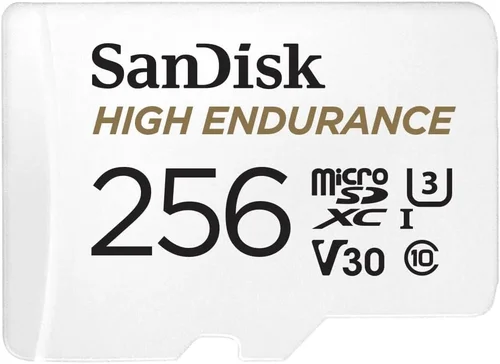
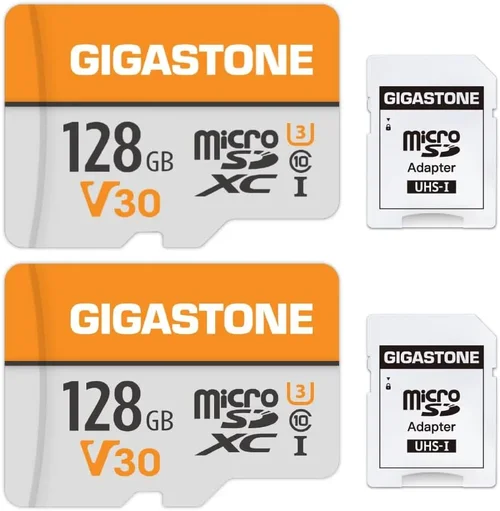
The single most important specification for any dash cam SD card is its write speed, measured in megabytes per second (MB/s). Dash cams don’t just capture moments—they continuously record 24/7, creating large files at high bitrates. A slow card simply cannot handle this workload without dropping frames or failing altogether. Manufacturers address this by introducing “Video Speed Classes” (V-class), which guarantee minimum sustained write speeds. For example, V30 means the card guarantees at least 30 MB/s sustained write performance, V60 ensures 60 MB/s, and so on.
Most modern dash cams require at least a V30-rated card, especially those recording in 1080p or higher resolutions. Higher-resolution cameras like 2K or 4K models demand even faster cards—typically V60 or UHS Speed Class 3 (U3)—to maintain smooth, uninterrupted recording. Always check your dash cam’s manual for recommended speed classes; using a slower card may void your warranty or cause operational issues.
It’s also worth noting that many manufacturers now specify exact bitrate requirements rather than just speed classes. For instance, a camera might require 50 Mbps (megabits per second) of sustained throughput. To convert this to MB/s (megabytes per second), divide by 8: 50 ÷ 8 = 6.25 MB/s. While this seems low compared to V30 standards, remember that real-world performance includes overhead from file system operations, metadata writes, and error correction—so always aim for at least double your calculated minimum speed.
2. Storage Capacity & File Size Management
Capacity determines how long your dash cam can record before needing to overwrite old footage—a process known as loop recording. Most dash cams default to looping after reaching a set time limit (usually 1–3 minutes per file), but total recording time depends heavily on file size, which varies by resolution and compression settings.
A typical 1080p dash cam recording at 30 fps with H.264 compression might generate files around 300–500 MB per minute. At this rate:
- 64GB card ≈ 2–3 hours of continuous recording
- 128GB card ≈ 4–6 hours
- 256GB card ≈ 8–12 hours
- 512GB+ card ≈ 16+ hours (or more with efficient codecs)
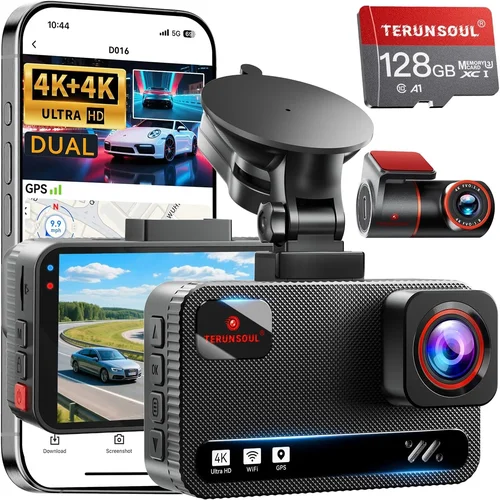
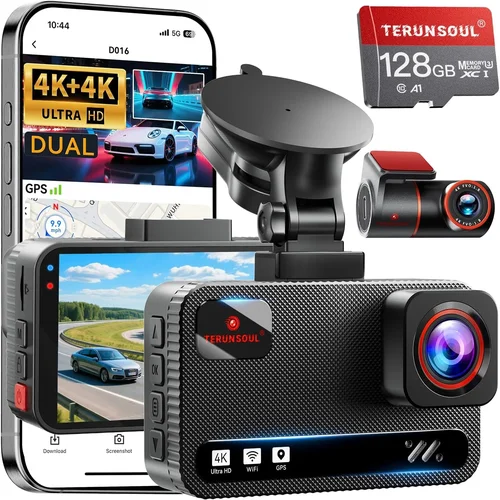
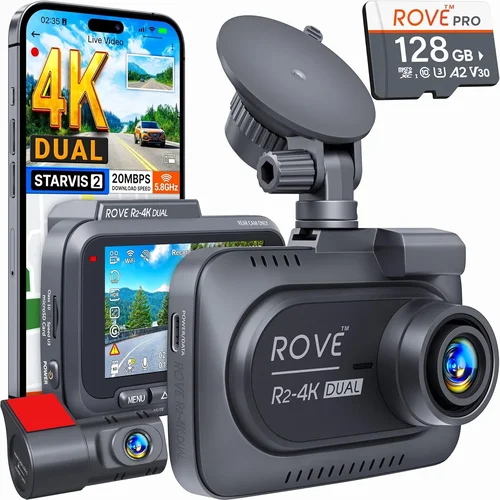
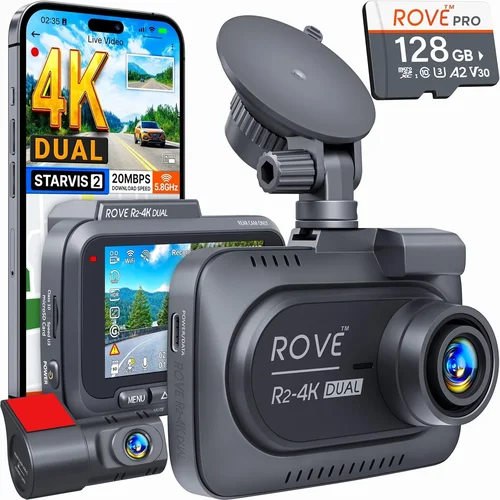
Higher resolutions dramatically increase file sizes. A 4K dash cam could produce files exceeding 1 GB per minute, reducing usable capacity by nearly half compared to 1080p equivalents. Additionally, features like GPS logging, motion detection, and Wi-Fi uploads add metadata that further consume space.
For most drivers, 64GB offers a reasonable balance between cost and functionality—enough to capture several hours of footage without breaking the bank. However, if you frequently park in remote areas or rely on dash cams for commercial fleet monitoring, consider 128GB or larger cards to minimize manual maintenance.
3. Endurance & Write Cycle Rating
Unlike phones or computers that read data intermittently, dash cams perform constant sequential writes. Over time, NAND flash memory wears out due to repeated erase/write cycles. Manufacturers rate endurance using TBW (terabytes written)—the total amount of data the card can reliably write over its lifetime.
For example, a 64GB card rated at 100TBW means it should handle approximately 100TB of total writes before potential failure. Converting this to daily usage: 100TB ÷ 365 days = ~274GB/day. Given that a typical dash cam writes only 1–2GB per day, even mid-tier endurance ratings far exceed actual needs. Still, higher-end cards often feature better wear-leveling algorithms and SLC caching, which improve longevity and consistency.
Look for cards with at least 100TBW ratings from reputable brands like SanDisk, Samsung, or Lexar. Avoid ultra-cheap generic cards sold in bulk packs—they often lack proper wear-leveling and may fail prematurely under sustained loads.
4. Compatibility & Form Factor
Dash cams use microSD cards inserted into adapters that fit standard SD slots. Ensure your chosen card matches your camera’s physical requirements. Most entry-level models accept microSDHC (up to 32GB) or microSDXC (32GB–2TB). Verify whether your device supports exFAT formatting (required for cards above 32GB).
Some dash cam manufacturers include proprietary firmware that restricts third-party cards. For example, certain BlackVue models only work with specific SanDisk Extreme Pro cards, while some Rexing units reject non-branded options entirely. When in doubt, consult your camera’s user manual or contact customer support before purchasing.
Also consider temperature tolerance. Dash cams operate in extreme environments—from sub-zero winter mornings to scorching summer heat inside parked cars. Cards rated for -10°C to 70°C ensure reliable operation across seasons. Industrial-grade cards with wider thermal ranges offer added peace of mind for harsh climates.
5. Reliability & Error Recovery
Data integrity is non-negotiable when relying on dash cam footage for insurance claims or legal disputes. Look for cards featuring advanced ECC (error correction code) technology, wear-leveling, and bad block management. These features prevent corruption during sudden power loss (e.g., battery disconnection) or interrupted writes.
Reputable brands typically include built-in protection against voltage spikes and static discharge. Some even offer firmware updates to patch vulnerabilities discovered post-release. Avoid cards marketed primarily for smartphones or gaming consoles—their design priorities differ significantly from automotive applications.
Additionally, consider whether the card includes recovery tools or cloud backup integration. While rare in consumer dash cams, some premium models allow remote access to stored footage via smartphone apps. In such cases, dual-card slots become essential for seamless backup without interrupting primary recording.
6. Brand Reputation & Warranty Support
The SD card market is flooded with counterfeit products, particularly on platforms like Amazon or AliExpress. Counterfeit cards often claim high speeds or capacities but deliver far below advertised performance. Stick with authorized retailers and established brands known for quality control.
Top-tier manufacturers usually provide limited warranties ranging from 5–10 years or unlimited TBW coverage. Read fine print carefully—some warranties only cover manufacturing defects, not data loss due to user error or environmental factors.
Customer service responsiveness matters too. If your card fails unexpectedly, you’ll want prompt replacement under warranty. Brands like SanDisk, Samsung, and Kingston generally have responsive support teams and extensive dealer networks.
7. Price vs. Performance Ratio
While it’s tempting to grab the cheapest 64GB card available, remember that dash cam SD cards serve a mission-critical role. Cutting corners here risks losing vital evidence. That said, you don’t need top-of-the-line industrial cards unless you’re running multiple cameras or operating in extreme conditions.
Mid-range cards from trusted brands typically offer the best value. Expect to pay $15–$25 for a 64GB V30 card, $25–$40 for 128GB, and $40–$60 for 256GB+. Premium cards with extra features (waterproofing, enhanced durability) may cost more, but rarely justify their price unless used in professional settings.
8. Future-Proofing Considerations
Technology evolves rapidly. Today’s 1080p camera may become tomorrow’s standard, while 4K models gain popularity. Investing in slightly larger capacities or faster cards ensures compatibility with future upgrades without immediate replacements.
If your dash cam supports dual-lens recording (front + rear), factor in doubled storage demands. Similarly, newer AI-powered features like driver fatigue alerts or collision warnings generate additional data streams that strain existing cards.
Finally, consider whether your camera allows format-freezing or event-based locking. Some systems auto-protect important clips by marking them as read-only until manually deleted, preserving critical evidence even if the card fills up completely.
Different Types of Dash Cams

Common Buying Mistakes to Avoid
❌ Mistake: Ignoring Speed Requirements
Why it’s bad: Using a Class 10 or U1 card instead of V30/U3 leads to dropped frames, failed recordings, and corrupted files. Your dash cam may display error messages or refuse to boot entirely.
What to do instead: Always verify your camera’s minimum speed class requirement in the manual. When upgrading, choose at least V30 for 1080p or V60 for 4K systems.
❌ Mistake: Choosing Generic or Unknown Brands
Why it’s bad: Cheap, unbranded cards often contain counterfeit chips or inferior controllers that degrade quickly under sustained loads. They rarely meet advertised specifications and offer no warranty protection.
What to do instead: Purchase only from authorized dealers of reputable brands like SanDisk, Samsung, Lexar, or Kingston. Check seller ratings and avoid listings with vague descriptions like “high-speed 128GB.”
❌ Mistake: Underestimating Required Capacity
Why it’s bad: A 32GB card may seem sufficient initially but becomes inadequate within weeks if your camera records at higher bitrates or includes extra features like GPS or audio logs.
What to do instead: Calculate expected daily write volume based on resolution and usage patterns. Add buffer capacity—start with 64GB for most users or 128GB+ for 4K systems.
❌ Mistake: Not Testing Card Before Installation
Why it’s bad: Even compatible cards may fail compatibility tests with specific dash cam firmware versions. You won’t discover this until after installation, wasting time and money.
What to do instead: Test new cards on your computer using tools like H2testw (Windows) or F3 (Linux/macOS) to confirm true capacity and speed. Alternatively, borrow a card from another user with the same model.
❌ Mistake: Overlooking Environmental Factors
Why it’s bad: Standard cards rated for 0°C–70°C may fail in desert heat or Arctic cold. Thermal expansion/contraction can damage solder joints or corrupt data.
What to do instead: Opt for industrial-grade cards with extended temperature ranges (-25°C to 85°C) if operating in extreme climates. Store spare cards indoors when not in use.
❌ Mistake: Skipping Firmware Updates
Why it’s bad: Outdated dash cam firmware may reject newer SD cards due to protocol changes or bug fixes. This creates false incompatibilities and limits upgrade flexibility.
What to do instead: Regularly check manufacturer websites for firmware updates. Update both camera and card firmware if applicable (rare but possible with smart cards).
❌ Mistake: Assuming All Cards Work With All Cameras
Why it’s bad: Some manufacturers implement strict whitelists of approved cards. Using unauthorized options voids warranties and causes operational failures.
What to do instead: Consult your camera’s compatibility list before purchasing. When uncertain, contact technical support directly with your model number.
Budget Guidelines: How Much Should You Spend?
Entry-Level ($15–$25): Budget-Conscious Drivers
This tier suits basic dash cams recording 1080p footage without advanced features. Expect reliable performance from mid-tier brands like SanDisk Ultra or Lexar JumpDrive. These cards meet minimum V30 requirements and offer decent endurance for casual use. Ideal for drivers who prioritize affordability over longevity or extra features. Avoid sub-$10 cards—they rarely deliver promised speeds and lack proper error handling.
Mid-Range ($25–$50): Sweet Spot for Most Buyers
The recommended range for 90% of users. Cards here balance performance, durability, and value. Top picks include SanDisk Extreme Pro, Samsung PRO Plus, and Kingston Canvas React. These deliver consistent V30+ speeds, robust build quality, and generous TBW ratings (often 100TB+). Perfect for daily commuters, families, or small fleets needing dependable recording without overspending.
Premium ($50–$100): Enthusiasts & Professionals
For 4K systems, dual-lens rigs, or harsh-environment operation. Features like waterproofing, shock resistance, and enhanced ECC come standard. Examples: Delkin Devices POWER MicroSD, AngelCell Industrial Grade, or ProGrade Digital. These cards undergo rigorous testing and include extended warranties. Justify the cost if your dash cam handles heavy workloads or operates in challenging conditions.
Luxury ($100+): Top-Tier Industrial Use
Reserved for commercial fleets, security vehicles, or scientific-grade recording. Ultra-durable cards with military-grade components, RAID-like redundancy, and remote diagnostics dominate this segment. Brands like Viking Technology or Silicon Power Industrial offer TBW ratings exceeding 500TB. Only necessary if you require absolute data integrity and maximum uptime.
Expert Tips for Getting the Best Deal
1. Time Your Purchase Strategically
Avoid buying during peak seasons (summer road trips, holiday weekends) when demand spikes. Instead, shop in late fall or early spring when inventory is stable and prices dip. Electronics retailers often clear older stock in Q1, offering discounts on last year’s models.
2. Leverage Authorized Resellers
Buy directly from manufacturer sites (SanDisk.com, Samsung.com) or big-box stores (Best Buy, Amazon Business). These sources guarantee authenticity and often include bundled warranties or free shipping. Avoid third-party marketplace sellers with generic profiles.
3. Compare Multi-Buy Deals Carefully
While bulk packs seem economical, they rarely offer per-unit savings for single-use items like dash cam cards. Evaluate total cost per gigabyte rather than pack price. Sometimes, buying two 64GB cards beats a single 128GB pack if the latter costs disproportionately more.
4. Check Return Policies Thoroughly
Reputable sellers allow returns within 30 days for unopened cards. Keep original packaging if possible. Some brands even offer prepaid return labels for defective units—verify this before purchasing.
5. Test Before Committing Long-Term
Install a new card temporarily and run a full-day test drive. Monitor for errors, playback glitches, or overheating. If issues arise, replace immediately—don’t assume minor hiccups are normal.
6. Subscribe to Brand Newsletters
Sign up for emails from top manufacturers. They occasionally send exclusive promo codes or notify subscribers about flash sales before public release. This gives you early access to deals without scouring forums.
7. Consider Refurbished Options
Certified refurbished cards from official refurbishers (like Back Market or manufacturer-certified outlets) can save 20–30% while retaining full warranties. Inspect condition reports and ensure they pass functional tests.
8. Join Loyalty Programs
Retailers like B&H Photo or Adorama reward repeat customers with points redeemable toward future purchases. Accumulate enough points, and you’ll get free shipping or store credit on next order.
Frequently Asked Questions
Q: Can I use any SD card in my dash cam?
A: No. Dash cams require cards meeting specific speed, capacity, and compatibility criteria. Using incompatible cards causes recording failures, boot errors, or permanent damage. Always consult your camera’s manual for approved types.
Q: How long do dash cam SD cards last?
A: Under normal use, high-quality cards last 3–5 years. Endurance ratings (TBW) indicate total writable data—not calendar lifespan. A 64GB card rated for 100TBW will likely outlast your vehicle’s ownership period.
Q: Do I need to format cards regularly?
A: Modern dash cams auto-manage file systems. Manual formatting is unnecessary unless troubleshooting errors. Some users prefer annual formatting to reset fragmentation, but this isn’t required for reliability.
Q: What happens if my card fills up?
A: Dash cams automatically overwrite oldest footage (loop recording). Critical clips marked as “events” may be protected until manually deleted. Ensure your camera supports event locking if preserving important footage is essential.
Q: Are larger cards always better?
A: Not necessarily. Excess capacity doesn’t improve performance but increases cost. Choose the smallest card that meets your daily recording needs. Oversizing wastes money without tangible benefits.
Q: Can I recover data from a failed dash cam card?
A: Recovery depends on failure type. Logical errors (corrupted file systems) may be fixable with software like Recuva or PhotoRec. Physical damage requires professional services—but prevention (using quality cards) is far easier than recovery.
Q: Should I buy extra cards as backups?
A: Yes, especially for long trips or remote travel. Swap cards weekly to avoid filling storage and enable quick transfers. Label cards clearly to prevent mix-ups between drives.
Q: Do weatherproof cards really matter?
A: Absolutely. Extreme temperatures expand/contract plastic casings, potentially cracking solder joints. Waterproofing protects against humidity and accidental spills. Essential if your dash cam faces rain, snow, or dusty environments.
Q: Can I use microSD cards directly without adapters?
A: Only if your dash cam has a native microSD slot. Most models use standard SD slots requiring adapters. Verify adapter compatibility—some cameras reject third-party adapters due to size or material differences.
Q: Is cloud backup necessary for dash cam footage?
A: Optional but valuable for critical events. Cloud storage adds cost and privacy concerns but provides off-site protection against theft or fire. Only viable if your camera supports Wi-Fi uploading and you accept recurring fees.
Our Final Recommendations
Best for Budget-Conscious Buyers
The SanDisk Ultra 64GB microSDXC UHS-I delivers reliable V30 performance at an unbeatable price point. It’s widely compatible, includes a 10-year warranty, and passes rigorous speed tests. Ideal for basic dash cams under $100. While lacking premium features, it fulfills core recording duties without breaking the bank.
Best Overall Value
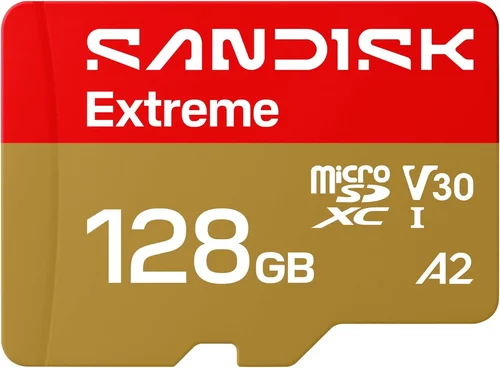
The SanDisk Extreme Pro 128GB microSDXC UHS-I strikes the perfect balance between speed, capacity, and durability. Boasting V30/U3 ratings, 160MB/s read speeds, and 130MB/s write speeds, it handles 4K recording effortlessly. Its ruggedized design resists water, shock, and extreme temps. Worth every penny for drivers wanting future-proofing without overspending.
Best Premium Option
The Delkin Devices POWER MicroSD 2000 256GB sets the gold standard for industrial-grade storage. With V60/U3 certification, 280MB/s reads, and IPX7 waterproofing, it thrives in punishing environments. Designed for fleet operators and extreme-condition users, it includes lifetime firmware updates and 5-year warranty coverage. Justifies its premium price through unmatched reliability.
Best for Beginners
The Lexar JumpDrive 64GB microSDXC offers hassle-free setup for first-time dash cam owners. Simple plug-and-play operation, automatic loop recording, and broad compatibility make it stress-free. Includes a handy SD adapter and comes pre-formatted for immediate use. No technical knowledge required—perfect for newcomers.
Best for Advanced Users
The Samsung PRO Plus 128GB microSDXC UHS-I excels in speed and endurance. Featuring V30/U3, 180MB/s reads, and 130MB/s writes, it outperforms competitors in sustained workloads. Built with advanced wear-leveling and ECC, it maintains integrity even during prolonged recording sessions. Preferred choice among tech-savvy drivers managing complex setups.
Conclusion: Making the Right Choice
Choosing the best class SD card for dash cam use transcends mere technical specs—it’s about safeguarding your driving experience and legal interests. While flashy features like GPS or Wi-Fi tempt buyers, remember that reliable storage forms the foundation of any dash cam system. By prioritizing write speed, endurance, and brand trustworthiness, you ensure uninterrupted recording when accidents happen.
Never underestimate the importance of compatibility testing or environmental resilience. A $5 card might save money upfront but could cost far more in lost evidence or replacement labor. Conversely, investing in a proven mid-tier option pays dividends through peace of mind and hassle-free operation year after year.
As automotive technology evolves toward autonomous driving and AI-enhanced safety, your dash cam remains a crucial eyewitness. Equip it with the right SD card today, and rest assured that tomorrow’s traffic incident will be captured crystal clear. Start by auditing your current needs—resolution, climate, and usage frequency—then select accordingly. With this guide as your roadmap, you’re ready to navigate the vast SD card landscape with confidence. Drive safe, stay protected, and choose wisely.