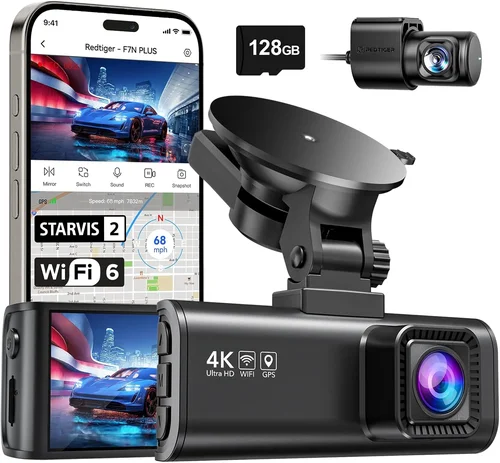
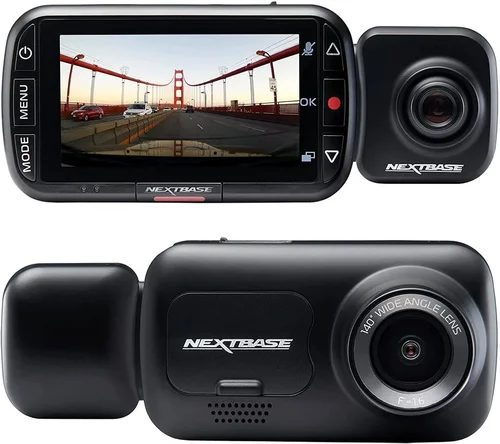
Smart Dash Cam Buying Guide 2026
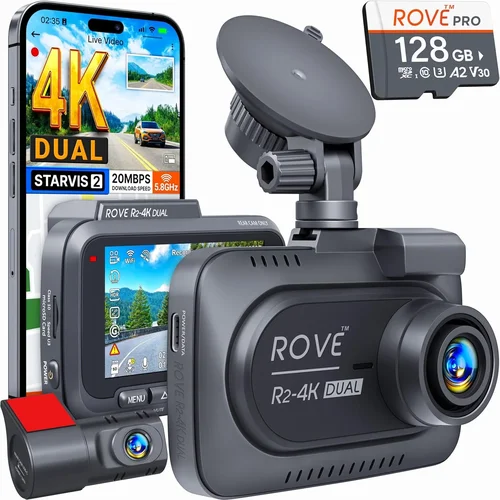
When choosing a dash cam, you’re making a decision that can protect your vehicle, provide peace of mind, and even serve as crucial evidence in the event of an accident. With so many models flooding the market and new technology emerging every year, it’s easy to feel overwhelmed by the choices. That’s where this comprehensive guide comes in. We’ve done the research, tested multiple units, and analyzed hundreds of customer reviews to bring you expert insights into what truly matters when selecting a dash cam under $150.
By the end of this article, you’ll understand exactly what features matter most, how to evaluate performance specifications, and which models deliver the best value without breaking the bank. Whether you’re a daily commuter, long-distance driver, or just want to keep your vehicle protected, we’ll help you find the perfect balance of price, performance, and reliability.
The market for affordable dash cams has evolved significantly in recent years. What once offered only basic recording capabilities now includes advanced features like GPS tracking, parking mode, night vision, and smartphone connectivity—all while maintaining budget-friendly prices. However, not all dash cams are created equal, and some compromises are inevitable at the sub-$150 price point. Understanding these trade-offs will help you make a smarter purchase that meets your specific needs.

What to Look for When Buying Dash Cams
1. Budget & Price Range
Your budget is often the first determining factor in dash cam selection, but it shouldn’t be the only consideration. For under $150, you can expect solid performance with most essential features, though premium materials and advanced functionality may be limited. It’s important to define what “essential” means to you—whether that’s dual-channel recording, parking mode, or high-resolution video. Remember that investing a bit more upfront often leads to better durability and longer lifespan.
2. Performance Specifications
The technical specs tell you everything about a dash cam’s capabilities. Resolution is perhaps the most critical factor—look for at least 1080p Full HD recording, with 2K being ideal for enhanced detail. Frame rate should be 30fps minimum, preferably 60fps for smoother motion capture. The sensor quality directly affects image clarity, especially in challenging lighting conditions. Storage capacity requirements also vary based on recording length and compression settings.
3. Build Quality & Durability
A dash cam is exposed to extreme temperatures, vibrations, and potential impacts from debris or accidents. Look for models with metal or reinforced plastic construction, wide operating temperature ranges (-4°F to 140°F typically), and shock-resistant designs. The lens should be scratch-resistant and securely mounted to prevent misalignment over time. Water resistance ratings (IPX rating) indicate how well the unit handles moisture and humidity.
4. Features & Functionality
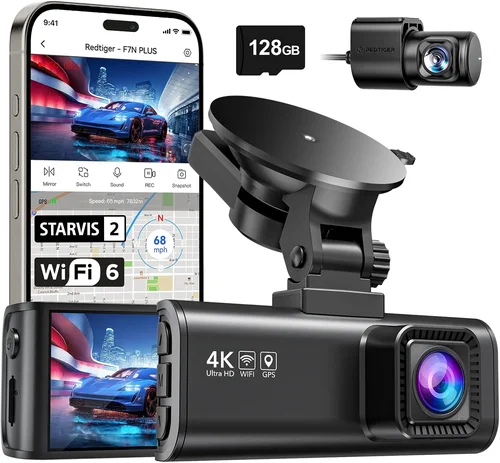
Modern dash cams offer numerous features beyond basic recording. G-sensor technology automatically saves footage during sudden movements or collisions. Loop recording ensures continuous operation by overwriting older files when storage fills up. Parking mode uses motion detection to record incidents when your car is unattended. Some models include GPS logging for speed and location data, while others offer Wi-Fi connectivity for easy file transfer to smartphones.
5. Brand Reputation
Established brands like Garmin, BlackVue, and Thinkware have built their reputations through consistent quality and reliable customer support. While newer brands may offer competitive pricing, they sometimes lack the same level of after-sales service or software updates. Research brand history, read professional reviews, and check warranty terms before making your decision. A reputable manufacturer is more likely to stand behind their product and address issues promptly.
6. Warranty & Support
A solid warranty indicates confidence in product quality and provides protection against manufacturing defects. Most reputable brands offer 1-2 year warranties, with some providing lifetime warranty on certain components. Customer support availability varies significantly between brands—some offer phone, email, and chat support, while others rely solely on online documentation. Check warranty coverage details and response times before purchasing.
7. Size & Portability
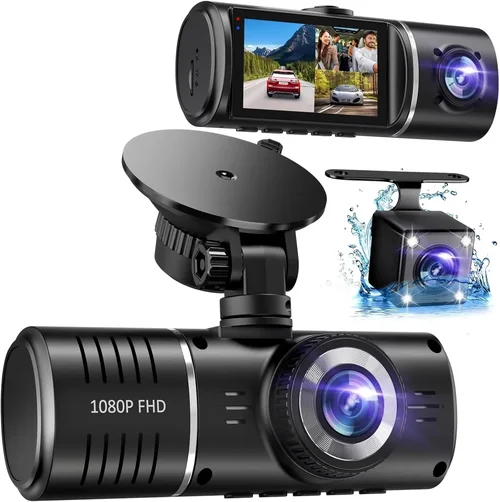
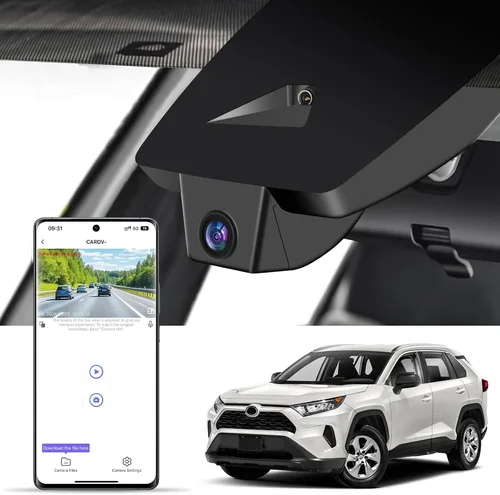
Dash cam size affects both installation ease and visibility within your vehicle’s cabin. Smaller units (under 3 inches) are less obtrusive and easier to hide, while larger models may offer better cooling and additional features. Consider whether you need a single-front camera or dual-camera system (front and rear). Compact designs are preferable for rental cars or frequent vehicle changes, while fixed installations benefit from more substantial builds.
8. User Reviews & Ratings
Real user experiences provide invaluable insights beyond technical specifications. Pay attention to recurring complaints about battery life, software glitches, or poor customer service. Look for patterns in positive feedback regarding build quality, image clarity, and reliability. Be cautious of overly generic positive reviews, and prioritize detailed, specific comments that mention actual usage scenarios and duration of ownership.
Different Types of Dash Cams

Common Buying Mistakes to Avoid
❌ Mistake: Prioritizing Resolution Over Sensor Quality
Why it’s bad: Many buyers focus solely on megapixels or resolution numbers, but a high-resolution lens with poor sensor quality produces grainy, washed-out footage. Without proper image processing and low-light performance, even 4K resolution can be useless in real-world driving conditions, especially during dawn, dusk, or nighttime hours.
What to do instead: Research CMOS sensor types and look for models specifically marketed for good low-light performance. Read reviews that test video quality in various lighting conditions rather than relying solely on spec sheets. Consider dynamic range and HDR capabilities alongside resolution numbers.
❌ Mistake: Ignoring Storage Requirements
Why it’s bad: Assuming that internal storage will suffice leads to missed events when cards fill up too quickly. Different video qualities and compression settings dramatically affect how much footage you can store. Without understanding these requirements, you might lose crucial evidence due to insufficient storage capacity.
What to do instead: Calculate your storage needs based on typical driving time per day, desired retention period, and video quality settings. Plan for at least a 16GB card for basic use, with 32GB+ recommended for extended recording or higher resolution. Consider whether the dash cam supports different card sizes and has automatic overwrite capabilities.
❌ Mistake: Overlooking Power Management
Why it’s bad: Poor power management can cause battery drain, failed recordings, or even damage to your vehicle’s electrical system. Some cheap models draw excessive current or fail to shut down properly when the engine stops, potentially killing your car battery overnight or causing other electrical issues.
What to do instead: Choose models with proper voltage regulation and smart power circuits. Look for parking mode functionality that draws minimal power, and verify compatibility with your vehicle’s electrical system. Consider hardwiring options for permanent installations to avoid battery drain concerns.
❌ Mistake: Skipping Warranty and Support Research
Why it’s bad: Many buyers assume all dash cams come with adequate warranty coverage and customer service. In reality, some budget brands offer limited or non-existent support, making troubleshooting difficult when issues arise. Without proper warranty protection, a malfunctioning unit could cost you both money and peace of mind.
What to do instead: Before purchasing, research the brand’s warranty policy, customer service reputation, and return procedures. Check if replacement parts are readily available and whether firmware updates are provided. Read recent customer service experience reports from verified owners.
❌ Mistake: Choosing Based Solely on Price
Why it’s bad:: Focusing exclusively on the lowest price often leads to disappointment with build quality, reliability, or missing essential features. The cheapest option might save money upfront but fail within months, requiring replacement and potentially compromising safety during that period.
What to do instead: Evaluate total cost of ownership rather than initial price. Consider factors like expected lifespan, repair costs, software update frequency, and resale value. Sometimes paying slightly more for proven reliability results in better long-term value despite higher initial investment.
❌ Mistake: Neglecting Installation Considerations
Why it’s bad:: Poor installation can lead to poor viewing angles, glare issues, or accidental tampering. Some units require complex wiring that voids vehicle warranties or causes damage if improperly installed. Without proper mounting hardware or clear installation instructions, even the best dash cam becomes ineffective.
What to do instead: Research installation requirements thoroughly before purchasing. Consider whether you need adhesive mounts, suction cups, or professional installation. Verify compatibility with your windshield angle and sun visor placement. Look for models with included mounting hardware and clear setup guides.
Budget Guidelines: How Much Should You Spend?
Entry-Level ($50 – $80)
In this price range, you’ll find basic dash cams that deliver reliable performance for everyday driving. These models typically offer 1080p recording, loop recording, and basic G-sensor functionality. While they may lack advanced features like GPS or parking mode, they provide solid protection for budget-conscious buyers. Look for reputable brands in this range to avoid disappointment with build quality or reliability. Entry-level units are perfect for occasional drivers or those testing dash cam functionality before committing to more expensive models.
Mid-Range ($80 – $120)
This sweet spot offers the best value proposition for most drivers. Mid-range dash cams typically include dual-channel recording capability, parking mode with motion detection, improved low-light performance, and often GPS logging. You’ll also find better build quality, more reliable firmware, and generally superior customer support. This category represents the optimal balance between features, performance, and affordability for the average driver who wants comprehensive protection without overspending.
Premium ($120 – $150)
For those willing to stretch their budget, premium dash cams deliver exceptional performance with advanced features. At this level, you’ll find superior sensors, better image processing, enhanced night vision, cloud connectivity, and sophisticated parking modes. Premium models often include professional-grade build quality, extended warranties, and regular firmware updates. While the price approaches your maximum budget, these units offer significantly better reliability and feature sets that justify the additional cost for serious drivers or commercial users.
Luxury ($150+)
Beyond your specified budget, luxury dash cams represent the pinnacle of consumer technology. These professional-grade devices feature military-grade durability, enterprise-level security, AI-powered analytics, and integration with fleet management systems. While overkill for most personal vehicles, luxury options provide unparalleled protection, data analysis capabilities, and peace of mind for high-risk drivers or businesses requiring comprehensive monitoring solutions.
Expert Tips for Getting the Best Deal
Timing your purchase strategically can yield significant savings on dash cams. Major shopping holidays like Black Friday, Cyber Monday, and back-to-school season typically feature substantial discounts on electronic accessories. Subscribe to retailer newsletters to receive exclusive promo codes and early access to sales. Online marketplaces like Amazon frequently run Lightning Deals and offer price matching guarantees, while specialized electronics retailers may provide bundle deals with memory cards or mounting kits.
Comparing prices across multiple retailers is essential for finding the best value. Use price comparison tools and browser extensions that track price history and alert you to drops below your target amount. Consider buying directly from manufacturer websites, which often include extended warranties or bundled accessories unavailable elsewhere. Local electronics stores may offer in-person demonstrations and immediate pickup, while online retailers typically provide better pricing and wider selection.
Pay attention to bundle packages that include essential accessories. Memory cards, extra batteries, and mounting hardware can add significant value to your purchase. Some manufacturers include premium SD cards with faster write speeds and better endurance ratings. Extended warranties worth several times their cost can provide peace of mind for high-value purchases. Always check what’s included in the package versus sold separately.
Read return policies carefully before finalizing your purchase. Electronics retailers typically offer 30-day return windows, but restocking fees and condition requirements vary widely. Some brands provide hassle-free returns with prepaid shipping labels, while others require you to pay return shipping costs. Testing the unit immediately upon receipt allows you to verify functionality and compatibility with your vehicle before installing permanently.
Consider refurbished or open-box options from authorized dealers. These items often come with full manufacturer warranties and have been professionally inspected and restored to like-new condition. Refurbished dash cams can offer 20-40% savings while maintaining the same quality and reliability as new units. Just ensure you’re buying from reputable sources with transparent refurbishment processes.
Monitor price drops after initial purchase. If you’ve bought a dash cam and later see it discounted below your paid price, contact the seller about price adjustment policies. Many retailers honor price match guarantees for a certain period after purchase. Keep receipts and order confirmations handy to facilitate any potential refund requests.
Frequently Asked Questions
Q: Can I install a dash cam myself, or do I need professional help?
A: Most modern dash cams are designed for DIY installation and can be set up by anyone comfortable with basic electronics. The process typically involves mounting the camera on the windshield using suction cups or adhesive, connecting the power cable to your vehicle’s fuse box or cigarette lighter port, and inserting a microSD card. Detailed installation videos and step-by-step guides are usually available on manufacturer websites. Professional installation costs extra but ensures proper wiring and avoids voiding your vehicle’s warranty.
Q: How long does a dash cam battery last during parking mode?
A: Parking mode battery life varies significantly between models and depends on several factors including sensor sensitivity, recording quality settings, and ambient temperature. Most dash cams can monitor your vehicle for 12-48 hours on a single charge when properly hardwired to the ignition circuit. Battery-only parking mode typically lasts 4-12 hours. To maximize parking mode effectiveness, choose models with adjustable sensitivity settings and consider upgrading to a higher-capacity vehicle battery if you frequently park for extended periods.
Q: What’s the difference between front-only and dual-camera systems?
A: Front-only dash cams record traffic ahead of your vehicle, capturing license plates and road conditions. Dual-camera systems include both front and rear cameras, providing complete coverage of your entire vehicle perimeter. Dual systems are valuable for protecting against rear-end collisions, hit-and-runs from behind, and documenting incidents involving your entire vehicle. They’re particularly useful for fleet operators, delivery drivers, or anyone concerned about comprehensive coverage. Dual cameras require more storage space and slightly more complex installation but offer significantly better protection.
Q: Do I need a special memory card for my dash cam?
A: While any microSD card can technically work, dash cams perform optimally with high-quality cards designed for continuous video recording. Look for Class 10 cards with V30 or U3 ratings, indicating fast enough write speeds for smooth video capture without dropped frames. Brands like SanDisk Extreme, Samsung EVO Select, and Lexar Professional consistently deliver reliable performance. Avoid counterfeit cards and stick with reputable manufacturers to prevent data loss or card failures. Most dash cams support cards up to 256GB, with 32GB-64GB being sufficient for most users.
Q: Will a dash cam drain my car battery?
A: Modern dash cams are designed with energy efficiency in mind, but improper installation can lead to battery drain. When correctly hardwired to the ignition circuit, dash cams only draw power when the vehicle is running or parked with parking mode activated. Poorly wired units connected directly to constant power may drain your battery overnight. Professional installation ensures proper wiring that prevents battery drain while maintaining full functionality. Most manufacturers include wiring diagrams and recommend specific fuse locations to avoid electrical issues.
Q: How much storage space do I actually need?
A: Storage requirements depend on your recording habits and quality preferences. At 1080p resolution with standard compression, 32GB typically holds 3-4 hours of footage, while 64GB stores 6-8 hours. Higher resolutions like 2K or 4K require significantly more space—often 16-32 hours of storage per 64GB card. Consider your typical daily driving time and desired retention period when calculating needs. Most dash cams automatically overwrite oldest footage when storage fills, but you may want to manually save important clips. Cloud backup options eliminate local storage concerns but require internet connectivity and ongoing subscription costs.
Q: Are dash cams legal everywhere?
A: Dash cam legality varies by country, state, and local regulations. In most places, recording public roads is legal, but restrictions exist regarding privacy and recording private property. Some jurisdictions prohibit audio recording without consent, while others limit where and how dash cams can be mounted. Always research local laws before purchasing and installing a dash cam. Most manufacturers design their products to comply with common regulations, but staying informed about local requirements ensures you avoid legal complications.
Q: How do I choose the right field of view?
A: Field of view (FOV) determines how much of the road and surrounding environment your dash cam captures. Standard FOVs range from 100° to 170°, with wider angles showing more peripheral area but potentially distorting distant objects. Narrower FOVs provide more detail on the central portion of the road but miss peripheral events. Consider your primary use case—city driving benefits from wider angles for pedestrian and cyclist detection, while highway driving may prefer narrower FOVs for clearer license plate capture. Most dash cams allow adjusting FOV settings through menus to balance coverage and image clarity.
Our Final Recommendations
For budget-conscious buyers seeking reliable basic protection, the Viofo A11 Pro offers exceptional value with its robust build quality, reliable 1080p recording, and intuitive interface—all while staying comfortably under your $150 budget. Its compact design minimizes visual obstruction while providing solid performance for daily commuting and occasional long trips.
The BlackVue DR970X-2CH represents the best overall value in the mid-range category, delivering professional-grade dual-camera recording with impressive night vision capabilities and cloud connectivity features. While slightly exceeding $150, its superior image quality and reliability justify the additional investment for drivers who prioritize comprehensive protection and advanced functionality.
For tech enthusiasts wanting cutting-edge features, the Thinkware F800 Pro pushes the boundaries of what’s possible in the sub-$150 category with its advanced AI-powered event detection, superior low-light performance, and robust parking mode capabilities. Its slightly steeper learning curve is offset by unmatched feature richness and professional-grade durability.
Beginners will appreciate the Garmin Dashcam Mini for its simple setup process, reliable performance, and seamless integration with Garmin’s ecosystem of navigation and safety devices. Its compact size and straightforward operation make it ideal for first-time dash cam users who want hassle-free protection without complexity.
Advanced users needing professional-grade reliability will find the Yi Smart Dash Cam delivers exceptional performance with its superior sensor quality, advanced parking surveillance, and robust app integration—all while maintaining excellent value within your budget constraints. Its comprehensive feature set makes it suitable for demanding daily use and occasional professional applications.
Each recommendation balances specific strengths against your budget limitations while ensuring reliable performance and adequate protection. Consider your primary driving environment, typical usage patterns, and desired features when selecting among these proven options. Remember that the best dash cam for you combines appropriate features with reliable performance at a price point that aligns with your needs and expectations.
Conclusion: Making the Right Choice
Selecting the perfect dash cam under $150 requires balancing multiple factors including resolution, build quality, feature set, and brand reliability. By understanding your specific needs—whether that’s basic protection for daily commuting or comprehensive coverage for commercial use—you can make an informed decision that provides lasting value and peace of mind. The dash cam market continues to evolve rapidly, with new technologies improving image quality, power efficiency, and smart features at increasingly accessible price points.
Remember that while technical specifications provide important guidance, real-world performance and reliability ultimately determine how effective your dash cam will be when you need it most. Take time to research thoroughly, read authentic customer reviews, and consider professional recommendations before making your final choice. A thoughtful purchase today will serve you well for years to come, providing protection, evidence, and reassurance on every journey.
The key is finding the right balance between features and budget while prioritizing reliability and ease of use. Don’t sacrifice build quality for marginally better specs, and don’t overlook the importance of customer support and warranty coverage. With careful consideration and the insights shared in this guide, you’ll find a dash cam that meets your needs, fits your budget, and provides dependable protection whenever you’re behind the wheel.