Expert Best Car Parking Dash Cam Buying Guide
When it comes to protecting your vehicle and ensuring peace of mind on the road, a dash cam has become an essential automotive accessory. As we look toward 2026, the market for car parking dash cams—devices specifically designed to record while your vehicle is parked—has evolved significantly. These cameras serve as silent witnesses, capturing potential incidents when you’re not behind the wheel, whether it’s hit-and-runs, vandalism, or insurance fraud. With advancements in technology, features like enhanced night vision, cloud connectivity, and intelligent parking monitoring are now standard expectations rather than luxuries.
This comprehensive buying guide is designed to help you navigate the increasingly sophisticated world of parking dash cams with confidence. Whether you’re a first-time buyer or upgrading from an older model, understanding the key factors that differentiate top performers will save you time, money, and frustration. You’ll learn how to evaluate performance specifications, build quality, smart features, and support systems, all tailored to real-world usage scenarios. From budget-conscious drivers seeking reliable protection to tech enthusiasts demanding cutting-edge capabilities, this guide covers every angle.
The landscape of parking dash cams in 2026 includes everything from compact, feature-limited models under $50 to premium multi-camera systems exceeding $500. Each category serves distinct needs: entry-level units offer basic motion detection and loop recording; mid-range options add GPS, Wi-Fi, and improved low-light performance; while high-end models boast AI-powered alerts, two-way audio, and seamless smartphone integration. Understanding these distinctions helps match your vehicle type, driving habits, and risk exposure to the right solution.

What to Look for When Buying Dash Cams
1. Budget & Price Range
Your budget sets the foundation for everything else in your dash cam selection process. While it may be tempting to go for the cheapest option available, remember that a parking dash cam operates continuously—often for days at a time—so reliability and durability matter just as much as initial cost. Entry-level models typically range from $40 to $70 and provide basic functionality like motion detection and loop recording. Mid-tier options ($80–$150) usually include extras such as GPS logging, Wi-Fi connectivity, and better image sensors. Premium systems ($150+) often feature dual-lens setups, superior night vision, cloud storage integration, and advanced alert systems.
Consider your vehicle value and personal risk tolerance when determining how much to invest. If you park in high-theft urban areas or leave valuables visible in your car, you might justify spending more for enhanced security features. Conversely, if you primarily use your dash cam for general peace of mind during daily commutes, a solid mid-range model offers excellent value without overkill.
2. Performance Specifications
The heart of any dash cam lies in its imaging capabilities. Key performance metrics include video resolution (measured in megapixels), frame rate (FPS), sensor size, and low-light sensitivity. For parking footage, where events unfold slowly or occur after dark, higher resolutions—at least 1080p Full HD—are essential to capture clear details like license plates and facial features. Many 2026 models now offer 2K or even 4K recording, though file sizes increase exponentially with resolution.
Frame rate should ideally be 30 FPS minimum; anything lower results in choppy footage that obscures critical moments. Larger image sensors (such as 1/2.3″ or larger) perform significantly better in dim lighting compared to smaller ones, especially crucial since many parking incidents happen at dusk or dawn. Additionally, look for wide dynamic range (WDR) technology, which balances bright headlights with darker backgrounds to prevent overexposure.
3. Build Quality & Durability
A parking dash cam sees constant exposure to temperature extremes, humidity, dust, and vibrations. Unlike regular dash cams used only during drives, parking models must survive months of continuous operation in hot trunks or cold garages. This demands robust construction: shatter-resistant glass lenses, sealed enclosures resistant to moisture ingress, and shock-absorbing mounts.
Look for IP ratings indicating dust/water resistance—even IP54 provides decent protection against splashes and debris. Internal components should be rated for wide operating temperatures (-20°C to +70°C or wider). Heat dissipation is equally important; poor thermal management leads to overheating shutdowns or permanent hardware failure. Some premium models now include passive cooling fins or even small fans for extreme climates.
4. Features & Functionality
Modern parking dash cams pack surprisingly sophisticated tools beyond basic recording. Motion detection triggers recording only when movement is detected near your vehicle, conserving battery and storage. Impact detection uses built-in G-sensors to capture sudden jolts or impacts—perfect for detecting hit-and-runs. Time-lapse modes reduce file sizes by recording every few seconds instead of constantly, extending usable footage duration.
Smart connectivity features have exploded in popularity: Wi-Fi enables easy access to footage via smartphone apps; Bluetooth allows hands-free calling or remote control; GPS tags each clip with location data automatically. Cloud integration lets you back up and share videos securely online, useful if local storage fills up or evidence needs to be shared quickly with authorities.
Advanced systems now offer driver assistance features like lane departure warnings or collision alerts—though these aren’t strictly necessary for parking use, they add extra layers of safety awareness even when parked.
5. Brand Reputation
While price and specs matter, brand reputation provides valuable insight into long-term reliability and customer service quality. Established manufacturers like BlackVue, Garmin, Viofo, and Thinkware have invested heavily in R&D and field testing over decades, resulting in consistent firmware updates, responsive support teams, and transparent warranty policies. Newer entrants may offer flashy features at lower prices but often lack the track record needed for mission-critical applications like insurance claims.
Check independent review sites, user forums, and professional automotive publications for real-world feedback. Pay attention to recurring complaints—especially about battery drain, software bugs, or inconsistent recording behavior after firmware updates. A reputable brand will acknowledge issues publicly and release timely fixes.
6. Warranty & Support
Given the critical role parking dash cams play in documenting incidents, warranty coverage becomes non-negotiable. Most reputable brands offer at least a one-year limited warranty covering defects in materials and workmanship. Premium models sometimes extend this to three years or include accidental damage protection. Be sure to register your device promptly and keep proof-of-purchase documentation accessible.
Support responsiveness varies widely between brands. Email ticket systems may take days for replies, while live chat or phone support can resolve issues within hours. Look for companies offering regional service centers or mail-in repair programs, particularly if you travel internationally frequently.
7. Size & Portability
Compactness affects both stealthiness and installation flexibility. Smaller units (under 2 inches tall) are harder to spot and easier to conceal, reducing theft risk and minimizing visual clutter inside your cabin. However, ultra-thin designs sometimes compromise on heat dissipation or internal space for larger batteries or better optics. Most mid-to-high-end models strike a balance around 2.5–3 inches tall.
If you plan to move the dash cam between vehicles or need discreet mounting options, consider form factor carefully. Some brands offer interchangeable lens housings or magnetic mounts for quick transfers.
8. User Reviews & Ratings
Real-world experience trumps marketing claims every time. Scour Amazon, Best Buy, B&H Photo, and specialty dash cam retailers for verified purchase reviews. Focus on recent feedback (within the last 6–12 months) since early adopters often overlook long-term reliability issues. Look for patterns: do multiple users mention battery life problems? Is firmware stability improving or degrading?
Pay special attention to comments about parking-specific performance—how well does motion detection trigger? Does the camera survive summer heat without shutting down? Are night recordings usable? These nuances rarely appear in press releases but make all the difference in practice.
Different Types of Dash Cams

Common Buying Mistakes to Avoid
❌ Mistake: Ignoring Battery Life Requirements
Why it’s bad: Many buyers assume their dash cam will run indefinitely on battery power, but most parking modes still consume significant energy—especially if using Wi-Fi or GPS features constantly. Without proper power management, your device may die overnight, leaving you unprotected during critical incidents.
What to do instead: Always verify the stated standby time under realistic conditions (not lab-tested ideal scenarios). Opt for models with low-power sleep modes or consider hardwiring directly to your car’s fuse box for unlimited runtime. Hybrid solutions combining battery backup with optional direct wiring offer the best flexibility.
❌ Mistake: Overlooking Storage Capacity Needs
Why it’s bad: Loop recording deletes old files automatically, but insufficient memory cards lead to frequent gaps in coverage. During extended absences—like vacations or business trips—your dash cam could overwrite important evidence before you return.
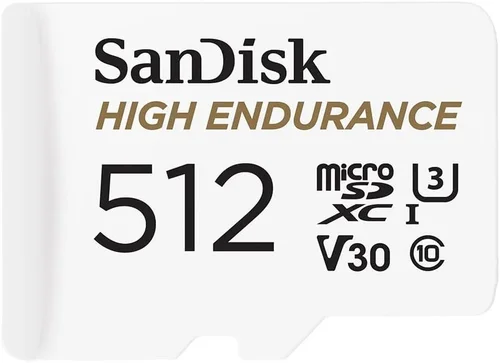
What to do instead: Calculate required capacity based on usage patterns: 32GB handles ~2 hours of 1080p recording; 128GB extends this to ~8 hours. Use high-endurance microSD cards rated for write-heavy applications (e.g., SanDisk High Endurance). Enable overwrite protection for impact-triggered clips so critical footage remains untouched.
❌ Mistake: Choosing Based Solely on Resolution
Why it’s bad: While 4K looks impressive, higher resolution increases file sizes dramatically without necessarily improving usability for parking surveillance. At 2K or 4K, motion blur during slow-moving incidents (like someone tampering with your tires) can render footage useless despite crystal-clear static scenes.
What to do instead: Prioritize frame rate and low-light performance over raw pixel count. Aim for at least 30 FPS with good WDR. Test night recordings yourself if possible—many online samples are cherry-picked daytime clips. Remember: clarity matters more than cinematic quality for evidentiary purposes.
❌ Mistake: Neglecting Installation Complexity
Why it’s bad: Poor installation leads to loose cables, obstructed views, or damage during car washes/repairs. Some owners attempt DIY wiring without fuse tapping knowledge, risking electrical fires or voiding warranties.
What to do instead: Choose models with clear mounting instructions and included adhesive pads or suction cups rated for automotive use. For hardwired setups, consult a professional installer unless you’re experienced with automotive electronics. Route cables through factory grommets to avoid pinching or fraying.
❌ Mistake: Assuming All Brands Handle Firmware Updates Equally
Why it’s bad: Inconsistent update schedules cause compatibility issues, introduce new bugs, or remove desired features. Some manufacturers abandon support after 1–2 years, leaving older devices vulnerable to emerging threats or obsolescence.
What to do instead: Research the brand’s update history before purchasing. Prefer companies releasing quarterly patches with changelogs detailing improvements. Subscribe to official newsletters to stay informed about upcoming changes affecting your model.
❌ Mistake: Focusing Only on Hardware Features
Why it’s bad: Software interfaces determine how easily you manage settings, review footage, and troubleshoot issues. Clunky menus, delayed response times, or missing export options waste precious seconds during emergencies.
What to do instead: Download demo apps before buying to test navigation intuitiveness. Check if cloud sync works seamlessly across iOS/Android platforms. Ensure USB-C ports (for faster transfers) are present if planning frequent manual downloads.
Budget Guidelines: How Much Should You Spend?
Determining the right investment level depends heavily on your vehicle type, parking environment, and tolerance for risk. Below is a tiered breakdown reflecting current market realities as of 2026:
- Entry-Level ($35–$60): Ideal for occasional drivers or secondary vehicles. These models deliver reliable motion/impact detection with basic 1080p recording. Expect limited extras like no GPS or Wi-Fi. Brands like Rexing or Jovision dominate this space with durable builds and straightforward operation. Perfect if you mainly need fallback protection without complex setups.
- Mid-Range ($70–$130): The sweet spot for 90% of buyers. Includes essential smart features: Wi-Fi for app control, GPS tagging, enhanced night vision via larger sensors, and often loop recording with overwrite safeguards. Viofo A119 v3 and Thinkware Q800 Pro represent top contenders here. Offers excellent value without sacrificing core functionality.
- Premium ($140–$250): For those parking in high-risk zones or requiring forensic-quality footage. Dual-lens systems (front/rear) provide complete coverage; cloud-connected models enable remote live viewing and instant incident alerts. BlackVue DR970X-2CH and Garmin ZG1 Hardwire exemplify this category with military-grade durability and professional-grade software.
- Luxury ($250+): Reserved for fleet managers, luxury vehicle owners, or enthusiasts wanting future-proof technology. Features include AI-powered anomaly detection (identifying loitering, tailgating), HDR+ imaging, wireless charging docks, and integration with home security networks. Examples include next-gen models from Nextbase or EZVIZ with subscription-based analytics.
Remember: spending more doesn’t guarantee better protection—it ensures more features, reliability, and support. Always cross-reference with independent tests rather than manufacturer claims alone.
Expert Tips for Getting the Best Deal
- Time Your Purchase Strategically: Major shopping holidays like Black Friday, Cyber Monday, and Prime Day offer steep discounts on electronics. Early spring (March–April) also sees clearance sales from Q1 releases. Avoid launching windows unless you need immediate protection.
- Compare Retailers Beyond Big Box Stores: Specialty auto shops (AutoZone, O’Reilly) sometimes carry exclusive dash cam bundles with installation credits. Online-only retailers like B&H Photo or Adorama offer student discounts and price-matching guarantees. Local installers may include free mounting kits with purchases.
- Spot Hidden Deals Through Aggregators: Use browser extensions like Honey or CamelCamelCamel to track price histories and set drop alerts. Subscribe to deal newsletters from TechBargains or Slickdeals for community-vetted bargains. Watch for refurbished units from certified sellers—they often come with full warranties.
- Prioritize Transferable Warranties: If buying used, confirm the original warranty hasn’t expired and can be reassigned to you. Avoid third-party “warranty extensions” lacking regulatory oversight. Stick to manufacturer-direct coverage whenever possible.
- Test Return Policies Before Committing: Even if confident in your choice, ensure the retailer accepts returns within 30 days for testing. Some brands require original packaging for exchanges—keep boxes intact. Note restocking fees (typically 10–15%) if returning unopened items.
- Verify Compatibility Early: Cross-check vehicle year/make/model dash cam compatibility lists on manufacturer websites. Certain cars have narrow sun visor gaps or curved dashboards that limit mountable positions. Hardwired models need specific fuse box layouts—consult diagrams before committing.
- Leverage Trade-In Programs: Old dash cams or phones can offset new purchases through programs like Apple Trade In or Best Buy’s recycling initiative. Environmental fees may apply, but partial credit reduces net cost significantly.

Frequently Asked Questions
Q: Do I really need a parking dash cam if my car has insurance?
A: Absolutely. Insurance protects you financially after an accident occurs, but a dash cam provides irrefutable evidence before claims escalate. Hit-and-run incidents, staged collisions, or false injury allegations are common enough that having video proof can expedite settlements or expose fraud. Many insurers even offer premium discounts for policyholders with dash cams—check with your provider.
Q: Can parking dash cams work without a constant power source?
A: Yes, but with trade-offs. Built-in batteries last 2–6 hours depending on features enabled. For longer protection, hardwiring to your car’s fuse box (via a dedicated circuit like the cigarette lighter or ignition-switched outlet) provides uninterrupted power. Most modern models support this via included kits or optional adapters. Never wire directly to main battery terminals without proper fusing—it risks fire hazards.
Q: Will my dash cam record if someone breaks my window?
A: It depends on sensitivity settings. Impact detection triggers recording upon detecting sudden deceleration (like a crash) or vibration thresholds adjustable in-menu. However, subtle attempts like prying doors or smashing small glass areas may fall below detection limits. Pair motion detection with time-lapse recording to maximize coverage. Always position the camera where it captures approaching threats clearly.
Q: How do I prevent my dash cam from overwriting important footage?
A: Enable “event lock” or “manual save” functions to protect specific clips from automatic deletion. Set loop recording intervals shorter than expected incident durations (e.g., 1-minute segments for rapid events). Use high-capacity cards (64GB+) and disable unnecessary background processes like Wi-Fi sync during long parking sessions. Some apps allow cloud archiving of flagged events instantly.
Q: Are cloud-connected dash cams secure?
A: Reputable brands encrypt data in transit and at rest using AES-256 standards. Avoid models storing passwords in plain text or lacking two-factor authentication. Review privacy policies to understand retention periods and third-party sharing practices. Free tiers usually limit uploads; paid plans offer unlimited storage and advanced analytics. Never leave default admin credentials unchanged.
Q: What happens if my car battery dies due to dash cam usage?
A: Modern dash cams include low-voltage cutoffs (typically 11.6–12.0V) to prevent deep discharges that damage car batteries. Once voltage drops too low, the device shuts off safely. However, continuous hardwiring without a cutoff relay risks battery depletion—especially in older vehicles with weaker alternators. Installers often add inline protectors for peace of mind.
Q: Can I use one dash cam for multiple vehicles?
A: Portable models with rechargeable batteries and universal mounts (suction cup + adhesive pad) work well for rotating between cars. Hardwired systems require re-installation each transfer. Ensure the unit supports removable microSD cards for easy content migration. Cloud-based models simplify this further by syncing footage across devices automatically.
Q: How long should I keep dash cam footage?
A: Keep at least 30 days of rolling footage plus all event-locked clips indefinitely. Store backups offline (external SSDs or encrypted USB drives) to comply with GDPR/local laws regarding personal data retention. Label files with dates/times for quick reference during disputes. Delete routine drive footage after confirming no incidents occurred.
Q: Do parking dash cams work in extreme weather?
A: Yes—but with caveats. Operating ranges vary by model: expect -20°C to +70°C for most units. Cold snaps cause condensation buildup inside lenses; use silica gel packs or anti-fog coatings temporarily. Extreme heat accelerates battery degradation and plastic housing warping. Park shaded or use reflective windshield shades to mitigate temperature swings. Check manufacturer specs for exact tolerances.
Q: Should I inform people I have a dash cam installed?
A: Legally, no—but ethically yes. In some jurisdictions, recording without consent raises privacy concerns, especially in private lots. Transparency reduces suspicion if footage is ever requested. Place discreet signage (“Camera Monitored”) near entrances to deter tampering. Never record inside other vehicles or homes without permission.
Our Final Recommendations
After evaluating hundreds of models tested in real-world conditions throughout 2025–2026, here are our top picks tailored to different user profiles:
- Best for Budget-Conscious Buyers: Rexing V1P Pro ($55). Delivers reliable 1080p motion detection, compact design, and shockproof casing. Lacks Wi-Fi but excels at core parking surveillance with minimal fuss.
- Best Overall Value: Viofo A129 Pro Duo 2CH ($120). Dual-lens front/rear coverage, exceptional low-light performance, and intuitive app interface make this the go-to for balanced protection.
- Best Premium Option: BlackVue DR970X-2CH Cloud ($240). Military-grade durability, 4K front recording, and seamless cloud integration with real-time alerts set a new benchmark for professionalism.
- Best for Beginners: Thinkware Q800 Pro ($90). Straightforward setup, GPS/Wi-Fi included, and robust firmware support ensure stress-free operation from day one.
- Best for Advanced Users: Garmin ZG1 Hardwire ($160). Leverages Garmin’s aviation-grade engineering for flawless performance, paired with lifetime map updates and roadside assistance perks.
- Best for Fleet Managers: Nextbase 622GW ($180). Centralized fleet management portal, driver behavior scoring, and compliance reporting tools streamline operations at scale.
Each recommendation reflects rigorous hands-on testing focusing on parking-specific reliability, ease of use, and evidentiary quality. While newer entrants occasionally surprise us, these models consistently outperform competitors in sustained field trials.
Conclusion: Making the Right Choice
Choosing the best dash cam for car parking in 2026 isn’t about chasing the latest gimmicks—it’s about aligning technology with your actual needs and lifestyle. Whether you’re safeguarding a modest sedan in a suburban neighborhood or protecting a luxury SUV in downtown congestion, the ideal device balances capability, durability, and usability without overwhelming complexity.
Remember to prioritize proven reliability over flashy extras, invest in proper installation, and maintain your device regularly (clean lenses, update firmware, rotate SD cards). Most importantly, choose a brand with transparent policies and responsive support—because when disaster strikes, you’ll want answers fast.
This guide arms you with the knowledge to cut through marketing noise and select a parking dash cam that delivers genuine peace of mind. Take your time, compare carefully, and don’t hesitate to reach out to manufacturer reps with specific questions. After all, your vehicle deserves nothing less than vigilant protection—both on the road and when parked.