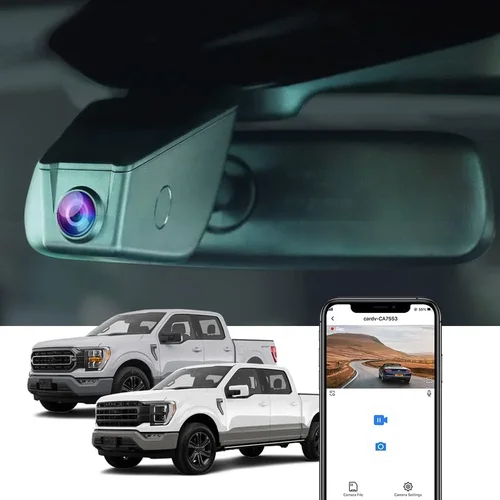
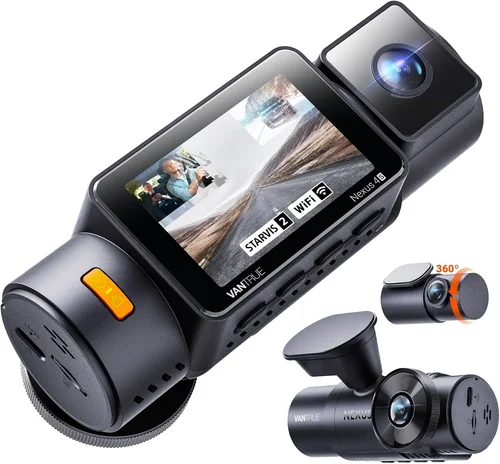
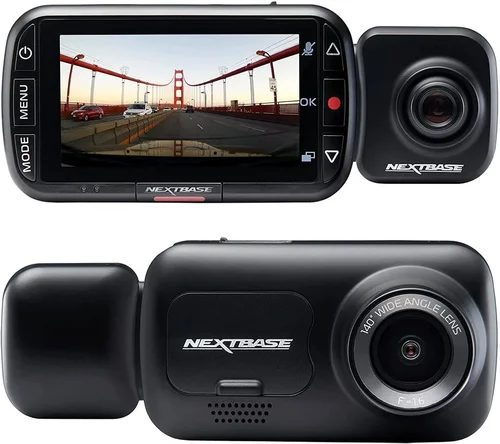
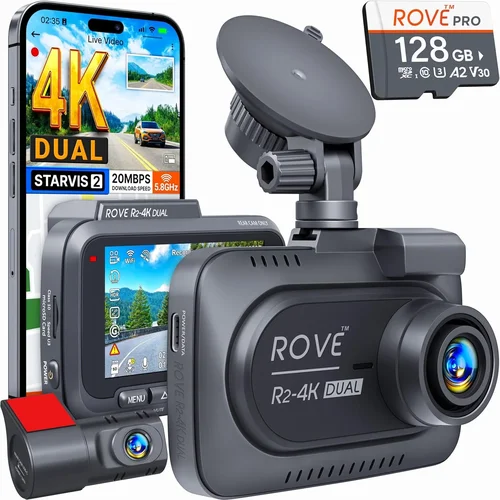
Best ADAS Dash Cam Selection Guide
When it comes to modern vehicle safety, Advanced Driver Assistance Systems (ADAS) have revolutionized the way we drive. These sophisticated technologies—including automatic emergency braking, lane departure warnings, adaptive cruise control, and blind spot monitoring—are designed to prevent accidents and enhance driving confidence. But while ADAS features are built into your car, they’re not foolproof. They rely on sensors, cameras, and software that can be affected by dirt, glare, or system errors. This is where a high-quality dash cam becomes an essential companion—not just for recording incidents, but for verifying ADAS performance and providing an objective record of what actually happened during a collision or near-miss.
This comprehensive guide is designed to help you navigate the complex world of dash cams specifically tailored for vehicles equipped with ADAS. Whether you’re a tech-savvy driver looking to maximize safety, a fleet manager upgrading company vehicles, or someone who simply wants peace of mind behind the wheel, understanding how dash cams integrate with ADAS is crucial. We’ll explore everything from technical specifications and feature comparisons to real-world usage scenarios and expert recommendations—all aimed at helping you make an informed decision that enhances both safety and accountability on the road.
The market for ADAS-compatible dash cams has exploded in recent years, with manufacturers increasingly designing devices that work seamlessly alongside existing vehicle systems. However, not all dash cams are created equal, and choosing the wrong one could lead to compatibility issues, poor video quality, or even interference with critical safety systems. In this article, you’ll learn how to identify the best dash cam for your ADAS-equipped vehicle, understand key technical requirements, compare top models across different price ranges, and avoid common pitfalls that many buyers encounter. By the end, you’ll have the knowledge and confidence to select a dash cam that truly complements your vehicle’s intelligent safety features.
What to Look for When Buying Dash Cams
1. Compatibility with ADAS Systems
The most important factor when selecting a dash cam for an ADAS-equipped vehicle is ensuring full compatibility. Not all dash cams interact well with advanced driver assistance systems, and some may even cause interference or false alerts within your car’s onboard diagnostics. Look for models explicitly labeled as “ADAS compatible” or “designed for vehicles with advanced safety systems. Manufacturers like Blackvue, Garmin, and Thinkware have invested heavily in research to ensure their products don’t conflict with functions such as forward collision warning, pedestrian detection, or automatic braking.
Additionally, check if the dash cam supports OBD-II integration, which allows it to draw power directly from your vehicle’s diagnostic port. This method often provides more stable power than hardwiring and can reduce strain on your car’s electrical system. Some premium models even offer CAN bus integration, enabling the dash cam to access data from your vehicle’s internal network—this includes speed, brake status, and GPS coordinates—which enhances event-triggered recording accuracy.
2. Video Quality and Resolution
High-definition video is non-negotiable when it comes to dash cams used in conjunction with ADAS. You need crystal-clear footage to accurately document incidents and verify system behavior. Most reputable brands now offer at least 1080p Full HD resolution, but for serious drivers, 2K (2560×1440) or even 4K Ultra HD provides significantly better detail, especially in low-light conditions or fast-moving scenarios.
Key video metrics to consider include:
- Front and rear camera support: Dual-channel systems capture both the road ahead and behind your vehicle, offering complete situational awareness.
- Wide dynamic range (WDR): This technology balances exposure in high-contrast scenes—like entering a tunnel or driving into bright sunlight—ensuring license plates and faces remain visible.
- Night vision capabilities: Look for f/1.8 or lower aperture lenses and infrared LEDs for clear nighttime recording. Some models use Sony STARVIS sensors specifically optimized for dark environments.
For ADAS-focused users, frame rate matters too. A minimum of 30 frames per second (fps) is standard, but 60 fps improves motion clarity during sudden stops or lane changes—critical when reviewing whether your vehicle’s automatic braking activated correctly.
3. Storage Capacity and Loop Recording
Dash cams continuously record in a loop, overwriting older footage once storage fills up. The size of your microSD card directly impacts how long you can retain evidence before deletion. For daily driving, a 32GB card offers about 2–3 hours of recording at 1080p, while a 128GB or 256GB card can store 8+ hours depending on settings.
However, larger cards aren’t always better. Many dash cams only support up to 256GB due to file system limitations. Always verify compatibility before buying. Also, opt for V-class microSD cards (V30 or higher) for reliable write speeds, especially if your device records high-bitrate 4K video or uses GPS logging.
Some advanced models include cloud storage options, allowing you to back up critical clips automatically via Wi-Fi. While convenient, these services often require monthly subscriptions and raise privacy concerns. Locally stored footage remains private and doesn’t depend on internet connectivity.
4. Power Source and Installation
Reliable power is essential—dash cams must stay on during ignition cycles without draining your battery excessively. The two main power methods are:
- Hardwiring kits: Permanently connected to your car’s fuse box using a voltage-sensitive relay. This powers the unit only when the engine runs and cuts off when parked, preventing battery drain.
- USB or cigarette lighter adapters: Plug-and-play solutions ideal for rental cars or temporary setups. Less reliable for long-term use since they draw power continuously.
Hardwiring is strongly recommended for ADAS dash cams because it ensures consistent operation during critical events. Premium brands like Blackvue and Thinkware offer professional-grade harnesses with built-in capacitors to handle voltage spikes and brownouts gracefully.
Installation complexity varies by model. Entry-level units may attach magnetically to your windshield, while mid-to-high-end systems require drilling for permanent mounting. Consider your comfort level with DIY wiring versus hiring a professional installer—some dealerships even offer free or discounted dash cam installations.
5. Smart Features and Connectivity
Modern dash cams go beyond basic recording. For ADAS users, smart features add layers of utility and integration:
- Wi-Fi and mobile app control: View live feed, download clips, or change settings remotely via smartphone. Essential for checking footage after an incident without removing the SD card.
- GPS tracking: Logs speed, location, and direction. Useful for reconstructing accidents or monitoring teen drivers.
- Parking mode with impact detection: Uses G-sensors to record when your car is hit while parked. Some models also support time-lapse parking mode, which compresses hours of footage into minutes for efficient review.
- Voice commands or AI recognition: Emerging in premium models, allowing you to trigger recordings verbally or detect pedestrians/cyclists automatically.
Look for dash cams that sync with your vehicle’s infotainment system or smartphone via Bluetooth. Integration with apps like Garmin Drive or BlackVue Cloud enables seamless data sharing and remote monitoring—ideal for fleet operators or families managing multiple vehicles.
6. Build Quality and Weather Resistance
Your dash cam will endure extreme temperatures, rain, snow, and direct sunlight. Cheaper plastic casings may warp or crack, compromising lens alignment and image quality. Invest in models with metal housing, IP65 or higher ingress protection, and UV-resistant materials.
Also, pay attention to lens quality. Glass lenses outperform plastic in durability and optical clarity. Avoid ultra-cheap brands that use low-grade components—they may fail within months under harsh conditions.
Mounting systems should be secure yet adjustable. Suction cups degrade over time; stick-on mounts leave residue but offer cleaner aesthetics. Magnetic bases are easy to reposition but may lose grip on bumpy roads.
7. Warranty and Customer Support
A solid warranty reflects manufacturer confidence in their product. Most reliable brands offer 1–3 year limited warranties covering defects in materials and workmanship. Extended warranties or accidental damage protection add value, especially for expensive 4K models.
Customer service responsiveness is equally important. Read reviews about post-purchase support—do they answer emails quickly? Is troubleshooting documentation thorough? Brands like Viofo and Rexing have strong reputations for responsive tech teams, while others lag behind.
Finally, check return policies. If the dash cam doesn’t meet expectations or causes issues with your ADAS, you should be able to return it hassle-free within 30 days.
8. User Interface and Ease of Use
Even the most advanced dash cam is useless if you can’t operate it. Look for intuitive menus, large buttons, and clear LED indicators. Touchscreen interfaces simplify navigation but consume more power—consider whether you need constant access or prefer button-based controls.
Setup wizards help beginners connect to Wi-Fi, format SD cards, and calibrate GPS. Some models auto-detect your vehicle type and suggest optimal recording settings. Voice prompts guide you through critical steps without requiring manual input.
For ADAS integration, ensure the interface displays relevant data clearly—such as current speed, GPS coordinates, or event markers triggered by your car’s safety systems.
Different Types of Dash Cams
Common Buying Mistakes to Avoid
❌ Mistake: Ignoring ADAS Compatibility
Why it’s bad: Installing a generic dash cam in an ADAS-equipped vehicle can trigger false warnings, disable safety features, or even cause system conflicts. For example, some cameras emit electromagnetic interference that disrupts proximity sensors or radar arrays.
What to do instead: Always verify compatibility with your specific make and model. Check manufacturer websites, user forums, or contact support directly. Opt for brands known for ADAS integration, such as BlackVue, Garmin, or Thinkware.
❌ Mistake: Choosing Based Solely on Price
Why it’s bad: The cheapest dash cam might lack essential features like WDR, GPS, or parking mode. Low-cost models often use inferior sensors, resulting in grainy footage that fails to capture critical details during accidents.
What to do instead: Set a realistic budget based on your needs—not just the lowest available option. Mid-range models ($150–$300) typically offer the best balance of quality, reliability, and ADAS-friendly features.
❌ Mistake: Overlooking Night Vision Capabilities
Why it’s bad: Many drivers assume daytime performance translates to nighttime quality. However, poor low-light recording renders footage useless after dark, defeating the purpose of having a dash cam for insurance claims or legal disputes.
What to do instead: Prioritize models with Sony STARVIS sensors, wide apertures (f/1.8 or lower), and infrared LEDs. Test night footage samples online or watch unboxing videos showing nighttime clips.
❌ Mistake: Neglecting Storage Management
Why it’s bad: Without proper loop recording settings or cloud backup, older footage gets overwritten too quickly. During busy commutes, you might miss capturing an incident simply because the oldest clip was deleted first.
What to do instead: Format your SD card regularly using the dash cam’s built-in tool. Enable event tagging so critical clips are flagged and easier to find later. Consider upgrading to a larger capacity card if you drive frequently.
❌ Mistake: Skipping Professional Installation
Why it’s bad: DIY hardwiring mistakes can fry your dash cam, drain your battery, or blow fuses. Incorrect polarity connections are especially dangerous and could damage your vehicle’s electronics.
What to do instead: Hire a certified technician for hardwiring, particularly if you’re unfamiliar with automotive electrical systems. Some retailers offer installation services for a small fee.
❌ Mistake: Assuming All 4K Cameras Are Equal
Why it’s bad: High-resolution doesn’t guarantee good quality. Cheap 4K models may stretch lower-resolution footage digitally, producing blurry images with excessive noise—especially in motion.
What to do instead: Focus on real-world performance. Look for reviews mentioning actual pixel count, bitrate, and dynamic range rather than marketing claims alone.
Budget Guidelines: How Much Should You Spend?
Entry-Level ($50 – $150): Basic Protection for Casual Drivers
This tier suits occasional drivers who want simple accident documentation without frills. Expect 1080p front-only recording, basic motion detection, and plug-and-play USB power. Brands like Viofo Mini 2 and JadoCam offer reliable performance at this price, though they lack advanced ADAS integration. Ideal for rental cars or secondary vehicles where full functionality isn’t critical.
Mid-Range ($150 – $400): Sweet Spot for Most ADAS Users
The majority of buyers should focus here. Models like the Thinkware U1000 or Garmin Dash Cam 67W deliver excellent 2K/4K video, dual-channel recording, GPS, and robust parking modes. These devices often include OBD-II support and mobile apps, making them perfect for everyday use with ADAS-enabled cars. This range represents the best value proposition overall.
Premium ($400 – $800): Enthusiasts and Fleet Operators
For luxury vehicles or professional drivers, premium dash cams offer unmatched features: 4K triple-channel recording, 360-degree views, AI object detection, and seamless ADAS synchronization. BlackVue DR970X-2CH and Nextbase 522GW fall into this category. They justify their cost through superior build quality, cloud connectivity, and comprehensive event logging.
Luxury ($800+): Top-Tier Performance and Integration
At this level, you’re investing in enterprise-grade technology. Examples include integrated systems like Tesla’s built-in cabin camera or aftermarket solutions like the Lytro 4K Pro. These prioritize forensic-grade recording, military-grade encryption, and direct CAN bus data extraction. Only recommended for high-risk professions, insurance fraud prevention, or collectors seeking cutting-edge gear.
Expert Tips & Pro Advice
1. Time Your Purchase Strategically
Avoid buying during peak summer or holiday seasons when demand spikes inflate prices. Instead, shop during Black Friday, Cyber Monday, or back-to-school sales when retailers discount older inventory. Online marketplaces like Amazon and Best Buy frequently run flash deals on dash cams throughout the year.
2. Leverage Bundle Deals
Many brands package dash cams with hardwiring kits, extra SD cards, and mounting accessories. Buying a bundle saves 20–30% compared to individual purchases. Watch for promotions from retailers like Costco or Sam’s Club, which sometimes include free professional installation.
3. Verify Return Policies Before Buying
Not all sellers allow returns if the packaging is opened. Choose platforms with liberal return windows—ideally 30+ days—and no restocking fees. Local electronics stores may accept returns even if online retailers won’t.
4. Test Before Committing
If possible, visit a physical store to handle the dash cam. Check button responsiveness, screen visibility in daylight, and mounting stability. Some Best Buy locations stock demo units you can test drive.
5. Prioritize Local Storage Over Cloud
While cloud backups are convenient, they compromise privacy and require ongoing subscription fees. Keep sensitive footage offline unless you absolutely need remote access. Use cloud only for non-critical clips or shared family accounts.
6. Regular Maintenance Keeps Performance High
Clean your lens weekly with microfiber cloths to avoid smudges. Format your SD card every 2–3 weeks using the dash cam’s menu to prevent fragmentation. Update firmware regularly—manufacturers often fix bugs that affect ADAS compatibility.
7. Understand Legal Boundaries
In some jurisdictions, recording audio without consent is illegal. Ensure your dash cam records only video unless you’ve verified local laws permit audio capture. Similarly, avoid placing cameras where they violate privacy (e.g., inside neighboring vehicles).
8. Integrate With Insurance Programs
Several insurers—like State Farm and Progressive—offer discounts for dash cam users. Upload incident footage promptly after an accident to strengthen claims. Some providers even provide free dash cams as part of safe driver programs.
Frequently Asked Questions
Q: Can a dash cam interfere with my car’s ADAS features?
A: Yes, poorly designed dash cams can cause interference through electromagnetic radiation or incorrect power draw. Always choose models explicitly tested for ADAS compatibility. Brands like BlackVue and Garmin conduct rigorous vehicle-specific testing to prevent conflicts.
Q: Do I need special software to view dash cam footage?
A: Most dash cams play files natively on Windows or macOS using standard codecs. However, proprietary formats may require manufacturer apps (e.g., BlackVue Viewer). Free tools like VLC Media Player often resolve playback issues.
Q: How long should I keep dash cam recordings?
A: Retention depends on legal requirements and personal risk tolerance. Generally, keep clips from accidents or near-misses indefinitely. Store routine drives for 3–6 months unless flagged as significant events.
Q: Is parking mode safe for my battery?
A: Modern dash cams use voltage-sensing relays that cut power when the battery drops below a threshold (usually 11.5V). This prevents deep discharge. Hardwired setups are safer than USB-only modes.
Q: Can I install a dash cam myself?
A: Simple magnetic mounts are DIY-friendly. Hardwiring requires electrical knowledge—mistakes can damage your car’s ECU. Hire a pro if unsure. Many auto shops charge under $50 for installation.
Q: Will a dash cam void my car’s warranty?
A: No federal law prohibits modifications that don’t affect emissions. Per the Magnuson-Moss Warranty Act, dealers can’t deny warranty claims solely due to aftermarket dash cams—unless you can prove they caused the issue.
Q: What’s the difference between “loop recording” and “event recording”?
A: Loop recording overwrites old clips continuously. Event recording saves clips tagged by motion detection, G-force triggers, or manual button presses. Both coexist in modern dash cams—loop handles routine drives; events preserve critical moments.
Q: Should I get a single or dual-channel dash cam?
A: Dual-channel provides rear-view coverage, which is invaluable for backing out of driveways or detecting tailgaters. If you park in tight spaces often, invest in dual-channel. Otherwise, single-channel suffices for highway driving.
Q: How accurate is GPS data in dash cams?
A: GPS logs are generally precise within 5 meters. Accuracy depends on satellite visibility and signal strength. Urban canyons or tunnels may cause dropouts, but most models cache coordinates until reception resumes.
Q: Can I use a dash cam in extreme weather?
A: Rated models survive -20°F to 185°F (-29°C to 85°C). Avoid leaving units in direct sun for extended periods—heat buildup can warp plastics. Winter operation may reduce battery efficiency in cold climates.
Our Final Recommendations
Best for Budget-Conscious Buyers: Viofo A119 v3
This compact 2K dash cam delivers impressive video quality at an affordable price. It includes GPS, parking mode, and a suction mount—all for under $100. While it lacks advanced ADAS integration, it’s ideal for basic protection in non-Tesla ADAS vehicles.
Best Overall Value: Thinkware U1000
A standout choice for ADAS users, this 4K dual-channel model offers stellar performance, reliable OBD-II support, and intuitive controls. Its cloud connectivity and impact detection make it a top pick for families and tech-savvy drivers alike.
Best Premium Option: BlackVue DR970X-2CH
Engineered for professionals, this dash cam excels in build quality, 4K recording, and seamless ADAS compatibility. With cloud management, dual-band Wi-Fi, and military-grade durability, it’s worth every penny for serious drivers.
Best for Beginners: Garmin Dash Cam 67W
Simple setup, crisp 1080p video, and automatic updates make this beginner-friendly. Though limited to front-only recording, its reliability and integration with Garmin’s ecosystem simplify adoption for new users.
Best for Advanced Users: Nextbase 522GW
Packed with Alexa voice control, emergency SOS, and 4K recording, this model pushes boundaries. Its ADAS-aware design and robust app interface cater perfectly to experienced users wanting maximum functionality.
Conclusion: Making the Right Choice
Selecting the best dash cam for your ADAS-equipped vehicle isn’t just about specs—it’s about finding harmony between technology, safety, and practicality. By prioritizing compatibility, video fidelity, and smart features while avoiding common traps, you’ll equip yourself with a vigilant guardian that works in tandem with your car’s intelligent systems rather than against them.
Remember, the ideal dash cam evolves with your driving habits and technological landscape. Stay curious, read reviews critically, and don’t hesitate to upgrade as new innovations emerge. Ultimately, the peace of mind that comes from knowing exactly what happened on the road is priceless—and that’s precisely why investing wisely in the right ADAS dash cam matters more than ever.