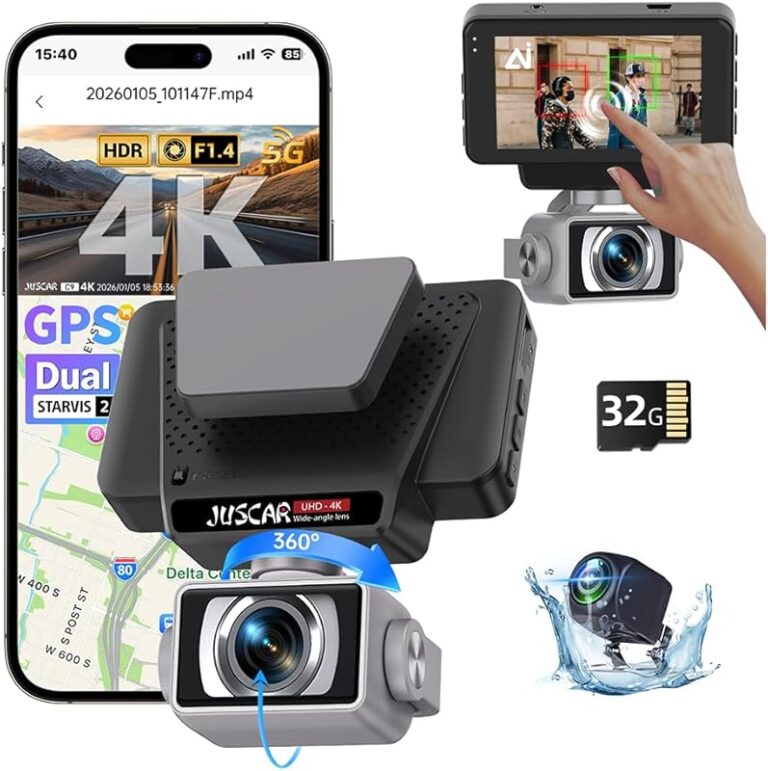
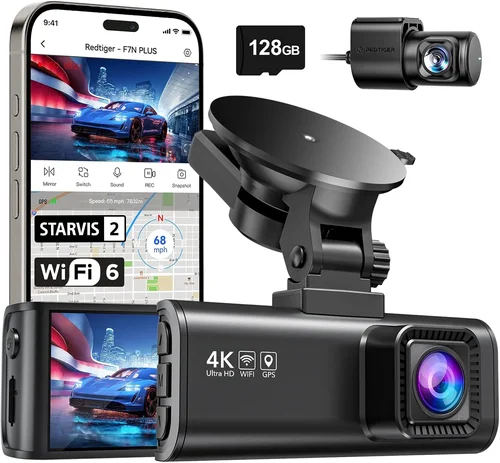
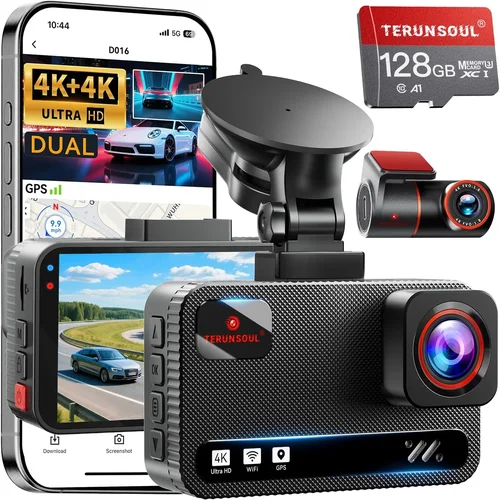
Smart Dash Cam Buying Guide for Accident Recording
In today’s increasingly complex driving environment, having reliable accident recording capabilities isn’t just convenient—it’s essential. A quality dash cam can provide crucial evidence in insurance claims, protect you from false accusations, and give you peace of mind knowing your journey is documented. With the right dash cam features for accident recording, you’ll have professional-grade footage that could make all the difference when dealing with traffic incidents or disputes.
This comprehensive buying guide will walk you through everything you need to know about selecting the best dash cam for accident recording. You’ll learn about critical performance specifications, advanced safety features, storage solutions, and smart technology that goes beyond basic video capture. Whether you’re a daily commuter, a rideshare driver, or someone who simply wants added protection on the road, this guide will help you make an informed decision based on real-world needs rather than marketing hype.
The modern dash cam market has evolved far beyond simple cameras mounted on your windshield. Today’s models incorporate cutting-edge technology including GPS tracking, emergency event detection, cloud connectivity, and even artificial intelligence-powered incident recognition. We’ll explore these features in detail and explain exactly how they enhance accident documentation and overall vehicle safety.

What to Look for When Buying Dash Cams
1. Video Quality & Resolution
Video quality is perhaps the most fundamental consideration when selecting a dash cam for accident recording. The resolution you choose will directly impact the clarity and usefulness of your footage during insurance claims or legal proceedings. For most drivers, 1080p Full HD resolution provides excellent detail and is widely supported by insurance companies and law enforcement.
However, if you frequently drive in challenging conditions or want maximum detail for serious incidents, consider models offering 2K (2560×1440) or even 4K Ultra HD resolution. Higher resolutions capture more detail but require more storage space and processing power. Look for cameras with high-quality image sensors like Sony STARVIS technology, which performs exceptionally well in low-light conditions—critical for capturing nighttime accidents clearly.
Equally important is frame rate; 30 frames per second (fps) is standard, but some premium models offer 60fps recording, providing smoother motion capture during rapid movements or impacts. Additionally, check for wide dynamic range (WDR) capabilities, which help balance exposure when one area of the frame is brightly lit while another is in shadow.
2. Field of View & Lens Quality
The field of view (FOV) determines how much of your surroundings are captured on camera. A typical dash cam offers between 100-170 degrees horizontal FOV, but this varies significantly between models. A wider angle captures more of the road ahead but may introduce distortion at the edges—known as “fisheye” effect.
For optimal accident documentation, aim for a balanced FOV around 120-140 degrees. This provides comprehensive coverage of the road ahead without excessive distortion. Some advanced models feature adjustable lenses or multiple cameras for different viewing angles. Consider dual-lens systems that capture both front and rear views, giving you complete coverage of your vehicle’s movements.
Lens quality also matters greatly—optical glass lenses with anti-reflective coatings perform better than plastic alternatives. Check manufacturer specifications for lens aperture (measured in f-stops); smaller numbers like f/1.6 indicate better low-light performance. Additionally, look for cameras with good minimum illumination specifications, especially if you drive frequently at dawn, dusk, or night.
3. Storage Capacity & Loop Recording
Storage capacity directly affects how long your dash cam can record continuously before overwriting older footage. Most dash cams use microSD cards, with capacities ranging from 32GB to 256GB or higher. Consider your typical driving patterns and local traffic density when selecting card size.
For urban commuting with frequent stop-and-go traffic, 64GB or 128GB cards typically suffice for several days of continuous recording. If you drive long distances or encounter frequent incidents, opt for larger cards like 256GB. Always use Class 10 or UHS-I/UHS-II cards from reputable brands—cheap cards often fail prematurely or corrupt footage.
Loop recording is essential—it automatically overwrites the oldest footage when storage fills up, ensuring continuous recording without manual intervention. However, ensure your chosen model has intelligent loop recording that skips over marked important events, preserving them indefinitely until manually reviewed or transferred.
4. Emergency Event Detection & Parking Mode
Emergency event detection (EED) is arguably the most valuable feature for accident recording. This technology uses built-in accelerometers to detect sudden impacts, hard braking, or sharp turns. When triggered, it automatically saves the relevant footage with timestamped markers, ensuring critical moments aren’t lost to loop recording overwrites.
Advanced EED systems can differentiate between minor bumps (like hitting a pothole) and significant collisions worthy of preservation. Some models offer sensitivity adjustment so you can fine-tune detection thresholds based on your driving style and environment. Look for cameras with G-sensor indicators or LED alerts that confirm event detection occurred.
Parking mode extends these capabilities when your vehicle is unattended. Motion-activated parking surveillance monitors your car for potential vandalism, hit-and-runs, or other incidents while parked. Impact-triggered recording activates immediately upon detecting significant force. However, be mindful that parking mode consumes additional battery power—consider models with capacitor-based power systems instead of lithium batteries, as capacitors last longer and function better in extreme temperatures.
5. Audio Recording Capabilities
While not always essential, audio recording adds crucial context to your footage. Built-in microphones capture conversations, sirens, engine sounds, and environmental noises that help reconstruct events leading up to incidents. This proves particularly valuable in disputes involving alleged aggressive driving or when documenting road rage incidents.
However, privacy laws vary by location—some regions prohibit recording audio without consent. Research local regulations before enabling audio features. Premium models often include noise reduction technology that minimizes wind and engine noise while preserving speech clarity. Some offer dual-microphone arrays that cancel background noise more effectively than single-mic designs.
If privacy is a concern, many dash cams allow you to disable audio recording entirely. Alternatively, some manufacturers offer external microphone options for enhanced audio quality when needed.
6. Connectivity & Smart Features
Modern dash cams increasingly integrate with smartphone apps and cloud services, enhancing their utility for accident documentation. Wi-Fi connectivity enables wireless file transfer, allowing you to quickly review and save important footage without removing memory cards. Bluetooth pairing simplifies initial setup and firmware updates.
Cloud storage represents the next evolution in dash cam technology. Models with built-in cellular modems upload critical footage automatically to secure online servers when connected to mobile networks. This ensures vital evidence isn’t lost if your device is damaged or stolen. While requiring monthly subscription fees, cloud services provide peace of mind for rideshare drivers, fleet operators, or anyone wanting maximum data security.
GPS functionality adds geographical context to your recordings. Embedded trackers log speed, location coordinates, and route information alongside video timestamps. This helps establish your position during incidents and provides additional verification in dispute scenarios. Some advanced models combine GPS with GLONASS or Galileo satellite systems for improved accuracy in remote areas.
7. Build Quality & Installation
Durability matters—your dash cam must withstand temperature extremes, vibrations, and potential impacts during incidents. Look for models with robust housing materials like aluminum or reinforced plastics. Sealed designs prevent moisture intrusion, crucial given exposure to rain, snow, and humidity.
Installation complexity varies significantly between models. Basic adhesive mounts offer quick setup but may leave residue or fall off over time. Professional-grade suction cup mounts provide stronger attachment but require proper surface preparation. Some premium models include professional installation services, ensuring optimal placement and wiring concealment.
Consider cable management carefully—exposed wires create trip hazards and detract from appearance. Models with integrated power cables that run along the windshield edge offer cleaner installations. Hardwiring kits connect directly to your vehicle’s fuse box, eliminating battery drain concerns but requiring electrical knowledge for installation.
Weather resistance ratings (IP ratings) indicate protection against dust and water ingress. While few dash cams have formal IP certifications, look for manufacturers specifying operating temperature ranges and water resistance levels. Capacitor-based power systems generally outperform lithium batteries in cold weather, maintaining functionality in winter climates.
8. Battery Life & Power Management
Battery life determines how long your dash cam can operate independently when disconnected from your vehicle’s power system. Most models offer 1-3 hours of standalone operation, sufficient for short parking surveillance sessions. However, extended parking mode usage requires hardwiring to your car’s electrical system.
Capacitor-based power systems represent a significant advancement over traditional lithium batteries. Capacitors charge faster, last longer (typically 3-5 years), and function reliably across broader temperature ranges (-40°F to 185°F). They also avoid the degradation issues that plague lithium batteries over time. When comparing models, prioritize capacitor-powered devices for maximum reliability.
Hardwiring kits eliminate battery concerns entirely by connecting directly to your vehicle’s ignition circuit or fuse box. This provides unlimited power while preventing battery drain when the engine is off. Professional installation ensures safe connection to appropriate circuits without risking electrical damage. Some advanced kits include voltage monitoring and automatic shutoff to prevent draining your car battery below safe levels.
9. Night Vision & Low-Light Performance
Night vision capabilities are critical for comprehensive accident documentation, as many serious incidents occur after dark. Superior low-light performance relies on multiple factors: large lens apertures (small f-stop numbers), high-sensitivity image sensors, and effective infrared illumination.
Sony STARVIS sensors excel in low-light conditions, capturing clear detail even in near darkness. Look for specifications mentioning “night vision” or “low-light enhancement.” Some models include built-in infrared LEDs that illuminate the road ahead without creating glare for other drivers—unlike headlights that might blind oncoming traffic.
However, be cautious about over-reliance on IR illumination. While useful in extremely dark conditions, it may create unnatural-looking footage that appears less credible to third parties. Natural light combined with advanced sensor technology generally produces more authentic-looking nighttime recordings that stand up to scrutiny.
Additionally, consider dynamic range performance in mixed lighting scenarios. Dash cams with WDR (Wide Dynamic Range) can simultaneously expose properly for bright headlights and dark shadows, preventing washed-out or overly dark footage that obscures details in critical moments.
10. User Interface & Ease of Use
A user-friendly interface ensures you can operate your dash cam intuitively, even when distracted by driving conditions. Look for models with clearly labeled buttons, responsive touchscreens, and straightforward menu navigation. Some premium cameras offer voice control or gesture recognition for hands-free operation.
Display quality matters—bright, high-contrast screens remain readable in direct sunlight. Touchscreen responsiveness affects usability; laggy interfaces can frustrate users during important moments. Some models include physical buttons for essential functions like locking current footage, ensuring accessibility even if the display becomes unresponsive.
Setup simplicity varies considerably between brands. Basic models require minimal configuration, while advanced systems may involve app pairing, cloud account creation, and subscription management. Consider your technical comfort level when evaluating setup complexity. Many manufacturers provide detailed setup guides and customer support to ease the transition.
Menu organization affects daily usability—logical categorization helps you quickly access settings like resolution, recording duration, or sensitivity adjustments. Customizable recording modes let you optimize settings for different scenarios: normal driving, highway travel, or parking surveillance. Some models remember your preferred settings between trips, streamlining repeated use.
11. Warranty & Customer Support
Reliable warranty coverage protects your investment and ensures prompt resolution of any defects. Reputable manufacturers typically offer 1-3 year warranties covering hardware failures and manufacturing defects. Check what’s included—some warranties exclude damage from accidents, improper installation, or unauthorized modifications.
Customer support quality significantly impacts your experience, especially when troubleshooting technical issues or seeking replacement parts. Research brand reputation regarding response times, technical expertise, and return policies. Online reviews often reveal whether manufacturers honor warranty claims consistently or employ frustrating denial tactics.
Consider the availability of replacement parts and accessories. Models with common components (standard microSD card slots, universal mounting hardware) are easier and cheaper to maintain. Proprietary connectors or specialized components increase dependency on manufacturer supply chains and may extend repair timelines.
Software update policies also matter—regular firmware updates improve functionality, add new features, and patch security vulnerabilities. Manufacturers committed to long-term support will continue releasing updates for several years after product launch. Check update frequency and backward compatibility when evaluating software longevity.
12. Brand Reputation & Market Position
Established brands with proven track records tend to deliver more reliable products and better customer experiences. Industry leaders like BlackVue, Garmin, Nextbase, and Viofo have invested heavily in research and development, resulting in consistent quality across their product lines. These companies also benefit from economies of scale, enabling competitive pricing while maintaining profit margins for ongoing innovation.
Newer entrants to the market sometimes offer compelling features at lower price points, but may lack the testing rigor and long-term reliability data of established manufacturers. Be cautious of extremely low-priced models that compromise on essential features like sensor quality, build materials, or warranty terms. The adage “you get what you pay for” holds particular truth in electronics where component quality directly impacts durability and performance.
Research independent testing results and professional reviews from trusted sources like Consumer Reports, Wirecutter, or dedicated automotive tech publications. These evaluations often include stress testing, durability assessments, and real-world performance comparisons that manufacturer specifications alone cannot convey. Pay attention to recurring complaints or common failure points reported by multiple users.
13. Size & Portability
Dash cam size affects both visibility and discretion. Compact designs minimize visual obstruction while reducing wind resistance and glare. Ultra-thin profiles (under 0.7 inches) blend seamlessly with modern vehicle interiors, but may limit feature sets due to size constraints.
Some drivers prefer larger displays for easier viewing while reviewing footage or adjusting settings. Touchscreen interfaces require adequate screen real estate for comfortable interaction. However, larger units may protrude into the driver’s field of view, potentially creating blind spots or distracting attention from the road.
Portability considerations apply primarily to multi-car households or shared vehicles. Some models include swappable batteries or universal mounting systems that work across different vehicle types. Fleet operators appreciate standardized hardware that simplifies maintenance and training across multiple vehicles.
Consider the weight of your chosen model—lighter cameras reduce strain on mounting hardware and are less likely to become projectiles during impacts. Weight distribution also affects windshield stability, particularly in high-wind conditions or on vehicles with limited structural rigidity.
14. Price vs. Value Analysis
Determining the right price point involves balancing features against your specific needs and budget constraints. Entry-level models under $100 offer basic functionality but may compromise on critical aspects like sensor quality, build durability, or warranty coverage. Mid-range options ($100-$300) typically provide the best value, incorporating essential features without unnecessary complexity.
Premium models ($300+) justify their cost through advanced technology, superior build quality, and extensive feature sets. These often include cloud connectivity, enhanced low-light performance, and professional-grade mounting solutions. Luxury options ($500+) target enthusiasts and professionals who demand cutting-edge technology and maximum reliability.
When evaluating value, focus on features that directly enhance accident documentation rather than marketing gimmicks. Prioritize video quality, emergency detection, and storage reliability above secondary features like decorative lighting or social media integration. Remember that a slightly more expensive model today might serve you better for years to come, reducing the need for premature replacement.
Different Types of Dash Cams

Common Buying Mistakes to Avoid
❌ Mistake: Choosing Based Solely on Price
Why it’s bad: Selecting a dash cam based only on lowest price often leads to disappointment. Cheaper models typically use inferior sensors, lack essential features like emergency event detection, and offer poor build quality that fails during critical moments. Components degrade faster, resulting in shorter lifespan and more frequent replacements.
What to do instead: Focus on value proposition rather than absolute cost. Compare features across similar price points, prioritizing video quality, durability, and reliability. Read independent reviews and user feedback about long-term performance rather than just initial impressions. Remember that a slightly higher investment often pays dividends through enhanced safety and reduced frustration.
❌ Mistake: Ignoring Storage Requirements
Why it’s bad: Underestimating storage needs leads to constant memory card swaps or loss of important footage due to automatic overwrites. Smaller cards mean less recording time, forcing you to miss incidents or spend excessive time managing files. Inadequate storage planning also increases the risk of corrupted files during card removal.
What to do instead: Calculate your average recording needs based on commute length and local traffic patterns. Add buffer capacity for unexpected events. Choose cards with ample headroom (at least 25% free space) and consider dual-card models that automatically archive older footage to secondary storage. Invest in high-quality cards from reputable brands to prevent corruption issues.
❌ Mistake: Overlooking Installation Complexity
Why it’s bad: Poor installation compromises functionality and aesthetics. Incorrect mounting creates blind spots, obstructs driver visibility, or fails to secure the device during impacts. Improper wiring can drain your vehicle battery or create fire hazards. DIY installation attempts often result in messy cable routing that detracts from professional appearance.
What to do instead: Assess your comfort level with automotive electrical systems before attempting installation. For complex hardwiring projects, consider professional installation services offered by many manufacturers or local auto shops specializing in dash cam installation. Proper installation ensures optimal performance and preserves your vehicle’s interior integrity.
❌ Mistake: Neglecting Weather Performance
Why it’s bad: Assuming all dash cams perform equally in extreme conditions leads to equipment failure when you need it most. Cheap models may malfunction in freezing temperatures, fog, heavy rain, or intense sunlight. Poor weather resistance results in lens condensation, sensor fogging, or complete system shutdown during adverse conditions.
What to do instead: Research manufacturer specifications for operating temperature ranges and weather resistance ratings. Look for features like hydrophobic lens coatings that repel water droplets, heating elements that prevent lens fogging, and sealed housings that resist moisture intrusion. Test performance claims through independent reviews focusing on real-world weather conditions.
❌ Mistake: Disabling Essential Safety Features
Why it’s bad: Turning off emergency event detection, parking mode, or other critical safety functions defeats the primary purpose of owning a dash cam. Without automatic incident recording, you risk losing vital evidence during accidents or theft attempts. Disabled features represent missed opportunities for protection and accountability.
What to do instead: Enable all safety-related features unless specifically prohibited by local privacy laws. Adjust sensitivity settings appropriately for your driving environment rather than disabling functionality entirely. Remember that these features work silently in the background, providing protection without requiring active monitoring.
❌ Mistake: Focusing Only on Newest Models
Why it’s bad: Chasing the latest technology often means paying premium prices for marginal improvements while overlooking proven, reliable older models. New releases may contain untested software bugs or compatibility issues that weren’t apparent during limited beta testing. Established models benefit from years of refinement and community feedback.
What to do instead: Consider certified pre-owned or previous-generation models when available at significant discounts. Many manufacturers release updated versions annually with incremental improvements rather than revolutionary changes. Evaluate whether newer features justify the price increase based on your actual needs rather than marketing hype.
Budget Guidelines: How Much Should You Spend?
Entry-Level Dash Cams ($50 – $100)
This price range offers basic functionality suitable for occasional use or secondary vehicles. You’ll find models with 1080p resolution, 120-degree FOV, and fundamental loop recording capabilities. These dash cams typically include simple mounting systems and basic power connections. While adequate for everyday commuting in clear conditions, entry-level models often compromise on sensor quality, build materials, and feature sets. Expect limited storage options, absence of advanced safety features, and shorter warranty periods. Brands in this category include various Chinese manufacturers selling through online marketplaces, often lacking comprehensive customer support or reliable component sourcing.
Mid-Range Dash Cams ($100 – $200)
The sweet spot for most buyers, mid-range models deliver excellent value by combining essential features with reliable performance. You’ll typically find 1080p or 2K resolution, Sony STARVIS sensors, wide dynamic range, emergency event detection, and decent build quality. These dash cams often include GPS tracking, Wi-Fi connectivity, and parking mode functionality. Installation is straightforward with reliable mounting hardware and clean cable management options. This category includes respected brands like Nextbase, Viofo, and certain Garmin models that balance affordability with professional-grade capabilities. Warranty coverage usually spans 1-2 years with responsive customer support.
Premium Dash Cams ($200 – $400)
Premium models justify their higher cost through advanced technology, superior components, and enhanced reliability. Expect 4K resolution, dual-lens systems, cloud connectivity, professional mounting solutions, and capacitor-based power systems. These dash cams often feature AI-powered incident detection, advanced driver assistance systems, and sophisticated mobile apps. Build quality approaches professional standards with durable housings and precision optics. Brands like BlackVue, Thinkware, and certain Garmin models dominate this segment with extensive feature sets designed for demanding users including rideshare drivers, fleet operators, and safety-conscious commuters. Warranty terms typically extend 2-3 years with comprehensive coverage.
Luxury Dash Cams ($400+)
Luxury dash cams represent the pinnacle of automotive recording technology, targeting enthusiasts and professionals who demand maximum performance. These models often include multiple camera systems, enterprise-grade cloud infrastructure, military-specification components, and custom engineering. Features like AI-powered analytics, predictive collision avoidance, and encrypted data transmission distinguish luxury offerings. Installation usually requires professional services with custom wiring harnesses and integration with vehicle systems. While most consumers won’t need these advanced capabilities, luxury models set the benchmark for reliability and innovation in the industry. Examples include certain BlackVue professional series and custom-built solutions for commercial applications.
Expert Tips for Getting the Best Deal
Timing Your Purchase for Maximum Savings
Seasonal sales significantly impact dash cam availability and pricing. Black Friday and Cyber Monday traditionally offer substantial discounts on automotive electronics, often matching or beating Amazon Prime Day deals. End-of-year clearance sales (November-February) help retailers make room for new models, while back-to-school periods (August-September) see promotions targeting college students needing reliable transportation solutions. Avoid major holiday weekends when retailers inflate prices expecting impulse purchases. Consider purchasing refurbished or open-box items from authorized dealers during these periods for additional savings without sacrificing warranty coverage.
Choosing Between Online and In-Store Retailers
Online retailers like Amazon, B&H Photo, and specialized automotive electronics sites offer broader selection, competitive pricing, and detailed product information. Benefits include easy comparison shopping, customer reviews, and home delivery convenience. However, you lose the ability to physically inspect products and immediate installation support. Physical stores like Best Buy, AutoZone, or local electronics shops provide hands-on evaluation and same-day installation services, but typically carry limited inventory and higher markup pricing. Consider visiting stores to test fit and operation before ordering online, or purchase online and schedule professional installation locally.
Identifying Authentic Deals Versus Marketing Gimmicks
Be wary of “limited-time” offers that pressure impulsive decisions. Authentic discounts appear across multiple retailers and don’t require entering email addresses or downloading apps. Watch for consistent pricing patterns—genuine sales reduce prices by 20-40%, not 90%. Check manufacturer MSRP comparisons and independent price tracking websites to verify claimed savings. Avoid deals promising unrealistic performance at bargain prices, as they often involve counterfeit products or severely compromised functionality. Legitimate promotions include bundle deals (dash cam + memory card + installation), trade-in programs, and manufacturer rebates rather than artificial scarcity tactics.
Understanding Warranty Terms and Coverage
Comprehensive warranty analysis prevents surprises during claim processing. Review what’s covered (manufacturing defects, component failure) versus exclusions (physical damage, water intrusion, unauthorized modifications). Check claim procedures—some manufacturers require returning entire units while others cover individual components. Verify regional warranty validity, as some brands enforce different terms by country. Extended warranty options often provide diminishing returns unless you drive extensively or operate in harsh environments. Prioritize manufacturers with transparent warranty communication and responsive customer service rather than longest coverage periods alone.
Evaluating Return Policies and Testing Periods
Flexible return windows allow proper evaluation of dash cam performance in your specific vehicle. Standard policies range from 14-30 days, but premium brands often offer 45-90 day testing periods. Understand restocking fees (typically 10-15%) and return shipping responsibilities. Request manufacturer prepaid return labels to avoid unexpected costs. During testing, evaluate real-world performance including installation difficulty, daily operation, and file management workflow. Keep original packaging for resale value and warranty transfers. If returning, document any issues thoroughly to inform future purchases and potentially negotiate goodwill compensation.
Comparing Bundle Packages and Accessories
Manufacturer bundles often provide better value than purchasing items separately. Complete packages typically include essential accessories like high-capacity memory cards, professional mounting hardware, hardwiring kits, and protective cases. These bundles eliminate compatibility concerns and ensure you receive quality components rather than generic alternatives. However, assess whether included accessories meet your specific needs—some bundles include unnecessary items that increase upfront cost. Focus on bundles that address your highest-priority requirements rather than comprehensive feature sets you may never use.
Negotiating with Local Installers
Professional installation services represent significant value when purchased separately, but negotiating bundled rates can yield substantial savings. Contact multiple local auto electronics shops to compare installation pricing and package deals. Mention competitor quotes to encourage competitive bidding. Request detailed breakdowns of installation costs to identify areas for negotiation. Consider scheduling installations during slower business periods (mid-week mornings) when shops have greater flexibility. Ask about volume discounts if installing multiple units for fleet operations or multi-vehicle households.
Leveraging Loyalty Programs and Rewards
Manufacturer loyalty programs and retailer rewards schemes offer additional savings channels. Sign up for brand newsletters to receive exclusive discount codes and early access to sales. Credit card reward programs often provide cashback or points on automotive purchases, redeemable for future dash cam acquisitions or accessory upgrades. Cashback comparison websites aggregate multiple retailer offers for one-click application. Consider using dedicated reward credit cards for dash cam purchases to maximize long-term value accumulation.
Considering Refurbished and Open-Box Options
Certified refurbished dash cams from authorized dealers provide substantial savings while maintaining warranty protection. These units undergo thorough inspection, component testing, and cosmetic restoration to like-new condition. Open-box items represent returned merchandise that failed basic functionality tests but receive refurbishment before resale. Both categories offer significant discounts (30-50% off retail) with full warranty coverage identical to new units. Verify refurbishment certification from original manufacturers rather than third-party sellers lacking quality assurance protocols.

Frequently Asked Questions
Q: Do I really need a dash cam, or are regular phone videos enough for accident documentation?
A: While smartphone videos can document incidents, dedicated dash cams offer significant advantages for accident recording. Professional-grade cameras provide superior video quality, automatic event detection, and continuous recording without manual activation. Unlike phones, dash cams mount securely in optimal positions, capture wide-angle views unobstructed by hand-holding, and operate reliably in various lighting conditions. Insurance companies often prefer dash cam footage due to its professional consistency and comprehensive coverage. Additionally, dash cams record silently in the background, ensuring you don’t miss critical moments while focused on driving.
Q: What’s the difference between a capacitor and battery-powered dash cam, and which should I choose?
A: Capacitor-powered dash cams use electrochemical storage devices that charge quickly and last significantly longer than traditional lithium batteries. Capacitors typically endure 3-5 years of use without degradation and function reliably across broader temperature ranges (-40°F to 185°F). They also avoid the memory effects and capacity loss that plague lithium batteries over time. Battery-powered models often suffer performance issues in extreme temperatures and require periodic replacement. For most users, capacitor-based systems represent the superior choice due to their longevity, reliability, and consistent performance regardless of climate conditions.
Q: Can I install a dash cam myself, or do I need professional installation?
A: Self-installation is feasible for basic models using adhesive mounts and cigarette lighter power connections. However, professional installation is recommended for hardwiring kits, dual-lens systems, and premium models requiring complex wiring integration. Professional installers understand vehicle electrical systems, ensure proper fuse connections, and provide clean cable management that enhances both safety and aesthetics. Most manufacturers offer installation services, and local auto electronics specialists can provide competitive pricing. Consider your comfort level with automotive electrical work and the complexity of your chosen model when deciding between DIY and professional installation.
Q: How often should I replace my memory card, and what type should I use?
A: Memory card replacement frequency depends on usage intensity and card capacity. A 64GB card typically suffices for 1-2 days of continuous recording, while 128GB handles 3-5 days. Replace cards every 12-24 months or when experiencing corruption errors, slow write speeds, or error messages. Always use Class 10 or UHS-I/UHS-II microSD cards from reputable brands like SanDisk, Samsung, or Lexar. Avoid counterfeit cards marketed through unofficial channels. Format cards regularly within the dash cam itself rather than using computer formatting tools, which can cause compatibility issues. Maintain at least 25% free space to ensure optimal write performance and prevent premature card failure.
Q: Are there legal restrictions on dash cam usage, particularly regarding audio recording?
A: Legal regulations vary significantly by jurisdiction, particularly concerning audio recording. Many regions require consent from all recorded parties before capturing conversations, making two-party consent states problematic for dash cam audio. Some countries completely prohibit audio recording in vehicles without explicit legal authorization. Research your local laws before enabling audio features—consult government websites or legal professionals for accurate guidance. Privacy-focused users often disable audio recording entirely to avoid compliance issues. Video-only dash cams provide effective documentation while circumventing complex audio recording regulations.
Q: How do I choose the right field of view for my dash cam?
A: Optimal field of view balances comprehensive coverage with acceptable distortion levels. For most drivers, 120-140 degrees provides ideal front-road visibility without excessive fisheye distortion. Wider angles (150-170 degrees) capture more peripheral information but introduce noticeable edge warping that can obscure important details. Narrower fields (100-120 degrees) reduce distortion but may create blind spots between vehicles. Consider your typical driving environment—urban commuters benefit from wider views to monitor adjacent lanes and intersections, while highway drivers may prefer narrower perspectives focusing on forward progress. Test different FOV settings during setup to determine your personal preference.
Q: What resolution should I choose for optimal accident documentation?
A: Resolution selection depends on your priorities and storage constraints. 1080p Full HD provides excellent detail for most accident scenarios and works well with insurance companies. 2K (2560×1440) resolution captures finer details and performs better in low-light conditions, justifying the additional storage requirements. 4K Ultra HD offers maximum detail but demands substantial storage space and processing power, making it ideal for professional drivers or those prioritizing forensic-quality footage. Consider your typical driving conditions—highway speeds benefit from higher resolutions due to increased motion blur at lower frame rates. Balance resolution needs against practical considerations like storage capacity and playback compatibility.
Q: How does parking mode work, and is it worth the battery drain?
A: Parking mode extends dash cam functionality when your vehicle is unattended. Motion-activated surveillance monitors your car for potential vandalism, hit-and-runs, or other incidents while parked. Impact-triggered recording activates immediately upon detecting significant force, preserving critical evidence. While parking mode consumes additional battery power, most models use capacitor-based systems that drain less than traditional lithium batteries. For extended parking surveillance, hardwire your dash cam directly to the vehicle’s electrical system to eliminate battery concerns entirely. Theft protection and accident documentation provided by parking mode often justify the minimal power consumption for peace of mind.
Q: What should I look for in emergency event detection systems?
A: Effective emergency event detection uses built-in accelerometers to detect sudden impacts, hard braking, or sharp turns. Quality systems automatically save timestamped footage when incidents occur, preventing overwrite during loop recording cycles. Advanced models differentiate between minor bumps and significant collisions worthy of preservation. Look for sensitivity adjustment options to customize detection thresholds based on your driving style and environment. Reliable EED systems provide visual or audible confirmation when events are detected, ensuring you’re aware of recorded incidents. Consistent performance across varying conditions indicates robust sensor calibration and reliable algorithm implementation.
Q: How do I ensure my dash cam footage meets insurance requirements?
A: To ensure insurance-compatible footage, prioritize dash cams with consistent video quality, clear timestamps, and comprehensive metadata including GPS coordinates and speed information. Insurance companies typically prefer professionally recorded footage over smartphone videos due to its reliability and comprehensiveness. Choose models with wide dynamic range for balanced exposure in mixed lighting conditions and superior low-light performance for nighttime incidents. Regularly test your recording system to confirm functionality and familiarize yourself with file organization procedures. Keep memory cards formatted correctly and maintain adequate storage capacity to ensure continuous recording without interruption.
Our Final Recommendations
Best for Budget-Conscious Buyers: Viofo A119 v3
The Viofo A119 v3 delivers exceptional value with 1080p recording, Sony STARVIS sensor technology, and reliable performance at an accessible price point. This model includes essential features like emergency event detection, GPS tracking, and parking mode functionality without compromising on build quality. Its compact design fits discreetly on most windshields while providing clear, detailed footage suitable for insurance documentation. The included capacitor-based power system ensures reliable operation across temperature extremes, and the intuitive interface makes setup straightforward for first-time users. While lacking some premium features like 4K resolution or cloud connectivity, the A119 v3 represents the perfect balance of capability and affordability for everyday drivers seeking reliable accident documentation.
Best Overall Value: Nextbase 622GW
The Nextbase 622GW stands as the definitive mid-range dash cam, offering professional-grade features at an unbeatable price point. This model combines 1440p resolution with Sony IMX327 sensor technology for crisp, detailed footage in all conditions. Advanced features include emergency SOS button, Alexa integration, and impressive 150-degree field of view that captures comprehensive road coverage. The built-in GPS and Wi-Fi connectivity enable seamless file transfer and real-time tracking, while the capacitor-based power system ensures reliable performance. Nextbase’s commitment to customer service and generous warranty terms (3-year protection) further enhance its value proposition. This dash cam excels for daily commuters, families, and rideshare drivers who demand reliability without overspending.
Best Premium Option: BlackVue DR970X-2CH
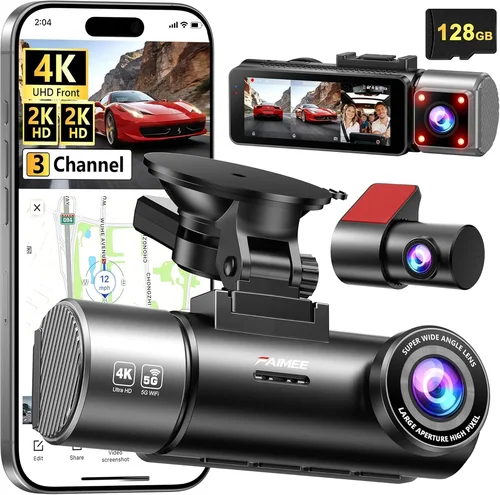
For users requiring enterprise-level reliability and advanced functionality, the BlackVue DR970X-2CH represents the gold standard in dash cam technology. This dual-lens system captures crystal-clear 4K front footage alongside 1080p rear recording with precise synchronization. The built-in Wi-Fi and LTE connectivity enable cloud uploads and real-time monitoring, while advanced parking mode with impact detection provides comprehensive vehicle protection. BlackVue’s military-grade components and rigorous testing ensure operation in extreme conditions, and the company’s reputation for customer support is unmatched in the industry. Professional-grade mounting hardware and sophisticated mobile apps round out this premium package. While the price point exceeds most consumer budgets, the DR970X-2CH justifies its cost through uncompromising performance, reliability, and comprehensive feature sets ideal for fleet operators, security professionals, and discerning drivers.
Best for Beginners: Garmin Dashcam Mini
The Garmin Dashcam Mini offers simplicity and reliability perfect for first-time dash cam owners. Its ultra-compact design (less than half the size of traditional models) fits discreetly on any windshield without obstructing views. Despite its small footprint, the Mini delivers 1080p recording with wide dynamic range and reliable loop recording functionality. Garmin’s user-friendly interface and straightforward installation process make it ideal for users uncomfortable with complex electronics. The included capacitor-based power system eliminates battery concerns, and Garmin’s trusted brand reputation provides confidence in long-term reliability. While lacking advanced features like dual-lens systems or cloud connectivity, the Dashcam Mini focuses on core functionality without overwhelming users with unnecessary complexity.
Best for Advanced Users: Thinkware U1000
The Thinkware U1000 caters to experienced users who demand maximum performance and customization options. This dual-lens system captures stunning 4K front footage alongside 1080p rear recording with precise time synchronization. Advanced features include multiple parking mode options, sophisticated G-sensor sensitivity adjustment, and comprehensive mobile app integration. The U1000’s exceptional low-light performance and wide dynamic range ensure clear footage in challenging conditions, while Thinkware’s reputation for build quality and reliability stands unchallenged. Professional-grade mounting hardware and extensive customization options appeal to users who want granular control over their recording parameters. While the learning curve is steeper than beginner models, the U1000 delivers uncompromising performance for users who prioritize every aspect of dash cam functionality.
Conclusion: Making the Right Choice
Selecting the best dash cam for accident recording requires careful consideration of your specific needs, driving habits, and budget constraints. Rather than chasing the latest technological advances or focusing solely on price points, prioritize features that directly enhance your safety and provide reliable evidence when needed most. Remember that a quality dash cam represents an investment in peace of mind and protection, potentially saving you from costly disputes or false allegations.
Focus on core capabilities first: video quality, emergency event detection, reliable storage, and robust build quality. These foundational elements ensure your footage remains usable and credible during insurance claims or legal proceedings. Secondary features like cloud connectivity, GPS tracking, and smart functionality enhance convenience but shouldn’t compromise primary recording performance.
Consider your typical driving scenarios when evaluating features. Urban commuters benefit from wider fields of view and superior low-light performance, while highway drivers may prioritize higher resolutions and advanced driver assistance systems. Rideshare and fleet operators require comprehensive coverage with cloud backup capabilities, whereas private vehicle owners might prioritize discreet design and ease of use.
Don’t forget practical considerations like installation complexity, warranty coverage, and long-term maintenance requirements. Choose models with reliable customer support and accessible replacement parts to avoid being stranded without functional equipment. Regular testing of your dash cam system ensures continued reliability and familiarizes you with file management procedures.
Ultimately, the best dash cam for accident recording is one you’ll actually use consistently. Select a model that integrates seamlessly into your daily routine, doesn’t create additional stress or complications, and provides genuine peace of mind. With thoughtful consideration of your specific needs and realistic expectations, you’ll find a dash cam that serves as both a practical safety tool and a valuable witness on the road.