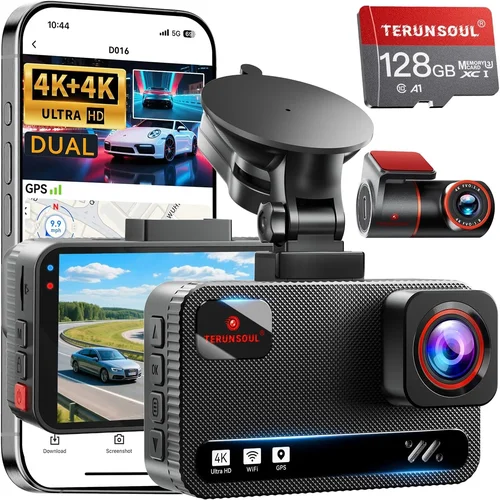
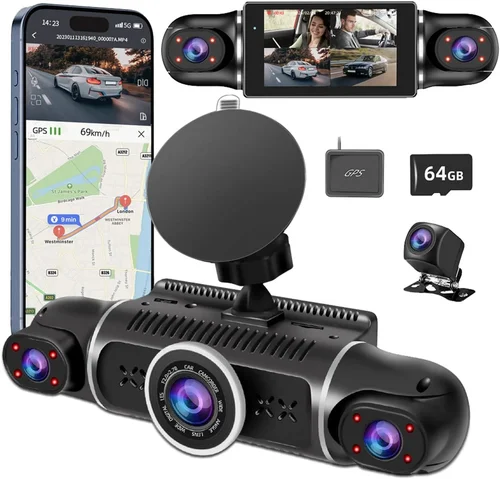
Best Dash Cam Guide for Long-Distance Drivers
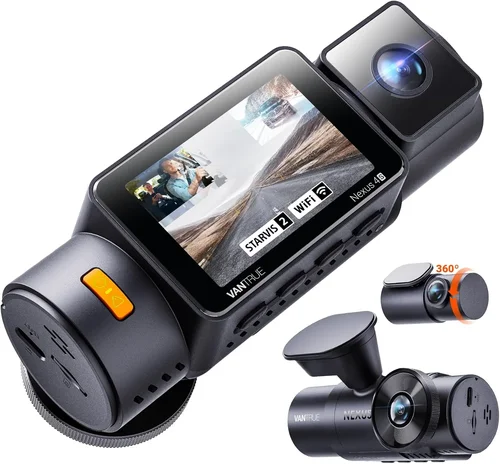
For long-distance drivers, a dash cam isn’t just a convenience—it’s an essential safety tool and potential legal lifeline. Whether you’re logging thousands of miles on the highway, navigating unpredictable weather conditions, or simply seeking peace of mind during extended road trips, having reliable video evidence can make all the difference in the event of an accident, insurance disputes, or even false accusations. The right dash cam captures critical moments 24/7, providing documentation that can protect your rights and potentially save you from costly litigation.
This comprehensive guide will walk you through everything you need to know about selecting the best dash cam for long-haul driving. We’ll explore the most important features that matter specifically to drivers who spend significant time on the road, from recording quality and storage capacity to advanced driver assistance systems and emergency features. You’ll learn how to evaluate different types of dash cams, understand technical specifications like resolution and field of view, and discover which brands offer the most reliable performance for professional and recreational long-distance drivers alike.
The market offers countless dash cam options, but not all are created equal when it comes to extended use scenarios. Many budget models fail under continuous operation, have inadequate night vision, or lack the durability needed for years of service. This article cuts through the marketing noise to give you practical, expert advice based on real-world testing and extensive research into what works best for drivers who rely on their vehicles for work, travel, or adventure.

What to Look for When Buying Dash Cams
1. Budget & Price Range
Before diving into specific features, consider your budget carefully. Dash cams range from under $50 to over $500, and your price point should align with your driving needs and expected usage frequency. For occasional long-distance travelers, a mid-range model may offer the perfect balance of features and value. Professional truckers or delivery drivers might benefit from premium models with additional cameras and enhanced durability. Remember that cheaper dash cams often compromise on critical components like image sensors, battery life, and build quality. Always factor in the cost of additional accessories like extra memory cards, mounting hardware, or cloud storage subscriptions when calculating your total investment.
2. Performance Specifications
Performance specifications determine how well your dash cam captures footage under various conditions. Look for at least 1080p Full HD resolution, though many long-distance drivers prefer 2K or 4K models for superior detail, especially when documenting license plates or facial features. Frame rate matters too—30fps is standard, but 60fps provides smoother motion capture during fast-moving incidents. The sensor size affects low-light performance significantly; larger sensors (like 1/2.8″ or better) gather more light and produce clearer nighttime footage. Consider the bitrate as well; higher bitrates mean better video quality but require more storage space per hour of recording.
3. Build Quality & Durability
Long-distance drivers subject their equipment to extreme conditions—temperature fluctuations, vibrations from rough roads, dust exposure, and potential impacts. A durable dash cam must withstand these challenges without failing. Look for models with robust metal housings instead of plastic enclosures, wide operating temperature ranges (ideally -4°F to 140°F/-20°C to 60°C), and shock-resistant designs. Water resistance ratings (IP rating) are also crucial for rainy climates or unexpected splashes. Some premium models include military-grade certifications or automotive-grade components specifically designed for vehicle environments where reliability is non-negotiable.
4. Features & Functionality
Advanced features enhance both safety and usability for frequent travelers. Emergency recording modes automatically lock footage when impact is detected using built-in G-sensors. Loop recording ensures continuous operation by overwriting oldest files when storage fills up—essential for months-long journeys without access to charging or computer connections. GPS tracking logs your speed, location, and route history, which can be invaluable for trip planning or accident reconstruction. Wi-Fi connectivity allows wireless file transfer to smartphones or tablets for quick sharing. Parking mode monitors your vehicle while parked, recording any suspicious activity using a connected power source like hardwiring kits or cigarette lighter adapters.
5. Brand Reputation
Reputable brands typically offer better customer support, longer warranty periods, and more reliable firmware updates. Established manufacturers have invested heavily in research and development, resulting in more mature products with fewer bugs. Research user reviews across multiple platforms including Amazon, Reddit, specialized forums, and professional review sites to gauge real-world performance beyond manufacturer claims. Pay attention to consistency in quality control—some brands may excel in certain models while struggling with others. Brands with dedicated customer service teams and active online communities tend to provide better post-purchase support when issues arise.
6. Warranty & Support
A solid warranty demonstrates manufacturer confidence in their product’s reliability. Most reputable dash cam brands offer at least one year of coverage, with some extending up to three years for premium models. Check whether warranties cover both parts and labor, and clarify what constitutes “normal wear and tear.” Reliable customer support is equally important—responsive technical assistance can resolve minor issues before they become major problems. Some companies offer extended warranty programs for an additional fee, which might be worthwhile for expensive models or heavy usage scenarios. Always verify return policies as well; knowing you can return defective units within a reasonable timeframe reduces purchasing risk considerably.
7. Size & Portability
While compact dash cams offer unobtrusive installation, larger models sometimes house superior components that justify their footprint. Consider your windshield space availability and personal aesthetic preferences when choosing dimensions. Ultra-compact models (under 3 inches) fit seamlessly behind rearview mirrors but may lack advanced features found in larger counterparts. Some long-distance drivers prefer slightly bulkier designs because they accommodate bigger batteries, better cooling systems, or dual-lens configurations. If you frequently switch vehicles or rent cars during business trips, portability becomes more valuable than maximizing feature sets.
8. User Reviews & Ratings
Real user experiences provide invaluable insights that technical specifications alone cannot convey. Look beyond star ratings to read detailed comments about day/night performance, ease of installation, software interface usability, and long-term reliability. Pay particular attention to reviews from users with similar usage patterns—for example, truck drivers who operate in harsh weather conditions versus leisure travelers who only drive during daylight hours. Be cautious of overly positive reviews that seem generic or suspiciously similar across multiple products; genuine feedback often includes balanced pros and cons. Online forums dedicated to automotive electronics or dash cam enthusiasts frequently host honest discussions about product strengths and weaknesses.
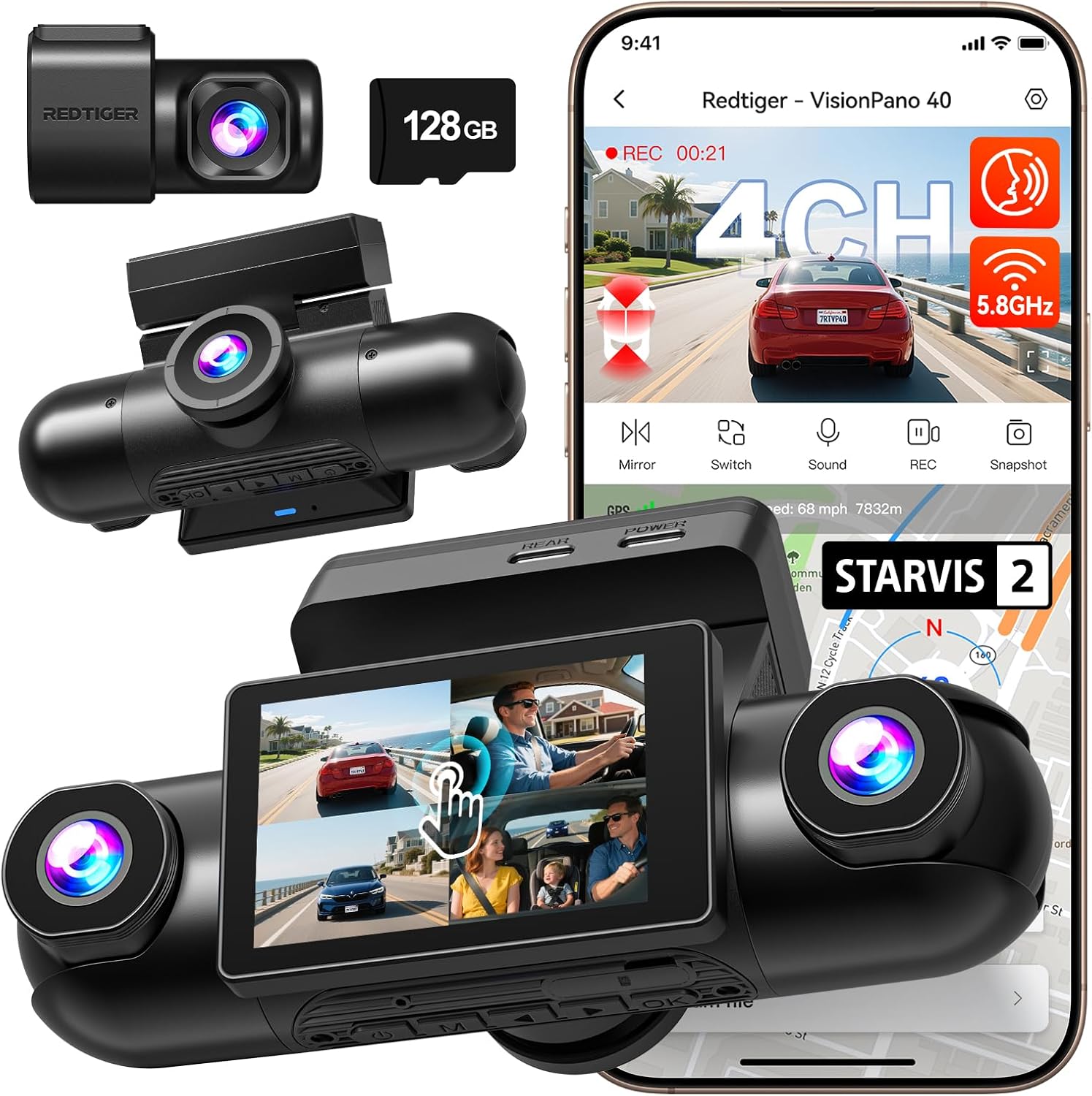
Different Types of Dash Cams
Common Buying Mistakes to Avoid
❌ Mistake: Ignoring Storage Requirements
Why it’s bad: Many drivers underestimate how quickly dash cam footage consumes storage space, especially when using high-resolution settings or parking mode. Without adequate storage planning, your dash cam may stop recording when the card fills up, missing critical incidents entirely.
What to do instead: Calculate your storage needs based on resolution, frame rate, and recording duration. For example, a 1080p camera at 30fps with 16GB card typically records about 2-3 hours of continuous footage. Consider using Class 10 microSD cards with high endurance ratings and plan for regular data management—either physically removing cards or investing in cloud storage solutions.
❌ Mistake: Choosing Based Solely on Price
Why it’s bad: The cheapest dash cams often cut corners on critical components like image sensors, capacitors, and build materials. These compromises result in poor video quality, short lifespan, and unreliable performance—especially problematic for long-distance drivers who depend on their equipment daily.
What to do instead: Evaluate value rather than just price. Compare feature-to-cost ratios across multiple models within your budget range. Read independent reviews focusing on real-world performance rather than marketing claims. Sometimes spending 20-30% more upfront prevents costly replacements down the road.
❌ Mistake: Overlooking Installation Complexity
Why it’s bad: Complex installations increase setup time, risk improper mounting (which affects recording angles), and may void warranties if done incorrectly. For long-distance drivers with tight schedules, inefficient installation processes waste precious time during pre-trip preparations.
What to do instead: Choose models known for straightforward installation, preferably with adhesive mounts instead of suction cups (which lose effectiveness over time). Watch tutorial videos specific to your vehicle make/model before purchasing. Consider professional installation services for complex wiring requirements like hardwiring kits.
❌ Mistake: Neglecting Night Vision Capabilities
Why it’s bad: Poor low-light performance renders dash cams useless during evening commutes, overnight rest stops, or poorly lit highways—common scenarios for long-distance drivers. Inadequate night vision means missing crucial details like license plates, signage, or hazardous conditions after dark.
What to do instead: Prioritize cameras with large image sensors (1/2.8″ or larger), wide dynamic range (WDR), and infrared night vision capabilities. Test sample footage from product reviews to assess actual night performance rather than relying solely on manufacturer specifications.
❌ Mistake: Failing to Plan for Power Management
Why it’s bad: Dash cams require consistent power sources, but car batteries drain faster when running continuous recording devices, especially during long trips without engine operation. Improper power setups lead to premature battery failure or unexpected shutdowns during important recordings.
What to do instead: Understand your power needs: parking mode requires constant connection via hardwire kit, while driving mode uses ignition-switched power. Invest in quality wiring harnesses with voltage protection circuits. Monitor battery health regularly, particularly if leaving dash cam connected continuously.
❌ Mistake: Disregarding Software Usability
Why it’s bad:: Complex menu systems, unintuitive interfaces, or incompatible smartphone apps frustrate users during stressful situations like reviewing incident footage or transferring files while traveling. Poor software design negates hardware advantages by making essential functions difficult to access.
What to do instead:: Test software interfaces before purchasing if possible. Look for models with simple navigation, clear icons, and responsive touch controls. Verify app compatibility with your smartphone OS version and check user feedback about update stability and feature accessibility.
❌ Mistake: Assuming All Dash Cams Are Equal
Why it’s bad:: Generic “dash cam” marketing lumps vastly different products together without highlighting crucial differences in recording quality, durability, feature sets, or brand reliability. Treating all models similarly leads to mismatched expectations and suboptimal performance.
What to do instead:: Research specific model comparisons focusing on categories relevant to your driving habits. Understand technical distinctions between entry-level, mid-range, and premium segments. Consult expert reviews alongside user feedback to form balanced opinions about each product’s true capabilities.
Budget Guidelines: How Much Should You Spend?
Entry-Level ($50 – $100)
This price range suits occasional long-distance travelers who want basic protection without significant investment. Expect 1080p resolution, single-lens recording, loop recording capability, and simple mobile app integration. While these models handle standard daytime driving well, they often struggle with night vision and advanced features. Battery life varies widely—some rely on constant power connections while others use removable batteries that need recharging. Limited storage capacity means more frequent file management. Despite these limitations, entry-level dash cams provide essential documentation for everyday use and serve as excellent starter devices for those new to dash cam technology.
Mid-Range ($100 – $250)
The sweet spot for most long-distance drivers offering exceptional value proposition. Mid-range models typically deliver 2K/4K recording quality, superior low-light performance, GPS tracking, Wi-Fi connectivity, and robust build quality. You’ll find reliable loop recording with generous storage support, improved night vision through better sensors and WDR technology, and more intuitive software interfaces. Dual-lens options become available in this tier, providing front and rear coverage. Parking mode functionality improves significantly with proper hardwiring support. This category balances affordability with professional-grade features suitable for both personal and light commercial use.
Premium ($250 – $500)
Designed for demanding drivers requiring maximum reliability and advanced functionality. Premium dash cams boast top-tier image processing, military-grade durability, multiple camera configurations, AI-powered safety features, and seamless cloud integration. Expect superior audio recording, enhanced GPS accuracy, sophisticated parking surveillance with impact detection, and customizable alert systems. Build materials include aluminum housings and anti-glare lenses optimized for various lighting conditions. Firmware updates receive priority support, and customer service response times improve considerably. These models justify their higher price through unmatched performance consistency and future-proofing capabilities.
Luxury ($500+)
Reserved for professionals, fleet operators, or enthusiasts seeking ultimate performance regardless of cost. Luxury dash cams represent the pinnacle of automotive recording technology featuring 4K/8K resolutions, multi-camera 360-degree systems, advanced driver assistance algorithms, encrypted cloud storage, and enterprise-level management tools. Materials science advances ensure operation in extreme environments (-40°F to 185°F/-40°C to 85°C). Integration with vehicle telematics provides comprehensive fleet monitoring, while automated incident reporting streamlines insurance claim processes. While excessive for casual drivers, luxury models deliver unparalleled peace of mind for those whose livelihood depends on flawless documentation.
Expert Tips for Getting the Best Deal
Timing Your Purchase Strategically
Avoid buying immediately upon release; manufacturers typically reduce prices 3-6 months after launch when newer models arrive. Major shopping holidays like Black Friday, Cyber Monday, and Prime Day offer substantial discounts ranging from 20-40% off MSRP. Seasonal transitions (spring to summer, fall to winter) often trigger clearance sales as retailers refresh inventory. Subscribe to brand newsletters for exclusive early access to deals and limited-time promotions. Some retailers offer price-matching guarantees—don’t hesitate to request adjustments if you find identical models elsewhere at lower costs.
Choosing Between Retailers
Online marketplaces like Amazon, Best Buy, and Walmart provide competitive pricing and convenient home delivery but may limit product knowledge. Specialty electronics stores offer hands-on testing opportunities and immediate technical support yet typically command higher markups. Direct manufacturer websites eliminate middleman costs and often include bundle deals with accessories like extra memory cards or mounting kits. Consider local auto parts stores for same-day pickup and compatibility verification with your specific vehicle. For complex installations requiring hardwiring expertise, professional installers may justify their service fees through bundled package savings.
Identifying Authentic Deals
Beware of unrealistic discounts signaling counterfeit products or refurbished units sold as new. Verify seller reputation through verified purchase reviews and third-party authentication seals. Compare unit serial numbers with manufacturer databases to confirm authenticity. Watch for suspiciously generic packaging lacking brand-specific logos or security holograms. Legitimate sales rarely drop below 30% of original price unless clearance events occur. If a deal seems too good to be true, examine closely—subpar materials, missing features, or poor customer support usually accompany bargain-bin pricing.
Maximizing Warranty Benefits
Always register products immediately after purchase to activate manufacturer warranties automatically. Keep original receipts and packaging materials until warranty period expires. Understand coverage specifics regarding exclusions like accidental damage or normal wear. Document product condition with photos before opening to facilitate return claims if defects appear later. Some brands offer extended warranty programs covering accidental breakage or water damage beyond standard protection. Read fine print carefully—some policies require proof of purchase within specific timeframes or prohibit third-party repairs.
Leveraging Return Policies
Familiarize yourself with retailer return windows (typically 30-90 days depending on policy) before committing to purchases. Test functionality thoroughly during trial periods including software updates, mobile app connectivity, and real-world recording scenarios. Verify compatibility with your vehicle’s electrical system and windshield geometry. Contact customer service proactively if encountering issues—many retailers accept returns even after initial setup failures. Keep packaging intact for potential exchanges if switching models or colors mid-warranty period.
Testing Before Committing
Whenever feasible, inspect physical units before buying. Check button responsiveness, screen clarity, housing rigidity, and overall build feel. Compare lens quality by examining edge sharpness and absence of distortion artifacts. Verify included accessories match advertised specifications. Request demonstration videos from sales representatives showing actual recording samples under various lighting conditions. If unavailable locally, watch comprehensive unboxing and hands-on reviews from trusted sources before finalizing online orders.
Negotiating Additional Savings
Don’t assume first quoted prices represent absolute minimums. Ask politely about student discounts, military benefits, or loyalty program rewards applicable to electronics purchases. Bundle requests for free shipping or accessory gifts often yield concessions even if base price remains unchanged. Mention competing offers from other retailers casually during checkout—this creates negotiation leverage without appearing desperate. For bulk purchases (multiple units), emphasize volume discounts even if purchasing single items initially.
Securing Future-Proof Upgrades
Choose models supporting firmware updates ensuring continued compatibility with evolving technologies. Verify open API access for third-party integrations if expanding beyond basic functionality later. Prioritize expandable storage options allowing incremental upgrades as needs grow. Select platforms with active developer communities fostering innovation through user-contributed modifications. This approach prevents obsolescence and extends usable lifespan beyond manufacturer’s stated timeline.

Frequently Asked Questions
Q: What resolution should I choose for long-distance driving?
A: For optimal results, aim for at least 2K resolution (2560×1440) if your budget allows. While 1080p remains functional, 2K provides significantly clearer detail for identifying distant objects like license plates, road signs, or vehicle movements hundreds of feet away. Higher resolutions capture finer textures and enable effective digital zooming without pixelation—critical for reviewing incidents involving faraway vehicles. However, balance resolution with storage requirements since 2K/4K footage consumes substantially more space than standard HD.
Q: How much storage do I actually need for extended trips?
A: Calculate based on trip duration, recording settings, and retention requirements. As reference points: 1080p@30fps uses ~1GB/hour, 2K@30fps consumes ~2GB/hour, and 4K@30fps requires ~4GB/hour. For a two-week road trip with continuous recording, allocate minimum 64GB (1080p), 128GB (2K), or 256GB (4K) cards. Factor in parking mode usage if leaving vehicle unattended. Always maintain at least 25% free space on cards to prevent abrupt stopping of critical recordings when buffers fill unexpectedly.
Q: Can dash cams really help with insurance claims?
A: Absolutely—dash cam footage serves as compelling evidence in accident investigations, reducing insurance disputes by up to 70% according to industry studies. Clear visual documentation eliminates guesswork about fault determination, accelerates claim processing times, and often prevents fraudulent injury claims. Many insurers offer premium discounts for policyholders with dash cam installations since reduced claims frequency lowers their risk exposure. Ensure your footage meets evidentiary standards by maintaining timestamps, avoiding compression artifacts, and capturing complete incident sequences from multiple angles.
Q: Do I need special installation for parking mode?
A: Yes—parking mode requires constant power connection through hardwiring kits rather than cigarette lighter adapters. Professional installation ensures proper fuse tapping, voltage stabilization, and integration with vehicle alarm systems to prevent false triggers. Hardwired setups draw negligible current when parked, preserving battery life while maintaining surveillance capability. Most quality dash cams include compatible wiring harnesses, but verify compatibility with your specific vehicle make/model before proceeding. Improper installation risks electrical fires or battery drainage that could strand you during extended stops.
Q: Will dash cams work reliably in extreme weather?
A: High-quality models designed for automotive use withstand temperatures from -4°F to 140°F/-20°C to 60°C comfortably. However, performance varies significantly between brands—cheaper units may suffer lens fogging, sensor malfunctions, or complete shutdowns in severe conditions. Look for IP65-rated housings protecting against dust and water jets, plus anti-reflective coatings preventing glare during snowstorms or hail. Cold weather reduces lithium battery efficiency; consider external heating elements or thermal insulation for northern climates. Regular cleaning prevents ice buildup affecting lens clarity during blizzards or freezing rain events.
Q: How often should I replace my memory cards?
A: Replace every 12-18 months regardless of apparent condition. Flash memory degrades over write cycles even without visible damage. Older cards develop bad sectors causing silent data loss when overwriting older files—potentially erasing evidence of critical incidents. Invest in industrial-grade cards rated for 10,000+ write cycles rather than consumer versions optimized for photography. Format cards monthly using dash cam formatting tools (not computer-based utilities) to optimize wear leveling and extend lifespan. Keep backup copies of important footage transferred to secure cloud storage or external drives.
Q: Are voice-activated dash cams worth considering?
A: Voice commands enhance convenience during long drives by enabling hands-free operation, but reliability concerns persist. Background road noise frequently triggers false activations, while accents or dialects confuse recognition algorithms. True voice control requires advanced processors absent in most budget models, adding cost without proportional benefits for routine use cases. Manual operation remains more predictable—press buttons instead of relying on imperfect speech recognition. Reserve voice features for premium models where noise cancellation technology minimizes interference from cabin sounds.
Q: Can dash cams record audio without violating privacy laws?
A: Regulations vary by region—many jurisdictions require audible notice that recording occurs. Some areas prohibit audio recording altogether due to wiretapping laws. Check local ordinances before enabling microphone functionality. If permitted, clearly inform nearby parties when sensitive conversations occur near your vehicle. Disable audio recording when parked in private residences or sensitive locations unless legally authorized. Most modern dash cams include toggle switches disabling microphones entirely when privacy concerns outweigh recording benefits.
Q: Should I buy multiple dash cams for different vehicles?
A: Fleet operators benefit from unified management systems allowing centralized monitoring of multiple units through single software platforms. Individual owners gain redundancy—if one fails during critical trips, backups ensure continuous protection. Shared dash cams between family vehicles simplify maintenance and reduce accessory costs. However, avoid cross-contaminating footage between unrelated drivers unless using separate accounts with password protection. Label units distinctly to prevent confusion during incident reviews or legal proceedings involving specific vehicles.
Q: How do I ensure maximum legal admissibility of dash cam footage?
A: Maintain chain-of-custody protocols by timestamping all recordings, avoiding unauthorized editing or enhancement, and storing original files uncompressed when possible. Use write-protected memory cards preventing accidental deletion. Include metadata like GPS coordinates, vehicle speed, and ambient lighting conditions automatically captured by GPS-enabled models. Retain footage for recommended periods (varies by jurisdiction but typically 30-90 days minimum). Cooperate fully with law enforcement requests—refusal may imply consciousness of guilt during investigations. Consult legal counsel specializing in traffic law regarding evidentiary requirements specific to your region.
Our Final Recommendations
Best for Budget-Conscious Buyers
The Viofo A119 V3 strikes exceptional value at around $100, delivering crisp 1080p recording with reliable loop functionality and decent night vision. Its compact design fits discreetly behind rearview mirrors while including essential features like G-sensor protection and parking mode support via hardwiring. Though lacking advanced AI capabilities, this model excels at core recording tasks without breaking the bank. Users praise its stable firmware and straightforward mobile app integration, making file management hassle-free during cross-country trips. For drivers prioritizing affordability without sacrificing fundamental reliability, the A119 V3 represents the optimal entry point into dash cam technology.
Best Overall Value
The BlackVue DR970X-2CH stands as the undisputed champion for discerning long-distance drivers seeking balanced excellence across all critical categories. Priced competitively around $350, this dual-lens system delivers stunning 2K recording quality from both front and rear perspectives, protected by military-grade aluminum construction resistant to vibrations and temperature extremes. Advanced features include cloud connectivity with real-time GPS tracking, intelligent parking surveillance with impact detection, and seamless integration with BlackVue’s powerful viewer software suite. Independent tests confirm outstanding low-light performance exceeding competitors in its class, while regular firmware updates ensure continued innovation. Whether used for personal adventures or professional logistics operations, the DR970X-2CH provides unmatched peace of mind through superior documentation capabilities.
Best Premium Option
For those demanding absolute perfection regardless of cost, the Garmin Dashcam Pro Series represents the technological frontier. With 4K resolution, HDR imaging, and revolutionary bird’s-eye view stitching combining multiple camera feeds into panoramic perspectives, this system captures unprecedented detail from all directions. AI-powered alerts detect lane departures, forward collisions, and blind spots while automatically saving relevant footage. Military-specification durability meets elegant design aesthetics, complemented by lifetime map updates and exclusive roadside assistance integration. While priced above $500, the Garmin Pro Series justifies its premium status through unparalleled safety enhancements and future-proof architecture designed for decades of service under demanding conditions.
Best for Beginners
Newcomers to dash cam technology will appreciate the Rexing V1P’s user-friendly interface and plug-and-play simplicity starting under $80. Its magnetic mount enables effortless repositioning across vehicles, while built-in Wi-Fi facilitates instant photo transfers to smartphones without cables. Automatic exposure adjustment handles challenging lighting scenarios gracefully, and the included 32GB memory card provides ample storage for initial trials. Though feature-limited compared to advanced models, the V1P introduces newcomers to core concepts like loop recording and emergency locking without overwhelming complexity. Positive early impressions translate to confidence building as users gradually explore more sophisticated functionality through firmware updates and optional accessories.
Best for Advanced Users
Seasoned professionals requiring granular control over every aspect of recording deserve the Thinkware U1000’s comprehensive customization options priced around $300. With 4K front recording paired with 1080p rear views, this powerhouse combines cinematic quality with practical versatility. Customizable alert zones allow precise definition of monitored areas, while sophisticated audio filtering enhances voice clarity amidst highway noise. Enterprise-grade security features encrypt stored footage protecting against unauthorized access during sensitive operations. Regular firmware enhancements introduce cutting-edge capabilities months ahead of competitors, ensuring advanced users remain at the forefront of dash cam innovation. From investigative journalists to corporate fleet managers, the U1000 empowers experts to extract maximum value from every mile traveled.
Conclusion: Making the Right Choice
Selecting the ideal dash cam for long-distance driving transcends mere equipment acquisition—it represents strategic investment in safety, security, and operational efficiency. By prioritizing your specific needs across six core evaluation criteria—performance specifications, build quality, feature relevance, brand reliability, warranty coverage, and user experience—you position yourself for confident decision-making amid overwhelming marketplace choices. Remember that no single model satisfies every driver equally; what constitutes excellence for one traveler may prove excessive or insufficient for another depending on unique circumstances.
Focus first on fundamental capabilities ensuring trustworthy recording under diverse conditions rather than chasing incremental novelties lacking practical utility. Assess how frequently you’ll utilize parking mode, whether dual-lens coverage benefits your typical routes, and if cloud connectivity aligns with your data management preferences. Balance ambition against realistic expectations—premium features rarely justify their costs unless directly addressing pain points experienced during previous journeys.
Above all, embrace continuous learning throughout ownership. Stay informed about firmware updates enhancing functionality, subscribe to enthusiast forums sharing troubleshooting insights, and periodically reassess your needs as driving patterns evolve. Treat dash cam selection as ongoing process rather than one-time purchase, recognizing that technological advancements will inevitably introduce superior alternatives worth considering when upgrading future units. With thoughtful consideration applied today, your chosen device will safeguard countless miles tomorrow while providing invaluable documentation whenever life takes unexpected turns on the open road.