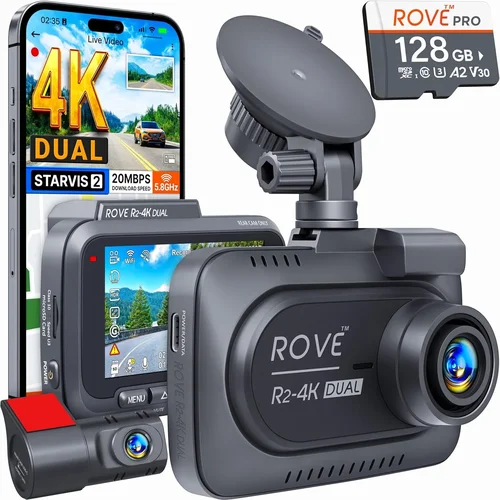
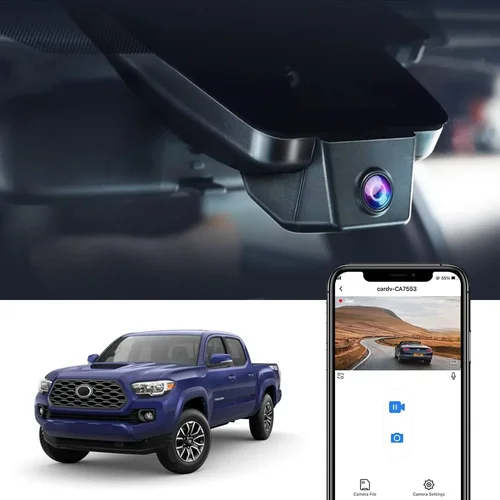
Best Dash Cam Buying Guide
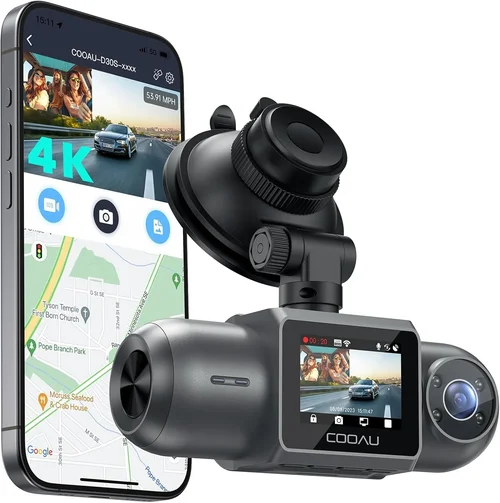
Why every driver should consider a dash cam for accident protection
In today’s increasingly complex driving environment, having reliable evidence during traffic incidents can make all the difference. Whether you’re involved in a fender bender, facing a false insurance claim, or need to document road conditions, a quality dash cam serves as your 24/7 eyewitness on wheels. This comprehensive buying guide will walk you through everything you need to know about selecting the perfect dash cam for accident recording, helping you make an informed decision that could protect both your wallet and your peace of mind.
Throughout this detailed guide, you’ll learn about the critical features that matter most for accident documentation, understand how different types of dash cams compare, discover common pitfalls to avoid, and get expert recommendations tailored to various budgets and needs. By the end, you’ll have all the knowledge necessary to choose a dash cam that provides superior video quality, reliable performance, and valuable protection when you need it most.
The dash cam market has evolved dramatically over the past decade, offering everything from basic single-lens models to sophisticated dual-camera systems with advanced parking monitoring. With so many options available across different price points, understanding which features truly matter for accident recording is essential. This guide cuts through the marketing hype to focus on what actually works in real-world scenarios.

What to Look for When Buying Dash Cams
1. Video Resolution & Recording Quality
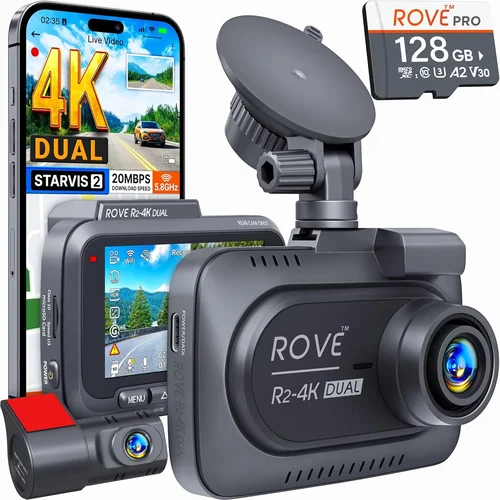
The foundation of any good dash cam is its ability to capture clear, detailed footage. For accident recording, you need resolution high enough to identify license plates, facial features, and vehicle details clearly. Most quality dash cams now offer at least 1080p Full HD resolution, but many top models provide 2K (1440p) or even 4K Ultra HD capability. Higher resolution means more detail in your footage, making it easier to identify vehicles, read license plates, and capture fine details like traffic signs or road markings.
Look for dash cams that support H.265 or H.264 video compression, as these formats provide excellent quality while keeping file sizes manageable. The frame rate also matters – 30fps is standard, but some models offer 60fps for smoother motion capture during fast-moving incidents. Consider the sensor quality too; larger sensors generally perform better in low light conditions, which is crucial for nighttime driving.
2. Field of View & Lens Quality
The field of view (FOV) determines how much of the road ahead and surrounding areas your dash cam can capture. A wider FOV is generally better for accident recording because it provides more context around the incident. Most quality dash cams offer between 120-170 degrees horizontal FOV, with some premium models reaching up to 180 degrees.
However, there’s a trade-off to consider: extremely wide angles can cause distortion at the edges of the frame, potentially making license plates or other important details appear blurry. Look for models with multiple lens options or adjustable FOV settings. Some dash cams use multiple lenses to provide different perspectives – one for forward-facing recording and another for rear-view coverage.
Lens quality also affects image clarity. Glass lenses typically outperform plastic alternatives, especially in challenging weather conditions. Anti-reflective coatings help reduce glare from headlights or sun exposure, ensuring clearer footage when it matters most.
3. Storage Capacity & Loop Recording
Dash cams rely on microSD cards for storage, and choosing the right capacity is crucial for continuous accident recording. Most dash cams support cards ranging from 32GB to 512GB, with higher capacities allowing longer recording times between file deletions.
Loop recording is a must-have feature – it automatically overwrites the oldest footage when storage fills up, ensuring you always have recent recordings available. However, some dash cams offer intelligent loop recording that skips over important events you’ve manually marked as “favorites,” preserving those clips instead of overwriting them.
Consider the bitrate your dash cam uses – higher bitrates mean better quality but larger file sizes, requiring more frequent card swaps or larger storage capacity. A typical 1080p dash cam might use 15-25 Mbps bitrate, while 4K models can require 60+ Mbps. Always use high-quality, Class 10 or U3 speed-rated microSD cards to ensure reliable performance.
4. Parking Mode & Motion Detection
Parking mode is arguably one of the most important features for accident protection, as it keeps your vehicle monitored even when you’re not driving. When your car is parked, the dash cam can record any incidents that occur, providing crucial evidence for hit-and-runs or vandalism.
There are several ways dash cams handle parking mode: hardwired power (most reliable), battery backup, or cigarette lighter power. Hardwiring is recommended for permanent installation since it eliminates the need for battery replacement and provides consistent power. Some models offer advanced parking features like impact detection, which wakes the dash cam when it senses significant vibrations or impacts.
Motion detection can be useful but may trigger frequently in busy urban areas, causing unnecessary battery drain. Look for models with adjustable sensitivity settings to minimize false triggers while still capturing relevant incidents.
5. Night Vision & Low Light Performance
Driving at night presents unique challenges for dash cam recording, and poor low-light performance can significantly reduce the usefulness of your footage during nighttime accidents. Modern dash cams use various technologies to improve night vision, including larger image sensors, improved noise reduction algorithms, and specialized night vision modes.
Wide Dynamic Range (WDR) technology is particularly valuable for night driving, as it balances exposure between bright headlights and darker road surfaces. Some dash cams also incorporate infrared LEDs for true night vision, though this can create a distinctive red glow visible in the footage.
Check reviews specifically for night performance, as lab tests don’t always reflect real-world conditions. Look for dash cams with good low-light ratings and consider models that offer automatic exposure adjustment to handle varying nighttime lighting conditions.
6. GPS Tracking & Speed Logging
GPS functionality adds another layer of protection by recording location data, speed, and direction along with your video footage. This information can be invaluable during accident investigations, as it provides objective data about your vehicle’s movements leading up to and during an incident.
Some dash cams overlay GPS data directly onto the video recording, creating timestamped logs with precise coordinates. This feature can help establish facts during disputes and provide additional context for insurance claims. Look for models with accurate GPS tracking and the ability to export location data separately if needed.
Speed logging is particularly useful for documenting potential speeding violations or establishing that you were driving within posted limits during an incident. However, some jurisdictions may have restrictions on using GPS data as evidence, so check local laws before relying solely on this information.
7. Emergency Recording & Event Marking
Emergency recording features automatically save important footage when they detect significant events, preventing those clips from being overwritten by loop recording. Most dash cams use G-sensor technology to detect sudden impacts, hard braking, or sharp turns that might indicate an incident.
When triggered, these events typically create a separate protected folder or mark the clip as “important” so it won’t be deleted during normal loop recording. Some models offer manual event marking buttons, allowing you to flag suspicious activity or interesting driving situations for later review.
Advanced dash cams may include additional sensors like cameras that monitor blind spots or rearview coverage, providing more comprehensive incident documentation. The reliability of these emergency recording features varies by model, so look for systems with proven track records in detecting and saving relevant events.
8. Build Quality & Weather Resistance
Your dash cam will be exposed to extreme temperatures, moisture, dust, and vibrations while mounted on your windshield. Build quality directly affects reliability and longevity, especially during harsh weather conditions that might coincide with accidents.
Look for dash cams with metal housings rather than plastic construction, as they offer better heat dissipation and durability. Sealed connectors and weather-resistant materials help prevent moisture damage, which is crucial since water intrusion can destroy electronics and render footage useless.
Temperature tolerance is another important consideration – dash cams should operate reliably in both freezing winter conditions and scorching summer heat. Check manufacturer specifications for operating temperature ranges, and consider models designed specifically for automotive environments.
9. User Interface & Ease of Use
A complicated interface can be frustrating when you need quick access to your dash cam during stressful situations. Look for models with intuitive menus, large buttons, and clear displays that are easy to navigate while driving.
Touchscreen interfaces offer convenience but can be difficult to use while wearing gloves or during wet conditions. Many users prefer physical buttons for their reliability and tactile feedback. Consider dash cams with voice command capabilities or simple one-button operations for quick activation.
Setup and configuration should be straightforward, with clear instructions and helpful on-screen prompts. Some models offer smartphone apps that simplify initial setup and provide remote viewing capabilities, though these require compatible devices and stable connectivity.
10. Software Features & Cloud Integration
Modern dash cams often come with companion software that enhances functionality beyond basic recording. Features like cloud backup, remote viewing, and advanced editing tools can add significant value to your investment.
Cloud integration allows you to securely store and access your footage from anywhere, protecting against theft or loss of your dash cam’s memory card. Some services offer automatic uploads when your device connects to Wi-Fi, while others provide real-time streaming capabilities.
Advanced software features might include AI-powered object detection (identifying pedestrians, animals, or specific vehicles), route planning with pre-set recording zones, or integration with navigation systems for contextual awareness. While these features aren’t essential for basic accident recording, they can enhance overall utility and peace of mind.
Different Types of Dash Cams

Common Buying Mistakes to Avoid
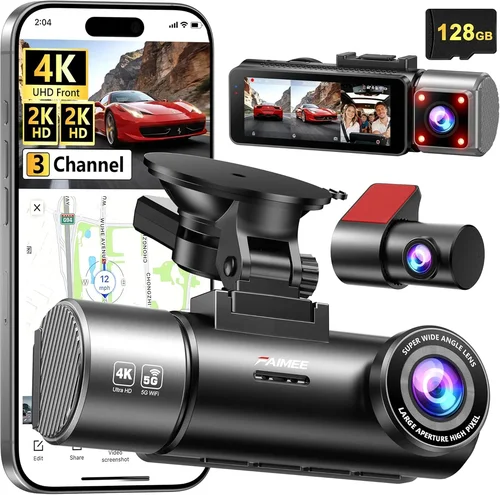
❌ Mistake: Ignoring Storage Requirements
Why it’s bad: Choosing a dash cam without considering storage needs can lead to constant reformatting, lost footage, or the need for frequent microSD card replacements. Many users underestimate how quickly dash cams fill up storage, especially with high-resolution recording and long recording sessions.
What to do instead: Calculate your storage needs based on recording quality, loop duration preferences, and typical driving patterns. For example, a 1080p dash cam at 30fps might need a 64GB card for 2-3 hours of continuous recording. Factor in emergency event files and consider using larger cards (128GB+) for better value and longer recording intervals.
❌ Mistake: Overlooking Parking Mode Functionality
Why it’s bad: Neglecting parking mode features means missing critical evidence for incidents that occur when you’re not present. Without proper parking monitoring, hit-and-run accidents, vandalism, or minor damages might go undocumented, leaving you vulnerable to false claims or inadequate insurance coverage.
What to do instead: Prioritize dash cams with reliable parking mode capabilities. Ensure the model supports hardwired installation for consistent power, offers impact detection or motion monitoring, and provides adequate battery backup during extended parking periods. Test the parking mode functionality after installation to verify it activates correctly.
❌ Mistake: Choosing Based Solely on Price
Why it’s bad: While budget considerations are important, focusing only on the lowest price often results in purchasing a dash cam with subpar build quality, unreliable recording, or missing essential safety features. Cheap dash cams may fail in cold weather, produce blurry footage, or have short lifespans that negate any initial savings.
What to do instead: Evaluate dash cams based on value rather than just price. Compare features, build quality, warranty coverage, and user reviews across multiple price points. Sometimes spending slightly more upfront can provide significantly better reliability and features that justify the additional cost over time.
❌ Mistake: Not Checking Compatibility Requirements
Why it’s bad: Assuming all dash cams work with your vehicle can lead to installation issues, compatibility problems, or features that don’t function as expected. Different dash cams have varying power requirements, mounting systems, and software compatibility that might not suit your specific vehicle or existing equipment.
What to do instead: Before purchasing, verify compatibility with your vehicle make and model. Check if the dash cam requires hardwiring (and confirm your vehicle’s fuse box layout), ensure the mounting system works with your windshield type, and verify smartphone app compatibility if you plan to use those features. Reading installation guides and user experiences can reveal potential compatibility issues.
❌ Mistake: Skipping Warranty and Support Considerations
Why it’s bad: Focusing exclusively on features while ignoring warranty terms and customer support can leave you stranded if your dash cam fails. Many manufacturers offer limited warranties that don’t cover common failure points, and poor customer service can delay repairs or replacements when you need them most.
What to do instead: Research warranty coverage thoroughly before purchasing. Look for manufacturers with responsive customer support, comprehensive warranty terms, and readily available replacement parts. Check independent reviews for warranty claims experiences and consider brands with established service networks. Don’t hesitate to contact customer service with questions before making your purchase.
❌ Mistake: Installing Without Proper Mounting
Why it’s bad: Poor installation can compromise both dash cam performance and vehicle safety. Incorrect mounting positions can obstruct your view, interfere with airbag deployment, or create distracting reflections while driving. Improper wiring can cause electrical issues or void your vehicle’s warranty.
What to do instead: Take time to plan your installation carefully. Choose a mounting position that provides optimal visibility without interfering with critical controls or safety features. Follow manufacturer guidelines precisely, use appropriate mounting hardware, and ensure all wiring is secure and out of sight. If unsure about electrical connections, consult a professional installer or experienced DIYer.
Budget Guidelines: How Much Should You Spend?
Entry-Level ($50 – $100): Essential Protection for Beginners
This price range offers basic dash cam functionality suitable for most casual drivers who want fundamental accident protection. Models in this category typically provide 1080p recording, basic loop recording, and essential safety features without advanced capabilities. While these dash cams may lack premium build quality or sophisticated features, they deliver reliable core functionality for everyday driving scenarios.
At this price point, you can expect basic single-lens cameras with 120-140 degree field of view, decent low-light performance for daytime driving, and standard loop recording with microSD card storage. Parking mode may be limited or require separate accessories. These models are ideal for drivers seeking affordable entry into dash cam technology without overspending on features they may never use.
Popular entry-level options include brands like Viofo, BlackVue, and Rexing, which offer solid performance at budget-friendly prices. When shopping in this range, prioritize reliable video quality over flashy extras, and focus on essential safety features rather than smart capabilities.
Mid-Range ($100 – $250): Best Value for Most Drivers
This sweet spot represents the best balance of features, quality, and price for the majority of consumers. Mid-range dash cams typically offer 2K or 4K recording quality, improved build materials, enhanced night vision capabilities, and more robust parking mode functionality. These models often include GPS tracking, advanced G-sensor event recording, and better low-light performance than entry-level options.
In this category, you’ll find dual-lens systems, models with superior build quality and weather resistance, and devices offering both front and rear recording capabilities. Smartphone app integration becomes more common, allowing for remote viewing, cloud backup, and convenient file management. The jump in price from entry-level to mid-range reflects significant improvements in video quality and reliability.
For most drivers, this price range delivers the optimal combination of advanced features and dependable performance. Models from reputable brands like Garmin, Nextbase, and Thinkware represent excellent value propositions, offering professional-grade functionality at consumer-friendly prices.
Premium ($250 – $500): Professional-Grade Performance
Premium dash cams target serious drivers, fleet operators, and those who demand maximum protection and features. This category includes advanced dual or three-lens systems with exceptional video quality, sophisticated AI features, and comprehensive parking monitoring capabilities. Premium models often feature superior build quality, enhanced weather resistance, and professional-grade software with detailed analytics.
Expect features like 4K recording, advanced night vision with infrared illumination, sophisticated impact detection algorithms, and extensive parking mode options including motion detection, scheduled recording, and continuous monitoring. Many premium dash cams offer cloud integration, detailed trip reports, and advanced safety features like lane departure warnings or collision alerts.
This price range is ideal for drivers who frequently travel long distances, drive in challenging conditions, or want the absolute best protection available. Brands like BlackVue, Garmin, and Thinkware offer premium solutions with enterprise-level reliability and features.
Luxury ($500+): Ultimate Protection and Features
Luxury dash cams represent the pinnacle of automotive recording technology, targeting professionals, commercial fleets, and enthusiasts who demand nothing but the best. These devices often feature multiple ultra-HD cameras, advanced AI processing, professional-grade software suites, and extensive customization options. Luxury models may include specialized features like thermal imaging, 360-degree coverage, or integration with vehicle systems.
At this price point, you’ll find cutting-edge technology like machine learning-based object recognition, advanced analytics for insurance companies, and sophisticated cloud platforms with detailed reporting capabilities. Luxury dash cams often come with professional installation services, extended warranties, and dedicated customer support teams.
This category is best suited for fleet managers, insurance professionals, or individuals with exceptionally high-value vehicles who need maximum protection and advanced features. While most personal drivers won’t require this level of sophistication, luxury dash cams represent the ultimate in accident recording technology and peace of mind.
Expert Tips for Getting the Best Deal
Timing Your Purchase for Maximum Savings
Strategic timing can significantly reduce your dash cam costs without sacrificing quality. Major shopping events like Black Friday, Cyber Monday, and Amazon Prime Day typically feature substantial discounts on dash cam models across all price ranges. These sales often include bundle deals where you can get additional accessories like extra batteries, hardwiring kits, or premium memory cards at reduced prices.
Consider seasonal factors too – early spring and late fall often see price reductions as retailers clear winter inventory or prepare for holiday promotions. Additionally, new model releases sometimes trigger clearance sales on previous generation dash cams, offering excellent value on nearly identical functionality.
Set price alerts on major retail websites and monitor deal aggregators to catch unexpected discounts. Some manufacturers run exclusive promotions directly through their websites, offering better deals than third-party retailers. Signing up for newsletters from trusted dash cam brands can also give you early access to sales and special offers.
Choosing Between Online and In-Store Purchases
Both online and in-store purchasing have distinct advantages depending on your priorities. Online shopping offers broader selection, competitive pricing, and the convenience of home delivery. Major e-commerce platforms typically have extensive dash cam inventories with detailed specifications, customer reviews, and comparison tools that make decision-making easier.
In-store purchases allow you to physically examine products, ask immediate questions, and potentially take advantage of same-day pickup. Physical stores may also offer in-person installation services or hands-on demonstrations that can help you make better decisions. However, in-store selection is often more limited, and prices may be higher due to overhead costs.
For most buyers, a hybrid approach works best: research thoroughly online, compare prices across multiple retailers, and then visit a store to examine specific models you’re considering. Many stores now offer price matching, allowing you to get online deals while benefiting from in-person assistance.
Identifying Hidden Deals and Discounts
Beyond obvious sales events, numerous opportunities exist for finding better dash cam deals. Manufacturer rebate programs can provide substantial instant discounts, especially for first responders, military personnel, or students. Some retailers offer loyalty program discounts, cashback rewards, or special financing options that effectively reduce the total cost.
Consider refurbished or open-box items from authorized dealers – these often come with full warranties and have been inspected for quality assurance. Educational institutions, corporate wellness programs, and insurance companies sometimes partner with dash cam manufacturers to offer discounted rates to members or employees.
Bulk purchase discounts may be available if you’re buying for a fleet or multiple family vehicles. Don’t overlook regional promotions – local businesses sometimes run dash cam sales to compete with national chains, offering surprisingly good deals with personal service advantages.
Understanding Warranty Coverage and Terms
Thorough warranty analysis is essential before finalizing your dash cam purchase. Most reputable manufacturers offer 1-3 year limited warranties covering defects in materials and workmanship. However, warranty terms vary significantly, with some covering only the original purchaser while others extend to subsequent owners under certain conditions.
Pay close attention to what’s excluded from coverage – many warranties don’t cover damage from improper installation, water intrusion, or normal wear and tear. Some manufacturers require original proof of purchase and registration within a specified timeframe to maintain warranty validity. International warranties may be limited or non-existent, so consider your travel patterns when evaluating coverage options.
Extended warranty programs offered by retailers or third parties can provide additional protection but often include restrictive terms and limited coverage scope. Weigh the cost of extended warranties against potential repair expenses, considering your comfort level with DIY repairs versus professional installation needs.
Evaluating Return Policies and Testing Options
Flexible return policies provide crucial peace of mind when investing in electronic devices like dash cams. Look for retailers with generous return windows (typically 30-90 days) and minimal restocking fees. Some manufacturers offer trial periods specifically for dash cams, allowing you to test functionality and installation before committing fully.
Testing before purchasing is particularly valuable for complex installations involving hardwiring or multiple cameras. Many retailers now offer demo units or loaner programs that let you experience dash cam operation firsthand. If possible, install and test your chosen model for several days to ensure it meets your expectations regarding ease of use, video quality, and reliability.
Don’t assume compatibility until verified – even if a dash cam appears to fit your vehicle, electrical system requirements or mounting constraints might cause issues. Contact retailer customer service with specific questions about installation requirements and compatibility concerns before relying on return policies for problem resolution.
Comparing Total Cost of Ownership
Beyond the initial purchase price, consider the complete cost picture when evaluating dash cam investments. Installation costs can range from $20 for basic windshield mounting to $100+ for professional hardwiring services. Additional accessories like premium memory cards, extended warranties, or specialized mounting hardware add to the total expense.
Factor in ongoing costs like microSD card replacements (every 6-12 months depending on usage) and potential cloud storage subscriptions. Some dash cam apps charge monthly fees for advanced features like cloud backup or remote viewing. Calculate the total cost over 2-3 years of ownership to make informed comparisons between models and brands.
While cheaper dash cams may seem attractive initially, their shorter lifespans or inferior build quality could result in higher replacement costs over time. Balance upfront savings against long-term reliability and feature availability to determine the best overall value proposition for your specific needs.

Frequently Asked Questions
Q: Do I really need a dash cam for accident recording?
A: While not legally required everywhere, dash cams provide significant advantages for accident protection. They offer objective evidence during disputes, help resolve insurance claims faster, and can deter false accusations. Even in areas without mandatory requirements, the peace of mind and practical benefits make dash cams valuable additions for most drivers, especially those concerned about hit-and-run incidents or insurance fraud.
Q: What resolution is best for accident recording?
A: For reliable accident documentation, 1080p Full HD is the minimum acceptable resolution, but 2K (1440p) or 4K Ultra HD provides significantly better detail for identifying vehicles, reading license plates, and capturing fine details. Higher resolutions make it easier to establish facts during incidents, especially in challenging conditions like low light or adverse weather. However, higher resolutions require more storage space and processing power, so balance quality needs with practical considerations.
Q: How much storage do I need for my dash cam?
A: Storage requirements depend on your recording quality, desired loop duration, and whether you want to preserve emergency event files. A typical 1080p dash cam at 30fps might need a 64GB microSD card for 2-3 hours of continuous recording. For 4K recording, you’ll likely need 128GB or larger cards due to higher bitrates. Consider using Class 10 or U3 rated cards for reliable performance and factor in emergency event files that won’t be overwritten.
Q: Is parking mode worth the extra cost?
A: Absolutely. Parking mode provides crucial protection against hit-and-runs, vandalism, and minor damages that occur when you’re not present. Without parking monitoring, these incidents might go undocumented, leaving you vulnerable to false claims or inadequate insurance coverage. Reliable parking mode with impact detection and proper power supply (hardwired installation recommended) makes this feature essential for comprehensive vehicle protection.
Q: Can dash cam footage be used as legal evidence?
A: Dash cam footage can serve as supporting evidence in legal proceedings, but admissibility depends on jurisdiction-specific rules and proper handling procedures. Courts generally accept dash cam videos if they meet chain-of-custody requirements and weren’t tampered with. For best results, save footage immediately after incidents, use secure storage methods, and avoid editing or altering original recordings. Consult legal professionals about specific requirements in your area.
Q: How do I install a dash cam properly?
A: Proper installation ensures optimal performance and prevents safety hazards. Mount the dash cam near your rearview mirror for maximum field of view while avoiding airbag deployment zones. Use high-quality adhesive mounts designed for automotive use, and ensure the device doesn’t obstruct your view of critical controls or road conditions. For hardwired installations, follow manufacturer wiring diagrams carefully and connect to appropriate fuse taps. If uncertain about electrical connections, consult a professional installer.
Q: Will a dash cam drain my car battery?
A: Quality dash cams consume minimal power, typically less than 2 watts when recording and under 0.5 watts in parking mode. However, continuous parking monitoring can gradually drain batteries over time, especially in hot climates. Hardwired installations eliminate this concern, while battery backup systems or automatic shutoff features prevent excessive drain. Most modern dash cams include smart power management that reduces consumption during extended parking periods.
Q: Can I use any microSD card with my dash cam?
A: While many dash cams work with various microSD cards, using incompatible or low-quality cards can cause performance issues. Always use Class 10 or U3 rated cards with sufficient capacity for your recording needs. High-endurance cards designed for continuous write operations perform better than standard consumer cards. Check manufacturer specifications for recommended brands and capacity limits, as some dash cams have compatibility limitations with certain card types or capacities.
Q: How often should I replace my dash cam?
A: Most dash cams last 3-5 years with regular use, but several factors affect longevity. Environmental conditions (extreme temperatures, humidity), frequency of use, and build quality all influence lifespan. Signs it’s time to replace your dash cam include degraded video quality, unresponsive controls, frequent error messages, or inability to save files properly. Regular maintenance like cleaning lenses and checking connections can extend useful life, but technology advances may prompt upgrades for improved features.
Q: Do I need multiple dash cams for my vehicle?
A: Single-lens dash cams provide adequate coverage for most drivers, but dual-lens systems offer superior protection by monitoring both front and rear approaches. Three-lens systems add interior monitoring for comprehensive coverage. Consider your driving habits, vehicle type, and coverage needs when deciding. Fleet operators, commercial drivers, or those with expensive vehicles might benefit from multiple cameras, while casual drivers typically find single-lens models sufficient for accident recording purposes.
Our Final Recommendations
Best for Budget-Conscious Buyers: Viofo A119 v3
The Viofo A119 v3 represents exceptional value for drivers seeking reliable dash cam functionality without breaking the bank. This single-lens model delivers 1080p recording at 60fps, providing smooth video quality suitable for most accident recording scenarios. Its compact design fits discreetly behind your rearview mirror, while the built-in GPS tracks location and speed data alongside video footage.
Key advantages include reliable loop recording, effective G-sensor emergency event detection, and decent low-light performance for nighttime driving. The included 16GB microSD card provides adequate storage for initial testing, though upgrading to a higher capacity card is recommended for extended recording sessions. At under $80, this dash cam offers core functionality that justifies its popularity among budget-aware consumers.
Potential drawbacks include limited field of view (140 degrees) compared to some competitors and basic build quality that may not withstand extreme conditions. However, for everyday driving protection and basic accident documentation, the Viofo A119 v3 delivers excellent performance at an unbeatable price point.
Best Overall Value: Garmin Dashcam Mini
The Garmin Dashcam Mini strikes an impressive balance between features, reliability, and price, making it our top recommendation for most drivers. This compact device offers 1080p recording with 140-degree field of view, providing adequate coverage for accident documentation while maintaining a small profile that minimizes distraction.
What sets this dash cam apart is its seamless integration with Garmin’s ecosystem, including automatic incident detection, cloud backup capabilities, and the ability to sync with compatible Garmin navigation devices. The included parking mode with motion detection helps protect against hit-and-runs, while the built-in GPS provides precise location and speed logging for incident reconstruction.
Additional strengths include reliable performance in various lighting conditions, straightforward smartphone app integration, and Garmin’s reputation for quality electronics. The Dashcam Mini’s compact size makes it ideal for drivers who prefer minimal dashboard intrusion while still enjoying comprehensive protection features.
Best Premium Option: BlackVue DR970X-2CH Cloud
For drivers demanding professional-grade performance and advanced features, the BlackVue DR970X-2CH Cloud represents the pinnacle of consumer dash cam technology. This dual-lens system delivers stunning 2K recording quality from both front and rear cameras, capturing crystal-clear footage suitable for detailed accident investigation and insurance claims.
Premium features include sophisticated cloud connectivity for remote viewing and backup, built-in GPS with precise location tracking, and advanced parking monitoring with impact detection. The dash cam’s robust build quality ensures reliable operation in extreme temperatures and weather conditions, while the intuitive interface makes navigation straightforward even during stressful situations.
Professional-grade software provides detailed trip analytics, automatic file management, and secure cloud storage options. The BlackVue DR970X-2CH Cloud’s subscription-based cloud service offers peace of mind by ensuring footage isn’t lost due to theft or device damage, though this recurring cost should be factored into the total ownership calculation.
Best for Beginners: Nextbase 522GW
The Nextbase 522GW serves as an excellent introduction to dash cam technology for new users, offering a perfect blend of advanced features and user-friendly operation. This single-lens model provides 1080p recording with impressive 140-degree field of view, capturing sufficient detail for most accident scenarios while maintaining straightforward controls.
Beginner-friendly features include automatic incident detection with G-sensor technology, emergency event saving that prevents overwrite, and clear on-screen status indicators. The integrated WiFi enables quick file transfer to smartphones via the Nextbase app, simplifying sharing and backup processes. Voice control capabilities add convenience, allowing hands-free operation during driving.
Additional advantages include reliable parking mode with motion detection, decent night vision performance, and Nextbase’s reputation for responsive customer support. The 522GW’s moderate price point and comprehensive feature set make it an ideal choice for drivers transitioning from basic protection to more sophisticated dash cam functionality.
Best for Advanced Users: Thinkware U1000 Dual Camera
Advanced users seeking maximum protection and sophisticated functionality will appreciate the Thinkware U1000 Dual Camera’s comprehensive feature set and professional-grade performance. This dual-lens system delivers exceptional 2K recording quality from both front and rear perspectives, providing detailed accident documentation and comprehensive coverage of all vehicle approaches.
Advanced features include sophisticated parking monitoring with impact detection, advanced low-light processing for superior night vision, and comprehensive GPS logging with precise location data. The dash cam’s robust build quality ensures reliable operation in challenging conditions, while the intuitive interface accommodates complex menu navigation without compromising safety.
Professional-grade software provides detailed trip reports, automatic file management, and flexible storage options including cloud backup capabilities. The U1000’s advanced features and premium build quality justify its higher price point for drivers who demand the absolute best performance and protection available in the consumer dash cam market.
Conclusion: Making the Right Choice
Selecting the perfect dash cam for accident recording involves balancing multiple factors including video quality, feature requirements, budget constraints, and personal driving habits. Rather than chasing the latest technology trends or focusing exclusively on price points, successful dash cam selection prioritizes your specific needs and usage patterns. Consider how frequently you drive, the types of roads you typically travel, your parking situation, and how seriously you take accident documentation when evaluating different models.
The dash cam landscape continues evolving rapidly, with new features like AI-powered object detection, enhanced cloud integration, and improved low-light performance emerging regularly. However, fundamental requirements like reliable video quality, effective parking mode, and robust build quality remain consistent across all quality dash cams. Focus on these core capabilities rather than getting distracted by marketing buzzwords or incremental feature additions that may not significantly impact your actual usage.
Remember that dash cams serve as protective tools rather than entertainment devices—their primary purpose is providing objective evidence during incidents and deterring fraudulent claims. Choose a model that you’ll actually use consistently, install properly, and maintain adequately. The cheapest option that meets your essential requirements often proves more valuable than an expensive model gathering dust due to complexity or inconvenience. Ultimately, the best dash cam is the one you’ll keep active, well-maintained, and functioning reliably when you need it most.