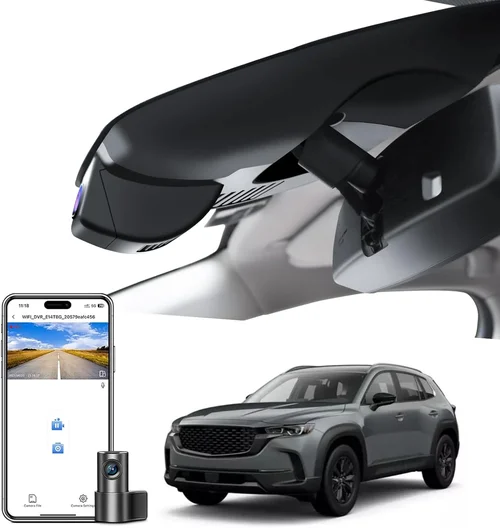
Complete Dash Cam Buying Guide for Door Dings
Complete Dash Cam Buying Guide for Door Dings
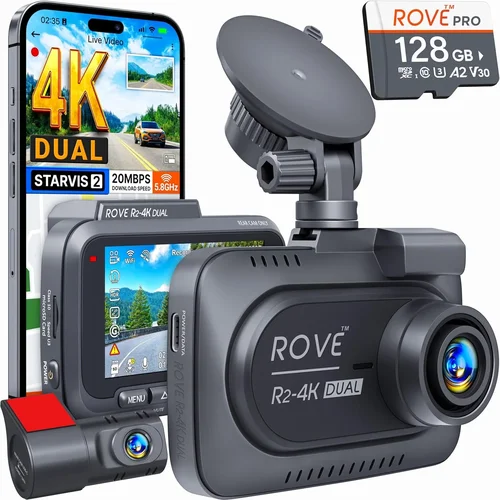
The modern automotive landscape has become increasingly challenging for drivers, especially when it comes to protecting vehicles from common but frustrating incidents like door dings. These small yet costly damages occur more frequently than most people realize—parking in tight spaces, shopping center lots, or busy city streets all present opportunities for neighboring vehicles to accidentally scrape your paint. A quality dash cam with robust parking surveillance capabilities can serve as your 24/7 witness, providing crucial evidence when disputes arise over who’s at fault.
This comprehensive buying guide will walk you through everything you need to know about selecting the best dash cam specifically designed to protect against door dings. Whether you’re a daily commuter, a parent running errands with children, or someone who frequently parks in crowded urban environments, understanding the key features that matter most will help you make an informed decision. We’ll cover performance specifications, build quality considerations, budget-friendly options, and expert recommendations tailored to different driving scenarios.
The market offers numerous dash cam options, but not all are equally effective at preventing or documenting door ding incidents. Many consumers mistakenly believe any dash cam will suffice, but this couldn’t be further from the truth. The right device needs specific capabilities including motion detection sensitivity, impact sensors, loop recording functionality, and reliable power management during parking mode. Without these features properly implemented, your investment may fail precisely when you need it most—during those critical moments when you’re not actively monitoring your vehicle.

What to Look for When Buying Dash Cams
1. Budget & Price Range
Your budget should reflect both your protection needs and how frequently you encounter potential door ding situations. Entry-level dash cams typically range from $50-$100 and offer basic recording capabilities but often lack advanced parking mode features. Mid-range models ($100-$200) provide better value with improved sensors, enhanced night vision, and more reliable impact detection. Premium options ($200+) deliver professional-grade footage with multiple camera angles, cloud connectivity, and sophisticated parking surveillance systems. Consider how much you’d lose if your car sustained damage versus the cost of an appropriate dash cam—most experts agree that spending at least $100 provides meaningful protection against common vehicle incidents.
2. Performance Specifications
The technical specifications determine whether your dash cam will actually capture clear evidence when needed. Resolution matters significantly—look for at least 1080p Full HD recording, though 2K and 4K models offer superior detail for identifying license plates and facial features. Frame rate affects smoothness too; 30fps is standard while 60fps provides crisper motion capture. Equally important are the lens specifications: wider viewing angles (140-170 degrees) reduce blind spots around your vehicle, increasing the likelihood of catching door ding incidents from various perspectives. Night vision capabilities using WDR (Wide Dynamic Range) technology help maintain clarity in low-light conditions when most incidents occur after hours.
3. Build Quality & Durability
A dash cam must withstand extreme temperatures, vibrations, and environmental conditions while mounted on your windshield. Look for devices with military-grade shock resistance, high-temperature tolerance (up to 85°C/185°F), and IPX rating for water resistance. The mounting system should secure firmly without damaging your windshield adhesive or leaving residue. Internal components matter too—high-quality capacitors instead of cheap electrolytic ones ensure stable operation during power interruptions. Some premium models include additional protective features like scratch-resistant lenses and anti-glare coatings that maintain visibility under various lighting conditions throughout the year.
4. Features & Functionality
Modern dash cams offer numerous features beyond basic video recording that enhance their effectiveness against door ding incidents. Motion detection with adjustable sensitivity prevents unnecessary storage usage while ensuring relevant events trigger recording. Impact sensors automatically lock files when sudden movements or vibrations exceed preset thresholds—this is particularly valuable for parking mode activation during minor impacts. GPS tracking adds location context to your recordings, helping establish where incidents occurred relative to other vehicles. Built-in Wi-Fi enables wireless file transfer to smartphones for quick evidence sharing, while loop recording ensures continuous operation without manual intervention. Additional features like voice commands, driver assistance alerts, and emergency SOS buttons add layers of safety beyond simple documentation.
5. Brand Reputation
Choosing a reputable brand significantly reduces the risk of purchasing unreliable equipment or encountering poor customer support. Established manufacturers invest heavily in research and development, resulting in more dependable products with consistent firmware updates. Brands like Blackvue, Thinkware, Viofo, and Garmin have built strong reputations through years of producing reliable dash cams trusted by professionals and everyday drivers alike. Research user reviews across multiple platforms, check professional testing results, and verify warranty terms before making your selection. Newer brands might offer tempting prices but often lack the track record needed for long-term reliability assessments.
6. Warranty & Support
Comprehensive warranty coverage provides peace of mind knowing your investment is protected against manufacturing defects and unexpected failures. Most quality dash cams come with at least a one-year manufacturer warranty, while premium models may offer extended coverage up to three years. Check what’s included—some warranties only cover hardware while excluding software issues or accidental damage. Responsive customer support channels (phone, email, live chat) are crucial for troubleshooting problems quickly. Online communities and dedicated forums also serve as valuable resources for learning from other users’ experiences and discovering hidden tips about optimal settings and configurations.
7. Size & Portability
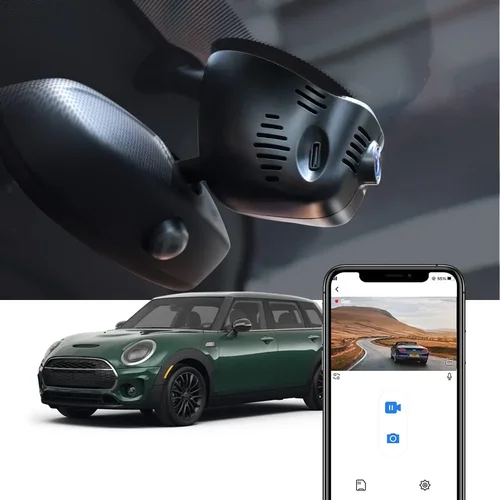
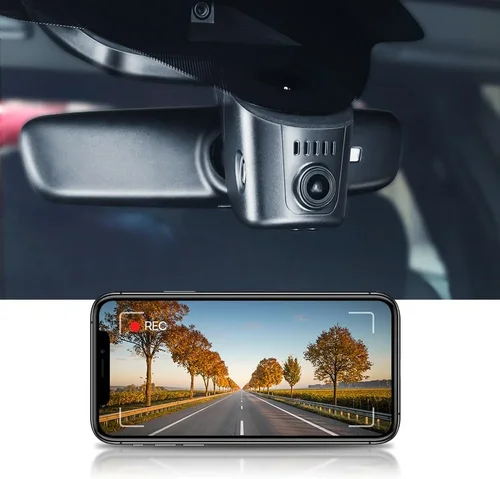
The physical dimensions of your dash cam affect both installation flexibility and visual presence inside your vehicle. Compact designs (under 3 inches wide) blend seamlessly into your dashboard while larger units provide more substantial cooling systems and additional features. Consider whether you’ll use the same device across multiple vehicles or prefer portability between cars. Some models feature magnetic mounts or universal adapters for easy transfers, while others require dedicated installation. Hidden installations behind mirrors or in glove compartments maximize discretion but may limit field of view. Balance aesthetic preferences with functional requirements based on your specific parking environment and personal comfort level regarding visible technology.
8. User Reviews & Ratings
Real-world user experiences provide invaluable insights beyond manufacturer claims and technical specifications. Pay attention to recurring themes in reviews—consistently praised features like reliable parking mode, clear night vision, and easy mobile app integration indicate well-designed products. Be wary of overly enthusiastic or negative feedback that lacks specific details; genuine reviews typically mention both strengths and weaknesses with concrete examples. Check review recency since older comments may reference outdated firmware versions or discontinued accessories. Professional testing videos and comparisons from automotive technology reviewers add another layer of credibility by demonstrating real-world performance under controlled conditions rather than just marketing materials.
Different Types of Dash Cams

Common Buying Mistakes to Avoid
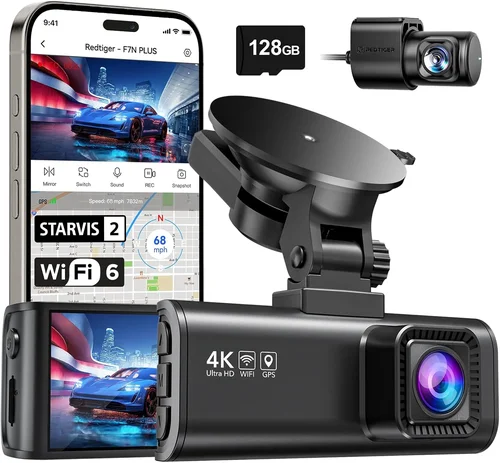
❌ Mistake: Prioritizing price over parking mode capabilities
Why it’s bad: Many buyers focus solely on upfront cost and select inexpensive models lacking proper parking surveillance features. These devices may record while driving but fail completely during stationary periods when most door ding incidents occur. Without reliable motion detection or impact sensors, your dash cam becomes useless for the primary purpose of preventing parking-related damage.
What to do instead: Allocate at least 60% of your budget toward parking mode functionality regardless of overall device cost. Look for models with dedicated parking monitoring systems that can distinguish between normal vibrations and actual impacts while minimizing false positives from wind or road debris.
❌ Mistake: Ignoring storage capacity and management
Why it’s bad: Insufficient storage causes automatic deletion of important footage before incidents can be reviewed. Many users overlook the relationship between recording resolution, frame rate, and required storage space—higher quality recordings consume data faster, potentially leading to premature file overwrites during parking mode operation.
What to do instead: Calculate your storage needs based on expected usage patterns. For basic parking monitoring, a 32GB microSD card may suffice, but consider 64GB or larger for extended unattended periods. Ensure your chosen model supports loop recording with intelligent event-based file locking to preserve critical evidence.
❌ Mistake: Overlooking power source reliability
Why it’s bad: Inadequate power management leads to battery drain during parking mode or unexpected shutdowns during incidents. Some cheaper models use unstable power circuits that can’t maintain consistent operation through cold starts or voltage fluctuations, defeating the purpose of 24/7 surveillance.
What to do instead: Verify your dash cam includes proper capacitor-based power stabilization and consider hardwiring options for vehicles parked for extended periods. Test the device’s ability to restart automatically after power interruption—this feature prevents missing crucial footage during brief outages.
❌ Mistake: Choosing based solely on megapixels without considering other factors
Why it’s bad: While higher resolution sounds impressive, it doesn’t guarantee better real-world performance. Many ultra-high-resolution cameras sacrifice low-light sensitivity or dynamic range, resulting in grainy nighttime footage that fails to capture identifiable details during door ding incidents.
What to do instead: Focus on balanced specifications including sensor size, aperture width (measured in f-stops), and WDR capabilities. A 1080p camera with excellent low-light performance often outperforms a 4K model that struggles in dim conditions, especially for parking mode applications.
❌ Mistake: Neglecting compatibility with your vehicle setup
Why it’s bad: Installation issues arise when dash cams don’t fit properly with existing accessories like phone holders, GPS mounts, or mirror modifications. Some devices create excessive glare on reflective surfaces or interfere with lane departure warning systems in newer vehicles.
What to do instead: Measure your windshield dimensions and check clearance around existing accessories before purchasing. Consider universal mounting brackets or models designed specifically for mirror integration to avoid compatibility headaches during installation.
❌ Mistake: Failing to update firmware regularly
Why it’s bad: Manufacturers release firmware updates to improve performance, fix bugs, and enhance security features. Outdated firmware can cause compatibility issues with new operating systems, reduce parking mode reliability, or introduce vulnerabilities that compromise data integrity.
What to do instead: Subscribe to manufacturer notifications for firmware releases and establish a regular update schedule. Create backup copies of important settings before updating to prevent configuration loss and verify successful installation through test recordings.
Budget Guidelines: How Much Should You Spend?
Entry-Level ($50 – $100)
These affordable dash cams provide basic recording capabilities suitable for occasional use or secondary vehicles. While they may include limited parking mode functionality, expect compromises in build quality, image processing algorithms, and long-term reliability. Entry-level models typically offer single-lens recording with 720p or 1080p resolution, basic motion detection, and simple loop recording. They’re adequate for drivers who park primarily in monitored areas or have minimal concerns about overnight parking protection. However, be prepared for shorter lifespans and less sophisticated impact detection compared to higher-end alternatives.
Mid-Range ($100 – $200)
This sweet spot represents the optimal balance between cost and capability for most drivers facing regular door ding risks. Mid-range dash cams deliver significant improvements in image quality, parking mode reliability, and build durability. Expect features like Full HD 1080p recording, wider field-of-view lenses, advanced WDR processing, and robust impact sensors that properly activate during minor collisions. Many models in this category include Wi-Fi connectivity for mobile app control, GPS logging, and cloud backup options. Hardwiring kits often come bundled or are easily available separately for permanent installations. This tier provides professional-grade protection without the premium price tag of top-tier systems.
Premium ($200 – $400)
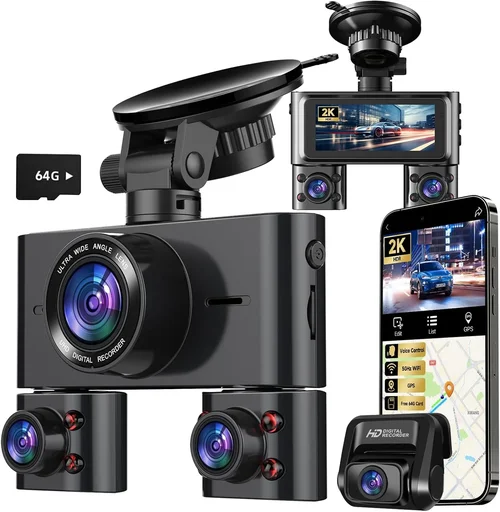
Enthusiasts, frequent urban drivers, and those requiring maximum protection will appreciate the advanced features offered in premium dash cam ranges. These devices utilize professional-grade components including larger image sensors, superior image processors, and military-specification construction. Features expand considerably with dual-camera systems, 4K recording capabilities, AI-powered incident detection, and enhanced night vision technologies. Premium models often include sophisticated parking modes with customizable sensitivity settings, automatic emergency recording triggers, and comprehensive cloud connectivity for remote access and evidence management. Additional perks like built-in dash cams with driver fatigue warnings, collision avoidance alerts, and advanced GPS tracking further justify the investment for serious protection seekers.
Luxury ($400+)
At the upper end of the market, luxury dash cams target fleet operators, commercial drivers, and those demanding absolute reliability and cutting-edge technology. These systems represent the culmination of automotive security innovation with features like multi-camera arrays, satellite connectivity, biometric driver identification, and predictive maintenance alerts. Luxury models often integrate with vehicle telematics systems and offer enterprise-level management consoles for multiple vehicles. While excessive for individual consumers, these systems provide unparalleled protection and data management capabilities for businesses handling valuable assets or operating in high-risk environments. The price reflects not just hardware but also comprehensive support services, guaranteed uptime SLAs, and priority firmware development cycles.
Expert Tips for Getting the Best Deal
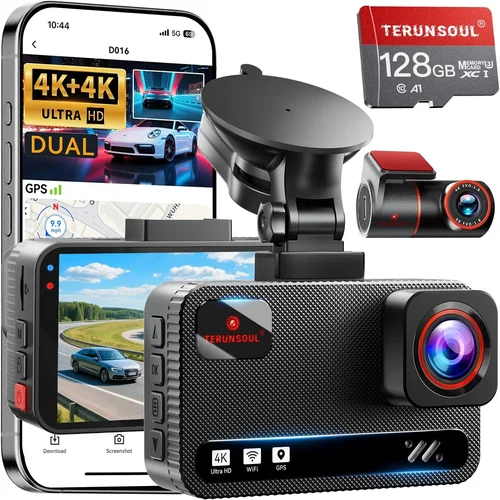
Timing your purchase strategically can result in significant savings without compromising on essential features. Retailers typically offer deeper discounts during seasonal transitions, major holidays, and product refresh cycles. Black Friday, Cyber Monday, and Amazon Prime Day represent prime opportunities for substantial markdowns, though be prepared for limited stock availability. Manufacturer websites occasionally run exclusive promotions or bundle deals that include accessories like extra batteries, memory cards, or professional installation services. Signing up for email newsletters from reputable dash cam brands ensures you receive advance notice of sales events directly from the source rather than relying on third-party aggregators.
Comparing prices across multiple retailers requires patience but yields the best outcomes. Major electronics chains often match or beat online prices while offering in-store pickup convenience, while specialty automotive stores may provide installation expertise and hands-on testing opportunities unavailable through pure e-commerce platforms. Don’t overlook international marketplaces like AliExpress or regional equivalents for competitive pricing, though factor in shipping costs, customs duties, and potential import restrictions when considering cross-border purchases. Always verify seller ratings and return policies before committing to non-local transactions to minimize risk exposure.
Identifying genuine deals involves recognizing marketing gimmicks disguised as savings. Beware of “too good to be true” pricing that excludes critical components like memory cards or mounting hardware—these hidden costs quickly erode apparent savings. Focus on complete package values rather than individual component pricing. Read fine print carefully regarding refurbished versus new units, open-box items, and warranty transferability. Seasonal clearance events near product discontinuation dates offer exceptional value for discontinued models, though verify remaining warranty coverage and accessory availability before purchasing legacy hardware.
Warranty considerations extend beyond initial purchase terms to include post-purchase protection strategies. Extended warranty programs from third-party providers can bridge coverage gaps left by manufacturer limitations, particularly for high-value investments. Document all purchase receipts and serial numbers immediately after acquisition to streamline future claims processes. Register your device with the manufacturer promptly to activate full warranty benefits and ensure eligibility for firmware updates and technical support. Keep original packaging and accessories until you’ve confirmed proper operation, as missing components can void return eligibility in some cases.
Return policies vary significantly between retailers and directly impact your risk tolerance during the evaluation period. Choose sellers with generous return windows (90 days or more preferred) and hassle-free exchange procedures for defective merchandise. Test all features thoroughly during the return period, including parking mode functionality, impact detection sensitivity, and mobile app connectivity. Take advantage of in-store demonstration units when available to assess real-world performance before committing to online purchases. Keep original packaging and accessories until satisfied, as restocking fees and condition requirements apply differently depending on the seller’s specific policies.
Testing hardware before finalizing your purchase maximizes confidence in your decision while minimizing buyer’s remorse. Visit authorized dealer locations whenever possible to handle devices physically and observe build quality firsthand. Request demonstration footage showing both daytime and nighttime recording quality, paying particular attention to detail preservation during rapid movements or low-light conditions. Ask technicians about common failure points and typical lifespan expectations based on real-world usage patterns. Compare multiple units side-by-side if several models interest you, noting subtle differences in menu navigation, button responsiveness, and overall user interface intuitiveness that affect daily usability.
Negotiating directly with knowledgeable sales representatives sometimes unlocks additional value beyond advertised pricing. Demonstrate research about competitor offerings and highlight your intention to purchase from their store rather than simply browsing. Mention specific features you’re comparing and express willingness to buy accessories like additional memory cards or hardwiring kits on the spot. Sales staff often have discretionary authority to provide modest discounts, free upgrades, or promotional bundles that aren’t publicly advertised. Building rapport with experienced automotive technology specialists can yield personalized recommendations based on your unique vehicle type and parking environment circumstances.

Frequently Asked Questions
Q: Will any dash cam detect door dings effectively?
A: Not all dash cams are equally effective at detecting door ding incidents. Basic models may record continuously but lack the specialized sensors and algorithms needed to distinguish between normal vibrations and actual impacts. For reliable detection, choose devices with dedicated impact sensors, adjustable motion detection sensitivity, and robust parking mode functionality that activates specifically during minor collisions while filtering out false triggers from wind or road conditions.
Q: How long should parking mode record after detecting an impact?
A: Optimal recording duration after impact detection typically ranges from 30 seconds to 2 minutes, capturing sufficient context before and after the incident. Advanced dash cams automatically extend recording time if subsequent movement indicates ongoing activity, while basic models may stop too early to provide complete evidence. Check your device settings to customize this parameter based on your typical parking duration and environmental noise levels.
Q: Can dash cams operate during winter months without freezing?
A: Most quality dash cams function reliably in winter conditions down to -20°C (-4°F), though extreme cold can temporarily affect battery life and startup times. Look for models with wide temperature operating ranges specified by the manufacturer and consider interior placement options that shield the device from direct sunlight and precipitation. Some premium units include heated components or insulated housing designs specifically engineered for harsh climates.
Q: Do I need special wiring for parking mode functionality?
A: Yes, reliable parking mode requires either a constant power connection or a hardwired installation using a fuse tap or direct connection to your vehicle’s battery. Battery-only operation drains your car’s power over time, while improper wiring techniques can blow fuses or damage electrical systems. Professional installation ensures safe operation without voiding warranties or creating fire hazards, particularly important for extended unattended parking scenarios.
Q: How do I prevent false triggers from wind and road vibrations?
A: Adjustable sensitivity settings allow customization of impact detection thresholds based on your environment. Urban areas with frequent passing traffic may require higher thresholds than rural locations, while parking near busy roads needs more conservative settings. Many advanced models include AI-powered pattern recognition that learns your vehicle’s normal vibration profiles and filters out repetitive non-threatening stimuli automatically.
Q: What resolution provides sufficient detail for insurance claims?
A: For credible insurance documentation, aim for at least 1080p Full HD resolution with excellent low-light performance. While 4K captures more detail, smaller sensor sizes in ultra-high-resolution cameras often compromise light gathering ability, resulting in noisier nighttime footage. Look for devices with large sensors (1/2.8″ or larger) and wide apertures (f/1.8 or lower) specifically optimized for license plate and vehicle identification clarity.
Q: Can multiple dash cams work together for comprehensive coverage?
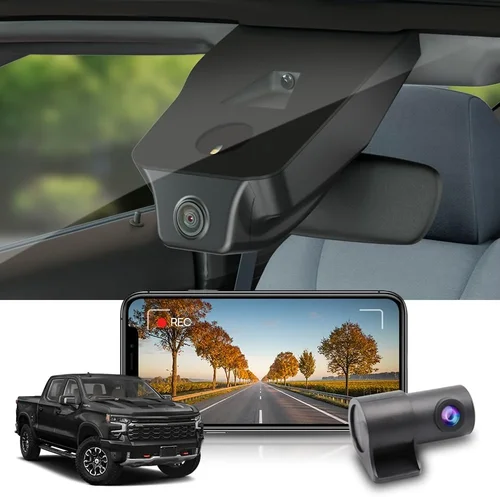
A: Some advanced systems support cascading configurations where primary and secondary units synchronize recordings across multiple angles. However, most consumer dash cams operate independently without integrated coordination capabilities. For complete coverage, consider dedicated multi-camera systems designed specifically for fleet operations or install separate front/rear units with compatible software that consolidates footage into unified timelines.
Q: How often should I replace my dash cam memory card?
A: Replace microSD cards every 12-18 months or when experiencing write errors, slow performance, or corrupted files. High-endurance cards rated for 100+ write cycles outperform standard consumer versions in continuous recording scenarios. Format cards regularly using the dash cam’s native formatting tool rather than computer-based methods to maintain optimal filesystem compatibility and prevent fragmentation issues.
Q: Are there legal considerations for dash cam usage in my area?
A: Legal regulations regarding dash cam usage vary by jurisdiction and typically permit recording public roadways but restrict audio capture without consent in private settings. Some regions prohibit sharing footage without proper authorization or maintaining privacy protections for third parties captured inadvertently. Research local laws before purchasing and always respect privacy rights when reviewing or distributing recorded content.
Q: What maintenance does my dash cam require over time?
A: Regular maintenance includes cleaning the lens with microfiber cloths to remove dust and fingerprints, checking memory card health status periodically, and verifying firmware updates address known issues. Avoid chemical cleaners that degrade lens coatings and never attempt internal repairs yourself unless qualified. Most manufacturers recommend full factory resets annually to clear accumulated errors and optimize performance settings for your specific usage patterns.
Final Recommendations
Best for Budget-Conscious Buyers
The Viofo A119 V3 stands out as an exceptional value proposition for drivers seeking reliable door ding protection without overspending. Priced competitively around $120, this model delivers Full HD 1080p recording with impressive 140-degree field of view coverage. Its parking mode functionality includes both impact detection and motion sensing capabilities, while the built-in capacitor ensures stable operation during power interruptions. Users consistently praise its straightforward installation process and reliable performance in various weather conditions, making it ideal for those prioritizing essential protection features within tight budgets.
Best Overall Value
Blackvue DR900S-2CH represents the perfect marriage of advanced features and practical usability for discerning drivers. Priced slightly above mid-range at approximately $300, this dual-lens system provides comprehensive front and rear coverage with superior image quality thanks to its Sony Starvis sensors and powerful image processor. The included parking mode offers customizable sensitivity settings, automatic file locking during incidents, and seamless cloud connectivity for remote access. Professional testers commend its robust build quality, intuitive mobile app interface, and consistent performance across diverse lighting conditions, delivering enterprise-grade protection accessible to individual consumers.
Best Premium Option
Thinkware U1000 sets the industry benchmark for premium dash cam excellence with its 4K Ultra HD recording capabilities and sophisticated AI-enhanced parking surveillance. Positioned at around $400, this flagship model utilizes a stacked CMOS sensor architecture that dramatically improves low-light sensitivity while maintaining crisp detail in challenging environments. Advanced features include driver behavior monitoring, automatic emergency recording triggers, and comprehensive GPS logging with route history visualization. Automotive technology experts regard it as the gold standard for serious protection seekers requiring maximum reliability and forensic-quality evidence collection.
Best for Beginners
The Garmin Dashcam Mini offers an effortless entry point into dash cam ownership with its compact design and simplified operation. Priced affordably near $100, this streamlined device focuses on core functionality including Full HD recording, automatic incident detection, and seamless smartphone pairing via Wi-Fi. Its discreet form factor integrates unobtrusively into most vehicle interiors while providing reliable basic protection against common parking incidents. New users appreciate the absence of complicated settings menus and the inclusion of helpful tutorials for quick setup completion, making it perfect for those unfamiliar with automotive technology products.
Best for Advanced Users
Wolfbox G90 Pro satisfies demanding requirements with its triple-lens configuration and professional-grade imaging capabilities. At approximately $350, this innovative system combines front-facing 4K recording with dual auxiliary cameras capturing both cabin interior and exterior blind spots simultaneously. Customizable recording zones allow selective coverage optimization based on your specific parking environment risks, while advanced analytics detect unusual activities around your vehicle. Fleet managers and security-conscious individuals value its comprehensive situational awareness approach and flexible mounting options that adapt to various vehicle configurations and usage scenarios.
Conclusion: Making the Right Choice
Selecting the optimal dash cam for door ding protection requires balancing multiple competing priorities including budget constraints, technical specifications, and real-world usage patterns. Rather than focusing exclusively on raw price points or flashy features, prioritize devices that deliver reliable parking mode functionality with accurate impact detection and clear evidentiary quality when needed most. Remember that your investment should align with both your financial capacity and the frequency of door ding risks you face in daily driving situations.
Consider conducting thorough research across multiple review sources, testing demonstration units when available, and consulting with experienced owners before finalizing your decision. Don’t underestimate the importance of proper installation and ongoing maintenance—both significantly influence long-term reliability and performance consistency. Establish realistic expectations about what each device can accomplish given environmental limitations and your specific parking circumstances.
Ultimately, the best dash cam serves as an invisible guardian rather than a conspicuous technological display. Choose wisely based on demonstrated capabilities rather than marketing hype, and remember that even the most sophisticated system cannot prevent all incidents—only provide objective evidence when disputes inevitably arise. With careful consideration and informed decision-making, you’ll find protection that gives you confidence while preserving your vehicle’s value and minimizing stress associated with parking-related incidents.