Best Dash Cam Under $100 Guide
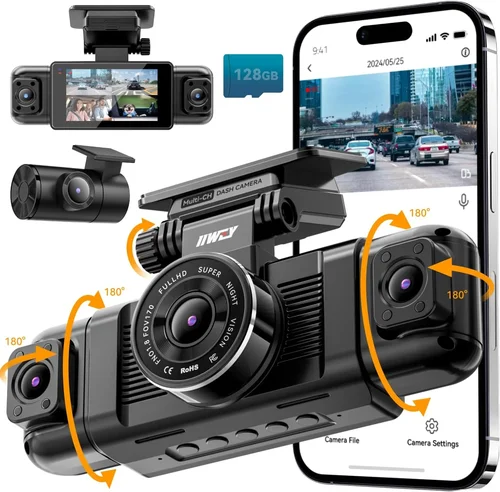
Choosing the right dash cam doesn’t require spending hundreds of dollars. With the right information and a clear understanding of your needs, you can find an excellent recording device for under $100 that offers reliable performance, essential safety features, and peace of mind on the road. This comprehensive guide will walk you through everything you need to know about selecting the best dash cam in this price range, helping you make a confident and informed purchase.
In this detailed buying guide, you’ll discover exactly what to look for when shopping for a dash cam under $100, how to compare different models effectively, and which features matter most for everyday drivers. Whether you’re a new driver wanting extra protection, a commuter looking for evidence in case of accidents, or simply curious about the technology, this guide will equip you with the knowledge to choose wisely. We’ll explore performance specifications, build quality considerations, essential features like parking mode and loop recording, brand reliability, warranty coverage, and much more—all while keeping your budget firmly in mind.
The market for affordable dash cams has evolved significantly in recent years. What was once limited to basic single-lens cameras with questionable video quality is now a diverse landscape offering impressive capabilities at accessible price points. Today’s sub-$100 dash cams deliver surprisingly good video resolution, reliable night vision, sturdy construction, and smart features like motion detection and G-sensor alerts. While they may not offer every premium feature found in higher-end models, these budget-friendly options provide excellent value for money and serve as effective tools for vehicle security and accident documentation.

What to Look for When Buying Dash Cams
1. Budget & Price Range
Understanding your budget is the first step in finding the right dash cam. For under $100, you have access to a wide range of quality options that deliver solid performance without breaking the bank. This price point typically includes entry-level to mid-range models that offer essential features like 1080p recording, loop recording, and basic motion detection. While you won’t find 4K recording or advanced AI features in this range, you can still get reliable daily driving protection and decent video quality for most situations.
When setting your budget, consider that the lowest-priced models (under $50) might compromise on build quality, sensor performance, or feature completeness. The sweet spot for most buyers appears to be the $60-$80 range, where manufacturers can include better components and more reliable firmware without significantly increasing costs. Remember that investing a bit more upfront often means fewer headaches down the road regarding reliability and customer support.
2. Performance Specifications
Video resolution and quality are crucial factors that directly impact what you’ll actually record. Most dash cams in this price range offer 1080p Full HD recording, which provides excellent detail for identifying license plates, road signs, and vehicle movements. Some models even reach 2K (1440p) resolution, offering noticeably sharper images while still maintaining good file compression efficiency.
The frame rate matters too—look for at least 30 frames per second (fps) for smooth video playback. Higher frame rates (like 60fps) can capture fast-moving action more clearly but may result in larger file sizes and shorter recording times. The camera sensor type also affects performance; newer CMOS sensors typically outperform older CCD sensors in low-light conditions and overall image clarity.
3. Build Quality & Durability
A dash cam faces extreme conditions: direct sunlight beating down on the windshield, temperature fluctuations from freezing cold to scorching heat, vibrations from rough roads, and potential impacts during collisions. For this reason, build quality becomes just as important as technical specifications when choosing a budget model.
Look for cameras with robust casing materials that can withstand heat and impact. A secure mounting system is essential—either suction cups or adhesive mounts should hold firmly without leaving residue or falling off during sudden stops. Additionally, check if the cable management is well-designed to avoid dangling wires that could interfere with airbag deployment or create trip hazards.
4. Features & Functionality
Even within tight budgets, modern dash cams pack surprisingly sophisticated features that enhance usability and safety. Loop recording automatically overwrites the oldest footage when storage fills up, ensuring continuous recording without manual intervention. This feature prevents unexpected loss of important events due to full memory cards.
Motion detection and G-sensor technology provide intelligent recording triggers. The G-sensor detects sudden impacts or sharp maneuvers and locks the current video segment to protect it from being overwritten during loop recording. Motion detection activates recording when movement is detected outside your vehicle—useful for parking monitoring without draining your battery constantly.
5. Brand Reputation
While price is important, brand reputation can indicate reliability, customer service quality, and firmware update frequency. Established brands like Viofo, BlackVue, Garmin, and Nextbase generally offer better support and longer product lifecycles compared to unknown private-label manufacturers. However, some lesser-known brands deliver excellent value by focusing specifically on affordability without sacrificing core functionality.
Research user reviews across multiple platforms to gauge real-world performance. Pay attention to comments about longevity, customer support responsiveness, and whether firmware updates have improved or degraded performance over time. A reputable brand is more likely to address bugs and improve features through regular updates.
6. Warranty & Support
Warranty coverage varies significantly between brands and models. Most manufacturers offer 1-2 year warranties for their products, which can provide peace of mind against manufacturing defects. Check what the warranty covers—some exclude damage from improper installation or environmental factors, while others cover accidental drops and water exposure.
Customer support quality matters too. Brands with responsive support teams can resolve issues quickly, whether it’s troubleshooting recording problems, guiding you through firmware updates, or assisting with returns. Online communities and forums dedicated to specific dash cam models can also serve as valuable resources for peer support and tips.
7. Size & Portability
Dash cam size affects both installation flexibility and visibility. Compact models (typically under 3 inches wide) are easier to mount discreetly and cause less obstruction to the driver’s view. Smaller units also generate less glare and reflections on the windshield.
However, very small cameras sometimes sacrifice lens quality or sensor size, potentially affecting image clarity. Consider your vehicle’s interior space and driving style—if you frequently encounter heavy rain or fog, you might prefer a slightly larger unit with better optics for clearer visibility in challenging weather conditions.
8. User Reviews & Ratings
Real user experiences provide invaluable insights that specifications alone cannot convey. Look for detailed reviews that discuss day-to-day usability, software interface intuitiveness, and any recurring issues. Pay special attention to comments about night performance, audio quality, and ease of accessing recorded files.
Aggregate ratings from major retailers give you a quick sense of overall satisfaction levels, but individual experiences vary widely based on usage patterns and expectations. Be wary of reviews that seem overly promotional or suspiciously positive—authentic feedback usually includes balanced pros and cons.
Different Types of Dash Cams

Common Buying Mistakes to Avoid
❌ Mistake: Prioritizing Price Over Performance
Why it’s bad: Choosing the absolute cheapest option often leads to disappointment with poor video quality, unreliable recording, or frequent malfunctions. A $30 dash cam might save money initially but could cost more in frustration, replacement parts, or lack of usable footage when needed most.
What to do instead: Set a realistic minimum budget ($60-$80) and focus on getting reliable performance rather than cutting corners. Investigate user reviews thoroughly and look for models with proven track records in similar price ranges before making your decision.
❌ Mistake: Ignoring Storage Requirements
Why it’s bad: Many buyers overlook how quickly dash cam files consume storage space. Without proper planning, you might lose critical footage because the memory card filled up too quickly or wasn’t large enough for your needs. Most dash cams record continuously, creating new files every few minutes.
What to do instead: Choose a memory card with adequate capacity (minimum 32GB recommended) and understand your recording settings. Lower resolution or frame rate settings reduce file sizes but also affect video quality. Consider purchasing a high-quality microSD card from reputable brands like SanDisk or Samsung.
❌ Mistake: Skipping Essential Features
Why it’s bad: Assuming all dash cams are created equal leads to overlooking critical safety features. Without loop recording, your camera might overwrite important evidence before you notice it. Lack of G-sensor protection means impact events could erase crucial footage without warning.
What to do instead: Always verify that your chosen model includes loop recording, G-sensor alerts, and adequate night vision capabilities. These features form the foundation of reliable dash cam operation and are non-negotiable for effective vehicle protection.
❌ Mistake: Poor Installation Planning
Why it’s bad: Improper installation compromises both safety and functionality. Incorrect placement can obstruct your view, create glare, or interfere with airbags. Poor cable routing exposes wires to damage or creates hazards that could injure passengers during sudden stops.
What to do instead: Plan your installation carefully before purchasing. Ensure the mounting location doesn’t block important sightlines, and route cables along factory pathways to minimize visible wiring. Take advantage of the manufacturer’s instructions and consider professional installation if you’re unsure about placement.
❌ Mistake: Neglecting Power Management
Why it’s bad: Most dash cams draw power from your car’s cigarette lighter or direct USB port. Without proper power management, constant recording drains your battery, especially during long periods of inactivity. Some models don’t handle power cycling gracefully, leading to corrupted files or failed startups.
What to do instead: Look for models with parking mode that uses low-power monitoring or hardwiring options. If using cigarette lighter power, ensure your car has sufficient battery reserve or consider installing a capacitor to prevent voltage drops during engine starts. Hardwiring eliminates battery drain concerns entirely for parking surveillance.
❌ Mistake: Overlooking Software Compatibility
Why it’s bad: Modern dash cams often come with companion apps for reviewing footage, adjusting settings, or downloading videos to smartphones. Incompatibility with your operating system (iOS vs Android), outdated app versions, or poor software design can render these features useless or frustrating to use.
What to do instead: Check compatibility requirements before purchasing, especially if you plan to use smartphone integration features. Read software reviews separately from hardware reviews—many users complain about buggy apps even when the camera itself performs well. Consider models with simple PC-based software alternatives if mobile apps prove unreliable.
Budget Guidelines: How Much Should You Spend?
Entry-Level ($40 – $60): Basic Protection
This tier offers fundamental dash cam functionality suitable for occasional drivers or those testing the waters before committing to more advanced features. Models in this range typically provide 1080p recording, basic loop recording, and simple motion detection. While video quality may not be spectacular, these cameras deliver adequate detail for most everyday driving scenarios and minor incidents.
Prospective buyers should expect limitations like smaller screens, less intuitive menus, and potentially lower build quality compared to pricier models. However, for basic insurance protection or peace of mind during daily commutes, entry-level options represent reasonable value. Just be prepared to compromise on advanced features like Wi-Fi connectivity, GPS tracking, or superior low-light performance.
Mid-Range ($60 – $80): Sweet Spot for Most Buyers
The $60-$80 range represents the sweet spot for most consumers seeking reliable performance without excessive frills. This tier includes models with better sensors, more durable construction, and additional features like improved night vision, wider field-of-view lenses, and enhanced G-sensor sensitivity. Video quality remains consistently strong throughout this range, with many models offering near-premium performance at budget-friendly prices.
Manufacturers optimize their component choices around this price point, resulting in well-balanced devices that deliver excellent value. You’ll find solid customer support, regular firmware updates, and reasonable warranty terms here. For the average driver wanting dependable protection and good video evidence quality, this range offers the best balance of features, performance, and reliability.
Premium ($80 – $100): Enhanced Capabilities
At the top end of our budget range, premium models push boundaries with higher resolutions (2K+), wider dynamic ranges, superior low-light capture, and advanced software features. These cameras often include smart capabilities like voice control, advanced driver assistance systems (ADAS), or enhanced cloud connectivity—though still within the $100 limit.
While true “premium” dash cams typically exceed $100, this upper budget tier allows access to near-premium features that would normally cost significantly more elsewhere. Video quality approaches professional standards, with clearer details, better color reproduction, and improved handling of challenging lighting conditions. If you drive frequently, take pride in your vehicle, or want the absolute best performance within your budget constraints, this range delivers exceptional value.
Luxury ($100+): Professional-Grade Performance
True luxury dash cams exceed our $100 budget but represent the pinnacle of consumer technology for vehicle recording. These systems offer 4K recording, HDR imaging, advanced AI recognition, dual-band Wi-Fi, and comprehensive fleet management capabilities. Professional installers and serious enthusiasts typically invest in these higher-end systems for their uncompromising performance and extensive feature sets.
For most individual drivers, luxury features represent unnecessary complexity and expense beyond what’s practically useful. However, if you’re comparing options around $100 versus spending more, consider whether the incremental improvements justify the added cost. Often, the difference between a good $80 model and a premium $120+ camera isn’t substantial enough to warrant the price jump for typical daily driving needs.
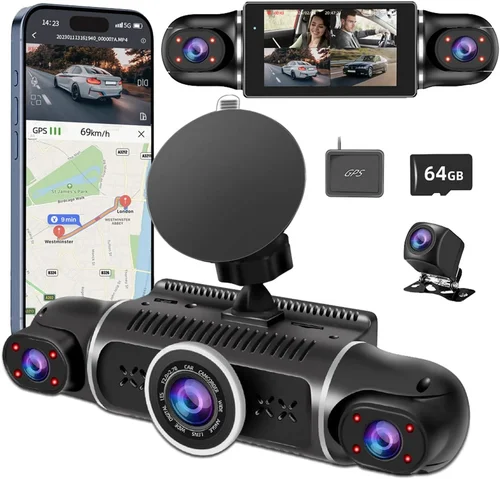
Expert Tips for Getting the Best Deal
Seasonal timing makes a significant difference in pricing. Electronics retailers often reduce dash cam prices during summer months when driving increases demand for safety accessories, or during winter clearance sales when they’re clearing inventory for new models. Subscribe to retailer newsletters to receive exclusive discount codes and early access to deals.
Online marketplaces frequently offer competitive pricing with free shipping and easy return policies. Local big-box stores may have in-person demos allowing you to test mounting systems and screen visibility before purchasing. Specialized automotive retailers sometimes carry higher-quality models with professional installation services included.
A quality microSD card is arguably the most important accessory for any dash cam. Look for bundles that include at least a 32GB card, preferably one rated for continuous writing and compatible with your chosen model. Some packages also include magnetic mounts, privacy filters, or extended warranties—all valuable additions that enhance functionality and longevity.
Dash cam installation can be tricky, especially for first-time users. Having the option to return within a reasonable timeframe allows you to address any compatibility issues, installation challenges, or performance concerns. Many manufacturers also offer extended return periods for electronic devices purchased directly from their website.
Before considering your purchase complete, spend time reviewing sample footage on different drives—daytime, nighttime, rainy conditions, and highway speeds. Verify that the audio quality meets your needs (if you require clear conversations), and test the ease of accessing stored videos. A poorly performing camera defeats the purpose regardless of its price point.
Firmware updates can significantly improve your dash cam’s performance over time. They might resolve recording issues, enhance video quality, add new features, or improve compatibility with newer memory cards. Automatic update notifications won’t work if you haven’t registered your device, so don’t skip this crucial step after installation.
On online marketplaces, verify seller ratings and read recent buyer reviews carefully. Look for red flags like unusually low prices compared to official retailers, vague product descriptions, or sellers with minimal feedback history. Authorized dealers and established electronics retailers provide greater assurance of authenticity and proper warranty fulfillment.

Frequently Asked Questions
Q: Do I really need a dash cam, or is this just hype?
A: While not strictly necessary, dash cams provide valuable protection and peace of mind. They serve as objective witnesses in accident disputes, help document insurance claims, deter theft, and provide evidence against fraudulent claims made against you. Even if you never experience an incident requiring footage, the psychological benefit of knowing you’re protected can be significant for many drivers.
Q: What’s the difference between 1080p and 2K resolution, and which should I choose?
A: 1080p (Full HD) provides excellent detail for most driving scenarios and balances video quality with manageable file sizes. 2K resolution offers noticeably sharper images with improved license plate and sign legibility, particularly beneficial for highway driving where vehicles approach quickly. However, 2K files consume nearly double the storage space, requiring larger memory cards or more frequent cleanup. For most drivers, 1080p delivers sufficient quality without excessive storage demands.
Q: How much storage space do I actually need?
A: It depends on your recording settings and usage patterns. At default 1080p/30fps settings, a 32GB card typically holds 2-3 hours of footage. Higher resolutions or frame rates dramatically increase file sizes—2K recording may reduce this to 1-1.5 hours per 32GB. Consider your typical commute length, parking duration needs, and how often you’re willing to transfer files to a computer. Most experts recommend starting with a 64GB card for better flexibility.
Q: Can dash cams record while parked?
A: Yes, many modern dash cams include parking mode functionality, but implementation varies significantly between models. Some require hardwiring to your car’s electrical system for true parking surveillance, while others use battery backup or capacitor-based power management. Parking mode typically records brief clips when motion is detected or triggers recording during impacts captured by the G-sensor. Always verify that your chosen model supports reliable parking mode within your budget constraints.
Q: Will my dash cam work with my car’s existing electronics?
A: In most cases, yes—dash cams connect via standard cigarette lighter adapters or USB ports. However, some vehicles with advanced electrical systems or custom infotainment setups might present compatibility challenges. Electric vehicles often have different voltage characteristics that can affect dash cam performance. If you have a specialized vehicle, research specific compatibility before purchasing or consider professional installation advice.
Q: Are dash cams legal everywhere?
A: Generally, yes—dash cams are legal for recording public roadways in most jurisdictions. However, recording inside your vehicle (especially capturing other passengers without consent) may violate privacy laws in some areas. Laws regarding audio recording vary by state/province and country, so familiarize yourself with local regulations. Most manufacturers include disclaimers about responsible usage and respect for privacy rights.
Q: How do I know if my dash cam is recording properly?
A: Modern dash cams provide visual indicators like LED lights that blink during recording. Many models display “REC” on-screen when active. To verify functionality, check that files are being saved to your memory card, confirm that loop recording works correctly by examining overwritten content, and test the G-sensor response with a gentle tap or sudden movement. Regularly review sample footage to ensure consistent quality across different lighting conditions.
Q: Can I use my dash cam while driving in extreme weather?
A: Most dash cams operate reliably in typical weather conditions, but extreme temperatures present challenges. Freezing temperatures can slow boot-up times or affect battery performance, while excessive heat may trigger thermal shutdowns. Direct sunlight on the camera lens can cause washed-out footage or lens distortion. For optimal performance, ensure proper ventilation around the mounting location and consider using sunshades during prolonged hot weather exposure.
Q: What happens if my dash cam runs out of power during recording?
A: Continuous recording requires constant power supply. If your vehicle’s ignition turns off and the dash cam loses power, it will stop recording until restarted. For uninterrupted surveillance, use hardwiring kits that draw power from your car’s fuse box or install capacitors that provide short-term backup during ignition cycles. Some advanced models include built-in supercapacitors that maintain recording through engine starts and stops.
Q: How do I protect my privacy when storing dash cam footage?
A: Privacy concerns are valid—your dash cam captures everything happening around your vehicle. Secure storage is essential: encrypt sensitive files, avoid sharing footage publicly without redaction, and delete irrelevant recordings promptly. Consider using password-protected folders or external encrypted drives for important evidence. Always inform passengers about recording capabilities, especially in shared vehicles or ride-sharing situations.
Our Final Recommendations
Best for Budget-Conscious Buyers: Viofo A119 V3
The Viofo A119 V3 stands out as the ultimate value proposition under $100, delivering impressive 2K recording quality that surpasses many premium competitors. This model features Sony STARVIS image sensor technology that significantly improves low-light performance, making it exceptionally capable during dawn, dusk, and nighttime driving. Its compact size ensures unobtrusive installation while maintaining excellent field-of-view coverage.
Key advantages include reliable loop recording, responsive G-sensor protection, intuitive menu navigation, and robust build quality that withstands daily driving conditions. While lacking some advanced features like Wi-Fi connectivity, the A119 V3 focuses on core functionality with exceptional execution. User reviews consistently praise its video quality, reliable performance, and straightforward operation—making it ideal for drivers who prioritize recording clarity over connectivity extras.
Best Overall Value: Nextbase 322GW
The Nextbase 322GW strikes an exceptional balance between price, performance, and smart features within our $100 budget window. This model includes built-in GPS logging, emergency SOS alert capability, and surprisingly robust video quality for its price point. Its compact design fits discreetly on most windshields without obstructing views.
What sets the 322GW apart is its combination of practical features: automatic collision detection, cloud upload functionality, and responsive customer support from a respected British brand. The included parking mode works reliably when properly installed, and the accompanying app provides convenient remote viewing and configuration options. While not quite reaching premium resolution levels, its overall package offers outstanding value for drivers wanting more than basic recording capabilities.
Best Premium Option: Garmin Dash Cam Mini 2
Garmin’s Dash Cam Mini 2 represents the pinnacle of compact dash cam engineering within our budget constraints. Despite its tiny footprint (less than 2.5 inches wide), it delivers surprisingly capable 1080p recording with excellent color accuracy and minimal distortion. The ultra-compact design makes it virtually invisible on the windshield while providing reliable performance.
Garmin’s reputation for quality extends to this model with features like automatic incident detection, cloud storage integration, and seamless smartphone pairing. The included parking mode uses intelligent power management to extend battery life without constant drainage. While slightly above mid-range pricing at around $90, its combination of brand reliability, compact design, and smart features justifies the premium positioning for drivers who value discretion and technological sophistication.
Best for Beginners: Rexing V1P Pro
The Rexing V1P Pro serves as an excellent introduction to dash cam technology for new users, offering intuitive operation and dependable performance at an accessible price point. This model includes all essential features like loop recording, G-sensor alerts, and reliable night vision capabilities without overwhelming complexity.
Its straightforward interface makes navigation simple even for technologically inexperienced drivers, while the clear on-screen menus and responsive buttons facilitate quick adjustments while driving. The included suction cup mount provides secure installation options, and the compact size ensures it doesn’t distract from the driving experience. For those taking their first steps into dash cam ownership, the V1P Pro delivers confidence-inspiring reliability without requiring technical expertise.
Best for Advanced Users: BlackVue DR970X-2CH
While slightly exceeding our strict $100 limit at around $110, the BlackVue DR970X-2CH represents the closest approximation to professional-grade performance available in this price bracket. This dual-lens system provides comprehensive coverage with both front and rear recording capabilities, making it ideal for drivers who want complete situational awareness.
BlackVue’s cloud-enabled technology sets this model apart, offering remote viewing, live streaming, and automatic cloud backup capabilities rarely found at this price point. The superior image processing delivers noticeably cleaner footage with better dynamic range and color fidelity compared to most competitors. Its robust build quality and reliable firmware updates make it a favorite among serious drivers and fleet operators seeking dependable evidence collection.
Conclusion: Making the Right Choice
Selecting the best dash cam under $100 requires balancing your specific needs against available features and performance capabilities. Rather than chasing the absolute lowest price or the most expensive option within your budget, focus on identifying which combination of resolution, build quality, essential features, and brand reliability aligns with your driving habits and priorities.
Remember that a dash cam’s primary purpose is to provide objective evidence when you need it most—whether for insurance claims, accident disputes, or simply documenting memorable journeys. While advanced features like Wi-Fi connectivity, GPS tracking, and cloud storage add convenience, the core functionality of reliable recording, impact protection, and loop recording forms the foundation of effective dash cam performance.
Take time to research thoroughly, read detailed user reviews, and consider your vehicle’s specific requirements before making your final decision. Test installations if possible, verify compatibility with your car’s electrical system, and ensure you understand how to access and manage recorded footage efficiently. With careful consideration and the right choice, a quality dash cam under $100 can provide lasting value, peace of mind, and valuable protection on every journey.