Smart Car Dash Cam Buying Guide

Why this guide matters
Choosing the right dash cam can feel overwhelming with so many options on the market. Whether you’re a daily commuter concerned about insurance claims, a parent wanting peace of mind for your teen driver, or a road trip enthusiast documenting your adventures, having the right dash cam makes all the difference. This comprehensive buying guide cuts through the marketing hype and technical jargon to give you practical, expert advice based on real-world performance and user experience.
What readers will learn
You’ll discover exactly what features matter most in a dash cam, how to evaluate different types of models, and which brands consistently deliver reliable performance. We’ll walk you through critical specifications like resolution, field of view, and storage options, plus advanced features like parking mode, GPS tracking, and cloud connectivity. By the end of this guide, you’ll know how to compare dash cams objectively and make an informed decision that fits your specific needs and budget.
The car dash cam market has evolved dramatically over the past decade, moving from simple single-camera setups to sophisticated multi-sensor systems with AI-powered features. Today’s best dash cams offer crystal-clear recording, intelligent event detection, and seamless smartphone integration. However, not all dash cams are created equal—some excel in video quality while others prioritize reliability or ease of use. Understanding these trade-offs is essential for finding the perfect match for your driving habits and vehicle type.
What to Look for When Buying Dash Cams
Budget & Price Range
Before diving into specifications, establish your budget range. Entry-level dash cams start around $50-$80 and provide basic functionality with 720p resolution and limited features. Mid-range models ($100-$200) typically deliver 1080p or 2K video quality with enhanced capabilities like loop recording and motion detection. Premium dash cams ($200-$400) often feature 4K recording, superior low-light performance, and advanced safety features. Luxury models ($400+) include professional-grade sensors, dual-channel recording, and cloud connectivity.
Your budget should reflect your usage patterns and priorities. If you only need basic coverage for occasional insurance protection, an entry-level model may suffice. For daily commuters or families who value comprehensive protection, investing in a mid-to-premium model offers significantly better image quality and reliability. Consider that cheaper dash cams may save money upfront but could cost more in the long run due to frequent replacements or inadequate footage for insurance claims.
Performance Specifications
Video resolution determines how clearly you can capture license plates, road signs, and potential accidents. Most modern dash cams offer at least 1080p Full HD, but 2K and 4K models provide noticeably sharper detail. Resolution isn’t everything—sensor size, bitrate, and compression algorithms equally affect image quality. Look for dash cams with high bitrates (at least 10 Mbps) to maintain clarity during fast-moving scenes.
Frame rate matters too; 30fps is standard, but 60fps captures smoother motion and provides better slow-motion playback capability. The sensor type (CMOS vs. Sony STARVIS) significantly impacts performance in low light conditions. Sony STARVIS sensors perform exceptionally well in darkness, making them ideal for overnight parking mode recordings.
Field of view (FOV) determines how much of the road ahead you can see. Standard FOV ranges from 110° to 150°, with wider angles capturing more peripheral information but potentially distorting distant objects. A good rule of thumb is to choose the widest FOV your budget allows while ensuring license plates remain readable throughout the frame.
Build Quality & Durability
Dash cams face extreme environmental conditions—temperature fluctuations, vibrations, dust, and moisture exposure. High-quality construction uses reinforced materials that withstand heat buildup inside parked vehicles and cold temperatures during winter months. Look for models with metal housings rather than plastic, as they dissipate heat better and resist warping.
Temperature resistance ratings indicate the operating range your dash cam can handle safely. Most reliable models operate between -20°C to +70°C (-4°F to 158°F). Water and dust resistance (IP ratings) are less critical for interior dash cams but still valuable for added protection against accidental spills or weather exposure.
Installation quality also affects durability. Professional-grade dash cams often come with suction mounts designed to maintain adhesion through temperature changes and vehicle vibrations. Some premium models include adhesive mounts with stronger bonding properties that last longer than traditional suction cups.
Features & Functionality
Loop recording automatically overwrites older footage when storage fills up, ensuring continuous operation without manual intervention. This feature is essential for long-term use since dash cams record constantly while the car is running. Make sure your chosen model supports seamless loop recording without skipping frames or creating gaps in coverage.
Parking mode activates when your vehicle is turned off, using motion or impact detection to capture events while you’re away. Not all dash cams support parking mode reliably—check if the model maintains proper power delivery and doesn’t drain your car battery excessively. Some advanced models offer capacitor-based power instead of battery backup, providing longer recording times and better longevity.
GPS tracking records location data alongside video, allowing you to see exactly where incidents occurred on maps. This feature is invaluable for insurance claims and accident reconstruction. Built-in GPS eliminates the need for external devices and ensures accurate timestamp synchronization across multiple cameras if you install a dual-system setup.
Wi-Fi connectivity enables wireless file transfer and remote viewing through companion smartphone apps. While convenient, Wi-Fi can sometimes interfere with signal reception or drain battery life. Cloud storage integration allows automatic uploading of important clips to secure servers, providing additional protection against theft or damage to local storage cards.
Audio recording capabilities capture cabin conversations and ambient sounds, which can be crucial evidence in disputes or accidents. However, privacy laws vary by region regarding audio recording, so check local regulations before enabling this feature. Some jurisdictions require explicit consent from all parties being recorded.
Brand Reputation
Well-established brands like Garmin, Blackvue, Nextbase, and Thinkware have built trust through consistent product quality and responsive customer support. These companies invest heavily in research and development, resulting in more reliable firmware updates and longer product lifecycles. Newer entrants may offer innovative features at lower prices, but their track record for long-term reliability remains unproven.
Research brand reputation by reading independent reviews, checking warranty terms, and examining customer service response times. Established manufacturers typically offer longer warranty periods (2-3 years versus 1 year for many budget brands) and provide free firmware updates that improve performance and add new features over time.
Warranty & Support
Comprehensive warranties protect against manufacturing defects and hardware failures. Look for at least a one-year warranty covering parts and labor. Premium brands often extend coverage to two or three years, reflecting confidence in their products’ durability. Check whether warranties cover international shipping costs, as this becomes important if you travel frequently.
Customer support quality varies significantly between brands. Phone support availability, response times, and technical expertise all contribute to your overall satisfaction. Online resources like detailed FAQ sections, installation guides, and troubleshooting forums can also make a substantial difference when issues arise.
Size & Portability
Compact dash cams are easier to conceal and less obtrusive in your vehicle’s interior. Ultra-compact models measure under 2 inches in length and weigh just ounces, making them nearly invisible behind rearview mirrors. Larger dash cams may offer superior cooling and better lens positioning but can obstruct your view or draw unwanted attention.
Consider mounting flexibility when evaluating size. Some dash cams attach directly to windshield mounts, while others clip onto existing mirror assemblies. Mirror-mounted dash cams sit flush with your rearview mirror, reducing visual clutter but potentially limiting field of view depending on placement.
User Reviews & Ratings
Real user experiences provide insights that spec sheets cannot capture. Pay attention to recurring complaints about overheating, poor night vision, or unreliable parking mode functionality. Positive reviews mentioning consistent performance over extended periods indicate reliable hardware and software stability.
Check review sources carefully—manufacturer websites often highlight only positive feedback while omitting negative experiences. Independent review sites, consumer forums, and YouTube testing channels offer more balanced perspectives. Look for reviewers who test dash cams under similar conditions to your own driving environment, including nighttime use and extreme temperatures.
Different Types of Dash Cams
Single camera systems represent the most common choice for everyday drivers, offering straightforward front-facing recording at an affordable price point. These models typically include essential features like loop recording, G-sensor for automatic event saving, and basic motion detection for parking mode. They’re ideal for budget-conscious buyers who want reliable protection without complex installations or expensive accessories.
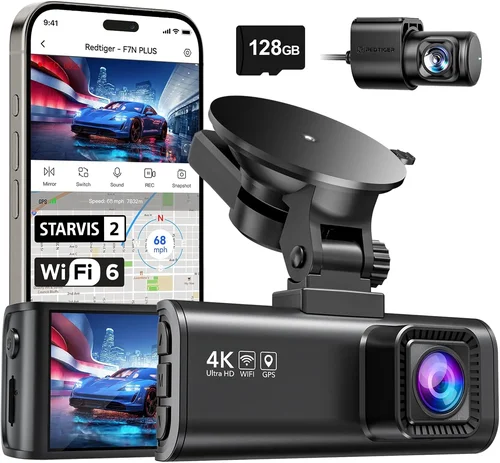
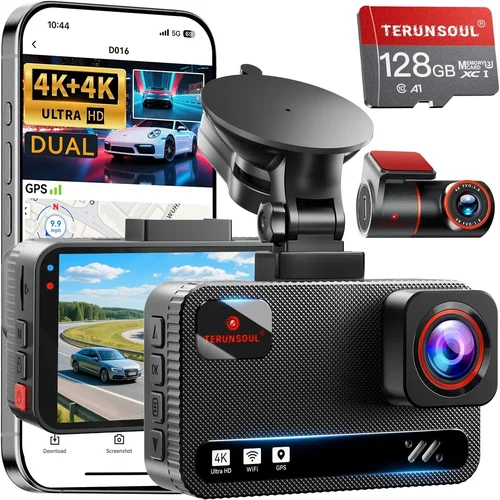
Dual channel systems provide both front and rear recording capabilities, giving you complete coverage of your vehicle’s surroundings. This setup is particularly valuable for insurance purposes and peace of mind when backing out of parking spots or navigating busy intersections. Dual channel systems require additional wiring for the rear camera and larger storage capacity to accommodate doubled recording time.
Multi-sensor systems deploy multiple cameras around the vehicle for comprehensive 360-degree coverage, commonly used by fleet operators and commercial vehicles. These sophisticated setups include interior cabin monitoring, blind spot detection, and advanced collision avoidance features. While primarily designed for business use, some models are available to consumers seeking maximum protection.
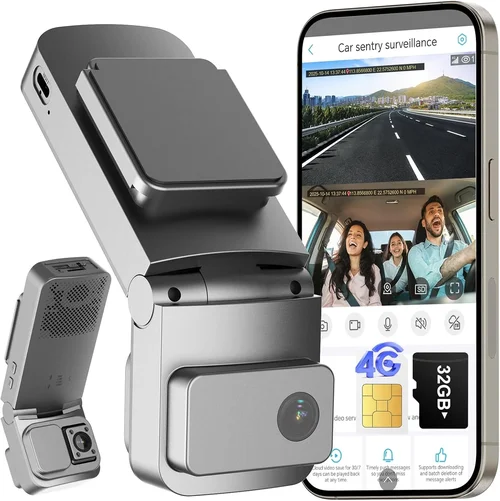
Smart dash cams integrate artificial intelligence and cloud connectivity to deliver enhanced safety features beyond basic recording. AI-powered models can detect pedestrians, lane departures, forward collisions, and even distracted driving behaviors. Cloud-connected dash cams automatically upload critical footage to secure servers, protecting against physical theft or damage to local storage media.
Professional and commercial-grade dash cams represent the highest tier of technology, featuring military-grade construction, redundant power supplies, and sophisticated management software. These systems often include advanced analytics, driver behavior monitoring, and integration with fleet management platforms. While expensive, they provide unmatched reliability and data security for businesses and serious enthusiasts.
Common Buying Mistakes to Avoid
❌ Mistake: Prioritizing resolution over sensor quality
Why it’s bad: High megapixel counts don’t guarantee better image quality if the underlying sensor technology is inferior. Many budget dash cams advertise 4K resolution but use low-quality sensors that produce grainy, washed-out footage in challenging lighting conditions. Without proper sensor technology, higher resolution simply means larger files with identical visual quality.
What to do instead: Focus on sensor specifications rather than raw pixel counts. Look for Sony STARVIS sensors, which excel in low-light environments, and consider bitrate rather than resolution alone. Test video samples from different lighting conditions before purchasing, paying particular attention to nighttime performance.
❌ Mistake: Ignoring parking mode reliability
Why it’s bad: Parking mode is useless if your dash cam fails to activate when needed. Many budget models either don’t support true parking mode or drain your car battery rapidly. Inadequate parking protection leaves your vehicle vulnerable to hit-and-runs or vandalism when unattended.
What to do instead: Verify that your chosen model includes reliable parking mode functionality with appropriate battery protection settings. Choose capacitor-based power systems over lithium batteries for longer lifespan, and ensure the dash cam can enter low-power states without compromising event detection sensitivity.
❌ Mistake: Overlooking storage requirements
Why it’s bad: Insufficient storage leads to lost footage when you need it most. Many users underestimate how quickly dash cam files consume SD card space, especially with higher resolution settings and frequent triggering of the G-sensor during normal driving.
What to do instead: Calculate your required storage capacity based on recording duration, resolution, and desired retention period. Factor in additional space for parking mode recordings and consider dash cams compatible with high-capacity cards (up to 512GB or more). Enable automatic deletion of non-event files to maximize usable space.
❌ Mistake: Choosing based solely on price
Why it’s bad: The cheapest dash cam may seem appealing initially, but poor build quality, inconsistent performance, and lack of reliable support can cost more in the long run. Budget models often fail within months, require frequent replacements, or produce unusable footage when insurance claims demand clear evidence.
What to do instead: Evaluate total cost of ownership including warranty coverage, replacement costs, and potential insurance benefits. Consider mid-range options that balance affordability with proven reliability and adequate features for your specific needs.
❌ Mistake: Neglecting installation considerations
Why it’s bad: Poor installation compromises both visibility and functionality. Improper mounting can block your rearview mirror view, create electrical interference, or result in unstable footage due to vibration or movement. Complex installations may void warranties or create safety hazards.
What to do instead: Choose dash cams with intuitive mounting systems and clear installation instructions. Consider professional installation services for dual-channel or multi-sensor setups, especially if you’re unfamiliar with automotive electrical systems. Ensure adequate cable routing that won’t interfere with airbag deployment zones.
❌ Mistake: Assuming all brands are equal
Why it’s bad: Market newcomers may offer attractive features at lower prices but lack the research and development investment of established manufacturers. Unproven brands often struggle with firmware stability, customer support responsiveness, and long-term reliability—critical factors when your dash cam needs to perform flawlessly during emergencies.
What to do instead: Research brand history, read independent reviews from reputable sources, and check warranty terms before committing to any manufacturer. Established brands with decades of experience typically provide better long-term value despite higher initial costs.
Budget Guidelines: How Much Should You Spend?
Entry-Level ($50 – $100): These affordable dash cams deliver basic functionality suitable for casual use or secondary vehicles. Expect 1080p resolution, 110°-130° field of view, and essential features like loop recording and motion detection. While limited in advanced capabilities, entry-level models can provide adequate protection for low-risk driving scenarios. Brands like Viofo, Apeman, and Rexing offer reliable options in this price range.
Mid-Range ($100 – $250): Representing the sweet spot for most drivers, mid-range dash cams combine excellent video quality with robust feature sets. You’ll find 2K or better resolution, wider fields of view (140°-160°), improved low-light performance, and reliable parking mode functionality. This category includes popular models from Garmin, Nextbase, and Blackvue, offering strong value propositions for daily commuters and families.
Premium ($250 – $500): Top-tier dash cams deliver professional-grade performance with advanced safety features and superior build quality. Expect 4K recording capabilities, exceptional low-light sensors, dual-channel recording, cloud connectivity, and comprehensive driver assistance systems. These models often include GPS tracking, Wi-Fi integration, and sophisticated event detection algorithms. Thinkware, Blackvue, and Garmin lead this segment with proven reliability and extensive feature sets.
Luxury ($500+): Ultra-premium dash cams target professionals and enthusiasts requiring maximum protection and cutting-edge technology. Features include multi-sensor systems with 360-degree coverage, AI-powered collision avoidance, military-grade construction, and enterprise-level management software. These systems may include thermal imaging, advanced driver monitoring, and integration with vehicle telematics. While expensive, they provide unmatched peace of mind for high-value assets and demanding applications.
When determining your optimal budget allocation, consider your risk profile and usage patterns. Daily commuters facing heavy traffic might benefit from advanced safety features that prevent accidents, while occasional drivers may prioritize basic protection. Always factor in accessory costs like high-quality memory cards, professional installation, and potential subscription fees for cloud storage services.
Expert Tips for Getting the Best Deal
Timing your purchase strategically can yield significant savings on dash cam technology. Major sales events like Black Friday, Cyber Monday, and Amazon Prime Day often feature substantial discounts on electronics, including dash cams. Additionally, seasonal transitions—spring and fall—sometimes see price adjustments as retailers clear inventory for new models.
Consider buying refurbished or open-box units from authorized dealers when available. These items typically carry full warranties and undergo thorough testing, offering factory-new quality at reduced prices. Just verify the refurbishment status and remaining warranty coverage before purchasing.
Compare prices across multiple retailers rather than settling for the first option you find. Online marketplaces like Amazon, Best Buy, and Walmart often compete on price, while specialty electronics stores may offer bundle deals with installation services or memory cards. Check return policies and restocking fees before committing to any purchase.
When evaluating deals, look beyond the sticker price to assess true value. A seemingly cheap dash cam may require expensive accessories or fail within months, negating initial savings. Compare feature sets, warranty terms, and customer support quality across different models to determine actual cost-effectiveness.
Read the fine print regarding warranty coverage and return policies before finalizing your purchase. Understand what components are covered, how long protection lasts, and whether international shipping costs are included. Return windows should ideally exceed 30 days to allow sufficient time for installation and testing under real-world conditions.
Test dash cams in-store when possible, especially if your primary concern is video quality or ease of use. While physical inspection is impossible online, watching sample videos or comparing interface designs can help assess usability. Ask knowledgeable staff questions about specific features and compatibility with your vehicle before making decisions.
Consider extended warranty options for premium models, as hardware failures can occur despite rigorous quality control. Third-party warranty providers sometimes offer more comprehensive coverage than manufacturer plans, though always verify reputation and claim processing speed before purchasing.
Finally, register your dash cam immediately after purchase and keep proof of purchase documentation accessible. This simple step ensures warranty validation and facilitates quick replacement if theft or damage occurs. Include your contact information in any registration forms to receive important firmware update notifications and recall notices.
Frequently Asked Questions
Q: Do I need a special SD card for my dash cam?
A: Yes, dash cams require high-performance microSD cards specifically rated for continuous write operations. Look for cards with Class 10/UHS-I/U3 ratings or higher, capable of sustained write speeds above 30MB/s. Avoid consumer-grade cards designed for photo storage or casual video playback, as they may corrupt files during extended recording sessions.
Q: How long does dash cam battery backup last?
A: Battery life depends on your dash cam’s power source and parking mode configuration. Capacitor-based systems typically provide 30 minutes to 2 hours of parking mode operation, while lithium battery backups can last 2-8 hours. Actual duration varies based on ambient temperature, detection sensitivity, and whether motion or impact triggers activation.
Q: Can dash cams record while parked?
A: Most modern dash cams support parking mode functionality, but reliability varies significantly between models. True parking mode requires stable power delivery and sophisticated motion/impact detection algorithms. Always verify your chosen model’s parking mode performance through independent reviews and avoid budget options that promise unlimited parking recording without adequate power protection.
Q: What’s the difference between front-only and dual-channel dash cams?
A: Front-only dash cams record only the area directly ahead of your vehicle, suitable for basic protection and most driving scenarios. Dual-channel systems include both front and rear cameras, providing complete coverage of your vehicle’s perimeter. Rear cameras are particularly valuable for backing maneuvers, parking situations, and verifying events from behind your vehicle.
Q: How much storage space do I actually need?
A: Storage requirements depend on your resolution, frame rate, and desired retention period. At 1080p resolution with 30fps recording, expect approximately 1GB per minute of footage. Higher resolutions like 2K or 4K consume storage faster—plan for at least 32GB minimum, with 128GB or 256GB recommended for extended recording needs and event file preservation.
Q: Are dash cams legal to use?
A: Dash cams themselves are legal in virtually all jurisdictions worldwide, as they only record exterior views of public roads. However, audio recording capabilities face stricter regulations in many regions, including the United States where laws vary by state regarding consent requirements for recording private conversations. Always check local regulations before activating audio recording features.
Q: Can I install a dash cam myself?
A: Simple single-camera installations are typically DIY-friendly, requiring only basic tools and following clear mounting instructions. Dual-channel or multi-sensor systems may involve additional wiring complexity and require understanding of automotive electrical systems. If uncertain about installation procedures or concerned about voiding warranties, consider professional installation services offered by authorized dealers.
Q: How do I protect my dash cam from theft?
A: Physical security measures include using locking mounts, concealing wiring, and parking in well-lit areas when possible. Digital protection involves enabling password protection on your dash cam and securing cloud storage accounts with strong authentication methods. Some premium models offer GPS tracking capabilities that can help locate stolen equipment through associated mobile apps.
Final Recommendations
Best for Budget-Conscious Buyers: The Viofo A119 V3 stands out as an exceptional value proposition for drivers seeking reliable performance without breaking the bank. This 2K dash cam delivers impressive video quality with a wide 140° field of view, Sony STARVIS sensor for excellent low-light performance, and robust parking mode functionality. Its compact design fits discreetly behind your rearview mirror while maintaining clear visibility of the road ahead.
Best Overall Value: The Garmin Dash Cam 67W represents the perfect balance of features, reliability, and user-friendly design. With 1080p recording, voice control capabilities, and seamless smartphone integration through the Garmin Drive app, this dash cam excels in both functionality and convenience. Its advanced safety features include forward collision and lane departure warnings, making it ideal for drivers prioritizing both protection and prevention.
Best Premium Option: The Blackvue DR970X-2CH offers professional-grade performance with its dual-channel 4K recording capability and exceptional build quality. Equipped with a Sony CMOS sensor, built-in GPS, Wi-Fi connectivity, and cloud storage integration, this system provides comprehensive protection for serious drivers and commercial applications alike. Its reliable parking mode and robust firmware ensure consistent performance under demanding conditions.
Best for Beginners: The Nextbase 522GW earns top marks for ease of use combined with advanced features typically found in higher-priced models. This 1080p dash cam includes emergency SOS button functionality, Alexa voice assistant integration, and crisp 140° field of view. Its intuitive interface and clear installation instructions make it perfect for first-time dash cam owners who want reliable protection without technical complexity.
Best for Advanced Users: The Thinkware U1000 delivers unmatched video quality with its 4K front camera and 1080p rear recording capability. Featuring a superior Sony STARVIS sensor, advanced driver assistance systems, and comprehensive cloud connectivity, this system meets the needs of tech-savvy drivers who demand professional-grade performance. Its robust construction and reliable firmware updates ensure consistent operation for demanding applications.
Conclusion: Making the Right Choice
Selecting the best dash cam for your car ultimately depends on balancing your specific needs against available features and budget constraints. Rather than chasing the latest technological trends or the lowest possible price point, focus on identifying which combination of resolution, field of view, parking mode reliability, and additional features aligns with your driving habits and protection requirements.
Remember that a dash cam’s primary purpose is providing verifiable evidence when disputes arise or accidents occur. Therefore, prioritize video quality and reliability over flashy extras that may drain your battery or complicate installation. Invest in a reputable brand with proven track record and adequate warranty coverage to ensure your investment delivers lasting value.
Take time to research thoroughly, read independent reviews, and consider your unique circumstances before making a purchase decision. Whether you choose a basic single-camera system or a sophisticated multi-sensor setup, proper selection will give you confidence behind the wheel and peace of mind knowing you’re protected when you need it most.