Complete Trucker’s Dash Cam Buying Guide
## Introduction
The open road can be unpredictable, especially when you’re behind the wheel of a commercial vehicle covering thousands of miles each year. For truckers, a dash cam is more than just a recording device—it’s an essential piece of equipment that protects you, your cargo, and your livelihood. Whether you’re dealing with insurance claims, navigating liability disputes, or simply wanting to monitor your driving performance, the right dash cam can make all the difference.
This comprehensive buying guide is designed specifically for professional drivers who spend countless hours on highways and byways. We’ll walk you through every critical factor to consider, from technical specifications to real-world usability, ensuring you make an informed decision that fits both your needs and budget.
You’ll learn about the most important features like resolution quality, field of view, night vision capabilities, and storage solutions—all tailored to the unique demands of truck driving. We’ll also explore different types of dash cams, compare top-rated models, and provide expert advice on installation, maintenance, and troubleshooting common issues.
By the end of this guide, you’ll have a clear understanding of what to look for in a dash cam, how to avoid costly mistakes, and where to find the best deals. Whether you’re a seasoned trucker looking to upgrade your current setup or a new driver investing in your first system, this guide will equip you with the knowledge to choose wisely and drive with confidence.
## What to Look for When Buying Dash Cams
### 1. Budget & Price Range
Before diving into features, establish your budget. Dash cams range from affordable options under $50 to premium systems exceeding $300. For truckers, we recommend allocating at least $100-$150 for a reliable system that offers good value without sacrificing essential features.
Entry-level models typically include basic recording capabilities but may lack advanced features like GPS tracking or parking mode. Mid-range options (around $100-$200) offer the sweet spot with decent resolution, loop recording, and some smart features. Premium systems provide professional-grade performance with multiple cameras, enhanced durability, and comprehensive monitoring capabilities.
Consider your usage frequency and the importance of having reliable footage. Professional drivers who operate daily should invest more than occasional travelers. Remember that cheaper doesn’t always mean better—many budget models cut corners on build quality and reliability, which is crucial when you need that footage to stand up in court.
### 2. Performance Specifications
The heart of any dash cam lies in its performance specs. Resolution is your starting point—aim for at least 1080p Full HD recording. Higher resolutions like 2K or 4K provide sharper detail, which can be critical for identifying license plates, road signs, or other vehicles in accident scenarios.
Frame rate matters too. Look for 30fps as a minimum; 60fps provides smoother motion capture, especially important for highway speeds. The bitrate determines video quality—higher bitrates mean better compression efficiency but larger file sizes. For trucking applications, aim for a balance between quality and storage capacity.
Sensor size affects low-light performance. Larger sensors (like 1/2.7″ or bigger) gather more light, resulting in clearer nighttime footage. This is particularly important since many truckers drive during dawn, dusk, or nighttime hours. Don’t overlook the audio recording capability—having clear sound can provide valuable context to visual evidence.
### 3. Build Quality & Durability
Truck environments are harsh. Your dash cam must withstand extreme temperatures, vibrations from rough roads, dust, and potential impacts. Look for models with ruggedized designs, preferably IP65 or higher rating for water and dust resistance.
The housing material matters—polycarbonate or aluminum constructions offer better protection than plastic alone. Consider how the mount attaches to your windshield; suction cups can fail in hot weather, while adhesive mounts might damage your glass when removed.
Temperature tolerance is another critical factor. Some dash cams struggle in cold weather or become sluggish when exposed to summer heat. Check manufacturer specifications for operating temperature ranges. For extended trips, consider models with built-in cooling fans or those designed for automotive use.
### 4. Features & Functionality
Advanced features can significantly enhance your dash cam’s utility. GPS tracking records location data alongside your video, helping establish your exact route and speed. This proves invaluable for proving innocence in disputes or demonstrating compliance with routing requirements.
Parking surveillance allows your dash cam to record when you’re away from your truck—perfect for protecting against hit-and-runs or theft attempts. Look for motion detection or impact sensors that activate recording when movement is detected near your vehicle.
G-sensor technology automatically saves footage when it detects sudden movements or impacts, preventing accidental overwrites. This ensures critical incident footage isn’t lost during regular recording cycles. Loop recording continuously overwrites the oldest files when storage fills up, maintaining constant coverage without manual intervention.
Some models offer ADAS (Advanced Driver Assistance Systems) features like lane departure warnings or forward collision alerts. While not essential, these can add an extra layer of safety awareness during long drives.
### 5. Brand Reputation
Stick with established brands that have proven track records in the dash cam industry. Companies like Garmin, BlackVue, Thinkware, VIOFO, and Nextbase have been in the market longer and generally offer better customer support, firmware updates, and warranty coverage.
Research user reviews and professional testing results before making a decision. Pay attention to long-term reliability reports rather than just initial impressions. Brands with active online communities often provide better support and share valuable troubleshooting tips.
Avoid unknown or generic brands that may disappear overnight, leaving you without support or replacement parts. A reputable brand typically offers at least a one-year warranty and responsive customer service—crucial when you need help quickly while on the road.
### 6. Warranty & Support
Quality warranty coverage reflects a manufacturer’s confidence in their product. Look for at least a one-year warranty, though two years or more is preferable. Check what’s covered—some warranties exclude damage from accidents or improper installation.
Customer support responsiveness is equally important. Test their communication channels before purchasing. Do they offer phone support? Email response times? Online resources like FAQs or forums? For truckers who travel extensively, having reliable support can save you from being stranded with a malfunctioning device.
Consider whether the company offers firmware updates—these can improve functionality and fix bugs over time. Outdated software can render features useless or create compatibility issues with newer smartphones or apps.
### 7. Size & Portability
While size isn’t the most critical factor for truckers, it does affect installation options and visibility. Compact models (around 2-3 inches wide) are less obtrusive and easier to position optimally. However, smaller cameras sometimes compromise sensor size or button placement.
Mounting flexibility matters more than absolute size. Look for models that attach securely using strong suction cups or adhesive pads that won’t fall off during bumpy rides. Some truckers prefer dual-camera systems where the front unit is compact but the cabin camera is slightly larger.
Consider how the dash cam integrates with your existing dashboard layout. You want something that doesn’t interfere with your view of instruments or controls while still capturing clear footage of the road ahead.
### 8. User Reviews & Ratings
Real-world experience trumps theoretical specifications. Spend time reading detailed user reviews across multiple platforms—Amazon, specialized automotive forums, and YouTube review channels. Look for patterns in complaints rather than isolated negative comments.
Pay special attention to reviews mentioning long-term reliability, battery life, and ease of use. Truckers often share practical insights about installation challenges, software quirks, and unexpected limitations that manufacturers might not highlight in marketing materials.
Check how recent the reviews are—technology evolves quickly, and older reviews may reference outdated features or known issues that have since been resolved.
## Different Types of Dash Cams
## Common Buying Mistakes to Avoid
### ❌ Mistake: Ignoring Storage Requirements
Many buyers focus solely on upfront cost and overlook the ongoing expense of memory cards. A single hour of 1080p video can consume 1-2GB of storage, meaning you’ll need frequent card replacements or expensive high-capacity cards. Choose a model compatible with high-endurance microSD cards designed for continuous writing—regular consumer cards wear out quickly.
What to do instead: Calculate your expected storage needs based on average drive time. Plan for at least a 32GB card initially, upgrading to 64GB or 128GB if needed. Factor in the cost per gigabyte when comparing total ownership expenses.
### ❌ Mistake: Prioritizing Price Over Reliability
Cheap dash cams might seem attractive initially, but they often suffer from poor build quality, inconsistent recording, and short lifespans. Many budget models fail within months due to overheating, corrupted files, or complete failure—leaving you without protection when you need it most.
What to do instead: Invest in reputable brands with proven track records. Read long-term reliability reports and user experiences before making a decision. Remember that a reliable dash cam is a worthwhile investment for your safety and legal protection.
### ❌ Mistake: Neglecting Installation Planning
Improper installation can render your dash cam ineffective or even dangerous. Placing the camera too low blocks your view of the road, while positioning it too high creates glare issues. Poor cable management leads to loose wires that get caught in controls or interfere with airbag deployment areas.
What to do instead: Study the mounting instructions carefully before installation. Route cables along factory pathways using clips or tape. Test the camera’s angle and field of view before finalizing placement. Consider professional installation services if you’re unsure about DIY approaches.
### ❌ Mistake: Overlooking Power Management
Dash cams require stable power sources, but truck electrical systems present unique challenges. Voltage fluctuations, parasitic drains, and incompatible connectors can cause premature failure or inaccurate recordings. Some cheap adapters don’t regulate voltage properly, leading to brownouts or blown components.
What to do instead: Use hardwiring kits designed for automotive applications rather than relying solely on cigarette lighter adapters. Ensure your chosen model includes voltage stabilization or works reliably within your truck’s voltage range (typically 12V or 24V systems).
### ❌ Mistake: Assuming All Features Are Useful
It’s easy to get distracted by flashy features like Wi-Fi connectivity, cloud storage, or advanced driver assistance systems. While convenient, these extras often come with subscription fees, privacy concerns, or limited functionality without proper setup. Some “smart” features drain battery life or complicate the user interface unnecessarily.
What to do instead: Focus on core functionality first—clear recording, reliable performance, and robust build quality. Add secondary features only after verifying that your primary needs are met. Remember that simplicity often equals reliability in demanding environments.
### ❌ Mistake: Failing to Update Firmware
Manufacturers regularly release firmware updates that improve performance, fix bugs, and add new features. Many users ignore these updates thinking they’re unnecessary, but outdated software can cause compatibility issues or leave security vulnerabilities unpatched.
What to do instead: Regularly check for firmware updates through your dash cam’s menu system or manufacturer’s website. Enable automatic update notifications when available. Keep notes about update dates to track changes and troubleshoot potential regressions.
### ❌ Mistake: Not Testing Before Committing
Buying online without seeing or testing the device creates risk. Without hands-on evaluation, you can’t assess button layout, screen readability, cable length adequacy, or overall build quality. Return policies vary widely, and shipping delays could leave you without essential protection during critical periods.
What to do instead: Whenever possible, visit a local retailer to examine the physical device. Test button placement, screen visibility in different lighting conditions, and overall ergonomics. Ask about trial periods or generous return windows before purchasing online.
## Budget Guidelines: How Much Should You Spend?
### Entry-Level ($50 – $100)
For occasional truckers or those testing dash cam benefits, entry-level models offer basic functionality without breaking the bank. These typically include 1080p recording, loop recording, and G-sensor protection. However, expect limitations in build quality, field of view, and advanced features.
Look for brands like Z-Edge or Rexing in this price range. While adequate for basic monitoring, these models may lack durability for daily professional use. Battery life is usually shorter, and night vision performance can be subpar. Consider this tier primarily for supplementary protection rather than primary legal defense.
### Mid-Range ($100 – $200)
This sweet spot offers excellent value for most truckers. Models in this category typically feature 2K resolution, wider fields of view (140-150 degrees), improved night vision, and reliable build quality. You’ll find reputable brands like BlackVue, Thinkware, and VIOFO here with competitive pricing.
Mid-range options often include essential smart features like GPS tracking, parking mode with motion detection, and smartphone app connectivity. Storage flexibility improves with larger default microSD cards and better file management. This tier represents the optimal balance between cost and capability for professional drivers who need reliable performance without excessive complexity.
### Premium ($200 – $350)
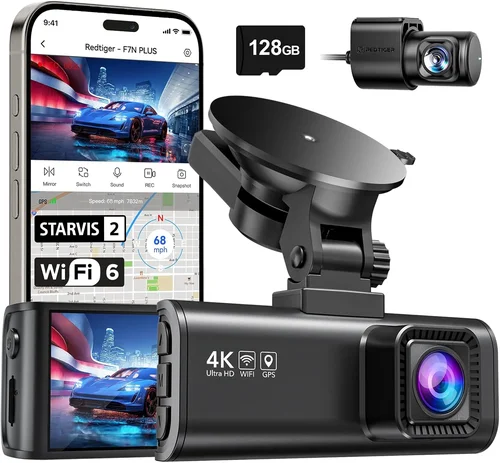
Premium dash cams deliver professional-grade performance with multiple cameras, superior image processing, and enhanced durability. Brands like Garmin, BlackVue, and nextbase dominate this segment with features like 4K recording, HDR imaging, and robust weatherproofing.
Expect advanced functionality including dual-channel recording (front and cabin), sophisticated parking surveillance, and cloud-based storage solutions. These models often include professional installation support and extended warranty coverage. While more expensive, premium options provide the highest level of protection and evidence quality for serious truckers facing frequent liability risks.
### Luxury ($350+)
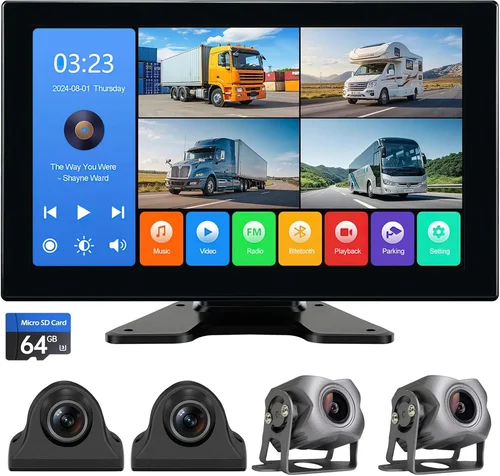
Luxury dash cams represent the pinnacle of automotive surveillance technology. These systems typically feature multi-camera setups (up to six cameras), military-grade durability, and cutting-edge image processing algorithms. Companies like BlackVue and Thinkware offer enterprise-level solutions with dedicated fleet management software.
Luxury models include features like AI-powered incident detection, thermal imaging options, and integration with telematics systems. They’re designed for fleet operators, security professionals, and truckers who demand absolute reliability and comprehensive coverage. While the price point is substantial, luxury systems provide unmatched peace of mind for high-stakes operations where every detail matters.
## Expert Tips for Getting the Best Deal
### Timing Your Purchase Strategically
Black Friday and Cyber Monday typically offer the deepest discounts on dash cams, but don’t wait exclusively for these events. End-of-quarter sales (March, June, September, December) often provide significant markdowns as retailers clear inventory. Summer months see increased demand for automotive accessories, so spring and fall often present better pricing opportunities.
Consider holiday weekends—Memorial Day, Labor Day, and Independence Day—when electronics retailers frequently run promotions. Sign up for brand newsletters to receive exclusive coupon codes and early access to sales events.
### Choosing the Right Retailer
Online retailers like Amazon, Best Buy, and Walmart offer competitive pricing and convenient delivery, but local auto parts stores provide immediate availability and hands-on testing. Specialty automotive shops often carry professional-grade equipment with knowledgeable staff who understand truck-specific requirements.
Compare prices across multiple channels before deciding. Sometimes the lowest online price includes expensive shipping or limited return options. Local stores might offer better deals with in-store pickup or bundled accessories like mounting kits.
### Spotting Hidden Deals
Bundle deals can provide substantial savings. Look for packages that include extra memory cards, protective cases, or mounting hardware. Some manufacturers offer free accessory kits with purchases over certain thresholds. Refurbished models from certified sellers often match new unit performance at reduced costs.
Watch for price-matching guarantees—many retailers will match competitor prices if you show proof. This allows you to shop around safely knowing you’ll get the lowest available price.
### Understanding Warranty Value
Extended warranties aren’t always worth the cost. Most manufacturers already provide adequate coverage for defects, and third-party warranties often duplicate existing protections. Instead of paying extra for extended coverage, invest that money in higher-quality components like better memory cards or installation accessories.
Focus on warranty terms rather than duration. A one-year warranty with excellent support beats a three-year warranty with poor service. Check if the warranty covers accidental damage—this can be surprisingly valuable for mobile devices.
### Leveraging Return Policies
Always verify return policies before purchasing. Look for minimum return periods (ideally 30 days or more), restocking fees (preferably none), and condition requirements. Some retailers require original packaging for returns, which can be inconvenient if you’ve already installed the device.
Test your dash cam thoroughly during the return window. Verify recording quality, playback functionality, and feature operation under various conditions. Keep all documentation and packaging until you’re completely satisfied.
### Testing Before Committing
If possible, test the dash cam in your actual vehicle before finalizing the purchase. Evaluate screen visibility in different lighting conditions, button accessibility while driving, and cable routing feasibility. Try mounting it temporarily to assess optimal positioning and interference with other dashboard elements.
For online purchases, take advantage of liberal return policies. Many retailers now offer 90-day or even 120-day return windows for electronics, giving you ample time to test the device in real-world conditions.
### Maximizing Accessory Value
Don’t overlook essential accessories that improve functionality. High-endurance microSD cards prevent data loss and extend component life. Quality mounting brackets ensure secure attachment and optimal viewing angles. Professional installation kits provide clean, safe wiring solutions that integrate seamlessly with your truck’s electrical system.
Sometimes retailers bundle valuable accessories with main units—take advantage of these combinations to maximize value without additional cost.
## Frequently Asked Questions
### Q: Can I install a dash cam myself, or do I need professional installation?
A: Most modern dash cams are designed for DIY installation and include detailed instructions. Basic models typically involve mounting the camera, routing cables, and connecting to power. However, hardwiring for permanent installation requires basic automotive electrical knowledge. If you’re uncomfortable with cable routing or connecting to your truck’s fuse box, consider professional installation to ensure proper setup and avoid damaging electrical systems.
### Q: How much storage do I really need for my dash cam?
A: It depends on your driving habits and recording settings. At standard 1080p quality with 32GB cards, expect about 2 hours of recording per card. For 2K recording, this drops to approximately 1 hour. Professional truckers should plan for at least 4-8 hours of coverage per day. Consider using high-endurance microSD cards rated for continuous write operations—these last significantly longer than consumer-grade cards used for intermittent recording.
### Q: Will a dash cam work in extreme temperatures?
A: Temperature tolerance varies by model. Most consumer dash cams operate reliably between 14°F and 140°F (-10°C to 60°C). However, professional-grade models often handle wider ranges. Cold weather affects battery life and LCD screens, while extreme heat can cause overheating or shutdowns. If you operate in Arctic or desert conditions, research temperature specifications carefully or consider models with active cooling or heating elements.
### Q: Do dash cams record audio, and is this legal everywhere?
A: Most dash cams include microphone functionality for audio recording, though some privacy-focused models disable this feature. Audio recording legality varies by jurisdiction—several states and countries restrict recording conversations without consent. Check local regulations before enabling audio features, especially when traveling across state lines or international borders.
### Q: How long do dash cam batteries last, and do I need external power?
A: Built-in batteries typically last 1-3 hours depending on usage and temperature. For extended coverage, hardwiring directly to your truck’s battery is recommended using a professional power kit. This eliminates battery concerns entirely and provides unlimited recording time. Hardwiring also prevents voltage drops that can cause inaccurate timestamps or corrupted files.
### Q: Can I view dash cam footage without removing the memory card?
A: Yes, most modern dash cams include USB connections or Wi-Fi capabilities for wireless transfer. Smartphone apps allow direct viewing and downloading of footage to your mobile device. Cloud storage options enable remote access from anywhere, though these often require subscriptions. Some models feature HDMI outputs for direct connection to monitors or TVs without card removal.
### Q: How do I protect my dash cam from theft or vandalism?
A: Mount your camera discreetly in a less obvious location, preferably angled downward to obscure its purpose. Use security screws or anti-theft brackets when available. Consider adding a small decal near the camera explaining it’s for insurance purposes. For parked vehicles, use steering wheel locks or visible deterrents to discourage tampering.
### Q: What happens to old footage when the memory card fills up?
A: Loop recording automatically overwrites the oldest files when storage reaches capacity. Critical footage protected by G-sensors (sudden impacts or movements) is typically saved separately in a locked folder that won’t be overwritten. Check your specific model’s settings to confirm how long locked files remain accessible and whether you can adjust overwrite timing based on your usage patterns.
## Final Recommendations
### Best for Budget-Conscious Buyers
For truckers watching their expenses, the Rexing P1 offers exceptional value with 2K recording, wide-angle lens, and reliable performance at an affordable price point. Its compact design fits easily on most dashboards, and the included mounting hardware simplifies installation. While lacking some premium features, it delivers solid legal protection without straining your budget.
### Best Overall Value
The BlackVue DR970X-1CH strikes an ideal balance between capability and cost. This single-channel system provides 4K recording with impressive detail retention, robust build quality, and reliable performance under demanding conditions. Advanced features like GPS tracking, parking mode, and cloud connectivity justify its mid-range price while delivering professional-grade protection for serious truckers.
### Best Premium Option
For those requiring maximum protection, the Thinkware U1000 represents the pinnacle of single-camera performance. With 4K recording, HDR imaging, and military-grade durability, it captures crystal-clear footage in virtually any condition. Dual-band Wi-Fi enables quick file transfers, while comprehensive parking surveillance keeps your rig protected when unattended. The robust build quality ensures years of reliable service in challenging truck environments.
### Best for Beginners
New truckers should start with the Viofo A119 v3, which offers user-friendly operation without sacrificing essential features. Its intuitive interface, reliable recording performance, and competitive pricing make it perfect for those learning the ropes of dash cam usage. The included accessories simplify initial setup, and the solid build quality provides confidence as you develop your monitoring routines.
### Best for Advanced Users
Seasoned professionals will appreciate the Garmin Dash Cam 67W for its advanced driver assistance features, cloud connectivity, and seamless smartphone integration. While slightly pricier than competitors, its comprehensive monitoring capabilities and reliable performance justify the investment for truckers who demand the very best protection and convenience features available today.
## Conclusion: Making the Right Choice
Selecting the perfect dash cam for your truck involves balancing multiple factors—budget constraints, performance requirements, and lifestyle considerations. Rather than chasing every latest feature, focus on what truly matters for your specific situation. Prioritize reliable recording quality, robust build construction, and practical functionality over flashy extras that may not serve your actual needs.
Remember that your dash cam serves as both safety equipment and legal document in critical situations. Investing in quality protection pays dividends whenever you need that footage to defend yourself or resolve disputes. Take time to research thoroughly, test when possible, and choose equipment that matches both your current requirements and future aspirations.
The best dash cam isn’t necessarily the most expensive—it’s the one that consistently performs reliably under your real-world conditions. By following this comprehensive guide, you’ll make an informed decision that enhances your safety, provides peace of mind, and protects your livelihood on America’s highways. Drive safely, stay vigilant, and let technology work in your favor when the unexpected happens.