Best Dash Cam Buying Guide
When it comes to protecting yourself on the road, few automotive accessories offer as much peace of mind as a quality dash cam. Whether you’re concerned about insurance claims after an accident, want evidence of parking incidents, or simply wish to monitor your driving habits, choosing the right dash cam makes all the difference. With hundreds of models flooding the market from both established brands and lesser-known manufacturers, making an informed decision can feel overwhelming. This comprehensive buying guide cuts through the noise to help you navigate the technical specifications, feature comparisons, and real-world performance factors that truly matter when selecting a dash cam.
You’ll learn exactly what features deserve your attention, how to interpret technical jargon like resolution and field of view, and which price points deliver the best value for your specific needs. We’ll also reveal common pitfalls that lead buyers to overpay for unnecessary features or settle for inadequate recording quality. By the end of this guide, you’ll have a clear framework for evaluating any dash cam model and confidence in choosing equipment that provides reliable protection without breaking the bank.
The dash cam market has evolved dramatically in recent years, moving far beyond simple single-lens cameras to sophisticated multi-camera systems with advanced safety features. Today’s top models offer emergency collision detection, GPS tracking, parking mode monitoring, and seamless smartphone integration. However, this technological sophistication comes at various price points, creating confusion about what features justify the extra cost. Understanding the core capabilities that deliver real value—such as proper video stabilization, adequate storage capacity, and robust build quality—will empower you to make smarter purchasing decisions regardless of whether you’re looking for a basic budget option or a premium system for professional use.

What to Look for When Buying Dash Cams
1. Resolution and Video Quality
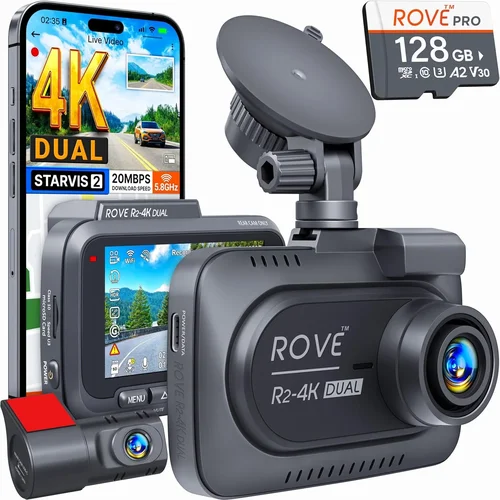
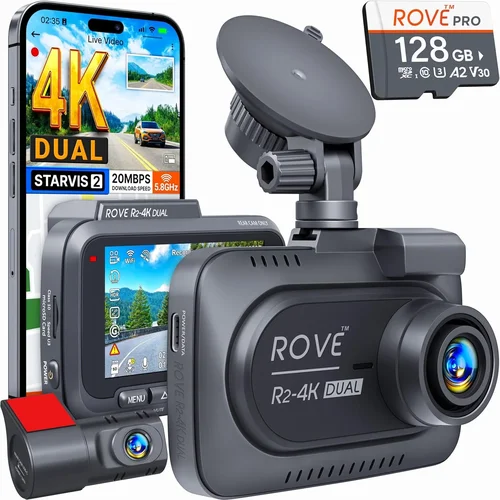
Video resolution remains the most critical factor determining a dash cam’s effectiveness. Most modern dash cams offer at least 1080p Full HD resolution, but higher-end models now provide 2K (1440p) or even 4K Ultra HD capabilities. The key advantage of higher resolutions isn’t just sharper images—it’s the ability to capture license plate details clearly even when objects are partially obscured or moving quickly. For city driving where license plates are essential evidence, 2K resolution offers significantly better detail than standard 1080p while maintaining reasonable file sizes.
Look for cameras with high-quality image sensors, preferably those using Sony Starvis technology which performs exceptionally well in low-light conditions. The sensor size also matters—larger sensors generally capture more light and produce better dynamic range between bright headlights and dark shadows. Be wary of marketing claims like “super HD” or “ultra HD” that don’t specify exact resolution numbers, as these terms can be misleading.
Beyond resolution, consider frame rate capabilities. Most dash cams record at 30 frames per second (fps), but some premium models support 60fps recording which captures smoother motion and makes it easier to identify vehicle movements during critical moments. However, higher frame rates increase file sizes, so you’ll need to balance quality needs against storage requirements.
2. Field of View and Lens Quality
The field of view (FOV) determines how much of the road ahead and surrounding areas your dash cam can capture. A wider FOV means less blind spots but may introduce distortion near the edges of the image. Most consumer dash cams offer between 110° and 170° horizontal FOV, with 150° representing a good compromise for general driving.
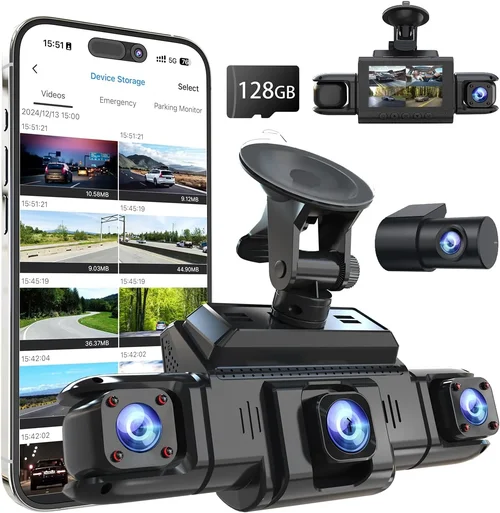
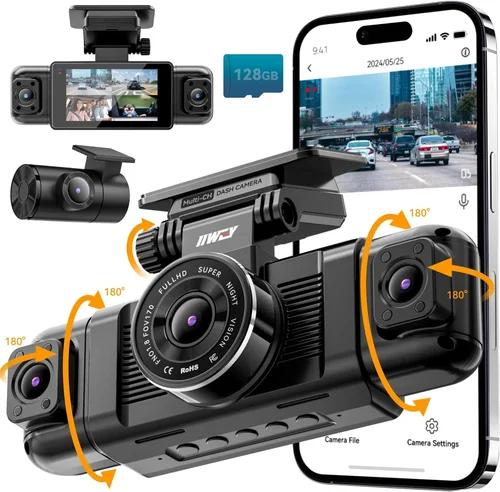
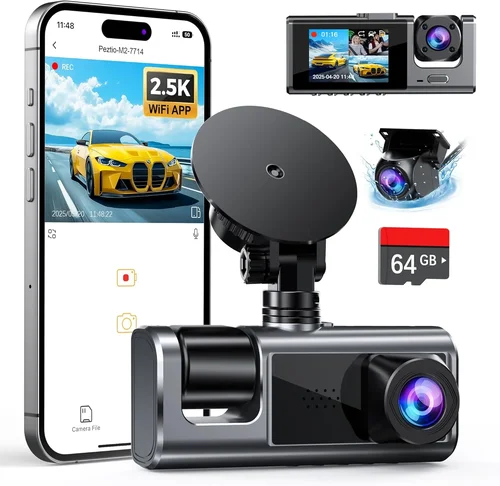
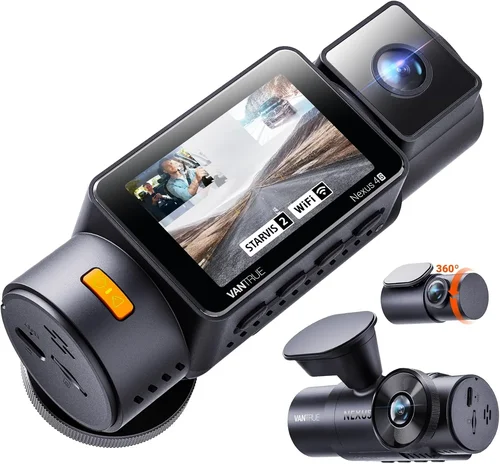
Professional-grade dash cams often feature dual-lens systems with different FOVs optimized for various scenarios—one lens focused on the road ahead with moderate FOV, another capturing a broader area around the vehicle. For comprehensive coverage, look for cameras with multiple lenses or consider purchasing additional rear-view cameras separately.
Lens quality is equally important as wide-angle optics require careful calibration to minimize fish-eye distortion. Premium dash cams use aspherical lenses that reduce chromatic aberration and maintain consistent focus across the entire image. When evaluating lens quality, pay attention to edge sharpness rather than just center clarity—this ensures license plates and road signs remain readable even at the periphery of your view.
3. Night Vision and Low-Light Performance
Many drivers assume that daytime recording quality is sufficient, but nighttime driving accounts for approximately 40% of fatal accidents according to traffic safety statistics. Excellent night vision capability requires more than just high-resolution sensors—it demands specialized infrared illumination, superior low-light sensitivity, and intelligent exposure control.
Dash cams with built-in infrared LEDs provide crucial visibility during complete darkness without disturbing other drivers’ vision. These LEDs illuminate the road directly below your vehicle without creating glare or reflections. Look for cameras specifically designed with night vision capabilities rather than relying solely on general “night mode” settings that merely adjust digital processing.
Advanced models incorporate starlight-level sensors capable of capturing clear footage in moonlight and street lighting conditions. Some systems automatically switch between color and black-and-white recording based on available light levels, preserving color information during daylight hours while maximizing detail in darkness.
4. Storage Capacity and Loop Recording
Storage management is fundamental to continuous dash cam operation. Most dash cams use microSD cards ranging from 32GB to 256GB capacities, though some premium models include built-in storage or cloud connectivity options. The optimal card speed class depends on your recording requirements—UHS-I Class 3 cards work well for standard definition recording, while U3 or V30 cards handle 4K video without dropped frames.
Loop recording automatically overwrites older footage when storage fills up, ensuring uninterrupted recording without manual intervention. Most modern dash cams default to loop recording, but verify this setting hasn’t been disabled accidentally. Consider purchasing slightly larger storage cards than initially needed since they often provide better long-term value—a 64GB card costs marginally more than 32GB but doubles your recording time.
Some dash cams offer automatic file splitting based on events or time intervals, creating manageable file sizes for review. Advanced systems can detect collisions and save relevant segments separately while continuing regular loop recording for non-critical periods. Cloud-connected dash cams eliminate local storage concerns entirely by uploading footage automatically, though they typically require monthly subscription fees and depend on cellular data plans.
5. Parking Mode and Impact Detection
Parking mode represents one of the most valuable dash cam features for preventing theft and vandalism. When your vehicle is parked, this feature continues monitoring with reduced power consumption until motion is detected or impact occurs. Proper implementation requires either a hardwired connection to your car’s battery or access to a constant power source through the fuse box.
Motion-activated parking mode uses PIR sensors to detect movement around your vehicle, triggering short recording bursts before returning to standby. Impact detection systems respond immediately to sudden deceleration or vibrations, saving critical footage automatically. For maximum effectiveness, choose dash cams with configurable sensitivity levels—too sensitive causes excessive false alarms, while insufficient sensitivity misses actual incidents.
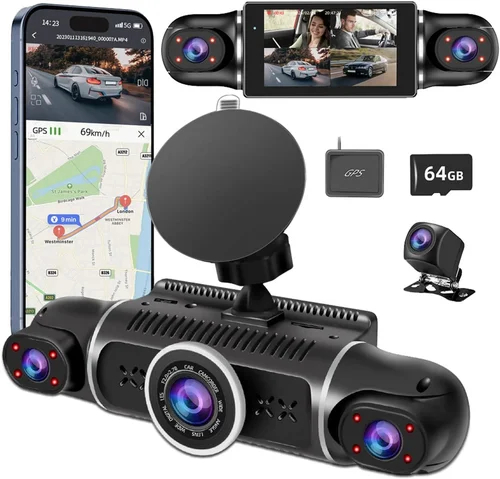
Some premium models combine both motion and impact detection with GPS tracking, providing location context for any triggered events. Always ensure your chosen dash cam includes adequate battery backup during parking mode so it won’t drain your car’s main battery completely. Most systems consume minimal power (typically 0.5-2 watts) during standby, allowing several days of monitoring before requiring recharging.
6. Build Quality and Weather Resistance
Durability matters significantly given dash cams’ exposure to extreme temperatures, moisture, and physical impacts. Look for cameras constructed with shock-resistant materials and sealed against dust and water ingress. IP ratings indicate protection levels—while few consumer dash cams display official IP certifications, reputable brands typically engineer their products to withstand typical automotive environments.
Extreme temperature performance is particularly important since dash cams operate inside vehicles exposed to both blistering heat and freezing cold. High-end models use industrial-grade components rated for -20°C to +70°C operation ranges. Internal circuitry should include thermal management features to prevent overheating during summer months or condensation formation during winter.
Mounting hardware deserves equal attention—secure brackets must resist vibration and temperature changes without loosening over time. Magnetic mounts offer easy installation but may lack stability at highway speeds, while suction cup mounts provide firm attachment but can fail in hot weather. Hardwired installations eliminate mounting concerns entirely but require professional installation skills.
7. Connectivity and Smart Features
Modern dash cams increasingly integrate with smartphones and smart home ecosystems. Wi-Fi connectivity enables direct photo sharing and firmware updates without removing memory cards. Bluetooth pairing facilitates hands-free calling and audio playback in compatible vehicles. Advanced models support GPS functionality for timestamp accuracy and route tracking.
Smartphone apps represent perhaps the most significant convenience factor, offering remote viewing, live streaming, and instant event notifications. Leading brands typically provide intuitive interfaces with customizable alert systems and easy media management tools. Consider compatibility with both iOS and Android platforms if you anticipate switching devices.
Cloud connectivity transforms dash cams into true surveillance systems by automatically backing up footage to secure servers. While convenient, these services usually involve monthly subscription costs and require reliable internet connections. Evaluate whether cloud storage justifies the recurring expense compared to local alternatives like larger memory cards or portable external drives.
8. Audio Capabilities
Built-in microphones capture audio commentary and emergency situations, though quality varies considerably between models. Professional-grade dash cams often include wind noise reduction and directional microphones optimized for cabin acoustics. Consumer versions may struggle with background noise filtering, resulting in muffled or distorted recordings.
Consider whether you actually need audio recording since many jurisdictions have strict laws regarding unauthorized recording. Some regions require audible consent warnings before recording conversations, while others prohibit audio capture entirely except in specific circumstances. Always research local regulations before enabling microphone functionality.
External microphone accessories can enhance audio quality when internal mics prove inadequate, particularly for capturing clear emergency communications or roadside interactions. Some dash cams support dual-channel audio recording, capturing both interior cabin sounds and exterior environmental noises simultaneously.
9. Power Management and Installation Options
Reliable power sources ensure continuous operation without draining your vehicle’s battery excessively. Hardwiring provides the most stable solution by connecting directly to your car’s electrical system through fuse taps or cigarette lighter adapters. Professional installation guarantees proper fuse selection and secure mounting locations that avoid interference with airbags or other critical components.
Battery-powered dash cams offer plug-and-play convenience but require periodic recharging, making them unsuitable for long-term parking monitoring. Hybrid solutions combine both approaches, using internal batteries as backups during power interruptions while drawing primary power from your car’s system.
Power management features include automatic shutoff thresholds that prevent excessive battery drain, adjustable recording intervals during parking mode, and energy-efficient processors that minimize power consumption. Solar charging accessories exist but rarely provide sufficient energy for meaningful dash cam operation due to limited surface area and inconsistent sunlight exposure.
10. Warranty and Customer Support
Reputable manufacturers stand behind their products with comprehensive warranties covering defects and performance issues. Look for at least a 1-year warranty extending to 2-3 years for premium models. Read fine print carefully—some warranties exclude water damage, physical abuse, or improper installation.
Customer support quality varies widely between brands. Established companies typically offer responsive email assistance, detailed troubleshooting guides, and replacement programs for defective units. Newer entrants may lack comprehensive support infrastructure despite competitive pricing.
Online forums and user communities can provide valuable insights into real-world reliability and common failure points not always apparent in product specifications. Manufacturer reputation also influences resale value and secondary market availability should you decide to upgrade or change brands later.
Different Types of Dash Cams

Common Buying Mistakes to Avoid
❌ Mistake: Prioritizing Price Over Quality
Why it’s bad: Extremely cheap dash cams often suffer from poor image sensors, inadequate storage management, and unreliable build quality. These cameras may fail during critical moments when you need them most, leaving you vulnerable to disputes or insurance complications.
What to do instead: Focus on proven brands with positive user reviews and established track records. Spend slightly more upfront on a reputable model rather than risking inadequate protection from budget options that compromise on essential features.
❌ Mistake: Ignoring Local Privacy Laws
Why it’s bad: Many regions have strict regulations regarding audio recording, especially when capturing conversations or identifiable individuals. Using dash cams with audio recording in prohibited areas can result in legal penalties or civil liability.
What to do instead: Research your local privacy laws before purchasing. Consider models with audio recording disabled by default or easily removable microphones. In sensitive areas, opt for audio-free dash cams unless explicitly permitted by local regulations.
❌ Mistake: Overlooking Storage Requirements
Why it’s bad: Insufficient storage leads to missed events when older footage gets overwritten prematurely. Without adequate space, your dash cam cannot capture critical incident footage, defeating its primary purpose.
❌ Mistake: Choosing Based Solely on Resolution Claims
Why it’s bad: Marketing materials often emphasize resolution without addressing underlying sensor quality or compression algorithms. Higher resolution doesn’t guarantee better real-world performance if the camera struggles with low light or introduces excessive artifacts.
What to do instead: Research actual test results from independent reviewers rather than relying solely on manufacturer specifications. Look for cameras with verified sensor technology (like Sony Starvis) and balanced compression settings that maintain file sizes while preserving detail.
❌ Mistake: Neglecting Installation Complexity
Why it’s bad: Poorly installed dash cams become loose over time, reducing effectiveness and potentially interfering with airbag deployment or windshield visibility. Improper wiring can drain your car battery or cause electrical system issues.
What to do instead: Choose models with clear installation instructions and consider professional installation for hardwiring projects. Verify mounting methods suit your vehicle type and driving environment before committing to purchase.
❌ Mistake: Assuming All Features Are Essential
Why it’s bad: Premium features like GPS tracking, cloud connectivity, and advanced driver assistance may seem valuable but often come with recurring costs or limited utility. Spending extra on non-essential features reduces funds available for core capabilities like video quality and reliability.
What to do instead: Identify your primary use case first—accident documentation, parking security, or fleet management—then select features aligned with those needs. Start with essential capabilities and add optional features only if they genuinely enhance your specific situation.
Budget Guidelines: How Much Should You Spend?
Entry-Level ($40 – $80): These affordable options deliver basic front-camera functionality with 1080p resolution and loop recording. They typically lack advanced features like GPS tracking, parking mode, or Wi-Fi connectivity but provide reliable accident documentation for casual drivers. Look for models from established brands like Viofo, Rexing, or BlackVue within this price range for better reliability than ultra-cheap generic imports.
Mid-Range ($80 – $180): This sweet spot offers excellent value with improved image sensors, wider fields of view, and essential smart features like parking mode and smartphone app integration. Dual-lens systems become available here, providing both front and rear monitoring capabilities. Brands like Thinkware, Garmin, and Nextbase dominate this category with proven track records for performance and customer support.
Premium ($180 – $400): High-end models feature superior low-light performance, higher resolution options (2K or 4K), advanced impact detection, and professional-grade build quality. Three-camera systems appear in this range along with enhanced weather resistance and sophisticated power management. These dash cams often include bundled accessories like rear cameras, hardwiring kits, and extended warranties that justify the higher investment for frequent drivers or commercial users.
Luxury ($400+): Ultra-premium systems target professional fleets and security applications with redundant recording, AI-powered analytics, satellite connectivity, and military-grade durability. Features include driver fatigue monitoring, route optimization, real-time telematics, and encrypted cloud storage. While excessive for personal use, these systems provide unparalleled protection for delivery services, taxis, and high-risk occupations where every detail matters.
Remember that budget allocation should align with your actual usage patterns. Occasional drivers might benefit more from mid-range reliability than luxury features, while daily commuters or rideshare drivers gain disproportionate value from premium durability and comprehensive coverage options. Always factor in ongoing costs like cloud subscriptions, memory cards, and potential professional installation fees when calculating total ownership expenses.
Expert Tips for Getting the Best Deal
Timing Your Purchase: Wait for major holiday sales events like Black Friday, Cyber Monday, or back-to-school promotions when electronics retailers frequently discount dash cams by 20-40%. Seasonal transitions also see clearance sales on previous generation models at reduced prices. Avoid peak shopping periods unless you need immediate installation.
Comparing Retailers: Online marketplaces often offer better deals than brick-and-mortar stores due to lower overhead costs. Check multiple platforms including Amazon, Best Buy, Walmart, and manufacturer websites for price matching opportunities. Local auto parts stores occasionally carry dash cams but typically charge premiums over online alternatives.
Spotting Hidden Deals: Watch for bundle packages that include memory cards, hardwiring kits, or extended warranties at discounted rates. Subscribe to brand newsletters for exclusive early access to sales. Refurbished units from certified sellers provide substantial savings while maintaining warranty coverage—verify refurbishment standards before purchasing.
Warranty Considerations: Opt for manufacturers offering at least 2-year warranties with straightforward claim processes. Read policy details carefully regarding exclusions like water damage or accidental drops. Some brands provide lifetime software updates and free replacement programs for defective units, adding long-term value beyond initial purchase price.
Return Policies: Choose retailers with generous return windows (90+ days preferred) to test functionality without pressure. Verify restocking fees and condition requirements before buying. Keep original packaging if possible for hassle-free returns or future upgrades.
Testing Before Committing: Visit physical stores when feasible to examine build quality, button placement, and screen readability under different lighting conditions. Request demonstration videos showing real-world performance rather than relying solely on marketing materials. Ask staff about common failure points specific to your region’s climate conditions.
Installation Resources: Utilize manufacturer-provided installation guides or third-party tutorials for DIY projects. Consider professional installation for hardwiring or complex mounting setups—ask retailers about included installation services or partner workshops offering discounted labor rates with purchase.

Frequently Asked Questions
Q: Do I really need a dash cam, or will regular car insurance cover everything?
A: While comprehensive auto insurance covers vehicle damage, it doesn’t protect against liability claims or personal injury disputes. Dash cams provide objective evidence that can prevent fraudulent claims, resolve insurance disputes faster, and potentially reduce premiums through defensive driving verification. In accident scenarios, video evidence often proves decisive when witness accounts conflict or physical evidence is inconclusive.
Q: What’s the difference between 1080p, 2K, and 4K dash cams, and which should I choose?
A: Resolution differences affect detail capture capability. 1080p provides adequate detail for most situations, 2K enhances license plate recognition and fine details, while 4K offers maximum clarity but generates enormous files requiring substantial storage. For everyday driving, 2K represents the best balance of quality and practicality. Reserve 4K for professional applications where every detail matters and storage costs are justified.
Q: Can dash cams drain my car battery if left plugged in all the time?
A: Modern dash cams consume minimal power (typically 0.5-2 watts) during standby. However, parking mode features that continuously monitor require constant power connections. Always use hardwiring kits with appropriate fuses and consider models featuring automatic shutoff thresholds or battery drain protection circuits to prevent excessive drainage during extended parking periods.
Q: Are dash cam recordings admissible as legal evidence?
A: Yes, dash cam footage serves as credible evidence in most jurisdictions when properly maintained and authenticated. Courts generally accept video recordings as valid documentation, though chain-of-custody protocols apply. Keep original files intact, avoid editing content, and store recordings securely. Some regions require metadata preservation including timestamps and GPS coordinates for evidentiary purposes.
Q: How long should I expect a dash cam battery to last during parking mode?
A: Battery life during parking mode depends on multiple factors including camera model, sensitivity settings, and ambient temperature. Most systems provide 12-48 hours of monitoring on a fully charged auxiliary battery. Extreme cold significantly reduces lithium-ion battery performance, so consider climate-specific usage patterns when evaluating parking mode capabilities.
Q: Can I use any microSD card with my dash cam, or are specific types required?
A: Dash cams require high-speed cards meeting minimum write speeds for smooth recording. Class 10 cards suffice for 1080p video, while 4K recording demands UHS-I U3 or V30-rated cards. Always format cards exclusively within your dash cam to optimize compatibility. Purchase reputable brands like SanDisk, Samsung, or Lexar rather than unknown manufacturers to ensure reliability and longevity.
Q: Should I enable audio recording on my dash cam, and are there privacy concerns?
A: Audio recording provides valuable context during incidents but raises privacy considerations. Many regions prohibit recording conversations without participant consent or forbid audio capture entirely except in specific circumstances. Research local regulations thoroughly before enabling microphone functionality. Some jurisdictions allow audio recording only when capturing external sounds or emergency communications.
Q: What happens if my dash cam runs out of storage during an incident?
A: Continuous loop recording automatically overwrites oldest footage when storage fills. To prevent missing critical events, ensure adequate storage capacity based on your expected usage duration. Most dash cams split recordings into 3-5 minute segments, making it impossible to capture events spanning multiple segments unless storage remains available throughout the incident timeline.
Q: Are wireless dash cams more reliable than wired alternatives?
A: Wireless connectivity adds convenience but introduces potential failure points including signal interference, battery dependency, and software vulnerabilities. Wired dash cams with hardwired power sources offer greater reliability for continuous operation. Evaluate whether wireless features genuinely enhance your experience versus adding complexity without proportional benefits.
Q: How often should I clean my dash cam lens, and what cleaning supplies work best?
A: Clean lenses regularly using microfiber cloths and isopropyl alcohol solutions (70%+ concentration). Avoid household glass cleaners containing ammonia or abrasives that damage anti-reflective coatings. Remove stubborn grime with soft-bristled brushes before applying cleaning solution. Never spray liquids directly onto the lens—apply cleaner to cloth first to prevent moisture seepage into device seams.
Our Final Recommendations
For Budget-Conscious Buyers: The Rexing V1P Pro delivers exceptional value with 2K resolution, superior night vision, and robust build quality at under $100. Its compact design fits discreetly while providing reliable performance for everyday driving protection. The included parking mode kit and loop recording functionality make it ideal for first-time dash cam users seeking dependable accident documentation without premium price tags.
Best Overall Value: The Thinkware F800 Pro strikes perfect balance between features, reliability, and price point around $150. This dual-lens system offers 1080p front/rear recording with impressive low-light performance and comprehensive smart features including GPS tracking, Wi-Fi connectivity, and advanced impact detection. Its military-grade durability and 2-year warranty provide confidence for daily commuters and occasional drivers alike.
Best Premium Option: The BlackVue DR970X-2CH represents the pinnacle of consumer dash cam technology with dual 4K recording, superior image stabilization, and cloud connectivity at approximately $350. Its advanced driver assistance features, extensive storage options, and professional-grade build quality make it suitable for serious enthusiasts and commercial operators requiring maximum protection and analytical capabilities.
Best for Beginners: The Viofo A119 v3 provides effortless setup and intuitive operation with 2K recording, built-in GPS, and automatic file management. Its magnetic mount allows quick repositioning while the included parking mode kit eliminates wiring complexities. Clear mobile app integration and straightforward menu navigation help new users transition smoothly from traditional driving habits.
Best for Advanced Users: The Garmin Dashcam Mini combines sleek design with powerful performance featuring 1440p recording, voice control, and automatic incident detection. Its compact profile maintains unobstructed visibility while offering premium features like lane departure warnings and forward collision alerts. The seamless integration with Garmin’s ecosystem provides comprehensive vehicle awareness beyond basic recording functions.
Each recommendation reflects careful consideration of real-world performance, user feedback, and long-term reliability rather than marketing claims alone. Select based on your specific priorities—whether that means maximizing budget efficiency, pursuing cutting-edge technology, or prioritizing ease of use above all else. Remember that the best dash cam ultimately serves your unique driving patterns and protection needs rather than following industry trends blindly.
Conclusion: Making the Right Choice
Choosing the perfect dash cam involves balancing technical specifications with practical realities of daily driving. Rather than chasing every advertised feature, focus on core capabilities that deliver genuine value—reliable video quality, durable construction, and effective storage management. Your ideal dash cam should seamlessly integrate into your lifestyle without introducing unnecessary complexity or recurring costs.
Begin by identifying your primary use case: Are you documenting occasional incidents, securing parked vehicles, or managing a fleet? This foundation guides appropriate feature selection and budget allocation. Don’t overlook critical factors like local privacy laws, installation requirements, and ongoing maintenance considerations that significantly impact long-term usability.
Remember that dash cam technology evolves rapidly, but fundamental principles remain constant—prioritize proven brands with transparent specifications over flashy marketing claims. Test equipment when possible, research real user experiences, and never compromise essential recording quality for marginal feature additions. With thoughtful evaluation and strategic planning, you’ll find a dash cam that provides lasting peace of mind and practical protection for your journeys ahead.