Best Dash Cam for Vans Buying Guide
When you’re behind the wheel of a van, whether you’re running a delivery service, transporting goods for your business, or simply making long-distance trips with your family, safety and security are paramount. A dash cam isn’t just a convenience anymore—it’s becoming an essential tool for protecting yourself, your vehicle, and your cargo. But with so many options on the market, choosing the right dash cam for your van can feel overwhelming. That’s where this comprehensive buying guide comes in.
This article will walk you through everything you need to know about selecting the best dash cam for a van. You’ll learn about the critical features to consider, how different types of dash cams compare, common mistakes to avoid, and expert tips to help you get the most value for your money. Whether you’re a small business owner looking to protect your investment, a long-haul driver needing reliable evidence in case of disputes, or a family traveler wanting peace of mind on the road, this guide is designed to help you make an informed decision that fits your specific needs and budget.
The market for dash cams has exploded over the past decade, offering everything from basic single-camera models to advanced multi-sensor setups with GPS, Wi-Fi, and cloud connectivity. While cars have become more standardized, vans present unique challenges—longer stopping distances, higher center of gravity, greater blind spots, and often heavier loads. These factors make the choice of dash cam even more critical. We’ll explore how these van-specific considerations influence your purchase decision and why a one-size-fits-all approach simply won’t work.

What to Look for When Buying Dash Cams
1. Budget & Price Range
The first and arguably most important factor is your budget. Dash cams range dramatically in price, from under $50 for basic models to over $500 for professional-grade systems. Before you start shopping, determine how much you’re willing to spend. Keep in mind that while cheaper dash cams may seem tempting, they often lack critical features like high-resolution recording, reliable night vision, or robust build quality—especially important when mounted inside a large van where temperature fluctuations and vibrations are more pronounced.
Consider not just the initial purchase price but also long-term costs. Some dash cams require expensive SD cards, while others offer cloud storage subscriptions. Others may need additional accessories like extra mounts, cables, or power adapters. For van owners, durability matters more than flashy features, so investing a little extra upfront in a well-built model can save you money on replacements down the line.
2. Performance Specifications
Performance is where many buyers get lost in the specs. Resolution is important—most quality dash cams now record at 1080p, but some offer 4K recording for crystal-clear detail. However, resolution alone doesn’t guarantee good footage, especially at night or in challenging lighting conditions.
Look for cameras with wide dynamic range (WDR) technology, which balances bright headlights with dark interiors—a common issue in vans with tinted windows or nighttime driving. Frame rate matters too: 30fps is standard, but 60fps provides smoother motion capture during sudden stops or collisions. Equally important is the field of view (FOV). A 130-170 degree angle captures more of the road ahead and sides, reducing blind spots that are especially problematic in larger vehicles like vans.
3. Build Quality & Durability
Vans are subject to more wear and tear than regular cars—they’re driven harder, loaded with heavy equipment, and often exposed to extreme weather conditions. Your dash cam must withstand these challenges. Look for models made from high-grade materials with IP rating certifications indicating dust and water resistance. The housing should be shock-resistant to handle bumps and vibrations common during highway driving or off-road routes.
Temperature tolerance is another key consideration. Vans parked in direct sunlight can reach interior temperatures exceeding 120°F (49°C), while cold northern climates can drop below freezing overnight. Premium dash cams operate reliably between -4°F (-20°C) and 140°F (60°C). Also check if the lens is scratch-resistant—van drivers often open doors near the camera or use magnetic mounts that could accidentally damage the glass.
4. Features & Functionality
Modern dash cams come packed with features that can significantly enhance their usefulness for van owners. Loop recording automatically overwrites old footage when storage fills up, ensuring continuous operation without manual intervention. Most importantly for legal protection, G-sensor technology detects impacts and automatically saves the last few seconds of video as an “event” file, preventing it from being overwritten.
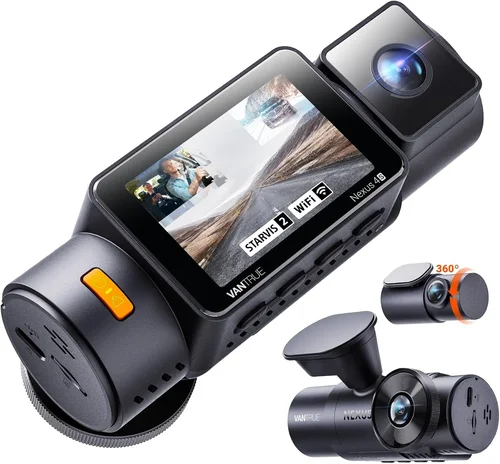
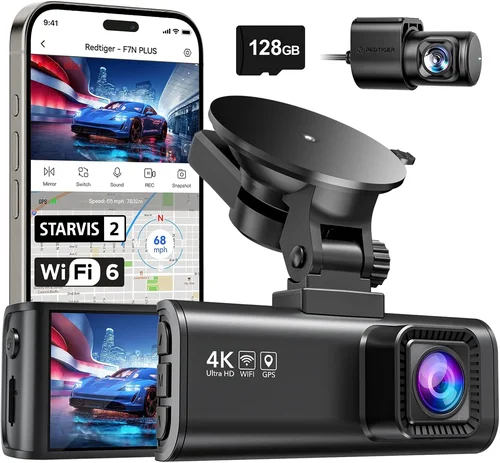
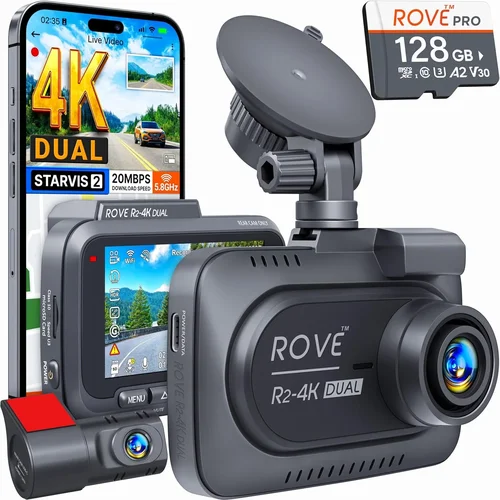
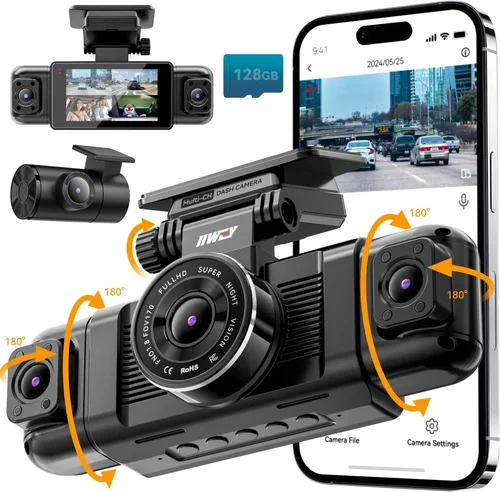
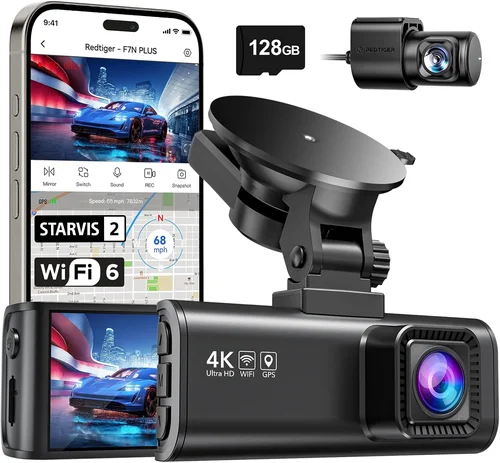
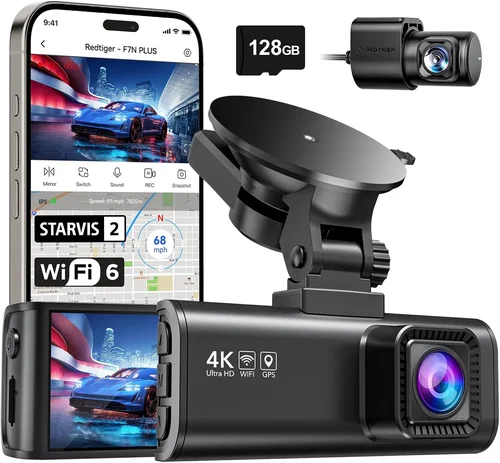
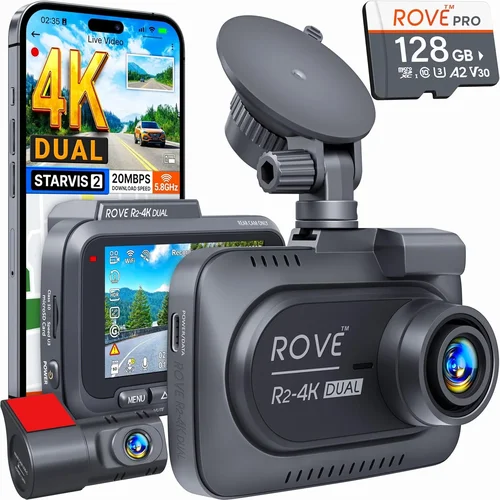
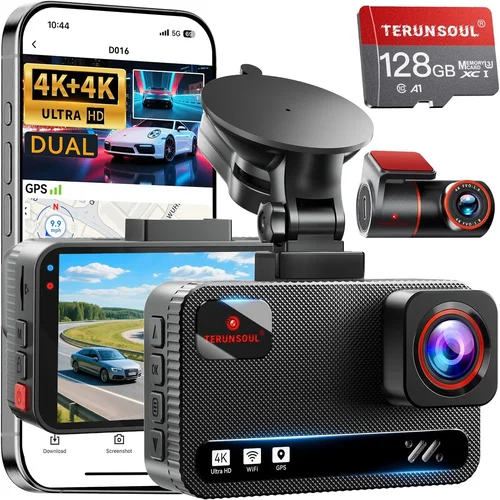
Parking mode is particularly valuable for vans—many models enter low-power surveillance mode when parked, using motion detection or impact sensors to record incidents while drawing minimal battery. Some advanced systems offer dual-channel recording (front and rear), useful for monitoring cargo areas or trailer connections. GPS tracking adds location data to videos, helpful for fleet management or proving route compliance. Wi-Fi connectivity lets you transfer files wirelessly to your smartphone or tablet, saving time compared to physically removing SD cards.
5. Brand Reputation
Not all brands deliver equal reliability. Established manufacturers with decades of experience in automotive electronics tend to produce more dependable products. Research customer satisfaction rates, read professional reviews, and pay attention to warranty terms. Brands like Garmin, BlackVue, Thinkware, and Nextbase have built strong reputations for quality dash cams, though they often come at premium prices.
Lesser-known brands might offer attractive pricing but may skimp on critical components like image sensors or firmware updates. Check if the manufacturer provides regular software updates—these can improve performance, add new features, or fix bugs. Also verify whether replacement parts and customer support are readily available, especially if you operate multiple vans requiring centralized management.
6. Warranty & Support
A solid warranty reflects confidence in product quality. Most reputable dash cam manufacturers offer at least a two-year warranty covering defects in materials and workmanship. Some provide lifetime warranties on certain components or extend coverage for accidental damage. Read the fine print carefully—some warranties exclude water damage, physical abuse, or normal wear and tear.
Customer support quality varies widely. Look for companies with responsive technical assistance, clear troubleshooting guides, and user-friendly online resources. For business owners managing fleets, having access to bulk purchasing options and centralized management software can be invaluable. Cloud-based platforms allow you to monitor multiple dash cams remotely, download footage securely, and manage storage across your entire van fleet efficiently.
7. Size & Portability
While less critical for fixed installations in vans, size still matters. Compact dash cams take up minimal space and reduce wind resistance, which is beneficial for fuel efficiency. They’re also less obtrusive and easier to conceal if needed for privacy reasons. However, smaller cameras sometimes sacrifice sensor size or cooling capacity, potentially affecting image quality or longevity.
Some van owners prefer discreet placement under the dashboard rather than mounting on the windshield. In such cases, compact designs are preferable. Magnetic mounts offer flexibility but may not hold securely during high-speed driving or sudden maneuvers. Consider whether you’ll need to remove the dash cam frequently—if so, portability becomes a priority.
8. User Reviews & Ratings
Real-world feedback from other van and truck drivers offers insights that spec sheets cannot convey. Pay particular attention to comments about performance in low light, reliability over time, ease of installation, and customer service experiences. Look for patterns in complaints—multiple users reporting the same issue is likely a genuine problem rather than isolated incidents.
Check review sites, forums, and social media groups dedicated to commercial drivers or van enthusiasts. These communities often share practical advice about which models perform best under real-world conditions. Be cautious of overly positive reviews that seem generic or paid promotions; authentic feedback usually includes both pros and cons.
Different Types of Dash Cams

Common Buying Mistakes to Avoid
❌ Mistake: Ignoring Storage Requirements
Why it’s bad: Many buyers assume any microSD card will work, but incompatible cards cause recording failures, corrupted files, or premature drive failure. Using low-quality cards under constant write cycles leads to system crashes—especially problematic when you need critical footage from an incident.
What to do instead: Choose dash cams compatible with UHS-I/UHS-II Class 10 or V30-rated cards (minimum 64GB recommended). Brands like SanDisk Extreme, Samsung PRO Endurance, and Lexar Professional offer proven reliability. Set loop recording intervals appropriately—shorter clips (1-3 minutes) preserve more recent footage but increase file fragmentation.
❌ Mistake: Overlooking Night Vision Capabilities
Why it’s bad: Vans are often used for evening deliveries, long hauls after sunset, or early morning shifts. Poor low-light performance means missing crucial details like license plates, signage, or pedestrian movements. Many budget models struggle with noise, washed-out colors, or complete blackouts in darkness.
What to do instead: Prioritize cameras with starlight-level sensitivity, wide dynamic range (WDR), and infrared cut filters. Look for explicit mentions of night vision capabilities in specifications. Test footage samples if possible—watch actual recordings taken at night to assess clarity and color accuracy.
❌ Mistake: Skipping Firmware Updates
Why it’s bad: Manufacturers frequently release firmware updates to fix bugs, improve image processing, or add features. Neglecting updates leaves your dash cam vulnerable to known issues, reduced functionality, and compatibility problems with newer operating systems or apps.
What to do instead: Subscribe to manufacturer newsletters or follow official social media channels for update notifications. Enable automatic updates if available. Create a maintenance schedule to check for updates monthly, especially before long trips or seasonal changes that affect driving conditions.
❌ Mistake: Choosing Based Solely on Price
Why it’s bad: The cheapest dash cam might lack essential features like G-sensor, parking mode, or reliable build quality. For van owners who rely on these devices for security, insurance claims, or legal protection, cutting corners on hardware can lead to failed evidence or increased liability.
What to do instead: Use price as one factor among many. Compare total cost of ownership—including SD cards, potential replacements, and downtime. Read professional reviews focusing on real-world performance rather than marketing hype. Remember that a slightly more expensive model often delivers better long-term value.
❌ Mistake: Failing to Consider Installation Complexity
Why it’s bad: Complicated wiring or proprietary mounts can turn installation into a frustrating DIY project requiring special tools or professional help. Some vans have complex dashboard layouts, privacy glass, or anti-theft systems that complicate cable routing and power access.
What to do instead: Opt for dash cams with straightforward plug-and-play setups. Choose models with adhesive mounts instead of screw-based installations that risk damaging interior trim. If you’re uncomfortable with wiring, select hardwired kits with simple harnesses or consider professional installation services.
❌ Mistake: Neglecting Cloud Backup Options
Why it’s bad: Physical SD cards can be stolen, damaged, or lost—especially in busy delivery hubs or parking lots. Without secure backups, critical evidence disappears permanently. Even if you keep local copies, cloud storage adds redundancy and remote accessibility.
What to do instead: Invest in dash cams with built-in cellular connectivity or Wi-Fi-enabled models paired with cloud subscription plans. Evaluate bandwidth requirements and data costs if using mobile networks. Ensure your chosen platform offers military-grade encryption and complies with privacy regulations relevant to your industry.
Budget Guidelines: How Much Should You Spend?
Entry-Level ($50 – $100)
This range covers basic dash cams suitable for occasional van use or supplemental protection. Expect 1080p recording, 120-degree field of view, loop recording, and a built-in G-sensor. These models rarely include advanced features like parking mode, GPS, or dual channels. Build quality may be plasticky, and temperature tolerance limited.
Ideal for personal vans used sparingly or as secondary devices. Not recommended for commercial operations where reliability and evidence integrity matter most. Examples include models from Viofo, Rexing, or Apeman—brands offering decent bang-for-buck options.
Mid-Range ($100 – $250)
The sweet spot for most van owners balancing features, performance, and affordability. This tier typically includes 1080p/4K recording, wide-angle lenses, WDR, parking mode with motion/impact detection, GPS logging, and Wi-Fi connectivity. Dual-channel variants become available here, providing front and rear coverage.
Strong candidates for delivery drivers, small businesses, or families needing robust protection without enterprise-level complexity. Brands like Thinkware, BlackVue, and Garmin dominate this space with proven track records. Look for models offering at least 32GB internal storage or compatibility with 128GB+ SD cards.
Premium ($250 – $500)
Designed for professionals and serious users requiring top-tier performance. Features include 4K resolution, superior low-light imaging, enhanced audio recording, advanced driver assistance systems (ADAS), and seamless integration with fleet management software. Many offer cloud connectivity, automatic uploads, and real-time alerts.
Perfect for commercial fleets, ride-share operators, or anyone demanding maximum evidence quality and reliability. BlackVue Cloud series, Garmin Dash Cam Pro, and Nextbase iQ range exemplify this category. Often include extended warranties and dedicated customer support.
Luxury ($500+)
Ultra-premium systems targeting specialized applications like construction, emergency services, or high-value cargo transport. May feature multiple synchronized cameras, AI-powered object detection, thermal imaging, encrypted storage, and ruggedized housings rated for extreme environments.
Justified only when mission-critical operations demand uncompromising performance. Typically purchased through authorized dealers with custom configuration options. Examples include industrial-grade models from Pittasoft, SmartWitness, or custom-built solutions integrating with existing vehicle telematics.
Expert Tips for Getting the Best Deal
Timing Your Purchase: Major sales events like Black Friday, Cyber Monday, Amazon Prime Day, and back-to-school seasons offer significant discounts. Electronics retailers often run promotions during Q4 as part of year-end clearance. Sign up for newsletters from dash cam manufacturers and major retailers to receive exclusive coupon codes.
Choosing Retailers: Online marketplaces like Amazon provide competitive pricing and customer reviews but may sell refurbished units labeled as “new.” Authorized dealer websites guarantee authenticity and full warranty coverage. Local auto specialty stores offer hands-on testing and immediate support but typically charge premium prices. For business purchases, consider B2B suppliers offering volume discounts and consolidated billing.
Spotting Hidden Deals: Bundle deals combining dash cams with accessories (extra mounts, cables, SD cards) often save more than buying separately. Watch for “buy one get one free” promotions on complementary items like wireless transmitters or backup batteries. Refurbished models from certified sellers can offer near-new quality at 20-30% discount—verify refurbishment standards and return policies.
Warranty Considerations: Always register your product immediately after purchase to activate warranty benefits. Understand what’s covered (parts vs labor vs shipping) and duration (standard vs extended). Some manufacturers offer accidental damage protection for additional fees. Keep original packaging and receipts until the warranty period expires.
Return Policies: Test dash cams within the return window—install them, record sample footage, and verify all advertised features work as expected. Document any issues with photos/videos. Return shipping costs vary by retailer; factor this into your decision if comparing prices. Some sellers charge restocking fees for opened electronics.
Testing Before Committing: If possible, visit physical stores to see dash cams side-by-side. Check button layout, menu navigation, and screen visibility in daylight and dim conditions. Ask store staff about common failure points or user complaints. For online orders, choose retailers with generous return policies rather than relying solely on product descriptions.
Negotiating Bulk Pricing: For fleet purchases, contact manufacturers directly or through certified resellers. Request quotes for quantities of 5+, 10+, or 20+. Ask about educational discounts, nonprofit pricing, or government rates. Inquire about free training sessions, centralized management licenses, or extended trial periods before finalizing contracts.
Maintaining Value: Keep dash cams clean—dust accumulation affects image quality. Store spare SD cards properly to prevent corruption. Update firmware regularly. When upgrading, recycle older models through manufacturer trade-in programs or donate to schools/community centers needing basic security tools.

Frequently Asked Questions
Q: Do I really need a dash cam for my van?
A: Yes, especially if you’re using your van for business purposes or frequently carrying valuable cargo. Dash cams provide objective evidence in accidents, protect against false insurance claims, deter theft or vandalism, and help resolve disputes with other drivers. For commercial operators, they’re increasingly required by insurance providers and regulatory bodies.
Q: What resolution should I choose—1080p or 4K?
A: For most van applications, 1080p strikes the best balance between file size, storage efficiency, and image quality. However, if you frequently drive in complex urban environments, require detailed license plate recognition, or plan to crop frames extensively for analysis, 4K offers noticeable improvements. Just remember that 4K requires faster processors, larger storage capacity, and consumes more power.
Q: Can I install a dash cam myself?
A: Absolutely! Most modern dash cams use simple adhesive mounts and cigarette lighter or hardwired power connections. Installation takes 15-30 minutes for beginners. Hardwiring kits require connecting to your van’s fuse box—this is more advanced but eliminates the need to run power cables to the engine bay. If unsure, professional installers charge $50-$100 and ensure proper routing and secure mounting.
Q: How long does a dash cam battery last?
A: Built-in batteries typically last 1-3 hours depending on usage. For extended parking mode operation, hardwire kits draw power directly from your van’s electrical system. Some advanced models include supercapacitors instead of lithium batteries, offering longer lifespan and better performance in extreme temperatures. Always disconnect during winter months if storing vehicles for extended periods.
Q: Will a dash cam drain my car battery?
A: Modern dash cams consume minimal power—usually less than 5 watts. While technically possible to drain a battery over weeks of inactivity, most models enter ultra-low-power standby mode when parked. To be safe, use parking mode only when necessary, connect to a fuse tap with fuse protection, or invest in smart hardwiring kits that cut power when the ignition is off for extended periods.
Q: Are dash cam recordings admissible in court?
A: Generally yes, but admissibility depends on jurisdiction, chain of custody, and recording quality. Clear, uninterrupted footage showing clearly identifiable vehicles, license plates, and events carries more weight than grainy or ambiguous videos. Keep recordings secure, avoid editing or tampering, and maintain logs of when and how footage was collected. Consult legal counsel for your specific circumstances.
Q: Can multiple dash cams record simultaneously without lag?
A: Yes, but only with properly designed systems. Single-board computers in advanced dash cams handle multi-camera streams efficiently. Look for models specifying “true simultaneous recording” rather than “simultaneous playback.” Networked multi-camera setups using PoE (Power over Ethernet) offer the best performance for large fleets, though they require more complex infrastructure.
Q: What happens if my SD card fills up?
A: With loop recording enabled (default on most models), old files automatically overwrite new ones once storage reaches capacity. Critical events triggered by G-sensors are saved as separate “event” files protected from overwriting. Regularly backing up footage to external drives or cloud storage prevents permanent loss. Set appropriate recording intervals—shorter clips preserve more recent content but fragment storage.
Q: Do dash cams work in cold weather?
A: Most consumer dash cams function normally between 0°F and 140°F (-18°C to 60°C). Below freezing, LCD screens may become sluggish or unresponsive temporarily. Extended exposure to sub-zero temperatures can affect battery chemistry and mechanical components. For extreme climates, choose models with industrial-grade ratings or store dash cams indoors when not in use.
Q: How do I choose between front-only and dual-channel dash cams?
A: Front-only dash cams suffice for basic protection and are ideal when rear visibility is naturally good (large windows, backup cameras already installed). Dual-channel models add rear coverage, useful for monitoring loading/unloading zones, detecting tailgaters, or capturing incidents involving vehicles behind you. Factor in cost difference, installation complexity, and whether your van has adequate rear window space for mounting.
Our Final Recommendations
Best for Budget-Conscious Buyers
The Rexing V1P Pro delivers exceptional value with 2K resolution, Sony STARVIS sensor, built-in GPS, and reliable performance at under $120. Its compact design fits easily in vans without obstructing views, and the included parking mode protects against hit-and-runs. Users praise its crisp night footage and straightforward operation—perfect for occasional drivers or those watching their pennies.
Best Overall Value
The BlackVue DR970X-1CH Ultimate strikes an ideal balance between features, reliability, and price at around $280. It offers 2K front recording, superior low-light performance, cloud connectivity via BlackVue Over-the-Net technology, and robust build quality. Fleet managers appreciate its centralized management capabilities, while individual users enjoy peace of mind knowing their footage is backed up securely in the cloud.
Best Premium Option
For professionals demanding uncompromising quality, the Garmin Dash Cam Pro 56 represents the gold standard at approximately $350. It features 4K Ultra HD recording, advanced driver awareness alerts, voice control, and seamless integration with Garmin Drive apps. The inclusion of Wi-Fi Direct allows instant sharing of clips, and the rugged housing ensures performance in harsh environments common to commercial van operations.
Best for Beginners
New to dash cams? The Viofo A119 V3 simplifies everything with intuitive menus, automatic settings optimization, and reliable performance at $90. Its magnetic mount makes repositioning effortless, and the included suction cup works well on most van windshields. Customer support is responsive, and firmware updates continue to improve functionality over time—ideal for those learning the ropes.
Best for Advanced Users/Fleet Operators
The Nextbase 622GW excels in multi-van environments with dual recording, Alexa integration, and robust cloud backup. Priced at $250, it offers 4K front and 1080p rear cameras, emergency SOS button, and automatic collision detection. The accompanying Nextbase app enables remote viewing, live streaming, and easy file management across entire fleets—making it a favorite among logistics companies and delivery services.
Conclusion: Making the Right Choice
Choosing the best dash cam for your van ultimately comes down to understanding your specific needs, operating conditions, and budget constraints. While technical specifications matter, real-world performance, reliability, and ease of use carry equal weight—especially when you’re counting on your dash cam to protect your livelihood or loved ones.
Remember that no single model fits every situation. A delivery driver making frequent short trips benefits from a dual-channel, cloud-connected system, while someone using their van primarily for weekend camping might prioritize compact size and battery life. Consider how often you’ll drive at night, whether you transport valuable goods, and what level of evidence integrity you require.
Invest time researching, reading verified reviews, and testing features before committing. Don’t overlook installation logistics, maintenance requirements, and long-term costs like storage subscriptions or replacement parts. And always prioritize reputable brands with solid warranties and responsive customer support.
With the right dash cam installed, you’ll gain not just peace of mind but tangible benefits—reduced insurance premiums, stronger legal standing in disputes, improved driver accountability, and enhanced operational visibility. As van usage continues rising across industries from e-commerce to emergency services, these small devices prove their worth as indispensable tools for safety, security, and success on the road.