Ultimate Inside Car Dash Cam Buying Guide

When it comes to protecting yourself on the road, few investments offer peace of mind quite like a high-quality inside car dash cam. Whether you’re concerned about theft, vandalism, insurance claims, or simply want to document your driving experiences, an interior dash cam serves as your personal witness. This comprehensive guide will walk you through everything you need to know about choosing the best inside car dash cam for your specific needs.
In this detailed buying guide, you’ll discover exactly what features matter most, how different models compare, and which options deliver the best value for money. We’ll cover technical specifications, installation considerations, storage solutions, and even expert tips for getting the most out of your investment. By the end, you’ll have all the knowledge needed to make an informed decision that fits both your budget and requirements.
The market for interior dash cams has exploded in recent years, with manufacturers offering increasingly sophisticated features at competitive prices. However, with so many options available—from basic single-lens models to advanced systems with multiple cameras and cloud connectivity—it’s easy to feel overwhelmed. That’s why we’ve created this definitive resource to cut through the confusion and help you find the perfect inside car dash cam solution.

What to Look for When Buying Dash Cams
1. Video Quality & Resolution
The foundation of any good dash cam is its video quality. For inside car recording, you generally want at least 1080p Full HD resolution, though 2K and 4K models are becoming more common and offer significantly improved clarity. Higher resolution means you can capture license plates clearly and read faces with better detail, which is crucial for identifying individuals involved in incidents.
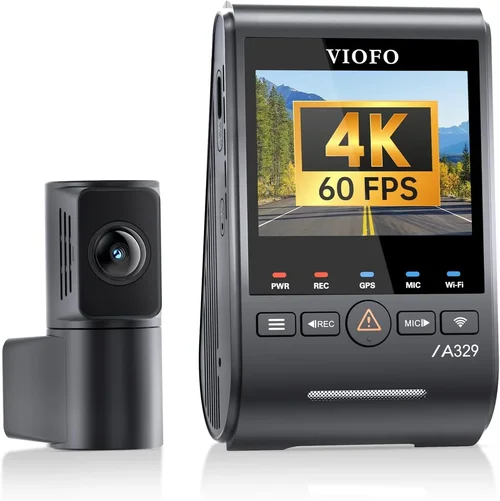
Look for cameras with high dynamic range (HDR) technology, which helps balance bright dashboard lights with darker areas of the cabin. This prevents overexposed images when sunlight streams through windows or when headlights reflect off surfaces inside the vehicle. Frame rate is also important—most interior cams operate at 30fps, but some premium models offer 60fps for smoother motion capture during fast movements or sudden events.
2. Field of View (FOV)
The field of view determines how much of your interior space the camera can capture. A wider angle provides more coverage but may introduce distortion at the edges—this is known as barrel distortion. Most interior dash cams offer between 120° to 170° field of view, with 150° being a sweet spot for balancing coverage and image quality.
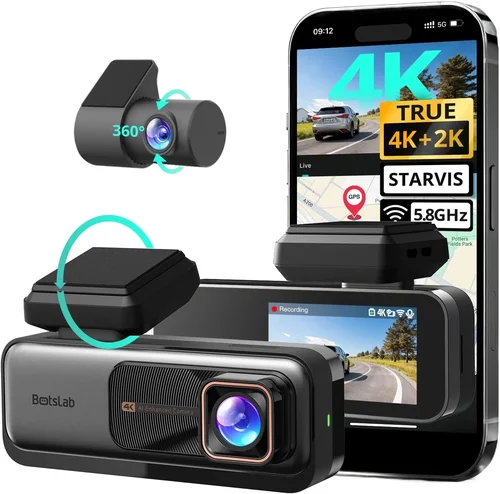
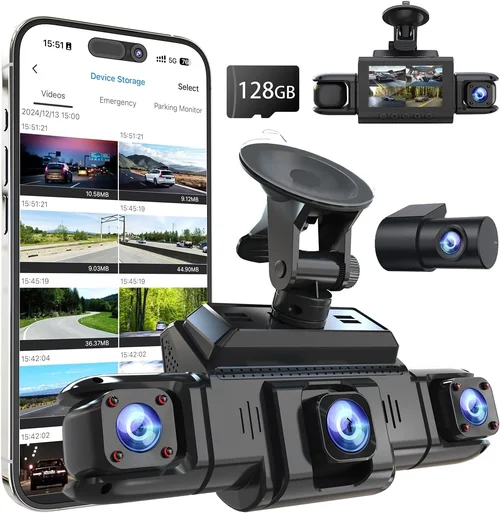
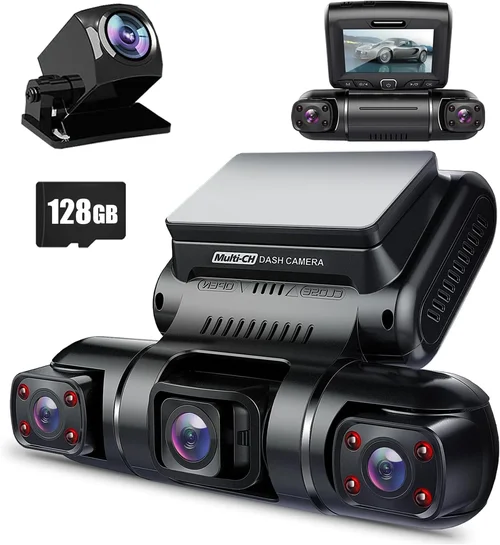
Consider your vehicle’s layout when selecting FOV. If you frequently carry passengers or have a large backseat area, you’ll want a wider angle to ensure everyone is visible. Some advanced models use dual-lens configurations to eliminate blind spots entirely, providing complete 360-degree coverage of the cabin.
3. Storage Capacity & Loop Recording
Storage is critical for dash cam functionality. Most models come with built-in memory cards, but you’ll want to ensure compatibility with high-capacity SD cards (typically up to 128GB or 256GB). The camera should support loop recording, which automatically overwrites older footage when storage fills up, ensuring continuous operation without manual intervention.
Consider whether the dash cam supports cloud storage or GPS logging. Cloud-connected models can upload clips automatically, while GPS-enabled devices record location data alongside video. Both features provide valuable context for incidents and help establish timelines during disputes or investigations.
4. Night Vision Capabilities
Interior lighting conditions can vary dramatically throughout the day and night. Look for cameras with excellent low-light performance and infrared (IR) LEDs if you plan to record in dark environments. IR illuminators help maintain visibility when ambient light is minimal, though they typically work best within 10-15 feet.
Some advanced models feature adaptive night vision that adjusts sensitivity based on ambient light levels. This prevents washed-out images during daytime recordings while maintaining crisp details in low-light scenarios. CMOS sensors with larger pixel sizes generally perform better in dim conditions than smaller sensors.
5. Audio Recording Quality
Audio can be just as important as video when documenting incidents. High-quality microphones should capture clear conversations without picking up excessive background noise from engine sounds or road vibrations. Look for models with noise reduction technology that filters out unwanted audio while preserving speech clarity.
Consider whether the microphone placement affects performance—front-facing mics may struggle with rear-seat conversations, while omnidirectional models capture sound from all directions. Some premium dash cams offer external microphone inputs for enhanced audio capture in noisy environments.
6. Power Source & Installation Options
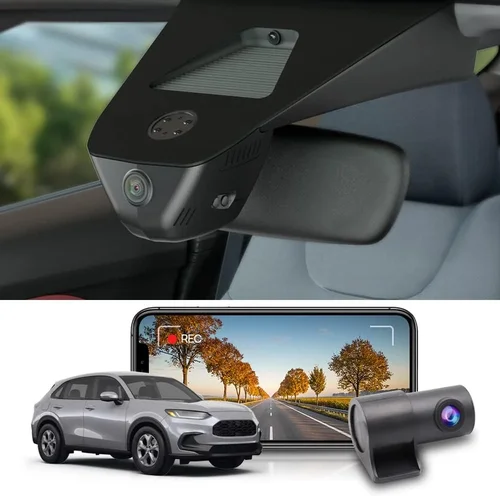
Most interior dash cams connect directly to your vehicle’s cigarette lighter socket or USB port using a power adapter. Some models also offer hardwired options through the OBD-II diagnostic port or direct battery connection. Hardwiring provides cleaner installation but requires professional assistance unless you’re comfortable with automotive electrical work.
Consider how the device mounts on your windshield or dashboard. Adhesive mounts work well for temporary installations, while suction cup brackets offer flexibility for repositioning. Ensure the mounting system doesn’t obstruct your view or interfere with airbag deployment zones.
7. Motion Detection & Parking Mode
Advanced dash cams include motion detection that triggers recording only when movement occurs within the cabin—perfect for catching theft attempts or unauthorized access. During parking mode, these cameras can monitor your vehicle 24/7 using either battery backup or constant power from the OBD-II port.
Smart parking modes often combine motion detection with impact sensors that activate recording upon detecting significant vibrations or collisions. This dual-sensor approach ensures you capture relevant events without wasting storage on minor disturbances like birds flying nearby or passing vehicles.
8. App Connectivity & Smart Features
Modern dash cams increasingly integrate with smartphone apps for remote monitoring, live viewing, and file management. Look for reliable Bluetooth and Wi-Fi connectivity that allows you to check footage instantly or set up automatic cloud backups. Some apps offer geofencing capabilities that adjust recording settings based on your location.
Consider voice control options if you frequently drive alone—hands-free operation keeps your focus on the road while still managing recording functions. Advanced smart features might include facial recognition for automatic driver identification or integration with navigation systems for contextual recording.
Different Types of Dash Cams

Common Buying Mistakes to Avoid
❌ Mistake: Choosing Based Solely on Price
Why it’s bad: While affordability matters, focusing exclusively on low cost often leads to disappointment. Budget models may lack essential features like proper night vision, reliable loop recording, or sturdy construction, resulting in poor performance when you need it most.
What to do instead: Create a balanced priority list considering your must-have features versus nice-to-have extras. Allocate more budget toward critical components like video quality and durability rather than skimping on everything.
❌ Mistake: Ignoring Storage Requirements
Why it’s bad: Underestimating storage needs causes frustration when footage gets overwritten too quickly or files become corrupted. Without adequate storage, valuable evidence might disappear before you realize the issue.
What to do instead: Calculate required storage based on your typical usage patterns—consider longer drives, frequent recording, or extended parking mode sessions. Choose cards with proven reliability and consider cloud backup options for extra security.
❌ Mistake: Overlooking Installation Constraints
Why it’s bad: Poor mounting choices can create safety hazards, obstruct your view, or damage your vehicle’s interior. Suction cups failing mid-drive or adhesive strips leaving residue are common problems that undermine both functionality and aesthetics.
What to do instead: Research mounting options thoroughly before purchase. Test fit the unit in your vehicle if possible, and choose mounts designed specifically for automotive applications with secure attachment methods.
❌ Mistake: Neglecting Warranty & Support
Why it’s bad: Dash cams are electronic devices subject to wear and tear. Without adequate warranty protection or responsive customer service, repair costs can quickly outweigh the original savings from choosing a cheaper model.
What to do instead: Check manufacturer reputation for reliability and read user reviews about post-purchase support. Look for warranties covering at least one year and companies with established service networks.
❌ Mistake: Assuming All Features Are Equal
Why it’s bad: Marketing hype often exaggerates capabilities. Just because a camera boasts “AI-powered” features doesn’t mean they function reliably in real-world conditions. Unrealistic expectations lead to dissatisfaction regardless of actual performance.
What to do instead: Verify claims through independent testing or professional reviews. Focus on core functionality first—video quality, reliability, and ease of use—before investing in specialized features.
❌ Mistake: Forgetting About Data Management
Why it’s bad: Managing dash cam footage efficiently saves time and prevents lost evidence. Without organized file structures or backup procedures, important clips may be accidentally deleted or difficult to locate during critical moments.
What to do instead: Plan your data workflow upfront. Decide how you’ll organize, store, and retrieve footage. Consider using dedicated software or cloud services that simplify management tasks.
Budget Guidelines: How Much Should You Spend?
Entry-Level ($30 – $70): Essential Functionality
This category includes basic models focused on core recording capabilities without frills. Expect 1080p resolution, standard field of view, and straightforward operation. These units work well for occasional use or secondary vehicles where advanced features aren’t necessary.
While limited in functionality compared to higher-end options, entry-level dash cams still provide valuable protection against false claims and minor incidents. Look for reputable brands with positive user feedback to avoid cheap knockoffs that fail quickly. Even within this price range, prioritize video quality and reliability over flashy extras.
Mid-Range ($70 – $150): Sweet Spot for Most Buyers
The mid-range segment offers the best value proposition, combining solid performance with useful enhancements. You’ll find improved image processing, better low-light capabilities, enhanced audio recording, and sometimes dual-lens configurations. Many models in this tier also include smart features like mobile app connectivity or cloud storage.
This is where most drivers should focus their attention—adequate resolution, reliable operation, and reasonable feature sets without breaking the bank. Mid-range dash cams strike an excellent balance between affordability and capability, making them ideal for everyday use and general protection needs.
Premium ($150 – $300): For Enthusiasts and Professionals
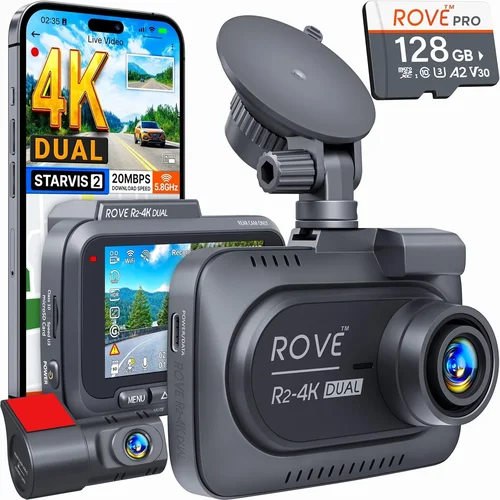
Premium interior dash cams deliver professional-grade performance with cutting-edge technology. Expect 4K recording, superior HDR processing, advanced AI features, robust build quality, and comprehensive accessory ecosystems. These systems often include multiple camera inputs, sophisticated parking modes, and enterprise-level management tools.
If you frequently transport valuable cargo, work in high-risk professions, or simply demand the absolute best performance, premium options justify their higher price tags. However, assess whether the additional features align with your actual usage patterns before committing to this investment level.
Luxury ($300+): Top-Tier Performance
Luxury dash cams represent the pinnacle of consumer technology, featuring experimental capabilities, military-grade components, and obsessive attention to detail. These systems may include 360-degree coverage arrays, artificial intelligence analysis, biometric monitoring, and seamless integration with other vehicle systems.
While tempting for tech enthusiasts, luxury models often exceed practical needs for average drivers. Unless you have specific professional requirements or unlimited budgets, consider whether mid-range or premium options already meet your objectives without unnecessary complexity or expense.
Expert Tips for Getting the Best Deal
1. Time Your Purchase Strategically
Avoid buying immediately after major holidays like Black Friday or Cyber Monday when retailers mark up prices temporarily. Instead, wait for seasonal sales events such as Memorial Day, Labor Day, or back-to-school promotions when manufacturers offer genuine discounts. Electronics retailers often run special deals during these periods to clear inventory.
2. Compare Multiple Retailers
Don’t limit yourself to a single store or website. Check Amazon, Best Buy, Walmart, B&H Photo, and manufacturer-direct sites simultaneously. Price-matching policies allow many retailers to match competitors’ lower prices, giving you flexibility in sourcing the best deal. Online marketplaces like eBay often feature refurbished units at substantial savings.
3. Leverage Loyalty Programs
Sign up for retailer loyalty programs and credit card rewards that offer exclusive discounts or cashback on electronics purchases. Many programs provide early access to sales or member-only pricing that isn’t available to general customers. Accumulated points can also offset future purchases.
4. Consider Refurbished Options
Certified refurbished dash cams from reputable sellers can save 20-40% while coming with full warranty protection. These units undergo rigorous testing and restoration processes, ensuring they meet original performance standards. Look for refurbishers with strong return policies and positive customer ratings.
5. Negotiate When Possible
In physical stores, don’t hesitate to ask sales associates about additional discounts beyond advertised pricing. Mention competing offers or express willingness to purchase accessories to increase order value. While less effective online, some retailers offer price adjustments if you find identical items elsewhere at lower prices.
6. Bundle Accessories Wisely
Some retailers offer package deals including essential accessories like high-quality SD cards, extra batteries, or professional installation services. Evaluate whether bundled items represent genuine value rather than overpriced add-ons. Independent suppliers often sell accessories separately at lower margins.
7. Read Fine Print Carefully
Before completing any purchase, review warranty terms, return policies, and shipping costs thoroughly. Hidden fees or restrictive conditions could negate apparent savings. International shipments may incur unexpected customs charges, and expedited delivery options often double base prices.
8. Test Before Committing
If purchasing locally, request demonstration units to evaluate performance under realistic conditions. Check video quality, menu navigation, audio clarity, and overall build feel hands-on. Many electronics stores allow returns within 15-30 days, giving you time to verify satisfaction after home testing.

Frequently Asked Questions
Q: Do I really need an inside car dash cam?
A: Absolutely. Interior dash cams serve multiple valuable purposes beyond accident documentation. They deter theft and vandalism, protect against false insurance claims, provide evidence during traffic stops, and create lasting memories of your journeys. Even occasional drivers benefit from having objective records of events inside their vehicles.
Q: Can dash cams record while parked?
A: Yes, but functionality depends on the specific model and power source. Most dash cams support parking mode through either battery backup or constant power via OBD-II connection. Advanced systems include motion detection and impact sensors that trigger recording only when necessary, conserving storage while ensuring important events aren’t missed.
Q: Will my dash cam drain the car battery?
A: Modern dash cams consume minimal power—typically 1-3 watts during operation. When properly installed using appropriate fuses and wiring, they won’t noticeably affect battery life. However, extended parking mode sessions without proper power management could theoretically contribute to drainage over several weeks. Using smart parking modes with motion detection minimizes this risk significantly.
Q: How long does footage get saved?
A: Duration varies based on storage capacity and video quality settings. At standard 1080p resolution with 32GB cards, expect approximately 2-3 hours of continuous recording. Higher resolutions and advanced features reduce available time. Loop recording automatically overwrites oldest files when storage fills, ensuring uninterrupted operation without manual cleanup.
Q: What’s the difference between front and interior dash cams?
A: Front dash cams record outside scenes while interior units focus solely on cabin activity. Dual-lens systems combine both perspectives, providing complete situational awareness. Interior cameras typically feature wider fields of view optimized for passenger areas rather than road ahead, with enhanced audio pickup for conversations and ambient sounds.
Q: Can I use my phone as a dash cam?
A: Yes, smartphone apps can substitute for dedicated dash cams in some situations. However, they lack specialized features like automatic loop recording, parking mode, or rugged construction. Phone cameras also face limitations regarding heat tolerance, battery consumption, and secure mounting options compared to purpose-built devices.
Q: Are there privacy concerns with dash cams?
A: Privacy regulations vary by jurisdiction, but most countries permit recording inside private vehicles with passengers’ consent. Avoid recording sensitive conversations or areas not visible to occupants unless legally authorized. Proper data management practices including regular deletion of unnecessary footage help address legitimate privacy concerns while preserving protective benefits.
Q: How do I install my dash cam safely?
A: Mount securely away from airbag deployment zones using manufacturer-recommended adhesives or suction cups rated for automotive use. Route wires neatly along existing trim lines or under dashboards to prevent tripping hazards. If hardwiring, consult professional installers familiar with automotive electrical systems to avoid damaging vehicle components.
Q: What maintenance does a dash cam require?
A: Minimal maintenance is needed beyond periodic cleaning of lenses and verification of storage capacity. Replace SD cards every 12-18 months or when experiencing corruption issues. Update firmware regularly to benefit from performance improvements and bug fixes. Keep emergency contacts handy for technical support questions.
Q: Can dash cams withstand extreme temperatures?
A: Most consumer dash cams operate reliably between -4°F to 140°F (-20°C to 60°C), suitable for typical climate ranges. Extreme desert heat or arctic cold may affect battery performance and component longevity. Premium models designed for fleet operations often include expanded temperature tolerances through industrial-grade components and thermal management systems.
Our Final Recommendations
Best for Budget-Conscious Buyers: Rexing V1 Pro
The Rexing V1 Pro delivers exceptional value for under $80, featuring 1080p recording, wide-angle lens, and reliable loop recording. Its compact design fits discreetly while providing solid performance for everyday protection needs. Users praise its straightforward operation and consistent reliability, making it ideal for those prioritizing essential functionality over advanced features.
Best Overall Value: Viofo A119 V3
At around $120, the Viofo A119 V3 strikes an impressive balance between price and capability. It offers 2K recording quality, superior HDR processing, and robust build quality. The included GPS module adds valuable location data, while motion-activated parking mode provides peace of mind when unattended. Professional reviewers consistently rank this model among the best mid-range performers available today.
Best Premium Option: Garmin Dash Cam Mini 2
Retailing for approximately $150, the Garmin Dash Cam Mini 2 exemplifies premium engineering with its compact form factor and seamless integration with Garmin ecosystem products. It delivers 1080p recording, automatic incident detection, and cloud connectivity through Wi-Fi. Garmin’s reputation for quality assurance and customer support makes this an excellent choice for drivers seeking dependable performance without excessive bulk.
Best for Beginners: Nextbase 522GW
The Nextbase 522GW welcomes newcomers with intuitive controls and helpful driver alerts including lane departure warnings and speed limit notifications. Its 1080p recording captures clear details while the built-in microphone records crisp audio. The companion app simplifies file management and enables remote viewing, removing technological barriers for less experienced users.
Best for Advanced Users: BlackVue DR970X-2CH
For tech-savvy drivers demanding top-tier performance, the BlackVue DR970X-2CH offers dual-lens recording with 4K front and 2K rear views. Its cloud connectivity enables remote monitoring, live streaming, and automatic backup to BlackVue servers. Professional-grade build quality and extensive customization options cater to experienced users who require maximum flexibility and reliability.
Conclusion: Making the Right Choice
Choosing the best inside car dash cam ultimately depends on matching your specific needs with appropriate technology. While it’s tempting to chase the latest features or lowest prices, successful purchases prioritize practical utility over marketing hype. Consider your primary use case—whether for general protection, commercial requirements, or specialized applications—and allocate budget accordingly toward proven capabilities rather than speculative innovations.
Remember that even basic dash cams provide meaningful value when used responsibly. The key is finding that sweet spot where essential features meet your budget constraints without sacrificing reliability or performance. Take time to research thoroughly, compare real-world user experiences, and don’t hesitate to seek professional advice if uncertain about technical specifications or installation methods.
With the right inside car dash cam properly installed and maintained, you gain powerful protection against false claims, valuable documentation for insurance purposes, and peace of mind knowing you have objective witnesses recording your journey. Invest wisely, and enjoy the confidence that comes with having your own personal surveillance system watching over your vehicle’s interior.