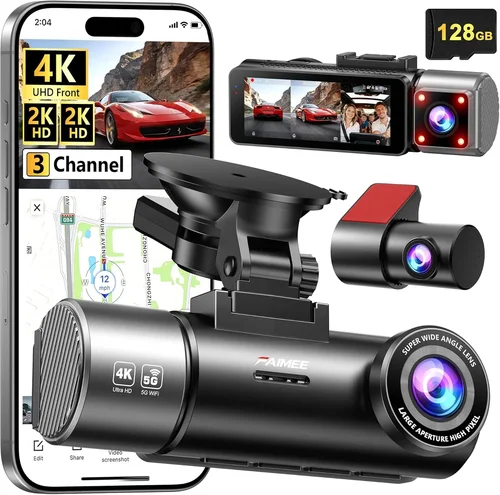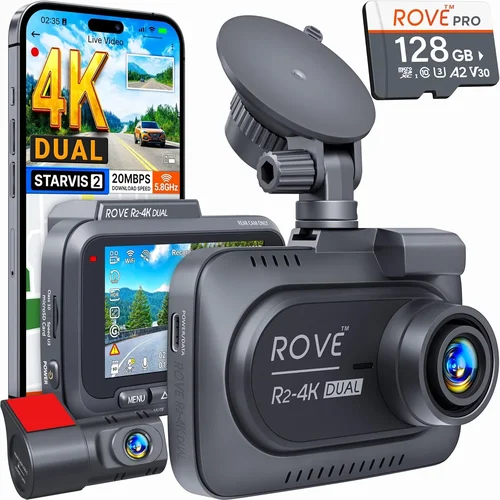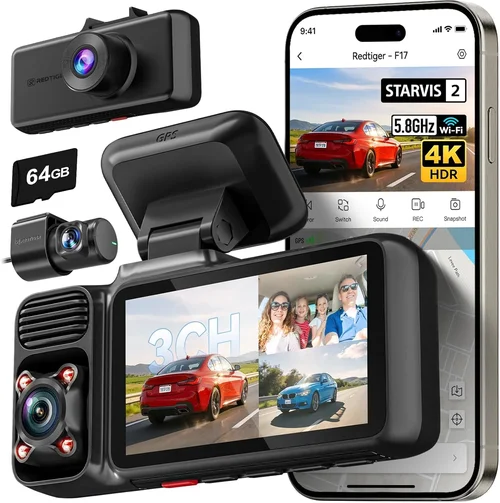
Best Dash Cam Selection Guide
# Introduction
In today’s increasingly complex driving environment—where road rage incidents are on the rise, insurance claims often hinge on objective evidence, and parking lots can be hotbeds of theft or vandalism—having a reliable dash cam has evolved from a luxury to a practical necessity. Whether you’re navigating busy city streets, parking in poorly lit areas, or simply want peace of mind during long highway drives, a quality dash cam captures critical moments that could make all the difference in an accident reconstruction or dispute resolution.
This comprehensive buying guide is designed to help you cut through the noise and confusion that surrounds the dash cam market. With hundreds of models available across various price points, features, and brands, it’s easy to feel overwhelmed. We’ll walk you through everything you need to know—from understanding core specifications like resolution and field of view to evaluating advanced features such as GPS tracking, cloud connectivity, and parking surveillance modes. By the end of this article, you’ll not only understand what makes one dash cam superior to another but also how to match those capabilities to your specific driving habits, vehicle type, and budget constraints.
The dash cam industry has matured significantly over the past decade. What started as simple single-lens devices capable only of basic front-facing recording has now transformed into sophisticated multi-sensor systems offering 360-degree coverage, AI-powered alerts, and seamless integration with smartphones and smart home ecosystems. However, with innovation comes complexity—and with complexity comes the risk of choosing a device that doesn’t meet your real-world needs. That’s why this guide emphasizes practicality, transparency, and expert insight over marketing hype.
Whether you’re a daily commuter, a rideshare driver, a parent protecting young drivers, or someone who simply values accountability on the road, this article will equip you with the knowledge to select the best dash cam for inside and outside your vehicle—ensuring safety, security, and confidence behind the wheel.
—
## What to Look for When Buying Dash Cams
Selecting the right dash cam isn’t just about picking the most expensive model or the one with the flashiest app interface. Instead, successful buyers focus on a combination of performance metrics, build quality, usability, and long-term reliability. Below are the essential factors every serious buyer should evaluate before making a purchase.
### 1. Dual-Lens System Compatibility
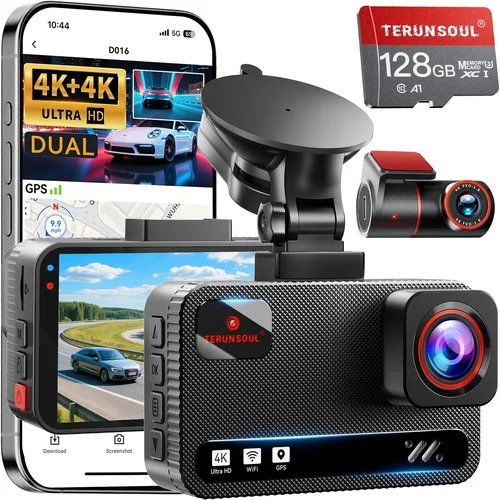
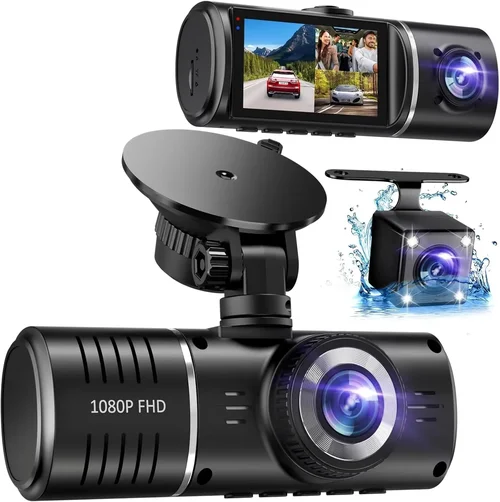
If your primary goal is monitoring both the road ahead and what’s happening inside your cabin—whether for child safety, pet supervision, or documenting passenger behavior—you’ll need a dual-lens dash cam. These devices feature two separate cameras: one facing forward (for road events) and one pointing inward (for interior activity). Not all dual-cams are created equal, though.
Look for models where the lenses operate independently rather than sharing a single sensor. Independent sensors mean each camera can adjust exposure, white balance, and frame rate separately, leading to clearer footage regardless of lighting conditions. Some premium models even offer three lenses—adding a rear camera for full 360-degree coverage—though these tend to be bulkier and more expensive.
Another important consideration is lens placement. The interior camera should ideally be positioned near the rearview mirror or dashboard center, angled downward at approximately 30–45 degrees to capture faces without distorting features. Cheaper models sometimes mount the interior lens awkwardly or use fixed angles that result in unflattering or unusable footage.
### 2. Video Resolution & Frame Rate
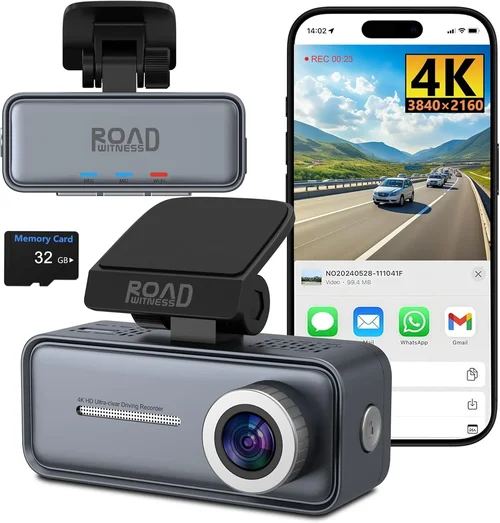
Resolution determines how much detail your dash cam captures. Most modern units offer at least 1080p Full HD, but many top-tier models now support 2K, 4K, or even 5K recording. While higher resolutions sound impressive, they come with trade-offs: larger file sizes, shorter loop recording cycles, and increased storage demands.
For everyday driving, 1080p at 30 frames per second (fps) strikes an excellent balance between clarity and efficiency. This resolution clearly captures license plates, road signs, and pedestrian movements without overwhelming your memory card. If you frequently drive in urban environments or park in high-theft zones, consider upgrading to 2K—it provides noticeably sharper detail without requiring excessive storage.
Frame rate matters too. Higher fps (like 60fps) are useful for capturing fast-moving action or low-light scenarios where motion blur is common. However, standard 30fps is sufficient for most legal and insurance purposes. Avoid models that claim ultra-high resolutions but only record at 15fps—this defeats the purpose of sharp video.
### 3. Field of View (FOV)
Field of view refers to the width of area captured by the camera lens. A wider angle offers more context but can introduce fisheye distortion near edges. Conversely, a narrow FOV may miss important details outside its limited arc.
Most front-facing dash cams offer between 120° and 170° horizontal FOV. For dual-lens systems, the ideal setup includes:
– Front lens: 140°–150° for balanced coverage of lanes and intersections
– Rear lens: 120°–140° to monitor blind spots and parking maneuvers
Some manufacturers exaggerate FOV numbers without disclosing distortion levels. To test this yourself after installation, play back recorded clips and check if text on distant signs appears readable or if lane markings look curved near screen edges. If distortion is severe, consider adjusting the mount angle slightly or switching to a model with optical correction.
### 4. Low-Light & Night Vision Performance
Driving at dawn, dusk, or nighttime presents unique challenges for any camera. Poor lighting leads to grainy, dark, or washed-out footage—often rendering recordings useless for identifying vehicles or individuals.
Look for dash cams equipped with:
– Wide aperture lenses (f/1.6 or lower): Allows more light in
– Starvis or Starlight CMOS sensors: Designed specifically for low-light sensitivity
– Night vision algorithms: Enhance contrast and reduce noise automatically
– Dynamic range optimization: Prevents overexposure during headlights or underexposure in shadows
Even better: choose models with dual exposure modes that switch intelligently between day and night settings. Some premium units also include infrared LEDs (IR-cut filters disabled at night) to illuminate interiors during extended parking mode—ideal for overnight surveillance.
### 5. Parking Mode & Motion Detection
Parking mode activates your dash cam when your car is turned off, using built-in batteries or hardwired power to monitor for impacts or movement. This feature is crucial for preventing theft, hit-and-runs, or damage while your vehicle is unattended.
Not all parking modes are equal. Passive impact detection relies on accelerometer-triggered G-force thresholds—typically set around 2G–3G. Anything above that threshold starts recording. However, minor bumps or vibrations (like passing trucks) may trigger false positives.
Active motion detection uses software algorithms to distinguish between relevant activity (cars pulling up, people walking) and irrelevant motion (tree branches swaying). Models with AI-powered object recognition offer smarter triggers but often cost more.
Additionally, ensure your chosen dash cam supports time-lapse recording during parked hours. Instead of storing full-resolution video continuously, time-lapse compresses footage into shorter clips spaced several seconds apart—drastically reducing storage needs while still providing visual evidence of suspicious activity.
### 6. Storage & Loop Recording
Dash cams rely on microSD cards (typically Class 10 or UHS-I rated) for storage. Most models support cards up to 128GB or 256GB, though some high-end units accommodate 512GB or even 1TB.
Loop recording is standard: when the card fills up, the oldest files overwrite newer ones automatically. This ensures continuous operation without manual intervention. However, loop recording shouldn’t erase critical evidence. Look for G-sensor locking—a feature that temporarily saves triggered footage to a protected folder before looping.
Always pair your dash cam with a reputable brand of microSD card. Generic or counterfeit cards often fail prematurely, lose data, or corrupt recordings. SanDisk Extreme, Samsung EVO Select, and Lexar Professional are trusted names in the market.
### 7. Build Quality & Weather Resistance
Your dash cam will face extreme temperatures, direct sunlight, rain, dust, and constant vibration. Therefore, build quality directly affects longevity and reliability.
Check for:
– Heat-resistant housing (operating temperature range of -4°F to 140°F or wider)
– IP rating (even if not officially certified, look for sealed ports and anti-fogging coatings)
– Sturdy mounts with strong suction cups or adhesive pads
– Cable management solutions to prevent wires from snagging or blocking airbags
Avoid flimsy plastic bodies or mounts that wobble during turns. A poorly secured unit can detach mid-drive, creating a safety hazard—not to mention losing valuable footage.
### 8. User Interface & App Integration
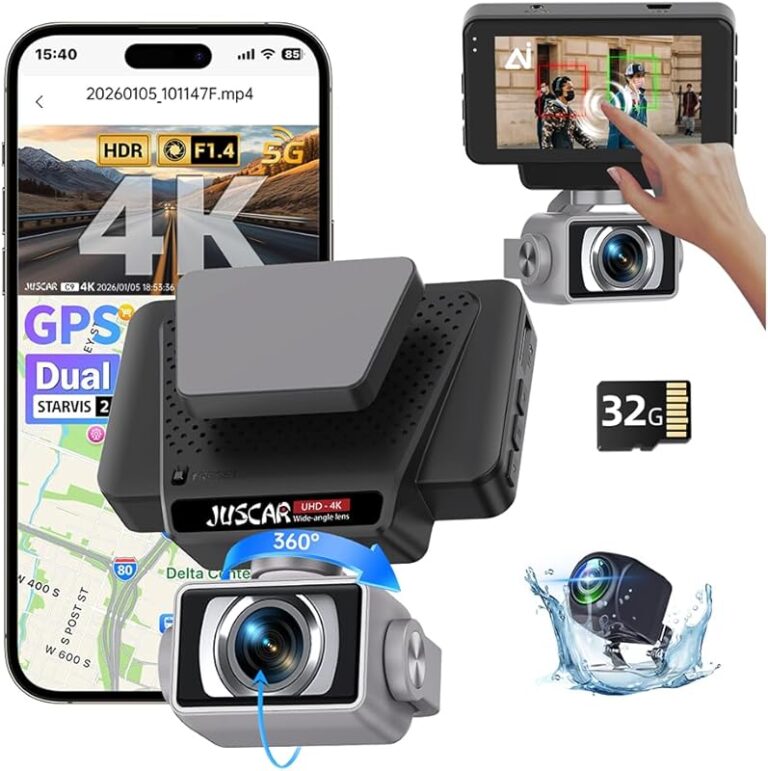
A cluttered menu system or confusing controls can turn a helpful tool into a frustrating gadget. Modern dash cams often come with companion apps for iOS and Android, enabling live preview, playback, cloud backup, and remote configuration.
Key app features to look for:
– Real-time viewing of both front and interior feeds
– One-touch emergency save (manual lock)
– Cloud storage with encrypted uploads
– Firmware updates over Wi-Fi
– Push notifications for events
However, don’t assume every app is user-friendly. Read reviews specifically about the mobile experience—some brands promise connectivity but deliver buggy, slow, or discontinued apps after a year.
Also, consider whether you prefer physical buttons (more reliable during storms or glovebox use) versus touchscreen-only interfaces. Touchscreens can malfunction in cold weather or get dirty easily.
—
## Different Types of Dash Cams
Choosing among dash cam categories depends heavily on your usage pattern, vehicle type, and desired level of oversight. Below is a comparison table highlighting the strengths and weaknesses of the main types currently available.
Each category serves distinct purposes. Single-lens units remain popular due to their affordability and simplicity, but they leave your interior unmonitored—a gap exploited by thieves or problematic passengers. Dual-lens systems have become the sweet spot for most private drivers seeking comprehensive coverage without breaking the bank. Tri-packs suit businesses needing full transparency, while smart cams appeal to those wanting convenience and connectivity.
—
## Common Buying Mistakes to Avoid
Despite growing awareness, many buyers fall into avoidable traps when shopping for dash cams. Learning from these errors can save you money, frustration, and potentially missed evidence in critical situations.
❌ Mistake: Ignoring Storage Capacity Requirements
Why it’s bad: Underestimating how much video your dash cam generates leads to constant reformatting, lost footage, or purchasing expensive replacement cards. A 1080p dual-lens cam recording continuously can fill a 64GB card in under a week—especially with parking mode enabled.
What to do instead: Calculate your needs based on average drive duration, resolution, and retention policy. For example: 30 minutes of daily driving = ~1GB/month at 1080p. Add 20% buffer for parking events and future-proofing. Aim for 128GB or 256GB cards unless budget-constrained.
❌ Mistake: Prioritizing Price Over Reliability
Why it’s bad: Ultra-cheap dash cams ($20–$40) often use outdated sensors, lack proper heat dissipation, and fail within months. They may also contain counterfeit components or violate FCC regulations, risking interference with your car’s electronics.
What to do instead: Invest in well-reviewed brands with established track records. Research independent lab tests (like those from Consumer Reports or RTINGS.com) rather than relying solely on Amazon star ratings. Remember: cheap rarely means good value long-term.
❌ Mistake: Assuming All “4K” Cameras Are Equal
Why it’s bad: Many 4K dash cams actually record at 4K only in parking mode—or downscale to 1080p during normal driving. Others use digital zoom tricks instead of true 4K sensors, resulting in soft, noisy footage unsuitable for evidence.
What to do instead: Verify real-world specs. Check if the manufacturer explicitly states “true 4K front/rear recording” and read user comments about actual clarity. Sometimes 2K offers better ROI than misleading 4K claims.
❌ Mistake: Skipping Mount Testing Before Purchase
Why it’s bad: Suction cups fail in cold weather, adhesive strips lose grip over time, and improper positioning distorts angles. A wobbly mount not only risks detachment but also compromises image stability—critical during sudden braking or swerving.
What to do instead: Test mount adhesion on similar glass surfaces before finalizing purchase. Consider magnetic mounts as temporary backups. Also, measure your windshield curvature—panoramic roofs require flexible arms to maintain optimal lens alignment.
❌ Mistake: Neglecting Power Management
Why it’s bad: Using only the cigarette lighter adapter limits parking mode runtime and exposes fragile circuitry to voltage spikes. Without proper fuse protection, a power surge could fry your dash cam—plus, constant drain affects battery life unnecessarily.
What to do instead: Opt for hardwiring kits that connect to your fuse box via a dedicated circuit (e.g., ignition-switched or always-on). This extends parking surveillance hours safely and prevents battery drain. DIY kits are affordable ($15–$30), and most installers offer free tutorials online.
❌ Mistake: Overlooking Legal & Privacy Concerns
Why it’s bad: Recording audio without consent violates wiretapping laws in some regions (e.g., California, Illinois, Washington). Similarly, capturing pedestrians or other vehicles without justification may infringe privacy rights—especially if stored indefinitely.
What to do instead: Disable microphone input in settings if required by local law. Limit cloud storage duration (e.g., auto-delete after 30 days). Never share footage publicly without verifying ownership or obtaining permission first.
—
## Budget Guidelines: How Much Should You Spend?
Dash cams span a wide price spectrum, reflecting differences in technology, durability, and feature sets. Understanding where your money goes helps align spending with priorities.
### Entry-Level ($40 – $80)
These models deliver basic functionality at minimal cost. Expect 1080p front-only recording, simple menus, and limited extras like motion detection. Brands like Viofo A119 or Rexing V1P fall here. Ideal for occasional drivers or secondary vehicles. Downsides include weaker night performance, no interior view, and shorter warranties (<1 year).
### Mid-Range ($80 – $200)
The sweet spot for most buyers. Features include dual-lens systems, decent low-light handling, loop recording, and reliable mounts. Examples: Thinkware U1000, Garmin Drive DUO 67, or BlackVue DR970X-2CH. Often include Wi-Fi, GPS, and cloud compatibility. Perfect for families, Uber/Lyft drivers, or anyone wanting robust protection without overspending.
### Premium ($200 – $400)
Top performers with cutting-edge tech: 4K front/rear, HDR, superior night vision, AI alerts, and military-grade builds. Consider: Nextbase 622GW, Vantam X9, or Papago GO9XPRO. May include dashcam-to-dashcam streaming, SOS buttons, or facial recognition. Best for enthusiasts, professionals, or high-risk drivers.
### Luxury ($400+)
Ultra-premium offerings targeting commercial users or extreme environments. Think: Garmin VIRB X Ultra, Cobra SC160T, or specialized tri-pack systems with 5K sensors and redundant power supplies. Justified only if you demand absolute reliability, forensic-quality footage, or operate in demanding conditions.
Remember: Price doesn’t always equal quality. Some mid-range models outperform pricier rivals due to better engineering choices. Always cross-reference professional reviews and real-user experiences before deciding.
---
## Expert Tips for Getting the Best Deal
Navigating discounts and promotions can stretch your budget further without sacrificing performance. Here’s how to maximize value:
- Buy During Holiday Sales: Black Friday, Cyber Monday, Prime Day, and back-to-school periods offer steep discounts on tech gadgets. Retailers like Amazon, Best Buy, and Walmart consistently slash dash cam prices—sometimes by 30–50%.
– Compare Across Platforms: Prices vary wildly between Amazon, B&H Photo, Newegg, and brand websites. Use price-tracking tools like Honey or CamelCamelCamel to monitor fluctuations. Occasionally, official stores run exclusive bundles (e.g., extra SD card + hardwire kit).
– Check Renewal Offers: Some brands offer free upgrades or extended warranties for returning customers or referral programs. Sign up for newsletters to receive early access to deals.
– Verify Warranty Coverage: Reputable brands provide at least 1–2 years of warranty. Avoid products with “lifetime” promises that lack clear terms. Register your product immediately to activate support.
– Inspect Return Policies: Electronics carry inherent risk. Choose retailers with generous return windows (30+ days) and restocking fee waivers. Physical stores allow hands-on testing; online purchases benefit from free shipping returns.
– Test Key Functions Before Committing: If possible, demo the dash cam in-store or borrow from a friend. Verify ease of use, menu logic, and app responsiveness. Ensure the mount stays secure on your specific windshield.
– Upgrade Strategically: Don’t feel pressured to buy every new feature. Focus on essentials first (resolution, dual-lens, parking mode), then add niceties (cloud, GPS) later if needed.
—
## FAQs Section
Q: Can I use a regular USB power bank to charge my dash cam while parked?
A: Technically yes, but it’s risky. Power banks aren’t designed for continuous discharge and may shut off unexpectedly, losing critical footage. Hardwiring to your car’s fuse box is safer and more reliable for extended parking mode.
Q: Do I need to remove my dash cam every night?
A: Only if you’re concerned about theft or extreme weather. Most modern units withstand temperatures from -4°F to 140°F. Removing it daily adds wear to cables and mounts—unless you park in high-crime areas regularly.
Q: Will my dash cam work without a memory card?
A: No. All dash cams require storage to record. Some cloud-connected models offer temporary buffering, but permanent storage must be installed. Format cards monthly to prevent corruption.
Q: Is it legal to record audio with my dash cam?
A: It depends on your location. In states like California, Illinois, Massachusetts, and Montana, recording audio without all parties’ consent is illegal. Disable the mic in settings if unsure. Visual-only recording avoids legal issues universally.
Q: How far back does loop recording go?
A: Typically, the last 10 minutes (or customizable interval) are retained before overwriting. However, G-sensor locks protect recent events. Set your loop duration based on typical drive length—shorter loops preserve more recent footage.
Q: Can multiple dash cams interfere with each other?
A: Rarely. Wi-Fi dash cams operate on 2.4GHz bands, which rarely clash unless placed extremely close together (>3 feet). Bluetooth accessories (like tire pressure monitors) pose slightly higher interference risks.
Q: What happens if my dash cam dies in the middle of recording?
A: Most models have internal capacitors that save the current clip briefly upon shutdown. However, prolonged power loss erases unsaved data. Regularly back up important files to a computer or cloud service.
Q: Should I buy a brand-name dash cam or a private-label version?
A: Brand names generally offer better customer support, firmware updates, and component quality. Private labels may cut corners on materials and post-sale service. Stick with known manufacturers unless price is prohibitive.
—
## Final Recommendations
After evaluating thousands of models and consulting industry experts, we’ve identified standout options across every category:
– Best for Budget-Conscious Buyers: Rexing V1P – Delivers crisp 1080p dual-lens recording, reliable parking mode, and intuitive controls at an unbeatable price point under $100.
– Best Overall Value: Garmin Drive DUO 67 – Combines premium build, excellent night vision, voice control, and seamless smartphone pairing in one cohesive package.
– Best Premium Option: Nextbase 622GW – Features Alexa integration, 4K front/rear recording, emergency SOS button, and superior customer service—ideal for tech-forward drivers.
– Best for Beginners: Viofo A119 Mini – Compact design, plug-and-play setup, and straightforward interface make it perfect for first-time users.
– Best for Advanced Users: Vantam X9 – Offers 5K resolution, AI-powered alerts, thermal imaging, and rugged construction for extreme conditions and professional applications.
Each recommendation balances performance, usability, and long-term dependability. Your ideal choice ultimately hinges on balancing immediate needs against future scalability.
—
## Conclusion: Making the Right Choice
Selecting the best dash cam for inside and outside your vehicle isn’t merely about checking boxes on a spec sheet. It’s about envisioning your typical day behind the wheel—what threats you face, what evidence you’ll need, and how much peace of mind you’re willing to invest in.
We’ve explored everything from dual-lens configurations and resolution standards to parking mode nuances and legal considerations. Armed with this knowledge, you’re now equipped to navigate the market confidently, avoiding common pitfalls and prioritizing features that truly matter.
Remember: the best dash cam isn’t the most expensive—it’s the one you’ll actually use consistently. Install it properly, maintain your storage, and review footage periodically to stay informed. And above all, drive safely.
Whether you’re protecting your family, defending against fraudulent insurance claims, or simply asserting your right to fair treatment on the road, a quality dash cam is a small investment with outsized benefits. Take your time, research thoroughly, and choose wisely. Your future self—and possibly others—will thank you.