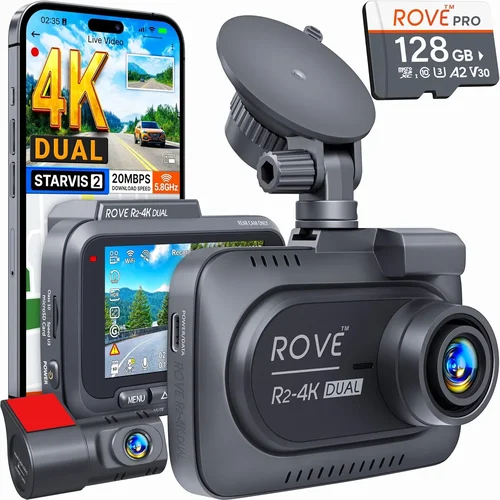
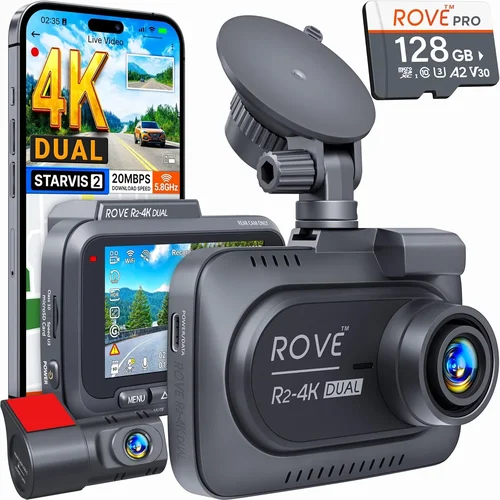
Best Night Vision Dash Cam Buying Guide
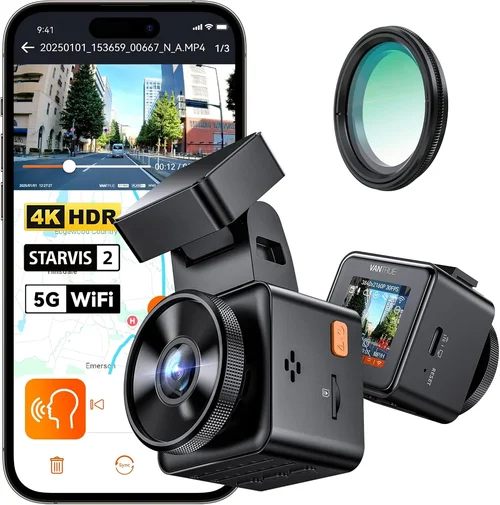
When it comes to protecting yourself on the road, few devices offer as much peace of mind as a high-quality dash cam with exceptional night vision capabilities. In 2026, the market has evolved dramatically, offering advanced imaging technologies, smarter connectivity features, and more reliable performance than ever before. Whether you’re a daily commuter, a long-haul truck driver, or someone who simply wants to safeguard their vehicle from potential incidents after dark, choosing the right dash cam can make all the difference.
This comprehensive buying guide is designed to help you navigate the complex landscape of modern dash cams—particularly those optimized for low-light conditions. You’ll learn how to evaluate critical components like sensor sensitivity, image processing algorithms, storage solutions, and intelligent features such as emergency recording and cloud connectivity. We’ll also break down real-world use cases so you can match your specific driving habits with the perfect device.
The dash cam industry in 2026 is dominated by brands that have invested heavily in AI-enhanced night vision, thermal imaging integration, and seamless smartphone synchronization. With options ranging from budget-friendly models under $100 to professional-grade systems exceeding $500, understanding what truly matters for nighttime performance is essential. By the end of this guide, you won’t just be comparing specs—you’ll know exactly which dash cam will deliver crystal-clear footage when visibility drops below 50 feet.
What to Look for When Buying Dash Cams

What to Look for When Buying Dash Cams
1. Sensor Type & Resolution
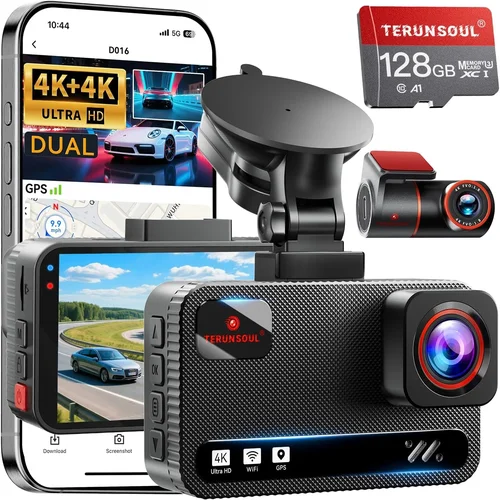
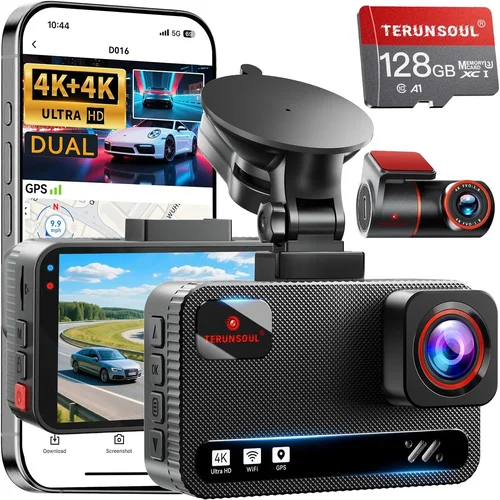
The foundation of any good dash cam lies in its camera sensor and resolution. For night vision performance, CMOS sensors—especially those using backside illumination (BSI) technology—are superior because they capture more light per pixel. A 1080p Full HD resolution is considered the minimum for usable nighttime footage, but many top-tier models now offer 4K UHD (3840 x 2160), providing four times the detail of standard HD. However, higher resolution alone doesn’t guarantee better low-light performance; it must be paired with a large aperture lens and advanced noise reduction software.
2. Low-Light Sensitivity & HDR Capabilities
Nighttime driving presents unique challenges: headlights create glare, streetlights cast uneven lighting, and distant objects appear washed out. Modern dash cams combat this through HDR (High Dynamic Range) imaging, which balances exposure across bright and dark areas simultaneously. Look for cameras rated with ISO sensitivity above 1000—this indicates strong performance in dim environments. Some premium units now feature dual-exposure HDR or even multi-frame HDR stacking, effectively simulating longer shutter speeds without motion blur.
3. F-Stop Rating & Lens Quality
The f-stop number determines how much light enters the lens. Lower f-numbers (like f/1.6 or f/1.5) mean larger apertures and significantly improved low-light performance. Most mid-range dash cams sit around f/1.8, while top performers often reach f/1.4. Additionally, lenses made from high-index glass with anti-reflective coatings minimize chromatic aberration and flare—critical when dealing with oncoming car lights at night. Avoid plastic lenses, as they scatter light and reduce clarity.
4. Night Vision Enhancement Technologies
Beyond basic hardware, software plays a crucial role. Features like WDR (Wide Dynamic Range), starlight mode, and AI-powered noise suppression help isolate vehicle details against challenging backgrounds. Newer models incorporate machine learning algorithms trained specifically on nighttime traffic scenarios, enhancing contrast and reducing graininess in shadowed areas. Thermal-assisted night vision is still emerging but shows promise in detecting pedestrians or animals near roadsides when visible-light cameras struggle.
5. Storage Options & Loop Recording
Continuous operation requires reliable storage. Most dash cams use microSD cards (typically Class 10 or UHS-I/UHS-II), though some newer devices support NVMe SSDs for faster write speeds and longer recording durations. Loop recording automatically overwrites old footage when storage fills up, ensuring uninterrupted monitoring. Always opt for a card with at least 64GB capacity—ideally formatted by the dash cam itself to prevent corruption during sudden power loss events.
6. Power Supply & Parking Mode
A stable power source is vital, especially for 24/7 surveillance. Hardwired kits allow permanent connection to your car’s fuse box via an optional capacitor or supercapacitor, enabling true parking mode that records motion or impact even when the engine is off. Battery-only units lose reliability over time due to temperature fluctuations and limited charge cycles. If you choose a battery model, ensure it supports G-sensor-triggered recording and has sufficient capacity (at least 2000mAh) for several days of standby.
7. Smartphone Integration & App Control
Today’s dash cams are rarely standalone gadgets. Bluetooth and Wi-Fi connectivity let you view live feeds, download clips, and adjust settings directly from your phone via companion apps. Advanced models offer GPS tagging, real-time alerts for speed cameras or lane departures, and automatic cloud backup for added security. Voice control compatibility (via Siri or Google Assistant) adds convenience during quick checks while driving.
8. Build Quality & Weather Resistance
Your dash cam faces extreme conditions: direct sunlight baking it inside the windshield, rain streaking across the lens, and temperature swings from -20°F to 150°F. Look for IP65-rated housings (dust-tight and protected against water jets) and tempered glass lenses resistant to scratches and fogging. Mounting brackets should be adjustable yet secure enough to withstand highway vibrations and accidental bumps.
Different Types of Dash Cams
Different Types of Dash Cams

Common Buying Mistakes to Avoid
Common Buying Mistakes to Avoid
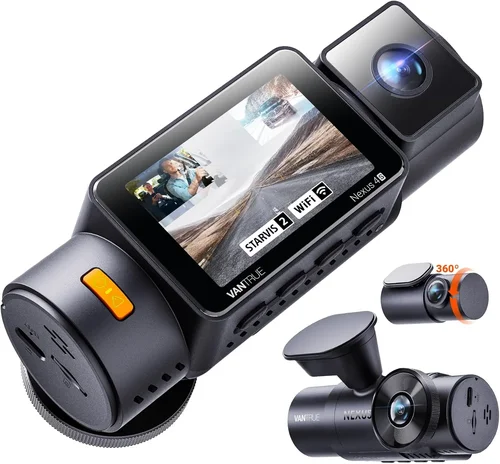
❌ Mistake: Prioritizing Brand Name Over Real Performance
Why it’s bad: Just because a dash cam is sold by a well-known electronics company doesn’t mean it excels in low-light conditions. Many brands outsource manufacturing, resulting in inconsistent quality across models. A flashy logo doesn’t compensate for poor sensor sensitivity or lackluster HDR processing.
What to do instead: Research independent lab tests (like those from Consumer Reports or RTINGS.com), read detailed user reviews focusing on nighttime footage samples, and compare technical specs rather than marketing claims.
❌ Mistake: Ignoring Parking Mode Limitations
Why it’s bad: If your dash cam lacks proper parking mode support or uses a cheap battery, it may fail to record critical events overnight—such as hit-and-runs or vandalism. Some units shut down prematurely or corrupt files due to power instability.
What to do instead: Verify whether the model includes a built-in capacitor or recommends an external hardwire kit. Check if it supports motion detection, impact sensitivity adjustments, and automatic file protection upon collision detection.
❌ Mistake: Choosing Based Solely on Price
Why it’s bad: The cheapest dash cam might save you money upfront but could produce grainy, overexposed night videos that are useless in court or insurance disputes. Investing in a slightly pricier unit with proven night vision tech pays off in reliability and evidence quality.
What to do instead: Set a realistic budget based on your needs—not just the lowest available option. Allocate funds toward core features like sensor quality, lens aperture, and software enhancements rather than extra gimmicks.
❌ Mistake: Overlooking Compatibility Issues
Why it’s bad: Not all dash cams work seamlessly with every car model or smartphone OS. Some require proprietary cables, others don’t sync with Android properly, and a few lack necessary mounting hardware for curved windshields.
What to do instead: Confirm compatibility with your vehicle’s power system (12V vs. 24V), check app availability for your phone (iOS/Android), and ensure the mount fits your dashboard geometry before purchasing.
❌ Mistake: Assuming Higher Megapixels Equal Better Quality
Why it’s bad: While 5MP or 8MP resolutions sound impressive, they often sacrifice frame rate or dynamic range in exchange for pixel count. A 1080p camera at 60fps may actually capture smoother action and clearer details than a 5MP model locked at 30fps.
What to do instead: Focus on resolution paired with frame rate (look for 30fps minimum, ideally 60fps). Also consider bitrate—higher values (e.g., 10 Mbps vs. 5 Mbps) result in crisper, more forensic-quality recordings.
❌ Mistake: Skipping Firmware Updates
Why it’s bad: Manufacturers frequently release firmware updates to improve night vision algorithms, fix bugs, or add new features. Neglecting these leaves your dash cam operating suboptimally and potentially vulnerable to data loss.
What to do instead: Subscribe to manufacturer newsletters, enable auto-update notifications in the app, and periodically check the official website for patches—especially before long trips or winter driving seasons.
❌ Mistake: Using Incompatible MicroSD Cards
Why it’s bad: Cheap or counterfeit microSD cards often fail silently, causing sudden shutdowns, corrupted footage, or inability to boot. Even reputable brands may not perform reliably in extreme temperatures or high-write environments.
What to do instead: Purchase cards from trusted retailers (SanDisk, Samsung, Lexar), ensure they meet U3/V30 standards for sustained video writing, and reformat them using the dash cam’s own utility—never your computer.
Budget Guidelines: How Much Should You Spend?
Budget Guidelines: How Much Should You Spend?
Entry-Level ($70–$120): Reliable Basics with Decent Night Vision
If you drive primarily during daylight hours but want peace of mind for occasional evening commutes, this tier offers solid entry-level options. Expect Full HD resolution, basic WDR, and decent low-light handling thanks to improved sensors in recent years. Brands like VIOFO, Rexing, and BlackVue offer surprisingly capable models here. Avoid ultra-cheap imports (<$50); they often lack proper licensing, have weak warranties, and use inferior components that degrade quickly.
Mid-Range ($120–$250): Sweet Spot for Most Buyers
This range delivers the best balance between cost and capability. You’ll find 4K-capable front cameras, dual-lens systems, enhanced HDR, and robust parking modes. Top contenders include Garmin DriveLuxe series, Thinkware U1000, and Nextbase 522GW. These models typically feature larger sensors, better lenses, and more sophisticated image processing—making them ideal for mixed-use drivers who value both day and night performance.
Premium ($250–$450): For Enthusiasts and Safety-Conscious Drivers
Stepping into premium territory unlocks advanced features like GPS logging, emergency SOS buttons, voice commands, and cloud connectivity. Models such as the Garmin Dash Cam 67W, BlackVue DR970X-2CH, and Ewent EW530 offer professional-grade build quality, superior night vision algorithms, and seamless integration with mobile ecosystems. Ideal for those who demand maximum reliability and forensic-level detail.
Luxury ($450+): Top-Tier for Professionals and Fleets
At this level, you’re investing in enterprise-grade hardware with redundant systems, AI analytics, and centralized management platforms. Examples include the Owlstone Networks OWL-360 or integrated fleet solutions from companies like Lytx and SmartDrive. While overkill for personal vehicles, these systems provide unparalleled protection for commercial operators needing granular control, real-time alerts, and compliance reporting.
Expert Tips & Pro Advice
Expert Tips for Getting the Best Deal
Frequently Asked Questions

Frequently Asked Questions
Q: Do I really need a dash cam with night vision?
A: Absolutely. Statistics show that over 70% of serious accidents occur in low-light conditions, and many hit-and-run incidents happen at night. Clear nighttime footage provides irrefutable evidence for insurance claims and legal proceedings. Even if you rarely drive after dark, unexpected situations (like being rear-ended in heavy rain) can occur anytime.
Q: Can I use my existing smartphone as a dash cam?
A: While possible through apps like AutoGuardian or CarDVR, smartphone-based solutions fall short in several ways: limited battery life, no parking mode, poor stabilization, and vulnerability to theft. Dedicated dash cams offer superior durability, dedicated sensors, and continuous operation—making them far more reliable for actual evidence collection.
Q: What’s the difference between WDR and HDR?
A: Both aim to balance exposure, but they work differently. WDR (Wide Dynamic Range) blends multiple exposures into one image, ideal for scenes with both bright headlights and dark shadows. HDR (High Dynamic Range) typically refers to capturing a wider luminance range in a single shot. Modern dash cams often combine both techniques for optimal nighttime clarity.
Q: How long can a dash cam record continuously?
A: It depends on storage capacity and compression settings. A 64GB card with H.265 encoding can record approximately 4–6 hours of Full HD footage or 2–3 hours of 4K content. Loop recording ensures uninterrupted operation by overwriting oldest files first. Always carry spare cards or upgrade to 128GB+ for extended trips.
Q: Will a dash cam drain my car battery?
A: Yes, if improperly installed. Constant power draw from the cigarette lighter port can drain a parked car’s battery within days. Proper hardwiring with a fuse tap and voltage cutoff circuit prevents this. Many premium models include low-power modes that suspend recording when voltage drops too low.
Q: Are dash cams legal everywhere?
A: Generally yes, but regulations vary by region. In the U.S., federal law permits dash cams, though some states restrict audio recording without consent. European countries like Germany prohibit audio capture entirely. Always check local laws before installing—especially if traveling internationally.
Q: How do I protect my dash cam from theft?
A: Use discreet placement away from obvious targets, consider locking mounts, and never leave valuables visible inside the car. Some models offer anti-theft features like GPS tracking or remote wipe capabilities. Removing the unit when leaving unattended vehicles reduces risk significantly.
Q: Can I edit dash cam footage for clarity?
A: Basic editing (trimming, color correction) is possible with free tools like DaVinci Resolve or Shotcut. However, avoid aggressive enhancements that distort timestamps or alter scene authenticity—this could compromise legal validity. Most manufacturers recommend keeping original files untouched.
Q: What happens if my dash cam runs out of memory?
A: With loop recording enabled, the oldest files are overwritten automatically. No footage is lost unless manually deleted. To preserve important clips, enable G-sensor locking—when triggered by sudden movement or impact, the current file is marked as protected and skipped during overwrite cycles.
Q: Should I buy a single-lens or dual-lens dash cam?
A: Dual-lens systems offer complete coverage, eliminating rear blind spots—crucial for city driving and parallel parking. They’re especially valuable if you frequently reverse into tight spaces or share rides with passengers. Single-lens units suffice for straightforward highway commutes but leave gaps in visibility.
Final Recommendations
Our Final Recommendations
Best for Budget-Conscious Buyers: VIOFO A119 v3
This compact 4K front-facing dash cam delivers exceptional value with its Sony Starvis 2 sensor, superior night vision, and reliable loop recording. Priced around $130, it outperforms many pricier models in low-light scenarios thanks to advanced WDR and smart parking mode. Easy setup and durable construction make it ideal for everyday drivers seeking dependable protection without overspending.
Best Overall Value: Garmin Dash Cam 67W
Combining sleek design, intuitive interface, and industry-leading night vision, the Dash Cam 67W sits perfectly in the mid-range sweet spot. Its built-in GPS, voice control, and LiveTrack sharing features add practicality beyond basic recording. The included mount secures firmly to curved windshields, and firmware updates continually refine image quality—making it a standout choice for tech-savvy commuters.
Best Premium Option: BlackVue DR970X-2CH Cloud Connect
For those demanding professional-grade performance, this dual-lens system offers 4K front and 2K rear cameras with superior HDR processing and cloud connectivity. Real-time alerts, automatic uploads, and military-grade encryption set it apart. Though priced at $350+, its robust build, excellent night vision, and centralized management tools justify the investment for families and frequent travelers.
Best for Beginners: Nextbase 522GW
Newcomers will appreciate this user-friendly dash cam with Alexa integration, emergency alert notifications, and crisp 4K recording. The simple menu structure, clear LCD screen, and hassle-free installation guide reduce learning curves. Its adaptive night vision adapts to changing light conditions automatically—perfect for drivers transitioning from no dash cam to full protection.
Best for Advanced Users: Thinkware U1000
Engineered for performance enthusiasts, the U1000 features a massive 140-degree field of view, superior low-light sensitivity, and customizable settings. Manual exposure controls, dual-band Wi-Fi, and seamless smartphone pairing empower experienced users to fine-tune every aspect. The optional WiFi antenna boosts signal strength, ensuring reliable remote access even in remote areas.
Conclusion: Making the Right Choice
Conclusion: Making the Right Choice
Choosing the best dash cam for night vision isn’t about chasing the highest megapixels or shiniest features—it’s about aligning technology with your actual driving habits and safety priorities. In 2026, advancements in sensor technology, AI-driven image processing, and intelligent connectivity have raised the bar considerably. Yet, even the most expensive model fails if it doesn’t suit your lifestyle.
Begin by honestly assessing your needs: Do you drive mostly at night? Park in high-risk areas? Share rides often? These questions guide whether you prioritize dual-lens coverage, parking mode endurance, or interior monitoring. Then, focus on core specs—sensor type, lens aperture, and software enhancements—rather than peripheral add-ons.
Remember, a dash cam’s primary purpose is evidence preservation. Grainy, overexposed, or glitchy footage undermines its value in critical moments. Invest in proven night vision capabilities, reliable storage, and robust build quality. And always stay informed: firmware updates, seasonal sales, and evolving regulations can influence your decision long after purchase.
Ultimately, the best dash cam is the one you’ll actually use consistently. Install it correctly, maintain it diligently, and treat it as an integral part of your vehicle’s safety ecosystem. With the right choice, you gain not just protection—but profound peace of mind behind the wheel, day or night.