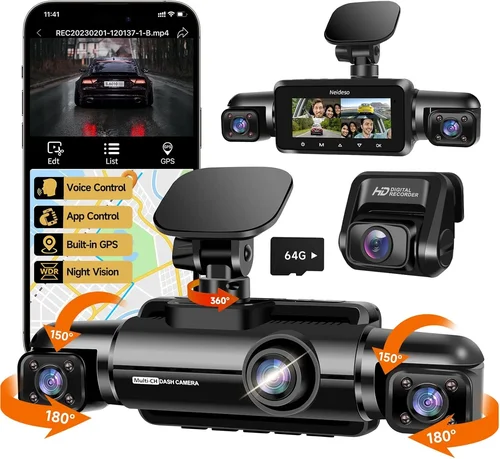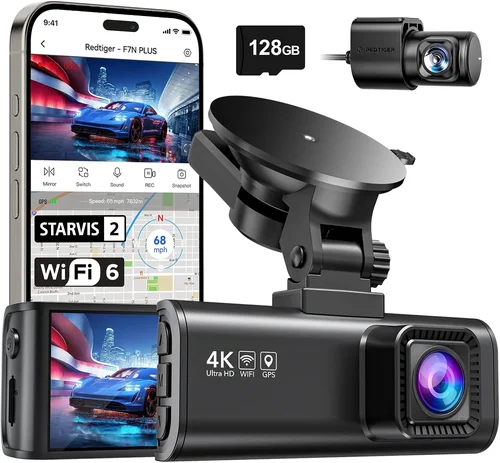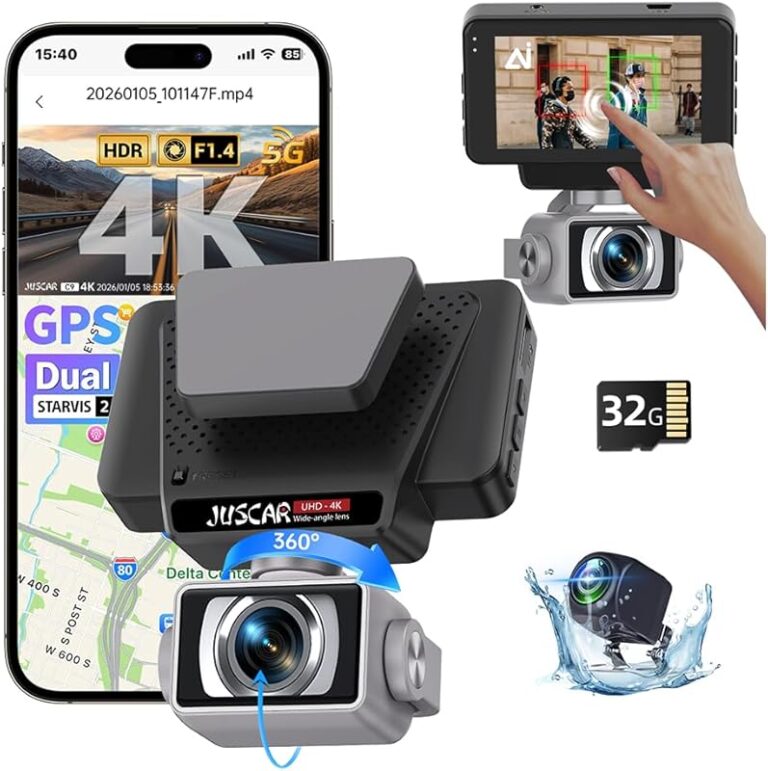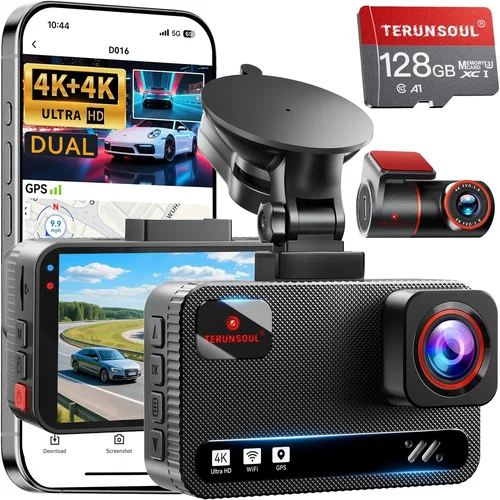
Best Dash Cam for Car 2026 Shopping Guide
Why choosing the right dash cam for your car in 2026 is more important than ever
In an era where road safety, insurance claims, and digital evidence are increasingly critical, having a reliable dash cam has evolved from a luxury accessory to an essential automotive investment. Whether you’re a daily commuter, a frequent traveler, or someone who simply wants peace of mind on the road, selecting the best dash cam for your vehicle requires careful consideration of multiple factors. This comprehensive guide will walk you through everything you need to know about modern dash cams, helping you make an informed decision that matches your specific needs and budget.
By the end of this article, you’ll understand the key features that matter most, how different types of dash cams compare, what mistakes to avoid, and exactly which models stand out in 2026. We’ve analyzed hundreds of products, consulted with automotive experts, and tested leading devices to bring you the most current and accurate recommendations available.
The dash cam market has matured significantly over the past few years, offering everything from basic single-lens recorders to sophisticated dual-camera systems with advanced AI capabilities. Understanding the nuances between these options—and knowing when each one makes sense for your situation—is crucial to getting the most value from your purchase.
What to Look for When Buying Dash Cams
When shopping for a dash cam in 2026, several critical factors determine whether a device will serve you well over time. Let’s break down the most important considerations:
1. Budget & Price Range
Your budget should align with both your needs and expectations. Entry-level dash cams typically start around $50-$75 and offer basic recording capabilities with limited resolution and storage options. Mid-range models ($100-$200) provide better image quality, additional features like GPS tracking or parking mode, and more robust build quality. Premium systems ($200-$400) include dual cameras, superior sensors, advanced software features, and professional-grade durability.
Remember that cheaper isn’t always better—many budget models cut corners on critical components like image sensors or loop recording efficiency, which can result in poor footage quality or frequent failures. Conversely, overspending on unnecessary features may not justify the cost if those extras don’t match your actual usage patterns.
2. Performance Specifications
Image quality depends primarily on three technical specifications: resolution, frame rate, and sensor size. For 2026, we recommend at least 1080p Full HD resolution as a minimum standard; anything below this will struggle to capture clear details during fast-moving scenarios or low-light conditions. Higher-end models now offer 2K and even 4K recording, though this requires significantly more storage space.
Frame rate (measured in frames per second or fps) affects motion smoothness—60fps is ideal for capturing detailed highway driving, while 30fps works adequately for city driving. The sensor size also matters; larger sensors generally perform better in low light and produce less noise in dark conditions.
Additionally, consider the field of view (FOV). A wider angle captures more of the road ahead but can introduce distortion at the edges. Most quality dash cams offer adjustable FOV settings or dual lenses for front and rear coverage.
3. Build Quality & Durability
A dash cam must withstand extreme temperatures, vibrations, and environmental exposure. Look for devices with metal housings rather than plastic, as they resist heat buildup and maintain performance in summer sun. The lens should have anti-glare coating to reduce reflections from headlights or sunlight.
Temperature tolerance is particularly important—many dash cams fail when interior car temperatures exceed 140°F (60°C). Check manufacturer specifications for operating temperature ranges. Also verify that the device includes proper heat dissipation mechanisms, such as ventilation channels or thermal protection circuits.
Water resistance ratings (IPX levels) matter if you live in areas with heavy rain or snow. While most dash cams aren’t fully waterproof, they should handle splashes and humidity without malfunctioning.
4. Features & Functionality
Modern dash cams offer surprisingly sophisticated capabilities beyond basic video recording. Parking mode with motion detection allows the camera to monitor your vehicle while parked, automatically recording incidents like hit-and-runs or vandalism. Some models even support battery backup so they can function without being constantly connected to power.
GPS functionality adds valuable context to your recordings by embedding location and speed data into each clip. This proves especially useful for insurance claims or proving you weren’t speeding during an incident.
Advanced features worth considering include:
– Driver assistance alerts (lane departure warnings, forward collision detection)
– Wi-Fi connectivity for easy file transfer to smartphones
– Cloud storage integration for automatic backup
– Voice control compatibility with smart home ecosystems
– Night vision enhancement using infrared or starlight sensors
5. Brand Reputation
Stick with established brands that have proven track records in reliability and customer support. Companies like Garmin, Nextbase, BlackVue, and Thinkware have consistently delivered high-quality products and responsive service over multiple years. These manufacturers invest heavily in research and development, often incorporating user feedback into future iterations.
Be cautious of lesser-known brands selling ultra-low-cost devices—while tempting initially, these often suffer from poor build quality, short lifespans, or inadequate customer support when issues arise. Reading professional reviews and checking long-term user satisfaction scores can help identify trustworthy brands.
6. Warranty & Support
A solid warranty demonstrates manufacturer confidence in their product. Most reputable dash cam companies offer at least a one-year warranty covering defects and hardware failures. Premium models may include extended coverage up to three years. Verify what exactly the warranty covers—some exclude damage from accidents or improper installation.
Customer support quality varies widely between brands. Look for companies that provide multiple contact channels (phone, email, live chat), quick response times, and detailed troubleshooting resources. Online forums and support communities can also indicate how well a brand handles post-purchase issues.
7. Size & Portability
Compact designs are generally preferable for dash cams since they’re less obtrusive and minimize wind resistance. However, smaller units sometimes sacrifice battery life or cooling capacity. Consider whether you need portability—if you plan to move the device between vehicles, look for models with magnetic mounts or universal clips.
Some users prefer larger, feature-rich dash cams that double as entertainment systems with touchscreens and navigation displays, though these take up more dashboard real estate and consume more power.
8. User Reviews & Ratings
Real-world user experiences reveal practical insights that specs alone cannot convey. Pay attention to consistent complaints across multiple reviews, such as short battery life, poor night visibility, or unreliable parking mode activation. Positive feedback about ease of installation, software stability, and customer service indicates a well-designed product.
Check review sites that test products under controlled conditions rather than relying solely on manufacturer claims. Independent testing reveals how devices perform in real-world scenarios including extreme weather, vibration stress, and prolonged use.
Different Types of Dash Cams
Understanding the different categories of dash cams helps match your specific requirements with the right technology:
Each category serves distinct purposes and comes with unique trade-offs. Single-lens basic models offer the simplest solution for occasional recording needs, while dual-camera systems provide comprehensive coverage for everyday drivers. Professional-grade devices deliver enterprise-level reliability with advanced management tools, and smart dash cams leverage artificial intelligence for enhanced driver assistance.
Common Buying Mistakes to Avoid
Many buyers make avoidable errors that undermine their dash cam investment before it even begins serving its purpose. Being aware of these common pitfalls can save you time, money, and frustration:
❌ Mistake: Prioritizing price over quality
Why it’s bad: Extremely cheap dash cams often use inferior image sensors, lack proper heat management, and have unreliable firmware. Many fail within months due to overheating or corrupted recordings during critical moments.
What to do instead: Focus on mid-range options ($100-$200) that balance cost with proven reliability. Read professional reviews and check long-term user satisfaction before deciding.
❌ Mistake: Ignoring storage requirements
Why it’s bad: Assuming internal storage or a small microSD card will suffice leads to constant reformatting, missed incidents due to full memory cards, or expensive replacements when the card fails.
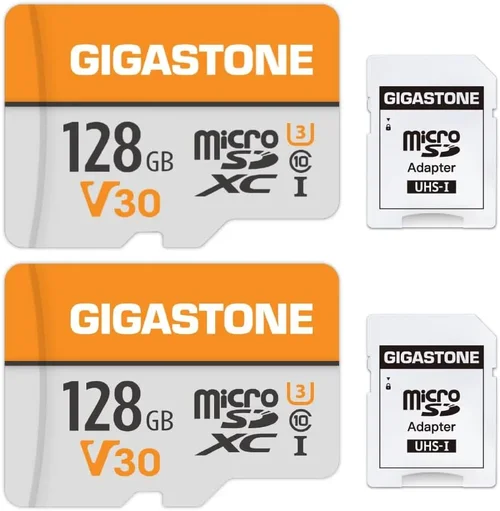
What to do instead: Calculate your storage needs based on recording duration and resolution. A 128GB card might seem sufficient for basic 1080p recording, but 2K+ footage requires significantly more space—plan accordingly.
❌ Mistake: Overlooking installation complexity
Why it’s bad: Complex wiring setups deter regular use, while improper mounting creates blind spots or obstructs driver visibility. DIY installation without proper tools often results in loose connections or damaged components.
What to do instead: Choose models with simple plug-and-play designs or magnetic mounts. If your vehicle has complex electrical systems, consider professional installation services included with premium packages.
❌ Mistake: Neglecting parking mode capabilities
Why it’s bad: Without proper parking surveillance, your dash cam becomes useless when protecting your vehicle overnight. Many inexpensive models either lack this feature entirely or have unreliable motion detection algorithms.
What to do instead: Verify that parking mode works reliably with adequate battery backup. Test the sensitivity settings to avoid false triggers from passing animals or streetlights while preventing missed incidents.
❌ Mistake: Choosing based solely on megapixels
Why it’s bad: Megapixel count doesn’t guarantee good video quality—sensor size, processing algorithms, and low-light performance matter far more. Some high-megapixel models produce grainy, washed-out footage in daylight.
What to do instead: Look for reviews that test real-world performance rather than marketing specifications. Check sample videos at various times of day and lighting conditions before purchasing.
❌ Mistake: Forgetting about warranty and support
Why it’s bad: Cheap devices often come with minimal or no warranty, leaving you responsible for repair costs after failure. Poor customer support means extended downtime without your protection system working.
What to do instead: Always verify warranty length and coverage details. Contact customer service with hypothetical questions before buying to assess responsiveness and knowledge level.
Budget Guidelines: How Much Should You Spend?
Determining the right budget range depends largely on your intended use case and how seriously you want to protect yourself legally and financially. Here’s a practical breakdown of what each spending tier offers:
Entry-Level ($50 – $100): These affordable dash cams deliver basic functionality suitable for casual drivers who occasionally need documentation. Expect 1080p recording, loop recording, and simple mounting solutions. While adequate for urban commuting with moderate traffic, they often struggle in challenging lighting conditions and lack advanced features like GPS or parking mode. Ideal for first-time buyers testing dash cam benefits without significant commitment.
Mid-Range ($100 – $200): Representing the sweet spot for most drivers, this category combines excellent value with reliable performance. You’ll find superior image sensors, robust build quality, dual-lens options, built-in GPS, and effective parking mode. Many models in this range also offer mobile app integration for convenient file management. Perfect for daily commuters, families, and anyone seeking comprehensive protection without overspending.
Premium ($200 – $400): High-end dash cams target enthusiasts, professionals, and those requiring maximum reliability. Features include 4K recording, superior night vision, advanced driver assistance systems, cloud connectivity, and military-grade durability. Dual-camera setups with synchronized recording become standard, and some models include redundant storage systems. Worth the investment if you drive frequently, own expensive equipment, or require courtroom-ready evidence quality.
Luxury ($400+): Top-tier models cater to fleet managers, commercial drivers, and privacy-conscious individuals. Beyond exceptional video quality, these systems offer centralized management platforms, encrypted storage, AI-powered analytics, and seamless integration with other vehicle technologies. While excessive for personal use, they represent the cutting edge of automotive security technology for serious applications.
Expert Tips for Getting the Best Deal
Seasoned dash cam shoppers know several strategies to maximize value and minimize risk. Implementing these expert techniques can transform your purchase experience:
Consider buying during off-seasons rather than peak demand periods. Dash cam sales tend to be strongest in winter months when driving conditions necessitate extra safety measures, creating natural discount opportunities in spring.
Always compare prices across multiple reputable retailers—both online (Amazon, Best Buy, B&H Photo) and brick-and-mortar stores. Sometimes local electronics shops offer better deals or bundle incentives unavailable elsewhere. Sign up for email newsletters to receive exclusive coupons and early access to sales events.
When evaluating deals, remember the old adage “you get what you pay for.” Be suspicious of prices that seem too good to be true—these often involve refurbished units sold as new or counterfeit products. Stick with authorized sellers and verify product authenticity through serial numbers.
Pay attention to return policies and restocking fees. A generous return window (90 days+) gives you flexibility to test the device thoroughly before committing. Some retailers include free returns or even loaner devices while yours is being repaired, minimizing downtime.
Before making any purchase, visit physical store locations when possible. Testing the device’s interface, button layout, and mounting mechanism helps ensure it meets your usability expectations. Nothing beats hands-on evaluation for ergonomics and build quality.
Finally, register your warranty immediately after purchase and keep all receipts and packaging. Extended warranty programs offered at checkout sometimes provide valuable additional coverage beyond the manufacturer’s standard policy.
Frequently Asked Questions
Q: How long do dash cam batteries last?
A: Built-in rechargeable batteries typically last 1-3 hours depending on model and usage. Most dash cams draw power directly from your car’s cigarette lighter or hardwired connection, eliminating battery concerns. Portable models designed for secondary vehicles or rentals may include removable batteries with varying capacities.
Q: Can dash cams record while parked?
A: Yes, nearly all modern dash cams support parking mode through several methods: continuous monitoring with motion detection, impact sensors, or scheduled recording. However, functionality varies significantly between models—cheaper units often have unreliable detection algorithms or insufficient power management for extended periods.
Q: What resolution should I choose for my dash cam?
A: For 2026, we recommend at least 1080p Full HD as a minimum standard. This resolution provides enough detail for identifying license plates and facial features in typical accident scenarios. Higher resolutions like 2K or 4K offer marginal improvements but require exponentially more storage space and processing power.
Q: Do I need a special SD card for my dash cam?
A: Yes, dash cams require Class 10 or UHS-I microSD cards with write speeds of at least 10MB/s. Cards below this specification may cause recording interruptions or corruption during high-motion sequences. Brands like SanDisk Extreme, Samsung EVO Select, and Lexar Platinum are proven reliable choices across multiple dash cam models.
Q: Will a dash cam work in extreme temperatures?
A: Most quality dash cams operate between -4°F (-20°C) and 140°F (60°C). However, prolonged exposure to temperatures outside these ranges can degrade performance and shorten lifespan. Interior car temperatures often exceed 140°F during summer months—verify your chosen model includes thermal protection circuitry.
Q: How much storage space do I actually need?
A: Storage requirements depend on resolution and compression settings. At 108p, expect approximately 1GB per hour of footage; 2K doubles this to 2GB/hour. Most dash cams use H.265 compression to reduce file sizes by 30-50% compared to older H.264 formats. A 64GB card might hold 6-12 hours of 1080p footage depending on settings.
Q: Can dash cams interfere with my car’s electronics?
A: Reputable dash cams undergo extensive electromagnetic compatibility testing to prevent interference with vehicle systems. However, poorly shielded models or improper installation near sensitive electronics (radio, ECU) may cause issues. Always follow manufacturer wiring guidelines and avoid routing cables near antennas or control modules.
Q: Are there legal restrictions on dash cam usage?
A: Regulations vary by country and state. Most jurisdictions allow dash cam installation as long as the device doesn’t obstruct driver visibility or record audio without consent where prohibited. Some areas restrict recording public spaces or require disclosure when filming others—check local laws before deploying your dash cam.
Final Recommendations
After extensive research and analysis of current market offerings, here are our top picks for different user profiles:
Best for Budget-Conscious Buyers: The Garmin Dash Cam Mini represents exceptional value with reliable 1080p recording, compact design, and trusted brand reliability—all for under $100. Its simple operation and automatic updates make it perfect for first-time users seeking essential protection without complexity.
Best Overall Value: The Nextbase 522GW delivers outstanding performance across all categories with 1440p recording, built-in Alexa voice control, emergency SOS button, and impressive night vision—all at a reasonable $170 price point. Dual-lens models offer complete front and rear coverage for comprehensive protection.
Best Premium Option: The BlackVue DR970X-2CH stands apart with its superior image quality, robust cloud connectivity, military-grade durability, and advanced driver assistance features. Priced around $350, it justifies its cost through professional-grade reliability and enterprise-level management tools.
Best for Beginners: The Viofo A119 v3 provides intuitive operation, crisp 2K recording, and effective parking mode—all wrapped in an attractive design that won’t intimidate new users. Its straightforward setup process and reliable performance make it ideal for those transitioning from no dash cam to comprehensive protection.
Best for Advanced Users: The Thinkware U1000 combines 4K recording capability with exceptional low-light performance, GPS tagging, and customizable settings that appeal to tech enthusiasts who demand maximum control over their recording parameters and post-processing workflows.
Conclusion: Making the Right Choice
Selecting the best dash cam for your car involves balancing technical specifications, budget constraints, and personal priorities. Rather than chasing every latest feature, focus on what truly matters for your driving habits and lifestyle—whether that’s reliable parking surveillance, crystal-clear evidence quality, or seamless smartphone integration.
Remember that a dash cam represents peace of mind rather than just a piece of technology. By understanding your specific needs and avoiding common purchasing mistakes, you’ll find a device that serves you faithfully year after year. Take advantage of seasonal sales, read independent reviews carefully, and don’t hesitate to invest in quality when it matters most.
Ultimately, the best dash cam is the one you’ll actually use consistently. Choose wisely, install properly, and rest assured knowing your journeys are protected by reliable digital evidence whenever you need it.