How to Choose the Best Dash Cam for Car 2026
Why this guide matters
Choosing the right dash cam for your car in 2026 is more important than ever. With increasing insurance claims, rising automotive theft, and growing concerns about road safety, dash cams have evolved from optional accessories into essential automotive safety tools. Whether you’re a daily commuter, a rideshare driver, or someone who simply wants peace of mind while driving, the right dash cam can provide crucial evidence in accidents, help prevent fraudulent insurance claims, and even serve as a deterrent against theft.
What readers will learn
This comprehensive buying guide will walk you through everything you need to know to make an informed decision about the best dash cam for your vehicle in 2026. You’ll discover the key features that matter most, understand how different types of dash cams compare, learn what pitfalls to avoid, and get expert recommendations tailored to various budgets and needs. We’ll also cover emerging technologies like AI integration, cloud connectivity, and advanced parking monitoring that are setting new standards in the market.
Brief overview of the market
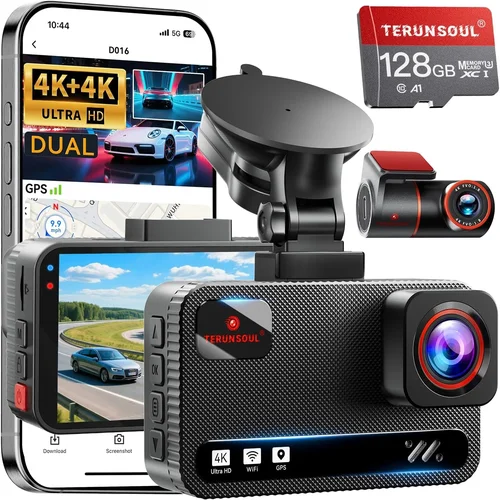
The dash cam market has matured significantly over the past few years, with 2026 seeing unprecedented technological advancement. Modern dash cams now feature 4K recording capabilities, night vision enhancement, GPS tracking, Wi-Fi connectivity, and even artificial intelligence for automatic incident detection. The competition between brands has driven innovation across all price segments, making high-quality dash cams more accessible than ever before.

What to Look for When Buying Dash Cams
1. Budget & Price Range
Before diving into specific features, understanding your budget is crucial. Dash cams range from under $50 to over $500, and each price tier offers distinct value propositions. Entry-level models focus on basic functionality, while premium options deliver professional-grade performance. Consider not just the initial cost but also ongoing expenses like memory card replacements and potential subscription services for cloud storage.
2. Performance Specifications
The heart of any dash cam lies in its video quality and recording capabilities. Look for cameras with at least 1080p resolution, though 4K is becoming standard in higher-end models. Frame rates matter too—30fps is adequate for most situations, but 60fps provides smoother footage during rapid movements. Equally important are low-light performance metrics, sensor size (larger sensors perform better in darkness), and compression technology (H.265 vs H.264).
3. Build Quality & Durability
A dash cam must withstand extreme conditions—from -4°F to 176°F temperatures, vibrations, dust, and moisture. Premium models use military-grade materials, shock-resistant housing, and weather-sealed connections. The lens quality significantly affects image clarity, so look for multi-coated glass lenses rather than plastic ones. Additionally, consider the mounting system’s stability and ease of removal.
4. Features & Functionality
Modern dash cams offer numerous features beyond basic recording. Loop recording allows continuous operation by automatically overwriting old footage when storage is full. G-sensor technology detects impacts and locks footage to prevent accidental deletion. Parking mode monitors your vehicle when parked using battery backup. Advanced models include lane departure warnings, forward collision alerts, and even driver fatigue detection. Wi-Fi connectivity enables wireless file transfer and mobile app control.
5. Brand Reputation
Established brands typically offer better reliability, customer support, and software updates. Research manufacturer track records for firmware updates, warranty fulfillment, and recall history. Brands like BlackVue, Thinkware, Garmin, and Nextbase have built strong reputations in the industry. Check independent review sites and user forums for real-world performance feedback rather than relying solely on marketing claims.
6. Warranty & Support
Quality dash cams come with solid warranties—typically 1-3 years—but some premium models offer up to 5 years. Consider what’s covered: hardware defects, screen damage, or complete replacement? Customer support responsiveness is equally important, especially for technical issues. Some manufacturers offer extended warranty programs or protection plans that cover accidental damage.
7. Size & Portability
Dash cam size affects both aesthetics and functionality. Compact models (under 3 inches) are less noticeable and easier to conceal, while larger units may offer better cooling systems and larger screens. If you plan to transfer footage frequently, consider models with USB-C ports or built-in Wi-Fi for easier data management. Some users prefer smaller cameras for secondary vehicles or rental cars.
8. User Reviews & Ratings
Real user experiences reveal practical insights that specifications alone cannot convey. Pay attention to consistent complaints about battery life, software glitches, or mounting failures. Look for patterns in reviews—if multiple users mention similar issues, it’s worth investigating further. Star ratings should be viewed alongside detailed comments for context.
Different Types of Dash Cams

Common Buying Mistakes to Avoid
❌ Mistake: Ignoring Storage Requirements
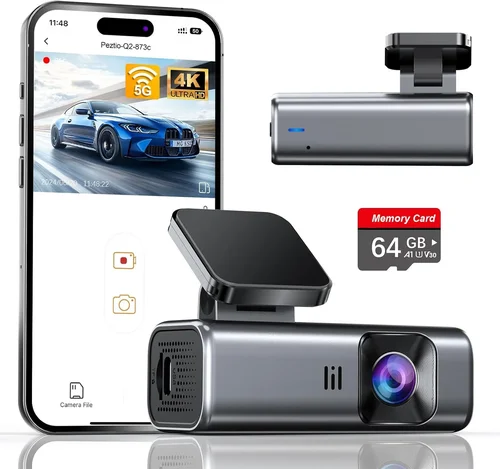
Why it’s bad: Many users underestimate how much storage their dash cam will consume. A single hour of 1080p recording can take up 2-3 GB of space. Without sufficient storage, important footage gets overwritten immediately, defeating the purpose of having a dash cam.
What to do instead: Calculate your storage needs based on recording length and resolution. For 2-hour loops at 1080p, you’ll need at least 8-16GB cards. Consider models that support larger capacity cards (up to 512GB) or those with expandable storage options.
❌ Mistake: Choosing Based Solely on Price
Why it’s bad: The cheapest dash cam often lacks critical features like proper G-sensor sensitivity, adequate low-light performance, or reliable loop recording. These limitations can result in poor evidence quality when you need it most.
What to do instead: Focus on value rather than absolute lowest price. Compare feature sets across similar-priced models. Sometimes spending 20-30% more delivers significantly better performance and reliability.
❌ Mistake: Overlooking Installation Complexity
Why it’s bad: Complicated installations lead to improper mounting, wiring issues, or voided warranties. Some users attempt DIY installations only to find they need professional help, adding unexpected costs.
What to do instead: Choose models with clear installation guides and simple wiring harnesses. If you’re uncomfortable with electrical work, consider wireless models or professional installation services included with purchase.
❌ Mistake: Neglecting Power Management
Why it’s bad: Poor power management leads to premature battery drain, failed recordings during long drives, or even blown fuses. Incomplete power connections can also cause the dash cam to reset mid-recording.
What to do instead: Verify the dash cam draws minimal power when idle. Ensure it includes proper fuse protection and works reliably with your vehicle’s electrical system. Test the parking mode battery consumption if applicable.
❌ Mistake: Assuming All Memory Cards Work
Why it’s bad: Not all microSD cards are created equal. Class 10 cards are recommended, but even then, some brands don’t work reliably with certain dash cam models, leading to corruption or write failures.
What to do instead: Stick with reputable brands like SanDisk, Samsung, or Lexar. Purchase cards specifically tested with your chosen dash cam model. Keep spare cards on hand since they wear out over time.
❌ Mistake: Disregarding Software Updates
Why it’s bad: Manufacturers regularly release firmware updates to improve performance, fix bugs, and add features. Models that don’t receive regular updates become outdated quickly and may lose compatibility.
What to do instead: Choose brands known for consistent firmware updates. Subscribe to update notifications and install them promptly. Check manufacturer websites monthly for new releases.
Budget Guidelines: How Much Should You Spend?
Entry-Level ($50 – $150)
This price range offers basic functionality suitable for casual users. You’ll find reliable 1080p recording, loop recording, and decent low-light performance. These models typically lack advanced features like GPS tracking or Wi-Fi connectivity. Ideal for secondary vehicles, rental cars, or users who primarily want peace of mind without frills.
Mid-Range ($150 – $300)
The sweet spot for most buyers, offering excellent value for money. This segment includes 2K/4K recording capabilities, improved sensors, better build quality, and useful features like G-sensors, parking mode, and sometimes dual-channel recording. Most manufacturers’ flagship models fall here, providing professional-grade performance at consumer-friendly prices.
Premium ($300 – $600)
For enthusiasts and serious users who demand top-tier performance. These dash cams feature advanced image stabilization, superior low-light capture, cloud connectivity, AI-powered event detection, and robust build quality. Often include professional software suites, enhanced security features, and superior customer support. Perfect for rideshare drivers, delivery workers, or anyone needing maximum reliability.
Luxury ($600+)
Top-tier models for professionals and commercial operations. These represent the cutting edge of dash cam technology with features like 8K recording, multi-camera systems, enterprise management platforms, advanced analytics, and guaranteed compliance reporting. While expensive, they offer unmatched reliability, security, and functionality for businesses requiring maximum protection and evidence quality.
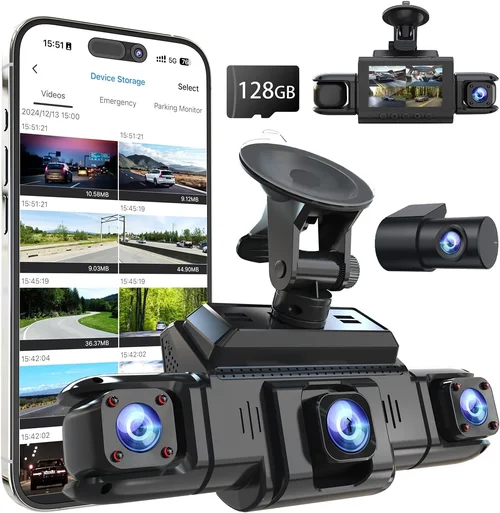
Expert Tips for Getting the Best Deal
1. Timing Your Purchase Strategically
The best deals appear seasonally. Black Friday and Cyber Monday offer significant discounts, but consider other timing opportunities too. End-of-year clearance sales in December often include additional rebates. New model announcements typically trigger price drops on previous generations. Sign up for retailer newsletters to catch early access to sales events.
2. Comparing Retailer Options
Online retailers like Amazon, Best Buy, and B&H Photo Video consistently offer competitive pricing with free shipping. Specialty electronics stores sometimes provide better in-person support and immediate availability. Consider checking multiple sources—sometimes the same model sells for different prices across platforms. Read return policies carefully, as online purchases require special consideration for restocking fees.
3. Identifying Hidden Discounts
Look beyond obvious sales. Manufacturer direct websites often have exclusive bundles or trade-in programs. Educational discounts may apply for students and teachers. Military and first responder programs sometimes offer special pricing. Credit card rewards programs can provide additional cash back on electronics purchases.
4. Understanding Extended Warranties
While tempting, extended warranties rarely provide good value. Most dash cam failures occur well outside the manufacturer’s warranty period anyway. Instead, consider investing in a protection plan that covers accidental damage. These typically cost 10-15% of the item’s price and provide peace of mind for drops, spills, or other mishaps.
5. Evaluating Return Policies
Choose retailers with generous return windows—at least 30 days minimum. Some offer “no questions asked” returns even after opening packaging. Physical stores typically allow in-person testing, which helps verify functionality before committing. Online purchases should include free return shipping to avoid restocking fees.
6. Testing Before Committing
If possible, test the dash cam before buying. Many electronics stores allow hands-on testing. Verify recording quality, menu navigation, and connection stability. Ask staff about return policies if the unit doesn’t meet expectations. For online purchases, ensure the retailer accepts returns even if opened.
7. Leveraging Trade-In Programs
Some manufacturers and retailers offer trade-in values for old dash cams or electronics. While amounts vary, every bit helps reduce the effective cost. Clean up old devices before trading in—removing personal data increases value. Check manufacturer websites first, as they sometimes offer better trade-in terms than third-party retailers.
8. Considering Bundle Deals
Look for package deals that include memory cards, cases, or installation services. These often save 10-20% compared to purchasing items separately. Professional installation packages are particularly valuable if you’re uncomfortable with electrical work. Some bundles include extended warranties or cloud storage subscriptions at discounted rates.

Frequently Asked Questions
Q: Do I really need a dash cam, or are they just for insurance claims?
A: While dash cams are excellent for insurance claims, their benefits extend far beyond that single use case. They serve as constant witnesses, helping prevent false claims against you, capturing evidence of accidents where you weren’t at fault, deterring theft, monitoring teen drivers, and providing peace of mind knowing your journey is documented. Many modern dash cams also offer driving analytics, route tracking, and even emergency assistance features that enhance overall road safety.
Q: What’s the difference between loop recording and normal recording?
A: Normal recording stops when storage is full, meaning you might miss important events if you don’t manage storage manually. Loop recording automatically overwrites the oldest footage when storage reaches capacity, ensuring continuous operation without manual intervention. This is particularly valuable for long drives or when you forget to check available storage. Most dash cams use intelligent loop recording that prioritizes locking important clips based on G-sensor triggers.
Q: How do I choose the right memory card for my dash cam?
A: Select a high-quality Class 10 microSD card with UHS-I or UHS-II rating. Minimum write speed should be 10MB/s for 1080p recording, 20MB/s for 2K, and 30MB/s for 4K. Stick with reputable brands like SanDisk Extreme, Samsung EVO Plus, or Lexar Professional. Avoid counterfeit cards—check seller ratings and purchase from authorized retailers. Format cards in the dash cam before first use to ensure optimal performance.
Q: Can dash cams record while my car is parked?
A: Yes, most modern dash cams offer parking mode, but it requires specific setup. The camera must draw power from your vehicle’s battery through a hardwired connection or use a separate battery pack. Parking mode typically records motion-triggered clips or time-lapse footage at reduced frame rates to conserve power. Battery drain varies by model—some use intelligent power management to minimize consumption during long periods of inactivity.
Q: Will a dash cam work in extreme temperatures?
A: Quality dash cams are designed to operate in extreme conditions. Most function reliably from -4°F to 140°F (-20°C to 60°C). However, performance degrades in extreme heat due to lens distortion and sensor limitations. Cold weather can affect battery efficiency and startup times. Look for models rated for automotive environments and avoid leaving them in parked vehicles in extreme climates for prolonged periods.
Q: How much battery drain should I expect from parking mode?
A: Battery drain varies significantly by model and settings. Basic parking modes typically consume 10-20mA, while advanced models with motion detection and Wi-Fi might use 30-50mA. Smart parking modes can reduce consumption to under 5mA by using accelerometer-based event detection instead of constant recording. Always use a quality voltage protector to prevent deep discharge that could damage your car battery.
Q: Are dash cams legal in my state or country?
A: Generally yes, but regulations vary by location. Most jurisdictions allow dash cams as long as they don’t obstruct the driver’s view or record audio without consent. Some countries restrict audio recording due to privacy laws. Always check local regulations—some states require disclosure that you’re recording, while others have specific requirements for mounting positions. Commercial vehicles may face additional restrictions.
Q: How do I recover deleted footage from my dash cam?
A: Footage recovery depends on several factors. If the file was locked by the G-sensor, it should remain on the memory card. Unlocked files that haven’t been overwritten can often be recovered using data recovery software. Stop using the memory card immediately after realizing footage is missing to prevent overwriting. Free tools like Recuva can help, but professional data recovery services offer higher success rates for critical footage.
Q: What’s the difference between H.264 and H.265 compression?
A: H.265 (HEVC) provides better compression efficiency than H.264, reducing file sizes by approximately 50% while maintaining the same video quality. This means longer recording times on the same storage capacity. However, H.265 requires more processing power and isn’t universally supported by all playback devices. Most modern dash cams use H.265 for 4K recording and H.264 for lower resolutions.
Q: Should I buy a single or dual channel dash cam?
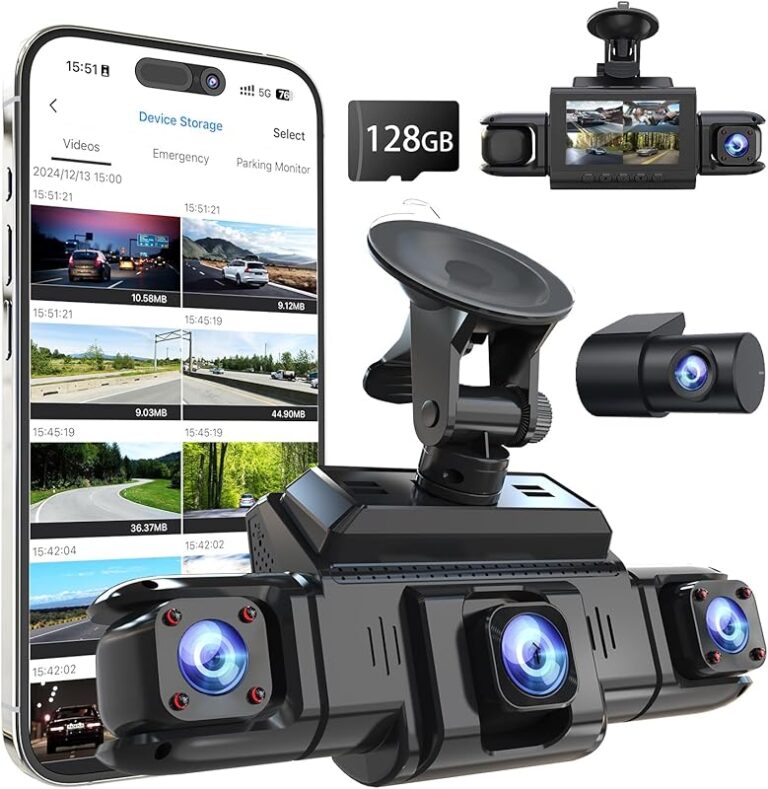
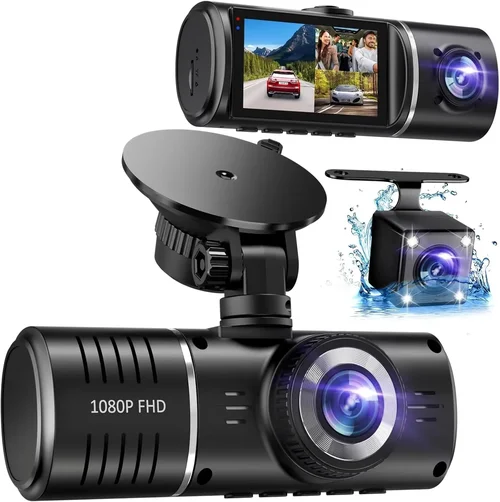
A: Single channel dash cams record only the front view and are perfect for basic protection and daily commuting. Dual channel models record both front and rear views, providing complete coverage ideal for rideshare drivers, delivery workers, or anyone wanting comprehensive protection against rear-end collisions or hit-and-runs. Dual channel systems require additional wiring and storage but offer significantly better evidence quality for accidents involving multiple vehicles.
Our Final Recommendations
Best for Budget-Conscious Buyers
Viofo A119 V3
This reliable 1080p dash cam offers excellent value with its Sony Starvis sensor for improved low-light performance, built-in GPS, and impressive build quality. It’s perfect for daily drivers who want dependable recording without breaking the bank. The compact design fits discreetly on most windshields, and the included suction cup mount provides secure attachment. While lacking 4K capability, its consistent performance and reasonable price make it an outstanding choice for those watching their budget.
Best Overall Value
BlackVue DR970X-2CH
This premium dual-channel dash cam represents the pinnacle of consumer-grade performance. It captures stunning 4K front footage and Full HD rear recording with exceptional detail and color accuracy. The cloud connectivity feature allows remote viewing and downloading of footage, while the built-in Wi-Fi provides easy mobile app control. Advanced parking mode uses intelligent motion detection, and the robust build ensures reliability in demanding conditions. Though pricier, its comprehensive feature set justifies the investment for serious users.
Best Premium Option
Thinkware F800 Pro
Thinkware’s flagship model combines professional-grade recording with innovative safety features. Its 4K resolution captures incredible detail, while the Super Night Vision technology dramatically improves low-light performance. The built-in Waze integration provides real-time traffic information, and the advanced parking mode includes impact detection with email alerts. The sleek design and intuitive interface make it user-friendly despite its advanced capabilities. Perfect for users who demand the absolute best performance and reliability.
Best for Beginners
Nextbase 522GW
This user-friendly dash cam stands out with its Alexa voice control, emergency SOS button, and crystal-clear 1080p recording. The intuitive interface makes setup and operation straightforward, even for first-time users. Built-in WiFi allows instant social media sharing of footage, and the advanced parking mode protects your vehicle when unattended. The compact size and reliable performance make it an excellent entry point into dash cam ownership without overwhelming complexity.
Best for Advanced Users
Garmin Dashcam Mini
Garmin’s compact dash cam impresses with its 1440p recording quality and seamless smartphone integration. The built-in GPS provides precise location tracking, while the automatic upload feature backs up footage to the cloud. The voice control system works reliably in various conditions, and the rugged design withstands everyday use. Its small footprint doesn’t obstruct views, making it ideal for users who want powerful performance in a discreet package.
Best for Rideshare Drivers
BlackVue DR750X-2CH LTE
This dual-channel dash cam with LTE connectivity is specifically designed for commercial use. It offers 4K front and Full HD rear recording with excellent low-light performance. The LTE module enables automatic cloud uploading of critical footage, while the built-in microphone and speaker support two-way communication. Advanced safety features include lane departure warnings and forward collision alerts. The robust build and comprehensive feature set make it perfect for Uber, Lyft, and delivery drivers needing maximum protection.
Best for Fleet Operators
Transcend DrivePro Fleet 50
Designed specifically for business use, this dash cam offers centralized management capabilities perfect for fleet operations. It provides 1080p recording with cloud connectivity, allowing managers to monitor multiple vehicles remotely. The built-in GPS tracking and route logging help optimize operations, while the impact alert system notifies managers of incidents. Advanced analytics provide insights into driver behavior and vehicle performance, making it invaluable for commercial fleet management.
Conclusion: Making the Right Choice
Choosing the best dash cam for your car in 2026 ultimately comes down to matching technology with your specific needs and budget. Whether you’re a daily commuter seeking basic protection or a rideshare driver requiring comprehensive coverage, the market offers solutions across every price point and feature level.
The key is avoiding common pitfalls like underestimating storage needs, focusing solely on price, or overlooking installation complexity. Instead, prioritize build quality, reliable performance, and features that align with your usage patterns. Consider not just the initial cost but the total ownership experience including software updates, memory card requirements, and potential installation fees.
Remember that the best dash cam is the one you’ll actually use consistently. Choose a model with an interface you find intuitive, recording quality that meets your standards, and features that provide genuine value to your driving situation. With proper research and thoughtful consideration, you can find a dash cam that delivers peace of mind, protects your interests, and potentially saves you thousands in the event of an accident or dispute.
As technology continues to evolve, today’s investment in a quality dash cam becomes tomorrow’s insurance policy—not just for your vehicle, but for your peace of mind on every journey.