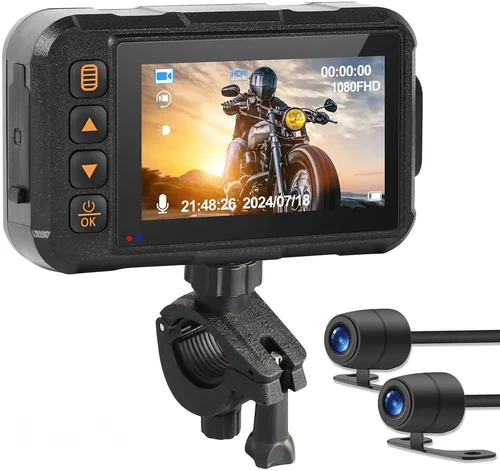
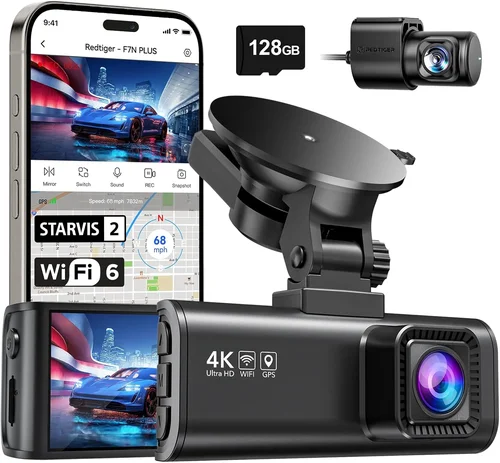
Best Dash Cam for GMC Sierra Shopping Guide
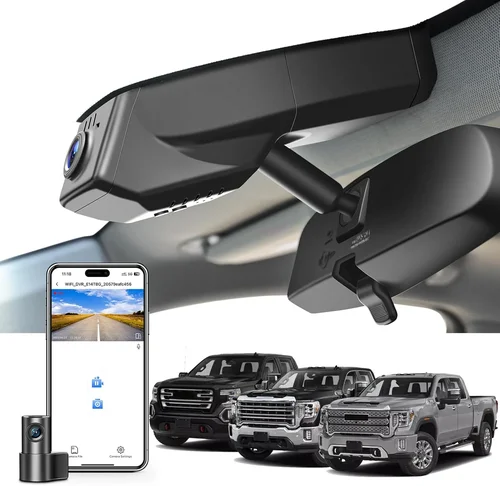
Why the right dash cam matters for your GMC Sierra
Choosing the right dash cam for your GMC Sierra isn’t just about capturing road footage—it’s about protecting yourself, your vehicle, and your peace of mind behind the wheel. Whether you’re a daily commuter, a weekend adventure seeker, or someone who values safety above all else, having reliable dash cam footage can make all the difference in the event of an accident, insurance claims, or even false accusations. The GMC Sierra, with its spacious cabin, advanced tech features, and robust build, deserves a dash cam that matches its capabilities. But with dozens of models on the market, each boasting different specs and price points, it can be overwhelming to know where to start.
This guide is designed to cut through the noise and help you make an informed decision tailored specifically to your Sierra. You’ll learn what features matter most for trucks like the Sierra, how to balance performance with budget, and why certain dash cams perform better than others in real-world driving conditions. We’ll also cover installation considerations unique to pickup trucks, explain how weather and lighting affect video quality, and share expert insights on choosing between wired, hardwired, and battery-powered models. By the end, you’ll have a clear roadmap to selecting the best dash cam for your GMC Sierra that fits your lifestyle, driving habits, and technical needs.

What to Look for When Buying Dash Cams
1. Resolution and Video Quality
One of the first things to consider is the resolution of the dash cam. Most modern dash cams offer at least 1080p Full HD, but higher-end models now support 2K, 4K, and even 5K recording. For your GMC Sierra, we recommend aiming for at least 2K resolution, especially if you frequently drive in challenging lighting or need clear detail for insurance purposes. Higher resolution means crisper images, better license plate recognition, and improved clarity during nighttime driving. Be cautious of dash cams marketed as “4K” that only record at 4K on the front camera while offering lower-quality rear cameras—true dual-channel 4K is rare and expensive.
2. Field of View (FOV)
The field of view determines how much of the road and surroundings your dash cam captures. A wider angle, typically between 130° and 170°, provides more coverage, reducing blind spots and ensuring critical events aren’t missed. For the GMC Sierra, which often drives long highways or navigates tight city streets, a wide FOV is essential. However, extremely wide angles can introduce fisheye distortion, so look for models with advanced lens correction or multiple viewing zones. Some top-tier dash cams offer adjustable FOV settings, allowing you to switch between wide-angle city mode and narrower highway mode depending on your route.
3. Night Vision and Low-Light Performance
Driving at night is where many accidents occur, and poor visibility can compromise your dash cam’s effectiveness. The best dash cams for your Sierra use advanced sensors like Sony STARVIS, which deliver exceptional low-light performance. These sensors capture more light, resulting in clearer nighttime videos with less noise and better color accuracy. Additionally, features like infrared LEDs, wide aperture lenses, and image stabilization are crucial for maintaining clarity when headlights reflect off wet roads or in poorly lit parking lots. Always check real user reviews for night performance—spec sheets alone don’t tell the full story.
4. Loop Recording and Storage Management
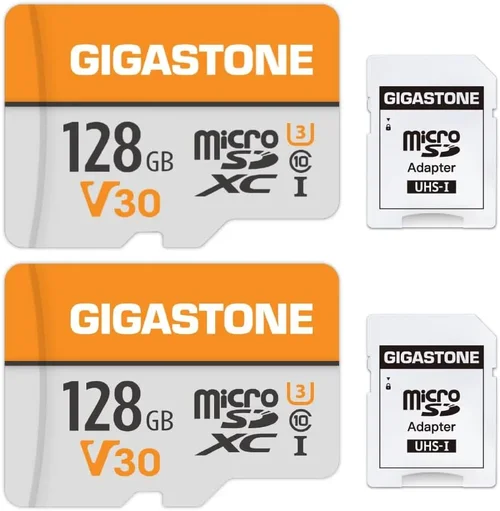
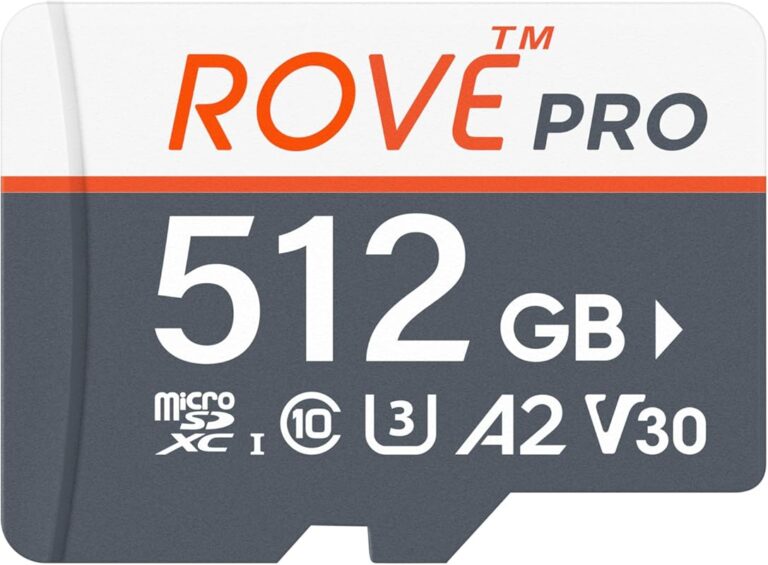
Dash cams continuously record, overwriting old footage once the storage fills up. This loop recording feature ensures you never run out of space, but it also means older files are deleted automatically. The key is how efficiently the dash cam manages this process. Look for models with automatic overwrite, manual file locking (to save important clips), and support for large-capacity microSD cards (up to 512GB). For extended trips or rural driving in areas with spotty cell service, having ample local storage is vital since cloud uploads may not be an option.
5. Parking Mode and Motion Detection
When your Sierra is parked, the dash cam should still be working. Parking mode allows the device to monitor your vehicle 24/7, recording any incidents like hit-and-runs or vandalism. However, running a dash cam continuously can drain your battery. Hardwiring the dash cam to your vehicle’s electrical system solves this, but not all drivers want permanent modifications. In such cases, motion-activated parking mode is a smart alternative—only recording when movement is detected. Some models also offer time-lapse recording, which compresses hours of footage into minutes for efficient storage without missing key events.
6. Build Quality and Weather Resistance
The GMC Sierra is built tough, and your dash cam should match that durability. Look for devices with a metal or reinforced plastic casing, rated IP65 or higher for dust and water resistance. Extreme temperatures—whether scorching desert heat or freezing mountain passes—can affect electronics. Choose a dash cam tested for operation in -4°F to 140°F (-20°C to 60°C). Also consider vibration resistance, especially important for trucks that carry heavy loads or travel rough terrain. A well-sealed dash cam won’t fog up, crack from temperature shifts, or fail prematurely.
7. Dual-Channel Recording Capability
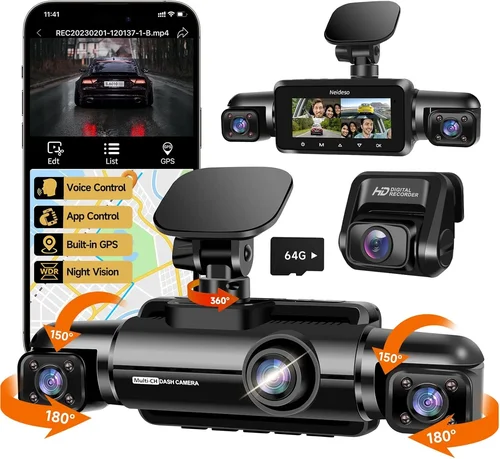
Many serious drivers opt for dual-channel dash cams—one camera facing forward and one recording inside the cabin. While the front camera captures the road ahead, the interior camera records passengers and any activity in the cab. This is particularly useful for ride-sharing drivers or those who transport valuable cargo. For your Sierra, a dual-channel setup adds an extra layer of security and transparency. Make sure the dash cam supports both cameras simultaneously and offers sync playback so you can review events from both perspectives seamlessly.
8. Ease of Installation and Integration
Installing a dash cam in your GMC Sierra shouldn’t require professional tools or void your warranty. Many models come with adhesive mounts, suction cups, or bracket kits designed for easy attachment to windshields or dashboards. Consider whether you want a discreet setup hidden behind the rearview mirror or a more visible model with a flush mount. Hardwired kits allow permanent installation with minimal wiring, but they require some basic knowledge of car electronics. For most owners, a simple plug-and-play USB-C connection or magnetic mounting system offers the best balance of convenience and performance.
Different Types of Dash Cams

Common Buying Mistakes to Avoid
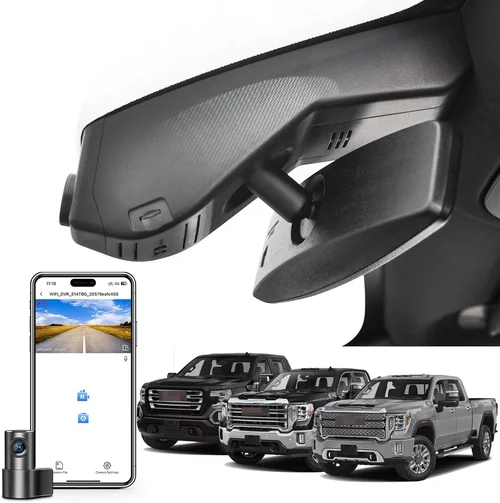
❌ Mistake: Ignoring Night Performance
Why it’s bad: Many buyers focus only on resolution and overlook how poorly the dash cam performs in low light. A 4K front camera that produces grainy, washed-out footage at night is nearly useless when you need evidence during nighttime incidents.
What to do instead: Test night performance by reading detailed user reviews or watching sample videos online. Prioritize dash cams with Sony STARVIS sensors and wide-aperture lenses. Check if the manufacturer provides real footage samples, not just marketing visuals.
❌ Mistake: Choosing Based Solely on Price
Why it’s bad: The cheapest dash cam might lack essential features like G-sensor-based emergency recording, proper loop management, or reliable parking mode. Over time, poor build quality leads to frequent replacements and higher costs.
What to do instead: Focus on value, not just low cost. Invest in a mid-range model with proven reliability. Read professional reviews from trusted sources like CarDvr.com, TechRadar, or PCMag before deciding.
❌ Mistake: Not Checking Compatibility with Your Sierra
Why it’s bad: Some dash cams require specific mounting brackets or voltage compatibility. Installing a dash cam that doesn’t fit properly or draws too much power could damage your Sierra’s electrical system or interfere with other electronics.
What to do instead: Verify mounting options (windshield vs. dash mount), power requirements (12V vs. USB), and whether the dash cam works with your vehicle’s year and trim level. Hardwired kits should match your Sierra’s fuse box layout.
❌ Mistake: Overlooking Storage Requirements
Why it’s bad: Using a low-capacity microSD card forces constant formatting and risks losing critical footage. Without enough storage, the dash cam may stop recording entirely during long trips.
What to do instead: Buy a high-quality 128GB or 256GB UHS-I/U3 card. Format it monthly using the dash cam’s built-in tool. Enable file locking for important events and disable auto-delete of locked files unless necessary.
❌ Mistake: Skipping Firmware Updates
Why it’s bad: Manufacturers release firmware updates to fix bugs, improve performance, and add features. Neglecting updates can leave your dash cam vulnerable to glitches, poor recording quality, or compatibility issues.
What to do instead: Regularly check the manufacturer’s website or app for updates. Subscribe to product newsletters so you’re notified when new firmware is available. Keep your dash cam connected via USB during updates.
❌ Mistake: Assuming All Dash Cams Have the Same Features
Why it’s bad: Feature lists can be misleading. Some dash cams claim “GPS tracking” but only log speed data without location history. Others advertise “Wi-Fi” but have slow transfer speeds or unreliable connections.
What to do instead: Compare actual specifications across brands. Look for independent test results. Ask questions like: Does the GPS save route maps? Is the Wi-Fi fast enough to transfer 10-minute clips quickly?
Budget Guidelines: How Much Should You Spend?
Entry-Level ($50 – $120): The Basics Done Right
If you’re new to dash cams or only use your GMC Sierra occasionally, an entry-level model gets the job done without breaking the bank. These devices typically offer 1080p recording, a decent field of view (around 140°), and basic loop recording. They may lack advanced features like parking mode or GPS, but they provide reliable front-facing protection. Brands like Viofo, Rexing, and Apeman offer solid options in this range. While you won’t get 4K or dual-channel recording here, these dash cams are dependable for everyday driving and minor incidents.
Mid-Range ($120 – $300): The Sweet Spot for Most Drivers
This tier represents the best value for most GMC Sierra owners. You’ll find 2K or 4K front cameras, improved night vision, built-in GPS, and often a rear camera option. Many models in this range include Wi-Fi connectivity, cloud backup, and smart alerts. Hardwired kits become common here, eliminating battery concerns. Top performers like the Garmin Dash Cam 67W, Nextbase 522GW, and BlackVue DR970X-2CH fall into this category. They’re reliable, feature-rich, and supported by strong customer service—perfect for daily commuters and families alike.
Premium ($300 – $600): For Enthusiasts and Professionals
If you demand the absolute best, premium dash cams deliver top-tier performance with cutting-edge technology. These devices often feature 4K or even 5K recording, multiple camera inputs, HDR, voice control, and advanced AI features like lane departure warnings or collision alerts. Cloud connectivity, automatic incident detection, and seamless smartphone integration are standard. Brands like Thinkware, BlackVue, and Viofo Pro series dominate this segment. While pricey, they’re ideal for commercial drivers, fleet operators, or anyone who wants maximum peace of mind.
Luxury ($600+): The Ultimate Protection Package
Luxury dash cams go beyond mere recording—they integrate with your entire vehicle ecosystem. Expect ultra-high-resolution sensors, multi-spectral recording (including thermal imaging in some cases), real-time traffic updates, and subscription-based cloud services. These systems often include dash-mounted displays, dashboard cameras, and even cabin monitoring with facial recognition. They’re rarely used in personal vehicles but are common among high-net-worth individuals, luxury rentals, or specialized fleet companies. Unless you have specific needs justifying this investment, it’s likely overkill for your Sierra.
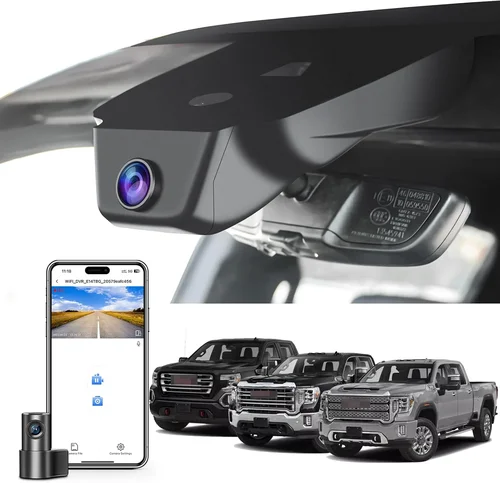
Expert Tips for Getting the Best Deal
Buy During Off-Seasons
Avoid purchasing dash cams during holiday rushes like Black Friday or back-to-school season when retailers inflate prices. Instead, shop in late summer or early spring when demand drops. Major sales events like Prime Day (Amazon), Cyber Monday, or Memorial Day often offer significant discounts on dash cam bundles. Sign up for price alerts on sites like CamelCamelCamel or Honey to track historical pricing trends.
Compare Retailers Carefully
While big-box stores like Best Buy or Walmart offer convenience, online retailers like Amazon, B&H Photo, or Newegg often have lower prices and better return policies. Check shipping costs, warranty coverage, and whether the seller is an authorized dealer. Avoid gray-market imports unless you’re confident about authenticity and support.
Look for Bundle Deals
Many manufacturers sell dash cam kits that include everything you need: the camera, mount, cables, SD card, and sometimes even a suction cup replacement. These bundles usually cost less than buying items separately. For example, a Garmin bundle might include a magnetic mount, USB cable, and 32GB microSD card—saving you $20–$30.
Test Before You Commit (If Possible)
If buying in-store, ask to demo the dash cam. Check menu navigation, button responsiveness, and video playback on the screen. Ensure the interface is intuitive—you’ll be using it while driving. For online purchases, rely on return windows (usually 30 days) and read verified buyer reviews focusing on real-world usage.
Prioritize Local Customer Support
Even with excellent specs, a faulty unit needs repair or replacement. Choose brands with physical offices or service centers near you. Brands like Garmin, Nextbase, and BlackVue have dedicated support lines and quick turnaround times. Avoid obscure brands with only overseas customer service.
Extend Your Warranty
Most dash cams come with a 1-year warranty. For peace of mind, consider extending coverage through third-party providers like SquareTrade or the retailer itself. This protects against manufacturing defects, accidental damage, or power surges—common issues in vehicles.
Use Cashback and Rewards Programs
Stack savings by combining cashback apps (Rakuten, Ibotta), credit card rewards, or loyalty points. Some programs offer bonus points for electronics purchases, turning a $200 dash cam into a $230-value item after redemptions.
Check for Recycling or Trade-In Options
Old dash cams can sometimes be traded in or recycled for store credit. Some eco-friendly brands offer take-back programs where you mail in your old device for a discount. It’s a small gesture, but every bit helps reduce e-waste.
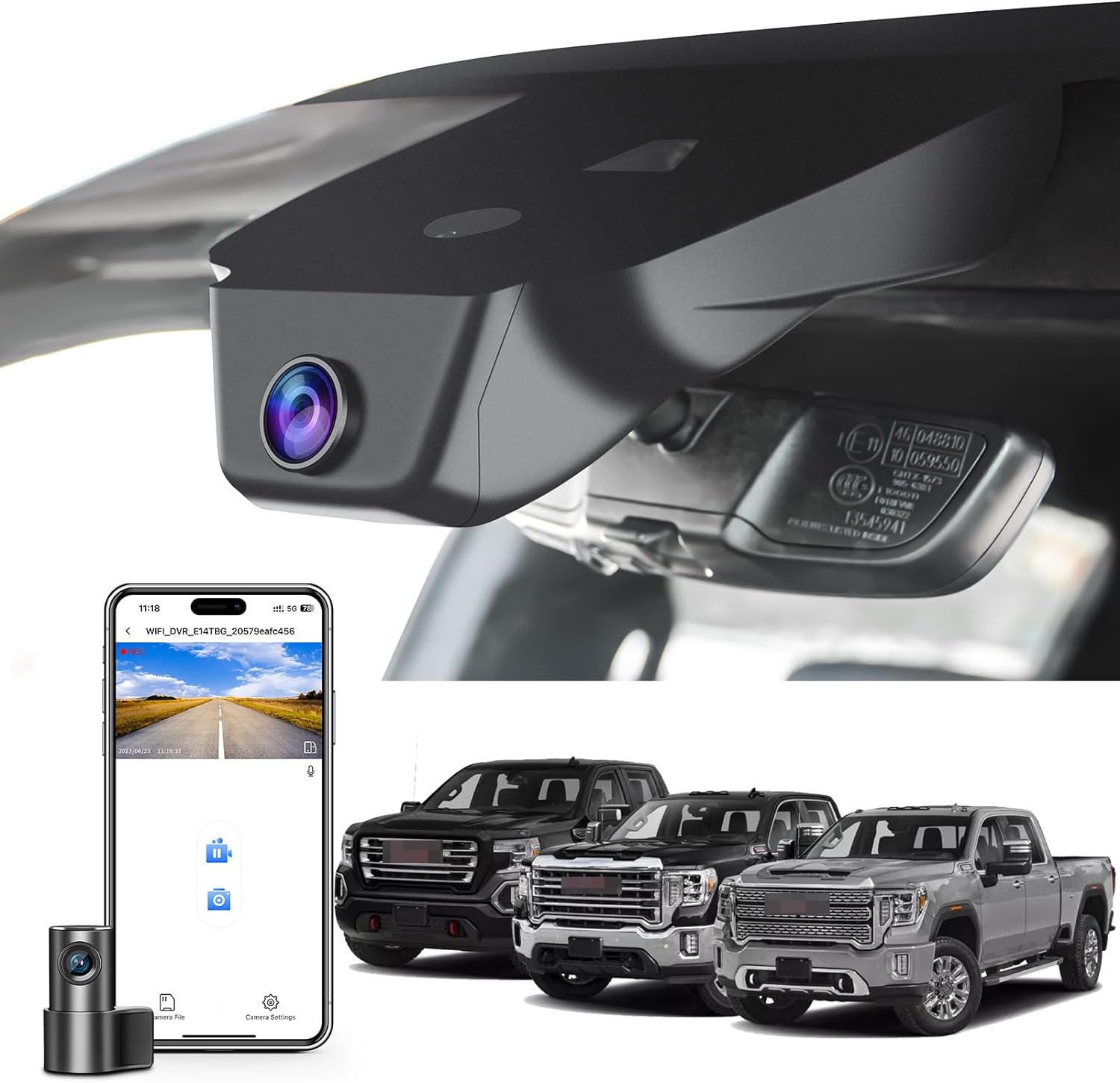
Frequently Asked Questions
Q: Can I install a dash cam myself in my GMC Sierra?
A: Absolutely! Most dash cams are designed for DIY installation. You’ll need basic tools like a screwdriver and zip ties. Adhesive mounts or suction cups attach easily to the windshield. For hardwired setups, follow the included instructions carefully—typically involving locating the fuse box under the dash and connecting to a constant 12V source. Watch manufacturer-specific tutorial videos for your Sierra model year to avoid mistakes.
Q: Will a dash cam drain my truck’s battery?
A: Yes, if left plugged in constantly. However, hardwired dash cams draw minimal power (around 2–3 watts) and include low-voltage cutoffs that shut them off when your Sierra’s battery drops below a safe threshold (usually 11.8V). Battery-powered models are riskier but manageable if you park in garages or use motion-sensing modes. Always pair your dash cam with a good quality fuse tap or inline fuse protector.
Q: Do I need a rear camera for my Sierra?
A: Not necessarily. If you mostly drive solo or carry light cargo, a single front camera suffices. However, a rear camera becomes valuable if you frequently tow trailers, back into tight spaces, or transport passengers who may open doors near other vehicles. Dual-channel systems offer the most comprehensive coverage and are worth considering for added security.
Q: How do I access and review footage from my dash cam?
A: Footage is stored on a microSD card. Remove the card and insert it into a computer, phone adapter, or dash cam viewer. Most dash cams come with playback software. Alternatively, connect the device via USB to your laptop or use Wi-Fi to stream clips to your smartphone through the companion app. Organize files by date and enable file locking for critical events so they aren’t overwritten.
Q: Are dash cams legal in all states?
A: Yes, dash cams themselves are legal everywhere in the U.S. They only record audio if they meet federal privacy standards—but most consumer models mute audio by default to comply with wiretapping laws. Some states (like California) have stricter rules about recording conversations, so always mute mics unless you’re in a two-party consent state and understand the implications.
Q: What happens if my dash cam runs out of storage?
A: Loop recording automatically overwrites the oldest files when storage is full. To prevent loss of important clips, enable the G-sensor feature—this locks footage when sudden impacts or sharp turns are detected. Manual file locking is also available in most menus. Regularly backing up clips to a cloud service or external drive ensures you never lose evidence permanently.
Q: Can I use my dash cam while charging my phone?
A: Some dash cams have USB ports for phone charging, but this varies by model. Check the product specs before relying on it. Charging while driving can be distracting, so prioritize safety over convenience. If your dash cam doesn’t support charging, consider a separate wireless charger placed safely within reach.
Q: How do I clean my dash cam lens without damaging it?
A: Use a microfiber cloth and lens cleaner spray. Never use paper towels, tissues, or household cleaners—they can scratch the glass or leave residue. Wipe gently in circular motions. For stubborn smudges, dampen the cloth slightly with distilled water. Keep the lens free of dirt, fingerprints, and condensation to maintain optimal image quality.
Q: Can I hide my dash cam to avoid detection?
A: Legally, yes—but ethically questionable. Hiding a dash cam defeats its purpose of documenting truth. Plus, many modern dash cams are difficult to conceal completely due to their size and placement. If your concern is privacy, remember that dash cams only record what’s visible through the windshield and cabin—not private conversations or personal belongings unless explicitly recorded.
Q: What should I do if my dash cam stops working after installation?
A: First, check the power connection. Ensure the fuse tap is secure and the microSD card is properly inserted. Try formatting the card using the dash cam’s built-in tool. If issues persist, reset the device to factory settings. Consult the troubleshooting section in the manual or contact customer support. Avoid DIY repairs—opening the housing voids warranties.
Our Final Recommendations
Best for Budget-Conscious Buyers: Viofo A119 V3
The Viofo A119 V3 delivers impressive 2K recording at an affordable price point. With a Sony IMX323 sensor, this dash cam excels in low-light conditions and offers reliable loop recording. Its compact design fits perfectly behind the rearview mirror, minimizing obstruction. While it lacks Wi-Fi and GPS, it includes a built-in G-sensor and supports up to 128GB microSD cards. Easy to install and backed by solid customer feedback, it’s an outstanding choice for Sierra owners seeking quality without overspending.
Best Overall Value: Garmin Drive DUO 57
Winner of numerous awards, the Garmin Drive DUO 57 combines dual-channel recording with intuitive controls and lifetime map updates. The front camera records at 1080p, while the rear captures 720p—ideal for monitoring cargo or passengers. Features include voice control, driver alerts, and automatic incident saving. The included mount is sturdy, and the app integration is seamless. Though pricier than entry-level models, its reliability, ease of use, and comprehensive package justify the investment for daily drivers.
Best Premium Option: BlackVue DR970X-2CH
For those who demand excellence, the BlackVue DR970X-2CH sets the gold standard. Featuring 4K UHD front recording and Full HD rear, plus superior HDR and night vision, it outperforms competitors in image clarity. Cloud connectivity, real-time GPS tracking, and advanced parking mode make it ideal for fleet managers or tech enthusiasts. The dual-band Wi-Fi ensures fast file transfers, and the metal casing resists vibrations and heat. While expensive, its professional-grade features and global support network make it worth every penny.
Best for Beginners: Nextbase 322GW
New to dash cams? The Nextbase 322GW simplifies everything with its user-friendly interface, Alexa compatibility, and crisp 2K recording. It includes automatic emergency recording, live streaming via 4G (with SIM card), and a generous 64GB internal storage. The rear camera snaps up easily, and the app guides you through setup. With responsive customer service and regular firmware updates, it’s a stress-free entry into dash cam ownership.
Best for Advanced Users: Thinkware U1000
Thinkware’s U1000 offers unmatched flexibility with 4K front and Full HD interior recording. Its Time Shift feature lets you rewind events before impact, and the built-in Wi-Fi supports quick clip sharing. Drivers will appreciate lane departure warnings, forward collision alerts, and customizable sensitivity settings. The rugged design handles extreme climates, and the optional dash cam display enhances usability. If you want the ultimate control and customization, this is the top pick.
Conclusion: Making the Right Choice
Selecting the best dash cam for your GMC Sierra ultimately comes down to aligning your needs with the right features. Whether you prioritize affordability, advanced technology, or long-term durability, there’s a model that fits your lifestyle. Remember to evaluate resolution, night performance, storage capacity, and ease of installation before making a decision. Don’t rush—take time to compare specs, read honest reviews, and consider how you’ll use the device daily.
Your Sierra is more than a truck; it’s your mobile command center, home base, and daily companion. Equip it with a dash cam that reflects that importance. With the right device, you gain not just evidence in case of trouble, but confidence every time you hit the road. Start by listing your must-have features, set a realistic budget, and choose a brand known for reliability. Then, enjoy the peace of knowing you’re protected—no matter where your journey takes you.
Invest wisely today, and drive with greater assurance tomorrow.