Expert Dash Cam Buying Guide for Audi
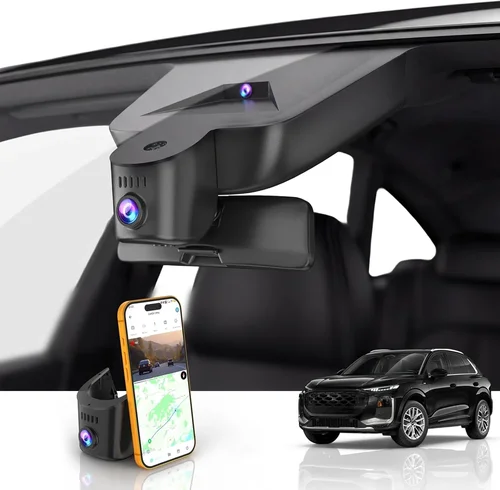
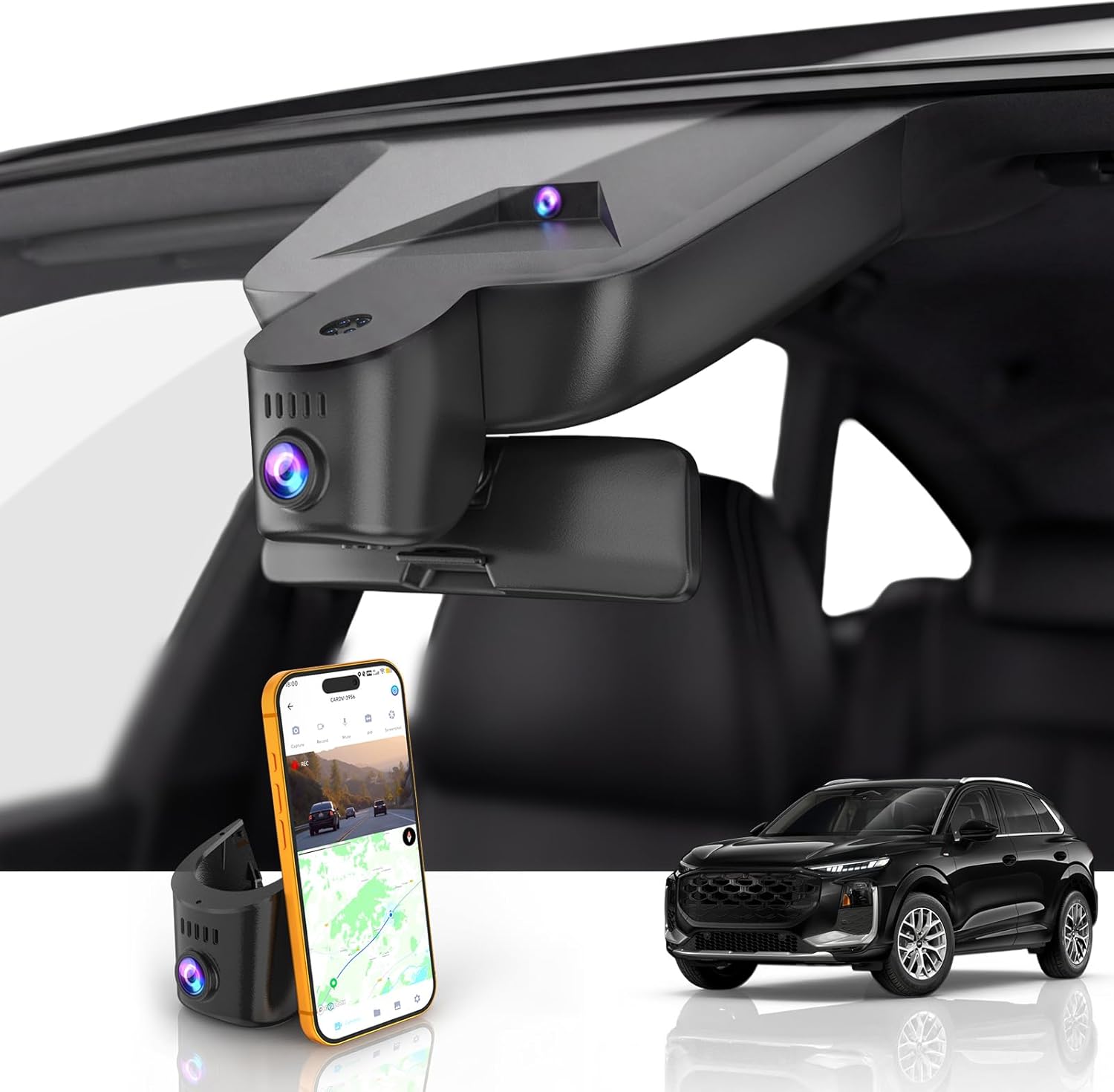
Choosing the right dash cam for your Audi isn’t just about recording the road—it’s about protecting your investment, ensuring safety, and capturing those unexpected moments that matter. Audis are premium vehicles with sophisticated interiors, advanced electronics, and specific mounting requirements, making dash cam selection more nuanced than simply picking any camera off the shelf. A poorly chosen dash cam can interfere with your car’s systems, create installation headaches, or fail to deliver the quality you need when it matters most.
This comprehensive buying guide will walk you through everything you need to know to find the perfect dash cam for your Audi. You’ll learn how to evaluate technical specifications, understand Audi-specific considerations like wiring integration and interior aesthetics, compare different types of dash cams, and avoid common pitfalls that many buyers encounter. Whether you’re looking to protect yourself from insurance fraud, document a traffic incident, or simply enjoy peace of mind on the road, we’ll help you make an informed decision that fits both your vehicle and your lifestyle.
The market offers everything from basic single-camera units to advanced dual-lens systems with parking monitoring, GPS tracking, and cloud connectivity. With so many options available, it’s easy to feel overwhelmed. That’s why this guide breaks down complex decisions into actionable insights, focusing specifically on what works best for Audi owners who demand quality, reliability, and seamless integration with their luxury vehicles.
What to Look for When Buying Dash Cams
1. Budget & Price Range
Before diving into features, establish your budget range. Dash cams span from under $50 for basic models to over $500 for premium systems with advanced capabilities. For Audi owners, we typically recommend starting in the $150-300 range, which offers excellent value while including essential features like high-resolution recording, good low-light performance, and reliable build quality. Remember that investing more upfront often means fewer replacement costs down the road, especially important given Audis’ higher maintenance costs.
2. Performance Specifications
Performance specs determine how well your dash cam captures footage in real-world conditions. Look for at least 1080p resolution (Full HD), though 4K models provide significantly clearer detail for identifying license plates and facial features. The frame rate should be 30fps minimum, with 60fps being ideal for smooth motion capture. Low-light sensitivity is crucial—your dash cam needs to perform well at night when most incidents occur. Check the aperture size (f/1.8 or lower is better) and consider models with wide dynamic range (WDR) to handle challenging lighting conditions like tunnels or glare from headlights.
3. Build Quality & Durability
Audi owners expect premium build quality, and your dash cam should meet those standards. Look for metal housings instead of plastic, as they provide better heat dissipation and durability. Temperature resistance is critical—your dash cam will face extreme heat in summer sun and freezing temperatures in winter. Water resistance (IP rating) helps protect against rain and moisture. Additionally, consider the lens quality: sapphire glass lenses resist scratches better than standard glass, maintaining clarity over time. The mounting system should be secure but not damage your windshield or interior surfaces.
4. Features & Functionality
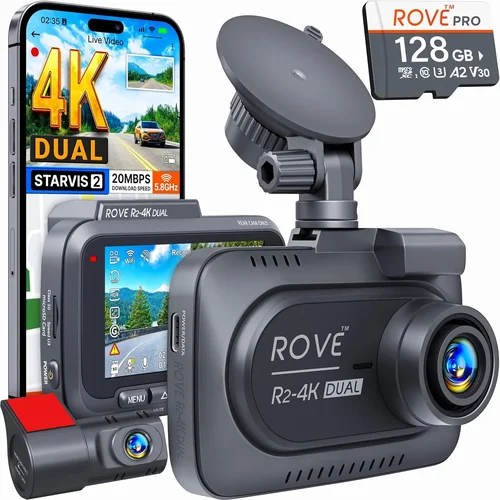
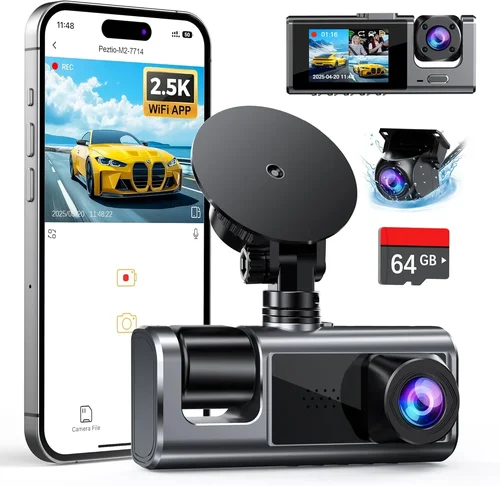
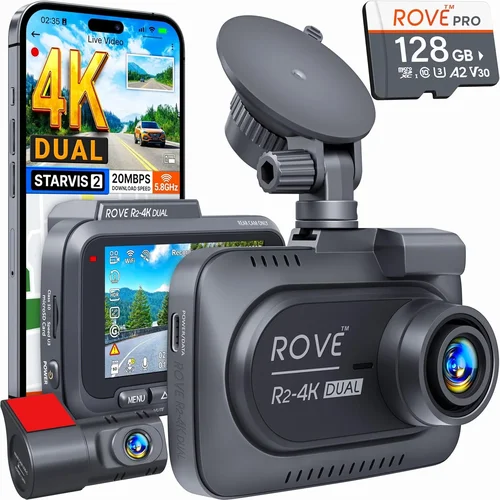
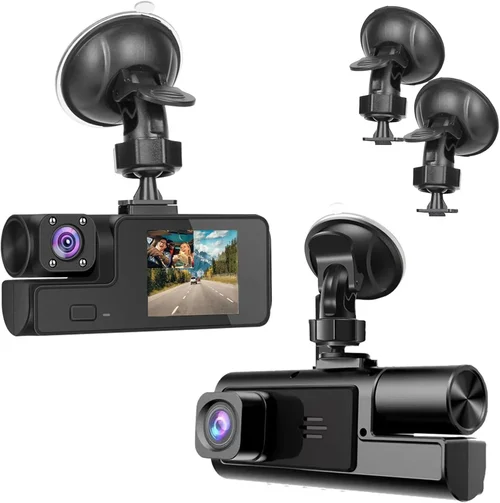
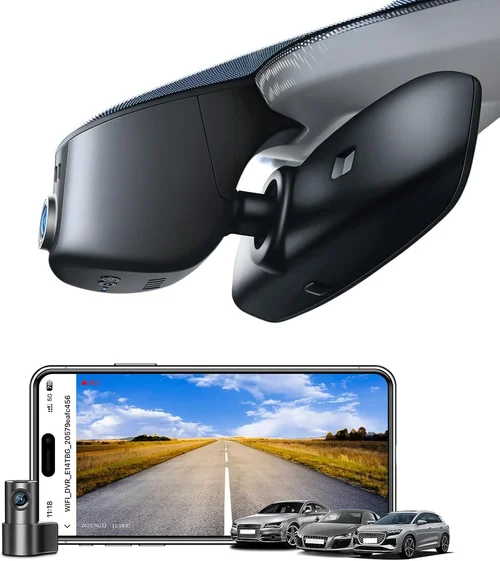
Modern dash cams offer numerous features beyond basic recording. Parking mode is essential—it allows your dash cam to monitor your vehicle when parked using battery backup or hardwiring. Loop recording automatically overwrites old footage when storage fills up, ensuring continuous recording without manual intervention. G-sensor detects impacts and locks footage to prevent accidental deletion. GPS tracking records location data and speed, useful for route verification or insurance purposes. Some models include Wi-Fi connectivity for easy file transfer to smartphones. Consider whether you want single-lens or dual-lens systems: dual-lens models record both front and rear views, providing complete coverage.
5. Brand Reputation
Stick with established brands that have proven track records and reliable customer support. Brands like BlackVue, Garmin, Thinkware, and Nextbase have been industry leaders for years, offering consistent software updates, responsive support teams, and compatible accessories. Research user reviews and professional testing to gauge reliability. A reputable brand typically provides better firmware updates, longer warranty periods, and more comprehensive accessory ecosystems. Avoid unknown brands that might seem cheaper but could fail when you need them most.
6. Warranty & Support
A solid warranty tells you something about the manufacturer’s confidence in their product. Look for at least a one-year warranty, with two years being ideal. Some premium brands offer three-year warranties or even international coverage. Customer support availability is equally important—can you reach someone quickly if issues arise? Check whether support is available via phone, email, or chat, and read recent customer service reviews. Also consider the ease of obtaining replacements or repairs, especially since Audi owners may prefer professional installation services.
7. Size & Portability
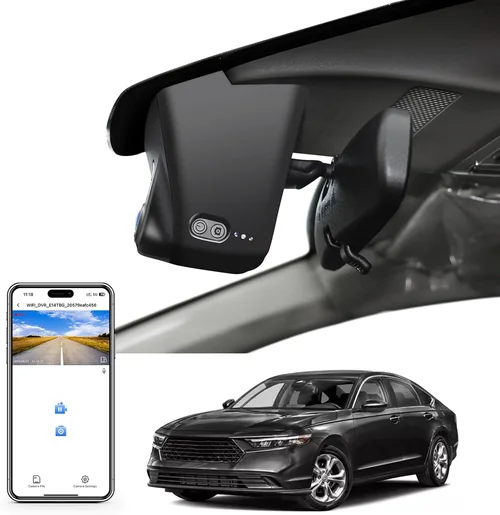
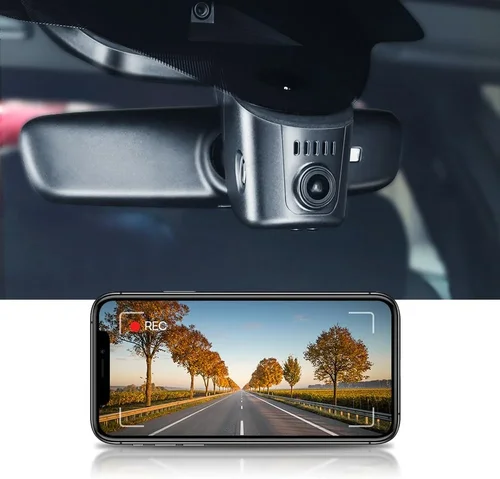
Dash cam size affects both aesthetics and functionality. Smaller units (under 3 inches diagonally) are less obtrusive in your Audi’s interior and can be easily moved between vehicles. However, smaller sensors may compromise image quality. Medium-sized units (3-4 inches) offer the best balance of visibility and discretion. Larger units provide better cooling and larger sensors but may be more noticeable. Consider your Audi’s interior design—some owners prefer ultra-discreet setups that blend seamlessly with the dashboard.
8. User Reviews & Ratings
Real user experiences reveal practical insights that specs alone cannot provide. Pay attention to reviews mentioning reliability over time, software stability, and compatibility with Audi electrical systems. Look for patterns in complaints—do multiple users report similar issues? Are problems resolved by the manufacturer? Check review recency, as technology evolves quickly. Also consider professional reviews from automotive publications, which often test dash cams under controlled conditions that mirror real-world usage.
Different Types of Dash Cams

Common Buying Mistakes to Avoid
❌ Mistake: Ignoring Audi-Specific Installation Requirements
Why it’s bad: Audi vehicles have complex electrical systems and sensitive dashboards. Installing a dash cam improperly can trigger error messages, drain the battery, or damage delicate components. Many Audi owners experience issues when trying to hardwire dash cams directly into cigarette lighters or OBD-II ports without proper adapters.
What to do instead: Always use a dedicated dash cam fuse tap designed for Audi vehicles, or consult your dealership about professional installation. Some newer Audis have specific power management systems that require special consideration when adding aftermarket electronics.
❌ Mistake: Choosing Based Solely on Price
Why it’s bad: The cheapest dash cam might seem appealing, but poor video quality, unreliable performance, or short lifespan can cost more in the long run. Low-end models often lack essential features like proper low-light performance or robust build quality, failing when you need them most during accidents or disputes.
What to do instead: Focus on value rather than absolute price. Consider total cost of ownership including potential replacement costs, software updates, and warranty coverage. Audi owners typically benefit from mid-range models that offer reliable performance without excessive complexity.
❌ Mistake: Overlooking Storage Requirements
Why it’s bad: Without proper loop recording settings or sufficient storage capacity, your dash cam will constantly overwrite important footage before you can access it. Some users also forget that high-resolution recording consumes storage much faster than expected.
What to do instead: Choose appropriate microSD card capacities (32GB minimum, 64GB recommended) and ensure your dash cam properly supports your card type. Set loop recording intervals based on your typical driving patterns—shorter intervals preserve more recent footage but use storage faster.
❌ Mistake: Neglecting Night Performance
Why it’s bad: Most traffic incidents happen at night, yet many buyers overlook low-light capabilities. Dash cams with poor night vision produce grainy, unusable footage that fails to capture critical details when visibility is already limited.
What to do instead: Prioritize models with large aperture lenses (f/1.8 or wider), good low-light sensitivity, and wide dynamic range. Look for features like infrared LEDs or enhanced noise reduction specifically designed for nighttime recording.
❌ Mistake: Assuming All Dash Cams Work Identically
Why it’s bad: Different dash cams have varying software interfaces, update processes, and feature sets. What works well for a Honda might not integrate properly with an Audi’s CAN bus system or match the aesthetic expectations of luxury vehicle owners.
What to do instead: Research Audi-specific compatibility issues before purchasing. Check forums and review sites for experiences from other Audi owners. Consider whether the dash cam’s software interface matches your comfort level with technology.
❌ Mistake: Skipping Professional Installation
Why it’s bad: DIY installations might save money initially but can lead to improper wiring, voided warranties, or interference with your Audi’s advanced driver assistance systems (ADAS). Many modern Audis have sensitive electronics that require careful handling.
What to do instead: Factor professional installation into your budget, especially for premium models with complex wiring requirements. Audi dealerships or specialized mobile electronics shops often have experience with luxury vehicle integrations.
Budget Guidelines: How Much Should You Spend?
Entry-Level ($50 – $150)
For budget-conscious Audi owners, entry-level dash cams offer basic functionality at reasonable prices. These models typically provide 720p or early 1080p recording, simple operation, and essential features like loop recording and G-sensor protection. While adequate for occasional use, these units often compromise on build quality, low-light performance, and advanced features. We recommend considering this range only if you primarily drive during daylight hours and want basic documentation capability without significant investment.
Mid-Range ($150 – $300)
This sweet spot offers the best balance of features, quality, and value for most Audi owners. Models in this range typically include Full HD or 4K recording, reliable low-light performance, robust build quality, and comprehensive feature sets including parking mode, GPS tracking, and cloud connectivity options. Premium brands like Thinkware, Garmin, and BlackVue dominate this category with products that meet luxury vehicle standards for aesthetics, integration, and reliability. This range represents our primary recommendation for Audi owners seeking dependable performance without unnecessary complexity.
Premium ($300 – $500)
For enthusiasts and those requiring maximum protection, premium dash cams deliver exceptional performance and advanced capabilities. These systems often feature multiple camera inputs, superior image processing, enhanced night vision, and professional-grade build quality. Many premium models offer cloud connectivity, real-time alerts, and sophisticated analytics. While exceeding typical Audi owner needs, these systems appeal to those who frequently drive in challenging conditions, require court-admissible evidence, or want maximum peace of mind regardless of cost.
Luxury ($500+)
Ultra-premium dash cams represent the cutting edge of automotive recording technology, featuring enterprise-grade capabilities rarely needed by individual drivers. These systems typically include multiple high-resolution cameras, artificial intelligence for event detection, military-grade construction, and advanced networking features. While offering unmatched performance, most Audi owners won’t require such extensive capabilities. This category primarily serves fleet operators, professional drivers, or individuals with exceptionally high-value vehicles who demand absolute perfection in every aspect of their dash cam experience.
Expert Tips for Getting the Best Deal
Timing Your Purchase
Black Friday and Cyber Monday typically offer substantial dash cam discounts, but don’t wait exclusively for sales. New models often debut at automotive shows like CES or NADA, followed by immediate price drops on existing inventory. Consider purchasing shortly after new model releases, as retailers frequently discount previous generations to clear warehouse space. Seasonal changes also affect pricing—spring and fall often see better deals as weather-related sales end and winter models are introduced.
Where to Buy
Online retailers like Amazon, Best Buy, and B&H Photo generally offer competitive pricing and customer protections. Specialty automotive electronics stores provide expert advice and professional installation services, which is particularly valuable for Audi owners needing precise integration. Direct manufacturer websites sometimes include exclusive bundles, extended warranties, or firmware updates not available elsewhere. Always compare shipping costs, return policies, and warranty transferability when choosing your purchase channel.
Spotting Hidden Deals
Watch for bundle packages that include professional installation, extra microSD cards, or extended warranties. These add significant value beyond the initial price point. Refurbished units from reputable sources can offer substantial savings while maintaining quality standards. Sign up for retailer newsletters to receive early access to sales and exclusive promotions. Also consider waiting for holiday weekends, as retailers often run special promotions to boost quarterly numbers.
Warranty Considerations
Always check warranty terms carefully—some manufacturers offer international coverage while others restrict repairs to specific regions. Extended warranties should cover parts, labor, and sometimes even accidental damage. Read the fine print regarding what constitutes normal wear versus manufacturing defects. Consider whether the warranty transfers if you sell your vehicle, which is important for Audi owners who might upgrade within a few years.
Return Policies
Test your dash cam immediately upon delivery, preferably during the first week. Verify all advertised features work correctly, check video quality in various lighting conditions, and confirm compatibility with your Audi’s electrical system. Keep original packaging if possible, as many retailers require it for returns. If issues arise, contact customer service promptly—most companies appreciate quick feedback and may offer solutions before resorting to returns.
Testing Before Buying
Whenever possible, test dash cams in-store before purchasing. Many Best Buy locations and specialty electronics shops allow hands-on evaluation. Record sample footage in different lighting conditions, check touchscreen responsiveness, and verify menu navigation feels intuitive. If testing isn’t available, watch detailed video demonstrations on YouTube and read technical specifications carefully. Pay particular attention to claimed features like parking mode functionality and GPS accuracy.
Installation Planning
Plan your installation timeline carefully, considering factors like your schedule, weather conditions, and available tools. Professional installation typically costs $50-100 and ensures proper wiring integration with your Audi’s systems. If doing it yourself, gather necessary tools beforehand—you’ll need cable ties, wire strippers, and possibly a trim removal tool for clean interior work. Have your vehicle parked in a shaded area during installation to prevent overheating and ensure optimal working conditions.
Software Updates
Choose dash cams from brands known for regular firmware updates. These updates often improve performance, add new features, and fix security vulnerabilities. Check how easy it is to perform updates—some require connecting to a computer while others update wirelessly. Subscribe to manufacturer newsletters to stay informed about upcoming improvements and ensure your device remains compatible with evolving automotive technologies.

Frequently Asked Questions
Q: Will a dash cam work with my Audi’s advanced driver assistance systems?
A: Most modern dash cams are designed to coexist peacefully with ADAS features like lane departure warning and automatic emergency braking. However, some older models or poorly installed units might interfere. Always choose dash cams specifically tested for luxury vehicle compatibility and use professional installation services when possible. Consult your Audi dealer if you notice any unusual warning lights or system behavior after installation.
Q: Can I install a dash cam myself, or should I pay for professional installation?
A: While DIY installation saves money, professional installation is strongly recommended for Audi owners. Professionals understand Audi-specific wiring challenges, have the right tools for clean interior work, and can ensure proper integration without triggering error messages. The $50-100 investment often prevents costly mistakes and provides peace of mind about proper installation quality.
Q: How much storage space do I really need for my dash cam?
A: For most drivers, a 64GB microSD card provides adequate storage for 2-3 weeks of typical driving. However, this varies based on resolution, frame rate, and compression settings. Higher resolutions like 4K consume storage much faster—sometimes requiring daily card swaps. Most dash cams automatically delete old footage in loop mode, but having sufficient storage ensures you don’t accidentally lose important recordings during extended trips or heavy usage periods.
Q: Do dash cams drain my Audi’s battery when the car is turned off?
A: Modern dash cams with intelligent parking modes use minimal power—typically 0.5-1.5 watts when parked. However, prolonged parking mode usage can drain batteries over weeks or months. To prevent issues, use a capacitor-based parking mode (more reliable than traditional battery taps) or install a smart hardwire kit that cuts power when the battery reaches critical levels. Many premium dash cams include built-in battery protection circuits for this exact purpose.
Q: What resolution should I choose for my dash cam?
A: For most Audi owners, 1080p Full HD provides excellent detail for general use and incident documentation. However, if you frequently drive highways or need to identify distant license plates clearly, consider 4K resolution. Remember that higher resolutions require more storage space and processing power, potentially affecting battery life and overall performance. The sweet spot for most drivers is 2.5K-4K resolution with good low-light capabilities.
Q: Can dash cam footage be used as evidence in legal situations?
A: Yes, dash cam footage can serve as compelling evidence in traffic incidents, insurance claims, or legal disputes. However, for maximum effectiveness, ensure your footage meets certain criteria: clear timestamps, unaltered files (never edited), good lighting conditions, and comprehensive scene coverage. Some jurisdictions have specific requirements for acceptable evidence, so keeping your recordings organized and metadata intact increases their legal value significantly.
Q: How do I know if my dash cam has good night vision?
A: Evaluate night vision through several indicators: look for f/1.8 or wider aperture lenses, check for dedicated night vision modes or enhanced noise reduction algorithms, and review sample footage in low-light conditions. Professional reviews often include night vision tests showing how well cameras handle various challenging scenarios like tunnel transitions, headlight glare, and complete darkness. Real user experiences describing night driving performance are also valuable indicators beyond technical specifications alone.
Q: Should I choose a single-lens or dual-lens dash cam?
A: For most Audi owners, a single-lens front-facing camera provides sufficient coverage and easier installation. Dual-lens systems offer complete front-and-rear coverage but require additional wiring, larger storage needs, and more complex setup. Unless you frequently park in tight spaces or want comprehensive coverage at all times, a high-quality single-lens system typically offers the best balance of performance, simplicity, and value for luxury vehicle owners.
Q: How often should I update my dash cam’s firmware?
A: Update firmware whenever new versions become available, typically every 3-6 months for most reliable brands. Manufacturers release updates to improve performance, add features, fix bugs, and enhance security. Most dash cams make updates straightforward—often requiring only connecting to a computer or using the companion app. Regular updates ensure your device remains compatible with evolving automotive technologies and maintains optimal performance throughout its lifespan.
Q: Can I use my dash cam while driving my Audi internationally?
A: Yes, most modern dash cams work globally without modification. However, check power compatibility—some regions use different voltage standards (110V vs 220V). Also consider that GPS functionality might not work in all countries due to signal limitations. Cloud-connected dash cams may have regional restrictions on data transmission and storage locations. Always research specific country regulations regarding dash cam usage, as some European countries have particular requirements or restrictions on recording devices in vehicles.
Our Final Recommendations
Best for Budget-Conscious Audi Owners
For those seeking reliable performance without breaking the bank, the Thinkware F75 stands out as an exceptional choice. Priced around $200, this model delivers 2.5K resolution with impressive low-light performance, robust build quality, and comprehensive feature set including parking mode, GPS tracking, and cloud connectivity. Its compact design blends well with Audi interiors, and Thinkware’s reputation for reliability ensures peace of mind for daily driving protection.
Best Overall Value
The Garmin Dash Cam Mini 2 represents outstanding value for Audi owners wanting simplicity without sacrificing quality. At approximately $150, it offers Full HD recording, compact size, and straightforward operation that appeals to tech-savvy drivers who prefer minimal fuss. While lacking some advanced features of premium models, its reliability, ease of use, and excellent customer support make it ideal for everyday protection needs.
Best Premium Option
For those demanding top-tier performance, the BlackVue DR900S-1CH delivers exceptional results with 4K recording, superior night vision, and military-grade build quality. Priced around $400, this model includes cloud connectivity, impact detection, and extensive storage options. Its premium features justify the investment for Audi owners who frequently drive long distances or require maximum protection for expensive vehicles.
Best for Beginners
New to dash cams? The Nextbase 522GW offers an excellent introduction with intuitive controls, Alexa voice control, and solid 1080p recording. At $180, it includes useful features like emergency recording, collision detection, and easy smartphone integration. Its user-friendly interface and responsive customer support make it perfect for Audi owners learning the benefits of dash cam technology.
Best for Advanced Users
Power users and tech enthusiasts will appreciate the BlackVue DR750S-2CH, a dual-lens system offering 2K recording for both front and rear views. With advanced features like Wi-Fi connectivity, cloud storage, and sophisticated event detection, this model provides comprehensive coverage and professional-grade capabilities. Priced around $500, it’s ideal for Audi owners who want complete peace of mind with maximum recording flexibility.
Conclusion: Making the Right Choice
Selecting the perfect dash cam for your Audi requires balancing technical capabilities with practical considerations unique to luxury vehicles. You now understand how to evaluate performance specifications, assess build quality, compare feature sets, and avoid common pitfalls that could undermine your investment. Remember that your dash cam serves multiple purposes—documentation, protection, peace of mind—and choosing the right one depends on your specific driving habits, budget constraints, and personal preferences.
The key is matching your needs with appropriate technology rather than chasing the latest features or lowest price points. Most Audi owners benefit from mid-range models that offer reliable performance, solid build quality, and essential features without overwhelming complexity. Consider your typical driving conditions, parking environments, and how often you’ll rely on the footage when making your final decision.
Professional installation remains crucial for Audi owners, ensuring proper integration with your vehicle’s sophisticated electrical systems and preserving both functionality and resale value. Take advantage of warranty protections, stay current with firmware updates, and maintain your microSD cards regularly to maximize your dash cam’s effectiveness throughout its lifespan.
Whether you choose a compact single-lens system for daily commuting or invest in a premium dual-lens setup for comprehensive coverage, your dash cam will provide valuable protection and documentation capabilities. Trust your research, prioritize reliability over flashy features, and remember that the best dash cam is the one you’ll actually use consistently. With the right choice, you’ll gain confidence behind the wheel of your Audi, knowing you’re prepared for whatever the road brings.