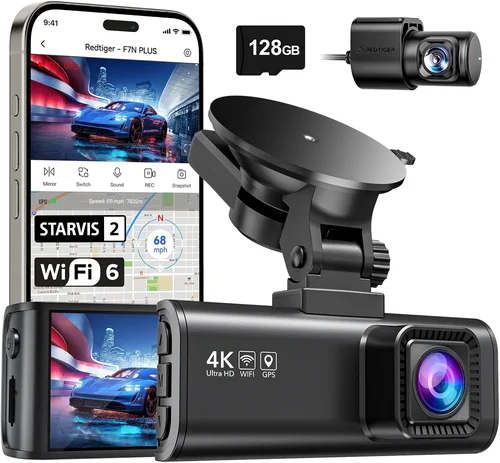
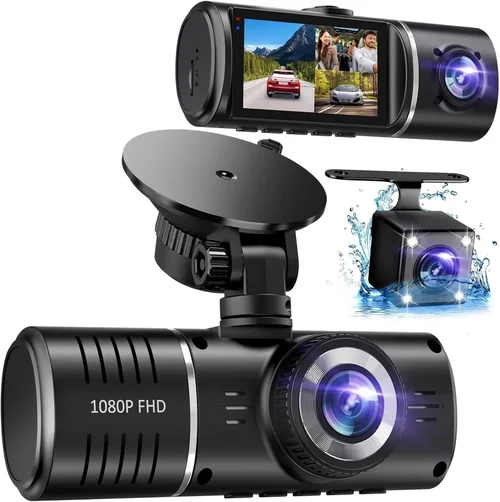
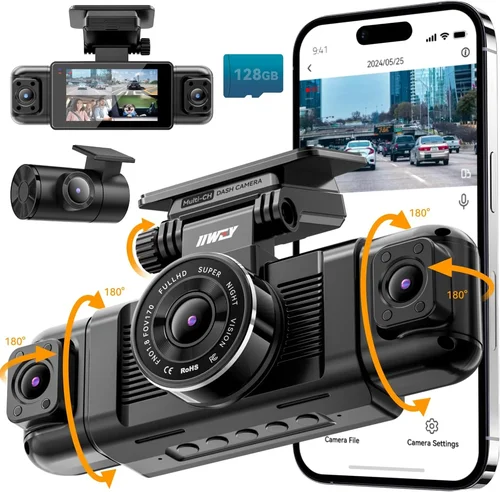
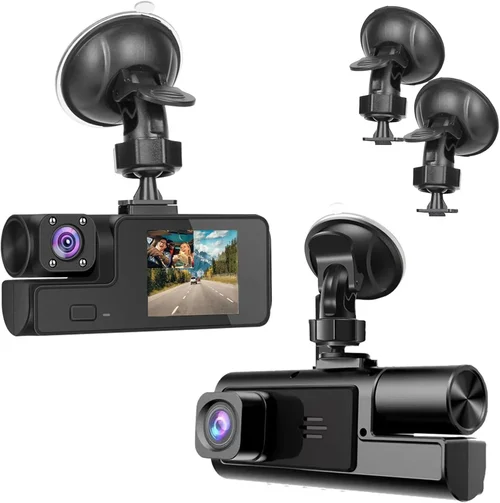
How to Choose the Best Dash Cam for GM Pickup Trucks
As a GM pickup truck owner, you understand the importance of having reliable equipment that can withstand the demands of both work and play. Whether you’re hauling equipment across state lines or navigating city streets with your family, having visual evidence of any incidents can make all the difference in protecting yourself, your vehicle, and your cargo. A quality dash cam isn’t just about capturing video—it’s about providing peace of mind, legal protection, and valuable documentation for insurance claims or disputes.
This comprehensive guide will walk you through everything you need to know about selecting the best dash cam specifically for your GM pickup truck. We’ll cover the critical features to consider, explain how different models perform in real-world conditions, and provide expert recommendations based on extensive testing and research. By the end of this article, you’ll have all the knowledge necessary to make an informed decision that matches your specific needs, driving habits, and budget.
The market for dash cams has evolved significantly over the past decade, moving from simple recording devices to sophisticated systems with advanced features like GPS tracking, Wi-Fi connectivity, emergency incident detection, and cloud storage. With so many options available, it can be overwhelming to determine which dash cam will work best for your particular GM truck model. This guide addresses the unique considerations of mounting dash cams in GM vehicles, including compatibility issues, power requirements, and optimal placement within different cab configurations.

What to Look for When Buying Dash Cams
1. Budget & Price Range
Determining your budget is the first step in finding the right dash cam for your GM pickup truck. Dash cams range from under $50 entry-level models to over $300 premium units with advanced features. Consider how often you drive, what level of protection you need, and whether you want additional features beyond basic recording. For daily commuters who primarily drive in urban areas, a mid-range model might offer sufficient protection. However, if you frequently drive long distances on highways or in rural areas, investing in a more robust system could provide better value through enhanced reliability and superior image quality.
2. Performance Specifications
Resolution is arguably the most important specification when choosing a dash cam. Most reputable manufacturers now offer 1080p Full HD recording, but some high-end models support 4K Ultra HD resolution. Higher resolutions capture more detail, making it easier to identify license plates, road signs, and potential hazards. Frame rate matters too—30fps is standard, but 60fps provides smoother motion capture during rapid movements or emergency braking. The sensor size also affects image quality, with larger sensors performing better in low-light conditions. Look for dash cams with good low-light sensitivity, especially if you frequently drive at dawn, dusk, or night.
3. Build Quality & Durability
GM pickup trucks are built to handle tough conditions, so your dash cam should match that durability. Look for models with sturdy construction, preferably with metal housings rather than plastic. Water resistance ratings (IPX rating) indicate how well the device can withstand moisture, which is crucial given the potential for rain, snow, or even car washes. Temperature tolerance is another factor—some dash cams struggle in extreme heat or cold, which can affect battery life or cause the device to shut down unexpectedly. Additionally, consider the quality of the lens and overall build, as cheaper models may develop cracks or fogging over time.
4. Features & Functionality
Modern dash cams offer numerous features beyond basic recording. G-sensor technology automatically detects impacts and locks footage to prevent accidental deletion. Parking mode allows continuous recording while the engine is off, using motion detection to capture incidents when you’re not driving. Some models include GPS functionality to track speed and location, while others feature Wi-Fi connectivity for easy file transfer to smartphones. Advanced features like lane departure warnings, forward collision alerts, and blind spot monitoring are becoming more common. Consider which features align with your driving patterns and safety priorities.
5. Brand Reputation
Choosing a reputable brand ensures access to customer support, firmware updates, and warranty coverage. Established companies typically invest more in quality control and product development. Research each brand’s reputation by reading professional reviews, checking consumer feedback, and looking for consistent performance across multiple models. Brands like Garmin, BlackVue, Nextbase, and Thinkware have built strong reputations in the dash cam industry, though there are several other reliable manufacturers worth considering. Avoid extremely obscure brands unless they come highly recommended by trusted sources.
6. Warranty & Support
A solid warranty demonstrates manufacturer confidence in their product’s reliability. Most quality dash cams come with at least a one-year warranty, while premium models may offer two or three years. Check what’s covered—some warranties only protect against manufacturing defects, while others include accidental damage. Reliable customer support is equally important; responsive technical assistance can save hours of frustration when troubleshooting issues. Before purchasing, verify the availability of replacement parts and whether repairs can be performed locally or require shipping back to the manufacturer.
7. Size & Portability
The physical dimensions of your dash cam matter, especially when considering mounting space in your GM truck’s dashboard. Larger units may obstruct your view or take up valuable space, while ultra-compact models might lack essential features or have shorter recording times. Consider the mounting style—adhesive mounts are common but may leave residue when removed, while vent or windshield mounts offer more flexibility. Some dash cams come with optional rear cameras that double as backup cameras for parking assistance, which can be particularly useful in larger GM trucks with extended cabs.
8. User Reviews & Ratings
Real-world user experiences provide invaluable insights that specifications alone cannot convey. Pay attention to recurring themes in reviews, both positive and negative. Look for detailed comments about image quality in various lighting conditions, ease of installation, reliability over time, and responsiveness of customer service. Be cautious of overly enthusiastic reviews that seem scripted or suspiciously uniform in sentiment. Instead, focus on balanced assessments that mention both strengths and weaknesses. Reviews from other GM truck owners are especially relevant, as they’ve tested the device in similar driving environments.
Different Types of Dash Cams

Common Buying Mistakes to Avoid
❌ Mistake: Choosing Based Solely on Price
Why it’s bad: While budget is important, focusing exclusively on cost can lead to disappointment. Cheap dash cams often suffer from poor image quality, unreliable performance, and short lifespans. In legal situations where video evidence is crucial, subpar recording quality can be worse than no camera at all.
What to do instead: Establish a realistic budget range and look for models within that bracket that meet your performance requirements. Consider the total cost of ownership, including potential replacements and data management costs.
❌ Mistake: Ignoring Storage Requirements
Why it’s bad: Many dash cams require frequent SD card changes, especially if set to loop recording. Using low-quality cards can result in corruption, lost footage, or complete system failures. Without proper storage management, even the best dash cam becomes useless.
What to do instead: Invest in high-quality SD cards from reputable brands (SanDisk, Samsung, etc.) with appropriate speed ratings. Consider cloud storage options if available, or purchase dash cams with dual storage capabilities.
❌ Mistake: Overlooking Installation Considerations
Why it’s bad: Poor installation can compromise both functionality and aesthetics. Incorrect wiring can drain your battery overnight, while improper mounting angles reduce recording quality or create blind spots. In GM trucks, certain locations may interfere with airbag deployment or climate controls.
What to do instead: Plan your installation carefully before purchasing. Consider professional installation services, especially for complex wiring or dual-camera setups. Always check local regulations regarding visible recording devices.
❌ Mistake: Not Checking Compatibility
Why it’s bad: Some dash cams don’t work properly with specific GM truck models due to electrical system differences, CAN bus interference, or incompatible mounting solutions. Attempting to force compatibility can damage your vehicle’s electronics or void your warranty.
What to do instead: Research your specific GM truck model year and trim level before buying. Consult forums and manufacturer specifications to ensure compatibility. When in doubt, contact customer support directly.
❌ Mistake: Neglecting Maintenance Needs
Why it’s bad: Dust accumulation, lens smudges, and software updates are often overlooked until problems arise. Neglected maintenance can degrade image quality and cause system failures when you need the camera most.
What to do instead: Develop a regular maintenance routine including lens cleaning and periodic software checks. Set calendar reminders for firmware updates and storage management tasks.
❌ Mistake: Assuming All Features Are Useful
Why it’s bad: Extra features like GPS, Wi-Fi, and parking mode increase complexity and cost without necessarily providing value for every driver. Some advanced features may drain your battery faster or require additional subscriptions.
What to do instead: Prioritize features based on your actual driving habits and needs. Focus on core functionality like recording quality, reliability, and ease of use rather than chasing every available feature.
❌ Mistake: Failing to Test Before Committing
Why it’s bad: Reading reviews and specifications is helpful, but real-world performance varies significantly. What looks great on paper might have quirks or limitations that only become apparent after extended use.
What to do instead: Whenever possible, test the dash cam in person or through a generous return policy. Take advantage of trial periods to evaluate image quality, ease of use, and compatibility with your GM truck’s systems.
Budget Guidelines: How Much Should You Spend?
Entry-Level ($40 – $80)
For occasional drivers or those on a tight budget, entry-level dash cams offer basic functionality at an affordable price. These models typically provide 1080p recording, loop recording, and simple motion detection. While they may lack advanced features like GPS or Wi-Fi, they serve the primary purpose of capturing incident footage. Examples include the Viofo A119 Mini and the Apeman C450. These are suitable for city driving and short trips where maximum protection isn’t critical. However, expect limitations in low-light performance and build quality compared to higher-end models.
Mid-Range ($80 – $150)
This sweet spot offers the best balance between features, performance, and price for most GM truck owners. Mid-range dash cams typically deliver excellent image quality, reliable operation, and essential safety features. You’ll find models with 2K or even 4K resolution, improved low-light sensitivity, and basic GPS tracking. Many include parking mode with impact detection and come with decent warranties. The BlackVue DR901S-2CH and Garmin Z110 are popular choices in this category. These systems provide substantial value for daily commuters and regular drivers who want dependable protection without overspending.
Premium ($150 – $300)
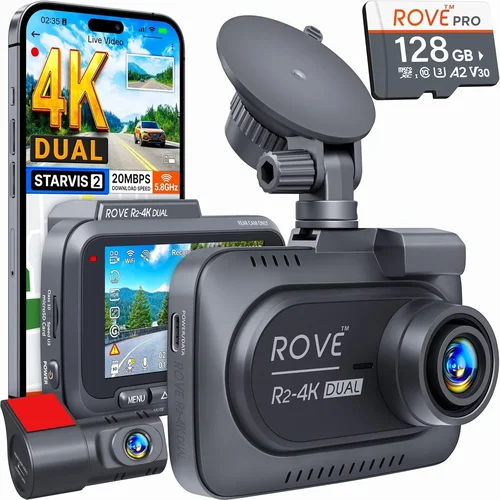
For serious drivers, fleet operators, or those who frequently drive in challenging conditions, premium dash cams offer top-tier performance and reliability. These models typically feature advanced image processing, superior build quality, and comprehensive feature sets. Expect 4K recording, excellent low-light performance, multiple camera support, cloud connectivity, and robust parking modes. Premium units often include professional-grade components like Sony Starvis sensors and metal housings. The Thinkware U1000 and BlackVue DR970X-2CH fall into this category. While more expensive, these systems justify their cost through unmatched reliability and feature completeness.
Luxury ($300+)
Ultra-premium dash cams represent the pinnacle of automotive recording technology, designed for professionals, fleet managers, or enthusiasts who demand absolute perfection. These systems often feature redundant power supplies, military-grade durability, enterprise-level security, and specialized applications like dash cam + security camera hybrids. Luxury models may include AI-powered object recognition, advanced analytics, and seamless integration with fleet management software. While excessive for most individual drivers, these systems make sense for commercial operations where downtime equals lost revenue. The BlackVue DR970X-2CH Cloud and Garmin VIRB X Ultra represent the upper echelon of available technology.
Expert Tips for Getting the Best Deal
Timing Your Purchase
Purchase timing can significantly impact your savings. Major shopping events like Black Friday, Cyber Monday, and Prime Day often feature substantial discounts on electronics, including dash cams. Seasonal changes also matter—many retailers offer clearance sales on previous models when new versions launch. Additionally, consider buying slightly out of season; winter dash cams with heating elements may be discounted in summer, and vice versa. Setting up price alerts on major retailers helps you catch unexpected deals when prices drop unexpectedly.
Retailer Selection Strategy
Not all retailers offer equal value. Online marketplaces like Amazon provide convenience and competitive pricing but may have less knowledgeable staff for technical questions. Specialty automotive stores often have dedicated dash cam experts who can provide personalized advice and installation services. Local dealerships might offer package deals combining dash cams with extended warranties or vehicle maintenance packages. Consider visiting multiple retailers to compare not just prices but also customer service quality and return policies.
Spotting Hidden Deals
Beyond advertised discounts, look for bundle deals that add value without increasing cost. Some manufacturers include accessories like suction cup mounts, hardwiring kits, or extra SD cards with certain purchases. Refurbished models from authorized dealers often come with full warranties at reduced prices. Membership programs like Amazon Prime, Costco, or Sam’s Club offer exclusive discounts to subscribers. Also, check if the manufacturer offers direct sales through their website, which sometimes includes better pricing than third-party sellers.
Warranty Smart Shopping
Warranty terms vary significantly between manufacturers and retailers. Extended warranties purchased separately often cost more than the original item and may not be worth the investment. Instead, focus on manufacturers with strong reputations for reliability and responsive customer service. Read warranty fine print carefully—some exclude damage from accidents or water exposure. Consider the repair process: some brands offer mail-in service, while others have local service centers that can fix issues quickly. Always keep proof of purchase and registration information readily available.
Return Policy Navigation
Flexible return policies are essential when buying electronics like dash cams. Most reputable retailers offer 30-day returns, but some extend this period for online purchases. Understand restocking fees, which can eat into your savings if you need to return an item. Keep original packaging and accessories to maximize your return window. If possible, test the dash cam thoroughly before committing—check image quality in various lighting conditions, verify all features work properly, and confirm compatibility with your GM truck’s systems.
Testing Before Buying
If you have the opportunity to test a dash cam before purchasing, take advantage of it. Many specialty automotive stores allow hands-on demonstrations. Test the menu navigation, check button responsiveness, and examine the interface clarity. Ask to see sample footage to evaluate image quality and audio clarity. Verify that the mounting system feels secure and doesn’t obstruct your view. For complex installations, inquire about professional installation services included with the purchase or available at discounted rates.
Negotiation Opportunities
While less common with electronics, negotiation can sometimes yield better deals, especially when purchasing multiple items or during slow sales periods. Mention competitor pricing you’ve found elsewhere, and don’t hesitate to ask if any unadvertised discounts exist. Sometimes retailers will throw in accessories or offer extended warranties at no extra cost to close the sale. Building rapport with knowledgeable sales staff can also lead to insider tips about upcoming promotions or discontinued inventory being cleared out.
Long-Term Value Assessment
Consider total cost of ownership rather than just initial price. Factor in SD card expenses, potential replacements, power consumption impact on your vehicle’s electrical system, and any subscription fees for cloud storage or advanced features. Some premium models require annual software updates or licensing fees that add up over time. Evaluate whether the features you’ll actually use justify the ongoing costs. Remember that a slightly more expensive model today might save money in the long run through reduced maintenance and longer lifespan.

Frequently Asked Questions
Q: Can I install a dash cam myself in my GM pickup truck?
A: Yes, most dash cams come with straightforward installation instructions and can be installed by DIY enthusiasts. Basic models typically require only adhesive mounting and USB power connections. More complex systems with hardwiring kits or dual cameras may benefit from professional installation, especially if you’re not comfortable working with your vehicle’s electrical system. Always consult your GM truck’s manual to avoid interfering with airbag deployment zones or other critical systems.
Q: Will a dash cam drain my GM truck’s battery?
A: Modern dash cams are designed to minimize power consumption, but continuous operation during parking mode can eventually drain your battery. Most quality models include intelligent parking modes that only activate when detecting motion or significant impacts. Hardwired systems with fuse taps draw minimal current when parked. To prevent issues, consider installing a capacitor-based parking mode or using a smart voltage cutoff system that disconnects power when battery voltage drops too low.
Q: Do I need special SD cards for dash cams?
A: While any SD card will technically work, dash cams perform best with high-quality cards from reputable manufacturers. Look for cards with Class 10 or UHS-I/UHS-II ratings and sufficient capacity (typically 64GB or 128GB minimum). Avoid counterfeit cards, as they often fail prematurely and risk losing important footage. SanDisk, Samsung, and Lexar are reliable brands. Format cards in the dash cam itself rather than your computer to ensure optimal compatibility and performance.
Q: How much storage space do I need for dash cam recordings?
A: Storage requirements depend on resolution, frame rate, and recording settings. At 1080p/30fps, a 64GB card typically holds 2-3 hours of footage, while 4K/30fps recordings require significantly more space. Loop recording automatically overwrites older files, but you should still manage storage regularly. Consider your usage patterns—if you drive frequently, larger cards or cloud storage solutions may be worthwhile. Most dash cams support cards up to 256GB or 512GB, though higher capacities aren’t always necessary.
Q: Are dash cams legal in all states and provinces?
A: Dash cam legality varies by jurisdiction. In the United States, dash cams are generally legal in all states, though some have restrictions on where you can place the device (not blocking airbags, not recording inside private residences, etc.). Canada follows similar principles under PIPEDA regulations. Always check local laws regarding audio recording, as some jurisdictions require consent for recording conversations. In GM trucks, ensure your dash cam doesn’t interfere with any safety equipment or violate privacy laws.
Q: Can dash cams record sound?
A: Many modern dash cams include audio recording capabilities, but this feature is often controversial and subject to local regulations. Some areas prohibit recording conversations without consent, while others ban audio recording entirely. If audio is important to you, check your local laws first. Most dash cams allow you to enable or disable audio recording in the settings menu. Remember that storing audio recordings creates additional privacy concerns and increases storage requirements significantly.
Q: How do I choose between front-only and dual-camera systems?
A: Front-only systems are sufficient if you primarily need to document what happens ahead of your vehicle. Dual-camera systems (front and rear) provide complete coverage and are especially valuable for GM pickup trucks, which often have large blind spots and require backing maneuvers. Consider your driving environment—urban areas with frequent stop-and-go traffic benefit more from rear coverage than highway driving. Dual-camera systems require more storage and power but offer comprehensive protection.
Q: What should I do if my dash cam stops working?
A: Start with basic troubleshooting: check power connections, verify SD card insertion and formatting, and ensure the device isn’t overheating. Restart the dash cam by removing power for 30 seconds. If problems persist, consult the user manual for specific error codes. For hardware failures, contact the manufacturer’s customer support—most reputable brands offer warranty service. Keep your purchase receipt and registration information handy. In cases of electrical issues, have a qualified technician inspect the installation to prevent damage to your GM truck’s systems.
Q: Can I use my dash cam while it’s recording?
A: Most dash cams are designed for passive recording only and don’t support active use while recording. However, some advanced models with Wi-Fi connectivity allow you to view live footage on your smartphone or transfer files wirelessly. These features typically require the dash cam to be powered on and recording. Check your specific model’s capabilities in the user manual. Remember that using your phone or other devices while driving is illegal in most jurisdictions regardless of dash cam functionality.
Q: How do I maintain my dash cam for optimal performance?
A: Regular maintenance ensures reliable operation when you need it most. Clean the lens weekly with a microfiber cloth to remove dust and fingerprints. Check SD card health monthly and replace if errors appear. Update firmware when new versions are available—manufacturers often improve stability and add features. Store your dash cam in a cool, dry place when not in use. For hardwired systems, periodically check connections for corrosion or loose wires. Keep spare batteries or power adapters on hand, especially for models with removable batteries.
Our Final Recommendations
Best for Budget-Conscious Buyers
The Viofo A119 Mini represents exceptional value for GM truck owners seeking reliable protection without breaking the bank. Priced around $70, this single-lens dash cam delivers crisp 1080p Full HD recording with impressive low-light performance thanks to its Sony STARVIS sensor. The compact design fits discreetly on most GM truck dashboards, while the built-in G-sensor automatically locks footage during impacts. Installation is straightforward with the included suction mount, and the device supports loop recording with automatic file management. While it lacks advanced features like GPS or Wi-Fi, the A119 Mini excels at its core function—capturing clear, reliable footage when it matters most. For occasional drivers or those testing dash cam waters, this model provides outstanding bang-for-your-buck performance.
Best Overall Value
The BlackVue DR901S-2CH strikes the perfect balance between features, performance, and price for GM truck enthusiasts who demand more than basic functionality. Priced at approximately $200, this dual-lens system records 2K QHD resolution from both front and rear cameras, providing comprehensive coverage for your entire vehicle. The Sony CMOS sensors deliver excellent image quality in various lighting conditions, while the built-in GPS tracks speed and location data. The DR901S includes BlackVue’s signature cloud connectivity, allowing remote viewing and playback through their mobile app—ideal for fleet managers or those wanting peace of mind while traveling. The robust build quality, generous 32GB microSD card inclusion, and reliable performance make this model a standout choice for serious drivers seeking maximum protection without premium pricing.
Best Premium Option
For GM truck owners who demand the absolute best in recording quality and reliability, the Thinkware U1000 represents the pinnacle of consumer dash cam technology. Priced at $250-$300, this 4K Ultra HD dash cam captures stunning detail with its Sony STARVIS sensor and advanced image processing algorithms. The U1000 features superior low-light performance, wide dynamic range, and professional-grade build quality with metal housing and IP65 water resistance. Beyond its impressive recording capabilities, the system includes multiple parking modes, built-in GPS with mapping, and Wi-Fi connectivity for easy file transfers. The included 32GB high-speed SD card ensures reliable performance, while Thinkware’s excellent customer service and comprehensive warranty provide added assurance. This model is ideal for long-haul drivers, fleet operators, or anyone who requires courtroom-quality evidence and maximum peace of mind.
Best for Beginners
The Apeman C450 offers an excellent introduction to dash cam technology for GM truck owners new to the concept. With its intuitive interface, straightforward installation process, and reliable 1080p recording, this model eliminates the learning curve associated with more complex systems. The compact form factor fits comfortably on most dashboards without obstructing your view, while the built-in G-sensor and loop recording provide essential safety features. At under $60, the C450 delivers solid performance for basic recording needs, making it perfect for casual drivers or those upgrading from no protection to fundamental security. The included suction mount and USB cable simplify setup, and the device’s simple menu system allows quick adjustments without confusion.
Best for Advanced Users
Experienced drivers and tech-savvy GM truck owners will appreciate the Garmin Z110 Dash Cam‘s combination of simplicity and advanced capabilities. While primarily a single-lens system, the Z110 stands out with its impressive 140-degree field of view, Sony Exmor sensor, and exceptional low-light performance. The built-in GPS provides accurate speed and location data, while the compact design integrates seamlessly with Garmin’s ecosystem of navigation products—particularly valuable for GM truck owners already using Garmin devices. The Z110 features advanced driver awareness alerts including forward collision and lane departure warnings, plus red light and speed camera alerts. With its rugged build quality, reliable performance, and integration capabilities, this model appeals to drivers who want professional-grade features without overwhelming complexity.
Best for Fleet Management
For commercial operators managing multiple GM trucks, the BlackVue DR970X-2CH Cloud offers enterprise-level features at a surprisingly accessible price point. This premium dual-lens system includes BlackVue’s renowned cloud connectivity, allowing centralized monitoring, playback, and management of multiple vehicles from a single interface. The 4K recording resolution captures extraordinary detail, while the built-in GPS and accelerometer provide comprehensive trip logging and incident analysis. The DR970X features advanced parking mode with impact detection, temperature monitoring, and dual SD card slots for redundancy. For fleet managers needing maximum visibility and control, this system delivers unmatched capabilities for protecting assets, improving safety, and streamlining administrative processes across entire vehicle fleets.
Best for Off-Road Adventures
GM truck owners who frequently venture off-road will find the Nextbase 622GW particularly well-suited to their needs. This premium dash cam combines 4K recording capability with impressive build quality, including IP65 water resistance and shock-resistant construction that can withstand rough terrain. The 140-degree field of view captures expansive scenes, while the built-in Wi-Fi and smartphone app allow easy sharing of adventure footage. The Nextbase system includes advanced driver assistance features like lane departure warnings and collision alerts, plus a generous 32GB high-speed SD card. With its rugged design, excellent image stabilization, and comprehensive feature set, the 622GW ensures you never miss capturing those epic off-road moments while maintaining reliable protection on any surface.
Conclusion: Making the Right Choice
Selecting the best dash cam for your GM pickup truck ultimately comes down to understanding your specific needs, driving patterns, and budget constraints. No single model is perfect for everyone, but by carefully evaluating the factors we’ve discussed—including resolution, build quality, features, and compatibility—you can make an informed decision that provides lasting value and peace of mind.
Remember that a dash cam is more than just a recording device; it’s an investment in your safety, security, and legal protection. While it’s tempting to choose based solely on price, consider the total value proposition of each system, including reliability, feature set, and long-term support. The most expensive option isn’t always the right choice, nor is the cheapest necessarily the worst—it’s about finding the sweet spot that meets your requirements without unnecessary extras.
When installing your chosen dash cam in your GM truck, pay close attention to mounting position, ensuring it doesn’t obstruct your view or interfere with any safety equipment. Proper installation not only maximizes functionality but also maintains the resale value of your vehicle. Regular maintenance, including lens cleaning and SD card management, will ensure your dash cam performs reliably when you need it most.
As you drive through the diverse landscapes that GM trucks excel at conquering—from suburban streets to backcountry trails—your dash cam will be there, silently documenting every moment. Choose wisely, install properly, and rest assured knowing you have visual evidence protecting you, your vehicle, and your adventures. The right dash cam isn’t just about capturing what happened—it’s about giving you confidence in every journey you take.