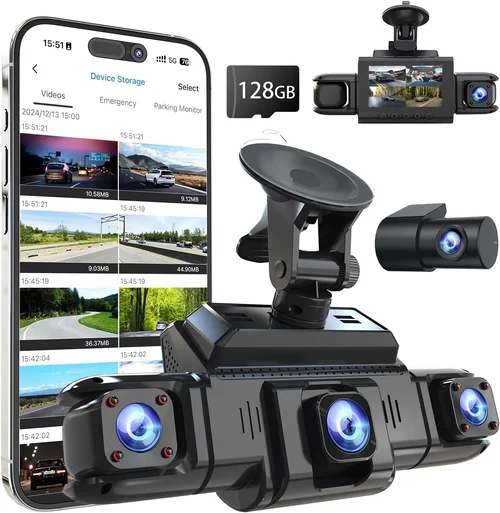
Best Front Dash Cam Buying Guide
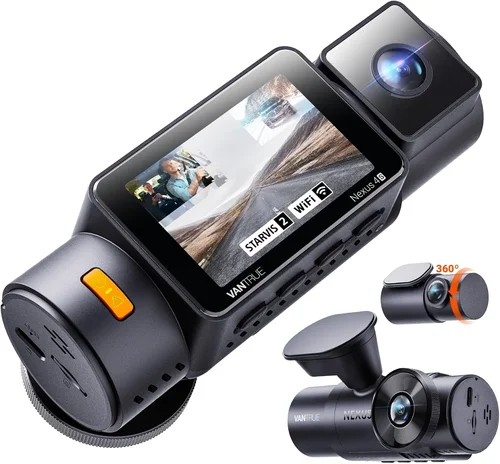
If you’ve ever been in a minor fender bender, had your car vandalized, or simply wanted to capture the scenic route you just took, a dash cam could be one of the most valuable investments you make for your vehicle. These small, unobtrusive devices have evolved far beyond simple front-facing cameras, offering features that can save you from false insurance claims, provide evidence in traffic disputes, and even offer peace of mind during long drives. With the market flooded with options ranging from budget-friendly models to advanced multi-camera systems, choosing the right front dash cam can feel overwhelming.
This comprehensive guide will walk you through everything you need to know about selecting the best front dash cam for your car. Whether you’re a daily commuter looking for basic recording capabilities or a road trip enthusiast wanting high-resolution footage with GPS tracking, we’ll break down the essential features, performance metrics, and buying considerations that matter most. By understanding what differentiates entry-level models from premium options, you’ll be equipped to make an informed decision that matches your specific needs, driving habits, and budget constraints.
The dash cam market has matured significantly over the past decade, transitioning from basic single-camera systems to sophisticated recording devices with built-in Wi-Fi, cloud connectivity, emergency detection, and seamless smartphone integration. Today’s front dash cams come in various form factors, price points, and feature sets, making it crucial to understand how each specification impacts real-world performance. From resolution quality and field of view to storage capacity and power management, every component plays a vital role in ensuring reliable, high-quality footage when you need it most.

What to Look for When Buying Dash Cams
1. Video Resolution and Quality
The foundation of any good dash cam is its ability to capture clear, detailed footage. Modern dash cams typically offer resolutions ranging from 720p HD all the way up to 4K Ultra HD, with some models even supporting 5K recording. For most drivers, 1080p Full HD provides excellent clarity without overwhelming storage requirements, while 4K models offer superior detail for license plates, facial recognition, and fine text on signs. However, higher resolution doesn’t always mean better value—consider whether you actually need those extra pixels versus investing in other features.
Look for cameras with at least 1920×1080 resolution, but also pay attention to the compression technology used. H.265 (HEVC) encoding is more efficient than older H.264 standards, allowing for better quality at lower bitrates while reducing file sizes by up to 50%. This translates to longer recording times per GB of storage and less strain on your device’s processor. Additionally, check if your chosen model supports HDR (High Dynamic Range), which helps balance bright headlights and dark street scenes—a common challenge for dash cams during night driving.
2. Field of View (FOV)
The angle at which your dash cam captures the road ahead is crucial for comprehensive coverage. A wider field of view means more area gets recorded, potentially catching important details like lane changes, pedestrian movements, or traffic signals. Most front dash cams offer FOVs between 110° and 170°, with ultra-wide angles above 150° becoming increasingly common in premium models.
While a wider angle might seem beneficial, extremely wide lenses can introduce distortion near the edges—sometimes called “fisheye” effect—where straight lines appear curved. This can make it difficult to accurately judge distances or identify objects at the periphery of your frame. Most manufacturers mitigate this through software correction, but not all do so effectively. For city driving with frequent intersections and cross-traffic, a 130-150° FOV strikes a good balance between coverage and image quality. If you frequently drive highways where lane discipline is critical, consider models with narrower angles (110-130°) for crisper center framing.
3. Night Vision Capabilities
Driving at night presents unique challenges for dash cams, including low light conditions, glare from headlights, and reduced visibility. Effective night vision depends on several factors: sensor sensitivity, aperture size, noise reduction algorithms, and specialized lighting features like infrared LEDs or starlight sensors.
Look for dash cams with large aperture lenses (typically f/1.8 or wider) and high-sensitivity CMOS sensors rated for low-light performance. Many premium models include enhanced night vision modes that boost gain while maintaining color accuracy. Some even feature dual-band illumination—white LEDs for general lighting combined with red LEDs that are less visible to other drivers but still effective for recording. Be wary of models that promise “perfect” nighttime footage; instead, focus on consistent, usable video rather than unrealistic expectations.
4. Storage Capacity and Loop Recording
Dash cams rely on continuous loop recording to overwrite old footage automatically as new files are created. The amount of storage you’ll need depends heavily on resolution, frame rate, and whether you use motion detection or time-lapse recording. A typical 1080p dash cam at standard settings records about 1-2 minutes per GB of storage, while 4K models require 3-5 times more space due to higher data rates.
Most dash cams support microSD cards ranging from 32GB to 256GB or more. For basic usage, a 64-128GB card should suffice for several hours of recording, but consider your driving patterns: frequent long-distance travel may warrant larger capacities. Always purchase high-endurance, Class 10 microSD cards specifically designed for continuous write operations—standard consumer cards often fail prematurely under constant recording stress. Also verify that your chosen model works reliably with your preferred brand and speed grade of memory card.
5. Power Source and Installation Options
Reliable power is essential for consistent operation. Most dash cams draw power directly from your car’s cigarette lighter socket via a dedicated adapter cable. However, this setup leaves the camera vulnerable to being unplugged accidentally or disconnected when removing the key. Hardwiring solutions offer permanent installation but require professional electrical work or DIY skills involving tapping into your car’s fuse box.
If you opt for hardwiring, ensure your dash cam supports low-voltage cut-off (LVC) functionality, which safely powers down the device when your car battery drops below a certain threshold (usually around 11.5V). This prevents accidental drain on your battery during extended periods of inactivity. Some premium models include built-in capacitors that allow them to record a short burst of footage after the ignition is turned off—ideal for capturing parking incidents or theft attempts.
6. Emergency Features and Sensing Technology
Modern dash cams go beyond basic recording with intelligent features designed to capture critical moments automatically. Motion detection alerts the camera to movement near your vehicle, triggering recording when parked. G-sensor technology detects sudden impacts, saving relevant footage to a protected “event” folder that won’t be overwritten during normal loop recording.
Additional smart features include GPS tracking (recording location, speed, and direction), Wi-Fi connectivity for wireless file transfer, parking mode with time-lapse recording, and voice commands. Some models integrate with smartphones via companion apps, enabling remote viewing, live streaming, and instant sharing of clips. While these extras add convenience and value, they also increase cost and complexity—assess which features align with your actual needs before committing to them.
7. Build Quality and Weather Resistance
A dash cam must withstand extreme temperatures, humidity, vibrations, and exposure to direct sunlight throughout the year. Housing materials range from basic plastic enclosures to reinforced metal cases with IP65 or higher ingress protection ratings against dust and water splashes. Look for models with tempered glass lenses resistant to scratches and UV degradation.
Consider the mounting system too: suction cups work well initially but lose adhesion over time due to heat buildup and temperature fluctuations. Adhesive mounts offer permanent installation but can leave residue upon removal. Magnetic mounts provide quick detachment but may interfere with electronic systems in some vehicles. Test any mounting method in your specific car model before finalizing your purchase.
8. Brand Reputation and Customer Support
The dash cam industry includes both established automotive suppliers and numerous Chinese manufacturers selling through online retailers. Well-known brands like Garmin, BlackVue, Thinkware, and Nextbase generally offer better build quality, consistent firmware updates, responsive customer service, and longer warranty periods compared to lesser-known private labels.
Before purchasing, research user reviews across multiple platforms, paying attention to recurring complaints about reliability, software bugs, or poor documentation. Check if the manufacturer provides regular firmware updates to fix security vulnerabilities and improve functionality. A minimum two-year warranty covering both parts and labor demonstrates confidence in product durability—a rare guarantee among budget dash cam brands.
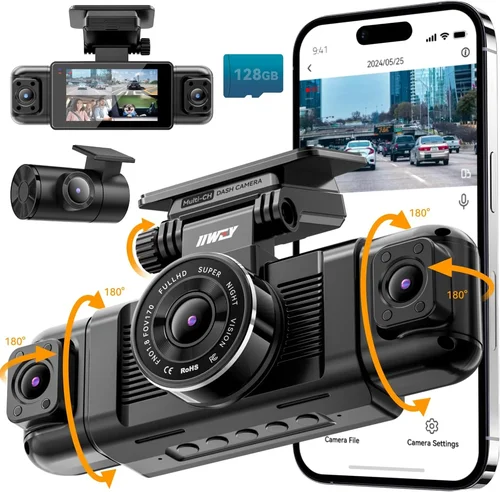
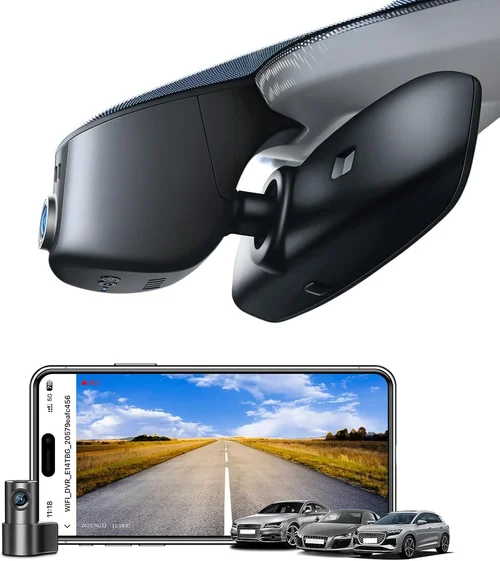
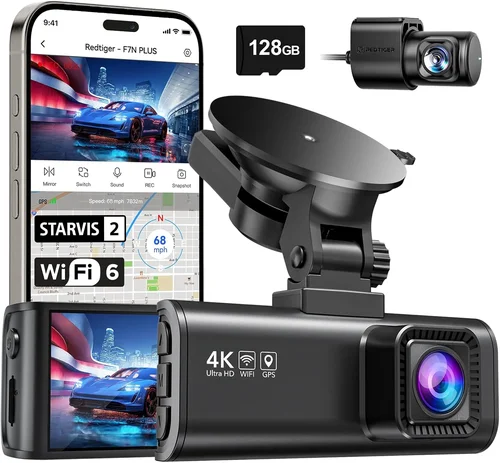
Different Types of Dash Cams

Common Buying Mistakes to Avoid
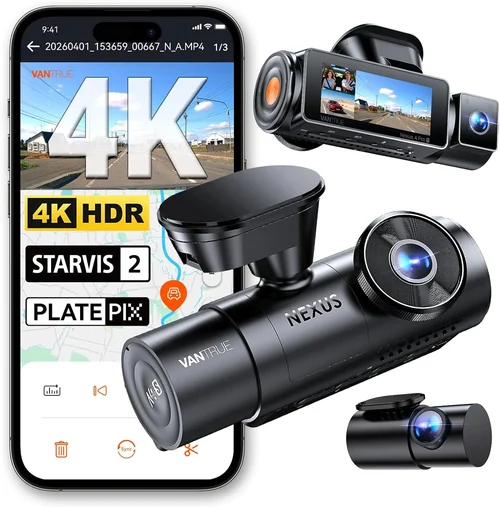
❌ Mistake: Prioritizing Price Over Performance
Why it’s bad: Choosing the cheapest available option often leads to disappointment when the device fails during critical moments. Budget dash cams frequently suffer from poor low-light performance, unreliable loop recording, fragile builds, and lack of essential safety features like G-sensor protection. In accident scenarios or insurance disputes, subpar video quality can undermine your credibility and legal standing.
What to do instead: Set a realistic budget based on your needs and allocate funds toward proven reliability rather than cutting corners on core specifications. Research thoroughly before buying, focusing on reputable brands with positive track records in areas like image stabilization, storage management, and weather resistance.
❌ Mistake: Ignoring Compatibility Requirements
Why it’s bad: Many buyers overlook compatibility issues between their dash cam and vehicle systems, leading to installation problems, power failures, or interference with onboard electronics. Some cars have sensitive infotainment systems that reject certain USB-C or microUSB connections, while others require specific voltage regulators for stable operation.
What to do instead: Verify compatibility with your vehicle make/model before purchasing. Check manufacturer specifications for supported power sources, mounting methods, and potential conflicts with existing accessories. When possible, test-fit the device or consult with professional installers familiar with your car’s electrical architecture.
❌ Mistake: Underestimating Storage Needs
Why it’s bad: Assuming a small microSD card will suffice often results in running out of space during extended trips or missing critical events due to automatic overwrite. Higher resolution recordings consume storage rapidly, especially when combining features like GPS logging, audio recording, and frequent emergency event captures.
What to do instead: Calculate your expected storage consumption based on resolution, frame rate, and usage patterns. Factor in buffer capacity for G-sensor triggers and consider using multiple cards if traveling extensively. Invest in high-endurance cards rated for continuous writing and monitor free space regularly through companion apps or periodic manual checks.
❌ Mistake: Overlooking Firmware Updates
Why it’s bad: Neglecting firmware maintenance can leave your dash cam vulnerable to bugs, security flaws, and declining performance over time. Manufacturers frequently release updates to improve image processing, fix known issues, add new features, and enhance compatibility with newer operating systems or hardware.
What to do instead: Enable automatic updates whenever available and periodically check manufacturer websites for manual update opportunities. Subscribe to community forums or newsletters to stay informed about major releases and bug fixes that might affect your particular model.
❌ Mistake: Skipping Real-World Testing
Why it’s bad: Relying solely on marketing claims or online reviews without hands-on experience can result in purchasing a device that doesn’t perform as expected in your specific environment. Lighting conditions, driving styles, climate variations, and local regulations all impact real-world effectiveness in ways simulated testing cannot replicate.
What to do instead: Whenever possible, borrow or rent equipment to test before committing to purchase. Record sample footage under various conditions (day/night, urban/highway, rain/snow) and evaluate playback quality, ease of file retrieval, and overall user interface responsiveness. Pay attention to how intuitive the menus are and whether critical functions like emergency save are easily accessible.
❌ Mistake: Neglecting Legal Considerations
Why it’s bad: Audio recording laws vary significantly by jurisdiction—some regions prohibit capturing conversations without consent, while others allow it freely. Using dash cams that secretly record passengers or pedestrians could lead to privacy violations, legal liability, or evidence exclusion in court proceedings.
What to do instead: Research applicable laws in your state/country regarding surveillance, privacy rights, and admissible evidence. Choose models with clear audio disable options or physical switches that prevent unintended recording. Display conspicuous signage indicating video monitoring exists within your vehicle to comply with disclosure requirements.
Budget Guidelines: How Much Should You Spend?
Entry-Level ($40 – $80)
This tier offers functional dash cams suitable for occasional drivers or those seeking basic protection against minor incidents. Expect solid 1080p recording, adequate night vision, and essential loop recording functionality. While lacking advanced features like GPS tracking or Wi-Fi connectivity, these models deliver dependable core performance at an accessible price point. Ideal candidates include compact designs with suction mount attachments and straightforward operation interfaces. However, be prepared for limitations in build quality, limited warranty coverage, and fewer customization options compared to higher-end alternatives.
Mid-Range ($80 – $150)
The sweet spot for most drivers seeking balanced value without overspending. Mid-range dash cams typically feature improved sensors, better lens coatings, enhanced stabilization algorithms, and expanded feature sets. Common additions include G-sensor event locking, parking mode with motion detection, and compatibility with larger storage cards. Many models in this category also offer mobile app integration for convenient file management and remote access. Build quality tends to be more robust, with reinforced housings and secure mounting mechanisms. This range represents the best compromise between affordability and capability for everyday commuters and moderate travelers.
Premium ($150 – $300)
For enthusiasts, frequent drivers, or those requiring professional-grade reliability, premium dash cams deliver exceptional performance across all operational parameters. These devices often boast 4K resolution, superior low-light handling, advanced driver assistance features, and sophisticated software ecosystems. Notable upgrades include dual-band WiFi, cloud backup capabilities, AI-powered object detection, and seamless integration with smartphone platforms. Premium models usually come with extended warranties, priority customer support, and access to beta firmware releases. While the investment is significant, the enhanced security, evidentiary quality, and peace of mind justify the cost for serious users.
Luxury ($300+)
Top-tier dash cams represent the pinnacle of automotive recording technology, incorporating cutting-edge innovations rarely found outside specialized applications. Luxury systems may feature multi-camera setups, thermal imaging, radar-assisted collision detection, and enterprise-level encryption for secure data handling. Some models double as fleet management tools with centralized monitoring, driver behavior analytics, and compliance reporting. Additional luxuries include OLED displays, touchscreen interfaces, voice control, and custom calibration options. These devices cater to commercial operators, investigative professionals, and tech aficionados demanding absolute performance regardless of expense.
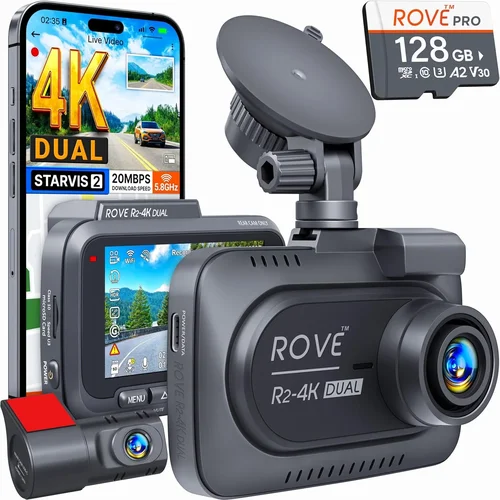
Expert Tips for Getting the Best Deal
Timing your purchase strategically can yield substantial savings on dash cam equipment. Major shopping holidays like Black Friday, Cyber Monday, and Prime Day often feature steep discounts from established brands, sometimes matching or beating seasonal clearance prices. Additionally, end-of-quarter sales events (March, June, September, December) incentivize retailers to move inventory quickly, resulting in competitive offers on last-generation models. Subscribing to manufacturer newsletters and retailer loyalty programs ensures early access to exclusive promotions and member-only deals.
Comparing purchase channels reveals significant price differences between online marketplaces, big-box stores, and specialty automotive shops. Online retailers typically offer broader selection, transparent pricing, and customer reviews, but may lack hands-on testing opportunities. Physical stores provide immediate availability and expert assistance but often carry higher markup. Consider hybrid approaches: order online for delivery convenience while visiting stores for compatibility verification and return flexibility. Always check return policies before committing—prefer vendors with generous windows (90+ days ideal) and hassle-free procedures.
Spotting genuine deals requires distinguishing promotional markdowns from misleading discounts. Compare current prices against historical averages using price tracking tools or browser extensions that monitor fluctuation patterns. Beware of “limited-time” offers that create artificial urgency or bundle inferior accessories with discounted cameras. Focus on standalone units rather than package deals unless the included items genuinely enhance core functionality. Read fine print carefully regarding refurbished vs. new condition, included warranties, and compatibility guarantees.
Warranty terms reveal much about manufacturer confidence and product reliability. Opt for brands offering minimum two-year comprehensive coverage including both parts and labor, with clear definitions of excluded damages (water ingress, accidental drops). Extended warranty programs should be purchased separately rather than bundled with initial sale to maintain choice flexibility. Register products promptly to activate warranty benefits and receive update notifications. Keep original packaging and receipts until successful installation and testing confirm proper operation.
Testing before finalizing purchase maximizes satisfaction and reduces returns. Request rental units or demo periods when available, particularly for complex installations requiring hardwiring. Evaluate ease of menu navigation, button responsiveness, and screen visibility under direct sunlight. Play back sample footage to assess color accuracy, exposure handling, and audio clarity if enabled. Verify that emergency features trigger correctly through simulated impacts or motion stimuli. Document any quirks or limitations observed during testing to inform post-purchase decisions.
Seasonal considerations influence both demand and supply dynamics affecting pricing strategies. Spring and summer see increased interest in road trip preparation, driving up prices temporarily. Fall brings back-to-school promotions and holiday preparations, creating secondary discount opportunities after peak season ends. Winter months typically feature clearance sales as retailers make room for new inventory, though harsh weather may limit outdoor testing capabilities. Align purchases with natural demand cycles to optimize timing and value extraction.

Frequently Asked Questions
Q: Do I really need a dash cam if I have car insurance?
A: While comprehensive auto insurance covers theft, vandalism, and collision damage, it rarely addresses liability disputes or fraudulent claims made against you. Dash cams serve as objective third-party witnesses that can exonerate you from blame in accidents, verify insurance fraud, and provide evidence for small claims court. They’re particularly valuable in hit-and-run scenarios where no police report exists. Insurance companies themselves increasingly recognize dash cam footage as credible evidence, making it worthwhile for anyone seeking additional protection beyond standard coverage limits.
Q: Will my dash cam drain my car battery?
A: Modern dash cams consume minimal power—typically 0.5-2 watts during recording—equivalent to leaving a single LED bulb illuminated continuously. When properly configured with low-voltage cut-off (LVC) functionality, they automatically shut down when your battery drops below safe thresholds (usually 11.5V), preventing parasitic drain. Parking mode with motion detection further reduces consumption by activating only when triggered. However, prolonged stationary periods without LVC protection or faulty wiring can indeed cause gradual battery depletion. Always verify LVC settings and consider adding a dedicated fuse tap to isolate power draw from main circuits.
Q: Can dash cams record audio?
A: Yes, but legal restrictions apply depending on your location. Audio recording laws fall into three categories: consent states require all parties’ permission, two-party consent states mandate recording participants’ awareness and agreement, and no-consent states permit recording without notification. Many dash cam manufacturers include physical audio mute switches or digital disable options to comply with varying regulations. Before enabling audio recording, research your jurisdiction’s requirements and consider displaying prominent notices about video monitoring within your vehicle to avoid unintentional violations.
Q: How long does footage stay on my dash cam?
A: Footage retention depends entirely on storage capacity and loop recording settings. Most dash cams automatically overwrite oldest files first once storage fills completely. For example, a 128GB card recording 1080p video at standard settings typically holds 8-12 hours of footage, meaning recent events may be lost during busy periods. To preserve critical clips, enable G-sensor event locking to protect impact-triggered recordings or manually mark important segments for preservation. Cloud backup services offered by premium brands extend retention indefinitely but require internet connectivity and subscription fees.
Q: Are dash cams legal everywhere?
A: Generally yes, but specific restrictions exist regarding placement, usage, and data handling. Mounting dash cams behind rearview mirrors is universally accepted, but obstructing driver visibility or placing them in restricted zones (near airbags) violates safety codes. Laws governing data storage and sharing vary by country; some European nations impose strict GDPR requirements on personal data captured by surveillance devices. Always consult local regulations before installation and operation to ensure compliance with both traffic safety and privacy statutes.
Q: Should I buy a single or dual-camera system?
A: Single-front cameras suffice for basic protection and highway driving documentation. Dual-systems adding rear or interior cameras excel in urban environments with frequent parking incidents, ride-sharing verification, or child/pet monitoring needs. Consider your primary use case: commuters facing heavy traffic benefit from rear views to monitor following distance, while families transporting children appreciate interior surveillance for safety assurance. Remember that dual-systems double power consumption, storage requirements, and installation complexity compared to single-unit equivalents.
Q: What happens if my dash cam breaks during an accident?
A: High-quality dash cams incorporate protective measures to safeguard against catastrophic failure during collisions. Many models feature impact-resistant casings, shock-absorbing mounts, and emergency power capacitors that allow brief post-crash recording even after total electrical loss. Additionally, event-locked files remain intact regardless of subsequent overwrite attempts. For maximum reliability, choose models with military-grade durability ratings, redundant storage buffers, and certified crash-test performance. Even if the device itself fails, surviving fragments often contain recoverable memory chips for forensic analysis.
Q: Can I use my phone as a dash cam?
A: While smartphones offer decent cameras and portability, they present several drawbacks compared to dedicated dash cams. Continuous operation drains battery rapidly without external power, lacks automatic loop recording, and exposes sensitive data to unauthorized access. App-based solutions also suffer from inconsistent performance, background process interruptions, and limited field of view due to fixed lens positions. Dedicated devices provide superior reliability, specialized automotive features, and purpose-built durability unmatched by consumer electronics repurposed for surveillance tasks.
Our Final Recommendations
For budget-conscious buyers seeking essential protection without unnecessary frills, the Viofo A119 V3 delivers outstanding value with reliable 1080p recording, robust build quality, and intuitive operation at under $80. Its compact design fits discreetly behind mirrors while delivering crisp daytime footage and acceptable nighttime performance for typical driving scenarios. The included suction mount provides secure attachment, and loop recording operates seamlessly with compatible microSD cards. While lacking advanced connectivity features, the A119 V3 excels at its core mission: capturing clear evidence when needed most.
The best overall value proposition belongs to the Thinkware F800 Pro, balancing premium specifications with reasonable pricing through thoughtful engineering choices. This 2K-capable camera outperforms many 4K competitors in real-world usability thanks to optimized compression algorithms that reduce file sizes without sacrificing detail. Integrated GPS logging, Wi-Fi connectivity, and parking mode with adjustable sensitivity make it versatile enough for daily commutes and weekend adventures alike. Build quality impresses with scratch-resistant lenses and vibration-dampening mounts, while firmware updates continue to expand functionality over time. At approximately $130, it represents the optimal blend of capability and affordability.
For enthusiasts demanding professional-grade performance and future-proof technology, the BlackVue DR900S-1CH stands unchallenged as the gold standard in single-camera dash cams. Its 4K Sony STARVIS sensor captures breathtaking detail in both daylight and darkness, while built-in supercapacitors eliminate battery drain concerns and ensure safe shutdown during temperature extremes. Advanced features include cloud connectivity, dual-band WiFi, and seamless smartphone integration for remote monitoring and instant clip sharing. Though priced above $250, the DR900S-1CH’s reliability, evidentiary quality, and expandable ecosystem justify the investment for serious drivers prioritizing absolute performance.
Beginners entering the dash cam world should start with the Nextbase 522GW, renowned for its user-friendly interface and comprehensive feature set wrapped in a sleek design. Alexa voice control integration, emergency SOS alerting, and 1080p recording combine to create an accessible yet capable solution perfect for first-time owners. The magnetic windshield mount allows easy repositioning, while automatic firmware updates keep the system current without user intervention. At around $120, it offers exceptional onboarding experience and confidence-building functionality that grows with the driver’s familiarity.
Advanced users requiring specialized capabilities beyond standard recording will appreciate the Garmin Dashcam Mini‘s compact form factor and robust feature profile. Designed specifically for compact vehicles, its ultra-thin profile minimizes wind resistance while delivering reliable 1080p performance with enhanced night vision. Unique among competitors, Garmin integrates seamlessly with their ecosystem of navigation and fitness devices, enabling unified trip logging and route optimization. Additional perks include automatic incident detection, cloud backup options, and lifetime map updates. Priced competitively near $150, it appeals to tech-savvy drivers valuing integration over standalone sophistication.
Conclusion: Making the Right Choice
Selecting the best front dash cam ultimately revolves around aligning device capabilities with your specific driving patterns, environmental conditions, and personal priorities. Rather than chasing incremental spec improvements or flashy features, focus on core requirements that directly impact real-world utility: consistent video quality across varying lighting scenarios, reliable storage management, and robust construction suited to your climate and usage intensity. Remember that even the most expensive model becomes obsolete if it fails during critical moments due to poor mounting, inadequate power handling, or incompatible firmware.
Prioritize brands with proven track records in automotive electronics, responsive customer support, and transparent update policies. Don’t underestimate the importance of hands-on testing—borrow equipment, compare multiple units side-by-side, and evaluate playback quality under actual driving conditions. Consider starting with mid-range models offering balanced performance before upgrading to premium tiers only when justified by increased driving frequency, complex routing needs, or heightened security concerns. Most importantly, view your dash cam not merely as surveillance equipment but as an insurance policy for your peace of mind on the open road.