Complete Best Cheap Dash Cam Buying Guide
When it comes to protecting yourself on the road, a dash cam isn’t just a convenience—it’s a smart investment in peace of mind. Whether you’re dealing with insurance disputes, documenting traffic violations, or simply wanting to capture those unexpected moments behind the wheel, the right dash cam can make all the difference. But with so many options flooding the market, finding the best cheap dash cam that delivers reliable performance without breaking the bank can feel overwhelming. This comprehensive guide cuts through the noise to help you make an informed decision.
You’ll learn how to evaluate key specifications like video resolution, field of view, and storage options, understand what features matter most for your driving habits, and discover which brands consistently deliver quality at affordable prices. We’ll walk you through different types of dash cams, common pitfalls to avoid, and provide specific recommendations based on various needs and budgets. By the end of this guide, you’ll have the knowledge to choose a dash cam that offers maximum value without compromising essential functionality.
The dash cam market has evolved dramatically in recent years, transitioning from novelty accessories to essential safety tools. What started as basic black-and-white cameras has transformed into sophisticated devices capable of recording high-definition footage, parking surveillance, emergency recording, and even connecting to smartphones. Today’s budget-friendly models often rival their premium counterparts in core functionality while costing significantly less. However, not all affordable dash cams are created equal—some cut corners on critical components that affect reliability and image quality. Understanding these trade-offs is crucial for finding the sweet spot between affordability and performance.
What to Look for When Buying Dash Cams
Budget & Price Range
Before diving into technical specifications, it’s important to establish your budget framework. Dash cams typically fall into several price categories: entry-level models range from $30-$60 and offer basic recording capabilities; mid-range options ($70-$120) provide better build quality and additional features; premium models ($150-$250) include advanced functionality like GPS and superior night vision; luxury units ($250+) combine professional-grade hardware with extensive smart features. While you can find functional dash cams under $40, investing at least $50 ensures access to better components and more reliable performance. Consider not just the initial purchase price but also ongoing costs like memory cards and any subscription fees for cloud storage.
Performance Specifications
Video quality forms the foundation of any dash cam’s effectiveness. Look for at least 1080p Full HD resolution—anything lower will struggle to capture clear license plate details. Many modern dash cams now offer 2K (1440p) or even 4K recording, though these higher resolutions require faster storage cards and may reduce recording time. Frame rate matters too; 30fps is standard, but some models offer 60fps for smoother motion capture during fast-moving situations. The bitrate—measured in megabits per second (Mbps)—determines how much data gets stored per second of video. Higher bitrates mean better quality but shorter recording times on the same memory card. A good balance for budget models is around 12-20 Mbps for 1080p recording.
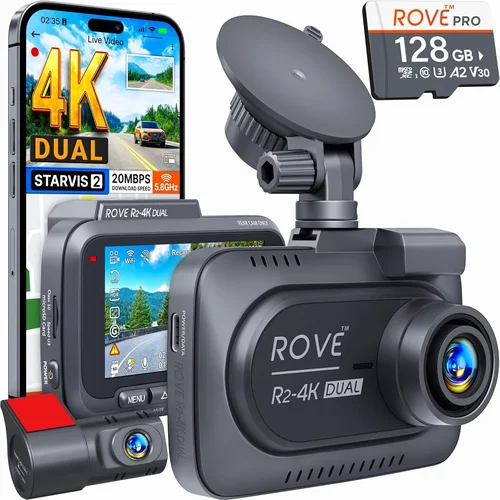
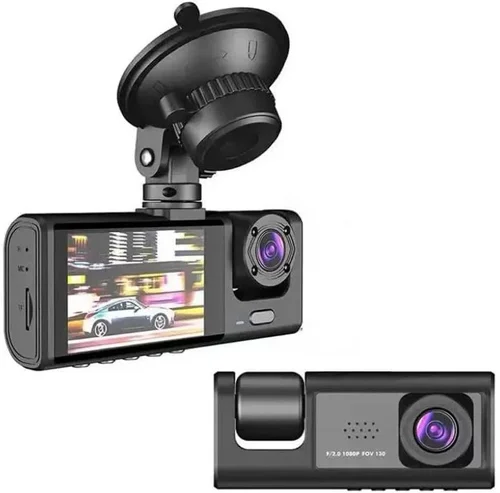
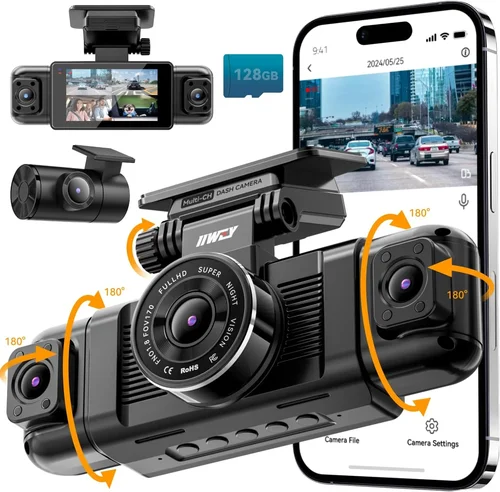
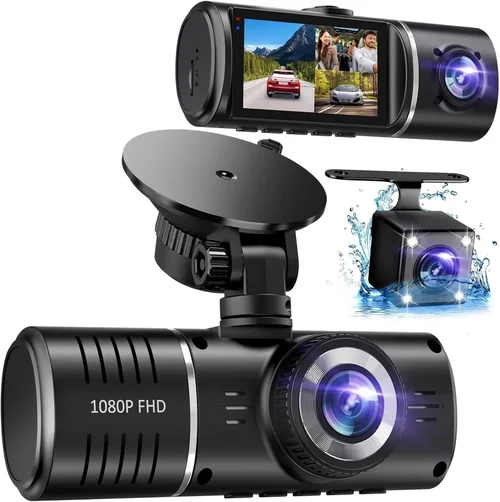
Field of view (FOV) determines how much of the road ahead gets captured. A wider angle provides more coverage but can introduce distortion at the edges—this is called fisheye effect. Most quality dash cams use lens technology that minimizes this distortion. For city driving, a horizontal FOV of 110-130 degrees works well, while highway driving might benefit from slightly narrower angles. Some dual-camera systems capture both front and rear views simultaneously, offering complete coverage of your vehicle’s surroundings.
Build Quality & Durability
Since dash cams operate in harsh automotive environments, build quality directly impacts longevity and reliability. Look for models with sturdy housing that can withstand temperature extremes, humidity, and minor impacts. The lens should be protected by tempered glass rather than plastic, which resists scratches and maintains clarity over time. Mounting systems vary from simple suction cups to more secure adhesive pads or windshield brackets. Suction mounts work well for temporary installation but may lose adhesion in extreme heat. Adhesive mounts provide a more permanent solution but can damage paint if removed improperly. Check whether the manufacturer includes mounting hardware and whether replacement parts are readily available.
Features & Functionality
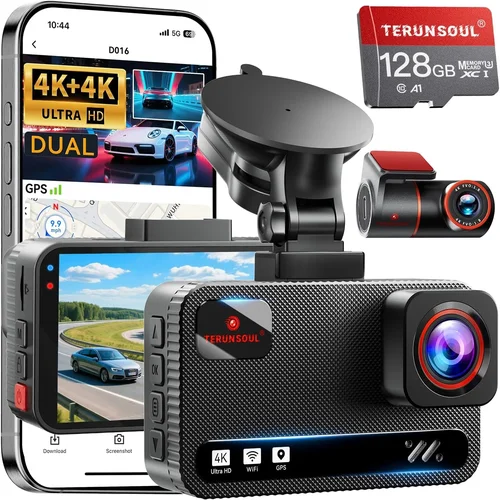
Beyond basic recording, consider what additional features align with your needs. Loop recording automatically overwrites old footage when storage fills up, ensuring continuous recording without manual intervention. G-sensor technology detects sudden movements or impacts and locks those files to prevent accidental deletion—crucial for accident documentation. Parking mode uses low-power monitoring to record events when your car is stationary, though this requires a hardwiring kit or capacitor to avoid draining your battery. Built-in GPS tracks your location and speed, adding valuable context to your recordings. WiFi connectivity enables easy file transfer and live preview on your smartphone. Some models offer voice control, motion detection, or even integration with smart home systems.
Brand Reputation
While new entrants occasionally offer compelling deals, established brands generally provide better support and more consistent quality control. Brands like BlackVue, Garmin, VIOFO, and Thinkware have built reputations for reliability and customer service. These companies invest in rigorous testing and typically honor warranties more consistently than smaller manufacturers. That said, don’t dismiss newer brands solely based on size—some innovative startups offer excellent value with unique features. Research user forums, professional reviews, and independent testing results before making your decision. Pay attention to how companies handle software updates and bug fixes, as dash cam firmware can significantly impact performance over time.
Warranty & Support
A solid warranty reflects confidence in product quality and provides recourse if issues arise. Most reputable manufacturers offer at least a one-year warranty covering defects in materials and workmanship. Premium brands sometimes extend coverage to two or three years. Check what the warranty specifically covers—does it include the entire unit or just the camera module? How long does it take to process returns or replacements? Is customer support responsive and knowledgeable? Read the fine print regarding what constitutes “normal wear and tear” versus actual defects. Some companies require registration within 30 days of purchase to activate warranty coverage, so don’t overlook this step.
Size & Portability
Compact dash cams save space and create a cleaner look inside your vehicle. Ultra-thin models can be nearly invisible mounted behind your rearview mirror, reducing obstruction of your view. However, smaller cameras sometimes sacrifice features or battery life. If you plan to move the dash cam between vehicles, portability becomes a consideration. Some models come with detachable power cables and flexible mounting options that make transfer easier. Conversely, if you prefer a permanent installation, larger models with stronger mounts might offer more stability and better cooling for extended operation.
User Reviews & Ratings
Real-world experiences from other buyers provide invaluable insights that specs alone cannot reveal. Look beyond star ratings to read detailed reviews that discuss day-to-day usability, firmware updates, and long-term reliability. Pay particular attention to comments about night recording performance, audio quality, and ease of setup. Be wary of reviews that seem overly promotional or contain excessive exclamation points—they may not reflect genuine experiences. Cross-reference multiple sources including professional tech reviewers, automotive publications, and consumer forums to get a balanced perspective. If a model consistently receives complaints about a specific issue like poor battery life or unreliable WiFi connectivity, it’s worth investigating further before purchasing.

Different Types of Dash Cams

Common Buying Mistakes to Avoid
❌ Mistake: Prioritizing price over essential features
Why it’s bad: Choosing the cheapest option might save money upfront but could result in poor video quality, unreliable performance, or frequent failures that cost more in the long run. Some ultra-budget models use inferior sensors that produce grainy footage, especially at night, making them useless for real evidence.
What to do instead: Set a minimum feature threshold based on your needs. For most drivers, this means at least 1080p resolution, decent field of view, and reliable loop recording. Allocate at least $50-$60 for a quality entry-level model rather than skimping on critical components.
❌ Mistake: Ignoring storage requirements
Why it’s bad: Using incompatible or low-quality memory cards leads to recording failures, corrupted files, or premature card failure. Some cheap dash cams require specific card formats or speeds that aren’t obvious from the listing, leading to frustration and additional expenses.
What to do instead: Always purchase dash cam-compatible microSD cards from reputable brands like SanDisk, Samsung, or Lexar. Class 10 UHS-I cards with A1 or A2 rating provide reliable performance. Factor in recording duration—higher resolution and bitrates consume storage faster. A typical 1080p dash cam might need a 64GB card for 2 hours of recording or a 128GB card for 4+ hours.
❌ Mistake: Overlooking power considerations
Why it’s bad: Assuming dash cams run on internal batteries ignores the reality that most require constant power connection. Models claiming “battery backup” often have limited capacity that drains quickly, leaving you without protection during long trips or in parking scenarios.
What to do instead: Determine whether you need a portable battery pack for occasional use or permanent hardwiring for continuous operation. Hardwiring kits provide true 24/7 protection but require professional installation. Capacitor-based parking modes offer a middle ground but still consume minimal power when activated.
❌ Mistake: Disregarding mounting limitations
Why it’s bad: Suction cup mounts work well initially but lose adhesion in extreme temperatures, leading to camera dismounting during hot weather. Cheap mounts also obstruct your view or create wind noise, compromising both safety and recording quality.
What to do instead: Test mount stability in various conditions before final installation. Consider adhesive mounts for permanent placement or magnetic mounts for flexibility. Ensure whatever mounting method you choose doesn’t block critical visibility areas.
❌ Mistake: Neglecting firmware updates
Why it’s bad: Outdated firmware can cause recording errors, WiFi connectivity issues, or compatibility problems with newer operating systems. Some manufacturers abandon older models after a few years, leaving you with outdated hardware that no longer receives improvements.
What to do instead: Choose brands known for regular firmware updates and long-term support. Check the company’s update history and community feedback about current software status before purchasing.
Budget Guidelines: How Much Should You Spend?
Entry-Level ($30 – $60): These models provide basic recording functionality suitable for casual drivers who want simple protection without complex features. Expect 1080p resolution, moderate field of view, and essential features like loop recording and G-sensor. While limited in capabilities, they serve well for everyday commuting where extreme video quality isn’t critical. Brands like Rexing and Victure offer reliable options in this range, though be prepared for plastic construction and limited warranty periods.
Mid-Range ($70 – $120): Representing the sweet spot for most buyers, these dash cams deliver significant improvements in build quality, image processing, and feature set. You’ll typically find better sensors, improved night vision, more robust mounts, and additional functionalities like parking mode or WiFi connectivity. Dual-camera systems often appear in this category, providing complete coverage at a reasonable price. This range balances capability with value, making it ideal for families, rideshare drivers, and anyone wanting dependable performance without premium pricing.
Premium ($150 – $250): For enthusiasts and professionals requiring top-tier performance, premium dash cams offer advanced features like 4K recording, superior low-light capabilities, GPS tracking, and cloud connectivity. Build quality approaches professional standards with metal housings, anti-glare lenses, and comprehensive mounting solutions. These models often include professional software suites for video management and analysis, making them suitable for fleet operators or serious content creators. While the price jump is substantial, the enhanced reliability and feature set justify the investment for demanding applications.
Luxury ($250+): Top-tier dash cams represent the cutting edge of automotive recording technology. They combine multiple high-resolution cameras, artificial intelligence for event detection, advanced driver assistance features, and seamless integration with mobile apps and cloud services. Luxury models often include redundant recording systems, industrial-grade components, and comprehensive warranty programs. These aren’t just dash cams—they’re integrated safety and security platforms. Unless you have specific professional needs or extremely demanding requirements, the benefits rarely justify the significant price premium over premium-tier options.
Expert Tips & Pro Advice
Timing your purchase strategically can yield significant savings without sacrificing quality. Electronics retailers typically mark down dash cam inventory during major shopping events like Memorial Day, Fourth of July, Labor Day, Black Friday, and Cyber Monday. These seasonal promotions often include bundle deals that add value beyond the discounted camera. Additionally, consider purchasing toward the end of the calendar year—retailers looking to clear winter inventory may offer steeper discounts on automotive accessories before spring arrives.
Where you buy matters almost as much as what you buy. Online marketplaces like Amazon provide competitive pricing and convenient delivery, but local auto parts stores and big-box retailers often carry hands-on displays and immediate availability. Compare prices across multiple retailers before committing, and check return policies—some stores require original packaging while others allow returns without boxes. Local shops may offer installation services or troubleshooting assistance that online purchases lack. Don’t forget to factor in shipping costs and potential restocking fees when comparing total costs.
Learning to identify genuine deals requires understanding normal pricing patterns. Use price tracking tools like CamelCamelCamel for Amazon or manually note prices over several weeks to establish baseline values. Be skeptical of listings that seem too good to be true—often they’re either counterfeit products or models with undisclosed defects. Watch for “free shipping” claims that actually increase the overall price, and be wary of mandatory accessory purchases bundled with the camera. True value comes from getting the right features at a fair price, not just the lowest number.
Understanding warranty terms prevents disappointment later. Most manufacturers offer 1-3 year warranties, but coverage varies significantly. Some only cover manufacturing defects while excluding physical damage or normal wear. Others provide international coverage or express replacement programs. Register your product promptly after purchase—many warranties require registration within 30 days to remain valid. Keep original receipts and packaging until you’re certain the unit works properly, as returning items without packaging often incurs restocking fees or voids the return window.
Return policies determine how risk-free your purchase really is. Best Buy typically allows 15-30 day returns with original packaging, while Amazon offers 30 days plus hassle-free pickup. Local retailers may have shorter windows but faster exchange processes. Before buying, verify the store’s return policy for opened electronics and ask about restocking fees. Some manufacturers offer extended return periods if purchased through their official websites. Remember that returning a dash cam usually requires removing it from your vehicle, which can be time-consuming for hardwired installations.
Testing equipment before commitment prevents buyer’s remorse. If possible, visit a store to examine the dash cam in person—check button responsiveness, screen clarity, and build quality. Ask to see sample recordings to assess image quality and audio clarity. Verify included accessories match the advertised contents, and inquire about firmware update procedures. For online purchases, choose retailers with generous return policies that let you test the unit in your actual vehicle before keeping it. Many dash cams perform differently depending on your specific windshield angle and lighting conditions.
Installation expertise significantly impacts both safety and performance. Improper mounting obstructs your view or creates distractions while driving. Professional installers can hardwire your dash cam for true 24/7 protection, but DIY installation saves money and provides learning experience. Regardless of method, ensure the camera position doesn’t interfere with airbag deployment zones or create glare on your windshield. Practice removing and reinstalling the mount several times before finalizing placement. Test recording immediately after installation to confirm proper function before relying on it for protection.

Frequently Asked Questions
Q: Do I really need a dash cam, or is it just for insurance purposes?
A: While dash cams are invaluable for insurance claims and dispute resolution, they offer numerous other benefits. They deter aggressive driving behaviors, provide evidence in case of false accusations, document scenic drives or interesting events, and offer peace of mind knowing your journey is recorded. Many drivers find the psychological benefit of knowing they have objective evidence outweighs the occasional inconvenience of managing files and storage.
Q: How much storage space do I need, and what type of memory card should I buy?
A: Storage requirements depend on your recording settings and usage patterns. At 1080p with average bitrates, a 64GB card typically holds 2-4 hours of footage, while 128GB cards offer 4-8 hours. For 2K or 4K recording, double or quadruple these estimates accordingly. Always purchase Class 10 UHS-I microSD cards from reputable brands like SanDisk, Samsung, or Lexar. Format cards specifically in the dash cam rather than your computer for optimal performance.
Q: Can dash cams record while my phone is connected via Bluetooth or USB?
A: Yes, but with important caveats. Many modern dash cams support simultaneous recording and phone connectivity through dedicated WiFi networks or wired USB connections. However, some models experience interference or reduced performance when paired with navigation apps or music streaming services. Check your specific model’s specifications and user manual for compatible phone functions and potential limitations during extended use.
Q: What’s the difference between hardwiring and using a portable battery pack?
A: Hardwiring connects your dash cam directly to your car’s electrical system, providing true 24/7 protection without battery concerns. This requires professional installation but eliminates charging needs. Portable battery packs offer flexibility and easier removal between vehicles but require regular recharging and have limited capacity—typically providing 2-8 hours of recording depending on model and settings. Capacitor-based parking modes offer a middle ground by drawing minimal power only when triggered by movement or impact.
Q: Will a dash cam drain my car battery if I leave it plugged in overnight?
A: Modern dash cams consume very little power—typically 1-3 watts during recording and less than 1 watt in standby. However, parking mode functionality can increase consumption if not configured properly. To prevent drainage, either use a hardwiring kit with automatic cutoff circuits, select dash cams with intelligent power management, or remove the unit when parked for extended periods. Many manufacturers include low-voltage protection that shuts off recording when battery levels drop below safe thresholds.
Q: How do I know if my dash cam is working correctly?
A: Perform regular functionality checks: verify recording starts automatically when powered on, confirm loop recording overwrites oldest files appropriately, test the G-sensor by gently bumping the mount, and review recent footage periodically. Check that timestamps remain accurate and that audio captures conversations clearly. If your model supports WiFi or app connectivity, ensure those features remain stable. Address any issues immediately rather than assuming they’ll resolve themselves.
Q: Can dash cams record in rainy or snowy conditions?
A: Yes, but with considerations. Water-resistant dash cams can handle light precipitation, but heavy rain, snow, or road spray may obscure the lens temporarily. Raindrops create visual artifacts that can distract from important details. In extreme weather, the priority shifts to driver safety rather than recording quality. Most quality dash cams include lens cleaning wipes and protective cases for maintaining visibility during adverse conditions.
Q: Are there legal restrictions on using dash cams in my state or country?
A: Regulations vary significantly by location. In many jurisdictions, recording outside your own vehicle is prohibited without consent, while recording inside your car is generally permitted. Some areas restrict where you can mount cameras (near mirrors, airbags, etc.) or limit recording duration. Research your local laws before installing, especially if planning to share footage publicly or use it for commercial purposes. Most personal dash cam usage falls within legal boundaries when focused solely on your vehicle’s interior and exterior.
Q: How often should I update my dash cam’s firmware?
A: Check for updates periodically—manufacturers typically release firmware improvements every few months to address bugs, enhance compatibility, or add features. Subscribe to your brand’s newsletter or enable notifications if available. Only update when necessary, as improper procedures can brick devices. Keep backup copies of previous firmware versions if possible, and never interrupt the update process once started. Some models auto-update when connected to WiFi, which can be convenient but risks corruption during network interruptions.
Q: What should I do with old dash cam footage?
A: Develop a systematic approach to manage your recordings. Most users keep footage for 1-6 months unless it contains important events like accidents or incidents. Organize files by date and location for easy retrieval. Consider backing up critical footage to cloud storage or external drives before overwriting. Some insurance companies require specific retention periods, so adjust your cleanup schedule accordingly. Delete old files securely rather than just marking them for deletion, especially if containing sensitive information.
Final Recommendations
For Budget-Conscious Buyers: The Victure A119 v3 represents exceptional value at under $60, delivering reliable 1080p recording with impressive night vision capabilities. Its compact design fits discreetly behind your rearview mirror without obstructing visibility. While lacking advanced features like GPS or WiFi, it provides everything essential for basic protection at a remarkably accessible price point. The included suction mount works well for temporary installations, and the loop recording feature ensures continuous coverage without manual intervention.
Best Overall Value: The Rexing V1Pro strikes an excellent balance between features and affordability around $85. This dual-lens system captures both front and rear views simultaneously, providing comprehensive coverage that most single-camera models can’t match. It includes parking mode with capacitor-powered monitoring, WiFi connectivity for easy file transfers, and solid build quality that survives typical automotive environments. The included accessories and straightforward setup make it ideal for both beginners and experienced users seeking reliable performance without premium pricing.
Best Premium Option: For those willing to invest more for enhanced capabilities, the BlackVue DR970X-2CH delivers professional-grade performance at approximately $280. While exceeding our “cheap” criteria, its unmatched reliability, superior night vision, cloud connectivity, and comprehensive feature set justify the investment for serious users. The dual-channel recording, GPS tracking, impact detection, and remote viewing capabilities create a complete safety ecosystem that adapts to various driving scenarios and user needs.
Best for Beginners: The Garmin Dashcam Mini simplifies dash cam ownership with its compact design and intuitive interface. Priced around $150, it offers reliable 1440p recording, voice control, and seamless smartphone integration. Its small footprint minimizes dashboard clutter while the automatic incident detection and cloud backup features reduce management overhead. The included mounting system works well for most windshields, and Garmin’s reputation for reliability gives newcomers confidence in their purchase.
Best for Advanced Users: The Thinkware U1000 combines 4K recording capability with advanced driver assistance features for comprehensive vehicle protection. At approximately $220, it provides superior image quality, parking collision detection, and customizable settings that experienced users appreciate. The built-in WiFi and GPS enhance usability, while the robust build quality ensures durability through years of daily driving. Its comprehensive feature set addresses everything from basic recording to sophisticated safety monitoring.
Conclusion: Making the Right Choice
Selecting the best cheap dash cam ultimately depends on aligning your specific needs with appropriate features within your budget constraints. Rather than chasing the absolute lowest price, focus on identifying models that deliver reliable performance for your typical driving conditions. Consider how frequently you drive, the types of roads you travel, and whether you need basic protection or advanced monitoring capabilities. The most expensive option isn’t always the best fit, nor is the cheapest model necessarily inadequate—it’s about finding the right balance for your situation.
Prioritize core functionality first: clear daytime recording, reliable night vision, and dependable loop recording. Secondary considerations include build quality, included accessories, and brand reputation for customer support. Don’t get distracted by flashy features that don’t serve your actual needs, but also recognize when missing capabilities would significantly benefit your driving experience. Remember that a dash cam is primarily a safety tool—its value lies in providing objective evidence when disputes arise, not in impressing friends with technical specifications.
Take time to research thoroughly, compare options systematically, and consider testing equipment whenever possible. Read beyond marketing copy to find honest assessments from real users who’ve experienced the product in everyday driving conditions. Factor in ongoing costs like memory cards and installation services, and choose brands with proven track records for firmware updates and long-term support. With careful consideration of these factors, you’ll find a dash cam that offers meaningful protection without straining your budget—providing peace of mind on every journey while serving as a reliable witness in challenging situations.