Best Class 10 Micro SD Card Buyer’s Guide
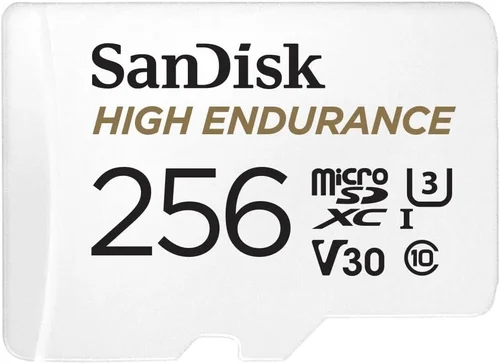
Why choosing the right micro SD card for your dash cam matters more than you might think. While dash cams themselves are relatively affordable devices that capture what happens on the road, the storage component is often overlooked despite being equally crucial for reliable performance. The micro SD card serves as the heart of your dash cam’s recording system, determining everything from video quality to how long you can store footage before needing to overwrite old files. In this comprehensive buyer’s guide, we’ll walk you through everything you need to know about selecting the best Class 10 micro SD cards specifically designed for dash cam applications.
You’ll learn about the technical specifications that matter most, understand how different features impact real-world performance, and discover which brands consistently deliver reliable results under demanding conditions. We’ll also cover common mistakes people make when buying these specialized storage solutions and provide expert guidance on getting the best value for your money. Whether you’re a new driver looking to install your first dash cam or an experienced user upgrading existing equipment, this guide will help you make an informed decision that ensures reliable, high-quality recordings whenever you need them.
The market offers countless options ranging from budget-friendly choices to premium professional-grade cards, but not all micro SD cards are created equal when it comes to dash cam use. Many inexpensive cards fail to maintain consistent write speeds during extended recording sessions or prove unreliable over time. This guide cuts through the marketing hype to focus on actual performance data and real user experiences, helping you avoid expensive mistakes while ensuring your dash cam captures every important moment with crystal clarity.

What to Look for When Buying Dash Cams
Budget & Price Range
When shopping for dash cam compatible micro SD cards, it’s essential to establish your budget early in the process. Prices typically range from $10 for basic 32GB cards to over $50 for premium 128GB+ models with advanced features. While it might be tempting to choose the cheapest option available, remember that dash cams put significant strain on storage devices through continuous write cycles and temperature variations. A slightly higher investment in a reputable brand often pays dividends in reliability and longevity. Consider how much footage you need to store—most dash cams use circular recording, meaning older files get automatically overwritten when space runs low—and factor in whether you want loop recording or event-based file management.
Performance Specifications
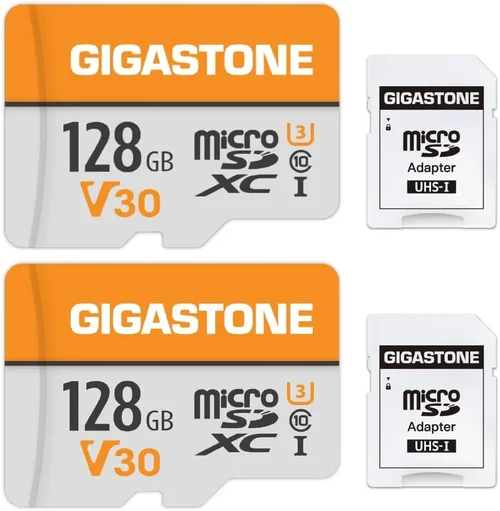
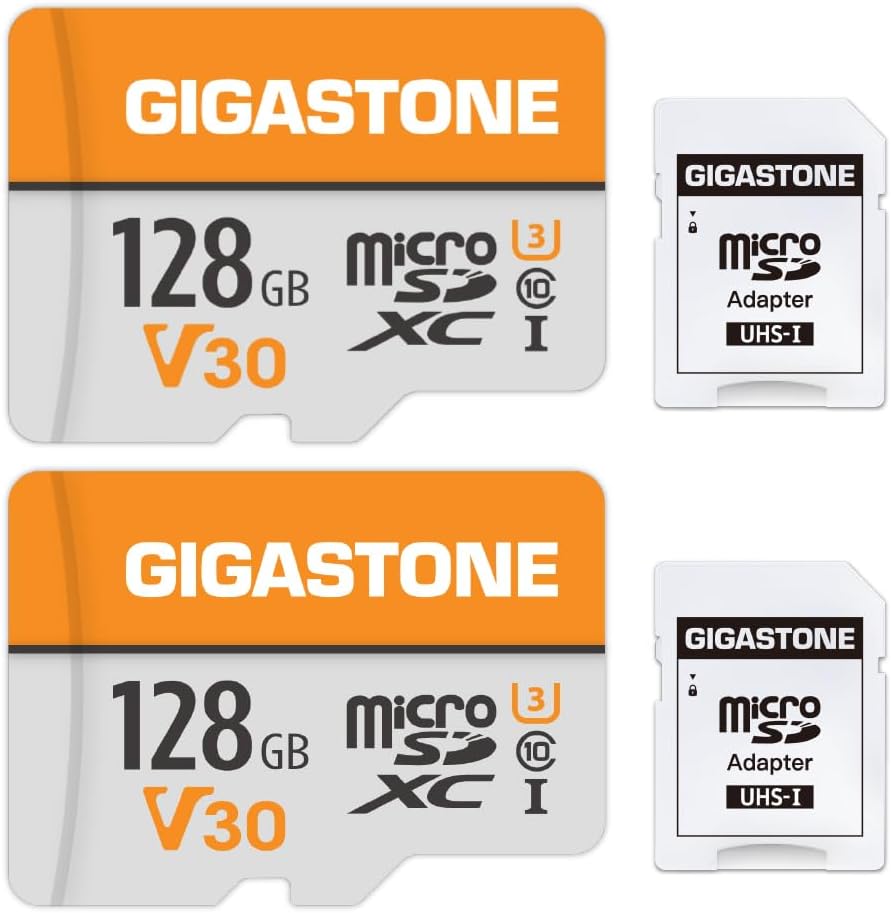
Class 10 is the minimum speed rating required by most dash cams, but within this category, there’s a wide spectrum of actual performance capabilities. Look beyond the basic Class 10 label to find UHS Speed Class ratings (U1 or U3) and Video Speed Class ratings (V10, V30). U1 cards guarantee at least 10MB/s sustained write speed, while U3 cards offer 30MB/s or higher. For standard 1080p dash cam recordings, U1 should suffice, but if you plan to use 4K resolution or have multiple cameras, consider U3 or higher. Additionally, check for A1 or A2 application performance class ratings, which indicate better random read/write performance beneficial for quick access to footage.
Build Quality & Durability
Dash cams operate in harsh environments where temperature extremes, vibration, and moisture present constant challenges. High-quality micro SD cards feature robust construction with reinforced connectors, shock-resistant casings, and protection against electromagnetic interference. Look for cards that meet industrial standards like IPX7 water resistance or have undergone rigorous testing for temperature tolerance (-25°C to 85°C). Cards with built-in wear-leveling technology and error correction algorithms perform better under continuous write conditions typical of dash cam operation. These durability features prevent corruption during sudden power loss or extreme weather conditions that could otherwise destroy valuable evidence.
Features & Functionality
Modern dash cams increasingly support advanced features that require specific storage capabilities. Some models benefit from cards with built-in security features like password protection or hardware encryption for sensitive footage. Others may require larger capacities to accommodate extended parking mode recording or cloud connectivity features. Consider whether your dash cam supports time-lapse recording, GPS logging, or Wi-Fi transfer—these functions demand reliable storage performance. Additionally, some manufacturers recommend specific card brands for optimal compatibility, so always consult your dash cam’s manual before making a purchase decision.
Brand Reputation
Stick with established manufacturers known for producing reliable storage products. Leading brands like SanDisk, Samsung, Lexar, Kingston, and Sony consistently demonstrate superior build quality and performance consistency compared to lesser-known or generic brands. These companies invest heavily in research and development, resulting in better error correction, longer lifespan, and more stable firmware. Generic or counterfeit cards may appear identical but often fail to meet advertised specifications and have significantly shorter lifespans. Always buy from authorized retailers to avoid receiving refurbished or damaged products disguised as new items.
Warranty & Support
A solid warranty provides peace of mind and indicates manufacturer confidence in their product quality. Most reputable brands offer 3-5 year warranties on their micro SD cards, sometimes even lifetime warranties for certain models. Check what the warranty covers—some only replace defective cards while others offer data recovery services. Good customer support is equally important; responsive service representatives can help resolve compatibility issues or guide you through troubleshooting steps if problems arise. Keep your purchase receipts and registration information handy to take full advantage of warranty benefits when needed.
Size & Portability
While micro SD cards are inherently compact, some models include protective cases or adapters that add bulk. If you frequently swap cards between devices or need maximum portability, consider slim-profile designs without additional accessories. However, be aware that smaller cards generally have lower capacity limits, so balance size preferences against storage needs. Most dash cams accept standard micro SD cards up to 512GB or occasionally 1TB, though very high-capacity cards may be pricier per gigabyte compared to mid-range options.
User Reviews & Ratings
Real user experiences reveal performance details that specification sheets often omit. Pay attention to reviews mentioning dash cam compatibility, write speed consistency, and longevity over time. Look for patterns in feedback rather than individual opinions—multiple users reporting similar issues is more concerning than isolated complaints. Check review dates to ensure information reflects current product versions, as manufacturers frequently update card firmware and specifications. Be skeptical of overly positive reviews that lack specific details about usage scenarios or those that seem suspiciously promotional.
Different Types of Dash Cams

Common Buying Mistakes to Avoid
❌ Mistake: Choosing Based Solely on Capacity
Why it’s bad: Many buyers focus exclusively on storage size while ignoring critical performance factors like write speed and reliability. A 128GB card that can’t sustain required write speeds will cause your dash cam to malfunction or stop recording entirely, regardless of how much space remains unused.
What to do instead: Always prioritize speed class ratings (U1/U3/V10/V30) alongside capacity. Match your card’s specifications to your dash cam’s requirements—check the manual for recommended minimum speeds. Balance capacity needs with budget constraints; larger cards don’t necessarily mean better value if they compromise on essential performance features.
❌ Mistake: Ignoring Brand Compatibility Recommendations
Why it’s bad: Some dash cam manufacturers explicitly state which micro SD card brands work best with their devices. Using non-recommended cards may result in compatibility issues, recording failures, or voided warranties. These partnerships exist because manufacturers rigorously test specific combinations for optimal performance.
What to do instead: Consult your dash cam’s documentation for approved card lists. If no recommendations exist, stick with well-established brands known for reliability. Avoid buying cards specifically marketed as “dash cam compatible” unless verified through independent testing—many such claims are unverified marketing gimmicks.
❌ Mistake: Overlooking Temperature Tolerance
Why it’s bad: Cars experience extreme temperature fluctuations—from sub-freezing winter cold to scorching summer heat. Standard consumer-grade micro SD cards typically operate reliably only within narrow temperature ranges, causing failures in automotive environments where temperatures regularly exceed 85°C (185°F).
What to do instead: Choose cards rated for industrial or extended temperature ranges (-25°C to +85°C). Look for cards specifically tested for automotive applications or with military-grade durability certifications. These cards maintain functionality under the harsh conditions dash cams routinely encounter.
❌ Mistake: Skipping Firmware Updates
Why it’s bad: Micro SD card manufacturers occasionally release firmware updates that improve compatibility, fix bugs, or enhance performance. Neglecting these updates can leave you vulnerable to known issues that might affect your dash cam’s operation or data integrity.
What to do instead: Regularly check the manufacturer’s website for firmware updates. While most dash cams don’t require direct card firmware updates, staying current ensures you have access to all improvements. Set calendar reminders to review your card’s status periodically, especially before long trips or seasonal changes.
❌ Mistake: Purchasing Without Proper Formatting
Why it’s bad: New micro SD cards often come formatted for different operating systems (typically exFAT for Windows), but dash cams usually require FAT32 formatting. Using an improperly formatted card leads to immediate failure or unpredictable behavior as the device struggles to interpret the storage structure.
What to do instead: Format new cards immediately upon installation using your dash cam’s built-in formatting function. This ensures proper partitioning and file system setup tailored to the device’s requirements. Never assume pre-formatted cards will work—always verify compatibility first.
❌ Mistake: Neglecting Write Cycle Limits
Why it’s bad: Flash memory has finite write cycles before cells begin to degrade. Cheap cards may advertise high capacities but lack sufficient endurance for continuous dash cam recording, leading to premature failure after months of normal use rather than years.
What to do instead: Prioritize cards with high TBW (Terabytes Written) ratings or those specifically marketed for endurance applications. Professional-grade cards often specify thousands of terabytes written, far exceeding the needs of typical dash cam usage. Balance capacity needs with expected longevity based on your driving habits.
Budget Guidelines: How Much Should You Spend?
Entry-Level ($10 – $20)
These affordable options provide basic Class 10 performance suitable for simple dash cam installations. Typically offering 32GB to 64GB capacities with U1 speed ratings, entry-level cards work adequately for standard definition recording in mild climate conditions. While they may lack advanced durability features and have shorter lifespans, they serve well for occasional drivers or those testing dash cam waters before committing to premium options. Be prepared to replace these cards more frequently than higher-end alternatives, and avoid using them in extreme temperatures or demanding recording scenarios.
Mid-Range ($20 – $45)
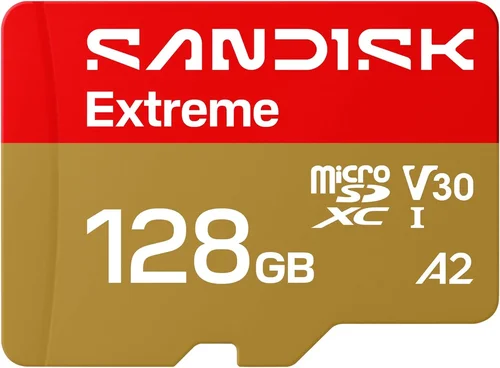
This sweet spot represents the best value for most drivers seeking reliable performance without breaking the bank. Mid-range cards usually feature 64GB to 128GB capacities with U1 or U3 speed classes, adequate temperature tolerance, and solid build quality. Brands like SanDisk Extreme, Samsung EVO Plus, and Lexar Professional fall into this category, offering dependable performance for daily commuting and moderate usage patterns. These cards handle continuous recording well and often include enhanced wear-leveling technology that extends usable life under typical dash cam workloads.
Premium ($45 – $75)
For frequent travelers, commercial drivers, or those requiring maximum reliability, premium cards deliver superior performance and longevity. Typically featuring 128GB to 256GB capacities with U3/V30 speed ratings, industrial temperature tolerances, and exceptional endurance ratings. Models like SanDisk Extreme Pro, Samsung PRO Endurance, and Transcend Ultimate offer professional-grade features including advanced ECC (Error Correction Code), optimized firmware, and extended warranty coverage. While more expensive upfront, these cards often last several times longer than budget options, providing better cost-per-gigabyte value over time.
Luxury ($75+)
Top-tier micro SD cards target professional fleets, security operations, and extreme usage scenarios requiring absolute reliability. Capacities often reach 512GB or 1TB with multiple layers of redundancy and specialized firmware for automotive applications. Features may include hardware encryption, advanced wear-leveling algorithms, and military-grade durability certifications. While overkill for most personal dash cam users, these cards represent the pinnacle of storage technology for applications demanding zero failures under any circumstances.
Expert Tips for Getting the Best Deal
Choose reputable online retailers like Amazon, Best Buy, or directly from manufacturer websites rather than unknown third-party sellers. Authorized dealers guarantee authenticity and often provide better return policies than gray market vendors. When buying in-store, inspect cards carefully for physical damage and verify packaging seals haven’t been tampered with. Don’t hesitate to ask store associates about current promotions or bundle deals that might include accessories like protective cases or adapters.
Look for bundle packages that include SD card readers or other useful accessories—while not essential, these additions can save money compared to purchasing separately. Some manufacturers offer mail-in rebates or trade-in programs for previous cards, effectively reducing the net cost of new purchases. Sign up for retailer newsletters to receive exclusive coupon codes and early access to flash sales that aren’t advertised publicly.
Always compare prices across multiple retailers before finalizing your purchase. Use price tracking tools like Honey or CamelCamelMonitor to monitor historical pricing trends and identify genuine deals versus temporary markups. Remember that shipping costs and return policies factor into total ownership costs, so calculate these carefully when comparing seemingly cheaper options from distant suppliers.
Verify warranty terms thoroughly before buying—some brands offer surprisingly generous coverage that justifies paying slightly more upfront. Check whether warranties cover accidental damage or just manufacturing defects, as this distinction affects real-world value. Register your product immediately after purchase to activate warranty benefits and protect against lost receipts.
Test new cards immediately after installation by checking your dash cam’s settings menu for proper recognition and formatting status. Most devices display card health information that helps identify potential issues early. If your dash cam includes a built-in diagnostic tool, run it to confirm everything operates correctly before relying on the card for critical recordings.
Consider future-proofing your investment by choosing capacities slightly larger than currently needed. As dash cam resolutions increase toward 4K and higher frame rates become standard, storage demands will grow accordingly. Buying now at 128GB rather than 64GB means you won’t need another card purchase for several years, avoiding the hassle and cost of mid-trip replacements.
Frequently Asked Questions
Q: Can I use any Class 10 micro SD card in my dash cam?
A: While Class 10 is the minimum requirement for most dash cams, not all Class 10 cards perform equally. Some budget options may struggle with sustained write speeds during extended recording sessions or fail under temperature stress. Always check your dash cam’s manual for specific recommendations, as some manufacturers list approved card models. Even within Class 10, look for additional speed class indicators like U1, U3, V10, or V30 for guaranteed minimum performance levels.
Q: How much storage space do I actually need for my dash cam?
A: Storage requirements depend primarily on your dash cam’s resolution and recording settings. A typical 1080p dash cam uses approximately 1GB per minute of recording, meaning a 64GB card stores about 10 hours of footage. Higher resolutions like 2.5K or 4K consume storage much faster—sometimes 3-4GB per minute. Consider your driving patterns: daily commuters might only need 32-64GB, while frequent travelers or commercial drivers should opt for 128GB or larger to avoid running out of space during long trips.
Q: What’s the difference between U1 and U3 speed classes?
A: U1 (UHS Speed Class 1) guarantees a minimum sustained write speed of 10MB/s, sufficient for 1080p recording and most standard dash cam applications. U3 (UHS Speed Class 3) provides 30MB/s minimum write speed, supporting higher resolutions like 4K and multiple camera setups. While U1 works fine for basic 1080p recording, U3 cards offer headroom for future upgrades and more demanding recording scenarios without risk of buffer overflow or dropped frames.
Q: How long do micro SD cards last when used in dash cams?
A: Under normal usage conditions, reputable micro SD cards typically last 3-5 years or more. However, this depends heavily on build quality, temperature exposure, and write cycle endurance. Professional-grade cards rated for automotive use may last 7-10 years, while budget options might fail after 1-2 years of continuous recording. Look for cards with high TBW (Terabytes Written) ratings—cards rated for 1000+ TBW generally offer excellent longevity compared to those rated for 100TBW or less.
Q: Should I format my micro SD card before using it in my dash cam?
A: Yes, always format new micro SD cards before installing them in your dash cam. Most dash cams have built-in formatting functions that properly partition and initialize the card for their specific file system requirements. Formatting removes any incompatible file structures from previous use and ensures optimal performance from day one. Avoid formatting cards on computers unless absolutely necessary, as different operating systems use varying file systems that may confuse dash cam software.
Q: Can I use multiple micro SD cards interchangeably between dash cams?
A: While technically possible, mixing cards between different dash cam models isn’t recommended. Each device may have unique formatting requirements, file system preferences, and performance expectations that affect how cards behave. Additionally, swapping cards increases the risk of accidentally using an incompatible or damaged card in another device. If you must transfer cards between vehicles, always reformat them using each dash cam’s native formatting tool to ensure proper initialization.
Q: Do micro SD cards degrade over time even when not actively recording?
A: Yes, flash memory gradually degrades due to charge leakage and oxide layer breakdown, regardless of usage. However, this degradation occurs much slower than active write cycles caused by dash cam recording. Cards stored properly in cool, dry environments maintain their integrity for several years without significant degradation. The primary concern for dash cam applications is write cycle endurance rather than passive aging, making cards with high TBW ratings particularly valuable for continuous recording scenarios.
Q: What should I do if my dash cam stops recognizing my micro SD card?
A: First, power off your dash cam completely, remove the card, and inspect it for physical damage or corrosion. Clean the gold contacts gently with a soft cloth if needed. Try reinserting the card firmly but carefully. If recognition fails, attempt formatting using your dash cam’s built-in tool. As a last resort, test the card in another compatible device to determine if the issue lies with the card or the dash cam itself. Never force cards into slots—damage from improper insertion can permanently render cards unusable.
Our Final Recommendations
For budget-conscious buyers seeking reliable performance without excessive spending, the SanDisk Extreme microSDXC Card delivers excellent value with its proven track record in automotive applications. Available in capacities from 64GB to 512GB with U3/V30 speed ratings and impressive durability features, this card handles continuous recording well while maintaining reasonable price points. Its compact size and robust construction make it ideal for everyday driving scenarios where reliability matters more than cutting-edge features.
If you want the best overall balance between performance, features, and price, the Samsung PRO Endurance microSDXC Card stands out as our top recommendation. Specifically engineered for surveillance and automotive use, it offers exceptional write endurance with up to 1,000 hours of continuous recording support. Available in 64GB to 512GB capacities with A1 application performance class, this card provides faster file transfers and quicker app loading times compared to standard options. Its industrial-grade durability ensures reliable operation in extreme temperatures common in automotive environments.
For premium users requiring maximum reliability and future-proofing capabilities, the SanDisk Extreme Pro microSDXC Card represents the pinnacle of consumer storage technology. With theoretical read speeds reaching 170MB/s and write speeds up to 90MB/s, this card easily handles 4K recording and multiple camera setups. Its advanced error correction and wear-leveling algorithms provide exceptional longevity, while the included RescuePRO Deluxe software adds valuable data recovery capabilities. Though more expensive, this card justifies its cost through unmatched performance and peace of mind for critical recording situations.
Beginners starting their dash cam journey should consider the Lexar Professional 633x microSDHC/microSDXC Card, which offers straightforward Class 10 performance at accessible price points. With capacities from 32GB to 128GB and reliable U1 speed class ratings, this card provides adequate performance for standard definition recording without overwhelming complexity. Its simple design focuses on core functionality rather than advanced features, making it perfect for new users who want dependable operation without technical confusion.
Advanced users with specialized requirements like fleet management or security operations benefit most from the Transcend Ultimate microSDXC Card. Featuring ultra-high capacities up to 1TB, this card provides massive storage for extended parking mode recording or multi-day trip logs. Its military-grade durability certification and extended temperature tolerance make it suitable for harsh environments, while advanced ECC technology ensures data integrity under demanding conditions. The included JetFlash 890 USB 3.1 reader simplifies file transfers and backups, adding practical convenience for professionals managing large amounts of footage.
Conclusion: Making the Right Choice
Selecting the best Class 10 micro SD card for your dash cam requires balancing multiple factors including performance specifications, environmental demands, budget constraints, and future needs. By prioritizing reliable brands with proven track records in automotive applications and focusing on essential features like adequate write speeds and temperature tolerance, you’ll ensure your dash cam captures every important moment with clarity and consistency. Remember that the cheapest option rarely provides the best value when considering total ownership costs and potential failure risks.
Take time to assess your specific usage patterns before making a purchase—consider how frequently you drive, what resolutions your dash cam supports, and whether you operate in extreme climates. Matching your card’s capabilities to these real-world conditions prevents disappointment and unnecessary expenses down the road. Don’t overlook the importance of proper formatting and regular maintenance, as these simple steps significantly extend card lifespan and maintain recording reliability.
Ultimately, investing in a quality micro SD card represents protecting your vehicle investment and ensuring peace of mind on the road. Whether you choose a budget-friendly option for occasional use or a premium card for professional applications, making an informed decision based on thorough research and understanding your needs will serve you well for years to come. Your dash cam deserves nothing less than dependable, high-performance storage that won’t let you down when you need it most.