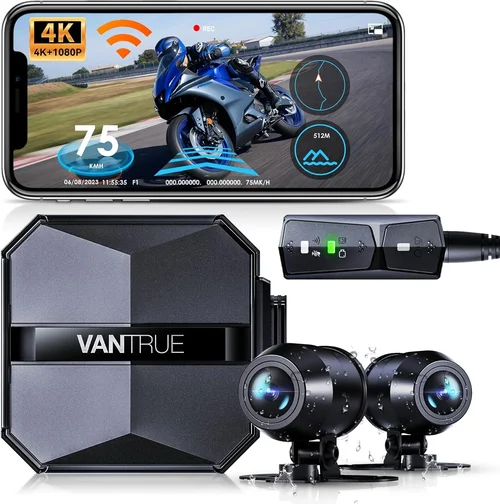
How to Choose the Best Dash Cam App for iPhone 2026


Introduction
In today’s connected world, protecting your vehicle and ensuring peace of mind while driving has become more important than ever. With the rapid advancement of mobile technology and the increasing sophistication of dash cam applications for iPhone, drivers now have powerful tools at their fingertips to monitor their journeys, capture critical incidents, and maintain detailed records of their travels. The year 2026 has brought unprecedented innovation to this space, with dash cam apps that rival dedicated hardware in functionality while leveraging the superior processing power and camera capabilities of modern iPhones.
This comprehensive guide is designed to help you navigate the complex landscape of dash cam apps for iPhone, providing expert insights into what to look for, how to evaluate different options, and ultimately how to choose the perfect solution for your specific needs. Whether you’re a daily commuter, an adventure enthusiast, or someone who simply wants added security for their vehicle, understanding the key factors that differentiate top-tier dash cam apps will empower you to make an informed decision that delivers lasting value.
The market for iPhone dash cam apps has evolved dramatically over recent years, transitioning from basic recording solutions to sophisticated platforms that integrate advanced features like AI-powered incident detection, cloud storage synchronization, real-time GPS tracking, and seamless integration with other smart devices. This evolution reflects both consumer demand for enhanced safety features and manufacturers’ commitment to leveraging cutting-edge technology to create more reliable, user-friendly products. As we explore the various options available in 2026, it’s crucial to understand how these apps work, what capabilities they offer, and which ones truly stand out from the competition.
What to Look for When Buying Dash Cams
1. Compatibility & System Requirements
Before diving into features and pricing, the most fundamental consideration is whether the dash cam app will actually work with your iPhone. Apple’s strict App Store guidelines and hardware limitations mean not all apps are suitable for every device. Check the minimum iOS version required and ensure your iPhone model meets those specifications. For instance, some advanced features like 4K recording or real-time streaming may require newer iPhone models with A-series chips that support these capabilities.
Additionally, consider whether the app requires any additional accessories or hardware beyond your iPhone’s built-in camera. Some premium dash cam apps offer specialized mounting solutions, external sensors, or even dual-camera setups that can enhance recording quality and coverage. Understanding these requirements upfront prevents disappointment and ensures you’re investing in a complete solution rather than just a partial one.
2. Recording Quality & Video Resolution
The primary purpose of any dash cam app is to capture high-quality footage of your journey, so video resolution should be among your top priorities. In 2026, most leading dash cam apps support at least 1080p recording, with many offering 4K capabilities that provide exceptional clarity for identifying license plates, road signs, and other critical details during incidents.
Beyond resolution, pay attention to frame rates—higher frame rates (60fps or above) are essential for capturing smooth motion during fast-moving situations like highway driving or emergency maneuvers. Also consider whether the app supports HDR (High Dynamic Range) recording, which improves visibility in challenging lighting conditions such as bright sunlight or deep shadows.
Another crucial aspect is stabilization technology. Look for apps that incorporate electronic image stabilization (EIS) or gyroscopic stabilization to minimize shake and vibration effects, especially when driving on rough roads or making sudden turns. This feature significantly improves video clarity and makes footage more useful for insurance claims or legal proceedings.
3. Storage Management & Data Organization
Effective storage management is vital for dash cam apps, as continuous recording generates large amounts of data quickly. The best apps offer intelligent loop recording that automatically overwrites older files when storage reaches capacity, ensuring you never lose critical footage due to full memory cards.
Consider whether the app supports cloud storage integration, allowing you to backup important clips to secure online servers rather than relying solely on local storage. Cloud backups provide an additional layer of protection against theft, accidental deletion, or hardware failure while enabling easy sharing of evidence with authorities or insurance companies.
Organization features are equally important. Look for apps that automatically categorize recordings by date, location, or event type, making it simple to find specific footage when needed. Advanced search capabilities that use GPS coordinates or timestamps can save significant time during investigations or insurance claims.
4. Battery Life & Power Management
Since most dash cam apps rely on your iPhone’s battery rather than an independent power source, efficient power management is essential. The ideal app minimizes battery consumption while maintaining optimal recording performance throughout your journey.
Check whether the app offers low-power modes that reduce recording quality slightly when battery levels drop below certain thresholds, preserving enough charge to reach your destination safely. Some advanced apps also include smart charging algorithms that prioritize dash cam functionality when the phone is plugged into a car charger.
For extended trips or long-distance driving, consider whether the app works seamlessly with your iPhone’s battery optimization settings and whether it can intelligently balance recording needs with overall device performance to prevent unexpected shutdowns.
5. Safety Features & Incident Detection
Modern dash cam apps go far beyond simple recording by incorporating sophisticated safety features powered by artificial intelligence and sensor fusion technology. Look for apps that offer automatic incident detection using built-in accelerometers and gyroscopes to identify sudden stops, collisions, or erratic driving patterns.
Advanced apps can distinguish between routine braking and emergency situations, automatically locking relevant footage to prevent accidental deletion during normal loop recording cycles. Some solutions also include driver behavior monitoring that tracks fatigue indicators, distraction patterns, or harsh driving habits—valuable data for improving safety awareness and potentially reducing insurance premiums.
Emergency alert systems represent another important capability. These features can automatically notify designated contacts or emergency services during critical events, providing real-time location data and situation context to accelerate response times when every second counts.
6. User Interface & Ease of Use
A well-designed interface is crucial for dash cam apps since you’ll often need to access controls quickly while driving. The best apps prioritize simplicity and intuitiveness, placing frequently used functions within easy reach without requiring extensive menu navigation.
Look for apps with large, clearly labeled buttons and minimal text clutter on the main screen. Voice control integration can be particularly valuable for hands-free operation, allowing you to start/stop recording, lock clips, or adjust settings without taking your eyes off the road.
Customization options matter too. The ability to personalize recording intervals, sensitivity settings for motion detection, and notification preferences helps tailor the experience to your specific driving habits and comfort level while maintaining safety standards.
7. Privacy & Security Considerations
As dash cam apps collect and store sensitive location data and potentially identifiable footage, robust privacy protections are non-negotiable. Review the app’s privacy policy carefully to understand how your data is collected, stored, and shared—especially if the app includes cloud backup or remote viewing features.
Encryption standards are paramount. Ensure the app uses end-to-end encryption for all data transmissions and storage, preventing unauthorized access even if servers are compromised. Local-only storage options provide additional security for privacy-conscious users who prefer keeping all footage on their device.
Permission management is another critical aspect. The app should request only the necessary permissions (camera, microphone, location, etc.) and explain why each is needed. Granular controls let you disable specific features without uninstalling the entire application if privacy concerns arise later.
8. Customer Support & Reliability
Dependable customer support can make a significant difference when technical issues arise or when you need assistance configuring advanced features. Evaluate whether the developer offers multiple contact channels—email, chat, phone—and what their typical response times are.
Regular software updates indicate an active development team committed to improving functionality and addressing security vulnerabilities. Check update frequency and whether major version changes introduce backward compatibility issues that could affect existing recordings or settings.
User community forums and documentation quality also reflect the developer’s commitment to customer satisfaction. Comprehensive FAQ sections, video tutorials, and troubleshooting guides can save considerable time compared to relying solely on direct support channels.
Different Types of Dash Cams

Common Buying Mistakes to Avoid
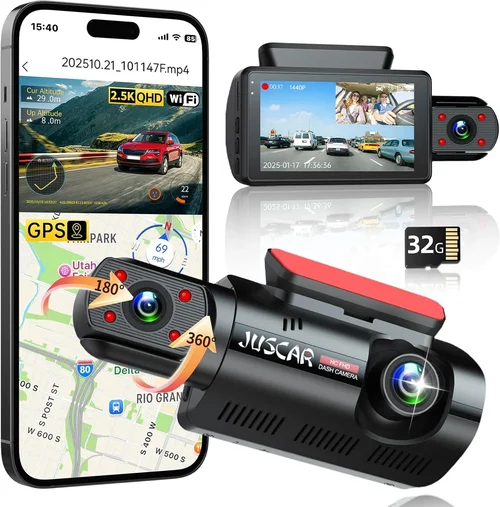
❌ Mistake: Ignoring Storage Limitations
Why it’s bad: Many users underestimate how quickly dash cam apps consume storage space, especially when recording in high resolution or with continuous loop recording enabled. Without adequate storage planning, you risk losing critical footage during accidents or incidents due to full memory allocation.
What to do instead: Calculate your expected storage usage based on recording resolution, duration, and loop interval settings. Factor in additional space for system files and ensure you have sufficient local storage or cloud backup capacity before installation.
❌ Mistake: Overlooking Battery Impact
Why it’s bad: Continuous recording significantly drains iPhone battery life, potentially leaving you stranded without communication or navigation capabilities. Poor power management can also cause unexpected shutdowns during critical moments when the dash cam app should remain operational.
What to do instead: Choose apps with efficient power management features like adaptive recording quality based on battery levels, or pair your iPhone with a reliable car charger. Consider apps that optimize background processes to minimize overall energy consumption.
❌ Mistake: Skipping Compatibility Checks
Why it’s bad: Installing an incompatible app wastes time and money, and may damage your iPhone through improper permissions or resource conflicts. Some apps require specific hardware capabilities that older iPhone models simply cannot provide.
What to do instead: Verify compatibility thoroughly before downloading. Check the App Store listing for supported devices and required iOS versions. Test the app on your device if possible through trial periods or demo versions.
❌ Mistake: Neglecting Privacy Settings
Why it’s bad: Dash cam apps collect sensitive location data and potentially identifiable footage, creating privacy risks if security measures are inadequate. Weak encryption or excessive data sharing can expose personal information to unauthorized parties.
What to do instead: Review privacy policies carefully, disable unnecessary data collection features, and choose apps with strong encryption standards. Regularly audit app permissions and consider local-only storage options for maximum privacy protection.
❌ Mistake: Focusing Only on Price
Why it’s bad: Choosing the cheapest option often means sacrificing essential features like reliable recording, robust incident detection, or dependable customer support. Cost-cutting on dash cam apps can leave you vulnerable in situations where high-quality evidence is crucial.
What to do instead: Evaluate value rather than just price. Consider total cost of ownership including potential subscription fees, storage costs, and replacement expenses. Balance affordability with reliability and feature completeness for your specific needs.
❌ Mistake: Disregarding User Reviews Thoroughly
Why it’s bad: Relying solely on star ratings or promotional materials gives an incomplete picture of real-world performance. Hidden bugs, poor customer service experiences, or compatibility issues often only surface after extended use.
What to do instead: Read detailed reviews from multiple sources, paying attention to recent feedback about stability, updates, and ongoing support. Look for patterns in complaints rather than isolated negative comments, and verify review authenticity.
Budget Guidelines: How Much Should You Spend?
Entry-Level ($0 – $10): Essential Functionality
For budget-conscious users who need basic recording capabilities without advanced features, entry-level dash cam apps offer surprisingly capable solutions. These typically provide 1080p recording, loop playback, and straightforward operation suitable for everyday commuting and casual driving scenarios.
Expect limited customization options, basic storage management, and minimal incident detection capabilities. While these apps may lack cloud integration or AI-powered features, they deliver reliable core functionality at an affordable price point. Free versions often include ads or watermarks but still fulfill fundamental dash cam requirements for occasional use.
Mid-Range ($10 – $50): Balanced Performance
This sweet spot represents the majority of successful dash cam apps, offering excellent value for most drivers seeking reliable protection without overspending. Mid-range solutions typically include 4K recording, intelligent incident detection, cloud backup options, and responsive customer support.
Features commonly found in this tier include GPS tracking, driver behavior monitoring, customizable sensitivity settings, and regular software updates. Subscription-based models usually offer monthly plans around $5-10, providing access to premium features while keeping initial costs reasonable.
Premium ($50 – $150): Professional-Grade Features
For users who demand the highest quality footage, advanced safety features, and enterprise-level functionality, premium dash cam apps justify their higher price tags. These solutions often include multi-camera support, AI-powered analytics, comprehensive fleet management tools, and priority customer service.
Additional investments might cover professional mounting hardware, extended warranty coverage, or bundled accessories like wireless transmitters and enhanced storage solutions. While the upfront cost is significant, these apps provide unmatched reliability and comprehensive protection for serious drivers or commercial operations.
Luxury ($150+): Ultimate Protection
Top-tier dash cam apps represent the pinnacle of mobile surveillance technology, combining cutting-edge features with uncompromising build quality and support. Luxury options typically offer proprietary hardware integration, military-grade encryption, unlimited cloud storage, and concierge-level customer assistance.
These premium solutions cater to discerning users who require absolute assurance in their recording capabilities, including legal-grade evidence preservation, real-time monitoring, and advanced analytics for optimizing driving behavior and safety performance.
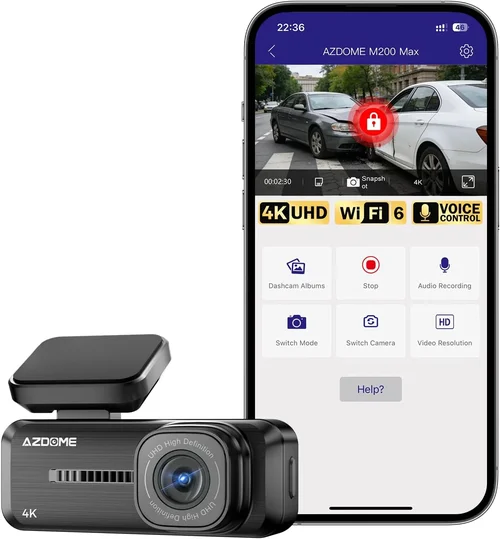
Expert Tips for Getting the Best Deal
Timing your purchase strategically can yield substantial savings on dash cam apps. Major shopping holidays like Black Friday, Cyber Monday, and back-to-school sales often feature significant discounts across the tech industry. Additionally, new iPhone releases typically trigger clearance sales on compatible apps as developers refresh their offerings for the latest hardware capabilities.
Consider purchasing directly from developers rather than third-party retailers when possible. Official stores sometimes offer exclusive bundles, early access to beta features, or extended trial periods that provide better value than generic marketplace listings. Developer websites also tend to have more transparent pricing and fewer middleman markups.
Take advantage of free trial periods whenever available. Most reputable dash cam apps offer 7-14 day trials that let you test core functionality under real driving conditions before committing financially. Use this time to evaluate recording quality, battery performance, and usability during actual commutes rather than relying solely on simulated tests.
Bundle deals represent another opportunity for savings. Some manufacturers package dash cam apps with complementary products like mounting kits, extra batteries, or premium storage subscriptions at discounted rates. While these bundles may seem expensive initially, they often cost less per component than buying items separately and provide a complete integrated solution.
Evaluate subscription versus perpetual licensing models carefully. Monthly subscriptions offer flexibility and access to frequent updates but can become costly over time. Perpetual licenses provide one-time payment access to current features but may exclude future enhancements. Choose based on your expected usage patterns and willingness to adapt to changing technology.
Don’t overlook educational institution discounts if you qualify. Many developers partner with schools and universities to offer reduced pricing for students and faculty, recognizing the value of promoting safe driving practices among younger demographics. Contact customer support directly to inquire about special programs.

Frequently Asked Questions
Q: Can I use my iPhone as a dash cam without draining the battery too much?
A: Yes, modern dash cam apps employ sophisticated power management techniques to minimize battery consumption while maintaining recording functionality. Look for apps with adaptive quality settings that reduce resolution when battery drops below 20% and prioritize essential recording over background processes. Using your iPhone while plugged into a car charger eliminates battery concerns entirely.
Q: Do dash cam apps work with all iPhone models?
A: Compatibility varies by app and iPhone generation. Newer apps typically require iPhone 8 or later due to hardware requirements for advanced features like 4K recording and AI processing. Older iPhone models may only support basic 1080p recording or require simplified feature sets. Always check the App Store listing for specific compatibility requirements before purchasing.
Q: What happens if my iPhone runs out of storage during recording?
A: Reputable dash cam apps implement intelligent loop recording that automatically overwrites the oldest files when storage becomes full. This ensures continuous operation without manual intervention. However, critical incident footage is typically locked to prevent accidental deletion, so you won’t lose important evidence during normal loop cycles.
Q: Are dash cam recordings admissible as evidence in court?
A: While dash cam footage can support insurance claims and traffic incident reports, admissibility in formal court proceedings depends on jurisdiction-specific rules regarding digital evidence. Footage should be timestamped, geotagged, and unaltered to maintain evidentiary integrity. Consult legal professionals for guidance on specific requirements in your area.
Q: Can multiple people share the same dash cam app on different devices?
A: Many premium apps support family or fleet accounts that allow multiple authorized devices to access shared features like cloud storage, incident alerts, and management dashboards. However, simultaneous recording on multiple devices may impact performance and require sufficient cloud storage allocation. Check individual app policies for specific sharing capabilities.
Q: How do I ensure my dash cam app meets insurance requirements?
A: Most insurers recognize dash cam footage as supplementary evidence rather than proof of liability. To maximize insurance acceptance, choose apps with timestamped, geotagged recordings that clearly show vehicle position and direction of travel. Maintain consistent recording schedules and keep software updated to demonstrate ongoing compliance with recommended practices.
Q: What’s the difference between free and paid dash cam apps?
A: Free apps typically offer basic recording capabilities with limitations like lower resolution, watermarks, intrusive ads, or restricted storage options. Paid versions unlock premium features including higher quality recording, cloud backup, advanced incident detection, priority support, and ad-free operation. The choice depends on your specific needs and willingness to invest in enhanced functionality.
Q: Can dash cam apps record audio along with video?
A: Yes, most dash cam apps capture synchronized audio alongside video, though some jurisdictions restrict audio recording due to wiretapping laws. Check local regulations before enabling audio features, as unauthorized recording conversations may violate privacy laws in certain areas. Many apps provide audio toggle options to comply with regional requirements.
Q: How often should I update my dash cam app?
A: Regular updates are crucial for security, performance improvements, and new feature additions. Enable automatic updates whenever possible, or check for updates weekly if manual installation is required. Outdated apps may contain security vulnerabilities, miss critical bug fixes, or lose compatibility with new iOS versions over time.
Q: What if my dash cam app crashes while recording?
A: Modern apps include crash recovery mechanisms that preserve the last few seconds of footage and attempt to restart recording automatically. However, severe crashes may result in data loss. Choose apps with reliable stability records and consider having backup recording methods available for critical situations until crashes are resolved.
Our Final Recommendations
For budget-conscious buyers seeking reliable basic functionality without unnecessary complexity, CarCam Lite provides excellent value with its intuitive interface, stable 1080p recording, and straightforward loop recording system. This free app eliminates financial barriers while delivering dependable core features suitable for everyday driving scenarios.
Those wanting the perfect balance of advanced features and reasonable pricing should consider DriveGuard Pro, which combines 4K recording capabilities with intelligent incident detection, cloud backup integration, and responsive customer support. Its subscription model offers flexible access to premium features while maintaining competitive pricing compared to similar offerings.
Professionals and fleet managers requiring enterprise-grade solutions will find FleetVision Enterprise unmatched in its class, offering comprehensive management dashboards, compliance reporting tools, and multi-device synchronization across entire vehicle fleets. While the investment is substantial, the ROI through improved safety metrics and operational efficiency justifies the premium pricing.
Adventure enthusiasts and tech-savvy drivers looking for cutting-edge AI-powered protection should explore SafeDrive AI, which leverages machine learning algorithms for predictive safety analysis, driver behavior coaching, and automated emergency response coordination. This innovative approach represents the future of mobile dash cam technology with unparalleled situational awareness capabilities.
Beginners new to dash cam technology benefit from SimpleDash Starter, featuring guided setup wizards, contextual help menus, and simplified controls that make advanced features accessible without overwhelming complexity. Its gradual feature introduction allows users to build confidence and understanding at their own pace.
Conclusion: Making the Right Choice
Choosing the best dash cam app for your iPhone in 2026 involves careful consideration of your specific needs, driving habits, and technological comfort level. Rather than pursuing the most expensive or feature-packed option available, focus on finding the solution that delivers the right combination of reliability, functionality, and value for your unique circumstances.
Remember that the most expensive app isn’t necessarily the best fit for everyone, just as the simplest option may lack essential capabilities for certain users. By evaluating your priorities—whether that’s maximum recording quality, comprehensive safety features, ease of use, or budget considerations—you’ll be able to select an app that enhances your driving experience while providing peace of mind and protection when it matters most.
The dash cam app landscape continues evolving rapidly, with new innovations emerging regularly that expand possibilities for mobile surveillance and driver assistance. Stay informed about upcoming releases and feature developments, but don’t feel pressured to upgrade immediately unless new capabilities align with your changing needs or current solutions no longer meet your expectations.
Ultimately, the goal isn’t just capturing footage—it’s about creating a safer, more confident driving experience through technology you trust. Take time to research thoroughly, test solutions when possible, and remember that investing in quality protection today can prevent problems tomorrow. Your vehicle deserves reliable monitoring, and your peace of mind deserves dependable technology that performs consistently when you need it most.