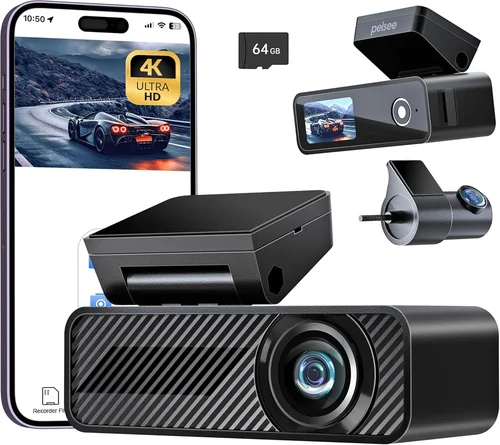
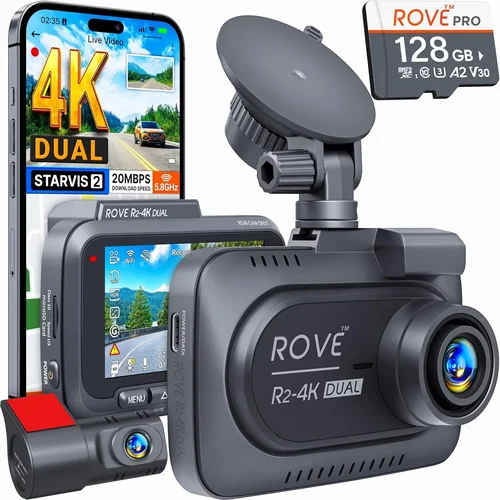
Best Dash Cam App Buying Guide for iPhone 2026
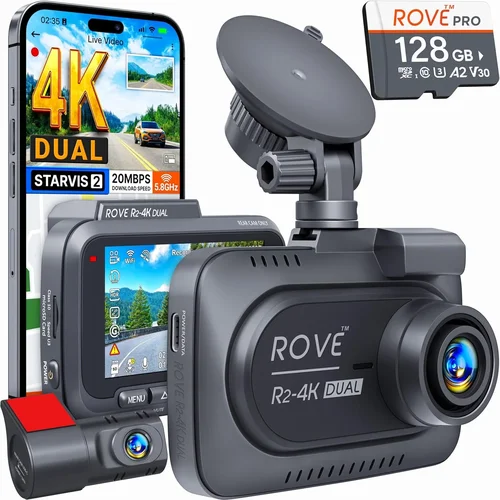
Why this guide matters: In 2026, dash cam apps have become essential tools for iPhone users who want to record their journeys safely and legally. With increasing concerns about road safety, insurance claims, and the need to document incidents on the road, having a reliable dash cam app can make all the difference. This comprehensive buying guide will help you navigate the crowded market of iPhone dash cam apps and find the perfect solution for your needs.
What readers will learn: Whether you’re a daily commuter, a road trip enthusiast, or someone who simply wants peace of mind while driving, this guide covers everything you need to know about selecting the best dash cam app for your iPhone. You’ll understand key features, performance specifications, compatibility requirements, and how to choose based on your specific use case.
The market for iPhone dash cam apps has exploded in recent years, with dozens of options available ranging from free basic recording apps to premium solutions with advanced AI features. The challenge is finding an app that delivers reliable performance without overwhelming you with complexity or draining your phone’s battery life.

What to Look for When Buying Dash Cams
1. Performance Specifications
The foundation of any good dash cam app lies in its performance capabilities. Look for apps that support high-resolution video recording, preferably 1080p at 30fps or higher. Resolution directly impacts the quality of evidence you can capture during critical moments. Frame rate is equally important—30fps is standard, but 60fps provides smoother motion capture for fast-moving vehicles.
Battery optimization is crucial since your phone’s battery is finite. Premium dash cam apps use intelligent power management that minimizes drain by only activating the camera when the car is in motion. Some even integrate with your vehicle’s OBD-II port or USB-C power delivery to maintain consistent operation without taxing your phone’s battery excessively.
Storage management features are another critical specification. Look for automatic file deletion, circular recording, and cloud backup options. A good app should handle storage intelligently by overwriting the oldest footage first while preserving important clips through manual locking or automatic event-based saving.
2. Features & Functionality
Modern dash cam apps offer far more than simple video recording. GPS tracking integration allows you to overlay location data onto your videos, providing valuable context for insurance claims or legal situations. G-sensor technology automatically detects sudden movements like hard braking, collisions, or sharp turns, triggering the app to lock and preserve relevant footage.
Night vision enhancement features are essential for comprehensive coverage. Apps with low-light optimization, HDR processing, and infrared capabilities deliver clearer footage in challenging lighting conditions. Some advanced models include starlight sensors specifically designed for nighttime driving scenarios.
Advanced safety features have become increasingly important. Driver assistance alerts can warn you about blind spots, lane departures, or potential collision risks. Real-time traffic updates help you avoid congestion, while emergency SOS functionality can quickly alert authorities in case of accidents.
3. Build Quality & Durability
While software is important, the physical components matter too. The dash cam hardware must be rugged enough to withstand temperature extremes, humidity, and vibrations common in automotive environments. Look for devices with IP67 waterproof ratings and wide operating temperature ranges (-20°C to 70°C).
Installation flexibility is another durability factor. Magnetic mounts, suction cups, and adhesive pads each have pros and cons. Magnetic mounts offer quick installation but may lack stability at highway speeds. Suction cup mounts provide secure attachment but can lose effectiveness in extreme heat or cold.
Build materials should resist UV degradation and fading. High-quality plastics and metal components prevent warping and maintain structural integrity over time. Consider the weight and profile of the device—bulkier units may obstruct your view or create glare issues.
4. Brand Reputation
Established brands typically offer better reliability and customer support. Companies like Garmin, Nextbase, and Blackvue have built reputations through years of automotive electronics innovation. Research brand history and read professional reviews before committing to a purchase.
User community size indicates product popularity and developer responsiveness. Larger user bases mean more third-party accessories, tutorials, and troubleshooting resources. Active forums and social media groups provide valuable peer insights and quick solutions to technical problems.
5. Warranty & Support
Comprehensive warranty coverage protects against manufacturing defects and premature failures. Most reputable manufacturers offer 1-3 year warranties with international coverage. Check whether warranty service requires original packaging and proof of purchase.
Customer support channels vary significantly between brands. Phone support, live chat, email tickets, and comprehensive FAQ sections all contribute to overall satisfaction. Test response times and resolution quality before making your decision.
6. Size & Portability
Compact designs reduce visibility obstruction and installation complexity. Ultra-thin profiles (under 1 inch) minimize windshield interference while maintaining recording quality. Smaller units also consume less power and generate less heat during extended use.
7. User Reviews & Ratings
Genuine user experiences reveal real-world performance beyond marketing claims. Pay attention to patterns in negative reviews rather than isolated complaints. Consistent issues with battery life, connectivity problems, or poor night vision indicate potential red flags.
8. Compatibility Requirements
Ensure your iPhone model supports the required iOS version for your chosen dash cam app. Older iPhones may struggle with resource-intensive recording features. Check RAM requirements and processor capabilities—dash cam apps demand significant system resources.
Different Types of Dash Cams

Common Buying Mistakes to Avoid
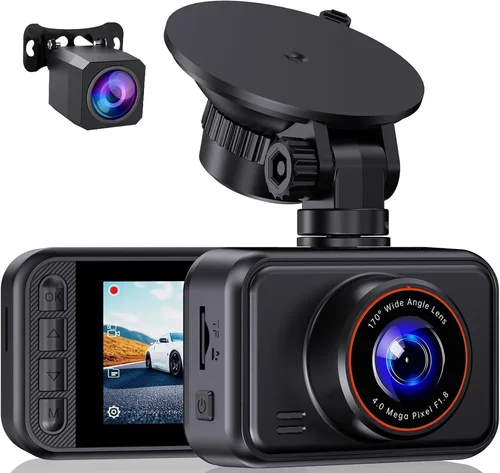
❌ Mistake: Ignoring Storage Capacity
Why it’s bad: Many users underestimate how quickly dash cam files consume storage space. A single hour of 1080p video can take up several gigabytes, especially with dual-lens recording. Without adequate storage management, your app will stop recording when space runs out.
What to do instead: Choose apps with intelligent storage management including automatic file deletion, cloud backup options, and configurable retention periods. Consider external storage solutions like SD cards or portable SSDs for extended recording sessions.
❌ Mistake: Overlooking Night Vision Capabilities
Why it’s bad: Poor night vision renders your dash cam useless for covering after-dark driving scenarios. Many budget apps struggle with low-light conditions, resulting in grainy, unusable footage that fails to provide meaningful evidence.
What to do instead: Prioritize apps with dedicated night vision modes, HDR processing, and low-light optimization. Look for starlight sensors and infrared illumination capabilities specifically designed for nighttime driving.
❌ Mistake: Choosing Based Solely on Price
Why it’s bad: The cheapest dash cam apps often compromise on critical features like GPS accuracy, build quality, or reliability. Cutting corners on essential components leads to frequent malfunctions, poor performance, and ultimately wasted investment.
What to do instead: Evaluate total value rather than just initial cost. Consider long-term expenses including replacement parts, subscription fees, and potential insurance discounts that justified higher upfront costs.
❌ Mistake: Neglecting Installation Requirements
Why it’s bad: Improper installation affects both recording quality and legal admissibility. Poor mounting positions create blind spots or obstruct views, while incorrect wiring prevents proper power supply or causes electrical interference.
What to do instead: Follow manufacturer installation guides precisely. Consider professional installation services for complex setups, especially when routing wires through door panels or integrating with existing vehicle systems.
❌ Mistake: Failing to Test Before Committing
Why it’s bad: Many buyers assume all dash cam apps perform similarly without testing real-world conditions. Without hands-on experience, you might discover compatibility issues, poor battery performance, or unintuitive interfaces after full purchase.
What to do instead: Download free trial versions whenever possible. Test recording quality, interface usability, and battery consumption during short drives before making financial commitments to paid features.
❌ Mistake: Overlooking Legal Considerations
Why it’s bad: Recording laws vary significantly by jurisdiction regarding audio capture, one-party versus two-party consent states, and privacy regulations. Using apps that violate local laws can result in fines or evidence being deemed inadmissible.
What to do instead: Research your state and country’s specific dash cam regulations before purchasing. Choose apps that clearly indicate compliance with relevant laws and provide settings to disable audio recording where prohibited.
❌ Mistake: Assuming All Apps Work Identically
Why it’s bad: Dash cam apps differ dramatically in functionality despite similar basic features. Some lack essential capabilities like G-sensor activation, while others offer unnecessary complexity that distracts from core recording functions.
What to do instead: Compare detailed feature lists rather than relying on marketing descriptions. Focus on your specific needs—whether you prioritize ease of use, advanced safety features, or professional-grade recording quality.
Budget Guidelines: How Much Should You Spend?
Entry-Level ($20 – $50): What to Expect
The entry-level range represents affordable starter options suitable for occasional drivers or those testing dash cam functionality before upgrading. These apps typically offer basic 1080p recording with limited advanced features. While they provide fundamental protection, expect compromises in build quality, night vision performance, and reliability.
At this price point, focus on essential functionality rather than premium extras. Look for apps with automatic loop recording, sufficient storage management, and decent day-time video quality. Free versions may appear attractive but often include watermarks, ads, or severe feature limitations that undermine their usefulness for serious recording purposes.
Insurance companies rarely recognize entry-level dash cams as sufficient evidence for disputes, so consider whether the minimal investment justifies potential claim complications. However, for city driving with frequent stop-and-go traffic, these apps can still provide valuable documentation of minor incidents.
Mid-Range ($50 – $150): Sweet Spot for Most Buyers
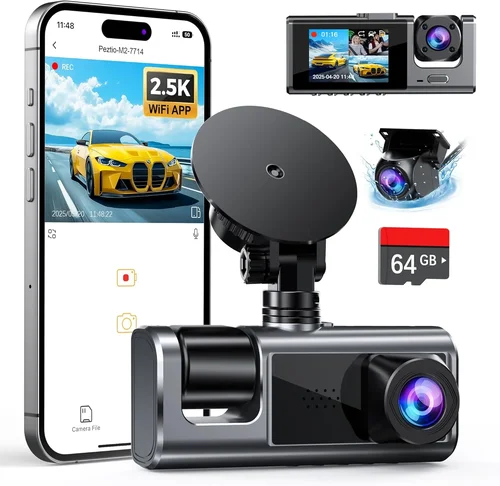
This sweet spot offers the best balance between cost and capability, representing the optimal choice for most drivers. Mid-range apps deliver professional-grade recording quality with reliable performance and robust feature sets. Expect 1080p or 4K recording, GPS integration, advanced night vision, and comprehensive storage management.
Features at this level typically include G-sensor activation, emergency locking, cloud backup options, and mobile app integration for remote viewing and management. Build quality improves significantly with shock-resistant housings, wide-angle lenses, and reliable mounting systems. Many mid-range models also offer driver assistance features like collision warnings and lane departure alerts.
Insurance discounts become more likely with mid-range certification, and the improved recording quality increases evidence credibility for legal disputes. The additional investment pays dividends through enhanced safety features and peace of mind during daily commutes.
Premium ($150 – $300): For Enthusiasts and Professionals
The premium tier serves serious drivers, fleet operators, and enthusiasts who demand maximum performance and reliability. These apps feature cutting-edge technology including 4K recording, HDR processing, starlight sensors, and advanced AI capabilities. Professional-grade builds withstand extreme temperatures and harsh conditions while delivering studio-quality video.
Premium features extend beyond basic recording to include real-time streaming, driver behavior analysis, route optimization, and comprehensive fleet management tools. Cloud infrastructure provides secure, unlimited storage with automatic upload and organization. Integration with navigation systems and vehicle diagnostics adds sophisticated monitoring capabilities.
While the price tag is substantial, premium dash cams justify costs through superior performance, extensive feature sets, and enhanced safety benefits. Insurance companies recognize premium certification, often offering significant discount tiers for approved devices. For commercial drivers or those frequently on the road, these investments pay for themselves through accident prevention and reduced liability exposure.
Luxury ($300+): Top-Tier Features
Ultra-premium dash cam apps represent the pinnacle of automotive recording technology with uncompromising specifications and exclusive features. These solutions cater to professional racing teams, law enforcement agencies, and ultra-high-net-worth individuals requiring absolute performance.
Luxury features include multi-camera arrays, thermal imaging, biometric monitoring, and military-grade durability. Advanced AI processes real-time traffic patterns, predicts hazardous conditions, and automatically adjusts recording parameters for optimal capture. Customizable firmware allows fine-tuning for specific vehicle types or usage scenarios.
The luxury segment includes subscription-based services with concierge support, priority software updates, and dedicated customer success managers. Physical design considerations include stealth installations, anti-glare coatings, and discreet branding that maintains discretion while ensuring maximum functionality.
Expert Tips for Getting the Best Deal
Timing Your Purchase
Achieve significant savings by timing your purchase strategically throughout the year. Major shopping events like Black Friday, Cyber Monday, and Amazon Prime Day offer substantial discounts on dash cam apps. Seasonal transitions—particularly spring and fall—see retailers clearing winter or summer inventory with steep markdowns.
Consider holiday-specific promotions around Memorial Day, Independence Day, and Labor Day. Many manufacturers launch new products in Q1 and Q3, prompting clearance sales of previous generation models. Subscribe to retailer newsletters to receive exclusive early access to sales events and limited-time coupon codes.
Comparing Retailers
Online retailers generally offer broader selection and competitive pricing compared to brick-and-mortar stores. Amazon provides convenience with fast shipping and easy returns, while specialized electronics stores like Best Buy offer knowledgeable staff and hands-on demonstrations. Local auto parts stores may carry compatible accessories and provide installation services.
Consider manufacturer-direct purchases for potential bundle deals and extended warranties. Online marketplaces like eBay occasionally feature refurbished units at reduced prices, though verify seller ratings and return policies before transacting. Price comparison websites aggregate listings from multiple retailers to identify current lowest prices.
Identifying Authentic Deals
Beware of unrealistic pricing—if a deal seems too good to be true, it probably is. Counterfeit products and counterfeit apps flood online marketplaces, delivering substandard performance or containing malware. Verify seller credentials, read recent reviews, and check for official manufacturer seals or authentication codes.
Watch for bundled packages that add value without increasing total cost. Many manufacturers offer starter kits including mounts, cables, and memory cards. Subscription deals sometimes provide discounted hardware when paired with annual software licenses. Trade-in programs allow recycling old devices for credit toward new purchases.
Warranty Considerations
Extended warranties can provide peace of mind but evaluate their actual value carefully. Read terms and conditions thoroughly—some warranties exclude damage from accidents or normal wear. Consider manufacturer direct warranty registration for faster claim processing and international coverage benefits.
Check whether warranty service requires original packaging and proof of purchase. Third-party extended warranties often duplicate existing coverage or contain restrictive clauses. Manufacturer warranties typically offer better support quality and genuine replacement parts.
Return Policies
Test dash cam apps thoroughly before committing—many retailers offer generous return windows (30-90 days). Ensure you understand restocking fees, return shipping costs, and condition requirements. Keep original packaging and accessories until you’re certain the product meets your needs.
For online purchases, verify return eligibility before opening sealed packaging. Some retailers require items to remain unopened for returns. Document unboxing with photos in case of shipping damage disputes. Keep receipts and order confirmations until successful installation and testing confirms satisfactory performance.
Testing Before Buying
Whenever possible, test dash cam apps before purchasing. Visit electronics stores with demonstration models, or borrow equipment from friends to evaluate performance under real-world conditions. Test recording quality in various lighting conditions, assess battery consumption during typical commutes, and verify app functionality with your specific iPhone model.
Pay attention to startup time, recording latency, and interface responsiveness during actual driving scenarios. Evaluate whether the app integrates seamlessly with your daily routine or creates additional distractions. Consider how intuitive the controls are during actual use rather than relying solely on store displays.
Subscription vs One-Time Purchase
Evaluate whether ongoing subscription fees provide sufficient value to justify recurring costs. Cloud storage subscriptions, premium features, and software updates may justify monthly payments for some users, while others prefer one-time purchases with perpetual licensing. Consider your long-term usage patterns and budget constraints.
Many dash cam apps offer hybrid models with free basic functionality plus paid upgrade tiers. Assess which features you’ll actually use regularly versus those serving niche requirements. Trial periods allow testing premium features before committing to subscriptions.
Frequently Asked Questions
Q: Can I use my iPhone as a standalone dash cam without additional hardware?
A: Yes, but with significant limitations. Your iPhone can run dash cam apps that utilize the rear camera for recording, but this setup lacks professional features like dedicated sensors, stable mounting, and optimal positioning. Battery drain becomes problematic for extended use, and the phone’s internal microphone may capture unwanted cabin noise. Additionally, using your iPhone for recording reduces its availability for other functions during drives.
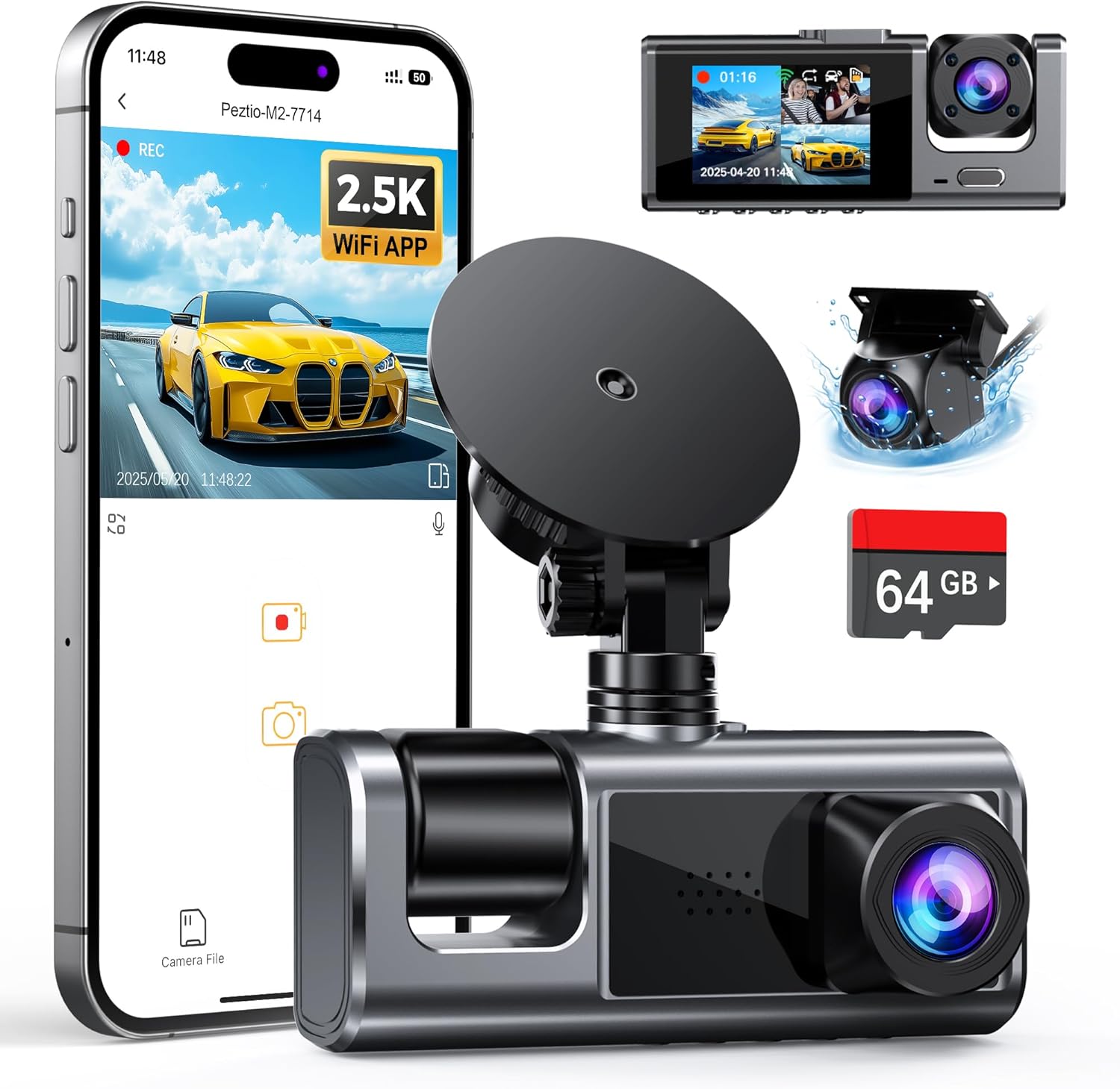
Most experts recommend using dedicated dash cam hardware connected to your iPhone via Bluetooth or Wi-Fi for optimal performance. This approach provides superior battery management, dedicated sensors, and professional mounting solutions while leveraging your iPhone’s processing power for advanced features like GPS tracking and cloud integration.
Q: How much storage space do dash cam apps typically require?
A: Storage requirements vary significantly based on recording quality and duration. A single hour of 1080p video consumes approximately 1-2 GB of storage. Dual-lens recording doubles this requirement. At 30fps recording speed, expect about 15-30 GB per day of continuous recording. 4K recording uses substantially more space—potentially 3-5 GB per hour.
Intelligent storage management features mitigate these demands through automatic file deletion, cloud backup options, and configurable retention periods. Most premium apps offer cloud storage subscriptions starting around $3-5 per month for 100GB, scaling up to unlimited plans for $15-25 monthly. External storage solutions like microSD cards provide cost-effective alternatives for local storage needs.
Q: Do dash cam apps work in extreme weather conditions?
A: Modern dash cam apps and compatible hardware perform remarkably well across diverse weather conditions. Temperature-resistant components operate reliably in ranges from -20°C to 70°C (-4°F to 158°F). Waterproof housings protect against rain, snow, and moisture intrusion. Anti-fog coatings prevent lens condensation during temperature changes.
However, extreme conditions present challenges. Heavy rain, snowstorms, or dense fog reduce visibility and recording quality. Freezing temperatures affect battery performance and startup times. Direct sunlight can cause lens flare and overheating issues. Most manufacturers specify operating parameters and provide protective accessories like sun visors or heated elements for extreme climate applications.
Q: Are dash cam recordings admissible as evidence in court?
A: Dash cam recordings can serve as valuable evidence in legal proceedings, but admissibility depends on numerous factors including jurisdiction, recording quality, and chain of custody. Courts generally accept video evidence if properly authenticated and relevant to the case. Clear, timestamped footage showing license plates, vehicle identification, and incident details strengthens evidentiary value.
Legal considerations vary by location regarding audio recording consent requirements. Some jurisdictions prohibit audio capture without all parties’ permission. Proper documentation of recording dates, times, and circumstances helps establish authenticity. Maintain organized storage and backup systems to demonstrate evidence integrity and prevent accidental deletion or corruption.
Q: How do I install and mount my dash cam app’s hardware?
A: Installation procedures depend on mounting type and vehicle configuration. Windshield-mounted units typically use suction cups, magnets, or adhesive pads positioned behind the rearview mirror for optimal forward visibility. Dashboard mounting provides alternative placement but may obstruct instrument panel views.
Professional installation services ensure proper positioning, secure mounting, and clean wire routing through door panels and under carpets. DIY installation requires patience and precision—clean surfaces thoroughly before applying adhesives, route wires away from moving parts and hot engine components, and test mounting security before finalizing connections.
Q: Can multiple dash cams record simultaneously on different devices?
A: Yes, many advanced dash cam systems support multi-device recording through wireless synchronization or centralized management platforms. Fleet management solutions enable simultaneous recording across multiple vehicles with coordinated timestamps and unified cloud storage. Personal setups can achieve this through separate dash cam units with synchronized recording schedules.
Simultaneous recording requires careful planning regarding storage capacity, network bandwidth for cloud uploads, and device coordination. Centralized management platforms provide real-time monitoring, automatic synchronization, and unified playback interfaces for reviewing footage from multiple sources. This capability proves invaluable for families sharing vehicles or businesses managing multiple fleet assets.
Q: How do I choose between wired and wireless dash cam connections?
A: Wired connections provide reliable, uninterrupted power and data transmission ideal for permanent installations. USB-C connections offer sufficient power delivery and stable communication, while hardwiring through fuse boxes provides dedicated power without affecting phone battery life. Wired setups eliminate wireless interference issues and ensure consistent performance.
Wireless connections offer convenience and flexibility for temporary or rental vehicles. Bluetooth and Wi-Fi connections enable easy pairing and configuration changes. However, wireless signals can suffer interference from other devices, distance limitations, and security vulnerabilities. Battery-powered wireless units sacrifice autonomy for portability, requiring frequent charging cycles.
Q: What maintenance does my dash cam app and hardware require?
A: Regular maintenance ensures optimal performance and longevity. Clean lenses weekly with microfiber cloths to remove dust, fingerprints, and debris that degrade image quality. Inspect mounting hardware monthly for looseness or corrosion. Check cable connections quarterly for wear or damage.
Update firmware regularly through manufacturer-provided software for security patches and feature enhancements. Monitor storage levels and implement cleanup routines to prevent unexpected recording interruptions. For cloud-connected systems, verify internet connectivity and subscription status monthly to maintain backup functionality.
Q: Can dash cam apps integrate with my car’s entertainment system?
A: Integration capabilities vary significantly between vehicles and dash cam systems. Smart dash cams with HDMI outputs can connect to head units supporting video input. Android Auto and CarPlay compatible apps display dash cam feeds within your vehicle’s infotainment system. Wireless mirroring technologies enable screen sharing between devices.
Integration benefits include larger display screens, steering wheel controls, and voice command support. However, compatibility requires matching protocols and supported features. Some integrations sacrifice recording quality or introduce latency issues. Evaluate whether integration advantages outweigh potential performance compromises for your specific use case.
Q: How do I recover deleted dash cam footage?
A: Footage recovery depends on deletion method and storage type. Locked or protected clips typically remain intact until manually overwritten or formatted. Cloud backups provide automatic recovery options if subscription remains active. Local storage recovery requires specialized software capable of detecting residual data fragments before permanent overwrite occurs.
Prevention proves more effective than recovery—implement redundant storage strategies, maintain multiple backup copies, and establish clear retention policies. Cloud storage subscriptions often include version history and recovery features. Professional data recovery services exist for critical footage but carry significant costs and uncertain success rates.
Our Final Recommendations
Best for Budget-Conscious Buyers
The Garmin Dash Cam Mini represents exceptional value for occasional drivers seeking reliable protection without premium features. This compact 1080p dash cam delivers solid daytime recording quality with automatic loop recording and G-sensor protection. Its magnetic mount enables quick installation and repositioning, while the included suction cup provides alternative mounting options.
While lacking advanced features like GPS tracking or night vision enhancement, the Dash Cam Mini excels at its core function—providing clear evidence of incidents. The included 4GB microSD card handles basic recording needs, and Garmin’s reputation for reliability ensures consistent performance. At under $100, this option delivers professional-grade protection at an accessible price point.
Best Overall Value
The Nextbase 522GW sets the industry standard for mid-range dash cam apps, offering professional features at consumer-friendly pricing. This dual-lens system captures both front and rear perspectives with 1440p resolution and advanced night vision capabilities. Built-in Wi-Fi enables instant photo sharing and seamless smartphone integration through the dedicated app.
Key strengths include Alexa voice control integration, emergency SOS functionality, and cloud backup services. The sturdy construction withstands harsh automotive environments while the intuitive interface simplifies operation during drives. Nextbase’s commitment to regular firmware updates ensures continued feature enhancements and security improvements. The 522GW justifies its premium positioning through comprehensive functionality and proven reliability.
Best Premium Option
The Blackvue DR970X-2CH represents the pinnacle of dash cam technology with 4K recording capability and dual-channel recording. This professional-grade system delivers stunning image quality with HDR processing and starlight sensors optimized for low-light conditions. The built-in GPS and cellular connectivity enable real-time tracking and emergency notifications.
Advanced features include AI-powered collision detection, driver behavior monitoring, and comprehensive fleet management tools. The robust housing withstands extreme temperatures and vibrations while the sophisticated software provides detailed analytics and reporting capabilities. While positioned at the top of the market, the DR970X-2CH’s extensive feature set and professional-grade performance justify its investment for serious drivers and fleet operators.
Best for Beginners
The Viofo A119 V3 offers an excellent introduction to dash cam technology with straightforward operation and reliable performance. This 1440p single-lens system provides clear recording quality while the simple interface minimizes learning curves for new users. Automatic recording starts immediately upon installation without complex setup procedures.
The included parking mode monitors your vehicle when parked, capturing potential incidents while connected to a power source. The magnetic mount enables effortless positioning and the compact design minimizes visual obstruction. Viofo’s responsive customer support and comprehensive documentation help new users navigate initial setup and basic troubleshooting effectively.
Best for Advanced Users
The Thinkware U1000 delivers unmatched performance for enthusiasts demanding professional-grade recording quality. This 4K dash cam app utilizes advanced image processing algorithms and premium sensors to capture every detail with exceptional clarity. The dual-lens configuration provides comprehensive coverage while the built-in GPS and accelerometer offer precise location and movement data.
Customizable settings allow fine-tuning for specific driving conditions or personal preferences. The robust build quality ensures reliability in demanding environments while the extensive feature set includes advanced driver assistance systems, cloud connectivity, and comprehensive analytics tools. Thinkware’s commitment to innovation and quality makes the U1000 the ultimate choice for discerning professionals and technology enthusiasts.
Conclusion: Making the Right Choice
Selecting the best dash cam app for your iPhone involves balancing multiple competing priorities—performance, features, reliability, and budget. Rather than seeking the most expensive option or settling for the cheapest alternative, focus on identifying solutions that align with your specific driving patterns, vehicle type, and safety requirements.
The ideal dash cam app should provide peace of mind without complicating your daily routine. Prioritize essential features like reliable recording quality, intelligent storage management, and robust build quality over gimmicky extras that don’t enhance core functionality. Consider how the app integrates into your existing workflow—does it simplify your life or add unnecessary complexity?
Remember that dash cam technology continues evolving rapidly, with new features and improvements emerging regularly. Stay informed about industry developments, manufacturer updates, and user feedback to ensure your investment remains current and valuable. The best dash cam app isn’t necessarily the newest model but rather the one that delivers consistent, reliable performance while meeting your unique needs.
Take time to research thoroughly, test options when possible, and prioritize features that genuinely matter to your driving situation. Whether you’re a cautious commuter seeking basic protection or an experienced driver demanding professional-grade recording capabilities, the right dash cam app will provide invaluable documentation and enhanced safety awareness during every journey.