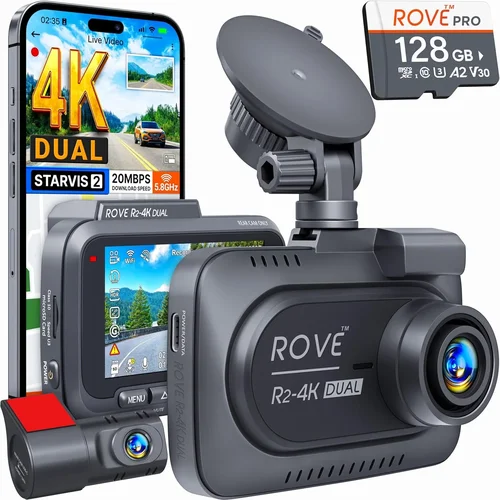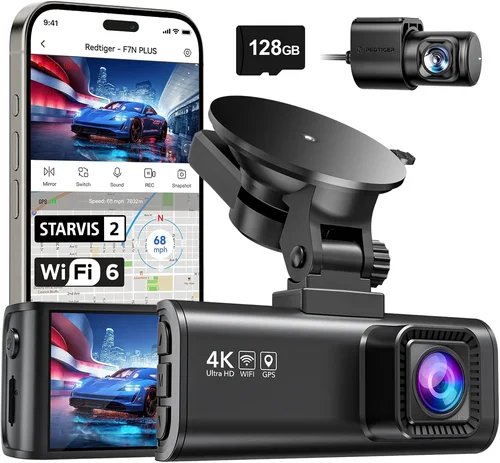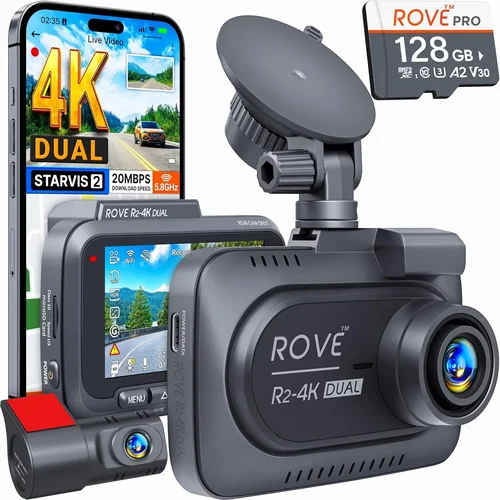
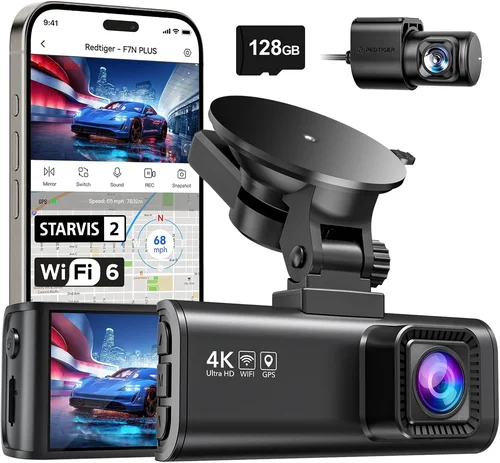
Complete Dash Cam Buying Guide for Night Recording
Why spend hundreds on car insurance when you can protect yourself for a fraction of the cost? A dash cam isn’t just about catching speeding drivers who cut you off; it’s your tireless witness in the event of an accident, a deterrent against petty vandalism, and a peace-of-mind companion for every journey. For night driving, this technology becomes even more critical. The reduced visibility and increased risk demand a camera with exceptional low-light capabilities.
This comprehensive guide is designed to be your definitive resource, cutting through the marketing hype to provide expert-level advice on selecting the best dash cam for night recording. You will learn how to evaluate performance specifications, understand the nuances of different sensor types, and discover why certain features are non-negotiable for capturing clear footage after dark. By the end of this article, you’ll have the knowledge to confidently choose a device that provides reliable, high-quality evidence, ensuring your safety and legal protection regardless of the time of day.
The market for dash cams has exploded, offering everything from basic single-camera units to sophisticated multi-sensor systems with advanced driver assistance. However, not all cameras are created equal, especially when it comes to low-light performance. This guide will walk you through the key factors, common pitfalls, and expert tips to help you navigate the choices and find the perfect dash cam that excels in the challenging conditions of night driving.

What to Look for When Buying Dash Cams
1. Sensor Type & Resolution: The Foundation of Image Quality
The heart of any dash cam is its image sensor, and understanding the differences between CMOS and Starvis sensors is crucial, particularly for night recording. While most modern dash cams use CMOS (Complementary Metal-Oxide-Semiconductor) sensors, many manufacturers now employ a specific variant called Sony STARVIS. The Sony STARVIS sensor is renowned for its superior sensitivity to light, making it significantly better than standard CMOS at capturing clear images in low-light conditions.
Beyond the sensor type, resolution remains a fundamental metric. Most reputable dash cams offer 1080p Full HD or 4K Ultra HD recording. While 4K provides marginally sharper detail, the difference in actual usable footage—especially for identifying license plates—is often negligible compared to the significant increase in storage requirements and processing power needed. For most users, a 1080p camera with a high-quality STARVIS sensor will deliver excellent results and is a more practical choice.
2. Low-Light Performance & HDR: Seeing in the Dark
This is arguably the single most important factor for a night-driving dash cam. Low-light performance refers to the camera’s ability to capture clear, detailed, and well-lit footage when ambient light is scarce. A camera with poor low-light performance will produce grainy, dark, or washed-out videos, rendering it useless for identifying critical details like faces or license plates.
High Dynamic Range (HDR) is a complementary feature that dramatically improves this capability. Standard cameras struggle to capture details in both very bright and very dark areas of the same scene simultaneously. HDR combats this by taking multiple exposures and merging them into a single, balanced image. This means you can see clearly in the glare of headlights while still capturing details in the shadows of your car’s interior or the darkness of a tunnel entrance, all in one frame.
A good rule of thumb is to look for dash cams that explicitly mention “STARVIS” or “low-light enhancement” in their specifications. These features indicate a conscious effort to optimize the sensor for night driving.
3. F-Stop (Aperture): Controlling Light Ingress
The f-stop, often denoted as ‘f/’ or ‘F/’, is a measure of the lens aperture’s size relative to its focal length. It essentially controls how much light the lens can gather. A lower numerical f-stop number (like f/1.5 or f/1.8) indicates a larger aperture, allowing more light to hit the sensor. Conversely, a higher number (like f/2.0 or f/2.4) means less light enters.
For night recording, a lower f-stop is paramount. A dash cam with an f/1.5 or f/1.8 aperture will outperform one with an f/2.0 aperture in the same lighting conditions because it can gather significantly more light. This directly translates to clearer, brighter, and less noisy footage after dark. Always check the f-stop specification; it’s a key indicator of a camera’s nighttime prowess.
4. Night Vision Features: Beyond the Basics
Modern dash cams often include specialized software and hardware features designed to enhance night vision:
- Night Vision Mode: Some cameras automatically switch to a mode that optimizes settings specifically for low light, often increasing exposure or reducing noise.
- Wide Dynamic Range (WDR): As mentioned, WDR helps balance extreme contrasts between light and dark areas, preventing details from being lost.
- Road Accent Lighting (RAL): This clever feature uses subtle, adjustable LED lights on the camera’s face to illuminate the road surface directly in front of your vehicle. This eliminates the need to point the camera at your windshield (which causes glare), allowing for a cleaner, more focused view of the road ahead without distracting other drivers.
While these features can add value, the underlying hardware (sensor, f-stop, HDR) is what truly matters. Features are helpful tools, but they cannot compensate for a fundamentally weak sensor.
5. Storage & Loop Recording: Never Lose Important Footage
A dash cam is only useful if it can store and retain critical footage. Most dash cams use microSD cards for storage. It’s essential to choose a card with sufficient capacity and high write speeds. For night recording, which can generate larger files due to the need for longer exposures or higher bitrates, a Class 10 UHS-I or UHS-II microSD card (minimum 32GB, recommended 64GB or 128GB) is ideal.
Loop recording is another indispensable feature. It allows the dash cam to continuously record video, overwriting the oldest footage when the memory card is full. This ensures you never lose valuable data due to lack of space, as long as your camera is powered on. Most dash cams will save the last few minutes of footage to a protected file before overwriting it, ensuring you always have access to the most recent events.
Additionally, some dash cams offer cloud storage options, which require a separate subscription and internet connectivity via a built-in SIM card. While convenient for accessing footage remotely, it’s an ongoing cost and may not be necessary for everyone.
6. Field of View (FOV): Seeing What Matters
The field of view determines how much of the road is captured in each frame. A wider FOV means more of the scene is visible, while a narrower FOV provides more detail within a smaller area. A typical FOV for a single-front dash cam is around 130 degrees horizontally, though some models can go as wide as 170 degrees or as narrow as 100 degrees.
For night recording, a slightly wider FOV (between 130° and 150°) is generally preferred. This allows you to see vehicles approaching from behind, pedestrians, and potential hazards entering your lane. However, an extremely wide FOV can cause distortion at the edges of the frame, making objects appear stretched or skewed. A good balance is key for comprehensive situational awareness during nighttime driving.
7. Parking Mode & Battery Backup: Protection When You’re Not Driving
Parking mode is a critical feature for capturing incidents that occur when your car is parked and unattended. When enabled, the dash cam continues to monitor your vehicle even when the ignition is off. It can be triggered by impact (G-sensor) or by motion detection.
For parking mode to work effectively, you typically need to connect the dash cam to your car’s battery via a hardwiring kit or use an internal battery. An internal battery (usually lithium-ion) provides a limited window of protection (e.g., 10-30 minutes) if you forget the hardwire setup. A hardwired connection is the most reliable option, providing continuous power and ensuring the dash cam can record for extended periods, even overnight.
When choosing a dash cam for night recording, ensure its parking mode is also optimized for low-light conditions, so you don’t miss a hit-and-run or attempted break-in in the dark.
8. Build Quality & Durability: Surviving the Elements
A dash cam is an exposed piece of electronics, subject to extreme temperatures, vibrations, and direct sunlight. Build quality directly impacts its longevity and reliability. Look for cameras made from durable materials, with robust housing and secure mounting brackets.
Temperature resistance is crucial, especially for night driving when your car might be parked in sub-zero temperatures. Specifications like operating temperature ranges (-20°C to +70°C or similar) give you an indication of the camera’s resilience. Additionally, a good dash cam should have an IP rating (Ingress Protection) for dust and water resistance, such as IP67, indicating it can withstand splashes and brief immersion.
Furthermore, the quality of the lens glass itself is important. High-quality glass minimizes reflections and distortions, contributing to clearer overall image quality, including at night.
9. Additional Features: Convenience & Advanced Functionality
Beyond core imaging, many dash cams offer a suite of additional features that enhance usability and safety:
- GPS Tracking: Logs your location, speed, and route onto the video footage, providing irrefutable proof of your actions in an accident.
- Wi-Fi Connectivity: Allows you to wirelessly transfer files to your smartphone or tablet for easy viewing and sharing.
- Built-in Display: Provides a live feed and playback without needing a separate device, though it’s often small and difficult to read.
- Advanced Driver Assistance Systems (ADAS): Features like forward collision warning, lane departure warnings, and blind-spot monitoring can provide an extra layer of safety.
- Time & Date Stamping: Ensures all recorded footage is accurately timestamped for legal purposes.
These features can add convenience and value, but for the primary purpose of night recording, they are secondary to the camera’s core imaging capabilities.
10. Brand Reputation & User Reviews: Trust the Experience
Choosing a reputable brand can significantly reduce the risk of buying a faulty or underperforming product. Established brands often invest more in research and development, quality control, and customer support. They are also more likely to provide timely firmware updates and responsive service if issues arise.
User reviews are invaluable for gauging real-world performance, especially concerning night recording. Pay close attention to comments about image quality in low light, noise levels, and the effectiveness of advertised features. Be wary of overwhelmingly positive reviews that seem generic; genuine reviews often include specific pros and cons.
Look for brands known for their automotive electronics, such as BlackVue, Garmin, Nextbase, and Thinkware, among others. These companies have a proven track record in the dash cam industry.
11. Warranty & Customer Support: Your Safety Net
A comprehensive warranty is a testament to a manufacturer’s confidence in their product. A standard warranty for dash cams is typically 1-2 years, but premium models might offer up to 3 years or more. This warranty should cover defects in materials and workmanship.
Equally important is the quality of customer support. If your dash cam malfunctions or you have questions, you’ll want prompt and knowledgeable assistance. Check if the manufacturer offers phone support, email, or a dedicated online forum. Read reviews specifically mentioning customer service experiences.
A good warranty and responsive support can save you significant hassle and expense if your dash cam fails, making it a crucial consideration alongside performance specs.
12. Size & Portability: Fitting Your Lifestyle
The physical size of your dash cam can influence its placement, visibility, and whether it’s suitable for multiple vehicles. Compact dash cams are easier to conceal and less obtrusive, potentially acting as a stronger deterrent to vandals or thieves. However, they might have slightly smaller sensors or less advanced features.
If you plan to use the same dash cam in different cars, portability is key. Ensure the mounting system is versatile and the unit itself is lightweight. Some users prefer larger screens for easier setup and playback, while others prioritize a discreet, unobtrusive presence on their dashboard.
For night recording, a slightly larger form factor often correlates with larger sensors and more advanced components, though advancements in miniaturization have closed this gap significantly.
13. Power Source & Installation: Practical Considerations
The method of powering your dash cam dictates its installation and functionality. The two main options are USB power (often via a cigarette lighter adapter) and hardwiring.
- USB/Cigarette Lighter: Simple and easy to install. The dash cam draws power directly from the car’s 12V outlet. This is the most straightforward method but leaves the cable dangling from your dashboard, which can be unsightly and obstructive.
- Hardwiring: Involves connecting the dash cam directly to your car’s electrical system, typically using a fuse tap. This provides a clean, permanent installation with no external cables. Crucially, hardwiring enables continuous operation, including parking mode, as long as your car’s ignition is on. A professional installation is recommended for this method.
For optimal night recording and 24/7 protection, hardwiring is highly recommended. It ensures your dash cam is always active and ready to capture any incident, regardless of whether you’re driving or parked.
Different Types of Dash Cams

Common Buying Mistakes to Avoid
❌ Mistake: Prioritizing Megapixels Over Sensor Type
Why it’s bad: Many consumers mistakenly believe that a higher megapixel count equates to better video quality. While higher resolution can offer slightly more detail, it’s the underlying sensor technology—specifically, the use of Sony STARVIS—that truly defines low-light performance. A camera with a high megapixel count but a standard CMOS sensor will still produce grainy, noisy footage at night compared to a 1080p camera with a superior STARVIS sensor.
What to do instead: Focus on the sensor type first. A 1080p Sony STARVIS camera will almost always outperform a 4K standard CMOS camera in night recording scenarios. Understand that video quality is a holistic measure of resolution, sensor sensitivity, and image processing algorithms, not just raw pixel count.
❌ Mistake: Ignoring the F-Stop Specification
Why it’s bad: The f-stop (aperture size) is a critical determinant of how much light a lens can gather. Many buyers overlook this specification, assuming all lenses are created equal. An f/2.0 aperture will perform poorly at night compared to an f/1.5 or f/1.8 aperture, as it allows significantly less light to reach the sensor, resulting in darker, noisier footage.
What to do instead: Always check the f-stop rating. For night recording, aim for a dash cam with an f/1.5 or f/1.8 aperture. This small numerical difference translates to a substantial improvement in low-light image quality. Treat the f-stop as a key performance metric, on par with resolution and sensor type.
❌ Mistake: Choosing Based Solely on Price
Why it’s bad: Opting for the cheapest available option often leads to disappointment. Budget dash cams frequently use inferior components, including low-quality sensors, poor image processing, and flimsy construction. Their night recording capabilities are typically subpar, producing unusable footage when it matters most. Investing in a cheaper model initially may ultimately cost more due to frequent replacements or the inability to provide adequate legal protection.
What to do instead: Adopt a value-based approach rather than a purely price-driven one. Determine your budget range and then focus on finding the best-performing camera within that bracket. Often, spending a little more upfront for a reliable, high-quality model will provide far greater value and peace of mind in the long run.
❌ Mistake: Neglecting Parking Mode Requirements
Why it’s bad: Failing to consider parking mode needs means missing out on crucial protection for your vehicle when it’s unattended. If your dash cam lacks a reliable parking mode or you don’t properly set it up (either with a hardwiring kit or sufficient internal battery life), you won’t be able to capture hit-and-runs, break-ins, or vandalism that occurs while you’re away from your car.
What to do instead: Before purchasing, confirm that your chosen dash cam supports parking mode and understand its power requirements. Plan for either a hardwiring installation or ensure the internal battery provides adequate backup time. This feature is essential for comprehensive vehicle security and should be a deciding factor, especially for night-time incidents.
❌ Mistake: Overlooking Storage Capacity & Write Speeds
Why it’s bad: Using an inadequate microSD card can lead to corrupted files, failed recordings, or simply running out of space too quickly. For night recording, which often involves longer exposures and higher bitrates, slower write speeds can cause dropped frames or skipped clips. This compromises the integrity of your evidence and defeats the purpose of having a dash cam.
What to do instead: Invest in a high-quality microSD card with at least 64GB capacity and a Class 10 UHS-I or UHS-II rating. This ensures sufficient storage for extended recording sessions and fast enough write speeds to handle high-bitrate video, including those generated during low-light conditions. Regularly check and format your card to maintain optimal performance.
❌ Mistake: Disregarding Build Quality & Durability
Why it’s bad: A dash cam is exposed to harsh environments: extreme heat, cold, vibrations, and direct sunlight. Choosing a model solely for its features while ignoring build quality can result in premature failure. A cheaply built camera might malfunction, lose its lens, or suffer internal damage, leaving you without protection and wasting your investment.
What to do instead: Research the build quality of the model you’re considering. Look for robust housing, secure mounts, and temperature-resistant specifications. A well-built dash cam is an investment in reliability, ensuring it functions correctly when you need it most, regardless of the weather or road conditions.
❌ Mistake: Assuming All Brands Are Equal
Why it’s bad: The dash cam market includes many lesser-known brands that may prioritize marketing over genuine quality and customer support. Relying solely on a brand name without research can lead to purchasing a product with subpar performance, poor customer service, or a short lifespan. Some brands may also lack firmware updates or responsive support networks.
What to do instead: Do your homework on the brand. Look for established players with a proven track record in automotive electronics. Read user reviews not just for the product, but for the company’s customer service responsiveness. Choose a brand that offers a reasonable warranty and has a reputation for standing behind their products.
Budget Guidelines: How Much Should You Spend?
Entry-Level ($50 – $100): The Basics for Essential Coverage
This price range is ideal for someone seeking basic dash cam functionality without breaking the bank. You’ll find single-front-facing cameras here, often with 1080p resolution. While some entry-level models might use standard CMOS sensors, increasingly, manufacturers are incorporating STARVIS technology even at this price point to compete. Expect basic features like loop recording, G-sensor for impact detection, and possibly Wi-Fi connectivity.
However, be prepared for compromises. Entry-level dash cams often have smaller sensors, lower quality lenses (higher f-stops), and limited additional features. Night recording quality will vary significantly; some may suffice for general observation, but they might struggle with true low-light scenarios, producing grainy or dark footage. They are best suited for city driving with ample street lighting or occasional highway trips during dusk/dawn.
Mid-Range ($100 – $250): The Sweet Spot for Night Performance
This is arguably the sweet spot for most buyers seeking a reliable dash cam for night recording. Within this range, you’ll find a vast majority of top-tier models. Here, the Sony STARVIS sensor becomes standard, paired with lower f-stop lenses (f/1.5 to f/1.8) for excellent light gathering. You can expect robust build quality, effective HDR/WDR, and a suite of useful features like GPS tracking, Wi-Fi, and parking mode.
Performance-wise, these cameras deliver exceptional results in night driving. You’ll capture clear, detailed, and well-balanced footage even in challenging low-light conditions, making them highly effective for identifying license plates and facial features. Dual-camera systems (front and rear) also become accessible within this range, offering comprehensive coverage. This tier provides the best balance of performance, features, and value for serious dash cam users.
Premium ($250 – $500): For Enthusiasts and Professionals
The premium range caters to users who demand the absolute best performance and the most advanced features. These dash cams often boast superior image processors, enhanced HDR/WDR algorithms, and exceptionally low-noise sensors. They might incorporate advanced technologies like Road Accent Lighting (RAL) or sophisticated AI-powered object recognition.
You’ll find multi-sensor systems, 360-degree views, and even integration with advanced driver assistance systems (ADAS) in this category. Build quality is top-notch, with ruggedized housings and professional-grade components. While the price is higher, the investment is justified for those who require uncompromising image quality, maximum coverage, and cutting-edge functionality for personal or commercial use.
Luxury ($500+): Top-Tier Technology and Unmatched Features
Luxury dash cams represent the pinnacle of automotive recording technology. These are often custom-installed, multi-camera systems designed for commercial fleets, high-end vehicles, or extreme enthusiasts. They offer unparalleled image quality, sometimes featuring 4K resolution with superior low-light processing, and extensive sensor suites for complete vehicle coverage.
Features like cloud connectivity, advanced AI analytics, and professional-grade software for data management are common. While not necessary for the average consumer, luxury dash cams provide the highest level of protection, evidence quality, and technological sophistication available in the market.
Expert Tips & Pro Advice
1. Time Your Purchase Strategically
Like many electronics, dash cams can experience significant price drops during major sales events. The best times to buy are typically around Black Friday, Cyber Monday, Amazon Prime Day, and back-to-school sales in late summer. These periods often see discounts of 20-50% on mid-range and premium models. Sign up for retailer newsletters or price-tracking websites to get notified of deals. Avoid buying right before these events, as retailers might temporarily hike prices in anticipation of the sale.
Additionally, consider the end-of-year clearance sales in January or February, where retailers try to clear out inventory to make room for new models. You might find excellent deals on last year’s top performers, which often perform just as well as current models, especially for core features like night recording.
2. Explore Multiple Retailer Options
Don’t limit yourself to a single retailer. Compare prices across various online platforms (Amazon, Best Buy, B&H Photo Video, Newegg) and physical stores (Costco, Walmart, local electronics shops). Online retailers often have competitive pricing and a wider selection, while physical stores allow you to see and touch the product before buying. Check for exclusive deals, bundle offers (e.g., dash cam + hardwiring kit), and shipping costs. Sometimes, buying directly from the manufacturer’s website can offer the best warranty terms or free shipping.
Remember to compare not just the base price of the dash cam, but also the total cost, including any necessary accessories like a high-quality microSD card or hardwiring kit, especially if you plan to use parking mode extensively.
3. Leverage Expert Reviews and User Feedback
Before making a final decision, immerse yourself in research. Read expert reviews from trusted automotive tech websites (e.g., CNET, PCMag, TechRadar) and specialized dash cam review sites. These experts often conduct rigorous testing, including specific evaluations of low-light performance, which can be difficult to assess from marketing materials alone.
Crucially, pay close attention to user reviews on e-commerce platforms. Look for patterns in feedback regarding night recording quality, durability, and customer service. Filter reviews by verified purchases and sort by “most helpful.” Pay particular attention to negative reviews, as they often reveal real-world shortcomings that marketing copy might gloss over. User experiences, especially those mentioning specific night driving scenarios, are invaluable.
4. Prioritize Warranty Terms
A robust warranty is your assurance of quality and reliability. Always check the warranty period (typically 1-3 years) and what it covers—defects in materials and workmanship are standard, but some warranties might exclude specific issues. A longer warranty often indicates the manufacturer’s confidence in their product.
Also, investigate the ease of claiming warranty service. Does the manufacturer require you to ship the unit back, or do they offer local service centers? Is the process straightforward? A good warranty with hassle-free claims is more valuable than a longer one with complicated procedures. Consider purchasing an extended warranty if the manufacturer offers it and your budget allows.
5. Understand Return Policies
Even with thorough research, there’s always a chance a dash cam might not meet your expectations once installed. Ensure the retailer or manufacturer offers a generous return policy, typically 30 days or more. Check the specifics: is it a full refund or store credit? Are you responsible for return shipping costs? A flexible return policy provides peace of mind and allows you to test the camera in your actual vehicle environment.
Keep all original packaging and accessories until you’re completely satisfied, as returning items requires them to be in like-new condition. Understanding the return policy upfront prevents potential headaches if you need to send the unit back.
6. Test Before Committing to Hardwiring
If your chosen dash cam requires hardwiring for parking mode, consider testing its basic functionality before committing to a permanent, irreversible installation. Many retailers offer return policies that allow you to unbox and briefly install the unit. This gives you a chance to verify the image quality, menu navigation, and overall feel of the camera in your specific vehicle.
For hardwiring, research local installers or consider doing it yourself if you’re comfortable with basic automotive electrical work. Watch tutorial videos and read guides to ensure a safe and correct installation. A poorly installed hardwiring kit can damage your car’s electrical system or void the dash cam’s warranty.
7. Optimize Your Settings for Night Recording
Once you’ve purchased your dash cam, take time to optimize its settings for night recording. Access the menu and adjust exposure compensation if available; a slight negative bias can prevent headlights from washing out the frame while maintaining detail in the shadows. Disable any unnecessary features that might drain battery faster during parking mode, like excessive Wi-Fi connectivity.
Ensure your microSD card is formatted correctly and has sufficient free space. Regularly review the footage to familiarize yourself with the camera’s performance in your typical driving conditions, especially at night. This proactive approach maximizes the effectiveness of your dash cam.
8. Choose the Right MicroSD Card
Investing in a high-quality microSD card is non-negotiable for reliable dash cam operation, particularly for night recording. A slow or low-capacity card will lead to corrupted files, dropped frames, and frequent full-card errors. Purchase a Class 10 UHS-I or UHS-II microSD card from a reputable brand (SanDisk, Samsung, Lexar) with at least 64GB capacity, preferably 128GB.
Always format the card in the dash cam itself (not on your computer) before first use, and periodically format it within the camera’s menu to maintain optimal performance. Replace the card every 1-2 years, as wear and tear can affect reliability over time.
9. Secure Your Mounting Bracket
A loose or poorly mounted dash cam is not only a safety hazard but also compromises image stability, leading to shaky footage—especially noticeable at night when details are harder to discern. Ensure the mounting bracket is securely fastened to a stable part of your windshield, away from airbag deployment zones.
Use high-quality adhesive pads or suction cups designed for automotive use. If using a suction cup, ensure the windshield is clean and dry, and press firmly to create a strong seal. Regularly check the mount for any signs of loosening or vibration.
10. Keep Firmware Updated
Manufacturers often release firmware updates to improve performance, fix bugs, and enhance features. Check the manufacturer’s website regularly for updates for your specific dash cam model. Updating firmware can improve image processing algorithms, which might subtly enhance night recording quality or resolve connectivity issues.
Follow the manufacturer’s instructions carefully for the update process, usually involving transferring the firmware file to a microSD card and inserting it into the dash cam. Keeping your firmware current ensures you get the most out of your device.

Frequently Asked Questions
Q: What is the absolute best sensor for night recording in a dash cam?
A: The Sony STARVIS sensor is widely regarded as the gold standard for night recording performance in dash cams. Developed by Sony specifically for high-sensitivity applications, it offers significantly better low-light performance compared to standard CMOS sensors. When looking for a dash cam for night recording, prioritize models that explicitly mention “Sony STARVIS” in their specifications. This sensor technology allows the camera to capture clear, detailed, and less noisy footage even in near-total darkness or challenging lighting conditions like heavy rain or fog.
Q: Is 4K resolution really necessary for a dash cam, especially for night driving?
A: For most users, 4K resolution is not a necessity and often comes with trade-offs that can hinder night recording performance. While 4K provides marginally sharper detail, the difference in actual usable footage—particularly for identifying license plates or facial features—is often negligible compared to the significant increase in storage requirements and processing power. Higher resolution can also lead to larger file sizes, requiring faster and more expensive microSD cards. Furthermore, the benefits of superior low-light performance (like those offered by a Sony STARVIS sensor) are more critical than raw resolution for night driving. For optimal night recording, a well-performing 1080p camera with a good sensor and low f-stop is generally a more practical and effective choice than a 4K model.
Q: How important is the f-stop (aperture size) for night recording?
A: The f-stop is critically important for night recording. It measures how much light the lens can gather, directly impacting image brightness and clarity in low-light conditions. A lower numerical f-stop (e.g., f/1.5 or f/1.8) indicates a larger aperture, allowing significantly more light to reach the sensor. This results in brighter, clearer, and less noisy footage at night. An f/2.0 aperture, for instance, will perform poorly compared to an f/1.5 aperture in the same low-light scenario. Therefore, when evaluating dash cams for night driving, always check the f-stop specification; it’s a key indicator of the camera’s nighttime prowess and should be treated as seriously as resolution and sensor type.
Q: What does HDR/WDR mean and why is it beneficial for night recording?
A: HDR stands for High Dynamic Range, and WDR stands for Wide Dynamic Range. Both refer to technologies that improve image quality in scenes with extreme contrasts between light and dark areas. Without HDR/WDR, a standard camera might struggle to capture details in both very bright (e.g., headlights) and very dark (e.g., shadows) parts of the frame simultaneously, often resulting in blown-out highlights or lost detail in shadows. HDR/WDR works by taking multiple exposures at different settings and merging them into a single, balanced image. This means you can see clearly in the glare of headlights while still capturing details in the shadows of your car’s interior or the darkness of a tunnel entrance, all in one frame. This is invaluable for night recording, ensuring critical details aren’t lost in bright or dark areas.
Q: Do I need parking mode, and how does it work?
A: Yes, parking mode is essential for comprehensive vehicle protection, especially for night recording. It allows your dash cam to continue monitoring your vehicle even when the ignition is off, typically triggered by impact (via a G-sensor) or motion detection. To function reliably, parking mode usually requires either a hardwiring kit connected directly to your car’s battery or a sufficiently large internal battery. A hardwired connection is the most robust option, providing continuous power for extended periods, including overnight protection. Without parking mode, your dash cam only records while you’re driving, leaving your vehicle vulnerable to hit-and-runs, break-ins, or vandalism that occurs when you’re away.
Q: What type of microSD card should I use for my dash cam?
A: For reliable dash cam operation, especially for night recording, invest in a high-quality microSD card with at least 64GB capacity and a Class 10 UHS-I or UHS-II rating. This ensures sufficient storage for extended recording sessions and fast enough write speeds to handle high-bitrate video, including those generated during low-light conditions. Use cards from reputable brands like SanDisk, Samsung, or Lexar. Always format the card in the dash cam itself before first use and periodically format it within the camera’s menu to maintain optimal performance. Replace the card every 1-2 years, as wear and tear can affect reliability over time.
Q: Can I use my dash cam without hardwiring it?
A: Yes, you can use your dash cam without hardwiring it, primarily by using a USB power cable connected to your car’s cigarette lighter socket. This method is simple and easy to install, drawing power directly from the car’s 12V outlet. However, it leaves a cable dangling from your dashboard, which can be unsightly and obstructive. More importantly, without hardwiring, your dash cam will only operate while the car’s ignition is on, limiting its functionality. For optimal night recording and 24/7 protection via parking mode, hardwiring is highly recommended. It ensures your dash cam is always active and ready to capture any incident, regardless of whether you’re driving or parked. If you choose to avoid hardwiring, ensure your internal battery provides adequate backup for parking mode.
Q: How much storage space do I actually need on my microSD card?
A: The required storage depends on your recording resolution, bitrate, and usage. For 1080p Full HD recording, a 64GB card typically offers 2-3 hours of continuous recording. For 4K Ultra HD, this shrinks to about 1-1.5 hours per 64GB due to higher data rates. If you use parking mode frequently, you’ll need significantly more storage. A good starting point is a 128GB card, which provides 4-6 hours of 1080p footage or 2-3 hours of 4K footage. For dual-camera setups, storage requirements double or triple. Always consider your typical driving duration and parking mode usage when determining your card capacity.
Q: What is Road Accent Lighting (RAL) and why is it useful?
A: Road Accent Lighting (RAL) is a specialized feature found on some premium dash cams. It utilizes subtle, adjustable LED lights on the camera’s face to illuminate the road surface directly in front of your vehicle. This eliminates the need to point the camera at your windshield, which would cause severe glare and washout, especially at night. Instead, RAL provides a clean, focused view of the road ahead without blinding other drivers. It’s particularly useful in dark tunnels, poorly lit streets, or when driving towards oncoming traffic, enhancing overall visibility and safety without compromising the camera’s ability to capture clear night footage.
Q: How do I know if a dash cam is truly good for night recording?
A: To gauge a dash cam’s true night recording capabilities, look beyond marketing buzzwords. Firstly, check for explicit mentions of “Sony STARVIS” in the specifications. Secondly, examine the f-stop rating; lower numbers (f/1.5 to f/1.8) are preferable. Thirdly, see if HDR/WDR is listed as a feature. Reading expert reviews that include specific low-light performance tests is invaluable. Finally, scrutinize user reviews, particularly those mentioning night driving scenarios. Real-world feedback often reveals how a camera performs in actual dark conditions, providing insights that pure technical specs cannot. Combining these sources gives you a comprehensive picture of its night recording prowess.
Our Final Recommendations
Best for Budget-Conscious Buyers
For those seeking reliable night recording without a hefty price tag, the BlackVue DR970X-1CH strikes an excellent balance. While often priced slightly above the strictest entry-level range, its performance justifies the investment. This single-front camera boasts a Sony STARVIS IMX678 sensor, renowned for its exceptional low-light sensitivity, paired with a powerful HDR processor. Its f/1.6 aperture gathers ample light, and it features BlackVue’s robust cloud connectivity for remote access. While it lacks dual cameras, its build quality, parking mode capabilities, and outstanding night video quality make it a top contender for budget-conscious users who refuse to compromise on essential performance.
Best Overall Value
The Nextbase 622GW represents the pinnacle of value for money in the dash cam market. It combines a Sony STARVIS sensor with 4K Ultra HD resolution, delivering stunningly sharp and detailed footage, including impressive night recording. Its integrated GPS, Wi-Fi, and Alexa voice control provide a suite of advanced features rarely seen at this price point. The sleek design, easy-to-use interface, and reliable parking mode make it a favorite among both beginners and experienced users. The Nextbase 622GW proves that you don’t need to break the bank to get a premium dash cam experience, especially for capturing crystal-clear night drives.
Best Premium Option
For discerning drivers who demand the absolute finest in performance and features, the Garmin Dashcam Mini is a standout choice. Its compact, discreet design hides a powerful punch, utilizing a Sony STARVIS sensor for superior low-light capture. While primarily a front-facing camera, its image stabilization and advanced HDR ensure exceptionally clear, shake-free footage even at night. The Garmin app offers seamless smartphone integration for quick file transfers and cloud backup. Its build quality is impeccable, and the intuitive interface makes it incredibly user-friendly. The Garmin Dashcam Mini exemplifies premium engineering, delivering top-tier night recording quality in a stylish, unobtrusive package.
Best for Beginners
Newcomers to the world of dash cams will appreciate the simplicity and reliability of the Thinkware F75. This dual-camera system (front and rear) is exceptionally user-friendly, with a straightforward menu structure and easy setup. It features a Sony STARVIS sensor for excellent night performance, along with a robust parking mode and impressive build quality. The Thinkware F75 strikes a perfect balance between essential features and ease of use, making it an ideal introduction to dash cam technology. Its dual-camera configuration provides comprehensive coverage, ensuring you have a complete record of your journeys, day and night.
Best for Advanced Users
Advanced users seeking ultimate control and cutting-edge features will find the BlackVue DR970X-2CH to be an unrivaled choice. This dual-camera system offers exceptional flexibility, allowing you to monitor both front and rear views simultaneously. It utilizes Sony STARVIS sensors in both cameras, guaranteeing outstanding night recording quality from all angles. The BlackVue cloud connectivity, advanced GPS logging, and customizable parking mode options provide unparalleled control and data accessibility. Its robust build, extensive feature set, and professional-grade performance make it the go-to solution for enthusiasts, fleet managers, and anyone who demands the highest possible standard of automotive recording technology.
Conclusion: Making the Right Choice
Selecting the best dash cam for night recording is a decision that extends far beyond a simple purchase; it’s an investment in your safety, peace of mind, and legal protection on the road. Throughout this comprehensive guide, we’ve explored the critical factors that define a dash cam’s ability to perform under challenging low-light conditions. From the foundational importance of the Sony STARVIS sensor and the significance of the f-stop aperture to the nuanced advantages of HDR/WDR and the practical necessities of parking mode and robust build quality, each element plays a pivotal role in ensuring your dash cam captures clear, reliable evidence, no matter the time of day.
We’ve navigated the complexities of different dash cam types, highlighted common purchasing mistakes to avoid, and provided expert advice on maximizing your investment. We’ve also outlined budget guidelines to help you align your choice with your financial considerations and needs. Ultimately, the “best” dash cam is not a one-size-fits-all solution. It’s the device that precisely matches your specific driving habits, your vehicle’s requirements, and your desired level of protection.
As you move forward, remember to prioritize your core needs. If night recording is paramount, let that dictate your focus on sensor type, aperture size, and dynamic range features. Consider your budget realistically and seek the best value within your constraints. Don’t hesitate to leverage expert reviews and user feedback to inform your decision. And once you’ve chosen your dash cam, take the time to optimize its settings and understand its full potential.
By equipping yourself with the knowledge presented in this guide, you’re not just buying a camera; you’re arming yourself with a powerful tool for vigilance and security. Make an informed choice, and drive with confidence, knowing that your best witness is always watching.