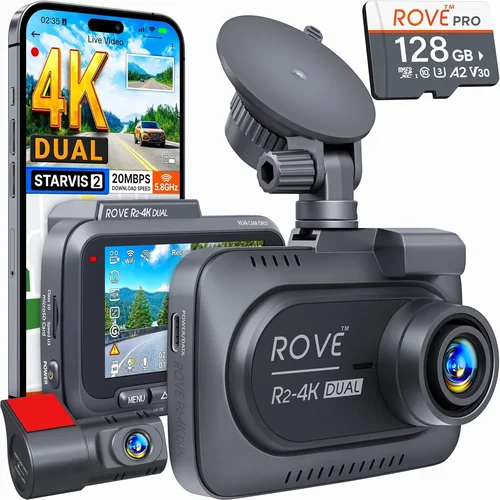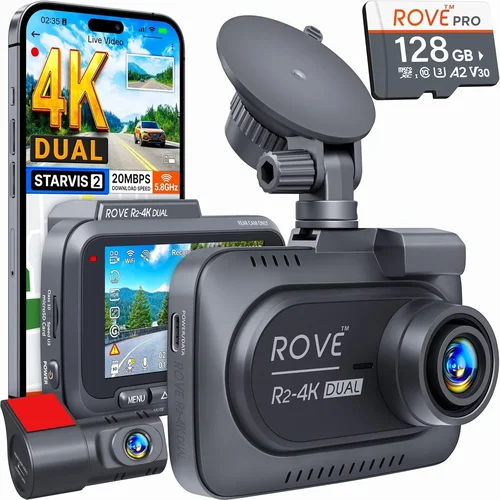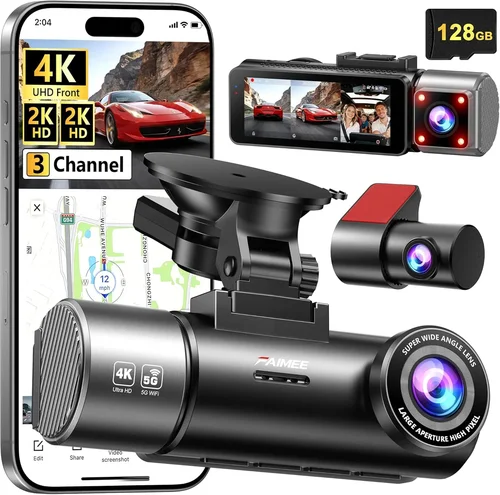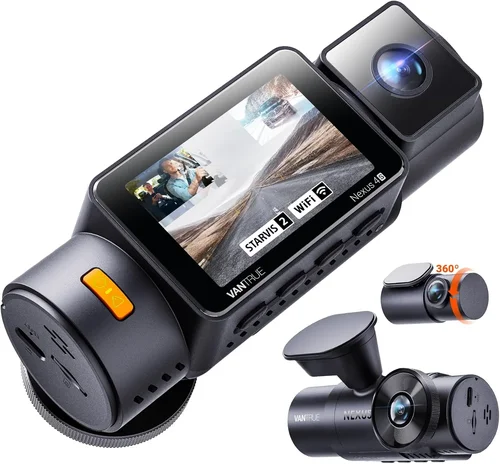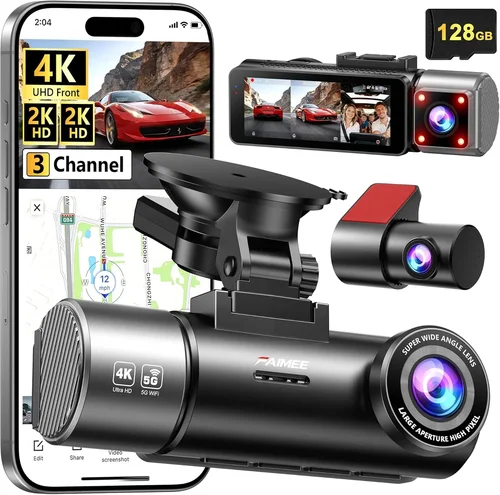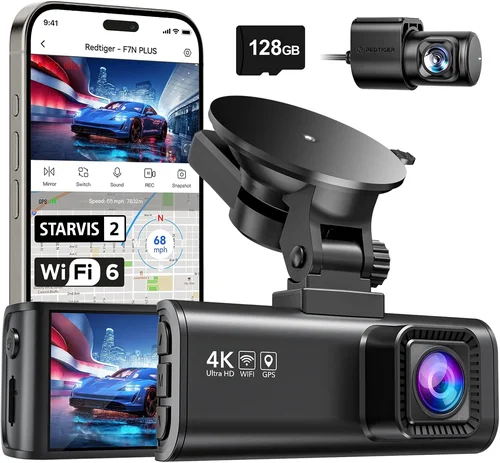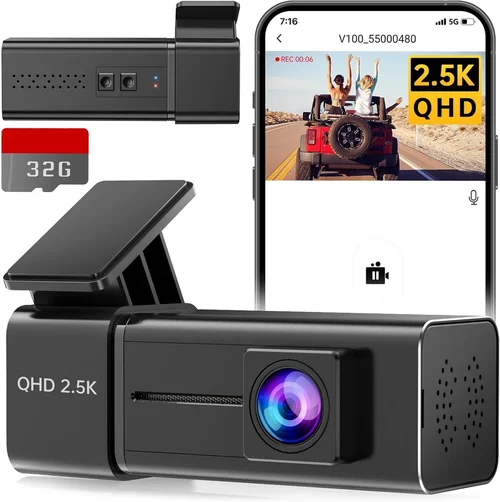
Best Dash Cam App Shopping Guide
Best Dash Cam App for Android Phone
Your Complete Shopping Guide
In today’s increasingly connected world, dash cam apps have revolutionized how we capture and manage our driving experiences. Whether you’re a daily commuter looking to protect yourself in case of accidents, an adventurous road tripper wanting to document scenic routes, or simply someone who values peace of mind while driving, the right dash cam app can be your ultimate co-pilot. With over 5 billion smartphone users worldwide and more vehicles than ever being equipped with aftermarket dash cameras, the market for mobile dash cam applications has exploded in recent years.
This comprehensive guide will walk you through everything you need to know about choosing the best dash cam app for your Android phone. We’ll explore the critical factors that separate good apps from great ones, examine different types of dash cam solutions available, and provide expert insights to help you make an informed decision. By the end of this article, you’ll understand exactly what features matter most, how to avoid common pitfalls, and which apps deliver the best performance for your specific needs and budget.
## What to Look for When Buying Dash Cams
### Performance Specifications
The foundation of any quality dash cam app lies in its technical capabilities. You should always prioritize apps that support high-quality video recording standards, typically 1080p Full HD or higher. Look for apps that offer at least 120-degree field of view to ensure comprehensive coverage of the road ahead and important blind spots. Frame rate matters too – 30fps is standard, but some premium apps support 60fps for smoother motion capture during high-speed scenarios.
Another crucial specification is the compression technology used. H.264 and H.265 codecs are industry standards that balance file size with video quality effectively. Some advanced apps even offer variable bitrate encoding, which automatically adjusts quality based on scene complexity – maintaining excellent detail during normal driving while reducing file sizes during stationary periods.
### Storage Management & Cloud Integration
Smart storage management is perhaps one of the most overlooked yet vital aspects of dash cam apps. The best apps automatically cycle through recordings, deleting older footage when storage fills up while preserving critical clips marked as important. This intelligent management prevents unexpected data loss during extended trips or when storage becomes limited.
Cloud integration has become essential in modern dash cam apps. Top-tier applications offer automatic backup to secure cloud servers, ensuring your footage remains safe even if your device is damaged or stolen. Look for apps that provide unlimited cloud storage plans or generous free tiers, as well as the ability to remotely access and download footage from anywhere.
### GPS and Location Services
GPS functionality transforms dash cam apps from simple recording tools into comprehensive driving analytics platforms. Premium apps track your speed, location, and route history, providing valuable data for both insurance claims and personal driving improvement. Real-time GPS overlays on recorded footage help establish precise incident locations and vehicle speeds during critical moments.
Advanced dash cam apps also integrate with mapping services, offering turn-by-turn navigation assistance alongside recording capabilities. Some even provide real-time traffic updates and route optimization based on historical driving patterns. The best apps maintain accurate GPS synchronization throughout extended recording sessions, even in areas with spotty satellite reception.
### Battery Life and Power Management
Since dash cam apps typically run continuously while driving, efficient battery consumption is crucial. Look for apps that implement intelligent power management, automatically adjusting recording quality based on battery level or switching to lower resolution modes during extended use. Some premium apps can even draw power directly from the vehicle’s USB port while simultaneously charging your phone.
Smart scheduling features help extend battery life by automatically pausing recording during periods of inactivity or when the vehicle isn’t moving. Advanced power management also includes thermal throttling to prevent overheating during prolonged usage in hot climates.
### User Interface and Experience
A well-designed interface can make the difference between a frustrating experience and seamless operation while driving. The best dash cam apps feature large, easily accessible buttons positioned away from accidental touches, with clear visual indicators for recording status, storage levels, and GPS signal strength.
Intuitive menu systems allow quick access to frequently used functions without requiring extensive navigation. Voice command integration enables hands-free operation, letting you start/stop recording or mark important events without taking your eyes off the road. Customizable settings let you tailor the interface to your preferences, from theme colors to notification styles.
### Security and Privacy Features
Given that dash cam apps capture sensitive driving data, robust security measures are non-negotiable. Top apps employ end-to-end encryption for stored footage, secure authentication methods, and privacy controls that let you manage who can access your recordings. GDPR compliance and other privacy regulations should be standard features in reputable dash cam applications.
Additional security features include automatic locking when parked, geofencing capabilities that trigger specific behaviors based on location, and tamper detection that alerts you if someone tries to access your footage without authorization.
## Different Types of Dash Cams
## Common Buying Mistakes to Avoid
❌ Mistake: Ignoring Storage Requirements
Why it’s bad: Many users underestimate how quickly dash cam apps consume storage space. A 1080p recording can use 1-2 GB per hour, meaning a full day’s worth of footage could fill several gigabytes of storage. Without proper management, you risk losing critical evidence due to insufficient storage.
What to do instead: Always consider the app’s storage management capabilities before purchasing. Look for automatic deletion of old footage, cloud backup options, and support for external storage cards. Calculate your expected storage needs based on your typical driving habits and choose accordingly.
❌ Mistake: Overlooking Compatibility Issues
Why it’s bad: Not all dash cam apps work seamlessly with every Android device or camera hardware. Compatibility issues can result in poor performance, missing features, or complete incompatibility, leaving you without a working solution.
What to do instead: Check the app’s system requirements carefully and verify compatibility with your specific Android version and device model. Read user reviews mentioning your exact device to identify potential compatibility problems before committing.
❌ Mistake: Choosing Based Solely on Price
Why it’s bad: While budget considerations are important, focusing exclusively on price often leads to disappointment. Cheap dash cam apps may lack essential features, have poor reliability, or stop functioning after a few months of use.
What to do instead: Evaluate value rather than just cost. Consider the total ownership experience, including customer support, update frequency, and feature completeness. Sometimes spending slightly more upfront saves significant frustration and replacement costs later.
❌ Mistake: Neglecting Privacy and Security
Why it’s bad: Dash cam footage contains sensitive information about your driving habits, location, and potentially others’ activities. Poor privacy practices can expose you to security risks or violate privacy laws in certain jurisdictions.
What to do instead: Research the app developer’s privacy policy thoroughly. Look for clear statements about data handling, encryption standards, and compliance with relevant privacy regulations like GDPR or CCPA.
❌ Mistake: Failing to Test Before Committing
Why it’s bad: Many users install dash cam apps without testing their real-world performance under actual driving conditions. This can reveal issues like excessive battery drain, poor video quality in low light, or unintuitive interfaces that become problematic during actual use.
What to do instead: Take advantage of free trial periods whenever possible. Test the app during various driving scenarios – night driving, rainy conditions, highway speeds, and city traffic – to ensure it meets your expectations across different situations.
❌ Mistake: Ignoring Update Policies
Why it’s bad: Apps that receive infrequent updates may become incompatible with future Android versions or miss out on important security patches and feature improvements. This can leave you with a stagnant, potentially insecure application.
What to do instead: Check the app store listing for update frequency information. Look at the developer’s track record for regular updates and bug fixes. Consider whether the development team appears active and responsive to user feedback.
## Budget Guidelines: How Much Should You Spend?
### Entry-Level ($0 – $15)
For casual drivers or those testing the waters, entry-level dash cam apps offer basic recording capabilities at minimal cost. These typically include 720p or 1080p recording, manual event marking, and basic playback features. Most operate on a freemium model where core functionality is free, with premium features unlocked through subscription.
Entry-level apps are perfect for weekend road trippers or occasional commuters who want basic protection without significant investment. While they may lack advanced features like cloud backup or GPS tracking, they provide essential recording functionality for basic needs.
### Mid-Range ($15 – $50)
This sweet spot offers the best value for most drivers. Mid-range dash cam apps typically include 1080p recording, automatic event detection, cloud backup, GPS tracking, and user-friendly interfaces. These apps usually come bundled with hardware purchases, making them accessible without separate app costs.
Mid-range solutions balance functionality with affordability, providing robust features without overwhelming complexity. They’re ideal for daily commuters, families, and moderate users who want reliable performance without breaking the bank.
### Premium ($50 – $150)
Premium dash cam apps deliver professional-grade features including 4K recording, advanced driver assistance systems (ADAS), superior low-light performance, enhanced cloud storage, and sophisticated analytics. These apps often integrate with high-end dash cam hardware and offer enterprise-level security features.
Premium solutions are perfect for safety-conscious drivers, frequent travelers, or those who need comprehensive documentation for insurance or legal purposes. They represent the top tier of consumer dash cam technology.
### Luxury ($150+)
Luxury dash cam apps target enthusiasts and professionals who demand maximum performance and reliability. These include features like dual-channel recording, parking mode with impact detection, AI-powered object recognition, and specialized analytics for racing or commercial applications.
Luxury options are typically found in high-end hardware packages and represent the pinnacle of consumer dash cam technology. They’re suitable for serious enthusiasts, professional drivers, or those with extreme requirements for footage quality and reliability.
## Expert Tips for Getting the Best Deal
Timing Your Purchase
Seasonal sales present excellent opportunities to acquire quality dash cam apps at reduced prices. Black Friday and Cyber Monday typically offer substantial discounts on both hardware and software packages. End-of-year clearance sales often provide clearance deals on previous generation models. Additionally, consider timing your purchase around major product launches, as manufacturers sometimes discount existing models to make room for new releases.
Choosing Retailers Wisely
Online marketplaces like Amazon, Best Buy, and specialized dash cam retailers often offer competitive pricing and convenient shipping options. However, physical stores allow you to see products firsthand and take advantage of in-store exclusives. Consider checking multiple sources to compare prices and find the best overall deal.
When shopping online, read seller ratings and reviews carefully, especially for third-party sellers. Look for retailers with generous return policies and responsive customer service, as dash cam setup and troubleshooting may require support.
Spotting Hidden Deals
Bundle deals that combine dash cam hardware with apps often provide significant savings compared to purchasing components separately. Manufacturer rebates and cashback programs can further reduce effective costs. Keep an eye out for trade-in programs that allow you to exchange older models for credit toward new purchases.
Student discounts, military discounts, and corporate wellness programs sometimes offer additional savings on dash cam technology. Don’t hesitate to ask about special pricing when you encounter these opportunities.
Warranty Considerations
Always check warranty terms before finalizing your purchase. Reputable dash cam apps and hardware typically include at least one year of coverage against defects. Extended warranties may be available for purchase, though assess whether the added cost provides meaningful protection.
Look for warranties that cover both hardware failures and software malfunctions. Some manufacturers offer international warranty coverage, which can be valuable for frequent travelers.
Return Policies
Familiarize yourself with return policies before purchasing, especially when buying from online retailers. Most reputable sellers offer 30-day return windows, giving you time to test the product thoroughly. Some stores even offer “try before you buy” programs with extended trial periods.
Ensure return policies cover both hardware and software components, and check whether restocking fees apply. Having a flexible return policy provides peace of mind during initial setup and testing phases.
Testing Before Committing
Whenever possible, test dash cam apps before making a permanent commitment. Many retailers offer in-store demos or trial periods. During testing, pay attention to video quality in various lighting conditions, ease of use while driving, and overall system responsiveness.
Create a checklist of your must-have features and test each one systematically. Note any performance issues, interface difficulties, or missing capabilities that might affect your satisfaction with the final purchase.
## Frequently Asked Questions
Q: Do I need special hardware to use a dash cam app?
A: It depends on the app type. Smartphone-only dash cam apps use your phone’s built-in camera and sensors, requiring no additional hardware. However, dedicated dash cam apps typically pair with external dash cam hardware that connects to your phone via Bluetooth or Wi-Fi, offering better video quality, longer battery life, and more specialized features.
Q: How much storage space do dash cam apps typically require?
A: Storage requirements vary significantly based on recording quality and duration. A 1080p dash cam app might use 1-2 GB per hour of recording, while 4K apps can consume 5-10 GB per hour. Most apps include intelligent storage management that automatically deletes old footage when storage fills up, but cloud backup options help preserve critical clips regardless of local storage limitations.
Q: Are dash cam apps legal in my state/country?
A: Laws regarding dash cam usage vary by jurisdiction. In most places, recording inside your own vehicle is legal, but there are restrictions on audio recording and sharing footage. Some countries require explicit consent for recording audio, while others prohibit recording in certain locations like government buildings. Always research and comply with local regulations before using dash cam apps.
Q: Can dash cam apps work without cellular data?
A: Yes, many dash cam apps function completely offline for recording and local storage. However, cloud backup, GPS tracking, and remote viewing typically require cellular data or Wi-Fi connectivity. Some apps offer hybrid modes that work offline but sync data when connectivity becomes available.
Q: How do I ensure my dash cam footage is admissible in court?
A: For legal admissibility, ensure your dash cam app records high-quality, unaltered footage with timestamps and GPS coordinates. Maintain a chain of custody for evidence, store footage securely, and use apps with verified authenticity features. Consult legal professionals about specific requirements in your jurisdiction, as rules vary significantly by location.
Q: What’s the difference between loop recording and event-based recording?
A: Loop recording continuously records video in fixed-length segments, automatically overwriting the oldest footage when storage fills up. Event-based recording triggers recording only when specific conditions occur, such as sudden acceleration, hard braking, or impact detection. Most dash cam apps combine both approaches, using loop recording as the base with event-based recording for critical incidents.
Q: How long can dash cam apps typically record before running out of storage?
A: Recording duration depends on file size and storage capacity. At 1080p with H.264 compression, a 64GB microSD card might hold approximately 2-3 hours of continuous footage. However, this varies based on compression settings, frame rates, and whether the app uses variable bitrate encoding. Cloud backup significantly extends effective recording time by automatically archiving older footage.
Q: Can I use my dash cam app while charging my phone?
A: Yes, most dash cam apps continue functioning normally while your phone charges. However, using your phone’s camera while charging may affect charging speed or cause slight heating. For optimal performance during extended recording sessions, consider using a dash cam with dedicated power from your vehicle’s USB port, which keeps your phone charged without affecting dash cam operation.
## Our Final Recommendations
### Best for Budget-Conscious Buyers
For those watching their expenses, we recommend looking at smartphone-only dash cam apps that leverage your phone’s built-in camera. While these may not match dedicated hardware in quality, they provide essential recording functionality without additional equipment costs. Focus on apps with good user reviews, reliable performance, and reasonable subscription pricing for cloud features.
### Best Overall Value
The sweet spot for most drivers combines quality hardware with a capable companion app. Look for integrated solutions that offer 1080p recording, automatic event detection, cloud backup, and GPS tracking at mid-range pricing. These systems typically provide the best balance of features, reliability, and cost-effectiveness for everyday use.
### Best Premium Option
For drivers demanding maximum performance and features, premium dash cam apps with 4K recording, advanced ADAS capabilities, and superior low-light performance represent the top tier of technology. These solutions are ideal for safety-conscious drivers, frequent travelers, or those requiring comprehensive documentation for insurance or legal purposes.
### Best for Beginners
New users should focus on apps with intuitive interfaces, straightforward setup processes, and helpful customer support. Look for solutions with guided installation wizards, clear documentation, and responsive support channels. Starting with simpler apps allows beginners to learn the ropes before upgrading to more advanced systems.
### Best for Advanced Users
Experienced drivers and enthusiasts benefit from apps offering customizable settings, advanced analytics, and professional-grade features. Dual-channel recording, AI-powered detection, and extensive customization options provide the flexibility and capability required by power users who demand maximum control and functionality.
## Conclusion: Making the Right Choice
Selecting the best dash cam app for your Android phone involves careful consideration of multiple factors including your budget, usage patterns, technical requirements, and desired features. Rather than chasing the latest technology or the lowest price, focus on finding the right balance that meets your specific needs while providing reliable performance and peace of mind.
Remember that the ideal dash cam app should enhance your driving experience without becoming a distraction. Prioritize features that genuinely add value to your situation, whether that’s comprehensive accident protection, scenic documentation, or simple peace of mind during daily commutes. Test different options when possible, read user reviews critically, and don’t hesitate to seek recommendations from trusted sources.
Ultimately, the best dash cam app is the one you’ll actually use consistently. Choose wisely, stay safe on the roads, and enjoy the confidence that comes with knowing you’re protected and prepared for whatever driving situations may arise.