Best Dash Cam Camera Purchase Guide
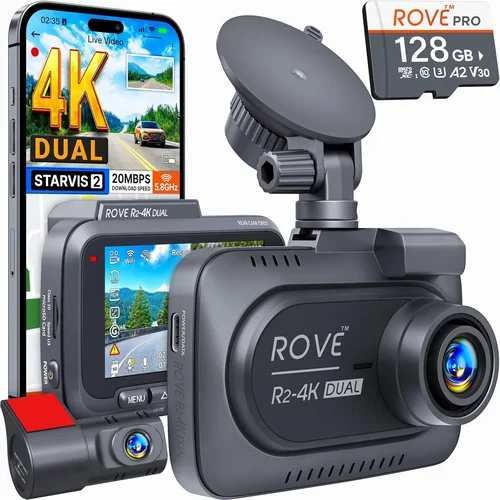
When it comes to protecting yourself on the road, a dash cam isn’t just a convenience—it’s a critical safety tool that can provide irrefutable evidence in the event of an accident, help defend against false claims, and even improve your driving habits through playback review. With the market flooded with options ranging from budget-friendly models under $50 to high-end systems exceeding $500, choosing the right dash cam can feel overwhelming. This comprehensive guide cuts through the noise to help you make an informed decision based on your specific needs, driving conditions, and budget.
You’ll learn exactly what features matter most, how to evaluate technical specifications that impact real-world performance, and which brands consistently deliver reliable, high-quality recordings. We’ll explore everything from video resolution and sensor quality to parking mode capabilities and storage solutions, giving you the knowledge to select a dash cam that offers peace of mind without breaking the bank. Whether you’re a daily commuter, a long-haul trucker, or someone who simply wants to protect their investment in their vehicle, understanding these key factors will ensure you get maximum value from your purchase.
The dash cam market has evolved significantly over the past decade, moving far beyond basic 720p recording to include advanced features like GPS tracking, Wi-Fi connectivity, cloud storage, and AI-powered incident detection. Today’s best dash cams offer crystal-clear Full HD or even 4K recording, wide dynamic range for challenging lighting conditions, and intelligent parking surveillance that activates when your car is parked. However, not all dash cams are created equal—some prioritize aesthetics over functionality, while others sacrifice build quality for flashy features. By the end of this guide, you’ll be equipped to navigate these trade-offs and choose a system that delivers reliable performance when it matters most.

What to Look for When Buying Dash Cams
1. Video Resolution & Image Quality
The foundation of any good dash cam is its ability to capture clear, detailed footage. While most manufacturers advertise “Full HD” as the standard, true image quality depends on more than just resolution numbers. A 1080p camera with poor lens optics, weak sensors, or inadequate stabilization will produce grainy, washed-out footage compared to a lower-resolution model with superior components.
Look for cameras offering at least 1920×1080 resolution, but also pay attention to the lens aperture (measured as f-stop). Lower f-numbers like f/1.8 or f/2.0 allow more light in, resulting in better low-light performance. Additionally, consider whether the camera uses advanced image processing technologies like HDR (High Dynamic Range) or WDR (Wide Dynamic Range), which help balance exposure when dealing with strong backlighting or mixed lighting conditions.
Many premium models now offer 2K or even 4K recording, but be aware that higher resolutions require significantly more storage space and may reduce recording time per file. For most drivers, Full HD provides an excellent balance between detail and practicality, especially when paired with good compression algorithms that maintain file sizes manageable for extended recording sessions.
2. Field of View (FOV)
The field of view determines how much of the road ahead and surrounding environment your dash cam can capture. A wider angle means more coverage but can introduce distortion near the edges—a phenomenon known as “fisheye effect.” Most quality dash cams use aspherical lenses that minimize this distortion while maintaining a generous FOV.
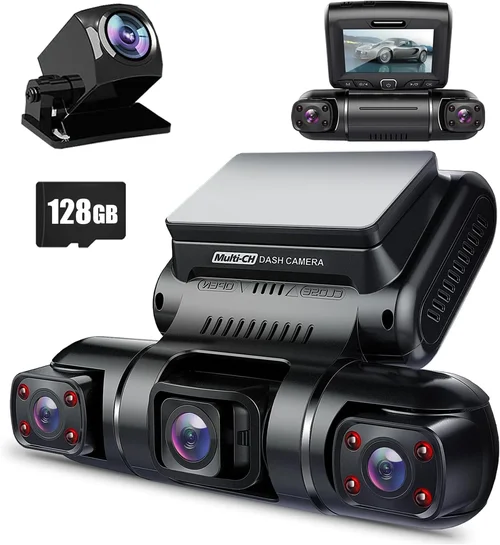
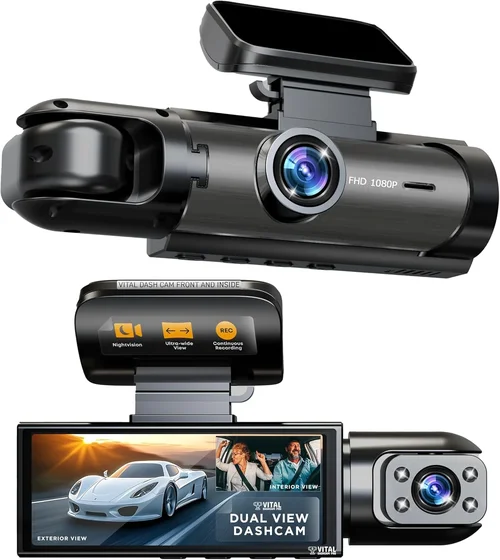
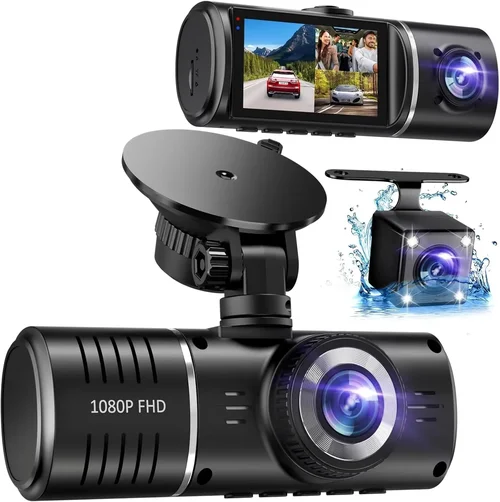
For city driving where lane changes and intersections are common, a 130-150 degree horizontal FOV is generally ideal. In highway scenarios, this range helps capture both the immediate roadway and vehicles approaching from behind. Some advanced models offer dual-lens setups that combine forward-facing recording with a separate interior cabin camera, providing complete coverage of both the road and passengers.
Be cautious of exaggerated FOV claims—manufacturers sometimes inflate numbers by measuring diagonally rather than horizontally. Always check if the product description specifies whether the stated angle is horizontal, diagonal, or vertical measurement.
3. Night Vision Capabilities
Night driving presents unique challenges for dash cams due to limited ambient light and potential glare from headlights. Effective night vision requires multiple technological approaches working together. First, look for cameras with large-aperture lenses (as mentioned above) that gather more available light. Second, consider models featuring infrared (IR) LEDs or built-in spotlights specifically designed to illuminate the road ahead during nighttime operation.
However, IR illumination has limitations—it works best within about 50 feet and cannot penetrate through fog, rain, or snow effectively. For these conditions, cameras with superior low-light sensitivity and noise reduction algorithms perform better. Some premium models use Sony STARVIS sensors specifically engineered for exceptional performance in dark environments.
Also important is the camera’s ability to handle headlight glare from oncoming vehicles. Look for WDR technology that prevents overexposure when bright lights wash out the image. Without this feature, nighttime footage often appears washed out or completely blacked out during passing situations.
4. Storage Solutions & Loop Recording
Dash cams rely on microSD cards for storage, and selecting the right capacity is crucial. Entry-level models typically support up to 64GB, while mid-range systems often accommodate 128GB or more. Premium cameras may support 256GB cards or even offer built-in storage options.
For optimal performance, we recommend using Class 10 UHS-I or UHS-II microSD cards from reputable brands like SanDisk Extreme, Samsung EVO Plus, or Lexar Professional. These cards offer reliable write speeds necessary for continuous recording without dropped frames or corrupted files.
Loop recording is a fundamental feature that automatically overwrites the oldest footage when storage fills up, ensuring your dash cam never stops recording. Most modern dash cams implement this seamlessly, but some cheaper models may have aggressive overwrite settings that delete potentially valuable evidence too quickly. Look for adjustable recording intervals—typically 1, 3, or 5 minutes—that let you balance storage usage with evidence preservation needs.
Some advanced systems also offer cloud backup capabilities, automatically uploading selected clips to secure online servers. This adds significant value for fleet operators or those concerned about physical theft of their vehicle’s memory card.
5. Parking Mode & Motion Detection
Parking mode is arguably one of the most valuable features for preventing hit-and-runs or documenting incidents that occur when you’re not driving. When activated, the dash cam enters a low-power standby state but remains capable of detecting movement or impact through various triggers.
Common parking mode activation methods include:
– Built-in accelerometers that detect sudden impacts
– Motion detection via the rear camera (if equipped)
– Time-lapse recording that captures periodic snapshots
– Smart parking modes that only record when triggered by specific events
However, parking mode comes with significant caveats. It dramatically increases power consumption, which can drain your car battery over time. Many dash cams include voltage cutoff features that prevent excessive drain by automatically shutting down when battery levels drop below a safe threshold (usually around 11.8V).
For vehicles with parking protection circuits or hardwired installations, this isn’t a concern. But for dash cams powered directly through USB ports, you’ll need to invest in a capacitor-based backup system or consider a professional hardwire kit. Without proper protection, a faulty parking mode could leave you stranded with a dead battery.
6. Build Quality & Weather Resistance
Your dash cam will be exposed to extreme temperatures, direct sunlight, rain, dust, and potential impacts from debris on the road. Therefore, build quality should never be overlooked. Look for cameras with robust metal or high-grade plastic casings that won’t crack or warp under heat stress.
Temperature tolerance is particularly important—most quality dash cams operate reliably from -4°F to 140°F (-20°C to 60°C). Check manufacturer specifications for exact ranges, as some budget models may fail in winter conditions or become unresponsive in summer heat.
Lens quality is equally critical. Anti-reflective coatings and scratch-resistant glass help maintain optical clarity over time. Some premium models feature sapphire glass lenses that resist scratches better than standard materials.
Additionally, consider how the camera mounts to your windshield. Suction cup mounts can lose adhesion in extreme temperatures, while adhesive mounts may damage paint if removed improperly. Magnetic mounts offer easy installation but may lack stability at highway speeds.
7. Connectivity Features
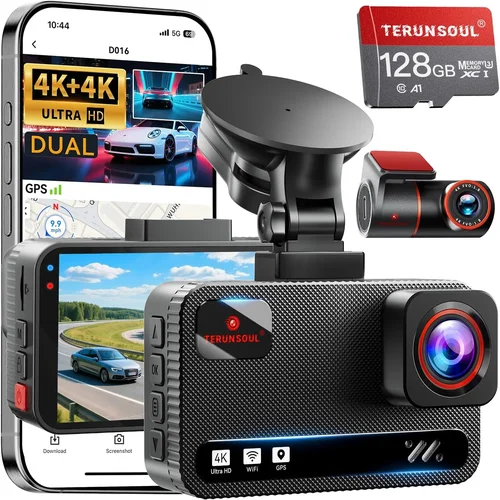
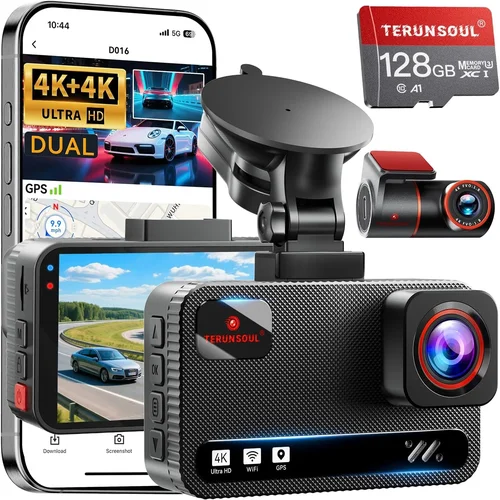
Modern dash cams increasingly offer connectivity options that enhance usability and data management. Wi-Fi capability allows you to transfer footage directly to smartphones via companion apps, eliminating the need to physically remove memory cards. This also enables live viewing and remote control functions.
GPS integration provides valuable context to your recordings by embedding location, speed, and direction data into each video file. This information proves invaluable for accident reconstruction and insurance claims. Some systems even offer GLONASS compatibility for improved global positioning accuracy.
Bluetooth connectivity enables hands-free calling and wireless firmware updates, though it’s less commonly found in dash cams compared to other smart devices. Cloud storage integration represents the most advanced connectivity option, allowing automatic backup of critical incidents to secure online servers accessible from anywhere with internet connectivity.
When evaluating connectivity features, consider your smartphone operating system—iOS and Android compatibility varies between manufacturers. Also verify whether cloud services require ongoing subscriptions, as some brands charge monthly fees after the initial trial period expires.
8. Audio Recording Capabilities
While primarily designed for visual documentation, many dash cams also capture audio from the vehicle’s interior. This feature can provide crucial context during incidents, capturing conversations, alarms, or emergency situations that might otherwise go unreported.
However, audio recording raises significant privacy considerations. Several jurisdictions have enacted laws restricting when and where dash cam audio can be recorded, particularly regarding conversations between drivers and passengers. Before enabling this feature, research your local regulations to avoid legal complications.
Quality varies considerably between models. Budget dash cams may produce muffled, distorted audio that lacks clarity. Premium systems often include directional microphones that focus on sounds inside the cabin while minimizing external noise interference.
Some advanced models offer dual-channel audio—one microphone facing inward for cabin conversations and another oriented outward to capture traffic sounds. Others implement noise cancellation algorithms that filter out engine noise and road roar while preserving speech intelligibility.
Regardless of quality, remember that audio recordings are often considered more sensitive than video evidence in legal proceedings. Ensure your chosen system provides adequate controls to disable audio when needed and complies with all applicable privacy laws in your area.
Different Types of Dash Cams

Common Buying Mistakes to Avoid
❌ Mistake: Prioritizing Price Over Performance
Why it’s bad: Choosing the cheapest available dash cam often means sacrificing critical features like reliable loop recording, decent low-light performance, or sturdy construction. Many ultra-low-priced models use inferior sensors and cheap plastics that fail within months of regular use, providing little actual protection.
What to do instead: Set a realistic budget based on your needs rather than simply seeking the lowest price. A $100 camera with excellent reviews and proven reliability will almost always outperform a $40 model that constantly fails or produces unusable footage. Consider that a dash cam is essentially an insurance policy—you wouldn’t buy the cheapest home insurance, so why skimp on road protection?
❌ Mistake: Ignoring Storage Requirements
Why it’s bad: Assuming all dash cams work identically with any microSD card leads to frustration when files become corrupted or recording stops unexpectedly. Cheap cards often lack the sustained write speeds needed for continuous video recording, causing frame drops, skipped footage, or complete failure to record.
What to do instead: Research compatible card requirements before purchasing. For Full HD recording, aim for at least 32GB Class 10 cards from reputable brands. If you plan extended recording sessions or want longer incident files, consider larger capacities like 64GB or 128GB. Always format cards through the dash cam itself rather than your computer to ensure proper partitioning.
❌ Mistake: Overlooking Installation Considerations
Why it’s bad: Poor mounting choices lead to camera displacement during bumpy rides, blocked views of important road signs, or accidental activation of recording buttons. Some users install cameras too low, obscuring license plates, while others place them in positions that create distracting glare on the windshield.
What to do instead: Position the camera slightly above eye level when seated normally, angled downward enough to capture the entire front view without obstruction. Use high-quality suction cups designed for automotive use and apply them according to manufacturer instructions. Test stability before finalizing installation and ensure all buttons remain accessible yet protected from accidental presses.
❌ Mistake: Neglecting Power Management for Parking Mode
Why it’s bad: Enabling parking mode without considering power draw can result in drained batteries, leaving you stranded when you need your car most. Many users discover this problem during winter months when cold temperatures accelerate battery depletion.
What to do instead: Either invest in a dedicated capacitor-based parking mode module or install a professional hardwire kit that draws power directly from the fuse box with automatic cutoff. Alternatively, disable parking mode if you frequently park in areas without nearby power sources or have concerns about battery life.
❌ Mistake: Assuming All Brands Are Equal
Why it’s bad: Several lesser-known brands market dash cams at premium prices while using off-the-shelf components and outdated firmware. Without established service networks or reliable customer support, troubleshooting issues becomes difficult once warranty periods expire.
What to do instead: Stick with established brands known for quality electronics manufacturing. Research user forums and professional reviews before purchasing. Check whether replacement parts and technical support are readily available if problems arise. Consider retailers with generous return policies that let you test equipment risk-free.
❌ Mistake: Forgetting About Legal Compliance
Why it’s bad: Recording audio without awareness of local laws can lead to serious legal consequences, including fines or civil liability. Some states prohibit two-party consent for recording conversations, meaning even documenting your own vehicle’s interior could violate privacy statutes.
What to do instead: Research your state’s specific dash cam regulations before enabling audio recording features. Many jurisdictions require clear signage indicating recording is occurring. Disable audio functionality if uncertain about compliance, focusing instead on visual documentation where legal risks are minimal.
Budget Guidelines: How Much Should You Spend?
Entry-Level Dash Cams ($40 – $80)
This price range includes basic dash cams suitable for occasional drivers or those testing dash cam functionality before investing more heavily. Expect Full HD recording, modest fields of view around 120 degrees, and limited additional features. While functional for basic incident documentation, these models often compromise on build quality, low-light performance, and reliability.
Recommended uses include secondary vehicles, rental cars, or temporary installations while traveling. Notable limitations include shorter recording times per file, less effective night vision, and frequent firmware bugs that require manual intervention to resolve. If you drive infrequently or need dash cam coverage only occasionally, this tier may suffice.
However, even within this budget, research reveals significant variation. Avoid models with exaggerated marketing claims or suspiciously low prices—genuine quality components rarely cost less than $35 to manufacture. Look for brands with transparent specifications and positive user feedback regarding consistency and durability.
Mid-Range Dash Cams ($80 – $200)
The sweet spot for most buyers, this category offers excellent value by combining reliable performance with useful extra features. You’ll find Full HD or 2K recording, improved low-light capabilities, better build materials, and increasingly sophisticated parking mode implementations. Many models in this range include GPS tracking, Wi-Fi connectivity, and enhanced motion detection.
This tier serves daily commuters, suburban families, and anyone desiring dependable evidence collection without premium pricing. Advanced features like loop recording optimization, adjustable recording intervals, and anti-glare lenses elevate the experience beyond basic functionality. Battery backup solutions for parking mode become more practical investments at these price points.
Manufacturers typically use higher-grade sensors and lenses here, resulting in noticeably clearer footage even in challenging conditions. Firmware updates and customer support responsiveness also improve significantly compared to entry-level competitors. For the average driver seeking comprehensive protection, this range represents optimal balance between cost and capability.
Premium Dash Cams ($200 – $400)
Professional-grade dash cams designed for demanding environments and users requiring maximum reliability. These systems often feature 4K recording, superior sensor technology, advanced stabilization, and robust weatherproofing. Dual-lens configurations become common, offering both forward and rear coverage with synchronized recording.
Ideal for rideshare drivers, delivery personnel, fleet managers, and safety-conscious individuals who demand top-tier performance. Additional features include cloud storage integration, AI-powered incident detection, voice command functionality, and sophisticated driver assistance alerts. Build quality reaches industrial standards with military-grade materials and extensive temperature tolerances.
While expensive for personal vehicles, these investments pay dividends through reduced insurance premiums, enhanced dispute resolution capabilities, and peace of mind knowing your evidence meets professional standards. Warranty terms typically extend to 2-3 years with responsive customer service, reflecting manufacturers’ confidence in their products’ longevity.
Luxury & Specialty Systems ($400+)
Ultra-premium dash cams representing the pinnacle of automotive surveillance technology. These systems integrate multiple cameras, artificial intelligence, advanced analytics, and seamless ecosystem integration. Three-camera setups with interior, exterior, and cabin monitoring become standard, providing complete situational awareness.
Designed for commercial fleets, law enforcement, security contractors, and enthusiasts seeking cutting-edge capabilities. Features include predictive collision warnings, automatic emergency response triggering, biometric driver monitoring, and real-time traffic analysis. Some models incorporate dash cam functionality into larger telematics platforms with subscription-based services.
Consider these only if your needs justify the substantial investment. Personal vehicle owners rarely require such sophistication unless operating businesses where liability protection and operational efficiency justify costs. Even then, carefully evaluate whether specialized features translate to tangible benefits versus simpler, more affordable alternatives.
Expert Tips for Getting the Best Deal
Timing Your Purchase Strategically
Avoid buying immediately after new model releases—retailers often discount previous-generation dash cams to clear inventory. Major shopping holidays like Black Friday, Cyber Monday, and Prime Day offer substantial markdowns on established models. Seasonal transitions also present opportunities: late summer sees clearance sales on models optimized for warm weather, while spring brings deals on winter-ready units.
Consider waiting for industry trade shows like Consumer Electronics Show (CES) announcements, which often trigger competitor price adjustments. Monitor release cycles—most manufacturers update dash cams annually with incremental improvements rather than revolutionary changes, making older models excellent value propositions.
Choosing Reliable Retail Channels
Online marketplaces offer convenience and competitive pricing but increase counterfeit risk. Stick to authorized dealers and established electronics retailers with verified seller programs. Physical stores allow hands-on testing of button layout, menu navigation, and overall feel, helping assess ergonomics before committing to purchase.
Compare shipping policies and return windows carefully. Some online sellers impose restocking fees or limit returns for opened electronics, while brick-and-mortar stores typically offer immediate exchange options. For complex installations requiring professional wiring, consider specialty automotive shops that carry certified dash cam systems.
Identifying Authentic Discounts vs. Marketing Gimmicks
Beware of “limited-time offers” that appear identical across multiple listings. Verify genuine savings by checking MSRP comparisons with official manufacturer websites. Watch for subtle tricks like bundling accessories at inflated individual prices while advertising “discounted” totals. Read fine print regarding warranty transferability and international shipping restrictions.
Use price tracking tools that alert you when items drop below historical averages. Set up Google Alerts for specific models to monitor deal frequency and duration. Remember that free shipping often represents the real savings—many retailers bundle shipping costs into higher item prices to hide true value.
Maximizing Warranty Benefits
Always register products within recommended timeframes to activate warranties. Keep original packaging and proof of purchase for at least as long as warranty periods last. Understand what constitutes covered failures versus normal wear—impact damage from debris or improper installation typically falls outside coverage.
Consider extended warranty options cautiously. Evaluate whether repair costs exceed replacement value for older models. Some manufacturers offer lifetime software updates as part of base warranties, reducing need for additional coverage. Document serial numbers and keep purchase receipts organized for quick reference during claims processes.
Testing Before Committing
Whenever possible, test dash cam operation before finalizing purchase. Verify button responsiveness, menu navigation intuitiveness, and overall build quality through physical inspection. Request demonstration units from retailers or borrow friends’ models for trial drives. Pay attention to startup times, recording initiation delays, and shutdown procedures.
Evaluate video quality by reviewing sample footage on retailer displays or requesting manufacturer-supplied demo clips. Check whether menus adjust appropriately for different lighting conditions and whether touchscreen interfaces remain usable with wet fingers. Assess mounting mechanism stability by gently shaking the unit—excessive wobble indicates poor design.
Negotiating Volume Discounts
If purchasing multiple units for fleet operations or family vehicles, leverage bulk buying power to negotiate better terms. Mention competitor quotes and express intent to purchase additional units beyond immediate needs. Retailers often accept modest reductions to secure larger orders, especially during slow sales periods.
Ask about loyalty program benefits or referral incentives that could further reduce costs. For business purchases, explore corporate accounts with electronics suppliers that offer tiered pricing based on annual spend volumes. Document all negotiated terms in writing before completing transactions.

Frequently Asked Questions
Q: Do I really need a dash cam, or is this just another safety gadget?
A: While not essential for everyone, dash cams provide tangible benefits that extend beyond novelty status. They serve as objective witnesses in accident investigations, help settle insurance disputes faster, deter fraudulent claims, and encourage safer driving behavior through playback review. Studies show drivers with dash cams report fewer incidents and receive fewer speeding tickets due to heightened awareness. For these reasons, they represent practical investments rather than mere gadgets.
Q: What’s the difference between a dash cam and a driving recorder?
A: The terms are often used interchangeably, but subtle distinctions exist. Traditional dash cams focus exclusively on forward-facing recording from the driver’s perspective. Driving recorders may include additional cameras (rear/interior), GPS data logging, and sometimes even tire pressure monitoring or fuel efficiency tracking. Some advanced systems blur the line entirely by integrating multiple vehicle diagnostics with video surveillance.
Q: Can dash cams record while my phone is charging via OBD-II port?
A: Yes, but with important caveats. Many modern dash cams draw power through USB connections that also interface with OBD-II ports. However, some vehicles restrict non-diagnostic device connections through their onboard computers. Always consult your vehicle’s manual regarding auxiliary device permissions. Additionally, verify that your dash cam’s power draw doesn’t interfere with OBD-II functionality for maintenance diagnostics.
Q: Will dash cam installation void my car’s warranty?
A: Federal preemption laws in many countries prohibit manufacturers from voiding warranties solely due to aftermarket accessories like dash cams. However, if installation damages existing wiring or components, the manufacturer could reasonably deny coverage for resulting issues. Use professional installation services or follow manufacturer guidelines precisely to avoid complications. Document all work performed for future reference.
Q: How long should dash cam footage be saved before overwriting?
A: Standard practice recommends keeping recent footage accessible for at least 30 days, aligning with typical insurance claim timelines. Adjust this based on local regulations and personal risk tolerance. Urban drivers facing frequent incidents might benefit from shorter file durations (1-3 minutes), while rural motorists with infrequent events may prefer longer segments (5+ minutes) to capture complete incident sequences.
Q: Are there legal restrictions on using dash cams in rental vehicles?
A: Rental agreements vary by company and jurisdiction. Some explicitly prohibit permanent modifications like adhesive mounts, while others permit temporary installations removable upon return. Always obtain written permission before installing any hardware. For short-term rentals, consider portable magnetic mounts that leave no residue. Never assume universal acceptance—when in doubt, ask explicitly.
Q: What’s the best way to prevent dash cam lens fogging in cold weather?
A: Cold-induced fogging occurs when moisture condenses on the lens surface. Preventive measures include using hydrophobic lens coatings (available from some manufacturers), ensuring adequate airflow around the camera housing, and avoiding rapid temperature changes that accelerate condensation. If fogging occurs, wipe gently with microfiber cloth—never compressed air, which can push moisture deeper into internal components.
Q: Can I use a dash cam without a memory card?
A: Limited functionality is possible through cloud-connected systems that upload footage directly to online storage. However, this requires consistent internet connectivity, ongoing subscription fees, and exposes sensitive data to cybersecurity risks. For reliable offline recording independent of network availability, physical storage remains necessary. Some premium models offer hybrid approaches combining local and cloud backup.
Q: How do I know if my dash cam is recording properly?
A: Most dash cams provide visual confirmation through LED indicators that blink during active recording. Review footage immediately after incidents to verify clarity and completeness. Test recording periodically by simulating scenarios like lane changes or braking events. Check that timestamps align with your vehicle’s clock and that GPS coordinates accurately reflect your location when enabled.
Q: What should I do if my dash cam stops working after a year?
A: First determine whether failure stems from hardware defects covered under warranty or user-caused damage. Contact manufacturer support with purchase documentation and detailed failure descriptions. If within warranty, request repairs or replacements following their procedures. For out-of-warranty units, assess whether repair costs justify replacement. Consider environmental factors—extreme temperatures, water exposure, or physical impacts may void coverage regardless of age.
Our Final Recommendations
Best for Budget-Conscious Buyers
The Viofo A119 v3 represents outstanding value in the sub-$100 category. This compact Full HD dash cam delivers reliable performance with 140-degree field of view, impressive low-light sensitivity, and intuitive operation. Its single-lens design focuses on core functionality without unnecessary complexity. While lacking premium extras like 4K recording or dual cameras, the A119 v3 excels at what matters most: clear, consistent evidence collection. Positive user feedback highlights durability and straightforward installation, making it ideal for first-time buyers seeking dependable protection without overspending.
Best Overall Value
The Nextbase 522GW strikes perfect balance between features and affordability. This mid-range model offers 1440p recording, Alexa voice control, emergency SOS button, and sophisticated parking mode with built-in capacitor protection. Its sleek design incorporates anti-glare lens coating and reliable loop recording. Users praise crisp video quality in varied lighting conditions and responsive customer service. The inclusion of cloud backup via Nextbase’s secure servers adds significant peace-of-mind value, while competitive pricing makes advanced functionality accessible to mainstream consumers.
Best Premium Option
For those demanding ultimate performance, the BlackVue DR970X-2CH sets industry benchmarks. This dual-lens system provides 4K front recording alongside 2K rear surveillance, utilizing Sony STARVIS sensors for exceptional nighttime clarity. Advanced features include built-in Wi-Fi, GPS tracking, cloud connectivity, and intelligent parking mode with impact detection. BlackVue’s proprietary software enables remote monitoring and customizable alerts. Though priced at premium levels, its robust build quality, comprehensive feature set, and professional-grade reliability justify the investment for safety-critical applications and commercial users.
Best for Beginners
The Garmin Dashcam Mini simplifies dash cam adoption through seamless smartphone integration and automatic updates. Compact dimensions and magnetic mount ease installation while maintaining Full HD recording quality. Its companion app offers intuitive playback management and cloud sharing capabilities. Garmin’s reputation for rugged outdoor electronics ensures durability against temperature extremes and vibrations. Beginners appreciate the guided setup process and clear documentation, making this an excellent gateway product before exploring more advanced systems.
Best for Advanced Users
The Thinkware U1000 caters to tech-savvy drivers wanting maximum customization and performance. This 4K-capable system combines dual Sony sensors, superior dynamic range, and extensive configuration options through web-based management. Advanced users benefit from customizable recording modes, detailed event tagging, and flexible storage management. Thinkware’s commitment to innovation includes regular firmware updates and responsive development roadmap, ensuring continued relevance amid evolving dash cam technologies.
Conclusion: Making the Right Choice
Selecting the best dash cam ultimately depends on aligning your specific needs with appropriate features and budget constraints. Rather than chasing the latest trends or highest-resolution recording, focus on core capabilities that deliver reliable evidence when accidents occur. Evaluate your driving patterns, vehicle type, climate conditions, and legal requirements to determine which specifications matter most for your situation.
Remember that a dash cam functions as your electronic witness—its effectiveness hinges on consistent, high-quality operation rather than flashy extras. Prioritize proven brands with transparent specifications and responsive customer support. Invest adequately in storage solutions and power management to prevent unexpected failures. Regularly review footage to reinforce safe driving habits and verify system performance over time.
Whether you choose a budget-friendly option for occasional use or invest in professional-grade equipment for daily protection, the goal remains the same: gaining confidence that you’re prepared for whatever roads lie ahead. Take time to research thoroughly, test installations personally when possible, and don’t hesitate to seek professional advice for complex wiring scenarios. With thoughtful consideration and careful implementation, your dash cam will serve as a valuable ally on every journey, providing documentation that protects you, your passengers, and your assets.