Best Dash Cam Buying Guide
Choosing the right dash cam can make all the difference when it comes to capturing clear, reliable footage in the event of an accident or dispute. With so many options on the market—from budget-friendly models to feature-packed systems with dual cameras and cloud connectivity—it’s easy to feel overwhelmed. This comprehensive buying guide is designed to cut through the noise and help you make an informed decision based on your specific needs, driving habits, and vehicle setup.
Whether you’re a daily commuter looking for peace of mind, a rideshare driver needing documentation for insurance claims, or someone who simply wants to monitor parking behavior, understanding what makes a dash cam truly effective is essential. In this guide, you’ll learn how to evaluate key features like video resolution, storage capacity, night vision performance, and smart capabilities. We’ll also break down common misconceptions, explain technical terms in plain language, and provide expert recommendations across different price ranges.
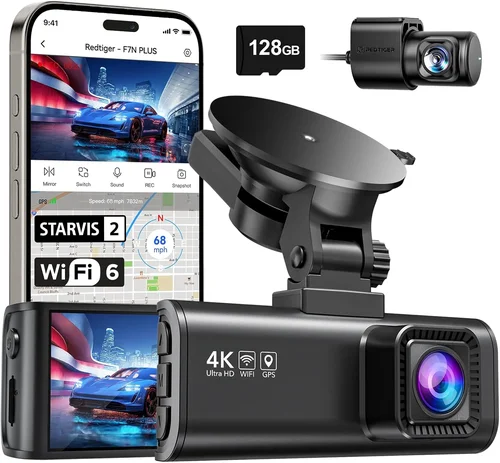
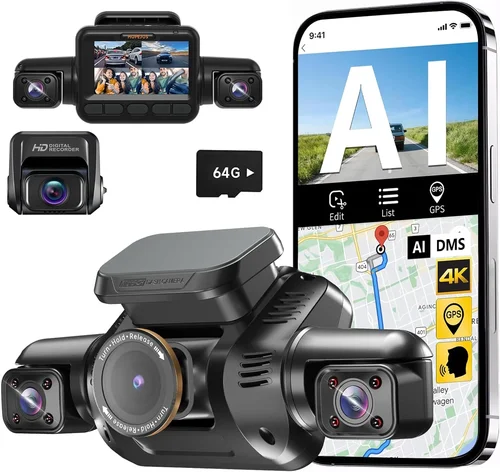
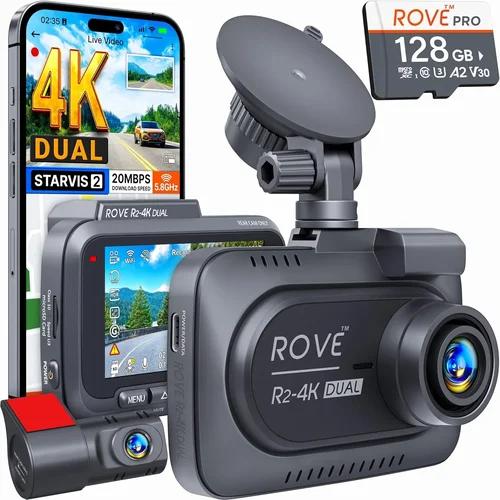
The dash cam market has evolved rapidly over the past decade, offering everything from basic single-lens recorders to advanced multi-camera systems with GPS tracking, Wi-Fi connectivity, and even AI-powered incident detection. While entry-level models may suffice for casual use, more demanding users will benefit from higher-end features like loop recording, emergency backup power, and crystal-clear 4K recording. By the end of this article, you’ll have a clear roadmap for selecting the best dash cam that balances performance, reliability, and value—so you can drive with confidence knowing your journey is being recorded safely and efficiently.

What to Look for When Buying Dash Cams
1. Video Resolution & Recording Quality
The foundation of any good dash cam is its ability to capture clear, detailed footage. Most modern dash cams offer at least 1080p Full HD resolution, but higher resolutions like 2K (1440p) or 4K provide significantly improved clarity—especially useful for reading license plates or identifying fine details in low-light conditions. When evaluating resolution, consider not just the number but also the sensor quality and compression technology used. H.265 encoding, for example, offers better image quality at lower bitrates compared to older H.264 formats.
Additionally, frame rate matters: 30 frames per second (fps) is standard, but some premium models support 60 fps for smoother motion handling. If you frequently drive in urban areas with stop-and-go traffic or highway speeds where motion blur could obscure important details, opting for a higher frame rate becomes increasingly valuable. Always check real-world sample videos rather than relying solely on manufacturer specs—many cheaper models suffer from poor dynamic range or excessive noise even at high resolutions.
2. Field of View (FOV)
The field of view determines how much of the road ahead and surroundings your dash cam captures. A wider angle—typically between 110° and 160°—gives you more coverage, which is especially helpful for detecting vehicles approaching from the sides or catching incidents outside your immediate lane. However, extremely wide angles (over 170°) can introduce fish-eye distortion at the edges, making objects appear warped or exaggerated.
Aim for a balanced FOV around 130°–150°. This range offers excellent frontal coverage while minimizing distortion. Some advanced models offer adjustable FOV settings via firmware updates or mobile apps, allowing you to switch between narrow (for highway driving) and wide (for city driving) modes depending on your environment. Also consider whether the camera supports true wide-angle optics without digital cropping, as this preserves image fidelity throughout the frame.
3. Night Vision & Low-Light Performance
Driving at dusk, dawn, or during nighttime hours requires specialized sensors and image processing to maintain visibility. Look for dash cams equipped with large CMOS sensors (at least 1/2.3” or larger), wide aperture lenses (f/1.8 or lower), and built-in infrared LEDs or enhanced low-light algorithms. These components work together to maximize light intake and reduce noise in dark scenes.
Advanced models may include HDR (High Dynamic Range) technology, which balances bright headlights with darker road surfaces, preventing overexposure in front of oncoming traffic while retaining detail in shadows. Night mode settings often boost contrast and sharpen edges automatically, though they shouldn’t come at the cost of increased motion blur. Reading user reviews focused specifically on nighttime performance is crucial—some brands claim stellar low-light capabilities but underdeliver in practice due to aggressive noise reduction or inconsistent exposure control.
4. Storage Capacity & Loop Recording
Dash cams rely on microSD cards (usually Class 10 or U3 rated) for continuous recording. Most require at least 64GB, with 128GB being ideal for most users. Larger capacities allow longer recording sessions before old files overwrite new ones—a process known as loop recording, which ensures uninterrupted coverage without manual intervention.
Be mindful of write speed requirements: faster cards (UHS-I/U3) handle high-bitrate 4K footage more reliably and prevent dropped frames. Also, factor in how long you want recordings to retain before deletion. Many dash cams default to keeping only the last 3–5 minutes of footage, but some allow customization up to several hours. If you park your car in high-risk areas (e.g., construction zones or downtown parking lots), consider models with motion-activated parking mode that saves clips only when movement is detected—saving storage space and battery.
5. G-Sensor & Emergency Locking
G-sensors detect sudden impacts, hard braking, or collisions by measuring changes in acceleration. When triggered, they automatically lock the current clip to prevent it from being overwritten during loop recording—critical for preserving evidence after an accident. Sensitivity levels are usually adjustable; too high, and minor bumps trigger false positives; too low, and real incidents get missed.
Look for dash cams with three-axis G-sensing (measuring X, Y, and Z directions) for comprehensive impact detection. Some premium units also offer impact-based alerts sent to your smartphone via Wi-Fi. Additionally, ensure the device has sufficient internal buffer memory (often 1–2GB) to capture several seconds before and after a collision, giving you complete context of the event.
6. Power Source & Installation Options
Most dash cams draw power directly from your car’s 12V cigarette lighter socket or USB port. Hardwiring kits—available separately—offer cleaner installation and enable parking mode functionality by tapping into your vehicle’s fuse box. This setup keeps the dash cam powered even when the engine is off, enabling time-lapse or motion-triggered recording during unattended periods.
If hardwiring isn’t feasible, choose a model with a reliable car charger and secure mounting options (adhesive mounts or suction cups). Avoid flimsy accessories that fall off during vibrations or temperature shifts. Also, verify compatibility with your vehicle’s voltage system (most are 12V–24V compatible, but double-check if you own a truck or RV).
7. Connectivity Features (Wi-Fi, GPS, Cloud)
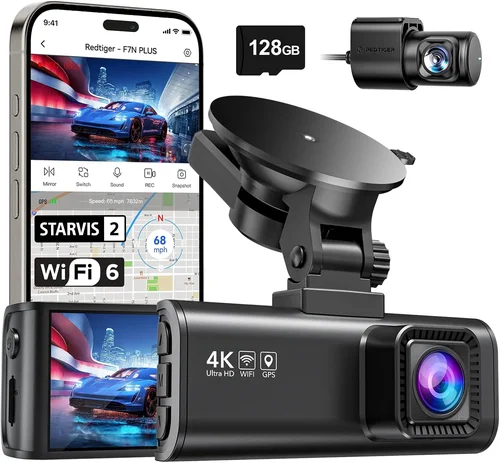
Wi-Fi-enabled dash cams allow seamless transfer of footage to smartphones via companion apps, eliminating the need to remove SD cards. This is particularly useful for quickly sharing clips with authorities or insurers. Some models also support cloud uploads, storing encrypted videos remotely for added security against theft or tampering.
GPS integration adds location metadata to each clip, showing speed and direction—valuable for reconstructing accident scenarios. Real-time clock synchronization ensures timestamps remain accurate across reboots. While these features enhance usability, they may slightly increase power consumption and cost. Assess whether you truly need them: basic dash cams without extras function perfectly well for everyday use.
8. Build Quality & Weather Resistance
Dash cams endure extreme temperatures, humidity, dust, and direct sunlight inside your windshield. Opt for devices with ruggedized housings (preferably metal or reinforced plastic), anti-fog coatings, and IP-rated seals against water ingress. Internal components should be shielded from heat buildup, as prolonged exposure can cause lens fogging or premature failure.
Mount stability is equally important. A wobbly mount won’t stay aligned over time, resulting in misaligned footage. Test the adhesive or suction strength before finalizing placement. Brands like Blackvue, Garmin, and Nextbase are known for durable designs engineered to withstand years of daily commutes without degradation.
Different Types of Dash Cams

Common Buying Mistakes to Avoid
❌ Mistake: Prioritizing Price Over Quality
Why it’s bad: Choosing the cheapest available option often means sacrificing critical features like stable video quality, reliable G-sensor response, or durable construction. Cheap dash cams may freeze, lose recordings, or fail during actual incidents due to inadequate processing power or poor thermal management.
What to do instead: Set a realistic budget based on your usage level and prioritize proven brands with strong track records. Read independent reviews focusing on real-world performance rather than flashy marketing claims. Remember: a dash cam is essentially your insurance policy—its value far exceeds its purchase price.
❌ Mistake: Ignoring Parking Mode Limitations
Why it’s bad: Not all dash cams support true parking surveillance. Some lack sufficient buffer memory or efficient power management, causing them to drain your car battery overnight or miss subtle movements like someone tapping your hood. Others require expensive hardwiring kits that negate the convenience of plug-and-play installation.
What to do instead: Verify whether the model includes dedicated parking mode specs (e.g., “Super Capacitor” vs. battery-based operation). Capacitors are safer for long-term use as they don’t degrade like lithium batteries. Also confirm compatibility with your vehicle’s electrical system and consider investing in a reputable hardwiring kit if needed.
❌ Mistake: Overlooking File Management Complexity
Why it’s bad: High-resolution recordings generate massive files quickly. Without proper organization tools or automatic backup solutions, finding relevant clips after an incident becomes tedious. Some users unknowingly delete important evidence while trying to free up space manually.
What to do instead: Choose dash cams with intuitive playback software that categorizes clips by date/time or event type. Enable cloud backup if available, or pair your device with external storage (like portable SSDs) for offsite copies. Regularly review your file structure and update retrieval procedures until they become second nature.
❌ Mistake: Assuming All Resolutions Are Equal
Why it’s bad: Marketing departments love listing “4K” or “Ultra HD” without clarifying whether it’s true 4K (3840×2160), pseudo-4K (downscaled from higher resolutions), or merely inflated pixel counts. Many budget 4K models actually record at lower effective resolutions due to inefficient compression or small sensor limitations.
What to do instead: Cross-reference spec sheets with third-party benchmarks. Look for consistent sharpness across the entire frame, minimal rolling shutter artifacts (common in CMOS sensors), and realistic bitrates (above 80 Mbps for true 4K). Physical sample comparisons are invaluable—request demo units when possible.
❌ Mistake: Neglecting Firmware Updates
Why it’s bad: Manufacturers frequently release firmware improvements addressing bugs, enhancing night vision, or adding new features. Ignoring updates leaves your dash cam vulnerable to known issues or incompatible hardware changes. Some older models even lose functionality entirely after skipping critical patches.
What to do instead: Subscribe to brand newsletters or follow official social media channels to stay informed about update availability. Enable automatic notifications within the companion app whenever possible. Before purchasing, research the company’s update frequency—reputable brands like Viofo, Rexing, and Thinkware maintain active development cycles.
Budget Guidelines: How Much Should You Spend?
Entry-Level ($30 – $70): The Basics Covered
This tier suits occasional drivers or those testing dash cam benefits before committing further. Expect solid 1080p recording, basic G-sensing, and straightforward operation. Brands like Apeman, Vava, and Jusfun dominate this segment with reliable performance despite modest specs. While lacking advanced features like GPS or Wi-Fi, these models fulfill core responsibilities: capturing clear frontal views and triggering locks during collisions.
Ideal candidates include secondary vehicles, rental cars, or commuters who rarely drive at night. Be cautious about ultra-low-cost options below $30—they often skimp on sensor quality, leading to grainy footage or frequent disconnections. Even within this range, focus on models with verified customer satisfaction and responsive support teams.
Mid-Range ($80 – $200): Sweet Spot for Most Buyers
The mid-tier offers the best balance of capability and affordability. You’ll find upgraded sensors (often 2K or true 4K), enhanced night modes, robust build quality, and useful extras like loop recording, motion detection, and compact form factors. Popular choices include the Viofo A119 v3, Rexing V1P, and Kuuga Pro Series.
This category shines for daily drivers seeking dependable protection without overspending. Many mid-range units also include Wi-Fi for easy clip transfers and smartphone app integration. If you frequently drive highways or operate in challenging lighting conditions, investing here pays dividends in peace of mind and evidence quality.
Premium ($200 – $400): For Enthusiasts and Professionals
Top performers in this bracket deliver studio-grade video quality, multi-camera setups, superior low-light handling, and enterprise-grade reliability. Examples include the Blackvue DR970X-2CH, Garmin Dash Cam 67W, and Nextbase 522GW. These devices often feature HDR, advanced audio recording, driver fatigue warnings, and seamless cloud synchronization.
Perfect for rideshare operators, delivery drivers, or safety-conscious families, premium models justify their cost through durability, forensic-level detail, and professional support networks. They’re also future-proofed against evolving regulations requiring high-definition documentation.
Luxury ($400+): Top-Tier Features Only
At the upper echelon, expect cutting-edge technology: 4K triple-lens arrays, AI-driven incident classification, satellite-linked tracking, and military-grade shock resistance. Brands like Thinkware and Blackvue lead this space with modular designs allowing hot-swappable batteries, extra cameras, and specialized lenses.
Target users include commercial fleets, law enforcement consultants, or collectors wanting museum-quality hardware. Unless you have specific professional needs or extreme driving environments, most consumers won’t require such sophistication. Still, if budget permits, luxury options offer unmatched assurance and archival-grade footage preservation.
Expert Tips for Getting the Best Deal
Timing your purchase can yield significant savings. Retailers like Amazon, Best Buy, and Walmart typically run seasonal promotions during Black Friday, Cyber Monday, and back-to-school periods. Subscribe to brand email lists to receive exclusive early-bird discounts and bundle offers. Refurbished units from certified sellers (e.g., Amazon Renewed) often carry full warranties at reduced prices—ideal for testing premium features risk-free.
Compare retailers beyond major chains. Smaller electronics stores or automotive specialty shops may offer in-person demos or trade-in programs. Online marketplaces like eBay occasionally feature lightly used models sold by enthusiasts upgrading systems. Always verify seller ratings and return policies before committing.
Spotting genuine deals requires awareness of MSRP fluctuations. Use price-tracking tools like Honey or CamelCamelCamel to monitor historical trends. Beware of “limited-time” scams—if a $300 dash cam appears suddenly for $50, investigate whether it’s counterfeit, damaged, or missing accessories. Authentic discounts rarely exceed 30–40% off regular pricing.
Warranty length reflects manufacturer confidence. Industry standards suggest at least one year for hardware defects, with two years being preferable. Extended warranties (sold separately) rarely cover accidental damage but may include roadside assistance or loaner replacements during repairs. Decline add-ons unless you plan heavy usage or live in harsh climates.
Test installations before finalizing. Request store staff to demonstrate mounting techniques, explain power routing options, and walk through menu navigation. Ensure all included cables fit snugly and that the unit doesn’t obstruct your view or interfere with airbag deployment zones. Ask about firmware update procedures and data recovery support.
Read warranty terms meticulously. Some exclude “acts of God” like floods or hailstorms, while others void coverage if removed from original packaging. Clarify whether international shipping voids guarantees and confirm repair timelines. Keep proof-of-purchase emails and serial numbers accessible for quick reference.

Frequently Asked Questions
Q: Do I really need a dash cam?
A: While not legally required everywhere, dash cams offer substantial practical benefits. They protect against false insurance claims, document hit-and-runs, and provide objective evidence in disputes. Studies show drivers with dash cams experience fewer personal injury lawsuits and receive fairer treatment from insurers. Even if you’re a cautious driver, accidents happen—having irrefutable proof can save thousands in legal fees or medical costs.
Q: Can dash cams record while parked?
A: Yes, but only if the model supports parking mode. This feature requires either hardwiring to your car’s electrical system or using a supercapacitor instead of a battery (which lasts longer). Parking mode activates when motion or vibration is detected, saving clips without draining your vehicle’s main battery. Always verify compatibility with your make/model and consult installation guides to avoid electrical hazards.
Q: How long do dash cam recordings last before being overwritten?
A: Most dash cams use loop recording, meaning new footage automatically replaces the oldest files once storage fills up. Default settings typically retain 3–5 minutes of recent activity, though some allow customization up to several hours. Higher resolutions consume space faster, so adjust recording lengths accordingly. Motion-activated parking mode further optimizes storage by saving only relevant clips.
Q: Will a dash cam affect my car’s fuel efficiency?
A: No. Dash cams draw minimal power—usually less than 2 watts during operation. Even with parking mode enabled, the load is negligible compared to dashboard lights or infotainment systems. Hardwired installations route power through dedicated circuits, avoiding strain on your alternator. Modern capacitors used in premium models consume virtually zero energy when idle.
Q: What happens if my dash cam runs out of power mid-recording?
A: Loop recording ensures continuity by seamlessly transitioning to new files when storage nears capacity. If power drops unexpectedly, the last few seconds of footage may be lost unless buffered by sufficient RAM. Premium models with large caches preserve pre-collision sequences even during outages. Always carry spare microSD cards and ensure your car battery remains charged during extended trips.
Q: Are dash cam recordings admissible in court?
A: Generally yes, provided they meet evidentiary standards. Courts accept dash cam footage as long as it’s authenticated (showing accurate timestamps, unaltered content, and proper chain of custody). To strengthen admissibility, store backups securely, log access attempts, and avoid editing original files. Some jurisdictions require expert testimony to validate technical authenticity—consult local laws beforehand.
Q: Can multiple dash cams interfere with each other?
A: Rarely. Dash cams operate independently on separate power lines and frequencies. However, placing two devices too close together may cause electromagnetic interference affecting audio quality or triggering false G-sensor alerts. Maintain at least 6 inches of separation between units and ensure antennas aren’t tangled. Professional fleet setups use isolated wiring harnesses to eliminate cross-talk.
Q: How do I clean my dash cam lens properly?
A: Use only microfiber cloths and approved lens cleaners—never household glass sprays containing ammonia or alcohol. Dampen the cloth slightly if needed, gently wipe in circular motions, then buff dry immediately. Avoid touching the lens surface with fingers to prevent oils from smudging the coating. Store the device in its protective case when not mounted to shield against dust and scratches.
Q: Should I buy a dash cam with Wi-Fi or stick to wired transfers?
A: Wi-Fi offers convenience for quick clip sharing and app-based controls, but wired transfers via SD card remain more reliable and secure. If you prioritize speed and simplicity, Wi-Fi is excellent. For privacy-conscious users or those needing guaranteed data integrity, physical extraction beats wireless transmission every time. Many mid-range models support both methods, giving you flexibility.
Q: What’s the difference between a capacitor and a battery in dash cams?
A: Capacitors store energy temporarily and excel at short bursts like recording spikes, whereas batteries sustain longer discharges. Capacitor-based dash cams are safer for parking mode since they don’t degrade over time or leak acid if damaged. Battery-powered units may require replacement every 2–3 years. Capacitors also handle extreme temperatures better, making them ideal for hot summers or cold winters.
Our Final Recommendations
Best for Budget-Conscious Buyers
The Vava V2 Dash Cam delivers exceptional value at under $70. It features 1080p recording, a 140° FOV, and robust G-sensing—all housed in a compact, discreet design. While lacking Wi-Fi or GPS, its reliable performance and positive user feedback make it ideal for first-time buyers wanting dependable protection without overspending. Pair it with a 64GB U3 microSD card for smooth 4K-like recording.
Best Overall Value
The Viofo A119 v3 strikes the perfect balance between price and performance. Priced around $150, it offers 2K recording, HDR enhancement, parking mode support, and seamless app integration. Its aluminum casing resists heat buildup, and the wide-angle lens captures crisp details day and night. Users praise its intuitive interface and consistent reliability—making it our top pick for most drivers.
Best Premium Option
For those demanding professional-grade quality, the Blackvue DR970X-2CH sets the benchmark. At approximately $450, it provides dual 2K front/rear recording, cloud connectivity, advanced parking surveillance, and military-grade durability. Fleet managers and safety professionals swear by its forensic-level clarity and remote management suite. Though costly, it justifies its reputation through uncompromising excellence.
Best for Beginners
Newcomers should start with the Apeman F900. Retailing for $65, it includes 1080p recording, loop recording, and a magnetic mount for easy repositioning. Its simple menu layout and automatic settings reduce learning curves, while positive reviews highlight hassle-free installation. Included accessories eliminate guesswork, letting you begin protecting your drives immediately.
Best for Advanced Users
The Thinkware F800 Pro caters to tech-savvy drivers seeking granular control. Priced near $300, it boasts 4K recording, customizable FOV, voice commands, and dual-band Wi-Fi. Its modular design supports add-on cameras and external sensors, appealing to users building comprehensive monitoring ecosystems. Frequent firmware updates ensure ongoing feature enhancements and bug fixes.
Conclusion: Making the Right Choice
Selecting the best dash cam ultimately hinges on aligning features with your unique driving patterns and expectations. Whether you prioritize affordability, cutting-edge technology, or rugged reliability, understanding core specifications like resolution, field of view, and power management empowers smarter purchases. Avoid falling for hype-driven specs or neglecting real-world usability—opt instead for tested, reviewed models that match your lifestyle.
Remember that a dash cam isn’t merely a gadget; it’s a vital layer of protection for you, your passengers, and your vehicle. Invest wisely, install correctly, and maintain it diligently. With the right device, you gain not just evidence in disputes but also tranquility knowing every mile is documented with precision and care. Drive safely—and always keep your eyes on the road.