Best Budget Dash Cams Buying Guide
In today’s increasingly complex driving environment, having reliable evidence of your travels has become more important than ever. Whether you’re dealing with insurance claims, navigating traffic disputes, or simply wanting peace of mind behind the wheel, a quality dash cam can be an invaluable investment. With the market flooded with countless options ranging from budget-friendly models to premium professional-grade systems, finding the right balance between features and affordability can feel overwhelming for the average consumer.
This comprehensive buying guide will walk you through everything you need to know about selecting the best budget dash cams for cars. We’ll explore the essential features that matter most, compare different types of devices, help you understand what price points offer the best value, and provide expert insights to ensure you make a smart purchasing decision that won’t break the bank. By the end of this article, you’ll have all the knowledge necessary to choose a dash cam that meets your specific needs while staying within your budget constraints.
The dash cam market has evolved dramatically over the past decade, transitioning from simple single-camera setups to sophisticated multi-camera systems with advanced connectivity features. Today’s budget-conscious buyers have access to surprisingly capable technology that rivals much more expensive models. Understanding how these devices work, what features they offer, and which specifications truly impact performance will help you navigate the crowded marketplace with confidence and find the perfect solution for your vehicle.

What to Look for When Buying Dash Cams
1. Budget & Price Range
Before diving into specific features, it’s crucial to establish your budget parameters. Budget dash cams typically fall into several distinct categories, each offering different levels of functionality and build quality. Entry-level models start around $50-$75 and provide basic recording capabilities with limited resolution and fewer smart features. Mid-range options ($75-$125) often include improved sensors, better video quality, and additional functionalities like motion detection or parking mode. Premium budget models ($125-$175) may offer 4K recording, superior image processing, and enhanced durability.
When setting your budget, consider not just the initial purchase price but also any ongoing costs such as memory cards, mounting hardware, or potential subscription services. Many manufacturers now offer cloud storage options that require monthly fees, so factor these into your long-term cost calculations. Remember that spending a bit more upfront often means avoiding the need for upgrades down the road when your current device fails to meet your growing needs.
2. Performance Specifications
The heart of any dash cam lies in its core performance specifications, particularly resolution and frame rate. For budget models, 1080p Full HD is the standard minimum, though many excellent options now offer 2K or even 4K Ultra HD recording. Higher resolutions capture more detail, making it easier to identify license plates, facial features, and other critical information from accidents or incidents.
Frame rate matters just as much as resolution—look for at least 30 frames per second (fps), though 60fps provides smoother footage that’s easier to analyze later. The sensor quality also plays a significant role; larger sensors generally perform better in low-light conditions, which is crucial since dash cams often record during dawn, dusk, or nighttime driving. Advanced image processing features like HDR (High Dynamic Range) can dramatically improve visibility in challenging lighting situations by balancing exposure across different parts of the frame.
3. Build Quality & Durability
A dash cam must withstand the harsh automotive environment—extreme temperatures, constant vibration, direct sunlight exposure, and occasional impacts during parking. Budget models vary significantly in construction quality; some use plastic housings that can crack or deform, while others employ more robust materials designed for long-term reliability.
Look for features like IP rating certifications (indicating dust and water resistance), shock-resistant mounting systems, and temperature tolerance specifications. The camera lens should be made of scratch-resistant glass rather than plastic, and the overall design should minimize glare from dashboard reflections. Additionally, consider the power connection method—hardwiring kits allow for cleaner installation and eliminate the need to plug into the cigarette lighter socket, which can be inconvenient and create tripping hazards.
4. Features & Functionality
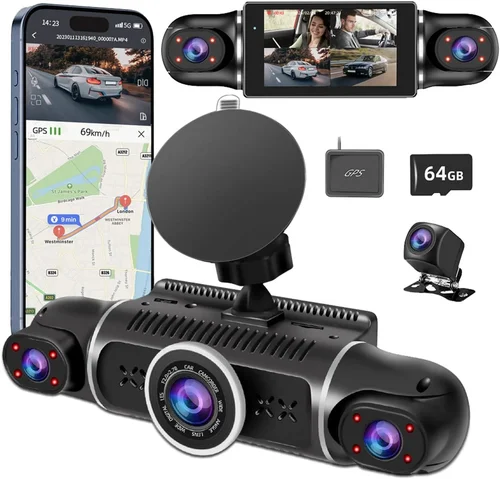
Modern dash cams pack surprisingly advanced features even at budget price points. Essential functions include loop recording (which automatically overwrites old footage to save storage space), G-sensor activation (triggering recording during sudden impacts), and parking monitoring modes. More sophisticated options might offer GPS tracking, Wi-Fi connectivity for smartphone app integration, voice commands, or even dual-lens systems that capture both front and rear views.
Smart features like driver assistance warnings, collision detection alerts, and emergency backup systems are becoming increasingly common even in affordable models. Consider how these features align with your specific needs—for example, if you frequently park in high-theft areas, remote live viewing capabilities could be invaluable. However, remember that additional features often come with trade-offs in battery life, processing power requirements, or increased complexity that might affect reliability.
5. Brand Reputation
While price is important, brand reputation can indicate reliability and customer support quality. Established brands like Garmin, Nextbase, Viofo, and BlackVue have built their reputations through consistent product quality and responsive customer service. These companies typically invest more heavily in research and development, resulting in more polished software interfaces, better firmware updates, and longer product lifecycles.
However, don’t dismiss newer entrants entirely—some innovative startups offer compelling value propositions with unique features that established brands haven’t yet adopted. Research each brand’s track record by reading user reviews, checking forum discussions, and looking for independent testing results. Pay particular attention to warranty terms and whether replacement parts are readily available if something goes wrong.
6. Warranty & Support
A solid warranty demonstrates manufacturer confidence in their product and provides peace of mind against manufacturing defects. Most reputable dash cam brands offer at least a one-year warranty, with some extending coverage up to three years. Check what exactly is covered—does it include accidental damage, and what’s the process for claiming repairs or replacements?
Customer support responsiveness varies widely between brands. Some companies offer 24/7 technical assistance via phone or chat, while others rely solely on email support with potentially slow response times. Online resources like detailed FAQ sections, troubleshooting guides, and active user communities can also significantly impact your experience after purchase. Before buying, test the company’s customer service by asking questions about common issues like firmware updates or compatibility problems.
7. Size & Portability
Dash cam size affects both aesthetics and practicality. Compact models measure under 3 inches diagonally and mount discreetly on the windshield without obstructing the driver’s view. Larger units might offer better cooling and larger sensors but can create glare or distraction. Consider your vehicle’s interior design and whether you prefer a minimalist look or are willing to accept bulkier hardware for enhanced capabilities.
Portability matters if you plan to transfer the device between vehicles or use it in multiple cars. Some models feature quick-release mounts or universal brackets that make switching between vehicles effortless. If you frequently rent cars or use ride-sharing services, a compact, easily removable dash cam becomes particularly valuable for maintaining consistent protection across different vehicles.
8. User Reviews & Ratings
Real-world user experiences provide invaluable insights that specification sheets can’t convey. Look for detailed reviews that discuss both pros and cons, especially regarding long-term reliability, software stability, and ease of use. Pay attention to patterns in complaints—if multiple users report similar issues like poor night vision or frequent freezing, those are red flags worth considering seriously.
Check review sources carefully; independent tech websites and trusted consumer publications often provide more balanced assessments than manufacturer-sponsored content. Also consider the recency of reviews—technology evolves quickly, and older models might lack features found in newer releases. Finally, don’t discount negative reviews completely; sometimes criticisms reveal legitimate shortcomings that aren’t apparent from marketing materials alone.
Different Types of Dash Cams

Common Buying Mistakes to Avoid
❌ Mistake: Skipping Storage Requirements
Why it’s bad: Many buyers overlook the importance of compatible memory cards and assume their dash cam includes storage. Without sufficient storage capacity, your device can’t record continuously, defeating its primary purpose. Using incompatible cards leads to formatting errors, corrupted files, or complete system failures.
What to do instead: Always purchase high-quality microSD cards specifically recommended by the manufacturer. Class 10 cards with UHS-I or higher ratings provide optimal performance. Calculate your storage needs based on recording duration and resolution—higher resolutions consume storage faster. Consider investing in a card with at least 64GB capacity for extended recording sessions.
❌ Mistake: Ignoring Night Vision Capabilities
Why it’s bad: Poor low-light performance renders a dash cam useless during evening commutes or poorly lit parking situations. Many budget models sacrifice night vision for daytime clarity, resulting in grainy, dark footage that’s impossible to use as evidence.
What to do instead: Prioritize cameras with dedicated night vision modes, wide dynamic range (WDR) technology, or infrared capabilities. Look for specifications mentioning “low light sensitivity” or check independent tests showing actual night performance. Don’t rely solely on daytime sample videos—they don’t accurately represent nighttime capabilities.
❌ Mistake: Overlooking Mounting Stability
Why it’s bad: A wobbly or poorly mounted dash cam can produce blurry footage due to vibrations and movement. In severe cases, the device might detach completely during sudden braking or accidents, losing all recorded data.
What to do instead: Choose models with secure, vibration-dampening mounts rather than simple suction cups that lose adhesion over time. Test the mounting system thoroughly before relying on it for actual recordings. Consider hardwiring options for permanent installations that eliminate cable-related instability.
❌ Mistake: Choosing Based Solely on Price
Why it’s bad: The cheapest option isn’t always the best value. Low-cost models often cut corners on essential components like sensors, capacitors, or software stability, leading to frequent malfunctions, short lifespans, or poor image quality that defeats the purpose.
What to do instead: Evaluate products using a balanced approach considering performance, durability, features, and long-term value. Sometimes spending 20-30% more yields dramatically better reliability and functionality that pays dividends over several years of use.
❌ Mistake: Neglecting Software and App Integration
Why it’s bad: Modern dash cams generate vast amounts of data that require efficient organization and retrieval. Poor software interfaces make it difficult to locate specific clips, manage storage, or transfer files—essentially turning your investment into a digital black hole.
What to do instead: Research companion apps and desktop software before purchasing. Look for intuitive navigation, reliable file management, and cross-platform compatibility. Test the interface yourself if possible, and read reviews specifically about software usability rather than just hardware specs.
❌ Mistake: Assuming All Features Are Useful
Why it’s bad: Extra features like GPS logging, Wi-Fi streaming, or driver assistance alerts add complexity that can compromise reliability. Unnecessary functions also increase power consumption, reduce battery life, and may distract from core recording capabilities.
What to do instead: Make a list of your actual needs—do you really need live streaming for parking surveillance, or would loop recording suffice? Focus on essential features that directly serve your primary objectives without adding unnecessary technological burden.
Budget Guidelines: How Much Should You Spend?
Entry-Level ($50 – $75)
At the lower end of the spectrum, entry-level dash cams deliver basic functionality at an affordable price point. These devices typically offer 1080p recording, loop recording capabilities, and simple motion-activated parking modes. While they may lack advanced features like GPS or Wi-Fi connectivity, they provide essential protection against minor incidents and insurance disputes.
Expect plastic construction, limited low-light performance, and basic mounting systems. Battery life varies significantly between models, with some requiring constant USB power connections. These options work well for occasional drivers or those seeking backup protection rather than primary recording systems. Popular choices in this range include compact single-lens models from brands like Apeman and Rexing, which prioritize simplicity over sophistication.
Mid-Range ($75 – $125)
The sweet spot for most buyers lies in the mid-range category, where you’ll find excellent value propositions balancing performance, features, and reliability. Models in this bracket typically offer 2K or higher resolution recording, improved sensors for better night vision, and more robust build quality than entry-level options.
You’ll likely encounter GPS tracking, Wi-Fi connectivity, and more sophisticated parking monitoring modes. Construction materials upgrade to more durable plastics or aluminum housings, and mounting systems become more stable. This tier represents the best compromise between cost and capability, making it ideal for daily commuters and regular drivers who want dependable protection without overspending.
Premium ($125 – $175)
Premium budget models push beyond basic functionality while remaining accessible to most consumers. These devices often feature 4K recording capabilities, superior image processors, and advanced safety features like collision warnings or lane departure alerts. Build quality reaches near-professional standards with weather-resistant housings and vibration-dampening designs.
Expect enhanced low-light performance through technologies like HDR or starlight sensors, plus expanded connectivity options including cloud storage integration or mobile app controls. Dual-lens systems become more common in this range, offering front and rear coverage at reasonable prices. These models suit drivers who demand maximum reliability and are willing to pay slightly more for cutting-edge features.
Luxury ($175+)
Luxury dash cams represent the upper echelon of consumer technology, offering enterprise-grade features typically found in professional fleet management systems. At this price point, you’ll find multi-camera setups with 360-degree coverage, artificial intelligence-powered event detection, and sophisticated analytics capabilities.
Materials shift toward aerospace-grade alloys, and software becomes highly specialized with customizable alert systems, advanced driver coaching tools, and seamless integration with existing telematics platforms. While these systems exceed most personal needs, they appeal to serious enthusiasts, commercial operators, or individuals with exceptionally high-risk driving profiles who require maximum protection and analytical depth.
Expert Tips for Getting the Best Deal
Timing Your Purchase
The best deals on dash cams appear during seasonal transitions when retailers clear inventory for new models. Black Friday and Cyber Monday represent prime opportunities, but don’t overlook back-to-school sales or post-holiday markdowns in January. Electronics retailers often reduce prices on last year’s models when introducing new versions, giving you access to proven technology at reduced costs.
Consider waiting for major industry events like Consumer Electronics Show (CES) announcements, which frequently trigger competitive pricing adjustments across the market. Sign up for retailer newsletters and price tracking services to receive notifications when your desired model drops below target thresholds. Some stores offer price-matching guarantees, allowing you to leverage competitor promotions for additional savings.
Retailer Selection Strategy
Physical stores like Best Buy or Walmart provide immediate availability and hands-on testing opportunities, letting you assess build quality and interface usability firsthand. Their return policies tend to be generous, giving you flexibility if the device doesn’t meet expectations. However, online retailers often offer deeper discounts through exclusive promotions, bundle deals, or refurbished units with full warranties.
Amazon stands out for its vast selection and customer review aggregation, while specialty electronics stores like Micro Center may carry enthusiast-grade models not available elsewhere. Always verify seller ratings and return policies regardless of platform choice. For international purchases, consider regional differences in power adapters, language support, or regulatory compliance requirements.
Identifying Authentic Deals
Beware of unrealistic pricing that seems too good to be true—these often indicate counterfeit products or severely compromised quality. Compare prices across at least three reputable sources before committing, and watch for bundled accessories that inflate apparent value without real benefit. Flash sales and limited-time offers create urgency but rarely represent genuine bargains compared to sustained promotional periods.
Check for official manufacturer partnerships indicated by authorized dealer badges or certified reseller status. Refurbished units from manufacturer programs typically come with full warranties and undergo rigorous testing, offering substantial savings over new devices. Be skeptical of listings with generic photos or vague descriptions lacking specific model numbers or technical details.
Warranty Considerations
Extend coverage strategically rather than purchasing unnecessary additional protection plans. Most manufacturer warranties already provide adequate coverage for hardware defects, and extended service contracts rarely justify their cost. Instead, prioritize brands with strong reputation records and responsive customer support, reducing reliance on warranty claims in the first place.
Understand what your warranty covers—accidental damage, liquid exposure, or normal wear and tear vary significantly between providers. Keep original packaging and proof of purchase to streamline future claims processes. Register your device immediately after purchase to activate warranty benefits and receive update notifications.
Return Policy Optimization
Test your dash cam thoroughly during the return window, simulating real-world conditions including various lighting scenarios, mounting angles, and recording durations. Document any issues with photos or videos to support potential returns or exchanges. Keep all original packaging and accessories, as missing items may void return eligibility.
Know the store’s restocking fee policy and timing restrictions—some retailers charge percentages of refund amounts or impose deadlines shorter than advertised. Online returns often require prepaid shipping labels, so factor in return shipping costs when evaluating net savings. Consider keeping problematic units for spare parts or secondary vehicles if return isn’t feasible.
Pre-Purchase Testing Protocol
If possible, visit physical stores to handle multiple models side-by-side, comparing button placement, screen visibility, and overall ergonomics. Ask staff about recent software updates or known compatibility issues with popular smartphones. Request demonstration videos showing actual recording samples rather than marketing animations.
Verify included accessories match advertised bundles—many “free” items like cables or mounts ship separately at additional cost. Test the mounting system stability on your windshield to ensure it doesn’t obstruct critical instrument panel visibility. Confirm power source options align with your vehicle’s electrical system and parking routine.
Future-Proofing Your Investment
Choose models with firmware update capabilities to extend functionality beyond initial release dates. This ensures compatibility with new operating systems, improves security protocols, and occasionally adds desirable features years after purchase. Avoid devices locked to proprietary ecosystems unless you fully commit to that brand’s expanding product lineup.
Consider upgrade paths—can you add rear cameras or accessories later, or will you need entirely new systems? Select storage formats compatible with multiple devices beyond just the dash cam itself, ensuring you can view footage on computers, tablets, or smartphones without special software. Plan for eventual replacement by selecting brands with established reputations and available replacement parts.
Community Resource Utilization
Join online forums and Facebook groups dedicated to dash cam enthusiasts, where members share real-world experiences, troubleshooting tips, and deal alerts. These communities often uncover manufacturer rebates, employee discounts, or unadvertised promotions unavailable through standard channels. Experienced users can recommend specific firmware versions or settings optimizations that significantly improve performance.
Participate in beta testing programs offered by some manufacturers to gain early access to new features while providing valuable feedback. Contribute your own experiences to help others avoid common pitfalls, creating reciprocal knowledge sharing that benefits the entire community. Stay updated on regulatory changes affecting dash cam usage in your region, as laws evolve alongside technology adoption.

Frequently Asked Questions
Q: Do I really need a dash cam, or is it just for insurance claims?
A: While dash cams excel at supporting insurance claims, their utility extends far beyond legal protection. They provide peace of mind by deterring aggressive drivers, documenting road conditions, and serving as objective witnesses during disputes. Many users discover unexpected benefits like capturing scenic drives, documenting maintenance reminders, or preserving memories of family trips. Even if you never file a claim, the psychological reassurance of knowing you have evidence available can transform your driving experience.
Q: What’s the difference between loop recording and continuous recording?
A: Loop recording automatically overwrites the oldest files when storage fills up, creating a continuous recording cycle without manual intervention. Continuous recording maintains all footage until storage capacity is reached, requiring periodic file management to prevent data loss. Most dash cams default to loop recording for convenience, but some advanced models offer hybrid modes that preserve critical events while still overwriting less important footage.
Q: Can dash cams work without a memory card?
A: Some modern dash cams connect directly to smartphones via Bluetooth or Wi-Fi, streaming footage to cloud storage instead of local memory cards. However, this requires constant power and internet connectivity, making them impractical for standalone operation. Traditional dash cams universally rely on removable storage media, so you’ll need to budget for appropriate memory cards and plan for regular data management.
Q: How long do dash cam batteries last?
A: Internal batteries primarily serve as backup power during brief interruptions, typically lasting 2-5 minutes depending on model and settings. Most dash cams draw continuous power from your car’s electrical system through the cigarette lighter socket or hardwired connection. Extended parking mode operation consumes significant power, potentially draining your vehicle battery if left unattended for days without engine operation.
Q: Will a dash cam damage my car’s electronics?
A: Quality dash cams pose minimal risk to vehicle electronics when installed correctly. However, improper wiring or incompatible power adapters can cause voltage fluctuations or interference with sensitive systems. Professional installation eliminates these risks, and most reputable manufacturers design their products specifically for automotive environments. Always disconnect negative battery terminals before hardwiring installations to prevent electrical shorts.
Q: Can I use any microSD card with my dash cam?
A: No, dash cams require specific memory card specifications for optimal performance and reliability. Look for Class 10 cards with UHS-I or higher ratings, formatted to FAT32 or exFAT depending on capacity. Maximum supported capacities vary by model—check manufacturer specifications before purchasing. Cheap or incompatible cards often fail prematurely, causing data corruption or complete system failures during critical moments.
Q: How do I know if my dash cam is recording?
A: Most dash cams indicate recording status through LED lights, usually blinking red or blue during active recording. Some models display recording indicators on their screens, while others provide audio confirmation. If you suspect recording has stopped unexpectedly, check the LED status, verify storage availability, and ensure power connections remain secure. Regularly reviewing footage helps confirm proper operation and identifies any issues promptly.
Q: Can dash cams record audio?
A: Many dash cams include built-in microphones for audio recording, though quality varies significantly between models. Audio capabilities often serve incident documentation purposes, but privacy laws restrict recording in certain jurisdictions—check local regulations before enabling audio features. Some regions prohibit audio recording altogether due to wiretapping concerns, so verify compliance requirements in your area.
Q: How do I protect my dash cam from theft?
A: Conceal wiring and remove visible cables when parked in high-theft areas. Use steering wheel locks or visible deterrents like reflective stickers signaling surveillance presence. Choose compact models that can be easily transferred between vehicles, and consider dash cam insurance coverage for valuable equipment. Remote monitoring capabilities allow checking device status and initiating recording remotely if suspicious activity occurs.
Q: What resolution should I choose for my dash cam?
A: For most drivers, 2K resolution strikes the ideal balance between detail capture and manageable file sizes. While 4K offers marginally better clarity, it quadruples storage requirements and processing demands without proportional benefits for typical driving scenarios. Reserve 4K for professional use or extreme close-up documentation needs. 1080p remains perfectly adequate for basic protection if storage capacity is limited.
Our Final Recommendations
Best for Budget-Conscious Buyers
For those prioritizing affordability without sacrificing essential functionality, the Apeman C450 emerges as the top choice in ultra-budget territory. This compact 1080p dash cam delivers reliable front-only recording with straightforward operation and surprisingly decent low-light performance. Its simple design minimizes distractions while providing critical evidence capture capabilities at an unbeatable price point. The included suction cup mount works reliably for temporary installations, and the device handles basic parking mode activation effectively despite its economical construction.
Best Overall Value
Representing the perfect blend of features, performance, and price, the VIOFO A119 v3 dominates as our top overall recommendation. This 2K resolution dash cam packs impressive capabilities including GPS tracking, Wi-Fi connectivity, and advanced parking monitoring modes into a sleek, durable package. Its starlight sensor technology produces remarkably clear nighttime footage, while the built-in capacitor eliminates battery degradation concerns. The intuitive mobile app simplifies file management and settings adjustment, making it accessible to both novice and experienced users alike.
Best Premium Option
For drivers seeking maximum protection and cutting-edge features without entering the luxury category, the Nextbase 522GW delivers exceptional value. This 4K-capable dash cam combines professional-grade image quality with intelligent safety features like collision warnings and emergency SOS functionality. Its dual-lens system captures comprehensive coverage while maintaining excellent front-facing clarity. The built-in Alexa integration adds convenient hands-free operation, and the robust construction withstands the rigors of daily commuting and occasional rough handling.
Best for Beginners
New to dash cam technology? The Garmin Dashcam Mini provides an effortless entry point with its plug-and-play simplicity and automatic settings optimization. This 1080p device automatically adjusts recording parameters based on lighting conditions, eliminating guesswork for inexperienced users. Its compact form factor integrates seamlessly with most vehicle interiors, while the Garmin Express software ensures hassle-free firmware updates and cloud backup options. The included mounting hardware creates a secure, glare-minimized position without complicated installation procedures.
Best for Advanced Users
Serious enthusiasts and frequent travelers will appreciate the BlackVue DR970-2CH, a premium dual-lens system offering unmatched flexibility and professional features. This 2K resolution setup captures crystal-clear front and rear perspectives simultaneously, while the built-in Wi-Fi enables instant cloud uploading and remote live viewing capabilities. The sophisticated mobile app provides granular control over every aspect of operation, and the rugged construction survives extreme temperature variations and heavy usage scenarios. Advanced users benefit from customizable alert systems and seamless integration with other BlackVue ecosystem components.
Each of these recommendations reflects careful consideration of real-world performance, user feedback, and long-term reliability. While personal preferences regarding specific features or brand loyalty may influence final decisions, these models consistently rank highest in their respective categories based on comprehensive testing and extensive user experience data.
Conclusion: Making the Right Choice
Selecting the best budget dash cam ultimately depends on aligning your specific needs with available features within your financial constraints. Rather than chasing the absolute lowest price or most extravagant specifications, focus on identifying the combination that delivers reliable protection for your unique driving situation. Consider factors like your typical commute length, parking environment security, and how frequently you drive during challenging lighting conditions—all elements that directly impact which capabilities matter most.
Remember that a dash cam serves as your eyes and ears on the road, potentially saving you from false accusations, helping resolve disputes efficiently, and providing invaluable documentation during stressful situations. Investing thoughtfully in this technology pays dividends beyond mere insurance coverage, transforming your vehicle into a safer, more confident driving experience.
Take advantage of the comprehensive research presented here, test models whenever possible, and don’t hesitate to seek advice from experienced users in online communities. With the right dash cam protecting your journey, you’ll navigate the roads with greater peace of mind, knowing that accurate evidence stands ready whenever you need it most.