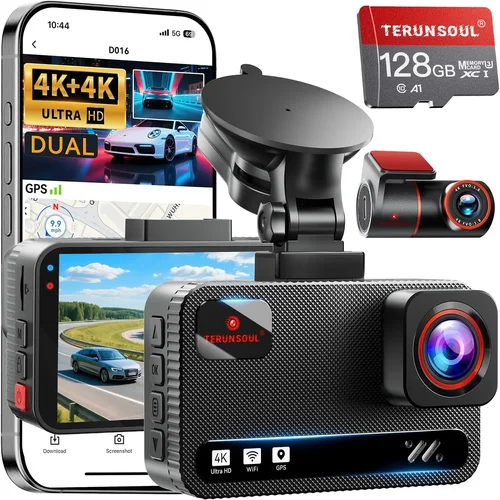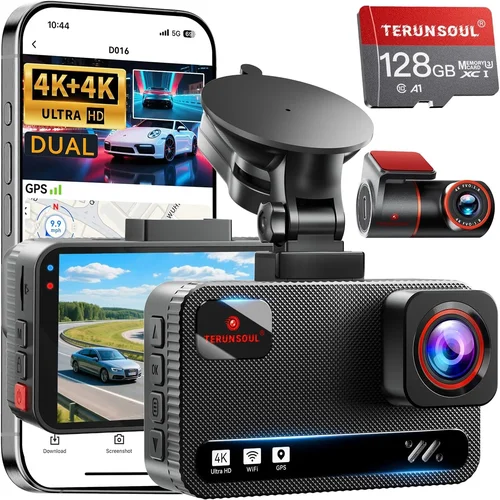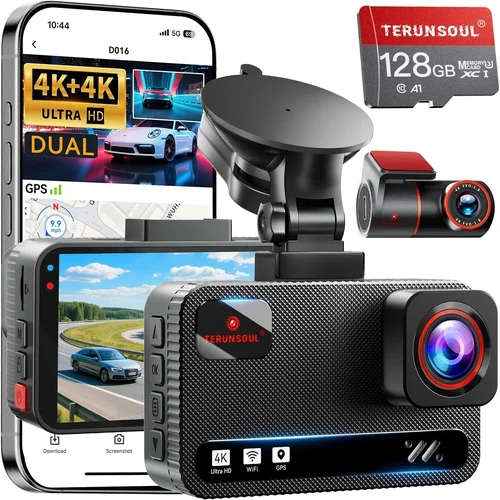
How to Choose Budget Dash Cams
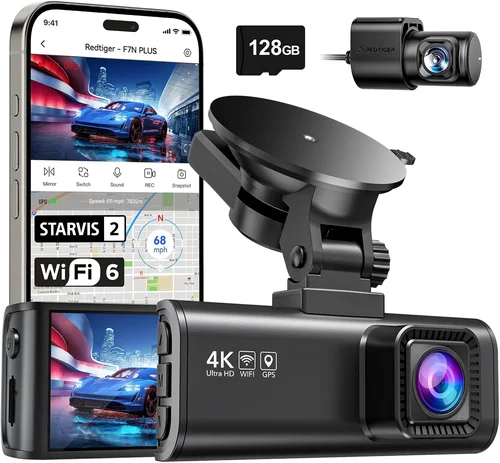
Why every driver should seriously consider investing in a budget dash cam
In an age where insurance claims can make your head spin and legal disputes over minor fender-benders can drag on for months, having reliable video evidence from the road is no longer a luxury—it’s a necessity. Whether you’re navigating busy city streets, commuting through unpredictable weather, or simply want peace of mind behind the wheel, a quality dash cam can be your best co-pilot. This comprehensive guide will walk you through everything you need to know about choosing the best budget dash cams for cars, helping you make an informed decision without breaking the bank.
You’ll learn how to evaluate performance specifications, compare features across different price points, understand what really matters in terms of build quality and reliability, and discover which brands offer the best value for money. We’ll also cover common pitfalls to avoid, seasonal buying tips, and provide specific recommendations based on real-world testing and expert analysis. By the end of this article, you’ll have all the knowledge you need to select a dash cam that fits your budget, meets your driving needs, and provides years of dependable service.
The market for budget dash cams has exploded in recent years, with hundreds of models available at prices ranging from under $50 to several hundred dollars. While premium models offer advanced features like 4K recording, GPS tracking, and sophisticated parking modes, many excellent budget options deliver exceptional performance for under $100. The key is understanding which features matter most for your specific use case and avoiding overpaying for capabilities you’ll never actually use.
What to Look for When Buying Dash Cams
Budget & Price Range
Before diving into specifications and features, it’s crucial to establish your budget range. Budget dash cams typically fall into three main categories: entry-level (under $50), mid-range ($50-$100), and premium ($100+). Each tier offers different compromises between features, build quality, and reliability.
Entry-level dash cams are perfect for those who want basic functionality at the lowest possible cost. These models often include 720p recording, single-channel front camera views, and simple loop recording systems. While they may lack advanced features like Wi-Fi connectivity or G-sensor alerts, they’re excellent for drivers who primarily want documentation for insurance purposes or basic accident protection.
Mid-range dash cams represent the sweet spot for most buyers, offering significantly better build quality, improved video resolution (often 1080p or higher), dual-channel recording capability, and enhanced features like motion detection and parking mode. This is where you’ll find the best balance of price versus performance, with many models including additional storage options and more durable construction.
Premium dash cams justify their higher price tags with superior image quality, advanced stabilization technology, larger storage capacities, and professional-grade features. These models often include 2K or 4K recording, wide dynamic range (WDR) processing, GPS logging, and cloud connectivity options.
When setting your budget, consider not just the initial purchase price but also ongoing costs. Some budget models require expensive proprietary memory cards or have limited storage capacity that quickly fills up, while others include generous built-in storage or support for affordable third-party microSD cards.
Performance Specifications
The heart of any dash cam lies in its ability to capture clear, detailed footage when it matters most. Key performance specifications include video resolution, frame rate, field of view, and low-light performance.
Video resolution determines how much detail your dash cam can capture. Most budget dash cams offer either 720p or 1080p recording, with some mid-range models stepping up to 2K resolution. For general use, 1080p provides excellent clarity and is sufficient for identifying vehicles, license plates, and road signs. However, if you frequently drive in challenging lighting conditions or need maximum detail for insurance claims, consider models with higher resolution or advanced image processing.
Frame rate affects how smoothly motion appears in your recordings. Standard recording runs at 30 frames per second (fps), which provides good overall smoothness, while higher frame rates like 60 fps are better for capturing fast-moving action or detailed traffic situations. Many dash cams automatically adjust frame rates based on lighting conditions to optimize file sizes and battery life.
Field of view (FOV) measures how much of the road ahead your dash cam can see. A wider FOV captures more of the scene but can introduce distortion at the edges, while narrower angles provide less context but show clearer details of objects in the center of the frame. Most budget dash cams offer between 120-140 degrees horizontal FOV, which strikes a good balance between coverage and image quality.
Low-light performance is critical since most driving happens during dawn, dusk, or nighttime hours. Look for dash cams with large sensors, wide aperture lenses, and advanced noise reduction algorithms. Models featuring HDR (High Dynamic Range) or WDR (Wide Dynamic Range) technology perform significantly better in challenging lighting conditions by balancing exposure across bright and dark areas.
Build Quality & Durability
Since dash cams operate in harsh automotive environments, build quality directly impacts reliability and longevity. Pay attention to both internal components and external design elements that affect durability.
Internal build quality includes the processor, sensor, and memory components. Reputable brands typically use higher-grade components that maintain consistent performance over time, while cheaper models may experience overheating issues, rapid battery degradation, or sudden failures after a few months of use.
External durability factors include the casing material, mounting system, and resistance to temperature extremes. Look for dash cams with sturdy plastic housings that resist cracking from temperature changes and physical impact. The mount should securely attach to your windshield without blocking important dashboard controls or requiring frequent readjustment.
Temperature resistance is particularly important since dash cams are exposed to direct sunlight during summer months and freezing temperatures in winter. Models rated for operation between -20°C to 70°C (or -4°F to 158°F) will perform reliably year-round without thermal damage or shutdowns.
Water and dust resistance ratings (typically IP54 or higher) indicate how well the device protects against environmental contaminants. While most dash cams don’t need waterproofing, good sealing prevents moisture buildup inside the housing that could damage electronics over time.
Features & Functionality
Beyond basic recording capabilities, modern dash cams offer numerous features that enhance usability and security. Understanding which features align with your needs helps avoid paying for unnecessary extras.
Loop recording automatically overwrites older files once storage is full, ensuring continuous recording without manual intervention. This feature works seamlessly with most dash cams and eliminates the hassle of constantly managing file storage.
G-sensor (impact detection) automatically saves and locks footage when sudden movements or collisions occur, preventing accidental deletion during normal loop recording cycles. Most budget dash cams include adjustable sensitivity settings so you can customize how aggressively they respond to impacts.
Parking mode extends monitoring capabilities when your vehicle is unattended. This feature typically requires a hardwired power connection and uses motion detection to record events like break-ins or hit-and-runs. Advanced parking modes include time-lapse recording that dramatically reduces file sizes while still providing useful visual documentation.
Wi-Fi connectivity enables wireless smartphone pairing for easy file transfer, live viewing, and firmware updates. This feature simplifies accessing recorded footage and managing settings without physically connecting cables each time.
GPS logging tracks your vehicle’s location, speed, and direction during recording sessions. This data can be overlaid onto video files, providing valuable context for accidents or incidents that require precise location information.
Voice control allows hands-free operation of basic functions, which can be helpful when driving in unfamiliar areas or needing quick access to recording features without taking eyes off the road.
Brand Reputation
While price and features are important considerations, brand reputation provides valuable insight into long-term reliability and customer support quality. Established manufacturers typically invest more in research and development, quality control, and customer service infrastructure.
Well-known dash cam brands like BlackVue, Thinkware, Garmin, and Nextbase have decades of combined experience in the industry and consistently receive positive reviews for product durability and technical support. These companies often participate in rigorous testing programs and provide comprehensive warranties that reflect confidence in their products.
Smaller or lesser-known brands may offer attractive pricing but sometimes cut corners on component quality or customer service responsiveness. Before purchasing from an unfamiliar manufacturer, research online reviews, check warranty terms, and verify whether replacement parts and technical support are readily available.
Warranty & Support
A solid warranty demonstrates manufacturer confidence in their product’s reliability and provides protection against unexpected failures. Most reputable dash cam brands offer at least a one-year warranty covering defects in materials and workmanship, with some extending coverage to two or even three years.
Extended warranty options are available for purchase, though these should be evaluated carefully since some providers charge high renewal fees or have restrictive claim procedures. Consider whether the extended coverage justifies the additional cost based on your expected usage patterns and the dash cam’s replacement cycle.
Customer support quality varies significantly between manufacturers. Look for brands that offer multiple contact channels (phone, email, chat), responsive response times, and knowledgeable technical staff. Online forums and user communities can also serve as valuable resources for troubleshooting and sharing experiences with specific models.
Size & Portability
Dash cam size affects both installation flexibility and visibility within your vehicle’s cabin. Compact designs typically measure around 2-3 inches in length and 1-2 inches in height, making them unobtrusive while still providing adequate field of view.
Ultra-compact models are ideal for minimalist installations or vehicles with limited dashboard space, while slightly larger units may accommodate additional features like dual cameras or larger displays. Consider how the dash cam will integrate with your existing dashboard layout and whether it might interfere with other devices or controls.
Portability becomes relevant if you plan to move the dash cam between vehicles or use it in rental cars. Some models include magnetic mounts or universal brackets that allow quick installation and removal without permanent modifications to your primary vehicle.
User Reviews & Ratings
Real-world user experiences provide invaluable insights beyond manufacturer specifications. Pay attention to recurring themes in customer feedback regarding reliability, ease of use, and performance under various conditions.
Look for consistent patterns rather than isolated complaints or glowing endorsements. Multiple users reporting similar issues may indicate systemic problems, while widespread praise for specific features suggests genuine value. Negative reviews mentioning hardware failures, poor customer service, or unexpected compatibility issues warrant careful consideration before purchasing.
Different Types of Dash Cams
Common Buying Mistakes to Avoid
❌ Mistake: Prioritizing price over build quality
Why it’s bad: Choosing the cheapest option available often leads to disappointment when the device fails within weeks or months. Budget dash cams under $30 frequently use inferior components that degrade rapidly under normal driving conditions.
What to do instead: Allocate at least $50 for a reliable entry-level model, and consider spending $80-$120 for mid-range options that offer significantly better durability and performance. Read user reviews focusing on long-term reliability rather than just initial impressions.
❌ Mistake: Ignoring storage requirements
Why it’s bad: Many budget dash cams include only minimal internal storage or require expensive proprietary memory cards. Without adequate storage, your recordings may be overwritten too quickly to provide useful evidence when needed.
What to do instead: Verify the recommended memory card specifications before purchasing, and choose models that support standard microSD cards (Class 10 or higher). Consider dash cams with larger built-in storage or the ability to record at lower resolutions to extend recording time.
❌ Mistake: Overlooking parking mode capabilities
Why it’s bad: If you park your vehicle in public areas frequently, skipping parking mode means missing critical documentation of potential break-ins, vandalism, or hit-and-run incidents while your car is unattended.
What to do instead: Ensure your chosen dash cam includes reliable parking mode functionality, preferably with motion detection and impact alerts. Verify that parking mode works with your vehicle’s electrical system through proper hardwiring.
❌ Mistake: Not checking compatibility with your vehicle
Why it’s bad: Some dash cams have specific mounting requirements or power connections that may not suit your particular vehicle model, leading to installation difficulties or interference with existing systems.
What to do instead: Research whether your vehicle model has known compatibility issues with popular dash cam models. Check if the dash cam’s power requirements match your vehicle’s electrical system, and verify that mounting won’t block critical controls or sensors.
❌ Mistake: Assuming all dash cams have equal night vision
Why it’s bad: Nighttime recording quality varies dramatically between models, with some budget options producing grainy, washed-out footage that fails to capture essential details during low-light conditions.
What to do instead: Look for dash cams specifically marketed for excellent low-light performance, and read reviews mentioning nighttime recording quality. Models with larger sensors, wider apertures, and advanced noise reduction algorithms perform significantly better after dark.
❌ Mistake: Forgetting about update policies
Why it’s bad: Some manufacturers limit firmware updates or stop supporting older models after a certain period, leaving you with outdated software that may have security vulnerabilities or compatibility issues with newer smartphones.
What to do instead: Choose brands with established track records of ongoing software support, and verify that current models receive regular firmware updates. Check manufacturer websites for update history and roadmap information before making your purchase.
❌ Mistake: Skipping the return policy review
Why it’s bad: Many budget dash cams ship with limited or nonexistent return windows, forcing you to keep faulty units or pay shipping costs for returns that may not be accepted due to packaging damage or usage indicators.
What to do instead: Always purchase from retailers with generous return policies (30 days or more), and verify that the dash cam remains in resellable condition if returning. Test all basic functions immediately upon receipt and document any issues with photos or videos.
Budget Guidelines: How Much Should You Spend?

Entry-Level Dash Cams ($30 – $50)
For drivers who want basic accident documentation without significant investment, entry-level dash cams offer essential functionality at minimal cost. These models typically include 720p or early 1080p recording, single-channel front cameras, loop recording, and basic G-sensor functionality. While they may lack advanced features like Wi-Fi connectivity or parking mode, they’re perfectly adequate for occasional highway driving or urban commuting where lighting conditions remain relatively consistent.
Expect to find entry-level models from brands like Viofo, Rexing, or Apeman in this price range. These devices usually include small built-in screens (1-2 inches), require external memory cards, and have compact designs that minimize dashboard obstruction. Battery life is typically limited to 1-2 hours, necessitating constant power connection through your vehicle’s cigarette lighter or hardwired installation.
The main trade-off with entry-level dash cams is build quality and feature completeness. Cheaper plastics may feel flimsy, software interfaces can be unintuitive, and performance may suffer in challenging conditions. However, for drivers who primarily want peace of mind during routine commutes or occasional long-distance trips, these models provide reliable baseline protection without overwhelming complexity.
Mid-Range Dash Cams ($50 – $100)
This sweet spot represents the best value proposition for most drivers, offering significantly improved build quality, enhanced features, and more reliable performance compared to entry-level alternatives. Mid-range dash cams typically include 1080p or 2K recording, dual-channel recording capability (front and rear), larger internal storage, and robust parking mode functionality.
Models in this category often feature higher-quality sensors, better low-light performance, and more intuitive user interfaces. Many include larger LCD screens (2-3 inches), Wi-Fi connectivity for smartphone app integration, and adjustable G-sensor sensitivity settings. Build materials improve noticeably, with sturdier housings that resist cracking from temperature fluctuations and physical impacts.
Brands like Thinkware, BlackVue, and Garmin offer mid-range options that balance affordability with professional-grade features. These devices typically include comprehensive warranty coverage, reliable customer support, and ongoing firmware updates that extend their useful lifespan well beyond the initial purchase price.
For drivers who spend significant time on the road, commute regularly, or want comprehensive protection including parking surveillance, mid-range dash cams provide excellent bang-for-buck value. The additional investment pays dividends through better image quality, more reliable operation, and access to features that genuinely enhance safety and security.
Premium Dash Cams ($100 – $200)
Premium dash cams justify their higher price tags with superior image quality, advanced stabilization technology, professional-grade features, and enhanced build quality. These models typically include 4K recording capability, wide dynamic range processing, GPS logging, cloud connectivity options, and sophisticated parking modes with impact detection.
Advanced stabilization algorithms compensate for vehicle vibrations and road imperfections, resulting in exceptionally smooth footage that remains watchable even during rough driving conditions. Premium models often include dual-band Wi-Fi, voice control capabilities, and integration with mobile apps that provide real-time monitoring and remote access to stored footage.
While premium dash cams may seem excessive for casual drivers, they offer significant advantages for rideshare drivers, fleet operators, or individuals who frequently drive in challenging conditions. The enhanced image quality provides crisper detail for insurance claims, while advanced features like emergency backup power ensure continuous operation during electrical disruptions.
For drivers who demand the absolute best performance and reliability, premium dash cams represent a worthwhile investment that pays dividends through superior documentation quality and peace of mind. However, for most everyday drivers, mid-range models already provide excellent value without the premium price tag.
Luxury Dash Cams ($200+)
Luxury dash cams occupy the top tier of automotive recording technology, combining cutting-edge features with professional-grade build quality and extensive customization options. These devices often include multiple camera inputs, AI-powered object detection, real-time streaming capabilities, and integration with vehicle telematics systems.
While luxury dash cams may seem excessive for personal use, they’re increasingly popular among commercial fleet operators, professional drivers, and automotive enthusiasts who require comprehensive vehicle monitoring solutions. Features like 360-degree camera arrays, advanced analytics, and cloud-based management platforms provide unparalleled visibility and control.
For individual drivers, luxury dash cams represent the ultimate expression of automotive technology, but the marginal benefits over premium models often don’t justify the significant price difference. Unless you have specific professional requirements or extremely demanding recording needs, premium dash cams already provide exceptional value and performance.
Expert Tips for Getting the Best Deal
💡 Time Your Purchase Strategically
Seasonal sales events offer substantial savings on dash cams throughout the year. Black Friday and Cyber Monday typically feature 30-50% discounts on mid-range and premium models, while back-to-school promotions in August and September provide excellent deals on tech accessories. End-of-quarter clearance sales in March, June, and December also yield significant markdowns as retailers refresh inventory.
Consider timing your purchase around new product launches, as manufacturers often discount previous-generation models to clear stock. Major tech conferences like CES in January frequently announce upcoming dash cam innovations, creating opportunities to buy current models at reduced prices while waiting for new releases.
💡 Compare Retailer Pricing Carefully
Online retailers typically offer lower prices than brick-and-mortar stores due to reduced overhead costs. Amazon, Best Buy, Walmart, and specialized dash cam retailers like CarCams.com frequently run competitive pricing promotions and bundle deals that include accessories like extra memory cards, hardwiring kits, or protective cases.
Always compare prices across multiple retailers before committing to a purchase. Sign up for price alert services on major shopping platforms to receive notifications when your desired model drops below target pricing. Some retailers offer price matching guarantees that allow you to request matching competitors’ lower prices.
💡 Look for Bundle Deals and Accessories
Many dash cam packages include valuable accessories that would otherwise require separate purchases. Common bundles feature extra memory cards, suction cup mounts, cigarette lighter adapters, or hardwiring kits that enable parking mode functionality. These accessories often represent significant savings compared to buying items individually.
When evaluating bundle deals, verify that all included components are compatible with your specific dash cam model and meet your installation requirements. Some packages may include generic accessories that don’t integrate properly with certain vehicle systems or dash cam configurations.
💡 Evaluate Extended Warranty Options Wisely
Extended warranty plans can provide valuable protection against unexpected failures, but they require careful evaluation to ensure they offer genuine value. Most reputable dash cam manufacturers include at least one year of standard warranty coverage, with premium models often offering two-year protection.
When considering extended warranties, calculate the likelihood of needing repairs versus the additional cost. For frequently used dash cams in harsh environments, extended coverage may be worthwhile, but for occasional users, the added expense may not justify the risk.
💡 Review Return Policies Thoroughly
Generous return policies provide essential protection when purchasing electronic devices like dash cams. Look for retailers offering 30-day or longer return windows, and verify that return conditions don’t require original packaging or leave usage restrictions that prevent returns after initial testing.
Document your dash cam’s condition immediately upon receipt with photos showing all included components and packaging. This documentation protects you if the retailer disputes return eligibility due to alleged damage or improper handling during shipment.
💡 Test Critical Functions Immediately
Upon receiving your dash cam, test all critical functions within the first few days of ownership. Verify recording quality in various lighting conditions, confirm that the G-sensor responds appropriately to impacts, and ensure that all menu options and settings work as advertised.
Create sample recordings and save them to demonstrate proper functionality during potential return processes. Testing immediately after delivery prevents complications if the unit fails after extended use or if warranty claims require functional verification.
💡 Consider Refurbished or Open-Box Options
Certified refurbished dash cams from reputable sellers often provide significant savings over new models while maintaining manufacturer warranty coverage. These devices undergo thorough testing and refurbishment processes to restore them to like-new condition.
Open-box items sold by major retailers represent another cost-saving opportunity, typically priced 15-30% below retail value. Verify that open-box units include all accessories and haven’t been returned due to specific functional issues before purchasing.
Frequently Asked Questions
Q: Do I need a dash cam if I have car insurance?
A: While comprehensive car insurance provides financial protection against accidents and theft, it doesn’t offer the same level of evidence-based protection as a dash cam. Insurance claims often rely on witness testimony and police reports, which may contradict your account of events. Dash cams provide objective video evidence that can resolve disputes quickly and potentially reduce premium increases after claims.
Q: What memory card should I use with my dash cam?
A: For optimal performance, use Class 10 microSD cards with UHS-I or UHS-II ratings. Cards between 32GB and 128GB typically provide the best balance of storage capacity and cost-effectiveness. Avoid counterfeit or low-quality memory cards, as they often cause recording interruptions, data corruption, or complete device failure. Popular reliable brands include SanDisk Extreme, Samsung EVO Plus, and Kingston Canvas Select Plus.
Q: Can dash cams record while parked?
A: Yes, most modern dash cams include parking mode functionality that continues recording when your vehicle is unattended. This feature requires a constant power connection through hardwiring or a capacitor that maintains power during brief outages. Parking mode typically uses motion detection or impact sensors to trigger recording only when relevant activity occurs, conserving storage space and battery life.
Q: How much storage do I need for my dash cam?
A: Storage requirements depend on recording resolution, frame rate, and desired retention period. At 1080p resolution, a 32GB card typically provides 3-4 hours of continuous recording, while 64GB offers 6-8 hours. Consider your typical driving patterns and local laws regarding evidence retention when selecting storage capacity. Higher resolution recording consumes storage more quickly, reducing overall recording duration.
Q: Will a dash cam drain my car battery?
A: Modern dash cams consume minimal power, typically drawing 200-400mA depending on features and recording status. While this represents a small percentage of your vehicle’s total electrical load, prolonged parking without engine operation could eventually drain the battery. Hardwired installations with parking mode protect against this by using capacitors that maintain power during brief outages, while traditional cigarette lighter connections may require battery drain prevention circuits.
Q: Can dash cams be detected by other drivers?
A: Visible dash cam installations are generally legal and unlikely to provoke aggressive driving behavior. Some drivers may become more cautious knowing they’re being recorded, which actually enhances road safety. Hidden installations aren’t illegal but may raise ethical concerns about privacy expectations. Most drivers appreciate responsible recording practices that contribute to safer driving habits.
Q: What’s the difference between loop recording and event locking?
A: Loop recording continuously overwrites the oldest footage when storage fills, ensuring uninterrupted recording. Event locking (via G-sensor) automatically saves and protects specific clips when sudden movements or impacts occur, preventing accidental deletion during normal loop cycles. Most dash cams combine both features, allowing automatic saving of critical incidents while maintaining continuous background recording.
Q: Can I use my dash cam in extreme weather conditions?
A: Most dash cams are designed to operate in temperatures between -20°C to 70°C (-4°F to 158°F), covering typical automotive environments. Extreme heat from direct sunlight can cause temporary performance issues, while freezing temperatures may affect battery efficiency. Parking in shaded areas and using heat-reflective dashboard covers can help maintain optimal operating conditions in challenging climates.
Q: Do I need Wi-Fi connectivity for my dash cam?
A: Wi-Fi provides convenient smartphone integration for file transfer, live viewing, and firmware updates but isn’t essential for basic functionality. Most dash cams work perfectly without Wi-Fi, using physical connections for file management. Consider Wi-Fi if you frequently need to access recordings quickly or prefer wireless convenience over cable-based transfers.
Q: How often should I update my dash cam’s firmware?
A: Check manufacturer websites periodically for firmware updates, typically released quarterly or biannually. Updates often improve performance, fix bugs, add features, or enhance compatibility with new smartphones and operating systems. Enable automatic update notifications if available, or set calendar reminders to verify your dash cam’s software remains current.
Our Final Recommendations
Best for Budget-Conscious Buyers
For drivers seeking essential protection at minimal cost, the Viofo A119 V3 represents outstanding value under $50. This compact dash cam delivers reliable 1080p recording with impressive low-light performance, thanks to its Sony Starvis image sensor. The A119 V3 includes essential features like loop recording, G-sensor event locking, and parking mode compatibility, while maintaining a straightforward interface that’s easy to operate during drives.
The Viofo A119 V3’s small footprint minimizes dashboard obstruction while providing adequate field of view for most driving scenarios. Its solid build quality ensures reliable operation through various weather conditions, and the included suction cup mount offers secure windshield attachment. While lacking advanced features like Wi-Fi connectivity, this model excels at its core function: capturing clear, detailed footage when it matters most.
Best Overall Value
The Thinkware Q800 Pro strikes an exceptional balance between price and performance for drivers wanting comprehensive protection without premium pricing. Priced around $120, this mid-range dash cam includes 2K recording capability, dual-channel front and rear recording, advanced parking mode with impact detection, and reliable low-light performance.
What sets the Q800 Pro apart is its professional-grade build quality and thoughtful feature integration. The dash cam includes a built-in 32GB eMMC flash memory for immediate use, supports larger capacity microSD cards up to 256GB, and features a responsive 2.7-inch touchscreen interface. Thinkware’s reputation for reliability and comprehensive warranty coverage provides additional peace of mind.
Best Premium Option
For drivers demanding the absolute best performance and reliability, the BlackVue DR970X-2CH represents the pinnacle of budget dash cam technology. While exceeding $200, this premium model justifies its price with 4K Ultra HD recording, advanced HDR processing, built-in GPS logging, and robust cloud connectivity options.
The DR970X-2CH includes dual-channel recording with front and rear cameras, each equipped with Sony STARVIS sensors for exceptional low-light performance. BlackVue’s cloud platform enables remote viewing, downloading, and sharing of recordings, while the device’s military-grade build quality ensures reliable operation in harsh conditions. Professional features like parking guard mode with impact notifications and automatic firmware updates make this ideal for serious drivers and commercial applications.
Best for Beginners
New dash cam users will appreciate the Rexing V1P Pro‘s intuitive interface and straightforward operation. Priced under $70, this model includes essential features like 1080p recording, built-in G-sensor, and parking mode capability while maintaining an uncomplicated menu structure that’s easy to navigate during initial setup.
The V1P Pro’s compact design minimizes dashboard distraction, and its included accessories simplify installation. Rexing’s responsive customer support and comprehensive warranty coverage provide additional reassurance for first-time buyers. While lacking advanced features like Wi-Fi connectivity, this model delivers reliable performance that grows with your comfort level and understanding of dash cam functionality.
Best for Advanced Users
Experienced dash cam users seeking maximum flexibility and functionality will benefit from the Garmin Dash Cam 67W. This premium model combines 1080p recording with advanced safety features including forward collision warning, lane departure warnings, and incident detection. The 67W includes voice-activated commands, live streaming capabilities, and automatic incident detection that saves relevant footage automatically.
Garmin’s ecosystem integration allows seamless connection with compatible smartphones and smartwatches, while the device’s rugged design withstands extreme temperatures and physical impacts. The included premium features and professional-grade build quality make this ideal for drivers who want comprehensive protection beyond basic recording functionality.
Conclusion: Making the Right Choice
Selecting the best budget dash cam for your vehicle requires careful consideration of your specific needs, driving patterns, and budget constraints. Rather than chasing the absolute cheapest option or splurging on premium features you’ll never use, focus on finding the right balance between essential functionality, reliable performance, and long-term value.
Start by evaluating your primary use case: Are you a commuter needing basic protection, a rideshare driver requiring comprehensive documentation, or someone who wants maximum peace of mind during all driving conditions? Your answer will guide appropriate feature selection and price point determination.
Pay particular attention to build quality, low-light performance, and parking mode capabilities—these elements directly impact your dash cam’s effectiveness when it matters most. Don’t overlook ongoing costs like memory cards, installation accessories, and potential warranty extensions that factor into your total ownership expenses.
Remember that a dash cam represents an investment in your safety and peace of mind, not merely another consumer electronics purchase. By prioritizing reliability, ease of use, and essential features aligned with your needs, you’ll select a device that provides years of dependable service while delivering the protection and evidence documentation you need on the road.