Expert Interior Dash Cam Buying Guide
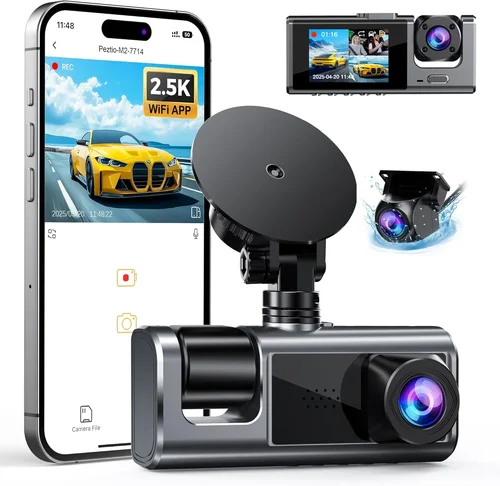
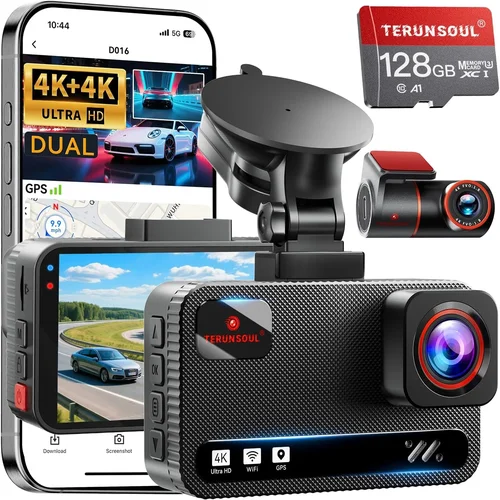
When it comes to vehicle safety and security, few investments offer as much peace of mind as a high-quality interior dash cam. Whether you’re concerned about passenger behavior, want to monitor your vehicle for insurance purposes, or simply need documentation in case of disputes, the right interior camera system can be an invaluable tool. This comprehensive buying guide will walk you through everything you need to know about selecting the best interior dash cam for your specific needs.
In this detailed guide, you’ll learn how to evaluate different models based on critical factors like video quality, storage capacity, installation complexity, and additional features. We’ll explore the various types of interior cameras available, from simple single-camera setups to advanced multi-camera systems with sophisticated recording capabilities. You’ll also discover common pitfalls to avoid when making your purchase and get expert tips on getting the best value for your money.
The market for interior dash cams has evolved significantly in recent years, offering consumers a wide range of options at various price points. From basic models that record in standard definition to premium systems featuring 4K resolution, night vision capabilities, and cloud connectivity, there’s something to suit every budget and requirement. Understanding these differences will help you make an informed decision that meets your specific needs while providing reliable performance over time.

What to Look for When Buying Dash Cams
1. Video Quality & Resolution
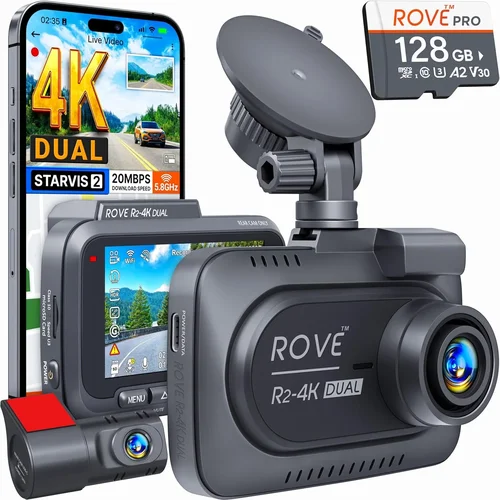
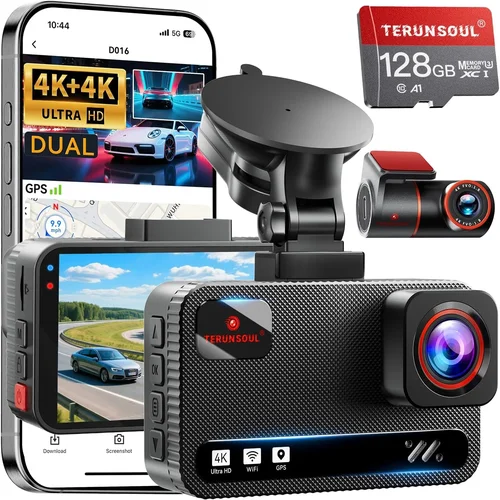
The foundation of any effective dash cam is its ability to capture clear, detailed footage. For interior monitoring, you’ll want at least 1080p Full HD resolution to ensure important details are visible. Higher-end models offer 2K or even 4K resolution, which provides exceptional clarity for identifying faces, license plates (if visible), and other critical information.
Look for cameras with good low-light performance since interiors often have limited natural light. CMOS sensors with larger pixel sizes generally perform better in dim conditions. Additionally, consider the field of view (FOV) – a wider angle captures more of the cabin but may introduce distortion at the edges. A horizontal FOV between 90-150 degrees typically offers the best balance for interior monitoring.
2. Storage Capacity & Recording Options
Interior dash cams require continuous recording capability, so understanding your storage needs is crucial. Most models use microSD cards ranging from 32GB to 256GB. For typical usage (recording 30 minutes daily), a 64GB card provides about 7 days of storage at 1080p.
Consider whether the camera supports loop recording, which automatically overwrites older footage when storage fills up. Some advanced models offer cloud storage options, though this requires a subscription service and reliable cellular connectivity. Built-in memory is another consideration – while convenient, internal storage typically has smaller capacities than removable cards.
3. Night Vision & Low-Light Performance
Interior environments often have poor lighting, making night vision capabilities essential. Look for cameras with infrared LEDs or starlight sensors that can illuminate dark cabins without disturbing passengers. The effectiveness of these systems varies significantly between models.
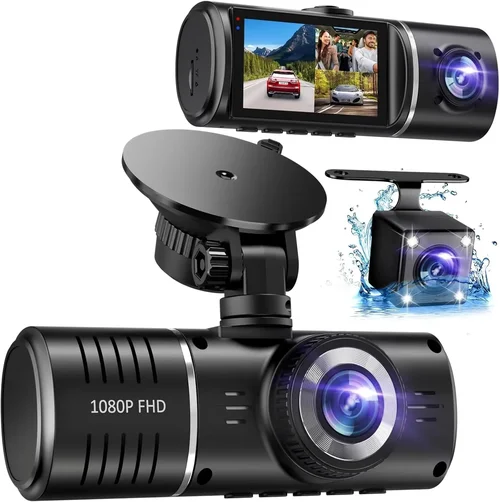
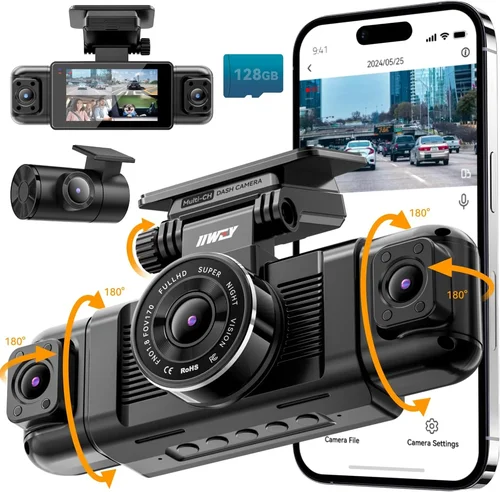
Some advanced interior cams include dual-lens systems with one lens optimized for daytime recording and another for nighttime infrared capture. These provide much better visibility in complete darkness compared to standard color cameras. Consider how frequently you’ll be using the camera after dark when evaluating night vision requirements.
4. Installation & Mounting Options
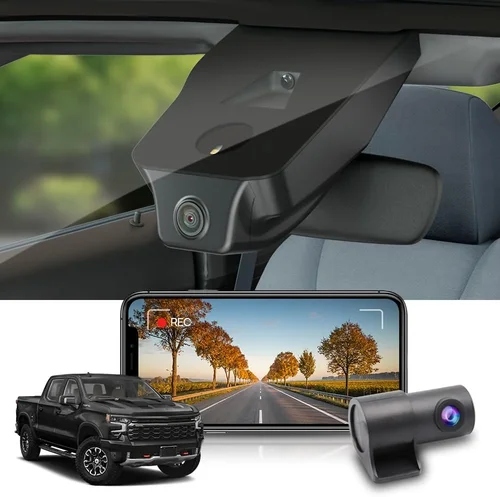
Proper installation ensures stable footage and prevents damage to your vehicle’s interior. Most interior dash cams attach to the windshield or dashboard using adhesive mounts, suction cups, or magnetic brackets. Windshield mounting is generally preferred as it provides the most stable platform and minimizes vibration.
Consider cable management – some cameras come with long cables that can be routed along the windshield edge, while others have built-in batteries for completely wire-free installation. If running wires, look for models with USB-C or micro-USB connections that can be easily concealed. Professional installation services are available but add to the overall cost.
5. Battery Life & Power Options
Battery life varies dramatically between models, typically ranging from 1-10 hours of continuous recording. Cameras with replaceable batteries offer more flexibility than those with built-in cells. Consider your typical usage patterns – if you only need short recordings occasionally, a model with a 2-hour battery might suffice.
Most interior dash cams support multiple power options: direct USB connection to your car’s cigarette lighter or OBD-II port, built-in rechargeable batteries, or hardwiring for permanent installation. Hardwired systems draw minimal power and can be configured to shut down automatically when the car turns off, conserving battery life.
6. Additional Features & Smart Capabilities
Modern interior dash cams offer numerous advanced features beyond basic recording. G-sensors detect impacts and save relevant footage, while parking mode monitors your vehicle when parked. Some models include Wi-Fi connectivity for easy file transfer, smartphone app integration, and GPS tracking.
Consider whether you need features like motion detection, which only records activity rather than constant footage, helping conserve storage space. Audio recording capabilities are controversial due to privacy concerns – check local laws before enabling microphone functionality. Advanced models may offer facial recognition software to identify specific individuals in your vehicle.
7. Build Quality & Durability
Interior dash cams face unique environmental challenges including temperature extremes, humidity, and potential impact from passengers or objects in the vehicle. Look for models with ruggedized housings that resist cracking and fogging. Sealed designs prevent moisture ingress, which is particularly important in humid climates.
Consider the materials used – polycarbonate shells offer good impact resistance while aluminum frames provide superior heat dissipation. Temperature tolerance ranges from -4°F to 140°F (-20°C to 60°C) for most quality models. Check customer reviews for reports of failure under normal operating conditions, as build quality significantly affects reliability.
8. Software & User Interface
The accompanying software determines how easy it is to review footage, manage settings, and transfer files. Intuitive interfaces with clear menus and responsive controls make a significant difference in usability. Some manufacturers offer mobile apps that let you view live feeds remotely and download clips directly to your phone.
Consider compatibility with your devices – most systems work with both Android and iOS, but some features may be limited on certain platforms. File management capabilities vary widely; look for models that organize recordings chronologically and allow quick searching by date/time. Advanced software might include video editing tools or cloud backup options.
Different Types of Dash Cams
Common Buying Mistakes to Avoid
❌ Mistake: Ignoring Local Privacy Laws
Why it’s bad: Many regions have strict regulations about audio recording, especially in private vehicles. In some jurisdictions, recording conversations without consent may violate wiretapping laws. Even if you don’t plan to use audio features, some cameras default to recording sound, which could create legal complications.
What to do instead: Research local regulations before purchasing. Many manufacturers now offer “audio-off” switches or models specifically designed for regions with privacy restrictions. Consider disabling microphone functionality entirely if not needed. When in doubt, consult legal counsel familiar with electronic surveillance laws in your area.
❌ Mistake: Overlooking Storage Requirements
Why it’s bad: Assuming a small SD card will suffice leads to constant reformatting or missing critical footage when storage fills up. Interior cameras often record continuously, consuming storage rapidly. Without adequate planning, you might lose valuable evidence because the system couldn’t store new recordings.
What to do instead: Calculate your storage needs based on expected usage frequency and desired retention period. For occasional use, 32GB might work, but daily recording requires 64GB or higher. Consider automatic file deletion policies and ensure your camera supports your chosen card size. Cloud backup options can supplement local storage but require ongoing subscriptions.
❌ Mistake: Choosing Based Solely on Price
Why it’s bad: The cheapest option often lacks essential features or uses inferior components that fail prematurely. Budget models may have poor low-light performance, limited resolution, or unreliable firmware that causes dropped frames or corrupted files. Cutting corners on an important safety device can ultimately cost more through replacement purchases or missed evidence.
What to do instead: Evaluate value across multiple factors rather than just initial cost. Consider total ownership expense including accessories, potential repairs, and subscription fees. Read professional reviews alongside user feedback to understand real-world performance. Sometimes spending 20% more upfront yields dramatically better longevity and reliability.
❌ Mistake: Neglecting Installation Complexity
Why it’s bad: Poor mounting leads to shaky footage, cable damage, or improper positioning that misses key areas. DIY installation seems straightforward, but improper routing can create trip hazards or damage vehicle surfaces. Some vehicles have airbags or complex interiors that complicate mounting choices.
What to do instead: Assess your comfort level with automotive electronics before committing to a complex setup. Choose models with flexible mounting options that accommodate your vehicle’s layout. For difficult installations, factor in professional service costs. Always follow manufacturer guidelines precisely to avoid voiding warranties or damaging equipment.
❌ Mistake: Underestimating Power Requirements
Why it’s bad: Cameras drawing too much power can drain vehicle batteries or cause electrical issues. Continuous recording strains power systems, especially in older vehicles with weaker alternators. Without proper power management, your interior camera might leave you stranded or trigger warning lights.
What to do instead: Match power consumption to your vehicle’s electrical system capabilities. Consider hardwiring options for permanent installations rather than relying solely on cigarette lighter adapters. Look for models with automatic shutdown features that preserve battery life when parked. Test power draw under typical usage conditions before finalizing your choice.
❌ Mistake: Focusing Only on Video Quality
Why it’s bad: High-resolution cameras without adequate low-light performance produce grainy, unusable footage at night. Similarly, impressive specs don’t matter if the software interface is confusing or files are difficult to retrieve. Prioritizing megapixels over practical usability defeats the purpose of having evidence available when needed.
What to do instead: Balance resolution with real-world performance metrics like low-light sensitivity and dynamic range. Evaluate ease of file access and playback through sample software. Consider how you’ll actually use the device daily rather than chasing theoretical maximums. User experience often outweighs technical specifications in determining whether footage will be useful when required.
❌ Mistake: Skipping Warranty & Support Research
Why it’s bad: Manufacturers with poor customer service or limited warranties create frustration when issues arise. Interior dash cams are prone to failures from temperature stress, accidental drops, or manufacturing defects. Without reliable support, troubleshooting takes longer and repair costs increase significantly.
What to do instead: Check warranty length and terms before purchasing. Research brand reputation for customer service responsiveness. Look for manufacturers offering extended protection plans or trade-up programs. Contact support directly with hypothetical questions to gauge their helpfulness and knowledge level before making your decision.
Budget Guidelines: How Much Should You Spend?
Entry-Level ($30 – $80)
This category includes basic interior dash cams focused on affordability rather than advanced features. Expect Full HD recording, limited low-light performance, and minimal additional functionality. These models are suitable for occasional use where budget constraints outweigh feature requirements. While they provide fundamental recording capabilities, be prepared for compromises in build quality and reliability.
Typical entry-level features include 1080p recording, 32-64GB microSD compatibility, loop recording, and basic motion detection. Some models offer parking mode or G-sensors, but often at lower sensitivity levels. Battery life rarely exceeds 2-3 hours, requiring frequent recharging. Installation is usually straightforward with adhesive or suction mounts. These cameras work well for simple monitoring needs but may struggle in challenging lighting conditions or demanding usage scenarios.
Mid-Range ($80 – $200)
The sweet spot for most buyers seeking balanced performance and value. Mid-range interior dash cams deliver significantly improved video quality, better low-light handling, and more robust construction. You’ll find models with 2K resolution, enhanced night vision capabilities, improved battery life, and more intuitive user interfaces. This tier represents the majority of successful purchases due to its optimal feature-to-price ratio.
Expect features like 2K recording, infrared LED arrays for nighttime illumination, 128-256GB microSD support, Wi-Fi connectivity for file transfers, and smartphone app integration. Battery life extends to 4-6 hours, accommodating longer recording sessions. Build quality improves with shock-resistant housings and weather sealing. These cameras handle typical usage scenarios well and provide reliable performance for everyday monitoring needs without excessive complexity or cost.
P Premium ($200 – $400)
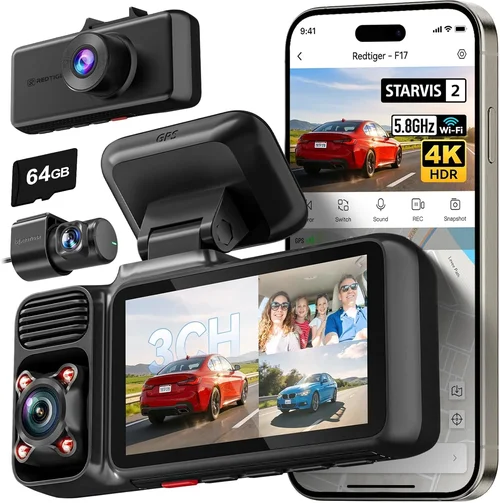
High-performance interior dash cams targeting serious users and professionals. This category includes advanced models with 4K resolution, sophisticated image processing, and extensive customization options. Premium cameras often feature dual-lens systems, cloud connectivity, AI-powered analytics, and professional-grade software suites. They’re ideal for fleet operators, security professionals, or frequent travelers who demand maximum reliability and functionality.
Top-tier features include 4K recording, HDR imaging, advanced night vision with starlight sensors, built-in cellular connectivity for live streaming, GPS tracking, facial recognition, and comprehensive analytics dashboards. Battery life exceeds 8 hours with efficient power management. Construction uses aerospace-grade materials with military-spec durability ratings. These systems integrate seamlessly with professional security ecosystems and offer enterprise-level support and maintenance packages.
Luxury ($400+)
Ultra-premium interior dash cams representing the absolute cutting edge of technology and design. Luxury models push boundaries with experimental features, proprietary technologies, and uncompromising build standards. These aren’t merely cameras—they’re complete security ecosystems combining hardware excellence with sophisticated software platforms. Investment in luxury dash cams typically reflects specialized requirements rather than general consumer needs.
Ultimate features include 8K recording capabilities, quantum dot sensors, holographic displays, biometric authentication, autonomous threat detection, predictive analytics, and seamless integration with smart home and security networks. Battery technology approaches breakthrough levels with ultra-efficient energy harvesting. Materials include titanium frames and sapphire glass screens resistant to extreme conditions. Support includes dedicated account managers and priority response teams. These systems represent the pinnacle of what’s currently achievable in vehicle monitoring technology.
Expert Tips for Getting the Best Deal
Seasonal timing significantly affects pricing and availability. Q4 typically sees the most aggressive promotions as retailers clear inventory for new models. Early spring sometimes offers clearance deals on last year’s versions before new releases arrive. Avoid peak shopping periods like Christmas Eve or New Year’s Day when selection is limited and prices are inflated.
Authorized dealers often provide better warranty fulfillment and genuine accessories. Unauthorized sellers may offer tempting prices but lack proper support channels. Bundle pricing can dramatically reduce effective cost—some manufacturers include free cloud storage subscriptions or extended warranties with higher-tier purchases. Always verify that bundled items are genuinely included rather than just promotional gimmicks.
Testing before final commitment prevents buyer’s remorse and ensures the camera meets your specific needs. Return policies vary significantly—some online retailers require original packaging while others accept opened products. Know the restocking fees and return shipping costs associated with each retailer. Physical stores often allow immediate hands-on evaluation, giving instant feedback on build quality and usability.
Retailers compete for your business and may offer unadvertised deals beyond posted prices. Building rapport with sales associates increases chances of receiving personalized attention and special considerations. Mention competing offers explicitly and remain polite but firm. Sometimes asking “What’s the absolute best price you can offer?” opens negotiation space even on non-discounted items.
Certified refurbishment programs maintain quality standards equivalent to new products. Inspect refurbished items carefully for cosmetic imperfections that don’t affect performance. Verify warranty coverage duration matches new product offerings. Open-box items from big-box stores may lack original packaging but often include all accessories and functional guarantees. Always confirm return eligibility for refurbished purchases.
Cashier programs provide ongoing value beyond single transactions. Credit card rewards accumulate regardless of purchase amount and can cover accessory costs or next-generation upgrades. Membership perks sometimes include exclusive product launches or VIP customer service lines. Track reward expiration dates and redemption thresholds to maximize utility throughout the year.
Online communities represent collective intelligence far exceeding individual research capabilities. Reddit threads, Facebook groups, and specialized forums contain crowdsourced deal hunting strategies refined through repeated experimentation. Members frequently share screenshots of exclusive promotions or describe successful negotiation techniques. Contributing value to these communities increases access to privileged information and trusted recommendations.

Frequently Asked Questions
Q: Are interior dash cams legal everywhere?
A: Legality varies significantly by jurisdiction and intended use. In many countries, recording inside your own vehicle is permitted, but regulations regarding audio recording, especially conversations with other people, can be restrictive. Some regions require consent from all recorded parties before any recording occurs. Always research specific laws in your area and consider disabling audio recording features if uncertain. Many manufacturers now offer “audio-off” models specifically designed for privacy-conscious markets.
Q: How long should I expect my interior dash cam battery to last?
A: Battery life depends heavily on usage patterns and model specifications. Entry-level models typically offer 1-2 hours of recording, mid-range units provide 3-5 hours, and premium systems can exceed 8 hours. Factors affecting battery life include screen brightness, resolution settings, and whether infrared LEDs are active. For continuous operation, hardwiring to your vehicle’s electrical system eliminates battery concerns entirely. Consider your typical recording frequency when evaluating battery requirements—occasional use allows smaller batteries, while daily recording demands longer endurance.
Q: Can I use any microSD card with my interior dash cam?
A: While most interior dash cams accept standard microSD cards, compatibility isn’t guaranteed across all models. Manufacturers specify minimum requirements including capacity (typically 32GB+) and speed class (usually Class 10 or UHS-I). Using incompatible cards may cause recording failures, corruption, or complete system malfunctions. Always check the manufacturer’s recommended card list before purchasing. High-end models sometimes require specific brands or capacities for optimal performance. Formatting cards in the camera itself ensures proper partitioning and file system compatibility.
Q: What’s the difference between loop recording and event-based recording?
A: Loop recording continuously overwrites oldest footage when storage fills, ensuring constant recording without manual intervention. Event-based systems save triggered clips separately while still maintaining loop recording for regular footage. Events can be manually activated, detected by motion, or caused by G-force sensors detecting impacts. Most modern dash cams combine both approaches—continuous loop recording with event-triggered clips saved to protected memory. Understanding these modes helps optimize storage allocation and ensures critical moments aren’t lost due to automatic overwriting.
Q: Do interior dash cams work during cold weather?
A: Yes, but performance degrades significantly below freezing temperatures. Lithium-ion batteries used in most dash cams lose capacity rapidly in cold conditions, potentially reducing recording time by 50% or more at 32°F (0°C). Camera sensors may struggle with condensation and reduced light sensitivity in winter conditions. Look for models rated for operation down to -4°F (-20°C) or lower. Parking mode functionality often requires external heating elements or thermal insulation to maintain functionality during extended cold exposure. Cold weather testing is essential before relying on dash cams for critical monitoring in harsh climates.
Q: How do I choose the right field of view for interior monitoring?
A: Field of view (FOV) determines how much of the cabin appears in frame. Too narrow and you miss important areas; too wide and faces become distorted or too small to identify. For front-row monitoring, 100-120 degrees horizontal FOV works well. Rear seat coverage requires wider angles around 130-150 degrees. Consider seating positions relative to mounting location—higher mounts see less of lower seats. Some cameras offer adjustable FOV settings, allowing optimization for specific vehicle configurations. Test different angles physically if possible before purchasing to ensure adequate coverage without excessive distortion.
Q: Can I install an interior dash cam myself?
A: Absolutely, but success depends on your technical comfort level and vehicle type. Simple adhesive or suction mount installations take 15-30 minutes and require no tools. Wire-free battery-powered models offer the easiest DIY approach. More complex setups involving routing cables along door frames or connecting to electrical systems demand patience and basic automotive knowledge. Professional installation costs $50-150 but ensures proper mounting, secure wiring, and protection against water damage. Consider whether your vehicle’s airbag deployment zones affect mounting locations before drilling or using strong adhesives.
Q: What should I do if my interior dash cam stops working?
A: First, check power connections and ensure the device receives adequate voltage. Try reseating microSD cards and formatting them in-camera. Update firmware through the manufacturer’s website if available. Reset factory settings if software glitches persist. Document error messages or unusual behaviors for troubleshooting assistance. Most manufacturers offer limited warranties covering defects—contact customer support with proof of purchase for repair or replacement options. Preventive maintenance like cleaning lenses and avoiding extreme temperatures reduces failure likelihood over time.
Q: How do I protect my privacy while using an interior dash cam?
A: Several strategies minimize privacy risks while maintaining security benefits. Disable microphone features if not needed, especially in jurisdictions with strict audio recording laws. Set automatic deletion policies to limit retention periods. Use strong passwords for Wi-Fi connectivity and disable remote access when unnecessary. Physically cover the camera when not in use to prevent unwanted recording. Share footage selectively rather than storing indefinitely. Regularly review settings to ensure compliance with evolving privacy regulations and personal preferences.
Q: Are cloud-connected interior dash cams worth the subscription cost?
A: Cloud connectivity adds convenience but involves trade-offs between accessibility and privacy. Subscriptions typically range from $5-20 monthly for basic storage and remote viewing. Benefits include automatic backups, live streaming, and GPS tracking without local storage limitations. However, cloud services collect metadata and may expose sensitive location data. Evaluate whether remote access justifies recurring costs and privacy implications. Many users find local storage sufficient for their needs, making subscriptions unnecessary overhead. Consider canceling unused services promptly to avoid unintended charges.
Our Final Recommendations
Best for Budget-Conscious Buyers
The Viofo A119 v3 represents exceptional value for basic interior monitoring needs. Priced under $80, this compact camera delivers reliable 1080p recording with decent low-light performance thanks to its Sony STARVIS sensor. The built-in 128MB buffer ensures event clips aren’t lost during sudden power loss, while loop recording automatically manages storage. Simple operation makes it accessible to non-tech users, and the sturdy suction mount holds securely on most windshields. While lacking advanced features like Wi-Fi or GPS, the A119 v3 performs reliably for casual monitoring where cost matters most. Its compact size doesn’t obstruct rearview visibility, and the included 32GB microSD card provides adequate initial storage.
Best Overall Value
The Blackvue DR900X-2CH strikes an impressive balance between features, performance, and price. Positioned in the $200-$250 range, this dual-lens system records both interior and exterior simultaneously at 2K resolution. The front camera captures stunning detail while the cabin camera provides clear passenger monitoring. Advanced night vision utilizes infrared LEDs invisible to occupants, and built-in Wi-Fi enables effortless file transfers via smartphone app. Parking mode with impact detection saves relevant footage automatically, while cloud connectivity provides remote access and GPS tracking. Robust construction withstands typical vehicle environments, and the intuitive interface simplifies operation. For users wanting professional-grade capabilities without premium pricing, the DR900X-2CH delivers outstanding bang-for-buck performance.
Best Premium Option
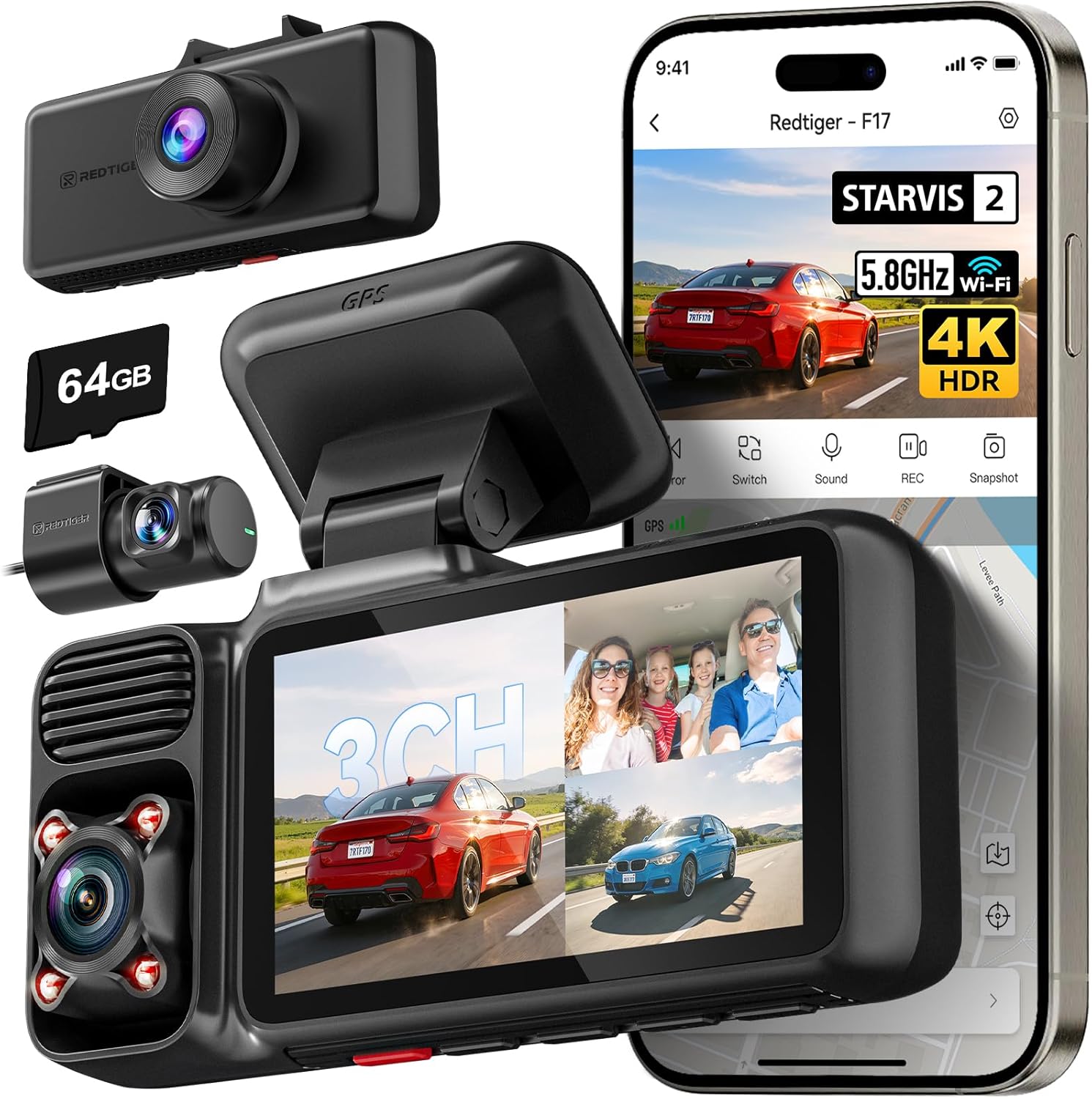
The Thinkware U1000 represents the pinnacle of interior dash cam technology for demanding applications. At $350+, this 4K-capable system sets new standards for image quality with its Sony STARVIS 2 sensor and HDR processing. Dual-channel recording captures breathtaking detail in both directions, while sophisticated noise reduction maintains clarity in challenging lighting. Advanced parking surveillance with built-in cellular connectivity enables live monitoring and emergency notifications when parked. The U1000 integrates seamlessly with Thinkware’s comprehensive ecosystem including cloud storage, AI-powered analytics, and professional installation networks. Military-grade durability ensures reliability in extreme conditions, and the intuitive interface simplifies complex operations. For professionals, fleet managers, or enthusiasts requiring ultimate performance, the U1000 justifies its premium positioning through unmatched capabilities.
Best for Beginners
The Garmin Dash Cam Mini offers hassle-free operation perfect for first-time users. With its plug-and-play simplicity, this compact camera requires no configuration or technical knowledge. Automatic recording starts immediately upon connection, and the discreet design doesn’t distract drivers. The 1080p resolution captures clear footage, while built-in GPS tracks location data without complicated setup. Unlike many competitors, Garmin includes lifetime map updates and accident detection features typically reserved for higher-end models. The included suction cup mount secures firmly, and the absence of cables eliminates routing complexities. For users prioritizing ease-of-use over advanced features, the Dash Cam Mini provides trustworthy basic monitoring without overwhelming options or steep learning curves.
Best for Advanced Users
The Nextbase 622GW caters to experienced users needing sophisticated functionality without sacrificing usability. This premium model combines 2K resolution, Alexa voice control, and built-in cellular connectivity in a sleek package. The innovative “Event Recording” system automatically saves triggered clips while maintaining continuous background recording. Advanced driver assistance features include lane departure warnings and collision alerts, while the intuitive touchscreen interface simplifies navigation through complex settings. Professional-grade build quality withstands daily abuse, and the comprehensive app ecosystem enables remote management and cloud backup. For tech-savvy individuals who appreciate cutting-edge features and seamless integration with smart home systems, the 622GW delivers unparalleled convenience and capability.
Conclusion: Making the Right Choice
Selecting the best interior dash cam requires careful consideration of your specific needs, usage patterns, and budget constraints. Rather than chasing the latest features or lowest price point, focus on finding a system that delivers reliable performance when you need it most. Evaluate how frequently you’ll use the camera, what environments you’ll encounter, and which capabilities truly matter for your situation.
Remember that interior dash cams serve important safety and security functions, but they’re only effective when properly installed, maintained, and utilized according to legal and ethical guidelines. Take time to understand local regulations regarding recording capabilities and privacy expectations before finalizing your purchase. Test different models if possible, read comprehensive reviews from multiple sources, and don’t hesitate to seek professional installation for complex setups.
The market continues evolving rapidly with new innovations promising enhanced functionality, but fundamental principles remain consistent—clear video quality, reliable operation, and intuitive usability determine whether your investment pays dividends in peace of mind or frustration. By prioritizing these core aspects while remaining aware of emerging technologies, you’ll select an interior dash cam that serves you well for years to come.
Ultimately, the “best” interior dash cam is the one that fits your lifestyle, budget, and requirements perfectly. Whether you choose a basic model for occasional monitoring or invest in a premium system with advanced analytics, your decision should reflect thoughtful consideration rather than impulse purchasing. Take advantage of return policies, leverage expert advice when needed, and remember that responsible ownership includes regular maintenance and respectful use of recording capabilities.
As vehicle technology advances and consumer expectations evolve, the principles outlined in this guide will remain relevant for making informed decisions about interior monitoring solutions. Stay curious, continue learning about new developments, and prioritize devices that genuinely enhance your safety and security without compromising your values or breaking the bank.