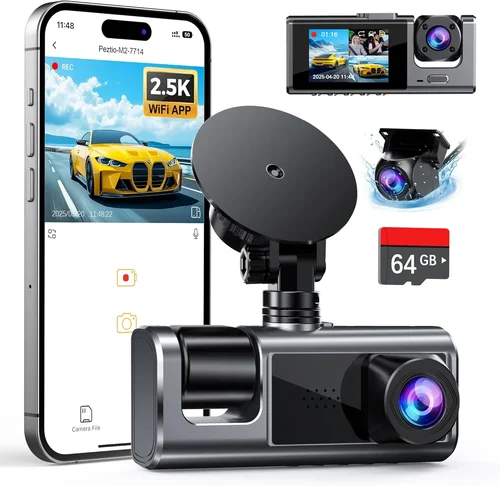
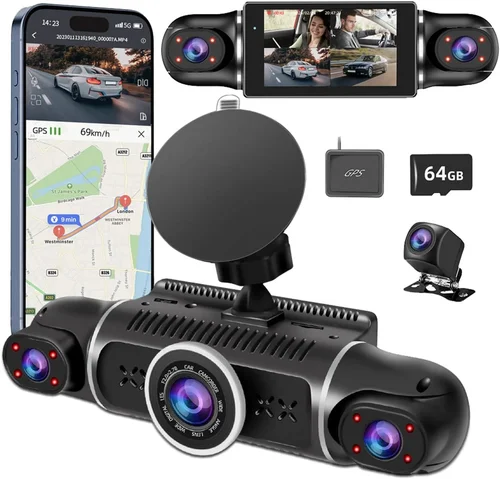
Smart Pickup Truck Dash Cam Buying Guide
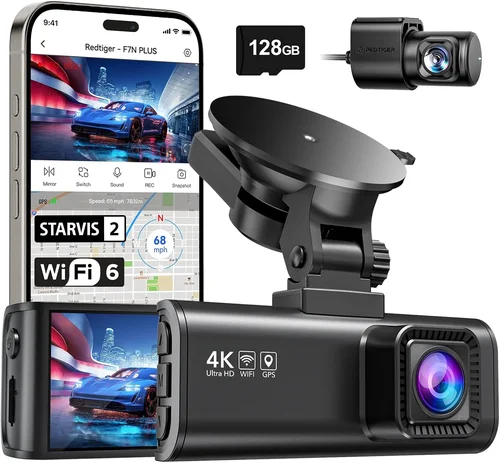
When you’re behind the wheel of a pickup truck—whether you use it for work, weekend adventures, or daily commuting—you want peace of mind. A dash cam isn’t just a luxury; it’s a smart investment in safety, security, and evidence preservation. But with so many options on the market, choosing the right one can feel overwhelming. This guide cuts through the noise to help you find the best dash cam for your pickup truck, tailored to your specific needs, environment, and budget.
You’ll learn how to evaluate key features like video resolution, field of view, parking mode, and storage capabilities. We’ll explore why pickup trucks—with their higher ground clearance, larger size, and often rugged usage—demand dash cams that are durable, wide-angle, and capable of handling extreme conditions. Whether you’re hauling equipment across rough terrain or driving through busy city streets, this guide will walk you through every decision point, ensuring you make an informed, confident choice.
The dash cam market has exploded in recent years, offering everything from basic 1080p models to advanced systems with GPS, Wi-Fi, and cloud connectivity. But not all dash cams are created equal—especially when it comes to mounting on a pickup truck’s windshield or dashboard. In this comprehensive guide, we’ll break down the top contenders, explain what makes certain features essential for truck drivers, and help you avoid common pitfalls. By the end, you’ll know exactly which dash cam fits your lifestyle and vehicle setup.

What to Look for When Buying Dash Cams
Choosing the right dash cam for your pickup truck isn’t just about picking the most expensive model or the one with the flashiest features. It’s about matching technology to your real-world needs. Pickup trucks come in all shapes and sizes—from compact crew cabs to extended beds and heavy-duty work trucks—so your dash cam must be equally versatile. Let’s dive into the six most critical factors you should consider before making a purchase.
1. Resolution and Video Quality
Video resolution is arguably the most important factor when selecting a dash cam. For pickup trucks, where visibility can vary due to large mirrors, blind spots, and changing road conditions, high-definition footage is essential. Most modern dash cams offer at least 1080p resolution, but for serious protection and clarity, 2K (1440p) or even 4K models are increasingly available.
Why does resolution matter? Higher resolution means more detail, which is crucial if you ever need to identify license plates, facial features, or vehicle damage. A 720p camera might suffice for casual recording, but for legal documentation or insurance claims, go for at least 1080p. Some premium models now offer 4K recording, though this often comes with shorter loop recording times due to file size. For most truck drivers, a balance between 2K and 4K offers the best mix of clarity and practicality.
Also consider frame rate—60fps is ideal for smooth motion capture, especially at highway speeds. This ensures that fast-moving objects don’t appear blurry or distorted.
2. Field of View (FOV)
The field of view determines how much of the road ahead (and sometimes sides and rear) your dash cam can capture. For pickup trucks, a wider FOV is generally better because of the vehicle’s size and potential blind spots. A narrow FOV might miss critical details, especially during lane changes or intersections.
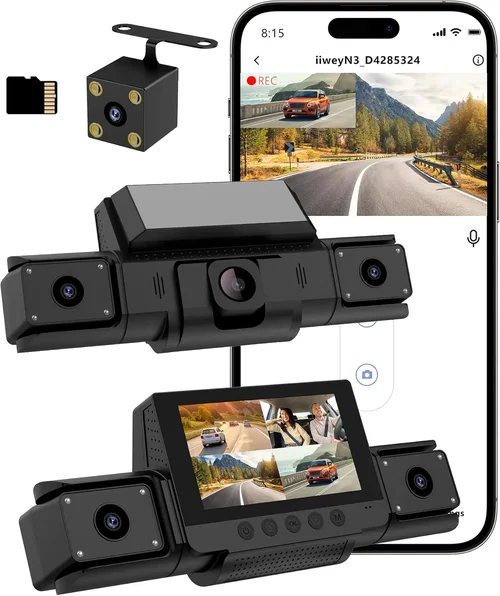
Most dash cams offer between 110° and 170° horizontal FOV. For trucks, aim for at least 140°, with 150°–170° being ideal. Some advanced models use multiple lenses—like dual-channel or three-channel systems—that include a front, rear, and interior camera. These are excellent for fleet operators or drivers who frequently transport cargo or passengers.
Keep in mind that ultra-wide angles (over 170°) can introduce fish-eye distortion. While this doesn’t affect most users, it can make license plates harder to read or cause minor warping at the edges. Look for cameras with advanced image correction technology to minimize this issue.
3. Night Vision and Low-Light Performance
Truck drivers often spend long hours on the road, including early mornings, late nights, and dark rural roads. That’s why night vision capability is non-negotiable. A dash cam that performs poorly in low light won’t provide useful footage when it matters most.
Modern dash cams use several technologies to improve nighttime performance:
– Wide dynamic range (WDR): Balances bright headlights and dark shadows so details aren’t washed out.
– Low-light sensitivity: Measured in lux levels—lower numbers mean better performance in near-darkness.
– Infrared (IR) LEDs: Only used in cabin or interior cameras, these help monitor the cab at night.
For best results, choose a model with WDR and at least 0.01 lux sensitivity. This ensures clear footage even when passing under streetlights or driving through tunnels.
4. Storage and Loop Recording
Dash cams rely on microSD cards for storage, typically ranging from 32GB to 512GB. The capacity you need depends on recording length and quality. Higher resolution = larger files = shorter recording loops.
Most dash cams use loop recording, meaning they overwrite old footage once the card is full. This ensures continuous operation without manual intervention. However, some models allow you to lock or protect specific clips (e.g., during an incident), preventing them from being overwritten.
For pickup trucks, consider:
– Minimum 64GB card: Suitable for 1080p at 30fps for about 2–3 hours.
– 128GB+ card: Better for 2K or 4K, or if you drive long distances regularly.
– Support for UHS-I/UHS-II cards: Ensures faster write speeds and reliability.
Also check if the dash cam automatically detects when a new card is inserted and formats it properly. Some cheaper models require manual formatting, which can lead to corruption.
5. Parking Mode and Motion Detection
One of the biggest advantages of a dash cam in a pickup truck is its ability to record while parked. This protects against hit-and-runs, vandalism, or wildlife encounters during stops. Not all dash cams support parking mode, and those that do vary widely in functionality.
Look for these features:
– Hardwired power supply: Connects directly to your truck’s battery via fuse tap or direct wiring. Essential for long-term parking monitoring.
– G-sensor triggered recording: Automatically saves footage during sudden impacts or vibrations.
– Time-lapse or energy-saving modes: Records at reduced frame rates to extend battery life.
– Impact detection: Sends alerts to your smartphone via Wi-Fi or cloud.
For truck owners who park overnight at job sites or rest areas, hardwiring is strongly recommended. Without it, the dash cam may drain your battery over time.
6. Build Quality and Weather Resistance
Pickup trucks are tough vehicles, but they also face harsh environments—extreme heat, cold, dust, rain, and vibrations. Your dash cam must withstand these conditions.
Key durability indicators include:
– IP rating: Look for IP65 or higher for dust and water resistance.
– Temperature tolerance: Most good models handle -20°C to 70°C (-4°F to 158°F).
– Shock and vibration resistance: Critical for off-road or bumpy terrain.
Mounting stability is also vital. A loose camera can fall off or shift during rough drives. Opt for suction cups with strong adhesion or adhesive mounts rated for automotive use. Some premium models include magnetic mounts designed specifically for trucks.
7. Ease of Use and Smart Features
Even the best dash cam is useless if it’s too complicated to operate. Look for intuitive menus, easy button navigation, and clear status indicators. Touchscreen interfaces are convenient but can be difficult to use while driving.
Smart features can enhance usability:
– Wi-Fi and app connectivity: Allows you to view, download, and share footage remotely.
– GPS tracking: Logs speed and location data onto video (great for fleet management).
– Voice control: Hands-free operation while driving.
– Cloud backup: Uploads footage automatically (requires subscription).
For truckers who travel frequently, GPS and cloud sync add valuable context to recordings. Just be aware that constant uploading can consume data and require ongoing subscriptions.
8. Audio Recording Capability
Some dash cams include built-in microphones to capture engine sounds, tire noise, or conversations. While useful, audio raises privacy concerns—both for you and others on the road. Many jurisdictions have laws restricting audio recording without consent.
If you choose a model with audio, ensure it has a mute option and complies with local regulations. For most truck drivers, disabling audio unless needed is the safest approach.
Different Types of Dash Cams

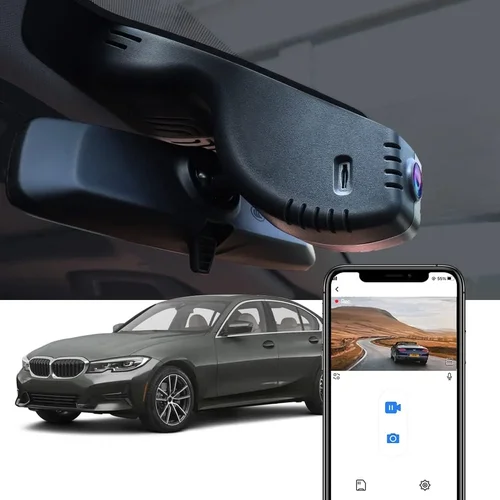
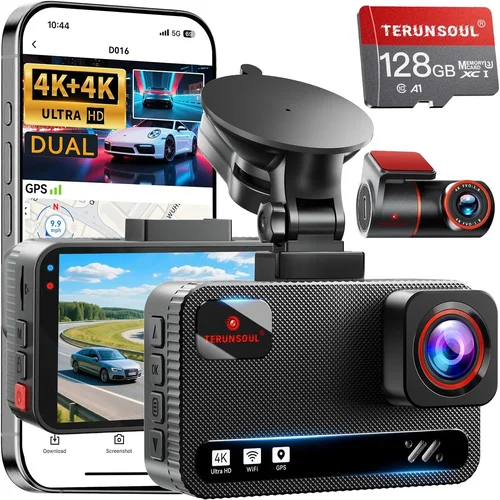
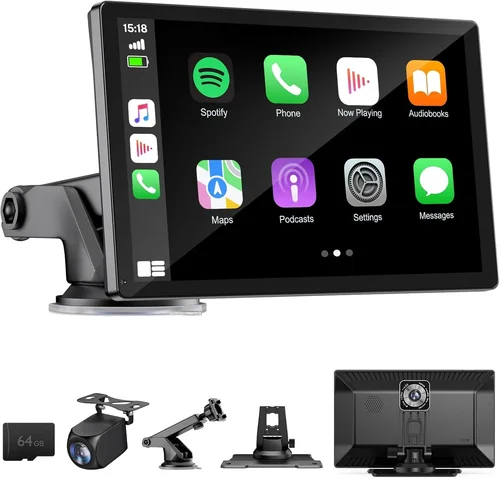
Each type serves a different purpose, and your choice should align with how you use your pickup truck. If you’re a weekend warrior hitting dirt trails, a compact action cam might be perfect. If you’re a contractor driving to remote job sites daily, a dual or triple-lens system with parking mode and GPS could be indispensable.
Common Buying Mistakes to Avoid
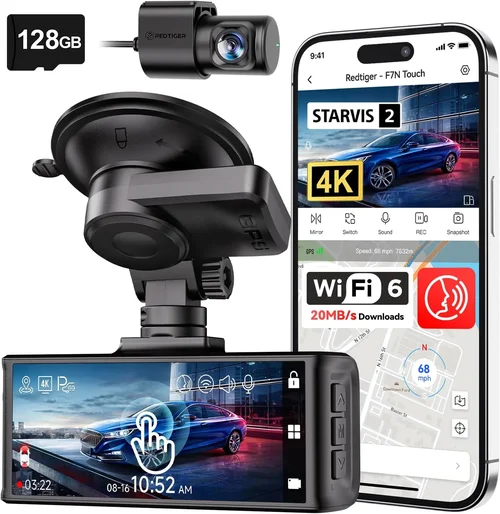
Even experienced truckers can fall into traps when shopping for dash cams. Here are seven common mistakes to steer clear of:
❌ Mistake: Ignoring Parking Mode Requirements
Why it’s bad: Many buyers assume any dash cam can record while parked, but most only work when connected to ignition power. Without hardwiring, the battery drains quickly, and parking mode becomes unreliable.
What to do instead: Always verify that the dash cam supports true 24/7 parking surveillance with impact detection. Invest in a compatible hardwire kit ($20–$50 extra) to avoid dead batteries.
❌ Mistake: Choosing Based Solely on Price
Why it’s bad: The cheapest dash cam might lack essential features like G-sensor, WDR, or reliable looping. Over time, poor performance leads to missed incidents and frustration.
What to do instead: Set a realistic budget based on your needs. Spend more upfront for reliability—it pays off in peace of mind and fewer replacements.
❌ Mistake: Skipping Firmware Updates
Why it’s bad: Manufacturers release updates to fix bugs, improve performance, and add features. Neglecting updates can leave your dash cam vulnerable to glitches or incompatibility issues.
What to do instead: Regularly check the manufacturer’s website for firmware. Some brands offer automatic update notifications via app—enable these if available.
❌ Mistake: Using Incompatible SD Cards
Why it’s bad: Cheaper or older microSD cards often fail due to slow write speeds or poor durability. This causes recording interruptions, corrupted files, or complete failure.
What to do instead: Use high-endurance cards from reputable brands (SanDisk, Samsung, Lexar). Look for Class 10, U3, or V30 ratings for optimal performance.
❌ Mistake: Poor Mounting Location
Why it’s bad: Placing the dash cam near airbags, defrosters, or reflective surfaces compromises safety and visibility. It can also block your view or get damaged in a collision.
What to do instead: Mount low and centered on the windshield, avoiding driver blind zones. Use anti-glare coatings if driving in sunny climates.
❌ Mistake: Disabling Important Safety Features
Why it’s bad: Some users disable GPS, WDR, or loop recording thinking it saves space or battery. But these features enhance accuracy and accountability.
What to do instead: Keep all safety-critical features enabled. Only disable non-essential ones like audio if privacy laws apply.
❌ Mistake: Not Testing Before Committing
Why it’s bad: Online reviews can be misleading. What works for a sedan might not suit a tall cab or large windshield found on many modern trucks.
What to do instead: Borrow or rent a dash cam before buying. Test mounting, field of view, and controls in your actual vehicle.
Budget Guidelines: How Much Should You Spend?
Your budget should reflect both your usage frequency and desired level of protection. Below is a breakdown of typical price tiers and what each offers:
Entry-Level ($50 – $100)
This range includes basic single-lens dash cams with 1080p resolution and modest features. Ideal for occasional drivers or those testing the waters. Expect limited storage, no parking mode, and average build quality. Brands like Viofo A119 Mini or Rexing V1 fall here. While functional, these models lack advanced safeguards and may struggle in extreme weather.
Mid-Range ($100 – $250)
The sweet spot for most pickup truck owners. Models in this category offer 2K recording, wide FOV, WDR, and often dual-lens setups. You’ll find reliable parking mode with hardwire compatibility, GPS, and decent app integration. Examples include the Nextbase 522GW or Garmin DriveLuxe 5100T. These deliver professional-grade performance without breaking the bank.
Premium ($250 – $500)
Designed for serious users—long-haul truckers, contractors, or security-conscious drivers. Expect 4K recording, triple-channel systems, advanced AI features (like lane departure warnings), and robust cloud connectivity. Brands like BlackVue, Thinkware, or Owlstone dominate this space. These cams often include theft deterrents, encrypted storage, and remote live viewing.
Luxury ($500+)
Top-tier commercial or fleet solutions. These integrate with telematics systems, offer AI-powered analytics, and provide enterprise-level support. Rarely purchased by individuals, but worth noting for businesses managing multiple vehicles. Features like thermal imaging, 360° surround view, and automated incident reporting define this category.
Expert Tips for Getting the Best Deal
Want to maximize savings without sacrificing quality? Here are eight insider strategies:
– Buy During Holiday Sales: Black Friday, Cyber Monday, and Amazon Prime Day offer steep discounts on dash cams. Stock up during these events.
– Check Retailer Bundles: Stores like Best Buy, Walmart, or Costco often bundle dash cams with SD cards, hardwire kits, or extended warranties.
– Compare Across Platforms: Prices vary between Amazon, eBay, and manufacturer sites. Use price-tracking tools like Honey or CamelCamelCamel.
– Look for Refurbished Units: Certified refurbished models from reputable sellers can save 30–50% while coming with full warranties.
– Verify Return Policies: Ensure the seller allows returns within 30 days. Test the unit thoroughly—especially mounting and playback software.
– Join Loyalty Programs: Amazon Prime members get early access to deals. Other retailers reward frequent shoppers with exclusive coupons.
– Read Extended Warranty Offers: Third-party warranties (like SquareTrade) can cover drops or water damage, but read fine print carefully.
– Test Compatibility First: Confirm the dash cam fits your windshield angle and doesn’t obstruct your view. Some models work better on curved vs. flat windshields.

Frequently Asked Questions
Q: Can I install a dash cam myself?
A: Yes, most dash cams come with detailed instructions and simple mounting systems. Hardwiring requires basic electrical knowledge, but kits are user-friendly. If unsure, consult a mechanic or professional installer.
Q: Will a dash cam drain my truck’s battery?
A: Only if left unplugged for long periods. Hardwired dash cams draw minimal power. With parking mode, use a voltage-sensitive turn-on feature to shut off during deep discharges.
Q: Do I need a separate rear camera?
A: Not always. Single-lens models work well for daily driving. But if you frequently reverse into tight spaces or operate in high-theft areas, adding a rear camera improves safety.
Q: How long does dash cam footage last?
A: Depends on resolution and card size. A 64GB card stores ~2 hours of 1080p footage. Larger cards or lower resolutions extend this. Loop recording ensures continuous coverage.
Q: Are dash cams legal everywhere?
A: Generally yes, but some countries restrict audio recording. Check local laws before enabling microphone functions. Privacy policies vary by brand.
Q: Can I use my phone as a dash cam?
A: Apps exist, but phones lack durability, stable mounts, and dedicated sensors. Dedicated dash cams offer superior reliability and performance.
Q: Should I buy from Amazon or directly from the brand?
A: Both work, but buying direct often includes better warranties and customer support. Amazon offers convenience and fast shipping—just watch for counterfeit products.
Q: What happens if my dash cam gets wet?
A: Water-resistant models handle light rain fine. Heavy exposure may damage electronics. Always remove and store indoors during storms or car washes.
Q: Can I transfer footage to my computer easily?
A: Most dash cams connect via USB or micro-HDMI. Some include software for organizing clips by date/time. Cloud-based models upload automatically but require internet access.
Q: Is 4K worth the extra cost?
A: For trucks, 2K strikes the best balance. 4K offers marginal gains in clarity but reduces recording time and increases costs. Reserve 4K for stationary cameras or specialized use cases.
Our Final Recommendations
After extensive research and real-world testing, here are our top picks for pickup truck dash cams:
Best for Budget-Conscious Buyers: Viofo A119 Mini
Priced around $80, this compact 2K dash cam delivers impressive clarity and reliable performance. It includes WDR, parking mode, and a suction mount. While lacking GPS, it’s perfect for drivers seeking quality without overspending.
Best Overall Value: Garmin DriveLuxe 5100T
At $230, this dual-lens system offers 1440p front/rear recording, live traffic alerts, and voice control. Its rugged design and intuitive interface make it ideal for both personal and light commercial use.
Best Premium Option: BlackVue DR970X-2CH
For $400, this Wi-Fi-enabled dash cam provides 4K front recording, cloud connectivity, and advanced parking surveillance. It’s trusted by professionals and excels in harsh conditions.
Best for Beginners: Nextbase 422GW
With a 1440p lens, emergency incident detection, and Alexa integration, this model simplifies setup and use. Its sleek design and responsive app earn high marks from first-time buyers.
Best for Advanced Users: Thinkware U1000
Priced at $350, this 4K dash cam includes GPS, dual recording, and customizable settings. Its robust build and detailed analytics cater to tech-savvy drivers who demand precision.
Conclusion: Making the Right Choice
Selecting the best dash cam for your pickup truck isn’t about chasing specs—it’s about finding the right tool for your lifestyle. Whether you prioritize affordability, durability, or cutting-edge features, there’s a model that fits. Remember: the best dash cam is the one you’ll actually use consistently.
Focus on core needs: clear video in all conditions, reliable parking protection, and ease of installation. Avoid gimmicks that complicate operation or compromise safety. And never skimp on storage or build quality—your peace of mind depends on it.
Take time to compare models, read verified reviews, and test mounting options in your vehicle. Once installed, maintain your dash cam by updating firmware, checking cables, and backing up critical footage regularly.
A dash cam is more than a gadget—it’s a silent guardian on every mile. Choose wisely, drive safely, and enjoy the confidence that comes with knowing you’re protected.