Best Dash Cam Buying Guide for Owner Operators
When you’re an owner-operator, your truck is more than just a vehicle—it’s your livelihood, your office, and often your home on the road. Every mile matters, every decision impacts your bottom line, and every moment counts when you’re navigating the complexities of long-haul trucking. That’s why having reliable, high-quality equipment isn’t just nice to have; it’s essential. Among the most critical pieces of tech you can invest in today is a dash cam. But with so many options flooding the market, how do you choose the right one? This comprehensive buying guide cuts through the noise to help you make an informed, confident decision.
This article will walk you through everything you need to know about selecting the best dash cam for owner operators. You’ll learn about the key features that separate average models from truly professional-grade units, understand how different types of dash cams serve different needs, and discover expert tips for getting the best value without overspending. Whether you’re a seasoned pro looking to upgrade your current setup or a new owner-operator starting fresh, this guide provides actionable insights tailored specifically to your unique challenges and requirements.
The dash cam market has evolved dramatically in recent years, moving far beyond basic “black box” recording devices. Today’s top models offer advanced safety features like lane departure warnings, collision alerts, GPS tracking, and even driver fatigue monitoring. For owner-operators who operate independently or run small fleets, these features aren’t just convenience upgrades—they’re risk mitigation tools that protect your business, your reputation, and your assets. From 4K resolution cameras to dual-channel systems with interior monitoring, we’ll explore all the technologies that matter most to professional drivers.

What to Look for When Buying Dash Cams
1. Budget & Price Range
As an owner-operator, you know that every dollar saved today can be reinvested into your business tomorrow. That said, don’t mistake low cost for low value when it comes to dash cams. While entry-level models start as low as $50–$75, they often lack critical features like loop recording, G-sensor protection, or reliable night vision—features that could save thousands in disputed incidents. Most reputable manufacturers recommend investing at least $125–$175 for a quality single-channel dash cam that meets daily operational needs.
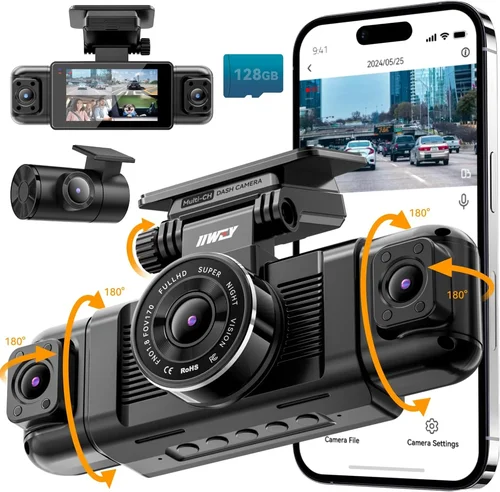
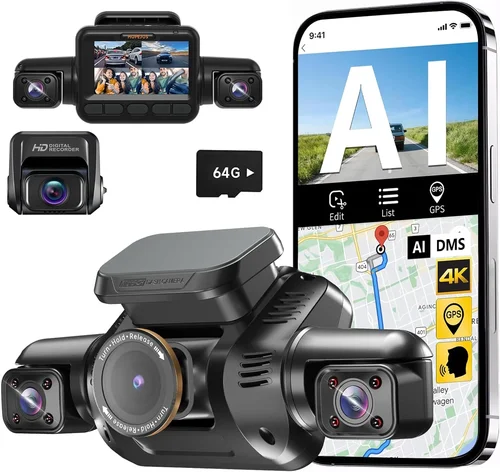
For those running fleets or requiring dual-camera setups (front + cabin), expect to pay between $200–$350. Premium models with 4K video, cloud connectivity, and AI-powered alerts typically range from $350–$600+. Remember: a cheaper dash cam might seem like a smart financial move upfront, but if it fails during a critical moment—or records blurry footage that doesn’t hold up in court—you’ve actually lost money and credibility.
2. Performance Specifications
Performance specs determine whether your dash cam captures clear, usable evidence when it matters most. Start with video resolution: aim for at least 1080p Full HD; anything lower simply won’t provide enough detail for license plate identification or facial recognition. Many professional-grade models now offer 2.5K or even 4K Ultra HD, which delivers sharper images and greater zoom capability without significantly increasing file sizes.
Next, consider field of view (FOV). A wider angle (typically 130°–150°) captures more of the road ahead and surrounding traffic, reducing blind spots. However, extreme wide angles can distort distant objects—so look for lenses with minimal fish-eye distortion. Frame rate is another key spec: 30fps is standard, but some models support 60fps for smoother motion capture during rapid braking or turns.
Finally, evaluate night vision performance. Look for cameras with large aperture values (f/1.8 or lower) and built-in infrared LEDs or WDR (Wide Dynamic Range). Night vision is non-negotiable—accidents happen after dark, and poor low-light recording can invalidate your entire case.
3. Build Quality & Durability
Your dash cam won’t just sit neatly under the windshield—it’ll endure extreme temperatures, constant vibration, dust, and potential impacts. Professional-grade units use military-grade materials, shock-resistant housings, and heat-dissipating designs. Check for IP65 or higher ingress protection ratings, which ensure resistance to water and debris. Also verify that mounting hardware is sturdy enough to stay secure through bumpy highways and sudden stops.
Heat buildup is a common failure point in poorly designed models. Look for dash cams with passive cooling systems or heat-resistant circuitry—especially important if you drive in hot climates where dashboard temperatures can exceed 150°F. Additionally, confirm that the device shuts down safely in overheating conditions rather than corrupting your footage.
4. Features & Functionality
Modern dash cams pack surprisingly sophisticated tech. Here are must-have features for owner-operators:
– Loop Recording: Automatically overwrites oldest files when storage fills up, ensuring continuous coverage.
– G-Sensor (Impact Detection): Detects collisions or hard braking and locks footage to prevent accidental deletion.
– Parking Mode: Records when parked using motion detection or time-lapse; some models draw power via hardwiring to avoid draining your battery.
– GPS Tracking: Embeds location, speed, and direction data into video files—critical for proving route compliance or accident reconstruction.
– Wi-Fi/App Connectivity: Allows easy file transfer and live viewing via smartphone apps.
– Emergency Backup Power: In case of power loss during an incident, some models preserve last few minutes of footage.
Advanced models may also include:
– Driver behavior analytics (harsh braking, acceleration)
– Collision warning alerts
– Voice activation controls
– Cloud storage integration
While not essential for everyone, these extras add layers of protection and operational insight.
5. Brand Reputation
Stick with established brands known for reliability and customer support. Companies like Garmin, Blackvue, Viofo, and Thinkware have decades of experience in automotive electronics. These brands typically offer better firmware updates, responsive technical support, and longer warranty periods. Avoid unknown “no-name” brands selling on discount sites—they may cut corners on components, lack proper testing, or disappear overnight, leaving you without service or replacement parts.
Check independent review aggregators like Consumer Reports, PCMag, or trusted YouTube reviewers specializing in trucking tech. Pay attention to long-term user feedback regarding durability, software stability, and customer service responsiveness.
6. Warranty & Support
A solid warranty reflects manufacturer confidence in their product. Industry-standard warranties last 1–3 years, but premium brands often offer 2–3 years with extended options available. Ensure the warranty covers both parts and labor, and that replacements are shipped quickly in case of failure.
Also consider the availability of local service centers or mail-in repair programs. As an owner-operator, downtime equals lost revenue. If your dash cam breaks mid-trip, you need fast, hassle-free resolution. Read warranty fine print carefully—some exclude damage from improper installation or extreme environments.
7. Size & Portability
Compactness matters when space under the windshield is limited—especially in older trucks with obstructed dashboards. Smaller form factors (under 2.5 inches tall) are easier to mount discreetly and reduce wind noise interference. However, very tiny cameras sometimes compromise lens quality or internal component placement, affecting performance.
If you switch trucks frequently, consider a portable model with magnetic mounts or suction cups that transfer easily between rigs. Just ensure mounting solutions remain secure during high-speed travel.
8. User Reviews & Ratings
Never skip real-world user feedback. Look for patterns in reviews—not just star ratings, but detailed comments about reliability over time, ease of use, and performance in specific conditions (e.g., snowy roads, desert heat). Truck-specific forums like Trucker Path, Reddit’s r/truckers, or Owner Operator groups on Facebook often contain invaluable peer recommendations.
Pay special attention to complaints about firmware bugs, Wi-Fi connectivity issues, or unexpected shutdowns. These recurring problems can indicate deeper design flaws.
Different Types of Dash Cams

Common Buying Mistakes to Avoid
❌ Mistake: Skipping Storage Capacity Planning
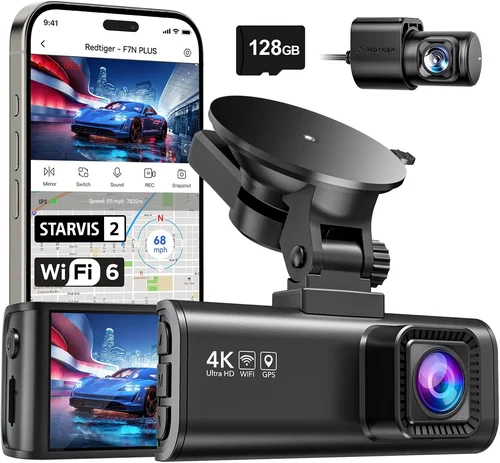
Why it’s bad: Many buyers assume a 32GB microSD card is sufficient, but 1080p dash cams consume ~1GB per hour. At 15-minute clips with G-sensor locking, you’ll fill that card in just 5 days of driving. Without adequate storage, you lose valuable footage—or worse, overwrite critical evidence.
What to do instead: Always buy a dash cam compatible with larger cards (64GB or 128GB). Verify it supports exFAT formatting and check manufacturer guidelines for optimal write speeds (Class 10 or U3 recommended).
❌ Mistake: Ignoring Parking Mode Requirements
Why it’s bad: If your dash cam lacks proper parking mode functionality—or requires constant engine running—it won’t record incidents while you’re stopped or sleeping. This defeats the entire purpose of having a dash cam for theft, vandalism, or hit-and-run protection.
What to do instead: Choose a model with true motion-triggered parking mode. Ensure it includes a hardwiring kit so it draws power only when needed, preserving your truck’s battery life.
❌ Mistake: Overlooking Firmware Updates
Why it’s bad: Outdated firmware can cause crashes, failed recordings, or missing features. Some budget models never receive updates, meaning bugs persist indefinitely.
What to do instead: Pick brands with active development cycles. Subscribe to update notifications and install patches promptly. Test new firmware in safe conditions before relying on it during critical drives.
❌ Mistake: Choosing Based Solely on Price
Why it’s bad: The cheapest dash cam often lacks essential protections. For example, a $40 unit might record in 720p only, have no G-sensor, and use flimsy wiring. In a liability dispute, blurry footage is worthless—even if it technically “works.”
What to do instead: Treat your dash cam as insurance. Allocate budget accordingly: prioritize core functions (resolution, durability, parking mode) over flashy extras like voice control or social media sharing.
❌ Mistake: Installing Without Proper Mounting
Why it’s bad: Loose mounts vibrate loose over time, causing misalignment or total detachment at high speeds. Suction cups fail in extreme heat/cold; adhesive mounts peel off dash surfaces.
What to do instead: Invest in professional-grade mounting kits with reinforced brackets. Test stability during rough-road trials. Consider dual mounts if space allows—one for primary camera, one for backup if needed.
❌ Mistake: Not Backing Up Footage Regularly
Why it’s bad: Relying solely on onboard storage risks losing everything if the dash cam is stolen, damaged, or corrupted. Digital evidence disappears too easily without redundancy.
What to do instead: Develop a routine: transfer weekly files to encrypted cloud storage or external drives. Use models with automatic upload features when parked near Wi-Fi.
Budget Guidelines: How Much Should You Spend?
Entry-Level ($75–$125)
At this price point, you’ll find basic 1080p dash cams with essential features like loop recording and G-sensors. Brands like EKEN or Z-Edge offer functional units suitable for occasional use or short-haul drivers. Expect limited night vision, smaller FOV, and shorter warranties. These work well for casual drivers who rarely encounter complex liability scenarios. Avoid ultra-cheap imports (<$60)—they often fail within months.
Mid-Range ($125–$250)
This sweet spot includes most recommended models for serious owner-operators. You’ll get 2.5K or 4K resolution, robust build quality, reliable parking mode, and GPS logging. Top contenders here include Viofo A119 v3, BlackVue DR970X-2CH, and Thinkware U1000. These handle daily highway driving, urban congestion, and variable weather reliably. Most come with 1-year warranties and decent customer support.
Premium ($250–$400)
For fleet owners or those prioritizing maximum safety, premium models deliver advanced analytics, superior low-light performance, and enhanced durability. Look for features like driver drowsiness alerts, collision warnings, and cloud connectivity. Examples include Nextbase 522GW or Garmin Dash Cam 67W. These justify their cost through reduced insurance premiums, improved driver accountability, and courtroom-ready evidence.
Luxury ($400+)
Ultra-premium dash cams target professional trucking companies needing forensic-grade recording. Features include 4K front + cabin recording, thermal imaging, LTE cellular backup, and AI-powered incident detection. Brands like Garmin, BlackVue, and Sennheiser (via partnerships) lead this tier. While expensive, these systems integrate with fleet management platforms and offer unparalleled reliability for high-risk operations.
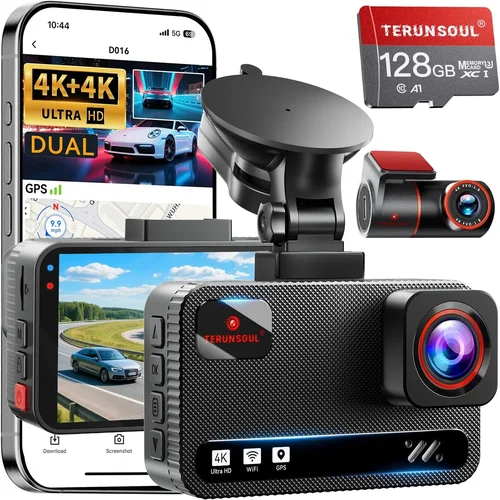
Expert Tips for Getting the Best Deal
Timing Your Purchase
Black Friday, Cyber Monday, and end-of-season sales (July–August) offer steep discounts on dash cams. Manufacturers often bundle accessories (extra cables, memory cards) during these periods. Avoid buying immediately after major product launches—new models usually drop 15–25% within 3–6 months.
Where to Buy
Online retailers (Amazon, Best Buy, B&H Photo) offer competitive pricing and fast shipping. Compare prices across sites before ordering. For physical inspection, visit truck accessory shops or big-box stores like Walmart or AutoZone. In-person testing lets you assess button layout, display readability, and mount compatibility.
Spotting Hidden Deals
Watch for bundle offers: some sellers include free hardwire kits, extra batteries, or extended warranties. Sign up for brand newsletters—they often send exclusive promo codes. Also monitor return policies: flexible 30-day windows let you test-drive the device risk-free.
Warranty Considerations
Always register your product immediately after purchase. Keep proof-of-purchase emails and serial numbers handy. Extended warranties rarely cover accidents or misuse—so only buy them if you genuinely fear mechanical failure.
Testing Before Committing
If possible, rent or borrow a friend’s dash cam to compare side-by-side. Test recording quality in different lighting, check app usability, and verify parking mode operation. Ask about real-world reliability from current users.
Future-Proofing Your Investment
Choose models with USB-C ports (instead of Micro USB), Wi-Fi 6 support, and open-file formats (MP4 vs proprietary containers). These ensure compatibility with future software updates and third-party tools.
Negotiating for Fleets
If you operate multiple trucks, contact distributors directly. Bulk purchases often qualify for volume discounts, free shipping, or complimentary training sessions. Mention your business size upfront—it opens doors to commercial deals.
Recycling Old Devices
Many brands offer trade-in programs for old dash cams. Even outdated models can earn credits toward new purchases. Properly wipe all data before recycling to protect privacy.

Frequently Asked Questions
Q: Do I really need a dash cam as an owner-operator?
A: Absolutely. As an independent contractor, you bear full liability for accidents and incidents. A dash cam provides irrefutable evidence in disputes, protects against false claims, and demonstrates professionalism to brokers and shippers. Insurance companies increasingly require dash cam usage for policy eligibility.
Q: Can a dash cam help me lower my insurance costs?
A: Yes—many carriers offer premium discounts (5–15%) for vehicles equipped with dash cams. Some even mandate them for high-risk classifications. Check with your agent about specific requirements and documentation needed.
Q: Will a dash cam drain my truck’s battery?
A: Only if improperly installed. True parking mode uses motion sensors to activate recording briefly when triggered. With a hardwired kit, the dash cam draws power only when needed—preserving your battery. Never plug into cigarette lighters during parking.
Q: What resolution should I choose for legal protection?
A: Aim for at least 2.5K (2560×1440). While 1080p meets minimum standards, 2.5K provides clearer license plates and facial details. In litigation, higher resolution footage carries more weight with judges and juries.
Q: How much storage do I actually need?
A: Plan for 64GB minimum. At 15-minute clips and 15GB/day usage, a 64GB card lasts ~4 days. Larger cards (128GB+) extend this to 8+ days. Always keep spare cards on hand.
Q: Can I use my dash cam while parked?
A: Yes—but only if it has proper parking mode with motion detection. Set up a hardwire kit so it powers down when the engine isn’t running. This prevents theft and battery drain.
Q: Are dash cams legal everywhere?
A: Generally yes, but regulations vary by state. Most allow dash cams as long as they don’t block airbags or violate privacy laws. Avoid recording inside neighboring vehicles or private property without consent.
Q: Should I get one camera or two?
A: Start with one unless you frequently transport cargo or passengers. Dual-channel adds cost, complexity, and storage demands. One high-quality front camera suffices for most owner-operators.
Q: How do I ensure my footage survives court?
A: Use tamper-proof recording modes (G-sensor lock), encrypt backups, and maintain chain-of-custody logs. Submit raw files without editing—courts prefer unaltered evidence.
Q: Can I access my dash cam remotely?
A: Advanced models with Wi-Fi and cloud services allow live viewing and file downloads via smartphones. Useful for checking deliveries or reviewing incidents without stopping.
Our Final Recommendations
Best for Budget-Conscious Buyers
The Viofo A119 Mini delivers exceptional value at under $100. It records crisp 1080p footage, includes reliable parking mode, and boasts strong night vision. While lacking 4K, its performance rivals pricier models. Ideal for short-haul drivers or those testing dash cam benefits before upgrading.
Best Overall Value
The BlackVue DR970X-2CH earns top honors for combining dual-channel recording, 4K front camera, cloud connectivity, and military-grade durability. Its subscription-based cloud plan offers peace of mind, though basic functionality works offline. Worth every penny for professionals who demand reliability and courtroom-grade evidence.
Best Premium Option
For maximum protection, the Garmin Dash Cam 67W stands out with advanced driver alerts, voice control, and seamless smartphone integration. Its compact design minimizes wind noise, and GPS accuracy exceeds competitors. Slightly pricier but unmatched in intelligent safety features.
Best for Beginners
New to dash cams? The Thinkware Q800PRO simplifies setup with intuitive menus and automatic firmware updates. Offers 2.5K resolution, parking mode, and robust build quality—all wrapped in user-friendly software. Great for those transitioning from analog to digital recording.
Best for Advanced Users
Tech enthusiasts will love the Nextbase 522GW. With Alexa voice commands, emergency SOS button, and 4K recording, it bridges consumer convenience and professional needs. Cloud sync ensures footage is always backed up, making it ideal for busy owner-operators managing multiple responsibilities.
Conclusion: Making the Right Choice
Selecting the best dash cam for owner operators isn’t just about picking the shiniest gadget—it’s about aligning technology with your operational reality. Consider your typical routes, cargo types, insurance requirements, and comfort level with tech. Prioritize core functionalities: clear recording, durable construction, and reliable parking surveillance. Don’t overlook indirect benefits like improved driving habits, reduced stress, and stronger relationships with shippers.
Remember, your dash cam is an investment in your business’s longevity and integrity. By choosing wisely and maintaining it properly, you transform a modest piece of hardware into a powerful ally on America’s highways. Whether you go basic or go premium, the act of recording itself sends a message: you’re responsible, prepared, and serious about your profession.
Take your time, research thoroughly, and remember—the best dash cam isn’t necessarily the most expensive, but the one that consistently delivers trustworthy results when you need it most.